how to improve workflow efficiency with Notion

Before you can boost your workflow, you have to figure out what's really holding you back. The problem isn't just about wasted hours; it's the missed opportunities, the hit to team morale, and the daily friction that comes from doing things by hand. Finding these bottlenecks is the first real step toward building a smarter, more productive system.
Why Inefficient Workflows Are Silently Costing You
An inefficient workflow is like a leaky pipe. It slowly drains your resources in ways you don't always notice until the damage is done. It’s the silent productivity killer that shows up as missed deadlines, frustrated team members, and stagnant growth. So many businesses just accept these drags on performance as the "cost of doing business."
Most of the time, this comes down to disconnected systems and manual processes. Just think about the time your team spends copying and pasting info from an email into a project management tool. Or manually chasing down a client for an approval. Each of these small, repetitive tasks adds up, creating huge bottlenecks that stop your team from focusing on work that actually matters.

The Hidden Costs of Manual Work
The fallout from these inefficiencies goes way beyond just lost time. It hits your bottom line and your team's well-being, hard. Getting a good grip on operational efficiency is crucial for any business that wants to get its processes in order. It really shines a light on how manual work leads to some serious problems:
- Reduced Productivity: Every minute spent on manual data entry is a minute not spent on strategy, creativity, or building client relationships.
- Lower Team Morale: Let's be honest, repetitive, low-impact tasks are a one-way ticket to burnout. Your talented people want to solve problems, not act as human copy-paste machines.
- Increased Human Error: The more manual steps in a process, the higher the risk of expensive mistakes. One little typo can snowball into incorrect invoices, missed follow-ups, or completely skewed reports.
To see the difference, just look at how a few common tasks change when you move from a manual system to an automated one.
Manual vs Automated Workflow Comparison
| Task | Manual Process (The Problem) | Automated Process (The Solution) |
|---|---|---|
| Onboarding a New Client | Manually sending welcome emails, creating project folders, and assigning tasks. This is slow and prone to missed steps. | A trigger (e.g., a new entry in a CRM) automatically sends a welcome email, creates a Notion project page, and assigns initial tasks. |
| Gathering Client Feedback | Sending individual emails, then manually copying feedback into a project board. It's a logistical nightmare to track. | A form submission or a specific email label triggers an automation that creates a new task in Notion with all the feedback attached. |
| Weekly Project Reporting | A project manager spends hours compiling updates from different tools and people into a single report to email stakeholders. | An automated workflow pulls key metrics and status updates directly from Notion databases and sends a formatted report on a schedule. |
| Invoice Reminders | Someone has to manually track due dates in a spreadsheet and send reminder emails one by one. Easy to forget and inconsistent. | An automation checks for overdue invoices in your system and sends out a series of polite, timed reminders without any human intervention. |
The contrast is pretty stark, right? Automation frees up your team to focus on the strategic work they were hired to do, not the administrative churn that bogs them down.
The reality is that most companies are stuck in a cycle of inefficiency. A staggering 94% of companies still perform repetitive tasks, while only 4% have achieved full workflow automation.
But the way forward is clear. Research shows that workflow automation improves job satisfaction for 90% of knowledge workers and boosts productivity for 66% of them. This is a massive opportunity for teams willing to embrace better systems.
Fixing these issues isn't about tiny tweaks; it's about fundamentally changing how work gets done for good. And it all starts with identifying your biggest pain points. For many, that's a chaotic inbox. If that sounds familiar, a great first step is to get a handle on it with these https://www.notionsender.com/blog/post/6_simple_email_management_tips_to_boost_your_productivity.
Building Your Operational Hub in Notion
If you want to get serious about workflow efficiency, you need a single source of truth. Without one, information gets scattered across emails, spreadsheets, and random docs, forcing your team to waste precious time just hunting for what they need. Turning Notion into this command center is the first real step toward building a more cohesive and productive operation.
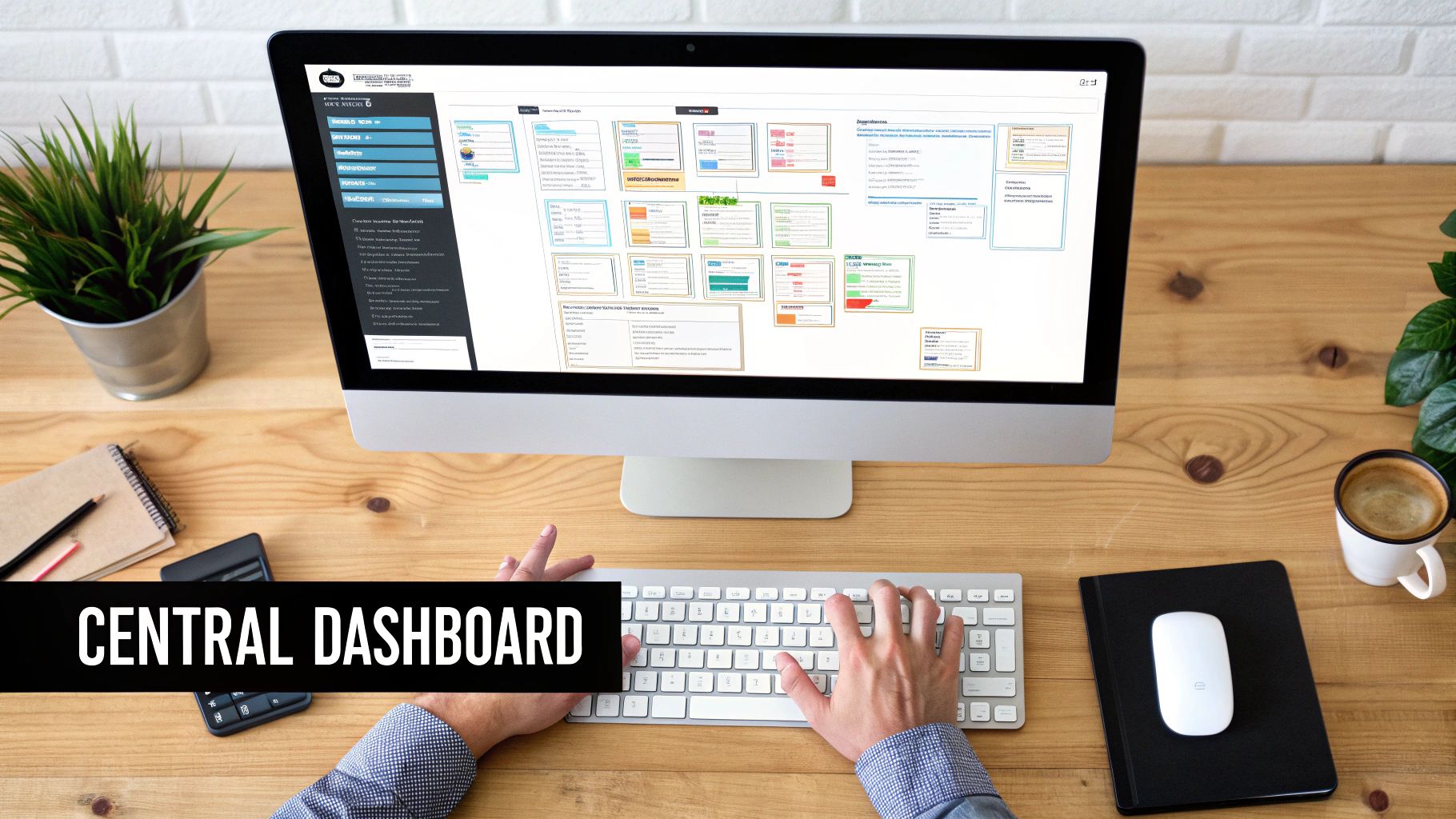
This isn't about slapping together a few to-do lists. It’s about architecting a smart, interconnected system where every piece of information has a home and a purpose. When you build a network of linked databases, you create a dynamic workspace that gives you real-time, at-a-glance insights into your entire business—from client relationships to project deadlines.
Architecting Your Core Databases
The real power of a Notion hub lies in its databases. Don't think of these as static spreadsheets; they're living collections of information that can talk to each other. For most businesses, the whole system rests on three core databases that form the backbone of your operations.
The first thing to do is create separate, dedicated databases for these key areas:
- Projects Database: This is where every single project lives. Each entry should track key details like the project name, its status (e.g., Not Started, In Progress, Complete), timeline, who's managing it, and the key deliverables.
- Clients Database (CRM): This will function as your lightweight CRM. Every client gets their own page with contact info, relationship status (e.g., Lead, Active, Former), and any important notes or communication logs.
- Tasks Database: Think of this as the master list of every individual action item across all your projects. Each task needs properties for its due date, the person responsible, and its current status.
Keeping these databases separate is absolutely crucial. It keeps your data clean and organized, helping you avoid those cluttered, all-in-one tables that quickly become a nightmare to manage. The real magic, though, happens when you start connecting them.
Connecting the Dots with Relational Properties
Once your core databases are in place, you can link them using Notion’s relational properties. This single feature is what turns a simple data repository into an intelligent operational hub. By creating these relationships, you establish logical connections that actually mirror how your business works.
For example, jump into your Projects Database and add a relation property that links to your Clients Database. Just like that, you can tag every project with the specific client it belongs to. Now do the same for your Tasks Database, adding relations that link each task back to both a specific project and a client.
With this structure, you can open any client's page and instantly see every project and task associated with them. This completely eliminates the need to manually search or cross-reference information, giving you a complete 360-degree view with a single click.
This interconnectedness is what allows you to create powerful, filtered views that are truly game-changing. Imagine a creative agency’s master dashboard. On one page, they can have a view of all "In Progress" projects, another showing all tasks due this week, and a third displaying all communication with a specific high-value client. That kind of clarity is what workflow efficiency is all about.
Connecting Notion to Your Email with NotionSender
So you’ve built your operational hub in Notion. What's next? The single biggest leap you can make in efficiency is bridging the gap between that workspace and your inbox. Let's be honest, manually sending emails based on project updates is a classic productivity killer. This is exactly where a tool like NotionSender comes in. It acts as the seamless connection between your Notion databases and your email.
Instead of constantly switching between apps, you can set up automations that do the heavy lifting. This turns Notion from a passive place where you store data into an active communication engine, handling all those tedious but critical touchpoints that keep your work professional and moving forward.
This infographic gives a great high-level view of how this connection works, showing how a simple database update can trigger a powerful, automated email.
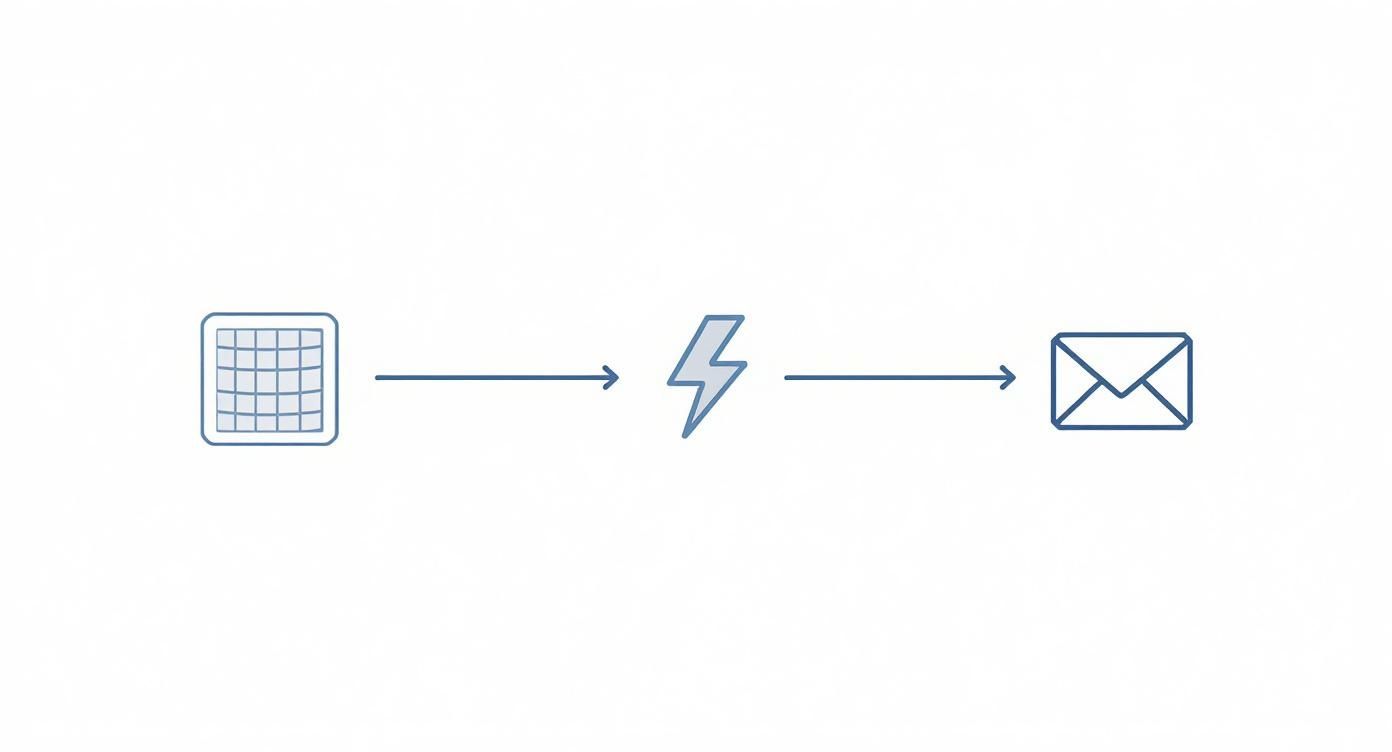
The flow is simple but incredibly effective: a trigger in your Notion database kicks off a predefined action, which then sends a personalized email completely on its own.
Setting Up Your First Email Automation
Getting started is surprisingly painless. The first thing you'll do is authorize NotionSender to access your Notion workspace and your email account (like Gmail or Outlook). This creates the secure pathway needed for the two systems to talk to each other.
Once you’re connected, it’s time to build your first automation. A fantastic real-world example is automating a welcome email for a new client. Instead of drafting a new message every single time, you can set up a trigger that handles it for you.
Here’s how that plays out:
- You add a new client to your Clients Database in Notion.
- You change their status property from "Lead" to "Active."
- That status change is the trigger.
- Boom. NotionSender automatically sends a pre-written, personalized welcome email to that client.
The real magic is mapping Notion properties to your email template. This lets you pull dynamic data—like the client's name, project title, or start date—directly from your database. It's the key to making every automated email feel personal and relevant.
Just that one automation saves a ton of time, gets rid of the risk of forgetting a crucial first email, and guarantees a consistent, professional onboarding experience for every single client.
Building Dynamic and Personalized Templates
The true power here lies in creating dynamic email templates. We're not talking about sending generic, static messages. NotionSender lets you pop placeholders into your email templates that match up with properties in your Notion database.
For instance, a project kickoff email template might look something like this:
- Subject: Welcome to the [Project Name] Project!
- Body: Hi [Client Name], we are so excited to get started on [Project Name] with you. Your official start date is [Start Date], and your primary point of contact will be [Project Manager].
When the automation runs, NotionSender grabs the data from the specific Notion page that triggered it and fills in those placeholders automatically. This means you can craft highly personalized messages at scale without lifting a finger. Of course, getting important emails into your workspace is just as crucial. You can learn more about the best ways for saving emails to Notion to keep your project hubs complete.
This kind of intuitive setup is designed to help you create complex automations without needing any technical expertise. With this foundation in place, you’re ready to design even more advanced, time-saving workflows.
Alright, you’ve got the basic connections down. Now it’s time to move beyond simple, one-step triggers and start building the kind of sophisticated automations that handle entire processes from start to finish. This is where you really start to see the magic happen—where workflows slash manual effort, wipe out human error, and give you back your most valuable asset: time.
We're talking about designing multi-step sequences that intelligently react to what’s happening in your Notion workspace. Imagine a project's status flips to 'Complete.' Instead of you having to stop what you're doing to manually draft an invoice, an automation can generate a perfectly formatted email, pull the project total and client details straight from the Notion page, and send it off without you lifting a finger.

This level of automation isn't just a nice-to-have; it's a serious strategic advantage. It's no surprise that 76% of companies are using automation to standardize their day-to-day operations, making routine tasks faster and more reliable. To really geek out on how this works on a larger scale, you can explore the concept of Straight Through Processing (STP).
The financial upside is huge, too. Companies report saving anywhere from $10,000 to several million dollars a year depending on how deep they go with automation.
Automating Your Client Invoicing Process
Let's walk through a powerful, real-world example: an automated invoicing system. Manually creating and sending invoices is a classic time-sink, and it's practically begging for errors and delays. With NotionSender, you can build a workflow that makes the whole thing instant and foolproof.
Here’s how it breaks down:
- The Trigger: It all starts in your Projects Database. You create a status called "Ready for Invoice." The moment a project's status gets updated, the automation fires.
- The Data Grab: The system immediately pulls key information from that project's Notion page—the client's email, the project name, the final invoice amount, and the due date. All from properties you've already filled out.
- The Email: NotionSender takes a pre-designed invoice template you've created, plugs in all the data it just grabbed, and shoots the email directly to the client.
- The Cleanup: As a final touch, the automation can even update the project status in Notion to "Invoiced," keeping your pipeline perfectly organized.
This single automation gets you paid faster, eliminates the risk of sending an invoice with the wrong details, and gives your clients a consistently professional experience. Every single time.
Creating an Automated Sales Follow-Up Sequence
Managing sales leads is another area where automation can have a massive impact. Let's be honest, manually tracking follow-ups is a drag, and it’s how promising opportunities fall through the cracks. Why not build an intelligent follow-up sequence right inside your Notion CRM?
For instance, when a new lead gets added with a "Contacted" status, you can kick off a drip campaign—maybe a series of three timed emails sent over ten days.
But the real power comes from making the automation conditional. You can set it up to stop automatically if the lead’s status changes to "Meeting Scheduled" or "Not Interested." This way, you’re nurturing leads effectively without annoying people who have already responded.
For those who want to build even more complex and customized workflows, you can always dive into our NotionSender API documentation. It’s the perfect resource for tailoring your automations to the exact needs of your business.
How to Measure and Refine Your New Workflow
<iframe width="100%" style="aspect-ratio: 16 / 9;" src="https://www.youtube.com/embed/i_D8MlBAk0A" frameborder="0" allow="autoplay; encrypted-media" allowfullscreen></iframe>
An optimized workflow isn't a "set it and forget it" kind of deal. Think of it as a living system that needs regular check-ups to make sure it's actually pulling its weight. Tracking your new automations is the only way to prove their value, spot fresh opportunities, and dial in your processes for even bigger wins.
The goal is to get past vague feelings of being "more productive" and start looking at specific, hard numbers. This data-driven approach is how you truly figure out what’s working and what isn’t. Without it, you’re just flying blind.
Identifying Your Key Performance Indicators
Before you can measure success, you have to define what success actually looks like for your team. Ditch the vanity metrics and zero in on the KPIs that tell you the real story about your operational health.
To get started, try tracking a few high-impact metrics:
- Project Completion Time: How long does it actually take to move a project from the "To Do" column to "Done"? If that timeline is shrinking, you know you're on the right track.
- Manual Interventions: Keep a tally of how many times someone has to manually jump in to fix or push along a supposedly automated process each week. The goal here is to get this number as close to zero as possible.
- Client Onboarding Speed: Clock the time from when a client signs the contract to the moment they're fully set up and ready to go. A faster, smoother onboarding process makes for happier clients right from the start.
You can whip up a simple dashboard right inside Notion to keep an eye on these KPIs. A few database rollups and formulas are all you need to calculate averages and totals, giving you a live look at your performance without ever leaving your workspace.
Gathering Feedback and Iterating
Numbers tell you what is happening, but it’s the feedback from your team that tells you why. Don't ever underestimate the insights from the people who are in the trenches, using these systems every single day. They're your best source for sniffing out hidden bottlenecks and seeing where the next automation could make a huge difference.
Forget rigid annual reviews. Quick, informal check-ins work wonders. Just ask a simple question like, "What was the most annoying, repetitive task you had to do this week?" The answers you get will be a goldmine for your next automation project.
This kind of continuous feedback loop is exactly how you evolve your systems. The business world is catching on, too. The global workflow automation market is expected to rocket to $78.26 billion by 2035, a massive leap from $20.3 billion in 2023.
This explosive growth is a clear signal: companies that double down on refining their workflows are the ones pulling ahead. You can find more details in this workflow automation industry research. When you mix hard data with real human insights, you create a workflow that not only works but gets better and smarter over time.
Got Questions About Your Notion Workflow?
Jumping into automation can feel like a big leap, but I promise it's more of a small step. Most of the hang-ups people have are based on a few common myths. Let's clear the air and tackle the questions I hear most often from teams looking to get their workflows humming with Notion and NotionSender.
The whole point is to show you that building a smarter system is totally within your grasp, no matter how big your team is or how "non-technical" you think you are.
How Much Technical Skill Do I Actually Need?
Honestly, next to none. If you can set up a simple database in Notion, you've got this.
Modern tools like NotionSender are built for people who don't want to touch code. The entire setup is visual. You connect your accounts, and then you just map out the properties from your Notion database—like a client's name or a project due date—to the right spots in your email. It's less like programming and more like playing a matching game.
Is This Better for Solo Hustlers or Big Teams?
It’s a game-changer for both, but the wins look a little different.
- For solo entrepreneurs: It’s like hiring an assistant who never sleeps. It takes all that repetitive admin work off your plate, freeing you up to focus on the stuff that actually moves the needle in your business.
- For teams: It’s a consistency machine. You can build rock-solid, repeatable processes for everything from client onboarding to project handoffs. It cuts down on miscommunication and the endless "just checking in" meetings, making sure everyone is on the same page.
What’s the Biggest Mistake People Make?
The classic blunder is automating a broken process. If your current workflow is a tangled mess, putting it on autopilot just means you’ll make mistakes faster and at a bigger scale.
Take a breath before you automate anything. Sketch out your current process and ask yourself: "Can this be simpler?" You'd be surprised how many steps you can just eliminate before a single tool gets involved.
My Current Workflow Is Chaos. Where Do I Even Begin?
Don't try to boil the ocean. The secret is to start small and score a quick win.
Find that one repetitive task that drives you absolutely nuts. Maybe it's sending kickoff emails for new projects or chasing down unpaid invoices. Document how you do it now, create a simple Notion database just for that one thing, and then set up a single, easy automation in NotionSender.
Nailing that first automation builds incredible momentum. It gives you a clear blueprint you can then copy and paste to fix other chaotic parts of your business, one step at a time.
Ready to trade the manual grind for a smarter, automated workflow? NotionSender plugs your Notion workspace directly into your inbox, turning your databases into a powerful command center. Start automating your email workflows today and get your time back.