A Founder's Playbook for Using Notion for Startups
Published Dec 20, 202525 min read
In this article5 sections

For a startup, Notion isn't just another app—it’s the central nervous system for your entire operation. It pulls all your scattered tools into one, cohesive workspace. Think about it: instead of paying for separate project management tools, an internal wiki, and a basic CRM, you get a flexible and cost-effective solution to manage the beautiful chaos of a growing business. This means your team can build the exact systems they need, right when they need them, without getting boxed into rigid software.
Why Notion Is Your Startup's Secret Weapon
Startups run on speed and agility. You can pivot on a dime, something large corporations bogged down by legacy systems can only dream of. This is precisely why Notion is such a game-changer for new ventures. It’s a tool built for rapid iteration, mirroring the very DNA of a successful startup. Instead of shoehorning your team into someone else's workflow, Notion gives you the building blocks—databases, pages, and integrations—to build an operational hub that’s a perfect fit.
The benefits are immediate. For starters, you drastically cut down on "tool sprawl," that all-too-common problem of juggling a dozen different subscriptions. This doesn’t just save money; it kills the friction of constant context-switching. When your product roadmap lives right next to your customer feedback database, and both are linked to your weekly meeting notes, your team gets a 360-degree view of the business.
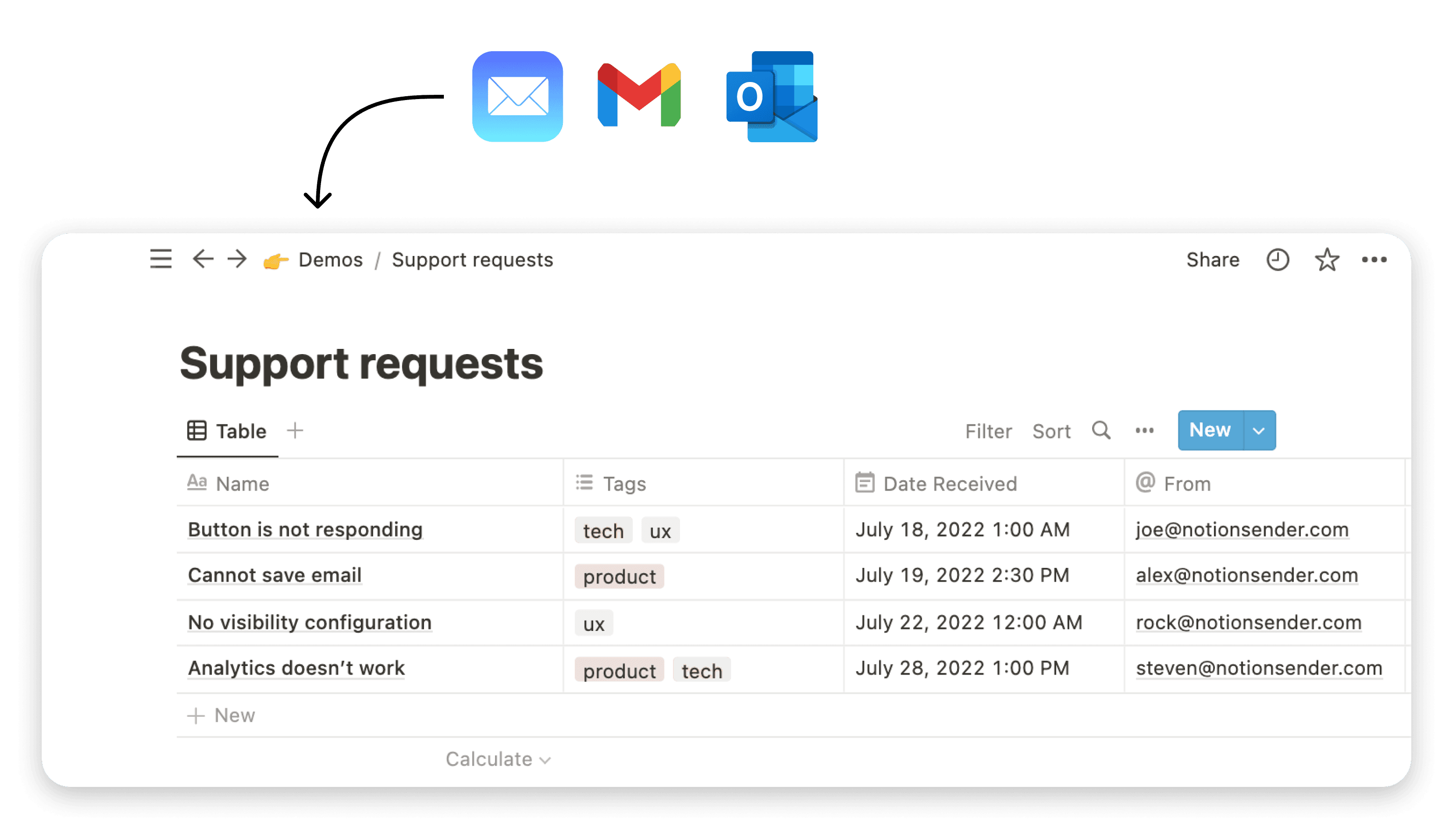
Here’s a glimpse of what that looks like—a clean, interconnected dashboard that acts as the company's command center.
This kind of visual clarity makes sure everyone, from the CEO to the newest intern, understands how their work fits into the bigger picture. It fosters a transparent, aligned culture right from the start.
The Single Source of Truth
In a fast-moving startup, information silos are lethal. They lead to misaligned priorities, duplicated work, and decisions based on outdated intel. Notion attacks this problem head-on by becoming your single source of truth. It’s the one place everyone instinctively goes for official documentation, project updates, and company goals.
A well-organized Notion workspace means no more frantic Slack messages asking, "Where's the latest sales deck?" or "What's the status of the Q3 engineering project?" The answers are right there, updated in real-time, and connected to everything else.
A Platform Built for Growth
One of Notion’s most powerful features for a new business is its ability to scale. It grows with you. What begins as a simple to-do list can morph into a sophisticated project management system, complete with timelines, dependencies, and automated progress reports. A basic contact list can evolve into a full-blown CRM, tracking deal stages and communication logs.
If you want to really dig into maximizing the platform's power, check out our guide on 10 tips to help you get the most out of Notion.
Notion's own story is proof of this model. By 2024, the platform blew past 100 million users, with over four million on paid plans. The big takeaway for any startup is how they did it: by focusing on the team-based, collaborative features that businesses are more than willing to pay for. This growth, detailed in Notion's growth and monetization strategy at SQ Magazine, shows that a flexible platform that meets a team's evolving needs is a winning formula.
How Startups Can Consolidate Their Tool Stack with Notion
The real magic of Notion for a startup is its ability to replace multiple, often expensive, single-purpose tools. By consolidating these functions into one workspace, you not only cut costs but also create a more integrated and efficient operational flow. Here’s a look at how it breaks down:
| Tool Category | Example Tools Replaced | How Notion Fulfills the Need | Key Benefit for Startups |
|---|---|---|---|
| Project Management | Trello, Asana, Jira | Create custom Kanban boards, timelines, and task databases with related sub-tasks and properties for status, priority, and assignee. | A single, flexible system that adapts from simple task lists to complex sprints without switching tools. |
| Internal Wiki/Docs | Confluence, Google Docs | Build a structured, searchable knowledge base with nested pages, templates for SOPs, and easy cross-linking between documents. | Centralized knowledge that’s always up-to-date and easily accessible, preventing information silos. |
| Simple CRM | HubSpot (Free Tier), Pipedrive | Create a database to track leads, customer interactions, and deal stages. Link contacts to meeting notes and projects. | A lightweight, no-cost CRM that lives right next to your product and project data for a holistic customer view. |
| Note-Taking & Collab | Evernote, Google Keep | Use pages for meeting notes, brainstorming sessions, and collaborative document editing with real-time comments and mentions. | Seamless collaboration where ideas and action items are captured in the same space they're executed in. |
Ultimately, this consolidation means less time managing software and more time building your business. It’s about creating a streamlined, cost-effective tech stack that supports your team instead of getting in their way.
Building Your Startup's Foundational Workspace
A messy Notion workspace is no better than a chaotic shared drive—it just looks a little nicer. If you want to avoid digital anarchy down the road, you need to build a solid, scalable architecture from day one. Instead of just winging it with a blank canvas, the best approach is to build a central hub and then branch out.
Think of it like designing a physical office. You start with a main lobby (your Company HQ) and then build out dedicated floors or departments for each team. This simple structure makes it instantly clear where everything lives and stops people from stuffing digital files into the wrong cabinets.
The Company HQ: Your Central Anchor
Every great Notion setup starts with a single, top-level page. You can call it "Company HQ," "The Hub," or your startup's name—what you call it isn't nearly as important as what it does. This page is the front door to everything in your company. It needs to be clean, easy to navigate, and instantly tell anyone who lands there what's important.
This isn't a document dump; it's mission control for your startup. Think of it as a curated dashboard. The must-haves for this page are:
- Mission & Vision: A simple, bold statement of what you're all working to achieve.
- Company OKRs: The high-level objectives the entire company is focused on for the current quarter.
- Team Spaces: Clean, direct links to each department's dedicated workspace (e.g., Engineering, Marketing, Sales).
- Key Resources: Quick links to essential company-wide databases like the Team Directory, a master Projects tracker, and the Knowledge Base.
Your Company HQ page really sets the tone for the entire workspace. A well-designed hub promotes transparency and makes it dead simple for team members to find what they need, cutting down on wasted time and frustration.
This initial setup provides a logical foundation that can grow with you. As you can see below, a central hub can neatly branch into core functions like your product roadmap, CRM, and knowledge base.
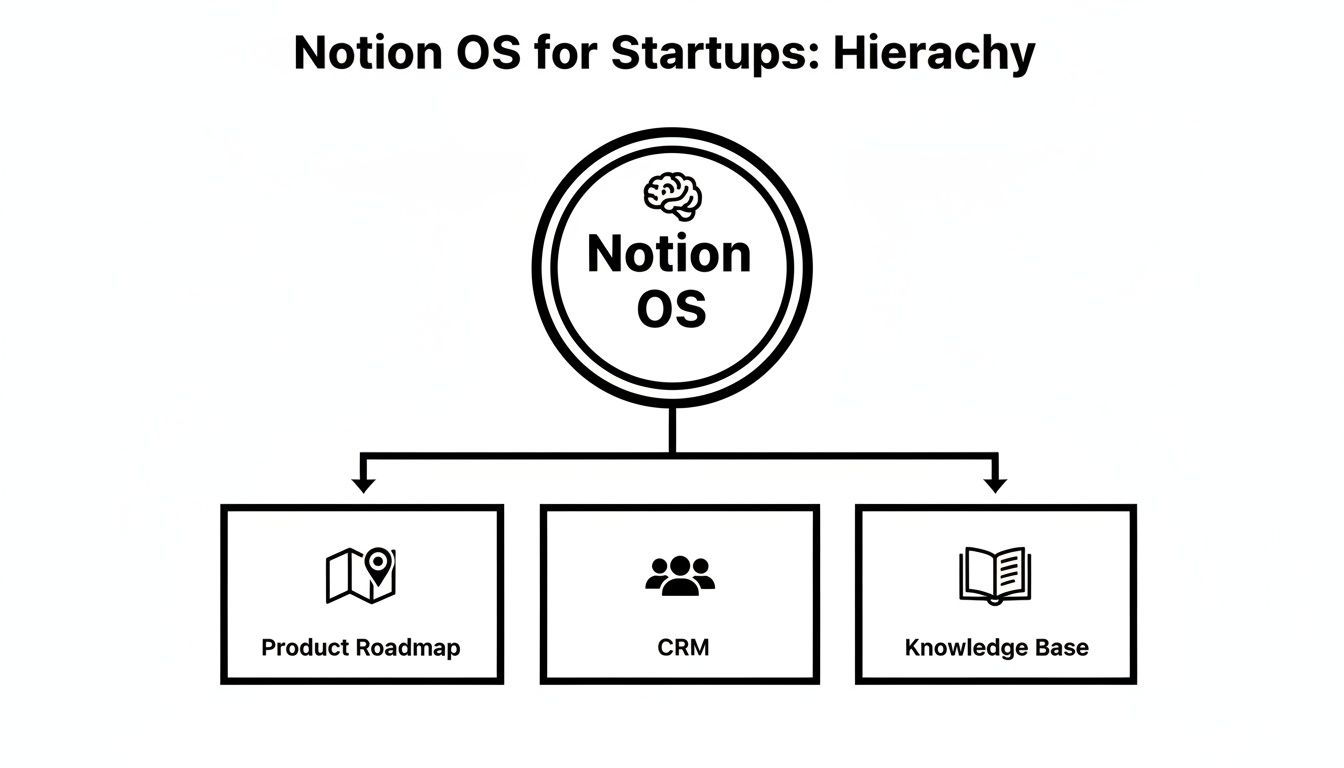
This kind of visual hierarchy reinforces the idea that all your key company assets are accessible from one spot, creating a system that’s truly easy to navigate.
Creating Dedicated Team Spaces
Once the HQ is in place, the next logical step is to create dedicated top-level pages for each of your core teams. This is a critical move when using Notion for startups because it perfectly balances company-wide collaboration with focused work. Each team gets its own sandbox to manage its specific projects, documents, and workflows without cluttering up everyone else's space.
For instance, your workspace structure might look something like this:
- Engineering: This space would house tech specs, sprint boards, bug tracking databases, and all the engineering-specific documentation.
- Marketing: Here you'd find the content calendar, campaign trackers, brand assets, and analytics dashboards.
- Sales: This becomes the home for the CRM, sales pipeline, meeting notes, and templates for outreach.
This separation keeps information relevant. A marketer doesn't need to sift through technical debt logs, and an engineer definitely doesn't need to see draft social media posts. To get this foundational workspace up and running quickly, you might want to check out a comprehensive Notion Startups Bundle that provides pre-built pages for these core functions.
Implementing Smart Permission Controls
One of the biggest advantages startups have is agility. As you grow, though, protecting sensitive information becomes a real priority. Notion's permission settings are your best friend here.
You can set permissions at almost any level—the entire workspace, a top-level page, or even a single block of text. For a growing startup, a practical strategy is to set the whole workspace to "Workspace access" by default. This means all full members can see pretty much everything.
Then, you just layer on stricter permissions where it counts:
- Sensitive Financials: Create a "Finance" page and restrict access to only the founders and the leadership team.
- HR & Personnel Files: A dedicated "People Ops" page should be locked down so only authorized HR personnel can view employee information.
- External Collaborators: When you work with freelancers or agencies, invite them as "Guests" to specific pages instead of adding them as full members. They get the access they need without seeing your entire company workspace.
This layered approach to security gives you the best of both worlds: data is open by default for collaboration but locked down tight when it needs to be.
Building Core Infrastructure Databases
The final piece of the puzzle is creating a few master databases that the entire company will use. These aren't team-specific; they're the shared connective tissue that links everything together.
At a minimum, you should start with these two essentials:
| Database | Purpose | Key Properties |
|---|---|---|
| Projects | A master list of every single project across all teams. | Status, Owner, Team, Timeline, Related OKR |
| Team Directory | A central place for key info on every team member. | Name, Role, Team, Email, Start Date |
By creating these as central databases and then using "Linked Views" of them within team spaces, you maintain a single source of truth. The marketing team can see all their projects on their page, but it's just a filtered view of the master Projects database. It's an incredibly powerful structure that scales perfectly from your first hire to your hundredth.
Alright, you've got your workspace's skeleton in place. Now it's time to build the muscle—the core operational pages that will actually power your startup's day-to-day.
These aren't just static documents. Think of them as living, breathing systems that bring clarity to chaos and keep everyone moving in the same direction. We’re going to build out the four non-negotiable pages that I've seen make the biggest difference for early-stage teams.

We're talking about a dynamic product roadmap, a lean CRM, a transparent OKR tracker, and a single source of truth for all tasks. This is the operating system for your entire business. Let's get it built.
A Dynamic Product Roadmap
Forget the old PowerPoint roadmaps that are outdated the second you hit "save." Startups live and die by their ability to adapt, and your roadmap needs to reflect that reality. In Notion, a roadmap isn’t a picture; it’s an interactive database.
Start by creating a new database. Each entry will be a feature, an experiment, or a big initiative. The real magic, though, is in the properties you add. This is what connects high-level strategy to the actual work getting done.
Here are the properties I always start with:
- Status: A
Selectproperty is perfect here. Use simple terms likeIdea,Researching,In Progress, andShipped. - Quarter: Another
Selectproperty (e.g.,Q3 2024,Q4 2024) lets you visualize your timeline at a glance. - Owner: Use a
Personproperty to assign clear responsibility. No more "who's handling this?" questions. - Effort: Keep it simple. A
Selectproperty with t-shirt sizes (S,M,L) is faster and often more honest than story points. - User Feedback (Relation): This one is a game-changer. Create a separate database to capture every piece of user feedback you get, then link it directly to roadmap items. Now you can instantly see why you're building something and for whom.
A great roadmap doesn't just show what you're building; it shows why. By linking features directly to user feedback and company goals, you create a powerful narrative that aligns your entire team.
Once the properties are set, you can slice and dice the data with different views. I usually set up a Kanban board grouped by Status for weekly sprints and a Timeline view grouped by Quarter for investor updates. It’s one source of truth, presented perfectly for multiple audiences without any duplicate work.
A Simple and Effective CRM
In the early days, you absolutely do not need an expensive, complicated CRM. A couple of well-structured Notion databases can handle your entire sales pipeline, and it has the massive advantage of keeping customer data right next to your product and project docs. This is a core benefit of using Notion for startups—it kills the sales vs. product silo before it even forms.
The setup is simple: create two databases, one for Contacts and one for Deals.
The Contacts database is just a digital rolodex with names, companies, and emails. The Deals database is your active pipeline.
Here are the essential properties for your Deals database:
- Deal Name: Something descriptive for the opportunity.
- Status: A
Selectproperty with your sales stages:Lead,Contacted,Meeting Scheduled,Proposal Sent, andClosed-Won/Closed-Lost. - Potential Value: A
Numberproperty, formatted as currency. - Contact (Relation): A
Relationproperty that links to yourContactsdatabase. - Next Action Date: A
Dateproperty so you never forget to follow up.
Now, create a Kanban board view and group it by the Status property. Boom. You have a visual sales pipeline. You can literally drag and drop deals from one stage to the next. It’s clean, visual, and all you need to get started.
Aligning the Team with an OKR Tracker
Objectives and Key Results (OKRs) are what keep your team rowing in the same direction. When you build your OKR tracker in Notion, those goals aren't buried in a spreadsheet; they're front and center for everyone to see, every single day.
Create a new database called Company OKRs. Each entry in this database will be a specific Key Result.
The properties that make this work are:
- Key Result: The measurable outcome you're aiming for (e.g., "Increase user sign-ups by 20%").
- Objective (Relation): Link this to another, simpler database of your big-picture objectives (e.g., "Achieve Product-Market Fit").
- Owner: The
Personwho is accountable for this result. - Target Value: A
Numberproperty for the goal (e.g.,5000for 5,000 new sign-ups). - Current Value: Another
Numberproperty to track your progress. - Progress (Formula): Here’s where it gets cool. A formula property can create a visual progress bar that updates automatically.
You can paste this formula directly into the Progress property to get that visual bar:
slice("██████████", 0, floor(prop("Current Value") / prop("Target Value") * 10)) + slice("░░░░░░░░░░", 0, 10 - floor(prop("Current Value") / prop("Target Value") * 10)) + " " + format(round(prop("Current Value") / prop("Target Value") * 100)) + "%"
This little bit of code transforms raw numbers into an instant, at-a-glance progress report. Filter this database by team or by quarter, and everyone has a crystal-clear view of how their work ladders up to the company's most important goals.
A Unified Task Management System
Finally, you need one—and only one—place to track all the work. The single biggest productivity killer in a startup is letting tasks live in Slack threads, email chains, and personal to-do lists. A master Tasks database is the cure.
This database should be the most granular thing in your workspace. Every single to-do, from "Draft blog post" to "Fix login bug," gets its own entry here.
Your essential Tasks properties should include:
- Task Name: A clear, action-oriented description.
- Assignee: A
Personproperty. - Due Date: A
Dateproperty. - Priority: A
Selectproperty (High,Medium,Low). - Status: A
Selectproperty (To Do,In Progress,Done). - Project (Relation): A
Relationthat links the task back to your masterProjectsdatabase.
Yes, the master database itself will look huge and chaotic. But here’s the key: almost no one ever looks at the full list. Instead, you create filtered "Linked Views" of this database and embed them on team pages and project pages. The marketing team’s page only shows marketing tasks. The "Website Redesign" project page only shows tasks related to that specific project. It’s the perfect blend of centralized data with decentralized, focused views.
Automating Workflows with Smart Integrations
<iframe width="100%" style="aspect-ratio: 16 / 9;" src="https://www.youtube.com/embed/MCgFRHCMEdA" frameborder="0" allow="autoplay; encrypted-media" allowfullscreen></iframe>
Your Notion workspace is powerful on its own, but its true potential comes alive when it starts talking to the other tools your startup relies on every day.
An isolated Notion is a missed opportunity. A connected one becomes your operational command center. This is where you graduate from static documentation to dynamic, automated workflows that save precious time and slash manual errors.
By integrating Notion with apps like Slack, GitHub, and Figma, you're building bridges for information to flow seamlessly. No more tedious copy-pasting that kills productivity. Just a single source of truth in Notion that’s always up-to-date.
Connecting Your Core Startup Tools
First things first: link Notion with your team's daily drivers. Most modern tools offer native integrations, but for everything else, there are automation platforms like Zapier or Make. The goal is simple: create triggers and actions that handle routine tasks for you.
Here are a few high-impact automation recipes any startup can cook up right away:
- Slack to Notion Task Creation: A brilliant idea or a critical bug report pops up in a Slack channel. How do you make sure it doesn't get buried? Set up an automation where adding a specific emoji reaction (like a 🔧 wrench) to a message instantly creates a new task in your master
Tasksdatabase. It can even pull in the message content and a link back to the original conversation. - GitHub PR Merges to Project Status Updates: Keep your project roadmap perfectly in sync with your dev cycle. A great workflow is one where merging a pull request in GitHub automatically flips the status of the corresponding task in your Notion
Projectsdatabase from "In Progress" to "Done." Zero manual updates required. - Figma Comments to a Feedback Database: Centralize all your design feedback. Create an automation that grabs new comments from a Figma file and pipes them into a dedicated "Design Feedback" database in Notion. This gets feedback out of Figma's silo and into your structured project management system where it can be properly triaged.
The best automations are the ones that eliminate a small, repetitive task you do a dozen times a day. Saving five minutes here and there quickly compounds into hours of reclaimed focus for your team each week.
Supercharging Communication with NotionSender
While general integrations are great, some tools are built to supercharge a specific function like communication. This is where something like NotionSender comes in, transforming your Notion databases—especially your CRM—from passive lists into active communication engines.
Instead of manually exporting contact lists to draft emails, you can trigger personalized outreach directly from your workspace.
For startups, maximizing efficiency is everything. It's worth exploring proven lead generation automation workflows that can plug right into your Notion setup to drive real conversions.
Think about your simple Notion CRM. With an email integration, you can build powerful workflows like these:
- Automate Investor Updates: Keep all your investors in a Notion database. When it's time for your monthly update, just write the content on a Notion page, change a status property from "Draft" to "Send," and watch as a personalized version gets sent to everyone on the list.
- Trigger Onboarding Emails for New Hires: When you add a new employee to your
Team Directoryand set their status to "Hired," you can kick off an entire welcome email sequence automatically. The first email might share key company docs, the next could introduce them to their manager—all without your People Ops team lifting a finger.
This ability to drive action directly from your data is a massive leap in efficiency. For anyone looking to build more complex, custom workflows, you can even tap into the tool's backend through the NotionSender API documentation.
The Rise of AI and Intelligent Integrations
The integration world is moving fast, and AI is right at the center of it. Notion's own journey with AI is a perfect example. After launching its first AI features in late 2022, the platform saw a huge jump in paid user adoption.
The share of customers paying for AI add-ons grew from 10–20% to over 50% in a surprisingly short time. It’s clear proof that intelligent features can turn a useful tool into an indispensable one.
For your startup, this means thinking beyond simple trigger-and-action automations. Modern integrations can now use AI to summarize information, draft responses, and even suggest next steps. Imagine an integration that pulls customer feedback from Intercom, uses AI to summarize the key takeaways, and then creates a perfectly detailed task in Notion for the product team.
By thoughtfully connecting your tools and embracing automation, you build an operating system for your startup that is not just organized, but intelligent and proactive.
Onboarding Your Team and Driving Adoption
A beautifully designed Notion workspace is completely pointless if your team isn't using it. The real measure of success isn't how complex your databases are, but whether your team genuinely lives and breathes in Notion every single day. Getting them to do that isn't about issuing a mandate from the top; it's about making Notion the absolute easiest way for them to get their work done.
You need to shift the mindset from "here's another tool" to "here's how this tool helps us win." This means weaving Notion into the very fabric of your company's daily routines. When project kick-offs, team stand-ups, and even one-on-ones all run out of Notion pages, the tool becomes the natural center of gravity for all work.

This kind of adoption doesn't just happen. It’s the direct result of a smart, deliberate onboarding process that proves Notion's value from the moment someone joins.
Create a "How We Use Notion" Guide
Your new hires are the ultimate test of how intuitive your workspace really is. The first thing you should build is a single, welcoming page titled something like "How We Use Notion at [Your Startup Name]." Make this a non-negotiable step in your onboarding checklist. Think of it less as a technical manual and more as a cultural roadmap.
This guide is your single source of truth and should clearly lay out:
- Our Philosophy: A quick blurb on why you chose Notion. Maybe it’s to kill tool-sprawl, foster transparency, or just keep everyone on the same page.
- Workspace Navigation: A simple map showing new folks where to find the Company HQ, their team's specific space, and critical databases like the Project Tracker.
- Documentation Standards: Your ground rules for creating and organizing information. This is where you set expectations for how pages are named, where notes are stored, and how tasks are updated.
The whole point is to eliminate ambiguity. A new team member should never have to wonder, "Where does this go?" or "Is this the right version?" This guide gives them the confidence to jump in and start contributing from day one.
By setting these standards from the get-go, you build a self-policing system where organization becomes the default, not the exception.
Run Short and Effective Training Sessions
Let’s be honest: nobody wants to sit through a two-hour software tutorial. Keep your training sessions short, sweet, and focused on real-world workflows, not abstract features. A 30-minute session showing the sales team exactly how to drag a deal through your CRM pipeline is infinitely more valuable than a generic tour of database properties.
Structure your training around tangible actions:
- "Let's update a project together." Walk them through moving a task from 'To-Do' to 'In Progress', linking it to a meeting note, and @-mentioning a teammate for review.
- "Let's log meeting notes." Show them your official meeting template and how to properly link it back to the project it belongs to.
The key is to train them on your specific setup. This builds muscle memory for the exact workflows that keep your startup moving. When the session is over, send everyone a link back to the "How We Use Notion" guide to reinforce what they just learned.
Appoint and Empower Notion Champions
As your startup grows, you can't be the single source of Notion wisdom. It just doesn't scale. Look for people on each team who are naturally enthusiastic about the platform and officially anoint them as "Notion Champions."
These champions aren't full-time support staff. They're the go-to person for their immediate colleagues, and they can:
- Offer peer support for quick, team-specific questions.
- Share little tips and tricks they've discovered in team meetings.
- Build new, simple templates that solve a problem unique to their team's workflow.
This decentralized approach is how you scale knowledge effectively. It creates a culture where everyone feels ownership over the workspace. As you look to expand how you use the platform, you can even explore how to extend its capabilities for outreach, as covered in our guide detailing 7 ways to use Notion to send emails and more. True adoption is unlocked when your team stops seeing Notion as "just another tool" and starts seeing it as the shared space they are actively building together.
Answering the Tough Questions About Notion for Startups
I get it. When you're building a startup, every single tool in your tech stack feels like a life-or-death decision. So, when people suggest a flexible, do-it-all tool like Notion, the skepticism is real. Founders always have a few key questions that come up, so let's tackle them head-on.
The biggest hang-up is usually: Can Notion really replace dedicated software? For any early-stage company, my answer is a firm yes. The goal isn't to perfectly clone every single feature of a beast like Salesforce. It's about pulling the 20% of functions you actually use into one place, saving you cash and a whole lot of context-switching.
The smartest Notion setups I've seen in startups don't try to be a perfect copy of Jira or Salesforce. They build a "good enough" version that's woven into the fabric of the company's brain. That's infinitely more valuable in the early days.
"Is Notion Secure Enough for Our Data?"
This is always a top concern, and it should be. The short answer is yes, Notion is built with serious security in mind and is more than capable of handling sensitive startup data. They've got SOC 2 Type 2 compliance, which is a major industry benchmark, and your data is encrypted both when it's moving and when it's sitting on their servers.
But the real control is in your hands. Notion's permissioning is incredibly granular—you can lock down access right to a single line of text on a page. To keep your company's secrets safe:
- Turn on Single Sign-On (SSO). If you're on the Business plan, this is a no-brainer for centralizing and securing who gets in.
- Run a permission audit every quarter. Make sure old contractors or employees don't still have keys to the kingdom.
- Be stingy with public pages. Only share what absolutely has to be public.
"How Will Pricing Work as We Hire More People?"
Notion’s pricing is built to grow with you. The free plan is fine for solo founders figuring things out, but as soon as you bring on a team, you'll need a paid plan.
Most startups find their footing on the Plus plan, which gets you past the limits on blocks and file uploads. As your team grows, the Business plan starts looking pretty good, mostly for the advanced security stuff like SAML SSO. The one extra line item to watch out for is the Notion AI add-on. It's an additional cost per user, per month. When you're running the numbers, decide if those AI features will genuinely boost productivity enough to justify the cost.
"Will We Outgrow Notion and Have to Switch Everything?"
Here’s the thing: for an early-stage startup, Notion is more than enough. A well-designed workspace can absolutely handle the core jobs of a project manager like Jira or a basic CRM. Its superpower is keeping all your context in one place, something specialized tools are notoriously bad at.
Down the road, you might scale to a point where you need the heavy-duty power of a dedicated platform like Salesforce. But that doesn't mean you ditch Notion. Its role just evolves. It stops being the replacement and becomes the central hub—the connective tissue that gives context to all those other specialized tools.
Stop letting your Notion workspace be a passive documentation tool. Turn it into an active communication engine. With NotionSender, you can automate investor updates, onboard new hires, and fire off sales emails right from your databases. Start sending emails from Notion today.