
12 Best CRM for Small Business Options to Consider in 2025

Choosing the right CRM can feel overwhelming, but it’s a critical decision for any small business aiming to grow. A Customer Relationship Management (CRM) system isn't just a digital address book; it's the central hub for tracking every interaction with your prospects and customers. It helps you manage leads, automate sales tasks, and build stronger, more profitable relationships. Without one, you're likely juggling spreadsheets, emails, and sticky notes, letting valuable opportunities fall through the cracks.
This guide is designed to cut through the noise. We've compiled a definitive list of the best CRM for small business options, moving beyond marketing claims to provide a practical analysis of each platform. You won't find generic feature lists here. Instead, you'll get:
- Honest pros and cons for each CRM.
- Specific use-case scenarios to see which tool fits your business model.
- Clear pricing breakdowns to match your budget.
- A side-by-side comparison table for quick evaluation.
We’ll explore powerful, all-in-one solutions like Salesforce and HubSpot, user-friendly options such as Pipedrive and Copper, and specialized platforms like Keap for service-based businesses. We will also cover comparison marketplaces like G2 and Capterra to help you broaden your research. For businesses where customer support is paramount, it’s also wise to consider how your CRM integrates with other tools. Many platforms connect seamlessly with dedicated Call Center Software for Small Business to create a unified view of all customer communications. Our goal is to provide a comprehensive resource that helps you select, implement, and maximize the perfect CRM for your unique needs.
1. Salesforce Starter Suite (Sales Cloud)
Salesforce is a name synonymous with CRM, and its Starter Suite makes this powerful platform accessible to small businesses. Rather than being a stripped-down version, it's an all-in-one package combining sales, service, and basic marketing tools designed for teams ready to establish a solid foundation for growth. It excels at centralizing core activities like lead, contact, account, and opportunity management.
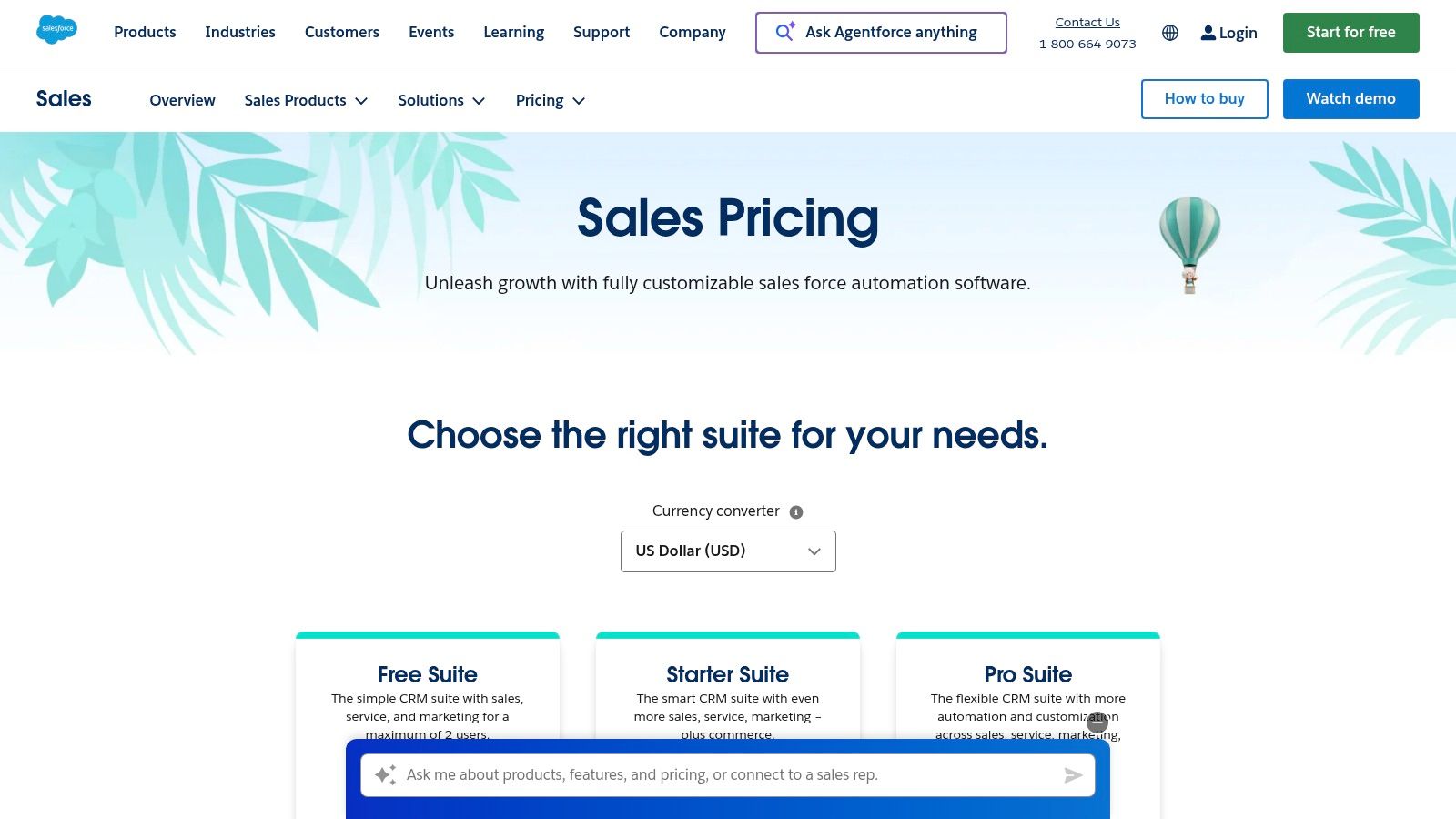
The platform’s standout quality is its reliability and clear, scalable upgrade path. As your business expands, you can seamlessly transition to higher tiers like Pro or Enterprise without a complex migration. The built-in email integration for Gmail and Outlook, along with basic lead routing workflows, automates essential daily tasks right out of the box. For a deeper dive into its capabilities, explore this analysis of how Salesforce delivers the best CRM for small business growth.
Key Details & Pricing
- Best For: Small businesses with ambitions to scale that want an industry-standard platform.
- Pricing: Starts at $25 per user/month (billed annually).
- Pros: Renowned reliability, extensive AppExchange for add-ons, and a clear growth path.
- Cons: The interface can feel more complex than newer, SMB-focused CRMs. Advanced integrations often require pricier tiers or add-ons.
Website: www.salesforce.com
2. HubSpot CRM and Sales Hub
HubSpot has become a go-to platform for small businesses, largely thanks to its powerful free CRM that serves as the core of its all-in-one growth suite. It combines sales, marketing, and service tools into a single, intuitive interface, making it an excellent starting point for businesses that want to align their customer-facing teams. The free tier provides impressive value, including contact management, email tracking, meeting scheduling, and live chat.
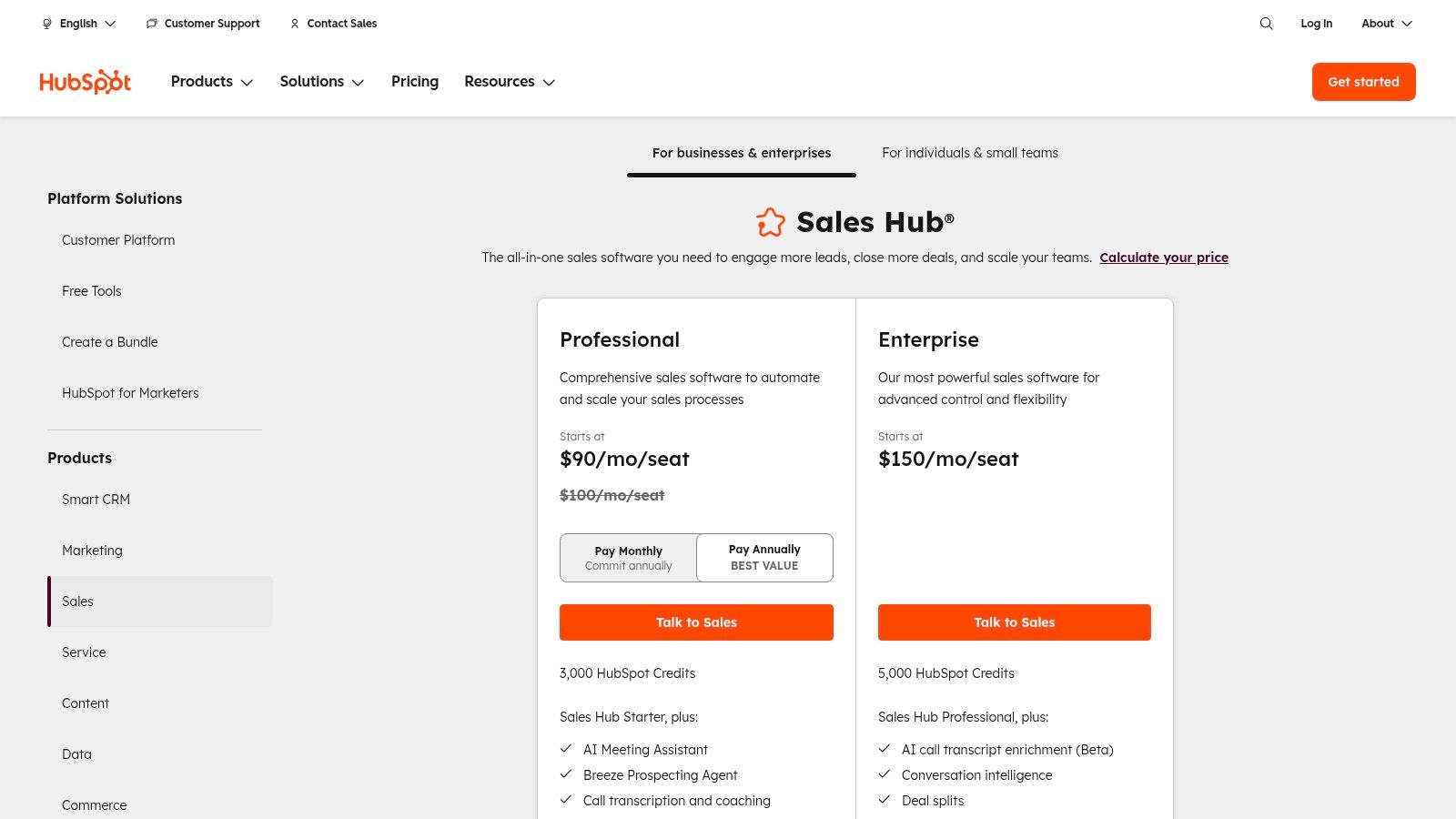
The platform’s standout quality is its user-friendliness and extensive educational resources through the HubSpot Academy. As you grow, the Sales Hub unlocks advanced features like sales automation, email sequences, and deeper analytics. This scalability makes HubSpot an ideal choice for businesses looking for a system that can evolve with them. Embedded AI features across the hubs further help teams streamline workflows, from crafting emails to generating reports, solidifying its position as a top contender for the best CRM for small business.
Key Details & Pricing
- Best For: Startups and SMBs that need an easy-to-use, all-in-one platform with a strong free offering.
- Pricing: Core CRM is free. Sales Hub starts at $20 per seat/month (billed annually).
- Pros: Generous free tier to get started, fast setup, and an exceptionally intuitive user interface.
- Cons: Costs can rise quickly as you add more contacts, users, and hubs. Advanced features are locked behind higher-priced tiers.
Website: https://www.hubspot.com/pricing/sales
3. Zoho CRM
Zoho CRM is a powerhouse in the small business space, offering an impressive breadth of features at an extremely competitive price point. It’s known for providing a comprehensive, full-featured platform that extends far beyond basic contact management, including powerful workflow automation, detailed analytics, and extensive customization. Its standout feature is its seamless integration with the wider Zoho ecosystem, which includes over 50 other business apps, making it an all-in-one solution for companies that want to manage everything from sales to finance under one roof.
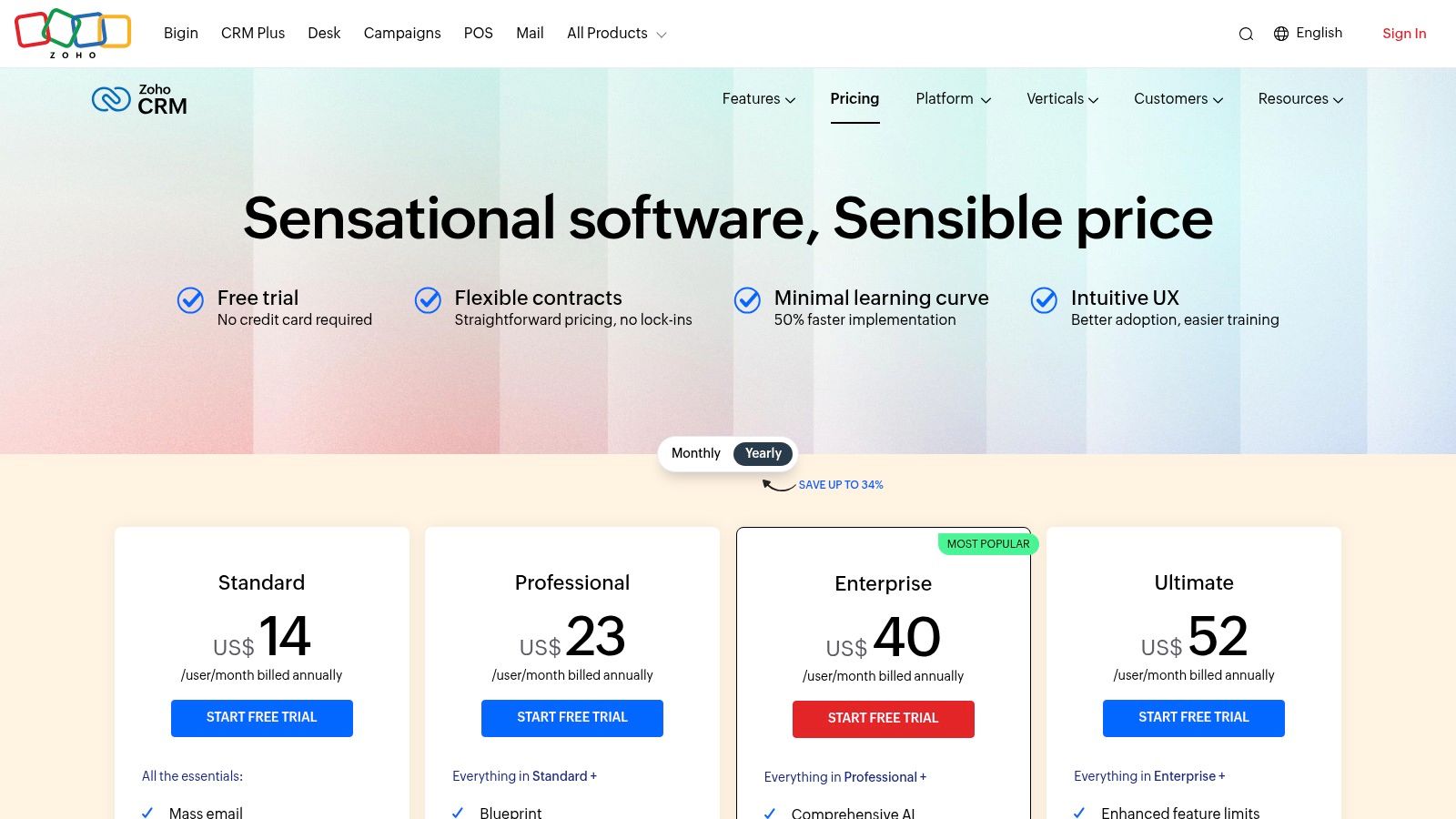
The platform truly shines with its customization capabilities. Using the Canvas UI builder, businesses can redesign the user interface to match their specific processes without writing any code. Zoho’s generous free plan for up to three users makes it one of the best crm for small business options for startups and solo entrepreneurs to get started. While its most powerful features like the Zia AI assistant are reserved for higher tiers, the core functionality offered in its affordable paid plans provides immense value for growing teams looking for a scalable and flexible system.
Key Details & Pricing
- Best For: Small to mid-sized businesses that need a highly customizable, all-in-one platform at a budget-friendly price.
- Pricing: Free plan for up to 3 users. Paid plans start at $14 per user/month (billed annually).
- Pros: Very competitive pricing with a strong breadth of features, excellent customization options, and deep integration with the Zoho app suite.
- Cons: Advanced AI and analytics features are gated to higher-priced tiers, and the level of customer support varies depending on the plan.
Website: www.zoho.com/crm/zohocrm-pricing.html
4. Bigin by Zoho CRM
Bigin by Zoho CRM is a pipeline-centric solution built specifically for small businesses that find traditional CRMs overly complex. It strips away the enterprise-level noise to focus on what matters most to a growing team: managing customer relationships through a clean, visual sales pipeline. Its simplicity is its core strength, allowing teams to get set up and start tracking deals in minutes, not weeks.
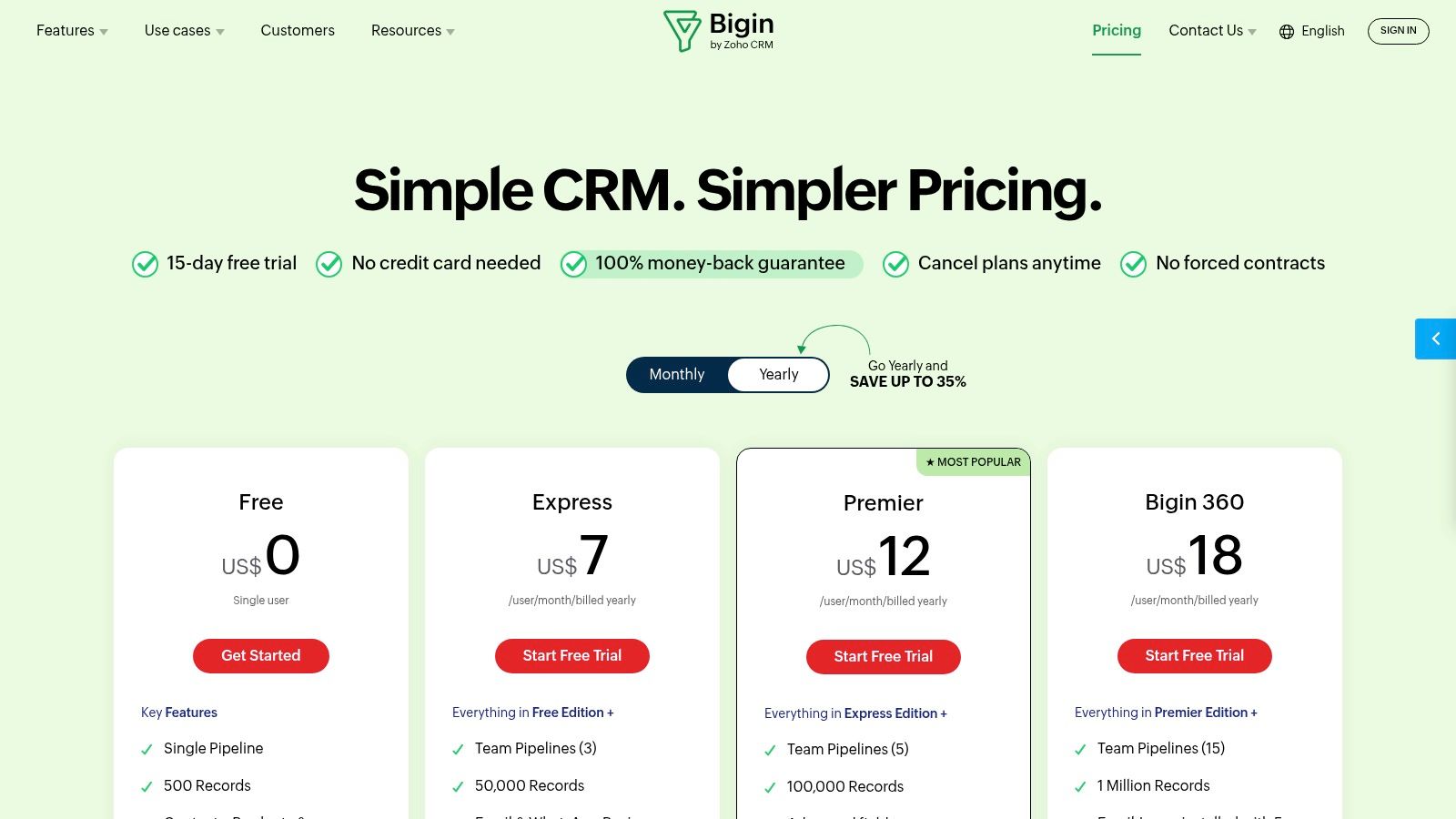
The platform’s standout feature is its dedication to pipeline management. Users can easily create multiple pipelines for different business processes and drag-and-drop deals between stages. Built-in telephony, email, and social media integrations mean all communication can be managed from a single place. For businesses just starting their CRM journey, Bigin offers one of the best CRM for small business experiences by prioritizing ease of use and essential features without an overwhelming interface.
Key Details & Pricing
- Best For: Startups, freelancers, and small teams needing a simple, pipeline-focused CRM without a steep learning curve.
- Pricing: Free plan available. Paid plans start at $7 per user/month (billed annually).
- Pros: Extremely user-friendly with a minimal learning curve, very affordable pricing, and focused on core sales activities.
- Cons: The feature set is much lighter than the full Zoho CRM, and lower-tier plans have significant limits on pipelines and records.
Website: https://www.bigin.com/pricing.html
5. Pipedrive
Pipedrive is a sales-first CRM built around a visual pipeline, making it incredibly intuitive for sales teams. Its core strength is its drag-and-drop Kanban board, which allows users to see exactly where every deal stands in the sales process. This focus on pipeline management helps small businesses track leads and close deals faster by providing clarity and encouraging proactive sales activities. It is designed from the ground up to be easy to use, minimizing onboarding time for new reps.
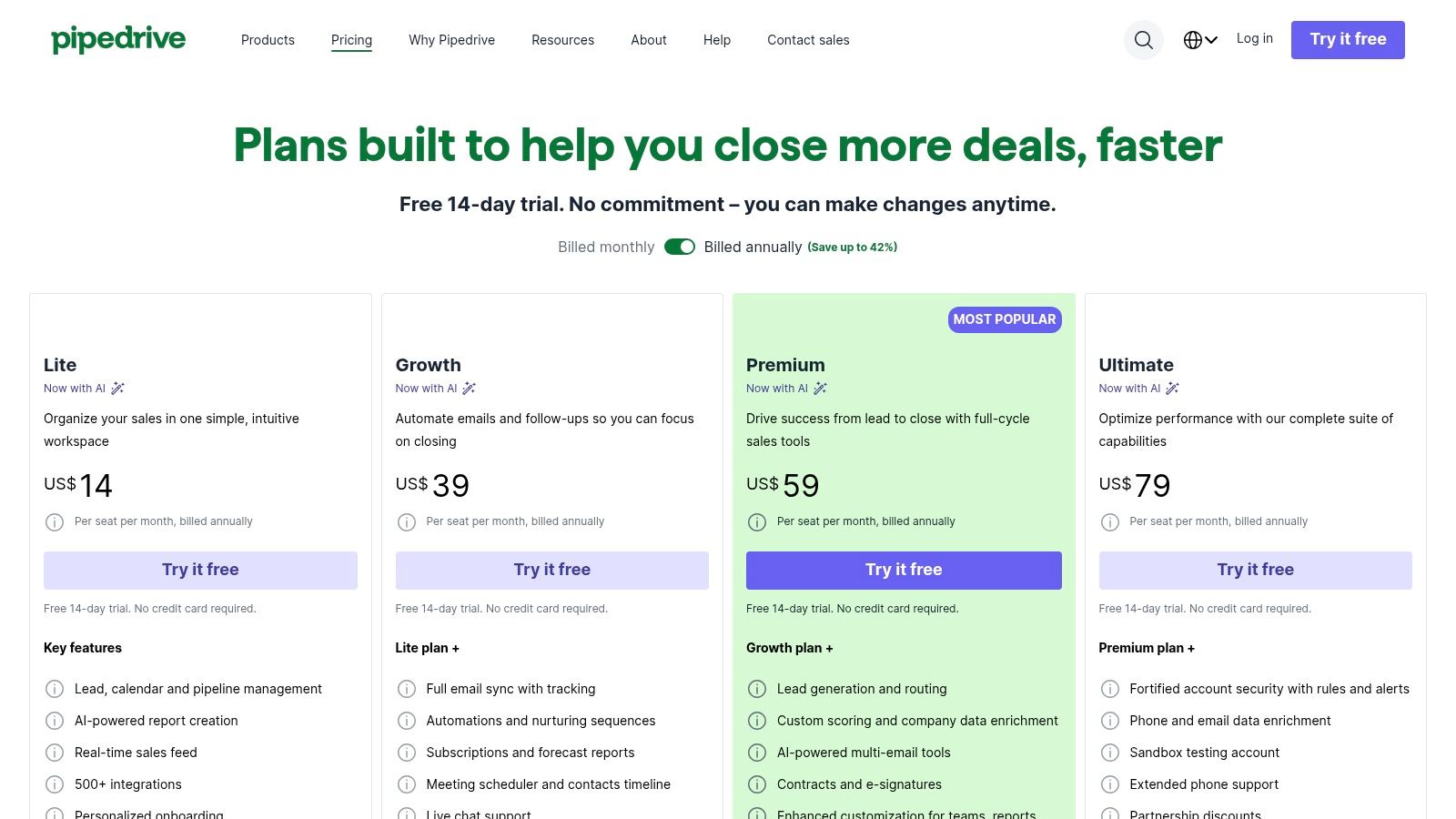
The platform excels with its practical features, including email sync with a built-in scheduler and templates to streamline outreach. For businesses that rely on a strong sales process, Pipedrive is often considered one of the best CRM for small business options due to its focused approach. Its automations can handle repetitive tasks like follow-up reminders and data entry, freeing up valuable time. Additionally, learning how to structure your outreach can maximize its effectiveness, and you can explore this guide on how to send the perfect email to get a response. While its core is sales, optional add-ons for lead generation and campaigns allow it to grow with you.
Key Details & Pricing
- Best For: Sales-driven small businesses that need a highly visual and easy-to-use pipeline management tool.
- Pricing: Starts at $14.90 per user/month (billed annually).
- Pros: Very intuitive for sales reps, flexible automations and prebuilt templates, and over 500 integrations available.
- Cons: Some marketing and advanced reporting depth require add-ons. There is no permanent free plan (trial only).
Website: https://www.pipedrive.com/en/pricing
6. Freshsales by Freshworks
Freshsales, part of the Freshworks ecosystem, is a sales-focused CRM built for speed and simplicity. It’s an ideal choice for small businesses that want powerful communication tools baked directly into their platform without complex setups. It shines by integrating phone, chat, and email channels natively, allowing teams to engage with leads and customers directly from the CRM interface. This all-in-one approach minimizes the need for third-party tools for core sales activities.
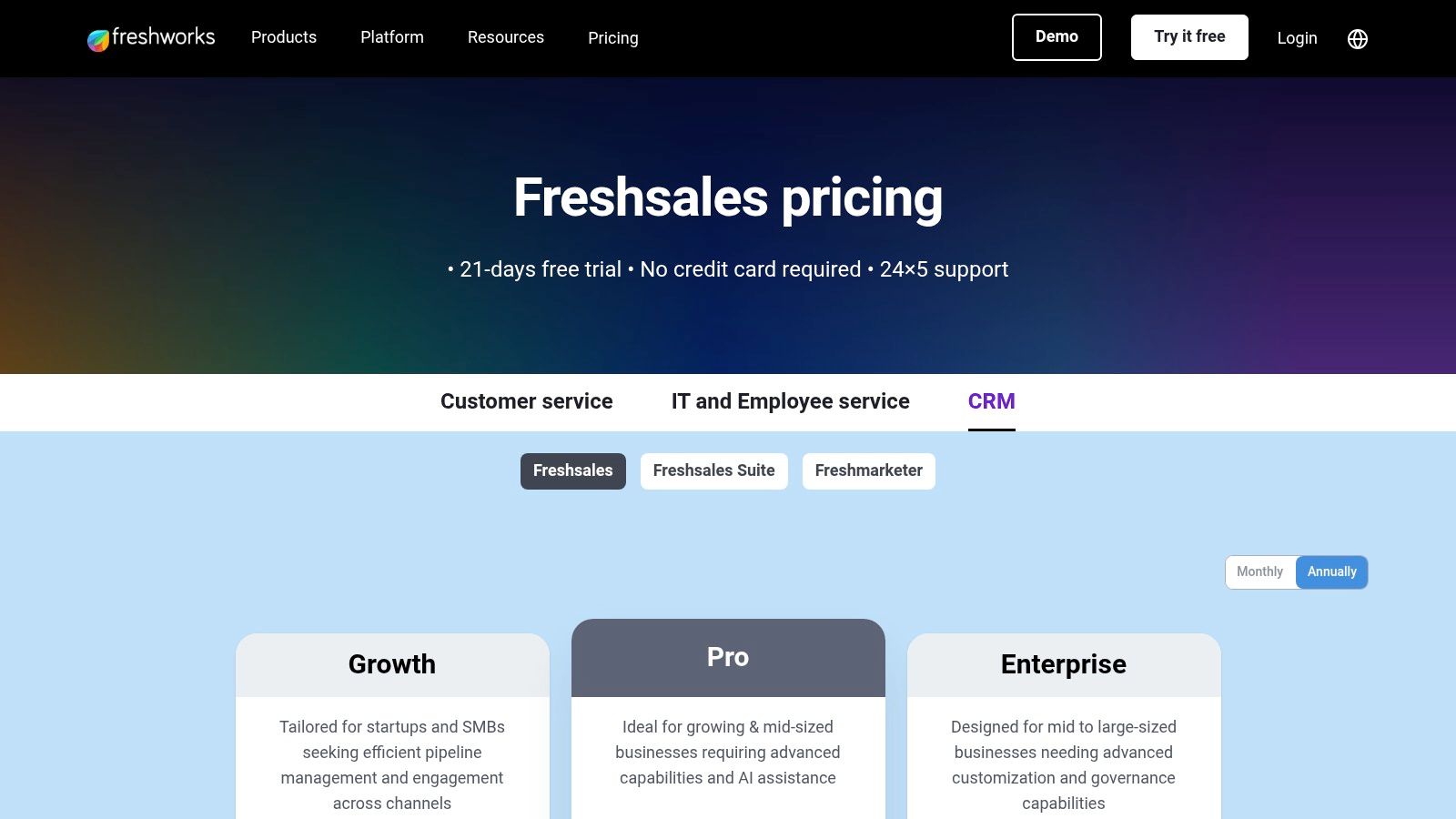
The platform’s standout feature is its AI assistant, Freddy, which offers deal insights, predictive lead scoring, and even helps with crafting emails. This provides small teams with data-driven advantages that were once exclusive to enterprise-level solutions. The user interface is clean and modern, making it one of the more intuitive options for teams that need to get up and running quickly. For businesses prioritizing direct communication, Freshsales is a top contender for the best crm for small business thanks to its built-in telephony and chat.
Key Details & Pricing
- Best For: Sales-driven teams that need an affordable, all-in-one platform with built-in phone, chat, and AI assistance.
- Pricing: Starts with a Free plan. Paid plans begin at $15 per user/month (billed annually). A 21-day free trial is available.
- Pros: Strong out-of-the-box communication channels (phone/chat), a generous free plan, and helpful AI features.
- Cons: Deep customization capabilities can be less extensive than enterprise-focused CRMs. Some advanced AI features are add-ons or in higher-tier plans.
Website: https://www.freshworks.com/crm/pricing/
7. monday sales CRM
Built upon the highly visual and flexible monday.com Work OS, monday sales CRM is a powerful solution for small businesses that prioritize no-code customization. It allows teams to visually map out their entire sales cycle, from lead capture to post-sale activities, using intuitive, board-based layouts. This approach is ideal for businesses with unique processes that don't fit into the rigid structure of traditional CRMs.
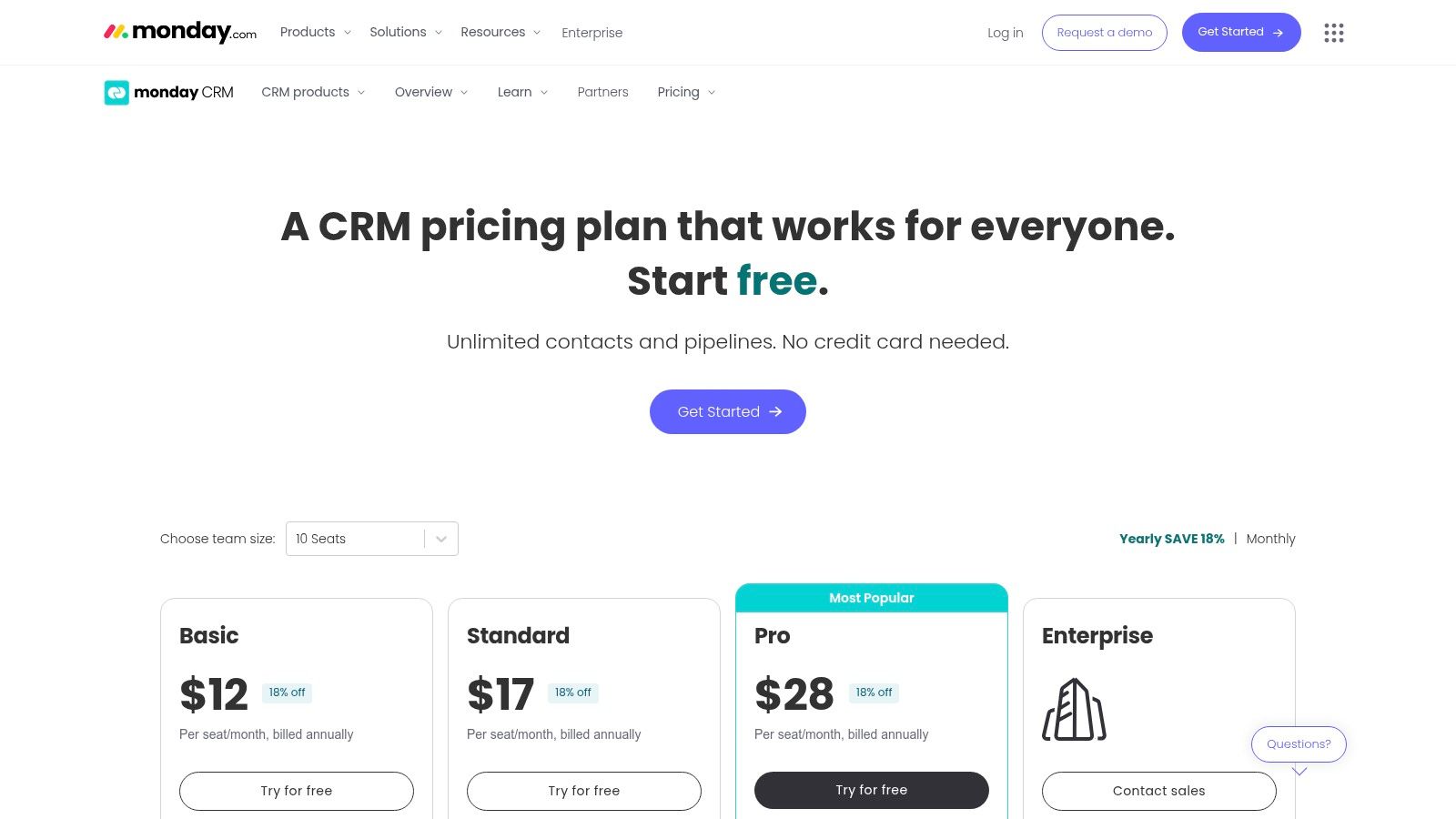
The platform’s standout feature is its ability to centralize sales activities alongside project management and other operational workflows, creating a single source of truth for the entire business. Key functions like two-way email sync, powerful automations for repetitive tasks, and detailed sales analytics are seamlessly integrated. For small businesses looking for a tool that adapts to them, not the other way around, this platform is a leading contender for the best CRM for small business due to its unparalleled flexibility.
Key Details & Pricing
- Best For: Teams that need a highly visual and customizable CRM to manage unique sales processes alongside other business projects.
- Pricing: Starts at $12 per user/month (billed annually, 3-seat minimum).
- Pros: Extremely flexible, no-code customization for diverse workflows. Powerful automations and broad integration capabilities.
- Cons: No permanent free CRM tier. Pricing often requires a 3-seat minimum and scales in seat bundles, which can increase costs for smaller teams.
Website: https://monday.com/crm/pricing
8. Keap (formerly Infusionsoft)
Keap, which evolved from the powerful Infusionsoft platform, is designed for service-based small businesses that need more than just a contact database. It integrates CRM with advanced marketing automation, invoicing, and appointment scheduling into a single, cohesive system. This all-in-one approach aims to streamline the entire customer lifecycle, from initial lead capture through to payment and repeat business, making it a strong contender for the best crm for small business if you need built-in financial tools.
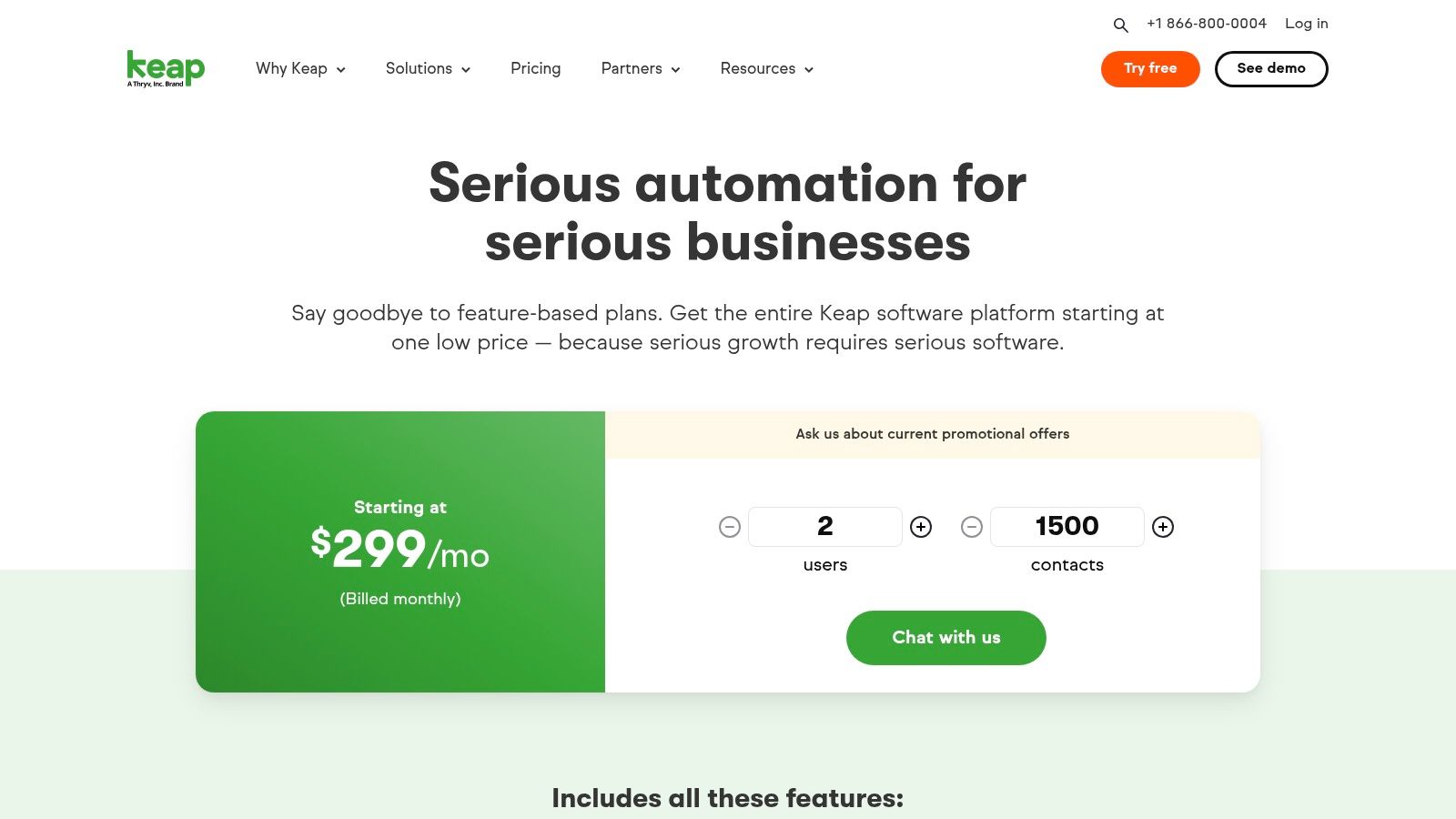
Its standout feature is the visual "Easy Automations" builder, which allows users to create sophisticated multi-step campaigns for sales and marketing without needing technical expertise. Combining CRM data with these workflows lets you trigger personalized email and SMS sequences based on client actions, a key strategy you can learn more about by exploring these email marketing tricks to increase open rates. The emphasis on dedicated onboarding and support also helps new users get the most out of its extensive feature set from day one.
Key Details & Pricing
- Best For: Service-based businesses (e.g., coaches, consultants, agencies) that want to automate their sales and marketing processes and manage payments in one place.
- Pricing: Starts at $159 per user/month (billed annually).
- Pros: Powerful, user-friendly automation builder, integrated invoicing and payment processing, and dedicated onboarding and support services.
- Cons: Higher starting price than many competitors. SMS marketing features are currently limited to US-based customers.
Website: https://keap.com/pricing
9. Insightly
Insightly carves a unique niche by blending traditional CRM functionalities with robust project management. It’s an ideal solution for service-based businesses that need to manage the entire customer lifecycle, from lead acquisition to project delivery, all within a single platform. This integrated approach ensures a seamless handover from sales to operations, preventing critical details from getting lost after a deal is closed.
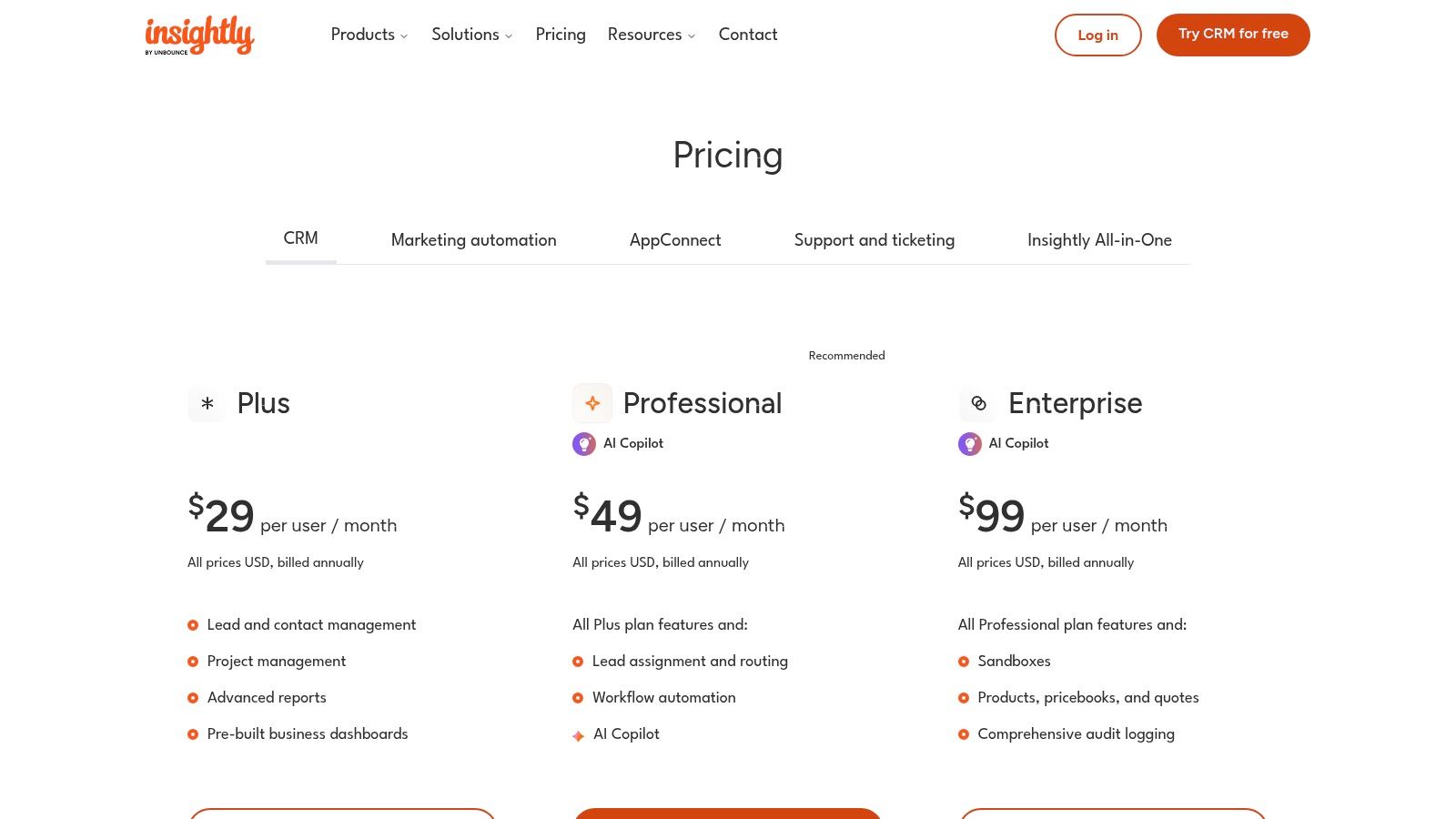
The platform stands out by linking projects directly to customer records, providing a unified view of all interactions and deliverables. With features like lead and opportunity management, workflow automation, and customizable dashboards, it provides the core tools a growing business needs. The addition of an AI Copilot helps teams draft emails and generate summaries, improving efficiency. For many, Insightly represents one of the best CRM for small business options when post-sale execution is just as important as the sale itself.
Key Details & Pricing
- Best For: Service-based businesses, agencies, and consultants who manage client projects post-sale.
- Pricing: The CRM-only Plus plan starts at $29 per user/month (billed annually).
- Pros: Strong combination of project management and CRM, clear per-user pricing on core tiers, and helpful AI assistive features.
- Cons: Fewer native social and marketing features than larger suites; premium services and onboarding can incur extra costs.
Website: www.insightly.com/pricing-plans/
10. Copper CRM
Copper is the CRM built specifically for businesses that live and breathe Google Workspace. It’s designed to be the best CRM for small business teams who want to manage relationships directly from their Gmail inbox. Instead of forcing users to switch between tabs, Copper integrates seamlessly as a panel within Gmail, automatically capturing contact details, emails, and files, and linking them to relevant deals. This Google-native approach dramatically reduces friction and boosts adoption.
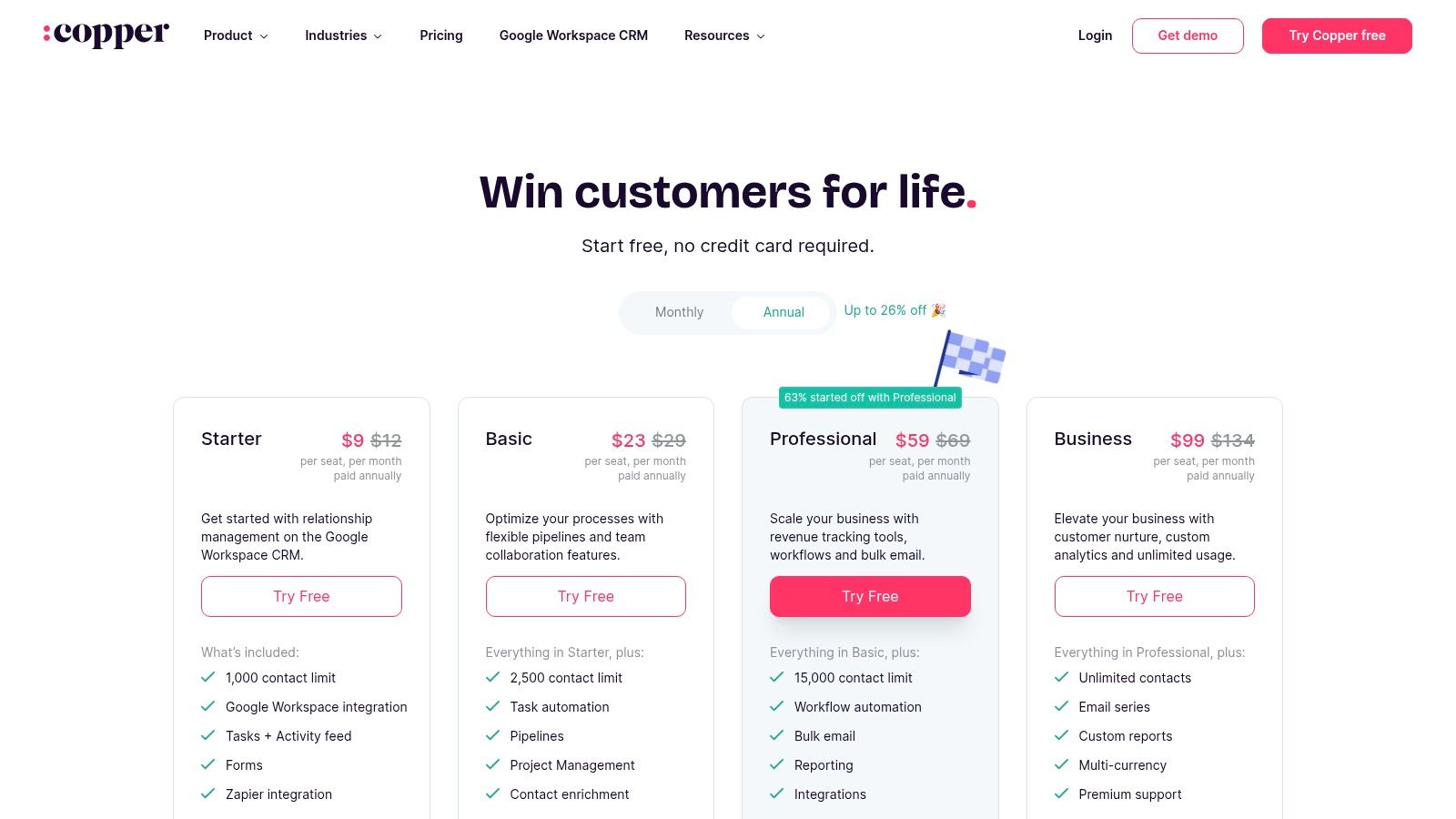
The platform’s standout quality is its zero-data-entry design. The Chrome extension automatically finds and adds new contacts from your inbox, enriching profiles with social and company data. It simplifies pipeline management with visual, drag-and-drop deal stages and provides workflow automation to handle repetitive tasks. This deep integration is powerful, similar to how tools can centralize workflows, as explored in this guide on sending emails directly from Notion. For Google-centric teams, Copper feels less like a separate tool and more like an enhancement of the tools they already use every day.
Key Details & Pricing
- Best For: Small to mid-sized businesses heavily invested in the Google Workspace ecosystem.
- Pricing: Starts at $23 per user/month (billed annually).
- Pros: Unmatched Google Workspace integration, very low user friction, and automated contact enrichment.
- Cons: Less effective for teams not using Google Workspace. Contact limits and advanced reporting are restricted to higher-priced tiers.
Website: www.copper.com/pricing
11. Nutshell
Nutshell is a sales-focused CRM designed specifically for small and medium-sized businesses that want powerful tools without overwhelming complexity. It stands out by including unlimited contacts and built-in marketing features across all its plans, making it an excellent all-in-one solution. The platform combines a user-friendly sales pipeline manager with email marketing, web forms, and even a live chat tool, centralizing customer engagement activities effectively.
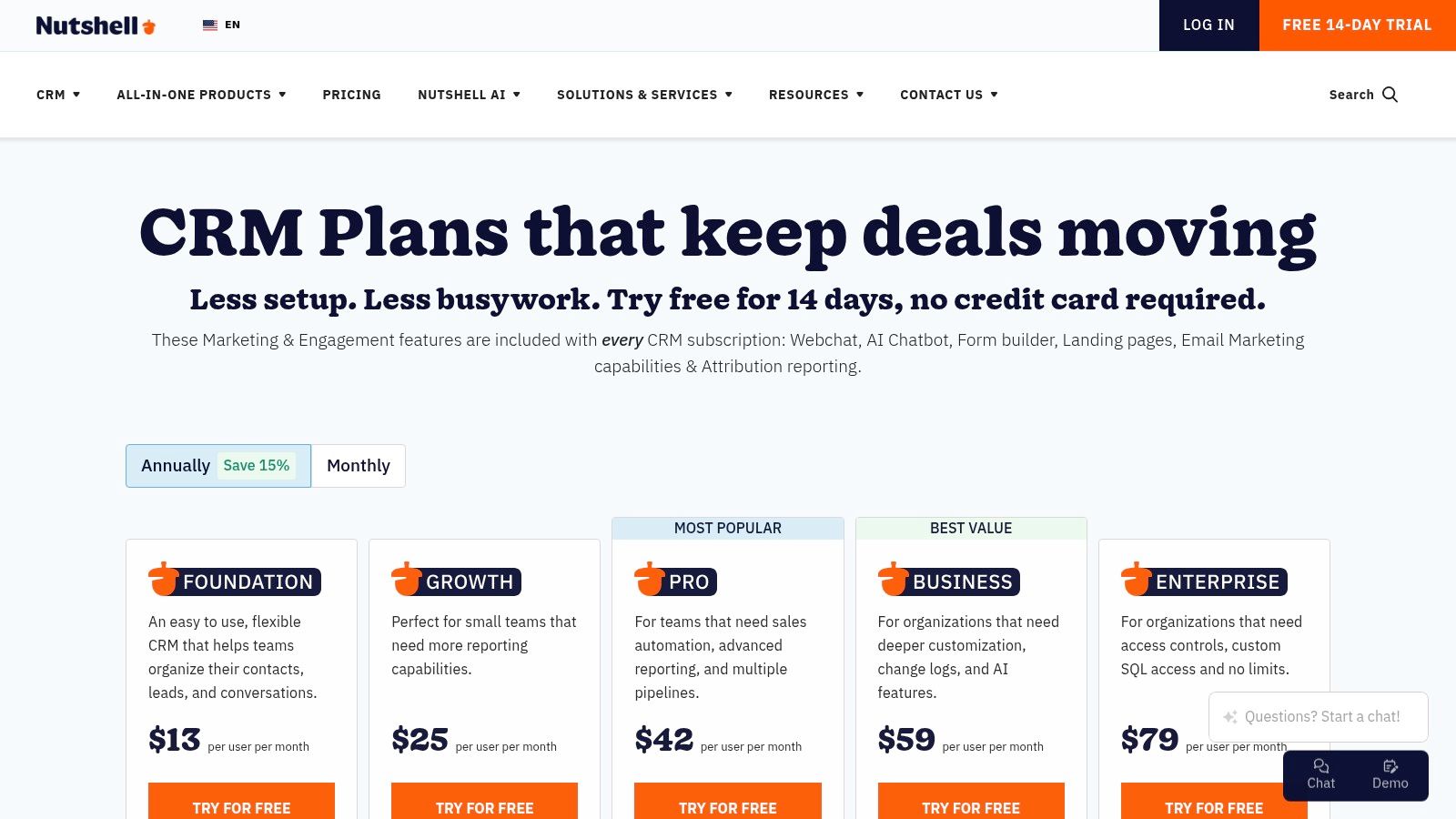
The platform’s commitment to simplicity and support is its core strength. Nutshell is known for its quick setup and highly-rated live customer support, which is a major advantage for teams without dedicated IT staff. Features like its AI-powered timeline summary and note-taking assistant help streamline daily tasks, allowing sales reps to focus more on selling. For small businesses seeking a CRM that balances robust sales automation with accessible marketing tools, Nutshell presents a compelling and cost-effective option. It truly positions itself as one of the best CRM for small business choices by bundling these essential functions.
Key Details & Pricing
- Best For: Sales teams that need a straightforward CRM with integrated marketing and strong customer support.
- Pricing: Starts at $16 per user/month (billed annually).
- Pros: Simple setup and excellent live customer support, great value with marketing tools included in all plans.
- Cons: Fewer third-party app integrations than larger platforms. Advanced sales automation is gated in the higher-tier plan.
Website: https://www.nutshell.com/pricing
12. G2 and Capterra (comparison marketplaces)
Rather than being a single CRM, G2 and Capterra are indispensable research platforms for finding the best crm for small business based on real user feedback. These leading software marketplaces allow you to filter a massive directory of tools by company size, specific features, industry, and pricing models. They aggregate verified user reviews, ratings, and detailed pros and cons to give you an unbiased look at how each platform performs in the real world.
Their standout value is the ability to create side-by-side comparisons of your shortlisted vendors, examining everything from ease of use to quality of support. The grid reports and category leaderboards offer a data-driven snapshot of the market landscape, helping you move beyond marketing claims. Use these sites to validate your choices, discover new contenders, and click directly through to vendor pages for free trials or demos.
Key Details & Pricing
- Best For: Business owners who want to conduct thorough, data-driven research using peer reviews to shortlist options.
- Pricing: Free to use for research and comparison.
- Pros: Up-to-date peer reviews provide realistic insights, and broad coverage includes nearly every SMB-friendly CRM available.
- Cons: Sponsored placements can influence visibility, the sheer volume of data can be overwhelming, and listed pricing may be promotional.
Website: www.g2.com/categories/crm/small-business | www.capterra.com/customer-relationship-management-software/s/small-businesses/
Top 12 Small-Business CRM Comparison
| Product | ✨ Core features | ★ UX / Quality | 💰 Value / Price | 👥 Target audience | 🏆 Unique selling point |
|---|---|---|---|---|---|
| Salesforce Starter Suite (Sales Cloud) | Lead/account/opportunity mgmt, email sync, starter workflows, AppExchange | ★★★★☆ Reliable & extensible | 💰 Mid → scalable; add‑ons may raise cost | 👥 Small teams needing enterprise path | 🏆 Large ecosystem & clear upgrade path |
| HubSpot CRM and Sales Hub | Free CRM, email tracking, sequences, Sales Hub automation, AI | ★★★★★ Intuitive, fast setup | 💰 Freemium start; costs scale with contacts/hubs | 👥 Startups & SMBs wanting all‑in‑one growth platform | 🏆 Generous free tier + learning resources |
| Zoho CRM | Leads/deals, workflows, Canvas UI, 600+ integrations | ★★★★☆ Feature‑rich & configurable | 💰 Budget‑friendly; competitive pricing | 👥 SMBs needing customization at low cost | 🏆 Breadth of features for the price |
| Bigin by Zoho CRM | Visual pipelines, basic automations, email/telephony, add‑ons | ★★★★☆ Simple, quick setup | 💰 Low entry; free option available | 👥 Very small businesses & startups | 🏆 Pipeline‑centric simplicity & speed |
| Pipedrive | Kanban pipeline, drag‑drop deals, email sync, scheduler, templates | ★★★★★ Extremely intuitive for sales reps | 💰 Mid; trial only, no permanent free plan | 👥 Small sales teams focused on pipeline velocity | 🏆 Best‑in‑class visual pipeline UX |
| Freshsales by Freshworks | Built‑in telephony, chat, email channels, AI (Freddy), pipelines | ★★★★☆ Strong out‑of‑box comms | 💰 Low entry; affordable plans & trial | 👥 Teams wanting telephony/chat included | 🏆 Telephony + chat bundled natively |
| monday sales CRM | Custom boards, no‑code pipelines, 2‑way email, automations, analytics | ★★★★☆ Flexible, highly visual | 💰 Mid; seat bundles can increase cost | 👥 SMBs needing no‑code workflow modeling | 🏆 Visual Work OS with deep no‑code customization |
| Keap (formerly Infusionsoft) | Visual automations (email & SMS), CRM, invoicing/payments, booking | ★★★★☆ Powerful automation; steeper setup | 💰 Higher starting price | 👥 SMBs wanting heavy automation & payments | 🏆 Robust automation + dedicated onboarding |
| Insightly | CRM + project management, dashboards, reporting, AI Copilot | ★★★★☆ Good for service delivery workflows | 💰 Mid; clear per‑user pricing | 👥 Services firms needing post‑sale project mgmt | 🏆 Combines CRM + project delivery in one |
| Copper CRM | Deep Gmail/Calendar/Drive integration, Chrome extension, enrichment | ★★★★☆ Seamless in Google Workspace | 💰 Mid; contact limits on lower tiers | 👥 Google‑centric teams (Gmail/Workspace users) | 🏆 Native Gmail/Workspace experience |
| Nutshell | Unlimited contacts, sales automation, email marketing, landing pages | ★★★★☆ Simple setup; strong support | 💰 Good value — marketing tools included | 👥 SMBs wanting built‑in marketing & support | 🏆 Marketing + CRM bundled with unlimited contacts |
| G2 and Capterra (marketplaces) | Peer reviews, side‑by‑side comparisons, filters, vendor links | ★★★★☆ Up‑to‑date peer insights; dense data | 💰 Free research; sponsored placements exist | 👥 Buyers shortlisting & comparing CRMs | 🏆 Broad review coverage & comparison grids |
Final Thoughts
Navigating the landscape of customer relationship management software can feel overwhelming, but making an informed decision is one of the most impactful steps you can take for your company's growth. We've journeyed through a comprehensive list of contenders, from all-in-one powerhouses like HubSpot and Salesforce to specialized, user-friendly platforms like Pipedrive and Copper. Each tool offers a unique approach to solving the core challenge: building stronger, more profitable relationships with your customers.
The key takeaway is that there is no single "best CRM for small business" that fits every organization. The right choice is deeply personal to your specific operational needs, your team's technical comfort level, and your long-term business objectives.
Recapping Your CRM Selection Journey
As you move from evaluation to decision, remember the core principles we've discussed. Your ideal CRM isn't just a digital rolodex; it's the central nervous system for your customer-facing operations. It should simplify workflows, not complicate them. It must provide clear, actionable insights, not just a mountain of data.
Reflect on your primary business model. Are you a service-based business that needs robust project management like Insightly or monday sales CRM? An e-commerce brand that could benefit from Keap's advanced marketing automation? Or a sales-driven team that would thrive with a visual pipeline tool like Pipedrive? Answering this question will immediately narrow your options and focus your search.
Your Actionable Next Steps
With this guide in hand, your path forward should be clearer. Here is a simple, actionable plan to make your final selection:
- Shortlist Your Top 3: Based on our reviews and your specific needs (e.g., budget, team size, key integrations), select no more than three CRMs for a deeper dive. Trying to demo more than that often leads to decision paralysis.
- Engage with Free Trials: Sign up for the free trials or freemium plans of your shortlisted candidates. This is a non-negotiable step. The only way to truly know if a CRM will work for you is to get your hands on it.
- Perform Real-World Tests: Don't just click around aimlessly during your trial. Assign your team specific, real-world tasks. Can they easily add a new lead? Can you build a simple sales pipeline? Can you generate a basic report on last month's activity? Document the friction points and the "aha!" moments for each platform.
- Evaluate Integration Potential: Critically assess how each CRM connects with the tools you already use daily, like your email client, calendar, and internal knowledge base. A CRM that creates information silos is a step backward, not forward.
Implementation: The Final Frontier
Remember that choosing the best CRM for your small business is only half the battle. Successful implementation is what truly unlocks its value. Plan for a phased rollout, provide adequate training for your team, and be prepared to iterate. Your initial setup won't be perfect, and that's okay. The goal is to build a system that evolves with your business.
Ultimately, the right CRM will feel less like a piece of software and more like a trusted business partner. It will empower your team, delight your customers, and provide the clarity you need to scale confidently. You are now equipped with the knowledge to make that transformative choice.
Ready to streamline your communication and centralize crucial client emails within your project management hub? If you use Notion as your internal knowledge base, connect it to your CRM and email workflow with NotionSender. It allows you to send and receive emails directly from Notion, turning your workspace into a lightweight, powerful communication center. Learn more at NotionSender and start centralizing your customer conversations today.

