
10 Email Retention Policy Best Practices for 2026

Every organization sits on a mountain of emails, a resource that is both a valuable asset and a significant liability. Without a clear strategy, this digital archive grows uncontrollably, inflating storage costs, slowing down systems, and creating a minefield of legal and compliance risks. The solution isn't just about indiscriminately deleting old messages; it’s about smart, strategic management. A well-crafted email retention policy transforms this chaos into order, ensuring you keep what is legally required, safely discard what is unnecessary, and can find critical information exactly when you need it.
This guide presents a comprehensive list of email retention policy best practices designed to help you build a robust, compliant, and cost-effective framework. We will move beyond theory and provide actionable strategies you can implement immediately. You will learn how to:
- Establish clear, defensible retention schedules based on data type.
- Automate archival and deletion workflows to reduce manual effort.
- Prepare for legal holds and litigation without disrupting operations.
- Optimize storage costs with a tiered architecture.
From implementing comprehensive staff training to leveraging tools for centralized, automated control, these best practices will help you turn your email archive from a liability into a streamlined, strategic asset. We'll provide specific examples and steps to help you build a policy that protects your business, saves money, and enhances operational efficiency.
1. Define Clear Retention Periods Based on Email Type and Compliance Requirements
A foundational element of any effective email retention policy is moving away from a one-size-fits-all approach. Instead of keeping every email for the same length of time, you must establish specific, granular retention periods based on the email's content, purpose, and any governing legal or regulatory requirements. This strategy ensures you retain critical information long enough to meet compliance obligations while systematically disposing of non-essential data, which minimizes storage costs and reduces legal risks associated with holding data indefinitely.

Why Segmenting Retention Periods is Crucial
Different types of emails carry different levels of importance and are subject to distinct rules. For example, a financial services firm must retain trade confirmation emails for several years to comply with SEC regulations, while a marketing newsletter may only be relevant for a few months. Creating a detailed retention schedule is one of the most critical email retention policy best practices because it directly addresses these varying needs.
Key Insight: A well-defined retention schedule is your first line of defense in a legal discovery process or a regulatory audit. It demonstrates a systematic, defensible process for data management, rather than arbitrary deletion or hoarding.
Practical Implementation and Actionable Tips
To put this into practice, start by categorizing your organization's emails and assigning a specific retention period to each category.
- Financial & Transactional Records: Communications related to contracts, invoices, and financial transactions often require longer retention. For instance, SEC Rule 17a-4 mandates a six-year retention for many financial records.
- Legal & Compliance Communications: Any emails subject to a litigation hold must be preserved indefinitely until the hold is lifted. This category overrides all standard deletion schedules.
- Employee & HR Records: Emails concerning employee performance, contracts, or benefits should align with labor laws, which may require retention for the duration of employment plus a set number of years.
- Marketing & General Correspondence: These emails typically have a shorter lifespan. A 1-2 year retention period is often sufficient unless they contain contractual agreements.
For seamless execution, use tools that allow for categorization. Within a tool like NotionSender, you can leverage its database structure to create a "Category" or "Email Type" tag for each communication. This tag can then trigger an automated workflow that archives or deletes the email once its defined retention period expires, ensuring consistent policy enforcement without manual intervention.
2. Implement Automatic Deletion and Archival Workflows
Once you have a clearly defined retention schedule, the next critical step is to enforce it consistently and reliably. Relying on manual processes to manage email lifecycles is inefficient and prone to human error, leading to inconsistent application and potential compliance failures. Automating the deletion and archival of emails based on your established rules is a cornerstone of modern email retention policy best practices, ensuring policies are applied systematically across the entire organization.

Why Automation is Non-Negotiable
Manual email management simply doesn't scale. As your team grows, the volume of communications makes it impossible for individuals to remember and correctly apply retention rules to every message. Automated workflows remove this burden, reduce the risk of accidental deletion of critical records, and ensure timely disposal of expired data. This systematic approach minimizes your data footprint, lowers storage costs, and significantly reduces the scope of data that could be subject to legal discovery.
Key Insight: Automation transforms your retention policy from a static document into a dynamic, active system. It provides a defensible, auditable trail demonstrating that your organization follows a consistent and predetermined process for data management.
Practical Implementation and Actionable Tips
To implement automation, leverage rules and workflows available in most email platforms or use third-party tools to execute your retention schedule. The goal is to create "if-then" logic based on email categories.
- Routine Deletion: Set up rules to automatically delete low-value, high-volume emails. For example, a project management team could have routine status update emails automatically deleted after 90 days.
- Systematic Archiving: For long-term records like contracts or financial statements, create workflows that move emails from active inboxes to a secure, lower-cost archive after a set period (e.g., 18 months). An accounting firm might auto-archive all invoice-related emails to cold storage after seven years.
- Test and Notify: Always test new automation rules on a small, non-critical subset of emails before deploying them organization-wide. Set up system notifications to alert administrators before a large-batch deletion or archival process is executed.
<iframe width="560" height="315" src="https://www.youtube.com/embed/TIkLYGf3XG0" frameborder="0" allow="accelerometer; autoplay; clipboard-write; encrypted-media; gyroscope; picture-in-picture" allowfullscreen></iframe>
Tools like NotionSender can be instrumental here. You can configure automated workflows that not only categorize emails but also trigger actions based on your retention timeline. For instance, you can set a rule to automatically create backup snapshots of important communications before scheduled deletion. You can explore how saving emails to a structured database like Notion can form the backbone of a powerful, automated retention system.
3. Establish a Legal Hold and Litigation Support Process
Beyond routine retention schedules, a robust email retention policy must include a clear, defensible process for legal holds. A legal hold is a directive that overrides normal deletion and archiving procedures to preserve specific information that may be relevant to active or anticipated litigation, government investigations, or audits. Failing to implement a proper legal hold can lead to accusations of evidence spoliation, resulting in severe legal sanctions, fines, and reputational damage.
Why a Formal Legal Hold Process is Non-Negotiable
When legal action is reasonably anticipated, your organization has an immediate duty to preserve all potentially relevant data. A systematic legal hold process ensures this obligation is met consistently and transparently. Implementing this is one of the most critical email retention policy best practices because it protects the organization from spoliation claims and demonstrates good-faith data governance to courts and regulators. It moves preservation from an ad-hoc reaction to a structured, auditable procedure.
Key Insight: A legal hold isn't just about not deleting emails; it's about having a documented, repeatable process to identify, preserve, and manage relevant data from the moment a legal duty arises until the matter is fully resolved.
Practical Implementation and Actionable Tips
To effectively integrate legal holds, you must create a clear workflow that can be activated immediately when needed. This involves identifying relevant custodians (employees), issuing formal hold notices, and ensuring the data is secured.
- Contract Dispute Holds: Preserve all communications between your team and a specific vendor or client related to a disputed project or agreement.
- Employment Litigation Holds: Isolate and preserve email chains between a manager and an employee involved in a wrongful termination or harassment claim.
- Regulatory Investigation Holds: In response to an SEC or FTC inquiry, place a hold on all emails concerning the specific business practices or financial reporting periods under review.
- Product Liability Holds: If a product defect is identified, preserve all internal emails discussing its design, testing, and reported issues.
To manage this process efficiently, a central tracking system is essential. For instance, you can use a Notion database as a legal hold register. Create entries for each hold, detailing the case name, date of initiation, custodians involved, and a description of the data to be preserved. This creates a clear audit trail and ensures a designated party regularly reviews and releases holds once they are no longer required.
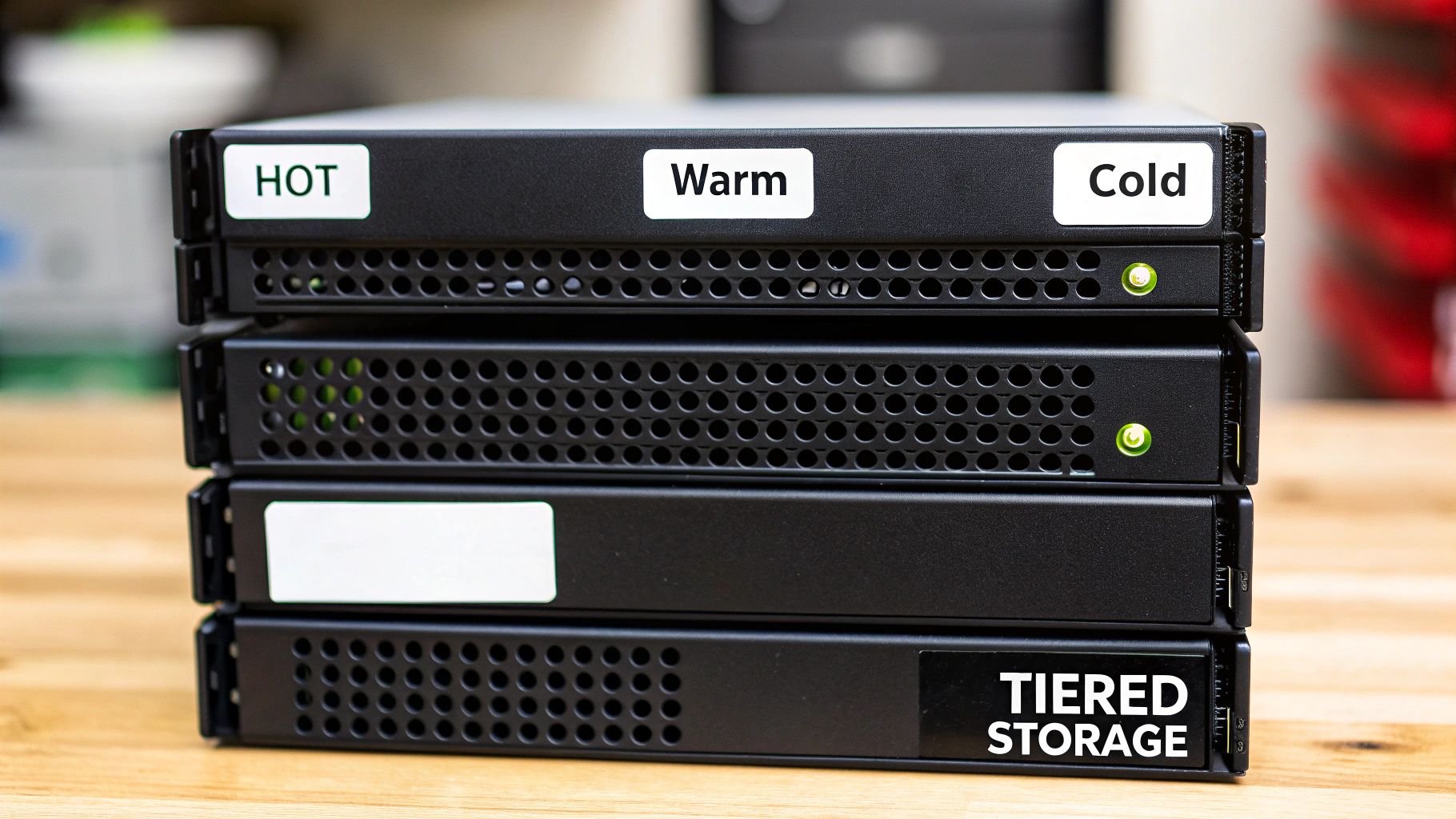
4. Create a Tiered Storage Architecture (Hot, Warm, Cold)
An intelligent approach to managing large volumes of archived emails is to implement a tiered storage architecture. This strategy involves categorizing and storing data across different storage mediums based on its age, access frequency, and importance. By aligning storage costs with data value, you can dramatically optimize expenses without sacrificing the accessibility of critical information, making it one of the most cost-effective email retention policy best practices.
Why Segmenting Storage Tiers is Crucial
Not all archived emails need to be instantly accessible. Recent communications are frequently referenced, while emails from several years ago are rarely needed but must be retained for compliance. A tiered model places high-priority, frequently accessed data on expensive, high-performance "hot" storage and moves older, less-accessed data to progressively cheaper "warm" and "cold" storage tiers. This prevents you from overpaying to keep historical archives on premium infrastructure.
Key Insight: Tiered storage transforms email archiving from a uniform cost center into a dynamic, cost-efficient system. It ensures that you only pay for the performance you actually need, aligning your storage budget directly with business value.
Practical Implementation and Actionable Tips
To build an effective tiered architecture, define clear rules for migrating data between tiers based on predefined triggers like email age or last-access date. When creating a tiered storage architecture, understanding the implications of different storage mediums is key. Explore the benefits and drawbacks of cloud storage vs local storage to make informed decisions for each tier.
- Hot Storage (0-90 Days): Store recent, active emails on high-speed servers or primary databases for instant retrieval. This is for data employees need daily.
- Warm Storage (90 Days - 2 Years): Migrate moderately accessed emails to less expensive, slightly slower secondary servers or cloud storage tiers. Access may take seconds rather than milliseconds.
- Cold Storage (2+ Years): Move long-term archives, required for legal or regulatory reasons but rarely accessed, to the cheapest storage solutions like archival cloud services. Retrieval may take minutes to hours but costs are minimal.
To implement this, set up automated rules within your email archiving solution to transition emails from one tier to the next as they age. For example, a rule could automatically move any email older than 90 days from hot to warm storage. Regularly monitor your access patterns and storage costs to refine your tier definitions and migration schedules over time.
5. Develop Comprehensive Staff Training and Policy Communication
An email retention policy is only effective if your employees understand and adhere to it. Without comprehensive training and clear, consistent communication, even the most well-designed policy will fail due to human error or neglect. This best practice involves creating a structured program to educate your team on the policy's purpose, their specific responsibilities, and the practical implications for their daily work, transforming them into active participants in data governance.
Why Ongoing Education is Crucial
Simply publishing a policy and hoping for compliance is a recipe for failure. Employees are the gatekeepers of company data, and their actions directly impact your legal risk and data security posture. Effective training is one of the most vital email retention policy best practices because it bridges the gap between policy documentation and real-world application, fostering a culture of data stewardship across the organization.
Key Insight: A well-informed employee is your first line of defense against accidental policy violations, data breaches, and non-compliance. Continuous education turns policy from a document into a living, practiced standard.
Practical Implementation and Actionable Tips
To build a successful training program, focus on making the information accessible, relevant, and easy to remember.
- Onboarding and Initial Training: Integrate policy training into the new hire onboarding process. Use short videos or interactive modules to explain email archival procedures and personal responsibilities from day one.
- Regular Refresher Sessions: Conduct mandatory annual or semi-annual refresher courses. Use these sessions to highlight policy updates, share real-world examples of compliance successes or failures, and reinforce key concepts.
- Role-Specific Guidance: Tailor communication to different departments. The finance team needs specific guidance on retaining transactional records, while the marketing team needs to understand the shorter retention periods for campaign-related emails.
- Accessible Documentation: Provide quick reference guides, FAQs, and one-page summaries that employees can easily access when they have a question.
For seamless knowledge sharing, centralize all training materials and policy documents in a shared workspace. Using a tool like NotionSender, you can create a dedicated "Compliance Hub" page within your Notion workspace. This ensures every team member has a single source of truth for policy documents, training videos, and quick guides, making it simple to find information and stay compliant.
6. Implement Regular Audit and Compliance Verification
An email retention policy is not a "set it and forget it" document. To ensure its ongoing effectiveness and defensibility, you must establish a regular cadence for audits and compliance verification. This process involves systematically reviewing your email retention practices to confirm that policies are being followed correctly, automated systems are functioning as intended, and your organization remains compliant with all relevant legal and regulatory obligations. Regular verification turns your policy from a static document into a living, verifiable process.
Why Regular Auditing is Crucial
Without periodic checks, your retention policy can quickly become outdated or unenforced. System misconfigurations, human error, or changes in regulations can create significant compliance gaps, exposing your organization to legal risks and penalties. Conducting routine audits is one of the most vital email retention policy best practices because it provides proof of due diligence and allows you to identify and remediate issues before they escalate into major problems.
Key Insight: Documented audits are your evidence that the policy is actively managed and enforced. In a legal dispute, this documentation can demonstrate a good-faith effort to comply with data management obligations, which can be invaluable.
Practical Implementation and Actionable Tips
To build a robust audit framework, integrate scheduled checks and clear documentation into your operational calendar.
- Quarterly Spot-Checks: Perform random sampling of archived and recently deleted emails. Verify that they were correctly classified and that the retention or disposal action aligned with the defined policy schedule.
- Annual Policy Review: Conduct a comprehensive annual audit comparing deletion and archival logs against the master retention schedule. This is also the time to review the policy itself for any needed updates due to new business functions or changes in regulations.
- Pre-Regulatory Examination Reviews: If your industry is subject to regulatory examinations (e.g., from FINRA or the HIPAA), conduct a targeted audit in advance to ensure all required communications are properly retained and accessible.
- Post-Incident Audits: If a data breach or retention violation is discovered, a post-incident audit is critical to understand the scope of the failure and implement corrective actions to prevent recurrence.
To streamline this process, you can use a centralized platform like NotionSender to maintain audit logs. Create a dedicated database to track audit schedules, document findings, assign remediation tasks, and record resolutions. This creates an organized, easily accessible audit trail that demonstrates consistent oversight and policy adherence.
7. Design Exception and Override Procedures for Special Circumstances
Even the most carefully planned email retention policy will encounter situations that fall outside its standard rules. A robust policy anticipates these scenarios by including clear, documented procedures for exceptions and overrides. This structured approach allows your organization to handle special cases, like legal holds or strategic projects, without undermining the integrity of the entire policy. It ensures that any deviation from the standard retention schedule is controlled, justified, and time-limited.
Why a Formal Exception Process is Crucial
Without a formal process, employees may resort to creating their own "shadow" archives or making arbitrary decisions about which emails to keep, defeating the purpose of the policy. Establishing clear guidelines for exceptions is one of the most important email retention policy best practices because it maintains control and auditability. It allows for necessary flexibility while preventing the uncontrolled data sprawl that retention policies are designed to combat.
Key Insight: A well-defined exception process transforms potential policy violations into controlled, documented, and defensible business decisions. It provides the necessary agility to respond to unique circumstances without sacrificing compliance.
Practical Implementation and Actionable Tips
To build an effective exception procedure, focus on documentation, approval, and regular reviews. Your process should define who can request an exception, who must approve it, and how it will be tracked.
- Legal Holds & Investigations: Communications relevant to an ongoing investigation or legal dispute must be preserved. For example, all emails from a specific employee may be placed on an indefinite hold pending the completion of an internal HR investigation.
- Long-Term Projects: Emails related to a multi-year strategic initiative or product development cycle may need to be retained longer than general correspondence to preserve critical context and decision-making history.
- Warranty or Contractual Disputes: Customer communication emails might be extended beyond their normal 2-year retention period if they are related to an unresolved warranty claim or service dispute.
- Historical or Legacy Value: An organization might decide to permanently archive the emails of its founders to preserve a record of the company's early history and strategic evolution.
When implementing this, set a high threshold for approvals to prevent misuse. Within a system like NotionSender, you could create a specific tag like "Retention Exception" and add fields for "Reason," "Approval By," and "Review Date." This creates a clear, auditable trail for every exception and allows you to build automated reminders for periodic reviews, ensuring no exception lasts longer than necessary.
8. Centralize Email Management and Archive to Single Source of Truth
A decentralized approach, where employees manage their own email archives in personal folders or inboxes, creates significant compliance and operational risks. Centralizing email management into a unified, single source of truth is essential for consistent policy enforcement. This practice involves consolidating all retained emails into one authoritative, searchable repository, which dramatically improves compliance verification, simplifies eDiscovery, and ensures retention rules are applied uniformly across the organization.
Why a Single Source of Truth is Non-Negotiable
When emails are scattered across individual accounts, enforcing your retention schedule becomes nearly impossible. A centralized archive ensures that every critical communication is captured, indexed, and managed according to the official policy. This structured approach is a core component of effective email retention policy best practices, as it eliminates data duplication and prevents unauthorized deletion or modification of records. To ensure a truly centralized and reliable email archive, organizations often turn to comprehensive Enterprise Content Management (ECM) solutions.
Key Insight: A centralized archive transforms email from a chaotic liability into a managed corporate asset. It provides a single, defensible location for all official communications, which is invaluable during legal discovery or regulatory audits.
Practical Implementation and Actionable Tips
Transitioning to a central archive requires a clear strategy and the right tools. The goal is to make capturing and managing emails a seamless part of daily workflows.
- Consulting Firms: Consolidate all client engagement emails and deliverables into a unified repository to maintain a complete project history for compliance and future reference.
- Project-Based Teams: Route all project-related communications through a centralized email address that automatically feeds into a shared management system.
- Marketing Teams: Use a tool like NotionSender to centralize all campaign communications, client feedback, and approvals, creating an organized record for performance reviews and compliance.
For an effective rollout, establish clear email forwarding rules to capture all relevant communications and implement role-based access controls to ensure staff can only see appropriate information. Using NotionSender's unique database email addresses can serve as a powerful centralization point, automatically routing key emails into your structured workspace. For more ideas on streamlining your inbox, explore these simple email management tips to boost your productivity.
9. Establish Data Classification and Smart Metadata Tagging
To apply granular retention periods effectively, you must first know what kind of data each email contains. Implementing automated data classification and smart metadata tagging allows you to systematically label emails by sensitivity, content type, and business function. Once tagged, you can apply specific retention rules based on this metadata, enabling precise policy enforcement and dramatically improving searchability for audits or eDiscovery.
Why Tagging is a Non-Negotiable Practice
Without classification, your email archive is a disorganized repository where critical contracts are treated the same as marketing newsletters. Tagging introduces order, allowing your systems to automatically distinguish high-value, high-risk communications from routine correspondence. This systematic approach is one of the most powerful email retention policy best practices because it transforms a static policy into a dynamic, intelligent data management system.
Key Insight: Smart tagging is the engine that drives automated retention. It allows your policy to "read" and understand email content, ensuring the correct retention rule is applied every time without manual intervention.
Practical Implementation and Actionable Tips
Begin by defining a clear classification taxonomy and then leverage automation tools to apply tags based on predefined rules, keywords, or patterns.
- Financial Data: Automatically tag emails containing keywords like "invoice," "purchase order," or "payment confirmation" as 'Financial-Retention' to trigger a 7-year hold.
- Legal Communications: Set up rules to classify emails with terms such as "contract," "agreement," or "legal hold" as 'Legal-Confidential,' applying indefinite retention until a manual review is completed.
- HR Records: Tag emails related to hiring, performance reviews, or termination as 'HR-Sensitive' to align their retention with specific employment law requirements.
- Project Correspondence: Use project codes or client names in subject lines to automatically tag emails and associate them with specific business initiatives for easier retrieval.
Within your workflow, this can be highly effective. For example, when you create and send email from Notion, you can pre-define Notion database properties that act as metadata tags. When an email is sent or received, its content can be analyzed to populate these properties, like 'Category' or 'Sensitivity Level', which then dictates its retention schedule automatically.
10. Monitor Storage Capacity and Cost Optimization Regularly
An email retention policy is not a "set it and forget it" initiative; it's a dynamic strategy that requires ongoing oversight to remain effective. Regularly monitoring your email storage usage, associated costs, and data growth trends is essential for identifying optimization opportunities, preventing budget overruns, and ensuring your policy delivers its intended financial benefits. This proactive approach turns your retention strategy from a compliance checkbox into a powerful cost-control mechanism.
Why Continuous Monitoring is a Non-Negotiable Practice
Without regular analysis, storage can quietly spiral out of control. You might be paying for premium, high-availability storage for emails that could be archived in a cheaper, colder tier. Monitoring provides the data needed to make informed decisions and demonstrates the ROI of your retention efforts. This is one of the most practical email retention policy best practices because it directly ties data management to financial outcomes.
Key Insight: Consistent monitoring transforms your email retention policy from a purely operational task into a strategic financial tool. The data you gather provides clear justification for policy adjustments and investments in better management systems.
Practical Implementation and Actionable Tips
To implement this, establish a cadence for reviewing storage metrics and create a simple reporting system. This doesn't need to be complex; a dashboard or even a regularly updated spreadsheet can be highly effective.
- Track Key Metrics: Monitor metrics like total storage volume, month-over-month growth rate, cost per gigabyte, and storage consumption by department or email category. For example, discovering that marketing newsletters consume 40% of storage can justify a shorter retention period for that category.
- Analyze Storage Tiers: Evaluate how your data is distributed across different storage tiers (e.g., hot vs. cold). If you find that 70% of your archived data hasn't been accessed in years, it's a strong signal to move it to a more cost-effective archival solution.
- Calculate and Report on Savings: Quantify the impact of your policy. Track how automated deletion recovers space (e.g., "recovering 5GB of storage monthly") or how migrating to a centralized system has reduced costs.
- Share Insights with Stakeholders: Present clear, simple reports to leadership. Showing that a new retention rule or a tool like NotionSender reduced storage costs by 30% builds crucial support and demonstrates the value of your data governance efforts.
10-Point Email Retention Policy Comparison
| Item | Implementation complexity 🔄 | Resource requirements ⚡ | Expected outcomes ⭐📊 | Ideal use cases 📊 | Key advantages ⭐💡 |
|---|---|---|---|---|---|
| Define Clear Retention Periods Based on Email Type and Compliance Requirements | Medium — policy design, legal mapping, cross-jurisdiction alignment | Medium — legal/compliance time, policy documentation, basic automation | High — compliance readiness, lower storage costs, easier discovery | Regulated industries, multi-jurisdiction operations, audit-prone teams | Ensures legal compliance; reduces storage; simplifies discovery |
| Implement Automatic Deletion and Archival Workflows | Medium-High — build/test automation rules and safeguards | Medium — automation tooling, IT support, backup & recovery | High — consistent enforcement, fewer manual errors, lower costs | High-volume email environments, teams needing routine cleanup | Removes manual burden; enforces retention consistently |
| Establish a Legal Hold and Litigation Support Process | High — legal processes, custodian tracking, chain-of-custody | High — legal oversight, extra storage, monitoring tools | High — evidence preservation; reduces spoliation risk | Organizations facing litigation/regulatory investigations | Preserves critical evidence; demonstrates good-faith preservation |
| Create a Tiered Storage Architecture (Hot, Warm, Cold) | High — design tiers, migration policies, automation | High — multiple storage platforms, integration effort | High — cost-performance optimization, scalable retention | Large enterprises, heavy email volumes, cost-sensitive ops | Balances cost and performance; improves access to recent data |
| Develop Comprehensive Staff Training and Policy Communication | Low-Medium — create materials, schedule sessions, role guidance | Medium — training time, materials, tracking systems | Medium-High — higher compliance rates; fewer user errors | Organizations with many staff, high turnover, decentralized teams | Improves compliance behavior; reduces accidental violations |
| Implement Regular Audit and Compliance Verification | Medium — audit plans, sampling methods, documentation | Medium-High — audit staff, tooling, reporting time | High — early detection of gaps; audit evidence for regulators | Regulated firms, pre-exam preparation, post-incident reviews | Validates systems and policies; surfaces remediation needs |
| Design Exception and Override Procedures for Special Circumstances | Medium — approval workflows, documentation, tracking | Low-Medium — administrative oversight, approval tools | Medium — controlled flexibility while limiting risk | Situations requiring temporary retention beyond policy | Enables documented, time-limited exceptions; preserves controls |
| Centralize Email Management and Archive to Single Source of Truth | Medium-High — migration, access controls, consolidation | High — platform investment, migration effort, backups | High — simplified auditing, deduplication, consistent rules | Distributed teams, client-facing firms, legal-heavy orgs | Simplifies discovery; reduces duplication; enforces uniform rules |
| Establish Data Classification and Smart Metadata Tagging | High — taxonomy, classifiers, ongoing tuning | High — ML/classification tools, training data, reviews | High — granular retention, faster search, better protection | Sensitive-data environments, large-scale repositories | Enables fine-grained policies and faster discovery |
| Monitor Storage Capacity and Cost Optimization Regularly | Low-Medium — reporting setup, alerts, trend analysis | Low-Medium — analytics tools, periodic admin time | Medium-High — cost control, forecasting, actionable insights | Budget-conscious orgs, rapidly growing email volumes | Identifies savings opportunities; prevents budget surprises |
From Policy to Practice: Activating Your Retention Strategy
Navigating the landscape of email management can feel like an overwhelming task, but as we've explored, a well-defined strategy is the cornerstone of organizational efficiency and security. Moving from a theoretical understanding to practical application is where the real value is unlocked. The journey begins not with a single, massive overhaul, but with a commitment to incremental, strategic changes that compound over time. Implementing the email retention policy best practices detailed in this guide transforms your inbox from a cluttered liability into a streamlined, compliant, and valuable asset.
The core takeaway is that a modern email retention policy is not merely about deletion. It’s a dynamic system of data governance. By defining clear retention periods based on email type and legal obligations, you establish the foundational rules. From there, automating deletion and archival workflows removes the burden of manual compliance from your team, ensuring consistency and reducing human error. This proactive stance is further strengthened by a prepared legal hold process, which protects your organization when it matters most.
Synthesizing Strategy into Action
The most effective policies are those that are integrated, not isolated. Centralizing your email archive into a single source of truth is a game-changer, eliminating data silos and simplifying discovery. Paired with a sophisticated tiered storage architecture and smart metadata tagging, this approach doesn't just store emails; it organizes them intelligently, making information accessible while optimizing storage costs.
However, even the most advanced technical solutions will falter without human buy-in. This is why comprehensive staff training and clear policy communication are non-negotiable. Your team needs to understand the "why" behind the policy, not just the "how." This educational effort, combined with regular audits and compliance verification, creates a culture of accountability and continuous improvement.
Remember, a great policy is also a flexible one. By planning for exception and override procedures, you build a resilient system that can adapt to unique business needs without compromising its core integrity.
Your Roadmap to Implementation
Feeling motivated but unsure where to begin? Here is a practical roadmap to get you started:
- Start with an Audit: Before you create new rules, understand what you currently have. Analyze email volume, storage costs, and existing (or non-existent) practices.
- Consult Key Stakeholders: Bring legal, IT, and department heads to the table. A successful policy requires input and support from across the organization.
- Prioritize Automation: Identify the biggest manual pain points and target them first. Use tools to automate the classification and archival of high-volume email categories like newsletters or transactional receipts.
- Launch a Pilot Program: Roll out your new policy with a single department or team. Use their feedback to refine the process before a company-wide implementation.
- Communicate and Train: Develop clear, concise training materials. Host a workshop to explain the new policy, demonstrate the tools, and answer questions.
Ultimately, mastering these email retention policy best practices is about more than just compliance or cost savings. It's about building a more organized, secure, and efficient business. It frees up mental and digital space, reduces risk, and empowers your team to focus their energy on innovation and growth, confident that their digital communications are being managed responsibly.
Ready to turn policy into seamless practice? NotionSender integrates directly with your Notion workspace, allowing you to save, tag, and manage critical emails within your existing project management hub. This makes centralizing your email archive and implementing retention rules simpler than ever. Explore how you can connect your inbox to your brain at NotionSender.

