
The Top 12 Free Customer Relationship Management Template Options for 2025
Before investing in complex, expensive software, managing your customer relationships can start with a simple, powerful tool you likely already use. A well-structured free customer relationship management template in a platform like Google Sheets, Excel, or Notion can provide the essential framework to track leads, manage your sales pipeline, and nurture client interactions without a steep learning curve or monthly fees. This approach strips away unnecessary features, focusing on the core data that drives your business forward.
This guide is designed for solo entrepreneurs, small business owners, and growing teams who need a practical, cost-effective way to organize contacts and deals. We've curated a comprehensive list of the top 12 templates from platforms like HubSpot, Airtable, monday.com, and more. For each option, you'll find direct download links, clear screenshots, and a concise analysis of its strengths, weaknesses, and ideal use cases. We'll examine who benefits most from a simple spreadsheet versus a more structured database template.
Understanding the fundamentals is crucial for getting the most out of any CRM system, free or paid. Before diving into specific templates, it's vital to understand the key processes it helps manage, such as mastering your lead qualification process. Our goal is to help you select the right tool for your specific workflow. More importantly, we'll show you how to supercharge it with automation tools like NotionSender to bridge the gap between your template and your inbox, creating a streamlined system that grows with your business. Let's find the perfect template to get your customer data organized.
1. HubSpot
HubSpot offers a robust and user-friendly free customer relationship management template for both Excel and Google Sheets. Designed as a perfect entry point for small businesses and freelancers, this template provides a structured yet simple way to begin organizing customer data without the immediate commitment to a full software platform. It’s an ideal starting block for anyone feeling overwhelmed by complex CRM systems but recognizing the need to move beyond simple contact lists.
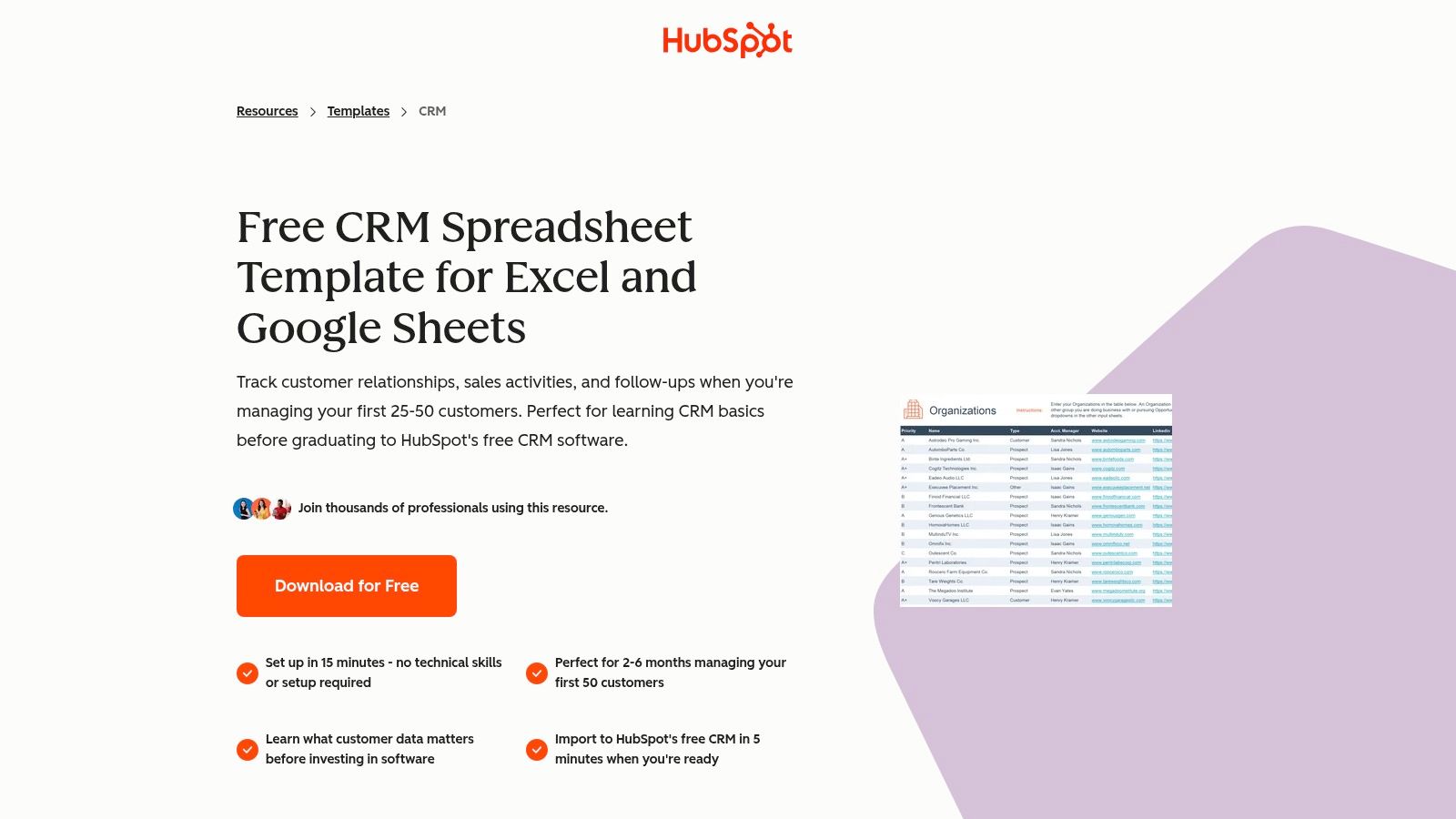
What makes the HubSpot template stand out is its thoughtful design and clear upgrade path. It includes dedicated tabs for contacts, companies, and deals, along with pre-configured dropdowns to ensure data consistency from day one. The "Start Here" guide is exceptionally clear, making setup a breeze even for non-technical users. This focus on user experience ensures you spend less time figuring out the spreadsheet and more time managing relationships.
Key Features & Use Case
- Best For: Solopreneurs and small teams new to CRM concepts who want a structured, no-cost starting point.
- Ready-Made Structure: Pre-built tabs for contacts, companies, and deals, plus a dashboard for a quick overview.
- Guided Setup: An instructions tab walks you through every step, minimizing the learning curve.
- Seamless Migration: Designed for easy import into HubSpot's free CRM software when your needs grow.
Pros and Cons
| Pros | Cons |
|---|---|
| Truly Free: No cost or sign-up required for the download. | Manual Data Entry: Requires significant manual upkeep as your contact list grows. |
| Excellent Guidance: Very clear documentation for beginners. | Limited Automation: Lacks the automated workflows of a true CRM platform. |
| Clear Upgrade Path: A natural next step into their powerful free CRM. | Scalability Issues: Becomes cumbersome with more than 50-100 active contacts. |
Pro Tip: As you gather contacts in this template, it’s crucial to maintain engagement. You can learn more about how to improve your email marketing with HubSpot's best practices to ensure your communications are effective from the start.
Where to Get It
You can download the template directly from the HubSpot website. It's an ungated resource, meaning you don't have to provide an email address to access it.
Access the Template on HubSpot's Website
2. Google Sheets Template Gallery (Copper)
For teams deeply embedded in the Google Workspace ecosystem, Copper’s free customer relationship management template within the native Google Sheets gallery is a seamless choice. This template allows users to launch a functional CRM directly from their Google account with a single click, eliminating the need for external downloads or software installations. It offers a familiar spreadsheet environment, making it immediately accessible for anyone comfortable with Google Sheets.
The primary appeal of this template is its effortless integration and simplicity. It’s designed for tracking fundamental sales pipeline data: leads, status updates, contact information, and follow-up dates. By leveraging the native Google Sheets Template Gallery, it provides a trusted and secure starting point for small businesses looking to organize their sales process without leaving the tools they already use daily.
Key Features & Use Case
- Best For: Small teams and individuals who live in Google Workspace and need a quick, no-fuss way to track leads.
- Instant Access: Available directly within the Google Sheets Template Gallery, requiring no downloads or external sign-ups.
- Familiar Interface: Utilizes the standard Google Sheets layout, ensuring there is virtually no learning curve.
- Core CRM Fields: Includes essential columns for lead tracking, deal value, status, priority, and next steps.
Pros and Cons
| Pros | Cons |
|---|---|
| Zero Cost & Frictionless: Absolutely free and instantly accessible from your Google account. | Manual Process: Lacks any automation; all data entry and updates must be done by hand. |
| Perfect for Google Users: An ideal solution for teams that manage their entire workflow in Google Workspace. | Limited Functionality: Strictly a spreadsheet; offers no advanced CRM features like email integration or reporting dashboards. |
| Highly Collaborative: Easy to share and co-edit with team members in real-time. | No Direct Link: Must be accessed by navigating to the Google Sheets Template Gallery. |
Pro Tip: Pair this template with Google Forms to automatically populate new leads into your sheet. Connect a form for your website's contact page to the spreadsheet to reduce manual data entry and capture inquiries instantly.
Where to Get It
You can find this template by opening Google Sheets, selecting "Template gallery," and searching for the CRM template provided by Copper. It does not have a direct shareable link.
3. Vertex42
Vertex42 provides a comprehensive and highly detailed free customer relationship management template for Excel, with a Google Sheets version also available. This template is a classic, robust choice for users who are comfortable within a spreadsheet environment and want a powerful tool without the cost. It’s designed for those who appreciate deep documentation and the ability to see how formulas work, making it a great learning tool as well as a functional CRM.
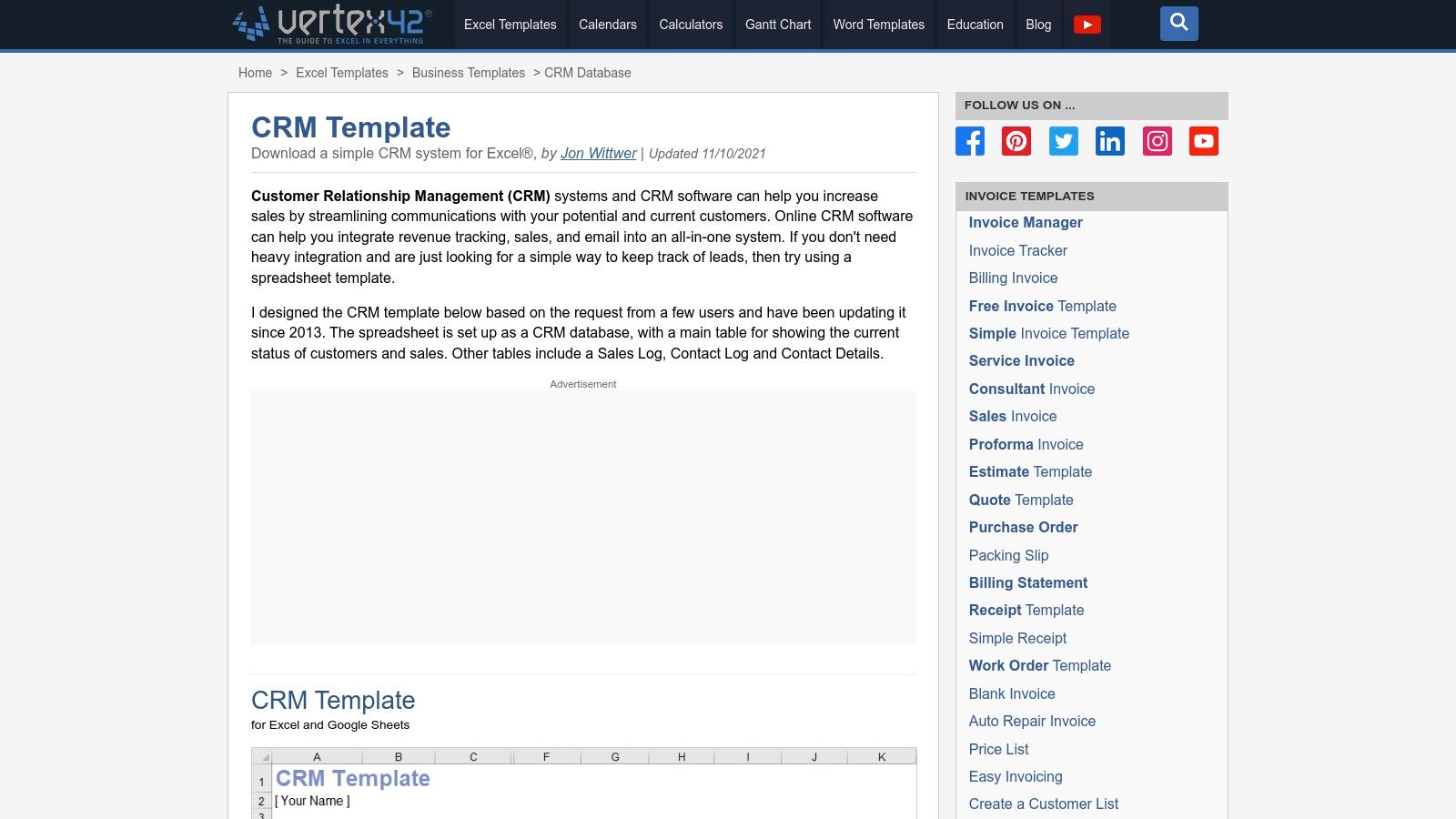
What sets the Vertex42 template apart is its focus on leveraging native Excel capabilities. It comes with multiple tabs for different CRM functions like a contact log, sales pipeline, and detailed contact sheets. The inclusion of example formulas such as SUMIFS and VLOOKUP, along with excellent documentation, empowers users to not only use the template but also customize it extensively to fit their specific sales process.
Key Features & Use Case
- Best For: Excel power users and small business owners who want a customizable, formula-driven CRM and are willing to manage data manually.
- Multiple Structured Tabs: Includes dedicated worksheets for the main CRM dashboard, Contact Log, Sales Log, and Contact Details.
- Example Formulas & Guidance: Offers excellent documentation and pre-built formulas to help users understand and extend the template's functionality.
- Platform Flexibility: Provides both an Excel and a Google Sheets variant to suit user preference.
Pros and Cons
| Pros | Cons |
|---|---|
| Deep Excel Guidance: Great for learning and customizing formulas. | Purely Spreadsheet-Based: Lacks any built-in automation or integration capabilities. |
| Flexible and Highly Customizable: The unlocked nature allows for complete control. | Static Updates: The core template has not been updated in a few years, though still functional. |
| Completely Free: No sign-up or email is required for the download. | Steeper Learning Curve: May be complex for users unfamiliar with advanced Excel functions. |
Pro Tip: Use the "Contact Log" tab to meticulously track every interaction. This detailed history is invaluable for personalizing follow-ups and understanding customer engagement patterns over time.
Where to Get It
You can download the template for free directly from the Vertex42 website. It is available as an immediate download for both Excel and Google Sheets.
Access the Template on Vertex42's Website
4. Smartsheet
Smartsheet offers a curated collection of CRM templates designed for various specific business needs, such as client tracking, sales pipeline management, and monthly performance dashboards. This approach provides a more specialized free customer relationship management template than a single, all-in-one solution. You can download these as Excel or Google Sheets files, or use them directly within the Smartsheet platform, making it a flexible starting point for teams already familiar with spreadsheet-style interfaces.
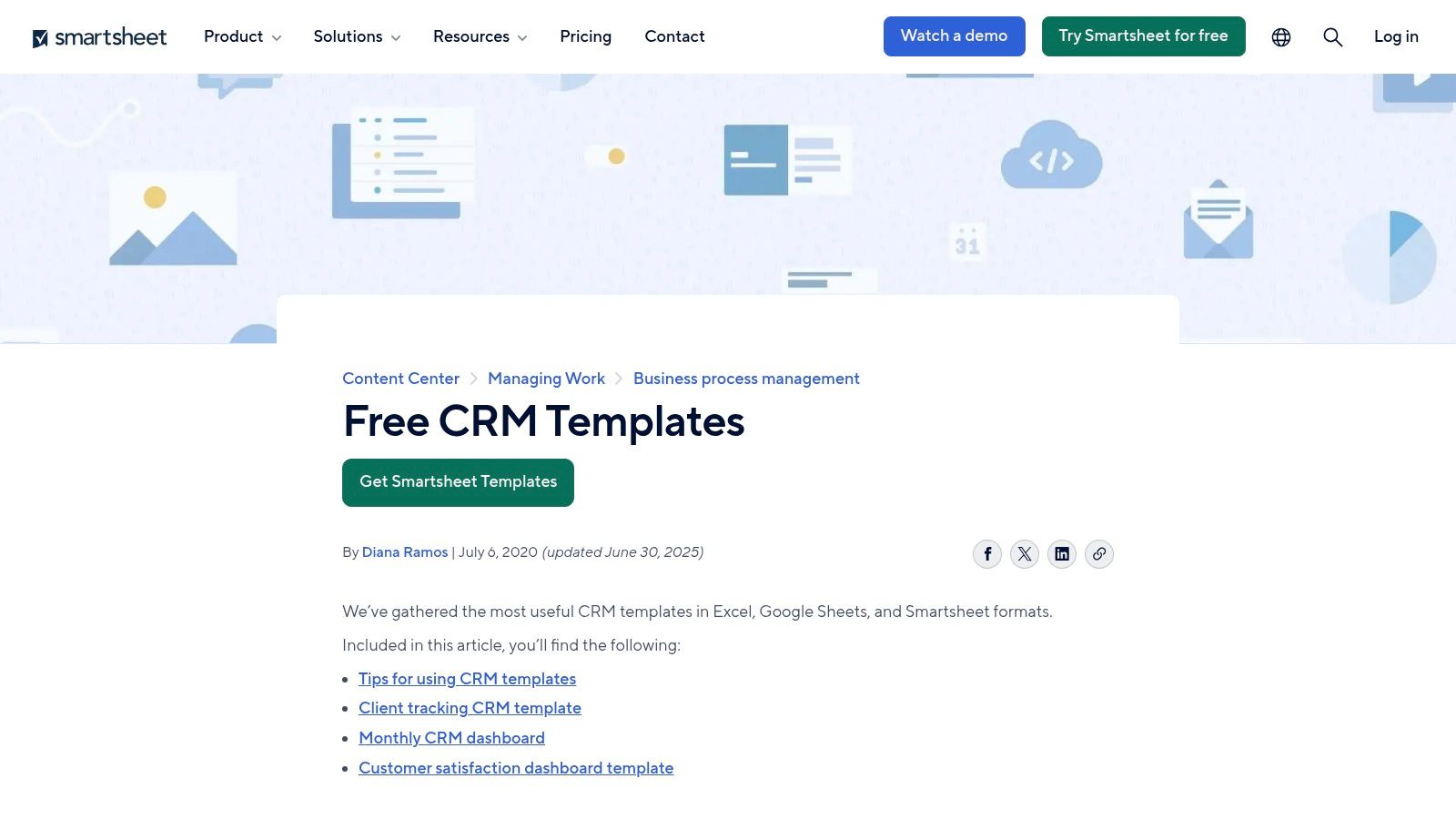
What sets Smartsheet's offering apart is the breadth of its template gallery combined with practical guidance. Instead of a one-size-fits-all model, users can pick a template tailored to a specific CRM function. This is complemented by articles and best-practice notes that help you implement the template effectively, bridging the gap between simply having a tool and knowing how to use it for genuine business growth.
Key Features & Use Case
- Best For: Teams that need purpose-built templates for specific functions like sales pipelines or client satisfaction tracking.
- Multiple Use Cases: Provides distinct templates for sales pipelines, contact management, dashboards, and client action lists.
- Format Flexibility: Available for download as Excel and Google Sheets files, or for direct use within the Smartsheet environment.
- Built-in Guidance: Includes how-to guides and best practices to help users maximize the value of their chosen template.
Pros and Cons
| Pros | Cons |
|---|---|
| Variety of Templates: Saves time by offering pre-structured files for different CRM needs. | Upsell Focus: Some templates are designed to steer users toward Smartsheet's paid product. |
| Good Learning Resources: The practical tips and guidance are helpful for setup and effective use. | Limited Automation: Advanced automation requires a paid Smartsheet subscription. |
| Multi-Platform Support: Works for users of Excel, Google Sheets, or the native Smartsheet app. | Can Feel Disjointed: Using multiple templates for different functions might feel less integrated than a single CRM. |
Pro Tip: Use the Sales Pipeline template to track deals and the Monthly Sales Dashboard to visualize your progress. This combination gives you both a granular view of day-to-day activities and a high-level overview of performance trends without needing a complex software setup.
Where to Get It
You can access and download the full suite of CRM templates directly from the Smartsheet website. The Excel and Google Sheets versions are freely available.
Access the Templates on Smartsheet's Website
5. monday.com
For teams that thrive on visual workflows, monday.com offers a powerful free customer relationship management template that goes beyond static spreadsheets. Rather than a simple download, their templates are pre-built boards you can activate within their work OS. This approach provides a dynamic and collaborative environment for managing leads, tracking activities, and overseeing your entire sales pipeline from a single, customizable dashboard.
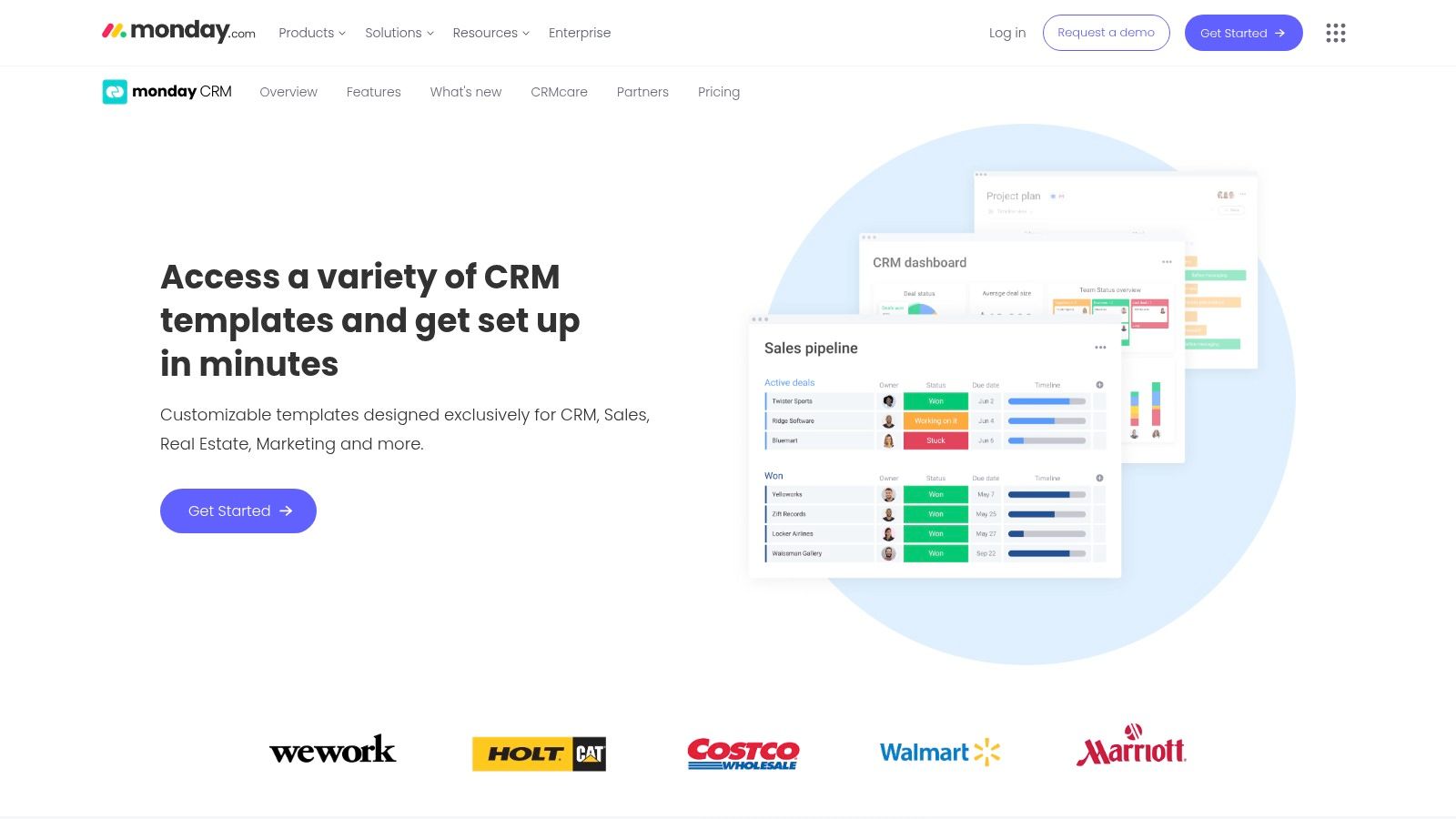
What sets monday.com apart is its blend of template-driven simplicity and platform-level power. You can start with a ready-made deals management board and immediately begin customizing columns, setting up automations for reminders, and integrating with other tools. This makes it a great choice for teams who want the structure of a template but also need the flexibility to adapt the system to their unique sales process without being locked into a rigid format.
Key Features & Use Case
- Best For: Visually-oriented sales teams and project managers who need a collaborative and customizable pipeline view.
- Ready-Made Boards: Pre-configured templates for leads, contacts, accounts, and activities that can be deployed instantly.
- Automation and Reminders: Set up simple automations to move deals forward or remind team members of follow-ups.
- Scalable Structure: Easily add new boards, dashboards, and integrations as your team and customer base grow.
Pros and Cons
| Pros | Cons |
|---|---|
| Visual & Collaborative: Excellent for team-based pipeline management. | Requires a Workspace: Templates can only be used within the monday.com platform. |
| Highly Customizable: Easily adapt boards to match your specific sales stages. | Time-Limited Free Access: Full functionality is part of a free trial; ongoing use requires a paid plan. |
| Fast to Start: Templates allow for a very quick setup process. | Learning Curve: More complex than a basic spreadsheet template. |
Pro Tip: Use monday.com’s automations to create notifications for lead assignments. When a new lead is added from a form, you can automatically assign it to a team member and notify them via email or an internal message, ensuring no opportunity is missed.
Where to Get It
You can access the CRM templates by signing up for a free trial on the monday.com website. Once inside your workspace, you can add new boards from their extensive template center.
Access the Templates on monday.com's Website
6. Airtable
Airtable offers a powerful and flexible free customer relationship management template directly within its Solutions Gallery. It elevates the concept of a spreadsheet by merging it with a relational database, creating a dynamic tool perfect for teams that need more than static cells. This Sales CRM template provides a sophisticated starting point for managing contacts, tracking pipeline stages, and logging interactions in a collaborative, visually engaging environment.
What makes the Airtable approach unique is its adaptability. You can switch between a traditional grid view, a Kanban board for your sales pipeline, a calendar for activities, or even build custom dashboards. The ability to link records between tables (e.g., linking multiple contacts and activities to a single opportunity) provides a level of data integrity that simple spreadsheets can't match. It’s a low-code platform that feels approachable yet scales impressively as your processes mature.
Key Features & Use Case
- Best For: Growing teams and tech-savvy businesses that need a customizable, database-driven CRM without the high cost.
- Multiple Views: Instantly switch between grid, Kanban, gallery, calendar, and form views to visualize data in different ways.
- Relational Data: Link contacts to companies, deals, and interactions for a comprehensive and organized customer overview.
- Low-Code Automation: Build simple automations within Airtable to reduce manual tasks, like updating a status or sending a notification.
Pros and Cons
| Pros | Cons |
|---|---|
| Database Flexibility: Far more powerful and scalable than a standard spreadsheet. | Learning Curve: Understanding bases, tables, and linked records takes time for new users. |
| Real-Time Collaboration: Excellent for teams working on the same customer data simultaneously. | Free Plan Limits: The free tier has restrictions on the number of records and attachment space per base. |
| Highly Customizable: Easily add new fields, tables, and views to fit your exact workflow. | Requires Setup: While a template is provided, tailoring it to your needs requires some initial effort. |
Pro Tip: Leverage Airtable's automation features to trigger tasks based on record changes. You can also explore how to connect Airtable with other tools to send emails, turning your base into a central hub for outreach.
Where to Get It
You can access the Sales CRM template and copy it to your own Airtable workspace for free from their official Solutions page. You will need a free Airtable account to use it.
Access the Template on Airtable's Website
7. ClickUp
ClickUp offers a dynamic and integrated free customer relationship management template directly within its all-in-one productivity platform. This "Simple CRM" template is designed for teams who want to manage customer relationships alongside their projects, tasks, and documents without switching between tools. It provides a pre-built framework that leverages ClickUp's powerful list and table views, making it a natural extension for existing users and an attractive option for new teams seeking a unified workspace.
What makes the ClickUp template compelling is its native integration with the platform’s core functionalities. You can link contacts directly to tasks, attach relevant documents, and build custom automations to streamline workflows, such as automatically assigning a follow-up task when a deal moves to a new stage. This approach transforms a static contact list into an actionable hub for all client-related activities, bridging the gap between relationship management and project execution.
Key Features & Use Case
- Best For: Teams already using ClickUp or those wanting to consolidate their project management and CRM into a single platform.
- Integrated Workflow: Natively connects contacts and deals with tasks, docs, and goals within the ClickUp ecosystem.
- Customizable Structure: Uses custom fields, statuses, and views to adapt the CRM to your specific sales pipeline or client management process.
- Built-in Automation: Leverages ClickUp’s automation engine to reduce manual tasks, like updating statuses or notifying team members.
Pros and Cons
| Pros | Cons |
|---|---|
| Unified Workspace: Centralizes tasks, docs, and CRM, eliminating the need for separate tools. | Platform Dependent: Requires adopting the ClickUp platform, which may be a hurdle for some. |
| Powerful Free Tier: ClickUp's free plan is very generous, offering robust features for the template. | Paid Tier for Advanced Features: Key CRM functions like email integration require paid plans. |
| Highly Customizable: Offers deep customization options beyond a simple spreadsheet. | Can Be Overwhelming: The sheer number of features in ClickUp can have a steep learning curve. |
Pro Tip: Use ClickUp's custom fields to track key client data, such as their last contact date or subscription renewal. Then, set up an automation to create a task for your team when a renewal date is approaching, ensuring no opportunity is missed.
Where to Get It
You can access the Simple CRM template directly from the ClickUp template library within the platform. You will need a free ClickUp account to use it.
Access the Template on ClickUp's Website
8. Notion
Notion provides a highly flexible and powerful free customer relationship management template that integrates directly into its all-in-one workspace. This template is designed for those who already use or want to use Notion as a central hub for their work. It moves beyond a static spreadsheet by using linked databases for accounts, contacts, and deals, allowing for dynamic, relational data management that is perfect for small teams and solo operators who value customization.

What makes the Notion template exceptional is its sheer adaptability. Users can duplicate the template into their workspace with a single click and immediately start customizing properties, adding new views like Kanban boards or calendars, and linking contacts directly to projects or notes. This level of control makes it a living document that can evolve alongside your business processes, rather than forcing you into a rigid structure. It truly shines for those who want their CRM to be more than just a contact list.
Key Features & Use Case
- Best For: Individuals and small teams already invested in the Notion ecosystem who need a highly customizable CRM solution.
- Relational Databases: Natively links contacts, companies, and deals for a comprehensive and interconnected view of your pipeline.
- Extreme Customization: Easily add or modify properties, create multiple database views (list, board, gallery, calendar), and tailor the entire system to your workflow.
- One-Click Setup: Can be duplicated into any Notion workspace, including those on the generous free plan, instantly.
Pros and Cons
| Pros | Cons |
|---|---|
| Highly Adaptable: Easily reshape fields, relations, and views to fit your exact needs. | No Native Automation: Lacks built-in sales email logging or workflow automation without integrations. |
| All-in-One Workspace: Integrates perfectly with your existing Notion notes, projects, and wikis. | Learning Curve: Requires some familiarity with Notion databases to leverage its full potential. |
| Completely Free: The template and all its features work on Notion's free personal plan. | Manual Upkeep: Like spreadsheets, data must be entered and updated manually. |
Pro Tip: To truly master your new CRM, you need to understand the platform's core functions. You can discover more by exploring these 10 tips to help you get the most out of Notion and enhance your productivity.
Where to Get It
You can access and duplicate this template directly from Notion's official template gallery. It's available for free to anyone with a Notion account.
Access the Template on Notion's Website
9. vcita
vcita offers a simple and direct free customer relationship management template available for both Excel and Google Sheets. This template is designed for service-based small businesses that need a clean, straightforward system to track leads and manage their sales pipeline without any initial software investment. It serves as an excellent foundational tool for organizing client interactions and follow-ups before graduating to a more comprehensive software solution.
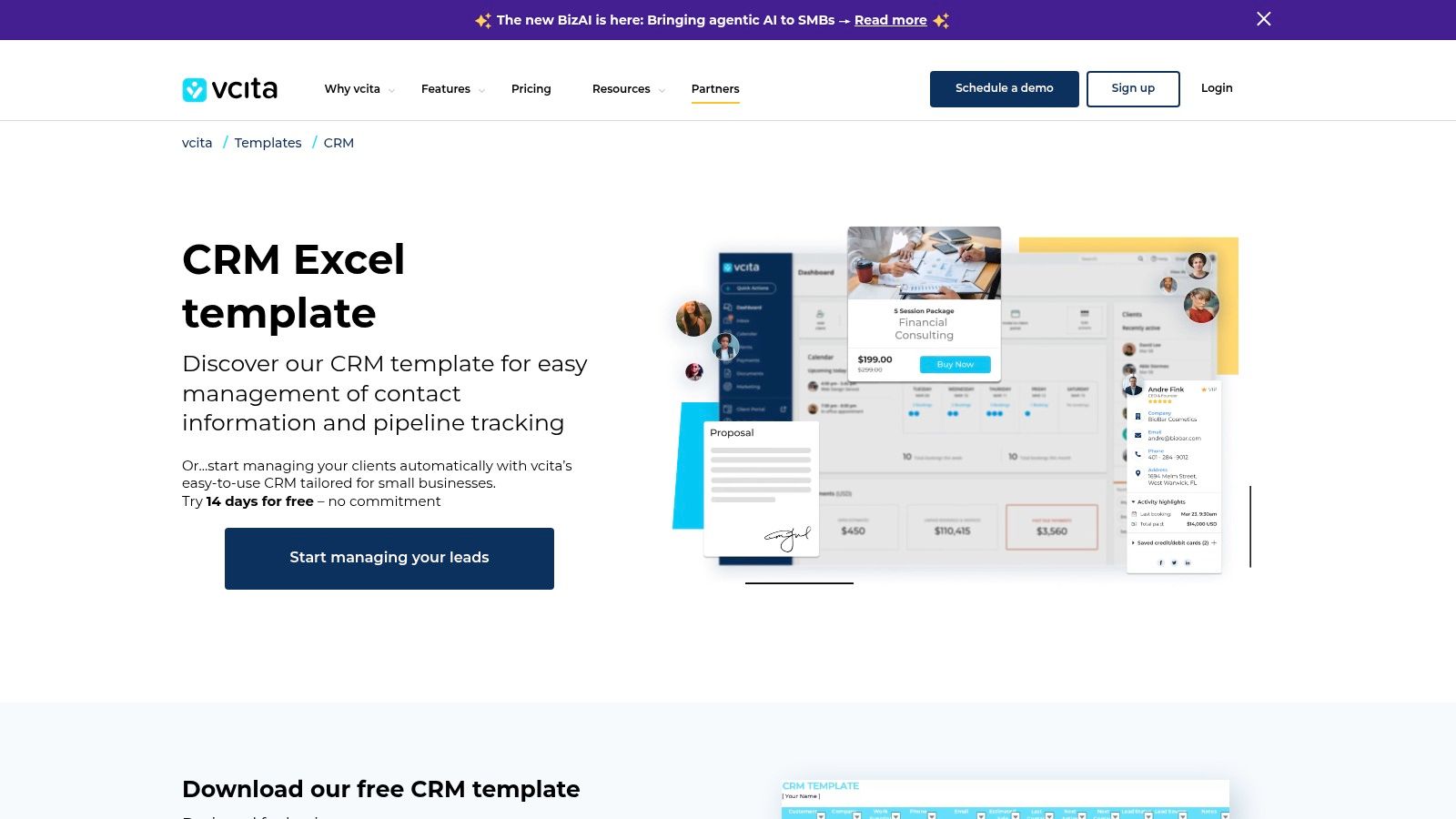
The strength of vcita's template lies in its simplicity and focus on the sales process. It provides dedicated tabs for leads, a sales pipeline, and follow-up activities, which helps users prioritize actions that drive revenue. Each tab includes built-in dropdowns and helpful usage notes, guiding users to maintain data consistency. This focused approach makes it less intimidating than more complex templates and ideal for those just starting to formalize their client management.
Key Features & Use Case
- Best For: Service-based entrepreneurs and small business owners who need a basic, sales-focused tool for tracking leads and deals.
- Sales-Focused Structure: Separate, clearly defined tabs for managing leads, a visual sales pipeline, and follow-up tasks.
- Excel & Google Sheets: Provides flexibility by offering the template in the two most popular spreadsheet formats.
- Embedded Guidance: Includes usage notes within each tab to help users understand how to fill out the fields correctly.
Pros and Cons
| Pros | Cons |
|---|---|
| Simple and No-Cost: A completely free and uncomplicated way to start managing leads. | Acts as a Lead Magnet: The template download page heavily promotes vcita's paid software. |
| Easy to Customize: Can be easily modified with custom formulas and conditional formatting. | No Automation: Lacks any automated features, relying entirely on manual data entry. |
| Clear Focus: Excellent for tracking the core sales funnel from lead to close. | Limited Functionality: Doesn't include broader CRM features like company or contact databases. |
Pro Tip: Use the "Follow-up" tab to schedule your outreach. Consistent communication is key to moving leads through your pipeline, and a dedicated tab for this ensures no opportunity is forgotten.
Where to Get It
The template is available for download directly from the vcita website. You will need to provide your name and email address to receive the download link.
Access the Template on vcita's Website
10. Pipeline CRM
Pipeline CRM offers a comprehensive free customer relationship management template designed as an all-in-one spreadsheet for sales-focused teams. This Excel template goes far beyond a simple contact list, providing nearly a dozen interconnected tabs to manage the entire sales cycle. It's built for small businesses that need structured tracking for deals, contacts, and even invoices but aren't ready to invest in a full software suite.
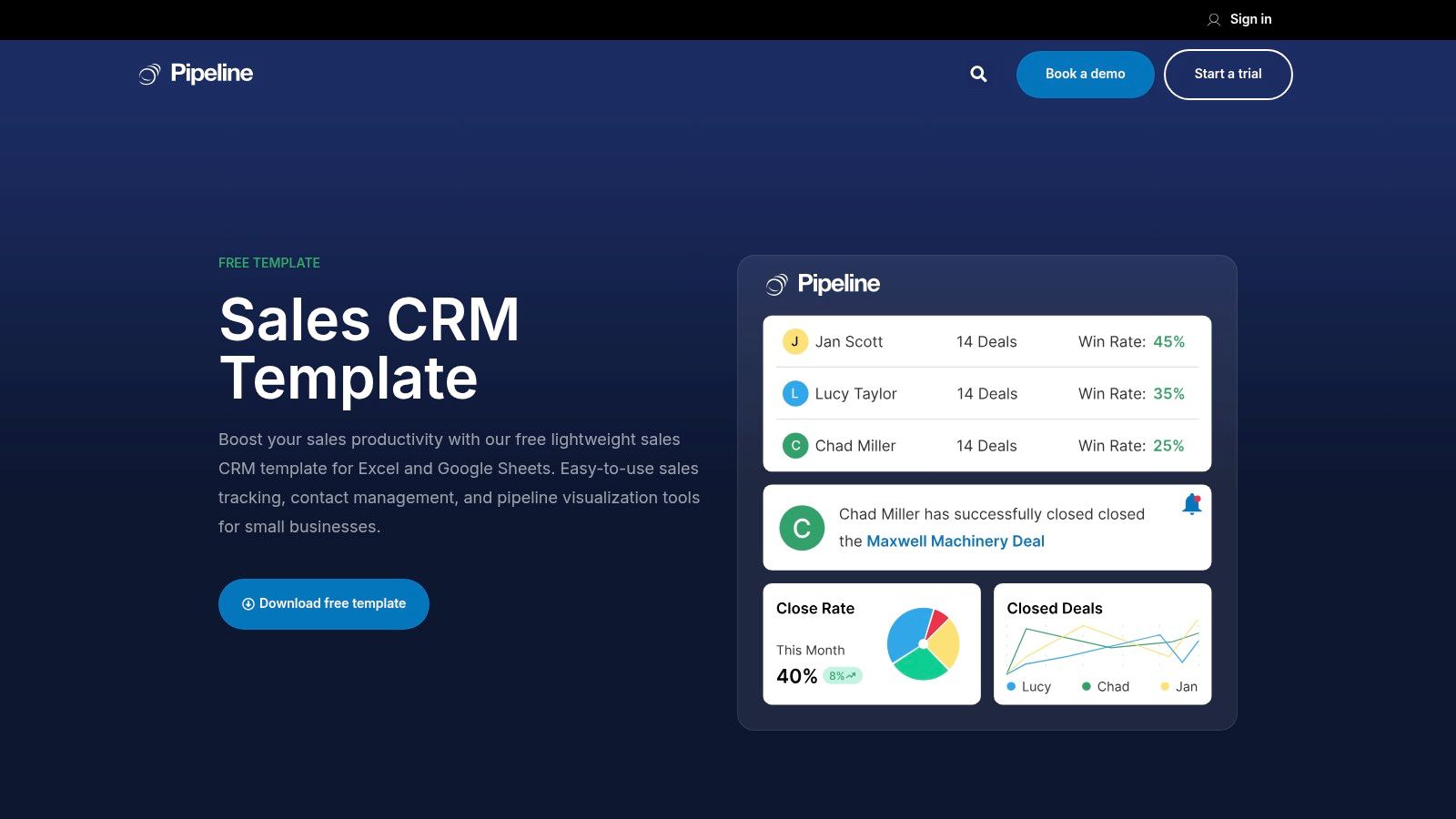
What makes this template particularly powerful is its end-to-end scope. With dedicated sheets for pipeline visualization, deal tracking, and company and contact management, it functions like a mini-CRM within a familiar spreadsheet environment. The included step-by-step guidance and onboarding notes help users navigate its multiple features, ensuring teams can adopt it quickly for more organized sales efforts.
Key Features & Use Case
- Best For: Small sales teams that need a detailed, multi-faceted tool to track a complete sales pipeline without software costs.
- Multiple Connected Tabs: Includes integrated sheets for deals, contacts, companies, invoices, and a visual pipeline dashboard.
- Structured Tracking: Designed to manage the entire sales process from lead to close in one structured document.
- Step-by-Step Guidance: Comes with onboarding notes to help users understand and utilize its comprehensive features effectively.
Pros and Cons
| Pros | Cons |
|---|---|
| Deeper Coverage: More comprehensive than most single-sheet templates. | Potential Overkill: Complexity may be unnecessary for very simple contact lists. |
| Useful Stepping Stone: A great way to implement CRM processes before buying software. | Manual Updates: Requires diligent manual data entry to keep all tabs current and accurate. |
| Completely Free: No cost or sign-up is required to download and use the template. | Prone to Errors: The complexity increases the chance of manual data entry mistakes. |
Pro Tip: Use the "Pipeline" tab to hold weekly sales meetings. Visually tracking each deal's stage helps keep your team aligned and focused on moving opportunities forward.
Where to Get It
You can download the free sales CRM template directly from the Pipeline CRM website. Access is ungated, so you can get the file instantly without providing your contact information.
Access the Template on Pipeline CRM's Website
11. OnePageCRM
OnePageCRM provides a minimalist yet effective free customer relationship management template focused entirely on action and follow-up. Available for both Excel and Google Sheets, this template is designed for sales professionals and small business owners who live by the "next action" methodology. It cuts through the complexity of traditional CRMs by centering all data around the single most important question: what do I need to do next, and when?
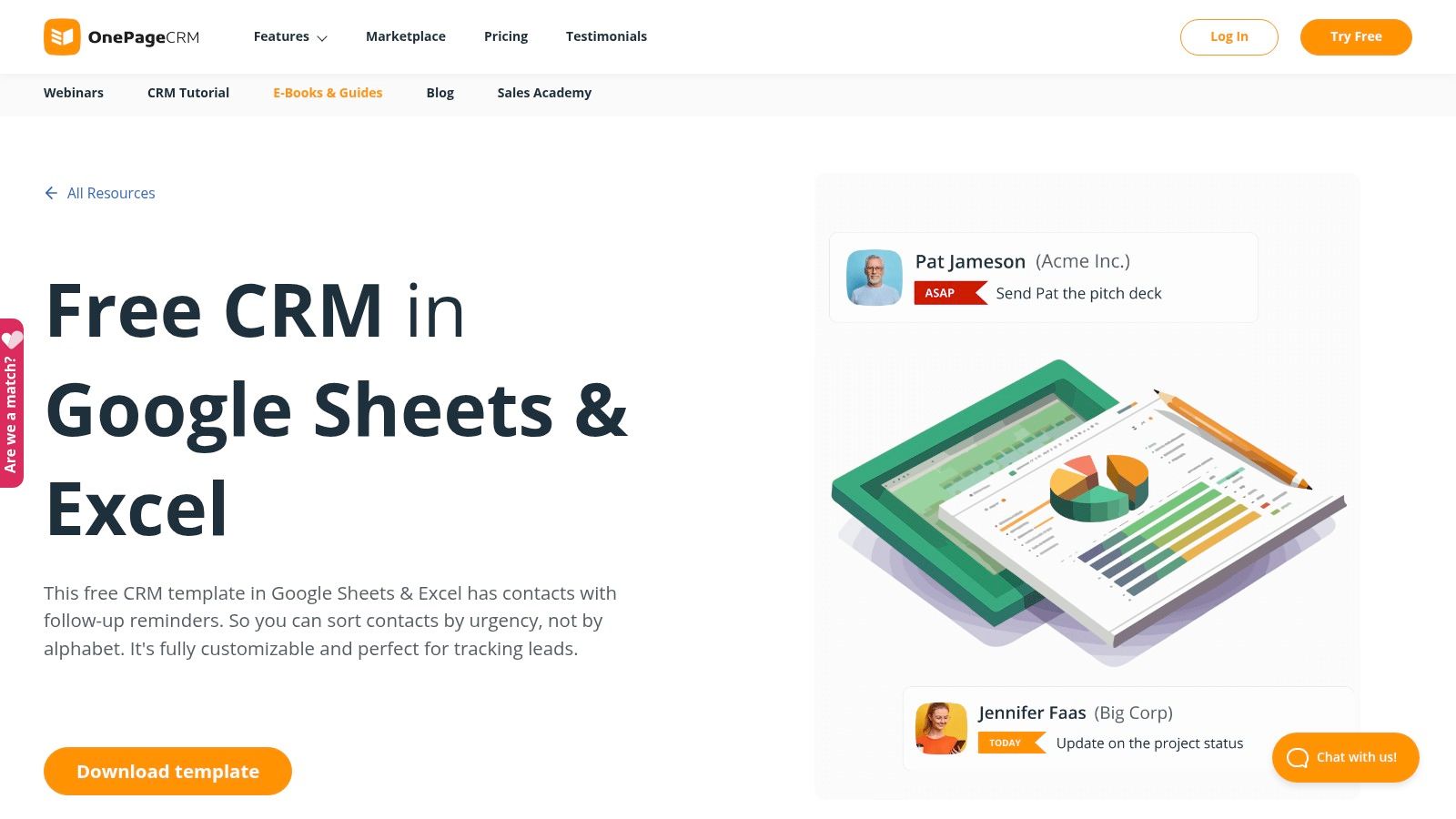
The template's brilliance lies in its single-tab simplicity. Instead of navigating between contacts, deals, and companies, everything lives on one sheet that can be sorted by the "Due Date" column. This allows you to dynamically prioritize your day, ensuring no follow-up ever falls through the cracks. It’s a refreshingly straightforward approach for anyone who finds multi-tab spreadsheets or full-featured CRMs to be more distracting than helpful.
Key Features & Use Case
- Best For: Sales-focused individuals or small teams who need a simple, action-oriented system to manage follow-ups.
- Next-Action Focus: The entire template is built around the "Next Action" and "Due Date" columns for clear daily prioritization.
- Dynamic Prioritization: Simple sorting by date instantly shows you who to contact next, eliminating decision fatigue.
- Platform Flexibility: Works seamlessly in both Excel and Google Sheets, with included notes for customization.
Pros and Cons
| Pros | Cons |
|---|---|
| Extremely Simple: Very easy to learn and maintain, requiring minimal data entry to be effective. | Minimal Fields: Lacks space for detailed contact history or complex sales pipeline data. |
| Ungated Download: No email or sign-up is required, allowing you to get started immediately. | Limited Reporting: Offers no built-in dashboard or visual reporting functionality. |
| Action-Oriented: Forces a proactive approach to sales and relationship management. | Not for Complex Pipelines: Unsuitable for sales processes with multiple stages or stakeholders. |
Pro Tip: Use conditional formatting on the "Due Date" column to automatically highlight overdue tasks in red and upcoming tasks in yellow. This visual cue makes your to-do list even more scannable.
Where to Get It
You can download the template for free directly from the OnePageCRM website. The resource is completely ungated for instant access.
Access the Template on OnePageCRM's Website
12. Softr
Softr takes a unique approach by offering a no-code platform to turn your existing spreadsheet or database into a functional web application. Instead of just a static file, Softr provides a free customer relationship management template that builds a professional, interactive front-end powered by your data from Google Sheets, Airtable, or Notion. This transforms your simple data source into a shareable and secure CRM app with user roles and permissions.
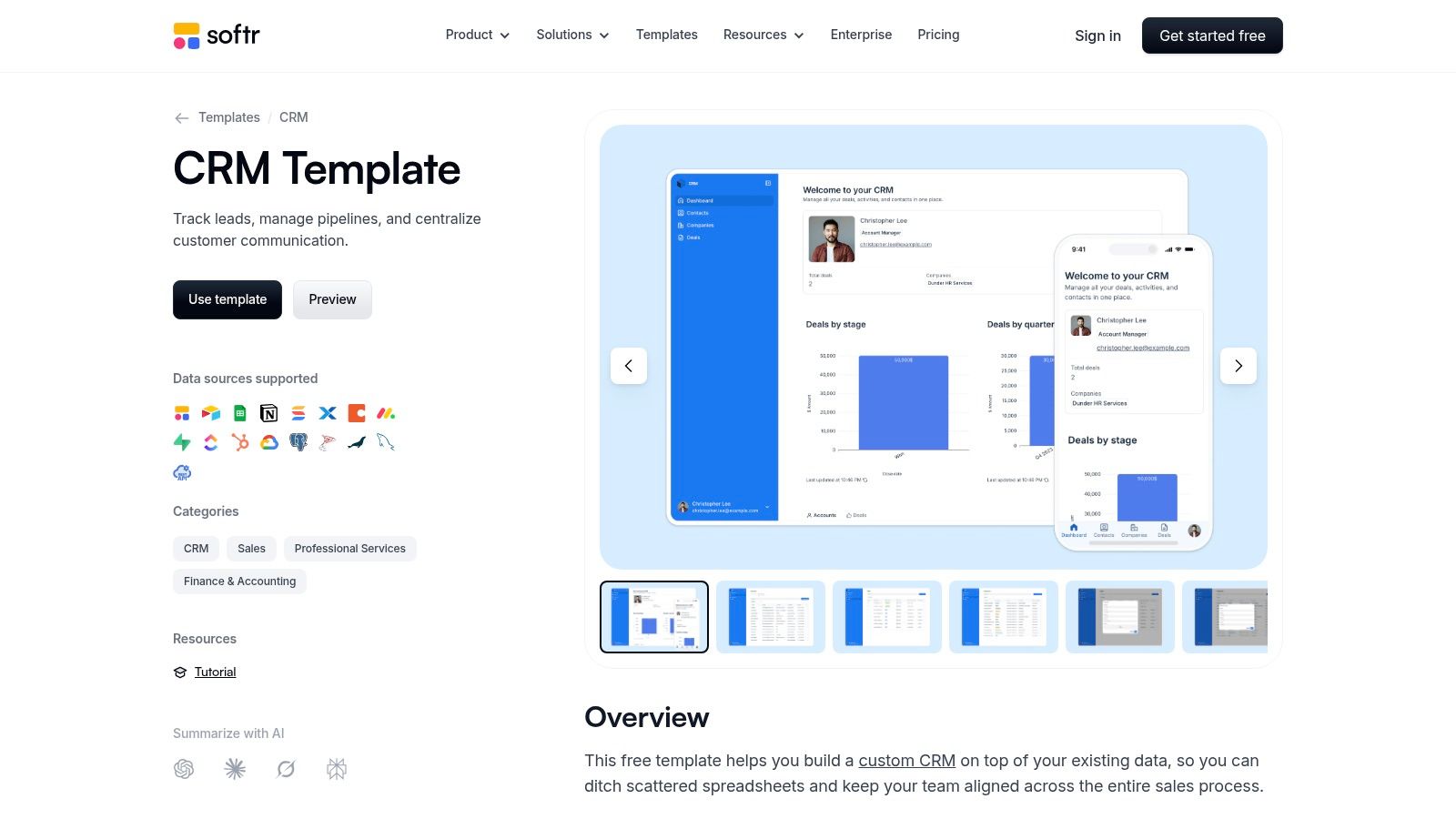
What makes Softr powerful is its ability to create a polished user interface without any coding. You can build client portals, internal tools, and simple CRMs with dashboards and forms using a drag-and-drop editor. It’s the perfect solution for teams who have outgrown their spreadsheet’s interface but aren't ready for a full-scale, expensive CRM software. It essentially puts a user-friendly "skin" on your backend data, making it more accessible and manageable for your entire team.
Key Features & Use Case
- Best For: Teams that want to graduate from a spreadsheet CRM to a simple, custom web app without writing code.
- No-Code App Builder: Transforms data from Google Sheets, Airtable, or Notion into a fully functional web app.
- User Permissions: Supports user authentication and role-based access to protect sensitive customer information.
- Customizable UI: Pre-built blocks and a drag-and-drop interface allow you to customize the look and feel of your CRM.
Pros and Cons
| Pros | Cons |
|---|---|
| Professional Interface: Creates a polished web app, far superior to a raw spreadsheet. | Requires a Softr Account: You must sign up for Softr to use and deploy the templates. |
| Multi-Source Support: Works with popular data sources like Airtable and Google Sheets. | Paywalled Features: Advanced customization, more records, and custom domains require a paid plan. |
| Fast Deployment: Much quicker to launch a usable UI than building one from scratch. | Learning Curve: More complex to set up than a simple spreadsheet download. |
Pro Tip: When setting up your Softr app, start by defining user roles. Decide who on your team needs to view, edit, or add new contacts to ensure data integrity from the beginning.
Where to Get It
You can access the template by creating a free account on the Softr website. From there, you can choose the Sales CRM template and connect it to your preferred data source.
Access the Template on Softr's Website
Top 12 Free CRM Template Comparison
| Tool | Core features ✨ | UX/Quality ★ | Price/value 💰 | Target audience 👥 | Standout 🏆 |
|---|---|---|---|---|---|
| HubSpot | Ready-made CRM tabs, dashboard, import path ✨ | ★★★★ — beginner-friendly docs | 💰 Free download; easy upgrade | 👥 Beginners & growing SMBs | Smooth migration to HubSpot CRM 🏆 |
| Google Sheets (Copper) | One-click template in Sheets; basic lead tracking ✨ | ★★★ — familiar spreadsheet UI | 💰 Free, no download | 👥 Google Workspace small teams | Instant start from Template Gallery 🏆 |
| Vertex42 | Multi-tab CRM with example formulas ✨ | ★★★★ — Excel-savvy guidance | 💰 Free; highly customizable | 👥 Excel power users | Deep Excel formula help & flexibility 🏆 |
| Smartsheet | Curated CRM templates + best-practice notes ✨ | ★★★ — structured & guided | 💰 Free templates; paid for advanced automations | 👥 Teams needing varied templates | Wide template variety & setup tips 🏆 |
| monday.com | Boards, dashboards, automations, integrations ✨ | ★★★★ — visual & collaborative | 💰 Trial free → paid plans | 👥 Visual teams & scaling sales ops | Rich automations and visual pipelines 🏆 |
| Airtable | Relational tables, multiple views, low-code workflows ✨ | ★★★★ — flexible & collaborative | 💰 Free tier (limits); paid to scale | 👥 Teams needing DB-like CRM | Relations + real-time collaboration 🏆 |
| ClickUp | Pre-configured CRM views, custom fields, automations ✨ | ★★★ — centralized workspace | 💰 Strong free plan; paid tiers for advanced | 👥 Teams using ClickUp platform | Combines tasks, docs and CRM in one 🏆 |
| Notion | Duplicate-ready CRM databases, relations & views ✨ | ★★★ — highly adaptable (learning curve) | 💰 Free plan works for many | 👥 Notion users, small teams/solos | Fast duplication into workspace 🏆 |
| vcita | Excel/Sheets starter CRM with structured tabs ✨ | ★★★ — simple & editable | 💰 Free template; product upsell | 👥 Small businesses testing CRM | Easy, no-cost starter template 🏆 |
| Pipeline CRM | Dozen integrated tabs covering end-to-end sales ✨ | ★★★ — comprehensive but complex | 💰 Free template; manual upkeep | 👥 SMBs wanting full structured tracking | End-to-end coverage before buying software 🏆 |
| OnePageCRM | Single-tab, next-action focused CRM ✨ | ★★★ — extremely simple to maintain | 💰 Free ungated download | 👥 Users prioritizing actions & follow-ups | Minimalist, follow-up-first design 🏆 |
| Softr | No-code CRM app on top of Sheets/Airtable/Notion ✨ | ★★★★ — rapid UI & publishable apps | 💰 Free to start; paid for scale | 👥 Non-developers needing web app CRM | Turn data into auth-enabled web apps fast 🏆 |
How to Automate Your New CRM Template and Connect it to Your Inbox
Choosing and setting up your new free customer relationship management template is a monumental first step towards organizing your contacts and streamlining your sales process. As we've explored, tools from the robust Google Sheets templates provided by Copper to the highly visual and customizable boards in Airtable and Trello offer a starting point for virtually any business need. You have seen how a simple spreadsheet can track sales pipelines and how a dynamic Notion database can become a central hub for all client interactions.
The true power of these systems, however, is not just in tracking data but in making that data work for you. The most significant challenge with any static template, especially those in Notion or a spreadsheet, is the manual effort required to keep it synchronized with your daily communications. This is where automation becomes your most valuable asset.
Transforming Your Template into a Dynamic System
A static CRM is a reference tool. An automated CRM is an active business partner. The key is to bridge the gap between your inbox, where relationships begin and evolve, and your CRM template, where those relationships are managed. Without a connection, you're left with the time-consuming and error-prone task of copying and pasting contact details, email threads, and important attachments.
For users who have chosen Notion as their foundation, this is precisely the problem tools like NotionSender are built to solve. It allows you to automatically save emails and their attachments directly into your Notion CRM database. A new lead inquiry can instantly create a new record in your sales pipeline, complete with contact information and the initial message, all without you ever leaving your inbox. This ensures your CRM is always a real-time, accurate reflection of your customer conversations, creating a single source of truth for your entire team.
Making the Right Choice for Your Workflow
By now, you should have a clear idea of which template aligns best with your operational style. To make your final decision, consider these key takeaways:
- For spreadsheet lovers: Google Sheets and Excel templates from sources like Vertex42 and Smartsheet are perfect if you're comfortable with formulas and want a no-frills, powerful solution. They are infinitely customizable but require more manual setup for automation.
- For visual thinkers: Trello, monday.com, and Airtable offer Kanban boards and visually appealing interfaces that make tracking deals through a pipeline intuitive and satisfying. Their built-in automation capabilities are a significant advantage.
- For all-in-one workspace enthusiasts: Notion stands out for its unmatched flexibility. You can build a CRM that is perfectly tailored to your unique process, integrating it with project management, notes, and wikis for a truly centralized command center.
Ultimately, the best free customer relationship management template is the one you will consistently use. Start with the platform you are most comfortable with. Remember that a simple, well-maintained system is far more effective than a complex one that gets neglected. As you grow, you might find your needs evolving. For those handling a high volume of documents or scanned information, you may want to explore how to automate data entry using AI to further reduce manual tasks and feed structured data directly into your chosen CRM template.
Your journey to better customer relationships has a clear starting point. Select your template, customize it to your workflow, and most importantly, connect it to your communication tools. By doing so, you transform a simple template into an automated, efficient system that saves you time, prevents opportunities from slipping through the cracks, and empowers you to focus on what truly matters: building strong, lasting connections with your customers.
Ready to connect your inbox to your new Notion CRM? NotionSender allows you to save emails, attachments, and contacts directly to your Notion database with a single click, eliminating manual data entry. Try NotionSender for free and turn your template into a fully automated relationship management machine.

