
The 12 Best Free Organisation Apps to Supercharge Your Productivity in 2026
In a world saturated with digital noise, achieving clarity and focus is more critical than ever. The right tools can transform chaos into a streamlined system, but finding them without breaking the bank is a challenge. This guide cuts through the clutter, offering a deep dive into the best free organisation apps available today. We move beyond generic feature lists to provide real-world use cases, honest limitations of free tiers, and practical advice on how to choose the app that truly fits your workflow.
Our goal is simple: to help you find the perfect solution for your specific needs, whether you're a freelancer managing multiple clients, a project manager coordinating a team, or a small business owner streamlining operations. We'll examine a curated selection of powerful platforms, from versatile project managers like Asana and Trello to flexible note-takers like Obsidian and Notion.
Each entry in this list includes a concise overview, standout features, and ideal user profiles, complete with screenshots and direct links to get you started immediately. You will learn not just what each app does, but how you can implement it effectively. We'll explore which apps are best for individual task management versus collaborative project planning and discuss their limitations so you can make an informed decision without hitting an unexpected paywall.
Furthermore, we will detail how these powerful tools can work in harmony. For those looking to create a truly unified productivity system, we’ll even cover how to integrate these apps with a central hub like Notion. To further streamline your tasks and projects, consider exploring options for top free workflow software that integrates seamlessly with your preferred apps. Let's find the tool that brings order to your digital life.
1. Notion
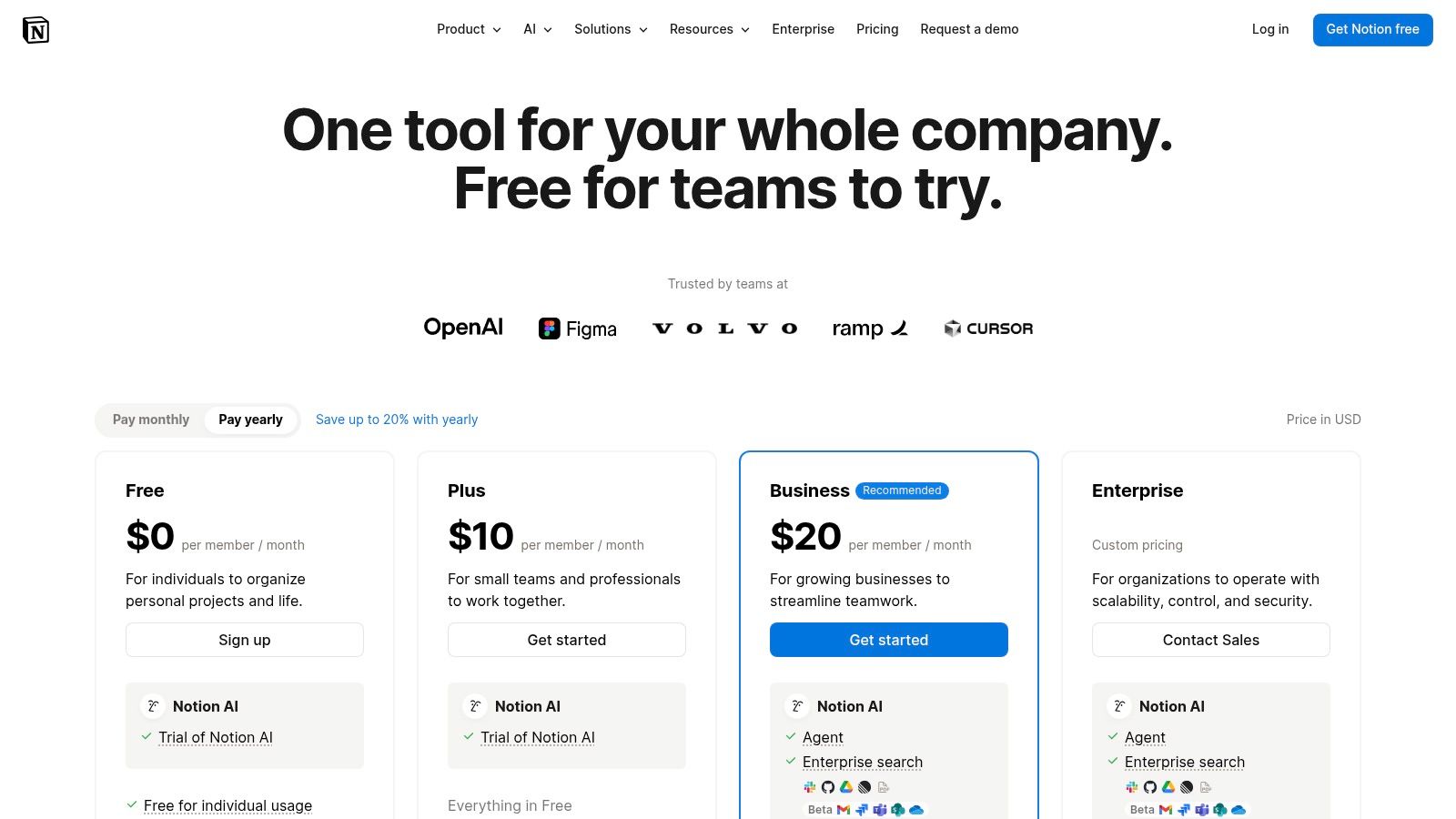
Notion stands out as an all-in-one workspace, a truly modular tool that can replace multiple free organisation apps. Instead of juggling separate tools for notes, tasks, and wikis, Notion combines them into a single, interconnected system built on customizable pages and powerful databases. This flexibility allows you to create anything from a simple to-do list to a complex project management dashboard or a personal knowledge base.
The platform's strength lies in its databases, which can be viewed as tables, Kanban boards, calendars, or timelines. For content creators, this is invaluable; you can manage your entire content pipeline in one place. For those who use Notion for content management, learning how to schedule LinkedIn posts from Notion can further enhance your productivity workflow.
Key Features & Limitations
- Best For: Individuals, students, and small teams who want a single, highly customizable platform to manage both personal and professional projects.
- Standout Feature: The database system with multiple views (table, board, calendar, etc.) and the ability to create relations and rollups between different data sets.
- Free Tier Limitations: The free plan is very generous for individuals but limits block history to 7 days and file uploads to 5MB. Collaboration is limited to 10 guests, making it less suitable for larger team projects without upgrading.
While its power is a huge pro, the initial setup can be daunting. You have to build your own systems, which requires a learning curve. For a deeper dive, you can explore these 10 tips to get the most out of Notion.
Website: https://www.notion.so/pricing
2. Trello
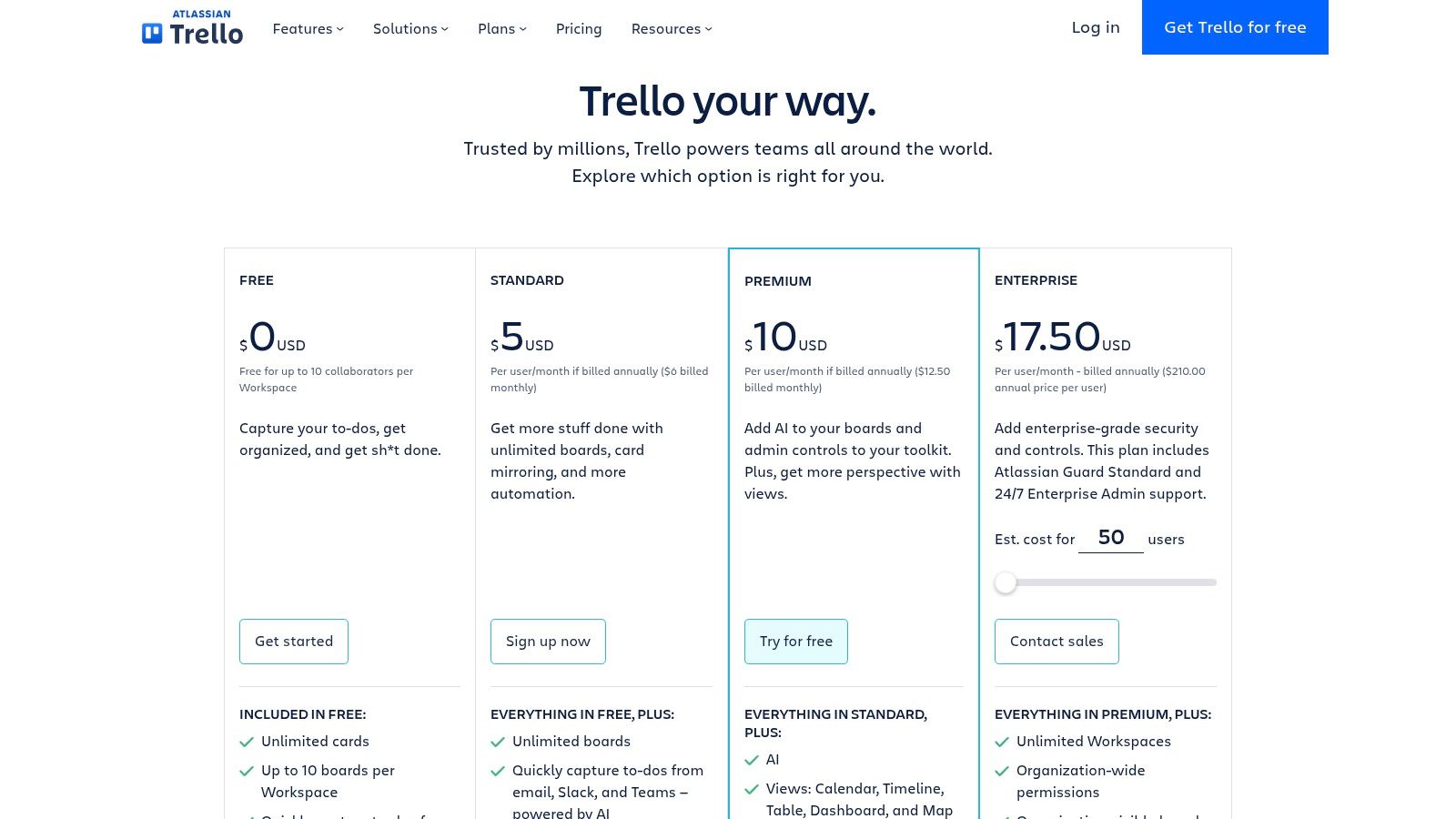
Trello is the quintessential Kanban-style project management tool, renowned for its visually intuitive interface. It simplifies task tracking through a system of boards, lists, and cards, allowing you to move tasks through different stages of a workflow with a simple drag-and-drop. This approach makes it one of the most accessible free organisation apps for anyone new to project management or visual-based planning.
Its core strength is its simplicity and speed of adoption. Unlike more complex systems, you can set up a functional project board in minutes. Trello boards are perfect for managing content calendars, sales pipelines, or team sprints where visualizing progress is key. The built-in automation, Butler, can handle repetitive tasks like moving cards or adding checklists, saving valuable time.
Key Features & Limitations
- Best For: Small teams, freelancers, and individuals who need a straightforward, visual way to manage projects and tasks without a steep learning curve.
- Standout Feature: The intuitive Kanban board interface combined with Butler for no-code automation, allowing users to create powerful workflows with minimal effort.
- Free Tier Limitations: The free plan is excellent for core use but limits you to 10 boards per workspace and 10MB file attachments. Advanced features like Calendar, Timeline, and Map views, along with more extensive automation capabilities, require a paid subscription.
While Trello excels at visual task management, it can feel limited for projects requiring detailed data analysis or complex database relationships found in tools like Notion. It's an ideal choice for getting started with organized workflows before needing more advanced functionality.
Website: https://trello.com/pricing
3. Asana
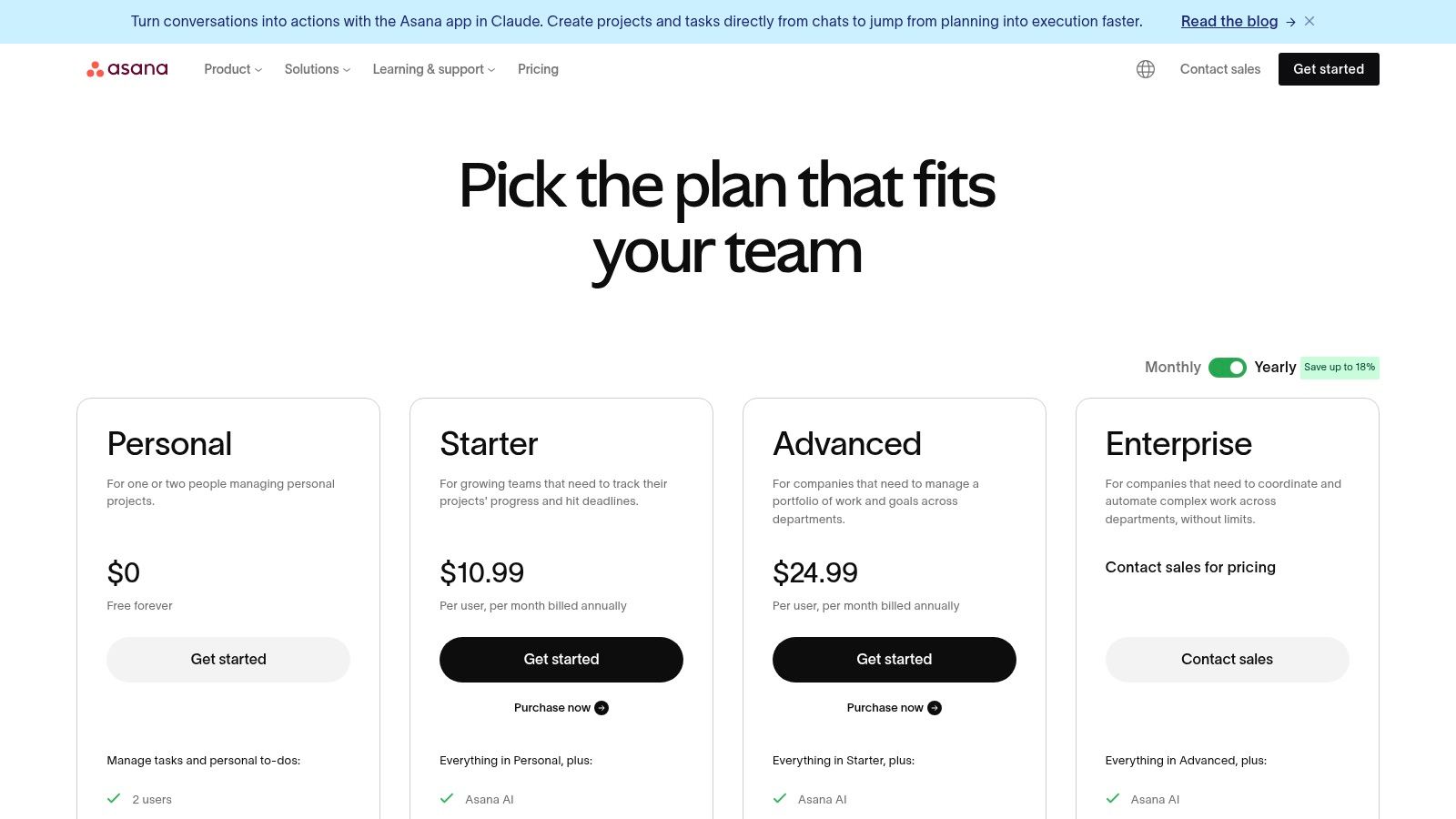
Asana is a powerful work and task management platform designed for team collaboration, striking a strong balance between simplicity and depth. While many free organisation apps focus solely on individual tasks, Asana provides the structure needed for everything from simple to-do lists to complex, cross-functional projects. Its interface is clean and intuitive, making it easy for teams to get started and track progress toward shared goals.
The platform allows you to visualize work in multiple ways, including lists, Kanban boards, and calendars, even on the free plan. Its strength grows with its paid tiers, which introduce a Workflow Builder for automation, advanced reporting, and Gantt-style timeline views. For teams coordinating tasks that originate from email, adopting Asana can be a crucial part of developing better email management strategies to boost productivity.
Key Features & Limitations
- Best For: Small teams and growing businesses that need a dedicated project management tool with a clear path to scale.
- Standout Feature: The ability to switch between List, Board, and Calendar views for the same project, allowing team members to work in the format they prefer.
- Free Tier Limitations: The free plan is limited to teams of up to 2 people. It also lacks features like Timeline views, custom fields, and advanced automation, which are often necessary for managing more complex projects.
While Asana excels at structured project management, it can feel overly complex for purely personal or simple task tracking. However, for any team looking to move beyond basic lists and establish clearer workflows, Asana's free offering is an excellent starting point.
Website: https://asana.com/pricing
4. ClickUp
ClickUp positions itself as the "one app to replace them all," and for good reason. It’s an all-in-one project management platform that packs an incredible number of features into its free offering, combining tasks, documents, goals, whiteboards, and even native time tracking. This makes it one of the most robust free organisation apps available for individuals and small teams looking for a comprehensive solution without an immediate price tag.
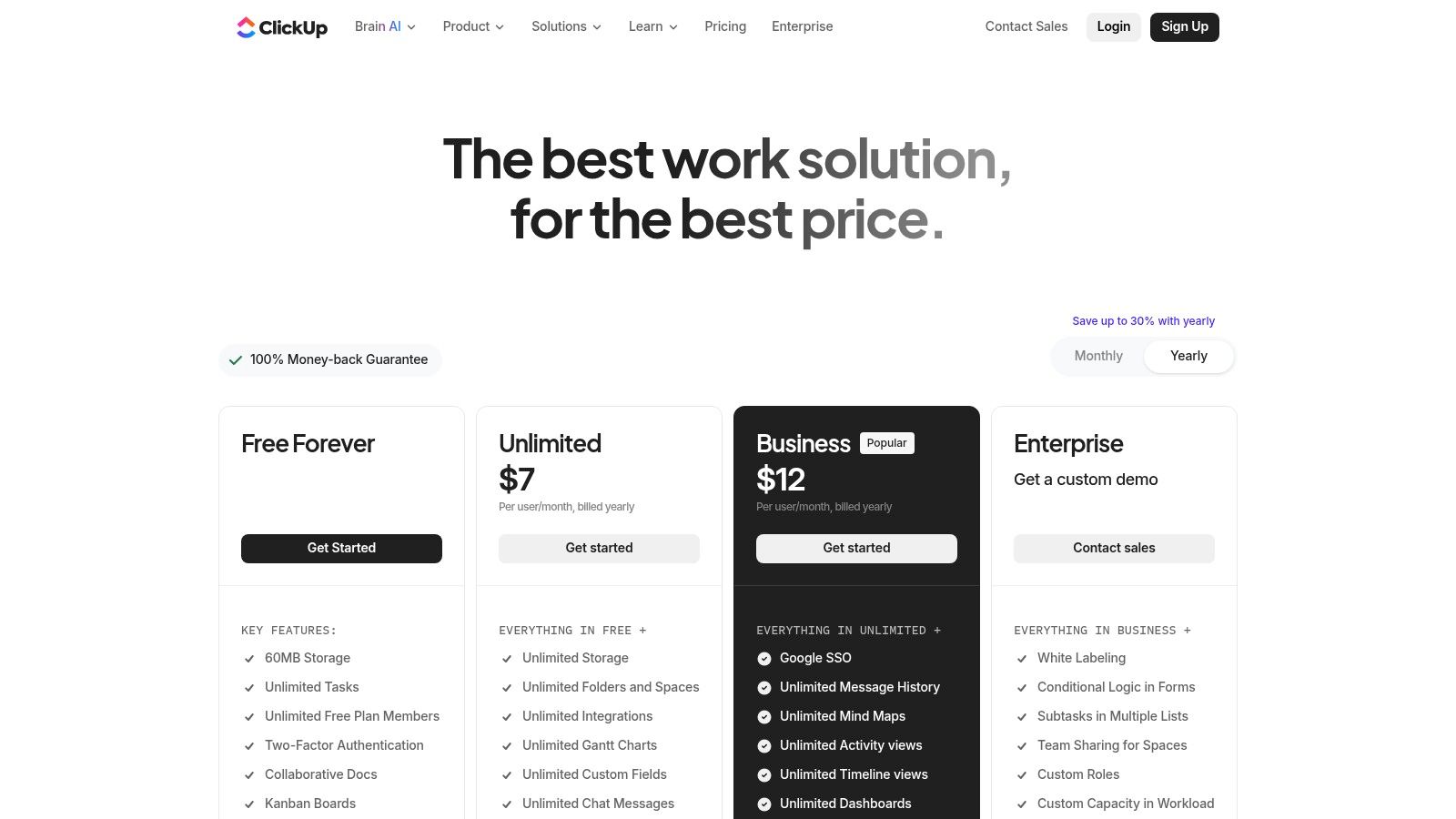
The platform's power comes from its high level of customization. You can create custom task statuses and fields, build automations to streamline workflows, and visualize your work in multiple ways, from simple lists to complex Gantt charts. This granular control is great for managing detailed projects or communication campaigns, where mastering strategies to send emails faster and more effectively is a key part of the workflow.
Key Features & Limitations
- Best For: Individuals, freelancers, and small to mid-sized teams who need a powerful, feature-dense project management tool that can scale with them.
- Standout Feature: The sheer number of high-value features available on the free plan, including unlimited tasks, multiple project views, native docs, and real-time chat.
- Free Tier Limitations: The Free Forever plan has limits, such as 100MB of storage, 100 uses of custom fields, and restricted uses of certain views like Gantt and Timelines. These limitations often encourage growing teams to upgrade.
While ClickUp is exceptionally powerful, its vast feature set can create a steep learning curve. New users may find the interface overwhelming and the initial setup process more complex than simpler task managers.
Website: https://clickup.com/pricing
5. Todoist
Todoist is a master of focused task management, revered for its simplicity, speed, and cross-platform reliability. It excels at helping you capture and organise tasks effortlessly, using natural language processing with its "Quick Add" feature. Unlike more complex project management tools, Todoist is designed for rapid entry and clear, actionable to-do lists, making it one of the most efficient free organisation apps for personal productivity.
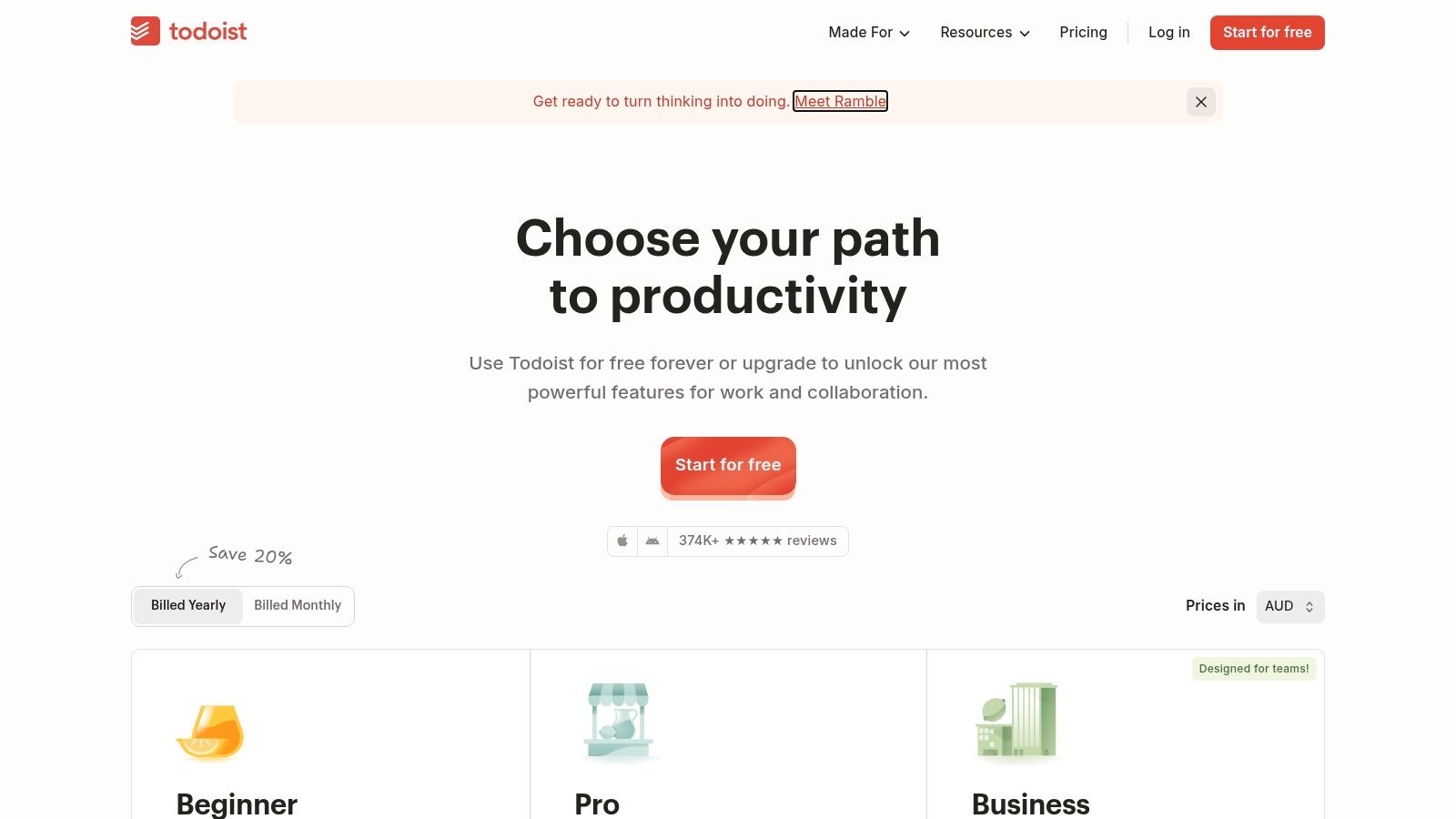
The platform supports various organisational styles with list, board, and calendar layouts, allowing you to visualise your workload in the way that best suits you. Its system of labels, priorities, and powerful filters helps you slice and dice your task list to focus on what matters most, whether you're planning your day or reviewing a specific project's progress. Its AI assistant, Todoist Assist, can also help break down tasks or make them more actionable.
Key Features & Limitations
- Best For: Individuals and professionals looking for a fast, reliable, and straightforward task manager to handle personal and work-related to-dos across all their devices.
- Standout Feature: The "Quick Add" with natural language processing is best-in-class, allowing you to type details like "Review report every Friday at 10 am #work p1" and have the task perfectly scheduled with the correct project and priority.
- Free Tier Limitations: The free plan is robust but limits you to 5 personal projects, 5MB file uploads, and a 3-day activity history. Reminders and advanced filtering are reserved for paid plans, which may be a dealbreaker for some users.
While excellent for task management, Todoist isn't a replacement for a full-fledged project database or note-taking app. For more complex workflows, many users integrate it with other tools, sending tasks from their core workspace to keep their to-do list clean and focused.
Website: https://todoist.com/pricing
6. Microsoft To Do
Microsoft To Do is a straightforward yet effective task management app, born from the acquisition of Wunderlist. It shines for individuals deeply integrated into the Microsoft 365 ecosystem, offering seamless synchronisation with Outlook Tasks. This makes it one of the best free organisation apps for turning flagged emails into actionable to-do items without leaving your familiar workflow. Its clean, uncluttered interface focuses on daily planning and simple list management.
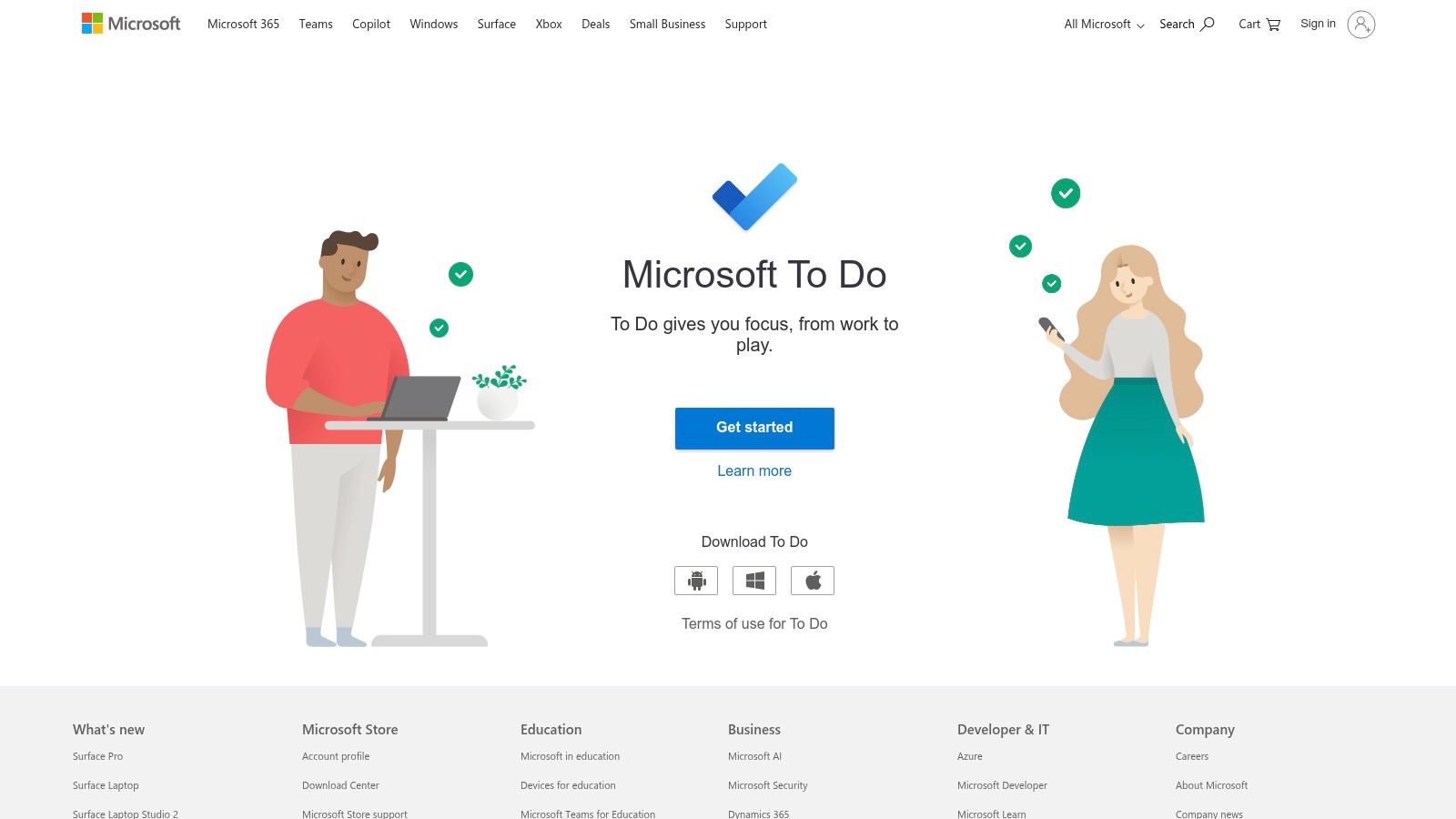
The platform is designed for simplicity. You can create lists, add steps to break down larger tasks, set due dates, and create reminders. The "My Day" feature is particularly useful, providing a clean slate each morning for you to plan your most important tasks for the day ahead, pulling from any of your other lists. This focus on daily, manageable goals helps prevent the overwhelm that more complex systems can create.
Key Features & Limitations
- Best For: Individuals and small teams who are heavy users of Microsoft 365 and Outlook and need a simple, integrated task manager for personal or light collaborative work.
- Standout Feature: The deep, native integration with Outlook Tasks. Flagging an email in Outlook automatically creates a corresponding task in To Do, bridging the communication and action gap.
- Free Tier Limitations: The app is completely free with a personal Microsoft account. However, it lacks the advanced project management features found in other tools, such as Kanban boards, Gantt charts, or complex reporting, requiring a move to other Microsoft 365 apps for more robust needs.
While it excels at personal task management, Microsoft To Do isn't built for complex project tracking. Its strength lies in its simplicity and powerful ecosystem integration, making it a perfect choice for organising your daily work and personal life without a steep learning curve.
Website: https://to-do.microsoft.com
7. Google Keep
Google Keep excels in its simplicity and speed, offering a digital sticky-note experience that's perfect for capturing fleeting thoughts, quick lists, and simple reminders. As a core part of the Google Workspace ecosystem, it integrates seamlessly with other Google products, making it one of the most accessible free organisation apps for anyone already using Gmail, Google Calendar, or Google Docs. It’s designed for immediacy, not for complex project management.
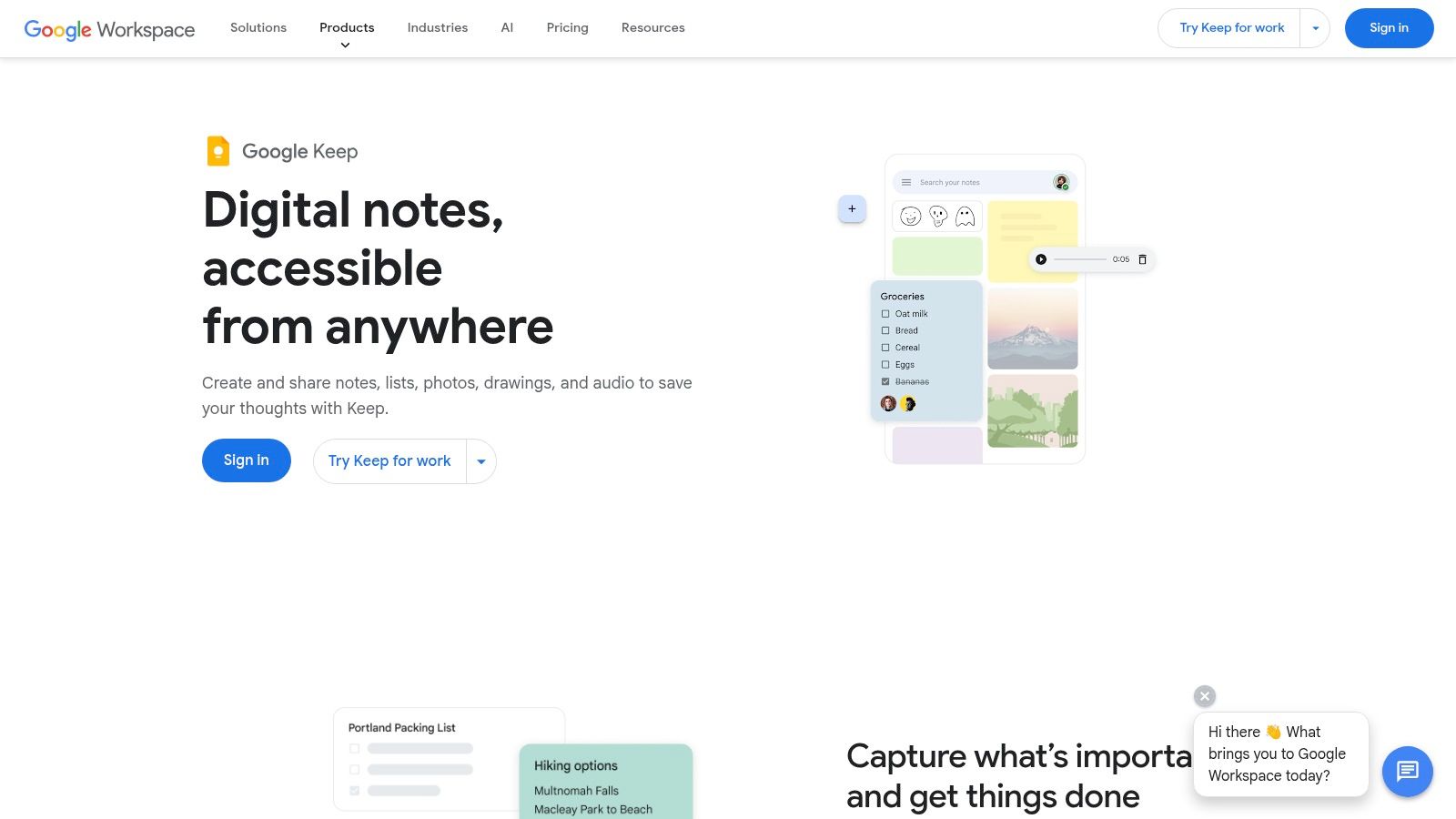
The platform shines for its straightforward functionality. You can create notes, checklists, and even drawings, then organize them with color-coding and labels. Its real-time collaboration feature is handy for sharing grocery lists or simple task lists with family or team members. For more structured planning, a collection of Keep notes can be easily exported to a Google Doc to form the basis of a larger document or project plan.
Key Features & Limitations
- Best For: Individuals deeply integrated into the Google ecosystem who need a fast, simple, and completely free tool for capturing ideas and creating basic to-do lists.
- Standout Feature: The seamless integration with Google Workspace and its incredibly simple user interface. Time and location-based reminders are also a powerful feature for personal task management.
- Free Tier Limitations: Google Keep is completely free with a generous storage limit tied to your Google Account (typically 15GB shared across services). Its main limitation is its design; it lacks folders, hierarchical structure, and advanced formatting, making it unsuitable for managing complex projects or building a knowledge base.
While it's not a powerhouse like Notion, its strength lies in doing one thing exceptionally well: quick, cross-device note capture. It serves as a perfect digital inbox for ideas before they are moved into a more robust system.
Website: https://workspace.google.com/products/keep/
8. Airtable
Airtable elevates the concept of a spreadsheet into a powerful, relational database that remains visually intuitive and user-friendly. It’s more than just rows and columns; it’s a highly customizable platform where you can build bespoke applications to manage complex projects, intricate CRMs, or detailed content calendars. Its strength lies in combining the familiarity of a spreadsheet with the robust capabilities of a database, making it a standout among free organisation apps.
The platform allows you to create "bases" (databases) with rich field types like checkboxes, attachments, and dropdowns. This makes it ideal for managing structured data that needs to be viewed in multiple ways. For instance, a marketing team can track campaign assets in a grid view, monitor progress on a Kanban board, and visualize deadlines on a calendar, all from the same core data set.
Key Features & Limitations
- Best For: Teams and individuals who need to organize large amounts of structured information, such as content inventories, sales pipelines, or project asset management.
- Standout Feature: The powerful combination of a relational database with user-friendly interfaces. Its multiple views (Grid, Kanban, Calendar, Gallery) and robust automation capabilities allow you to build custom workflows without code.
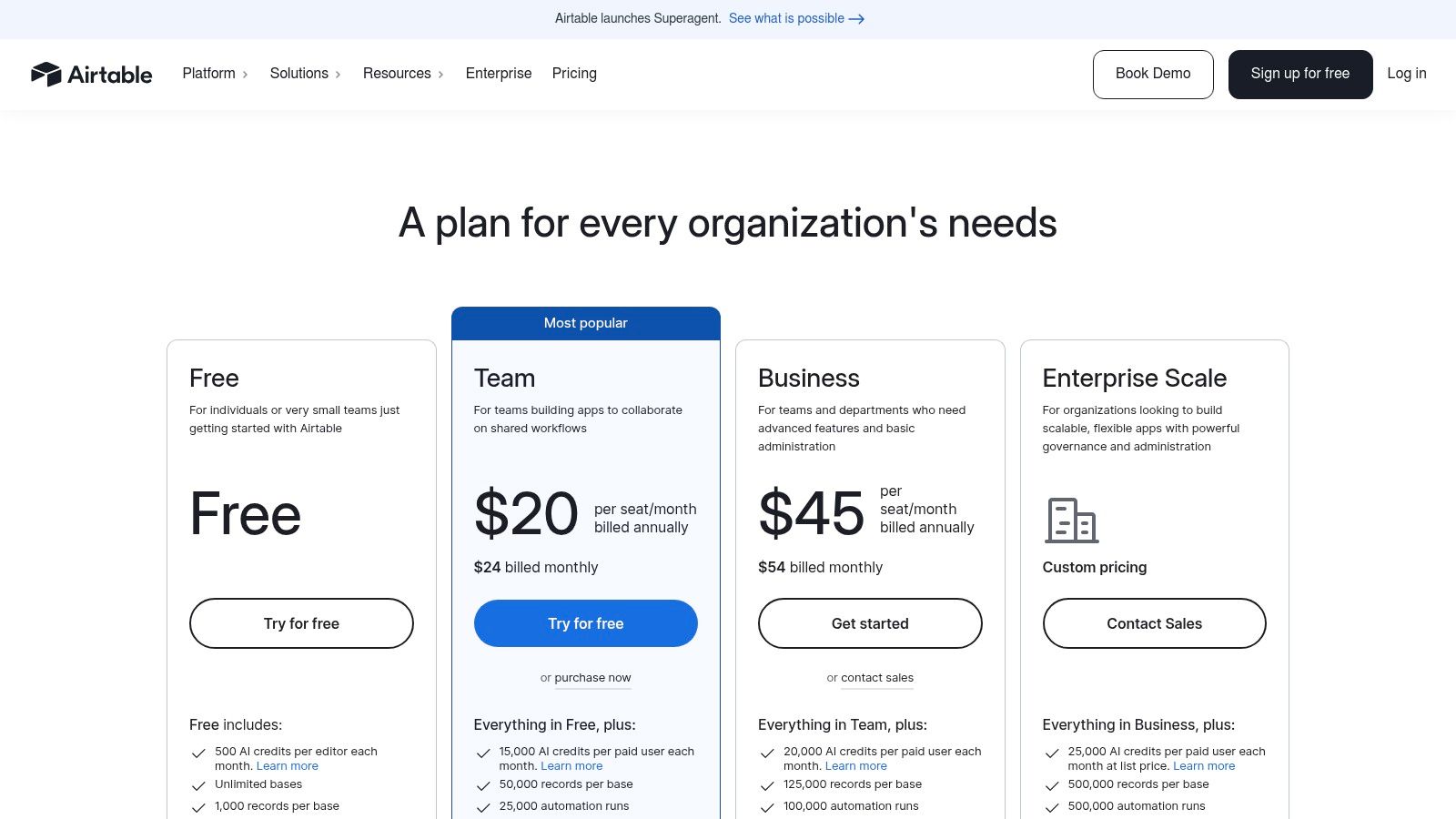
- Free Tier Limitations: The free plan is quite generous but limits you to 1,000 records per base and 1GB of attachment space per base. It also has a 1-month revision and snapshot history, which might be insufficient for teams needing longer-term tracking.
While incredibly powerful, Airtable’s database-first approach can have a steeper learning curve than simpler task managers. However, its vast template library provides an excellent starting point for various use cases, from project tracking to personal budgeting.
Website: https://airtable.com/pricing
9. monday.com Work Management
monday.com is a polished Work OS that excels at visual project and task management, making it a powerful contender among free organisation apps for those who manage complex workflows. Its colourful, intuitive interface is built around customisable boards that can be adapted for anything from content calendars to sales pipelines. The platform is designed to scale, offering robust features that grow with your team’s needs.
The platform provides a vast library of pre-built templates, which significantly speeds up the setup process for common use cases like project tracking or campaign management. While its free tier is geared towards individuals or pairs, it provides a solid foundation for organising personal projects or very small team initiatives, offering a taste of the powerful automation and integration capabilities available on paid plans.
Key Features & Limitations
- Best For: Individuals or pairs on the free plan; growing teams and departments on paid tiers who need a visually-driven, scalable project management tool.
- Standout Feature: The highly customisable and colourful boards with multiple views (Kanban, calendar, timeline), combined with a user-friendly automation builder.
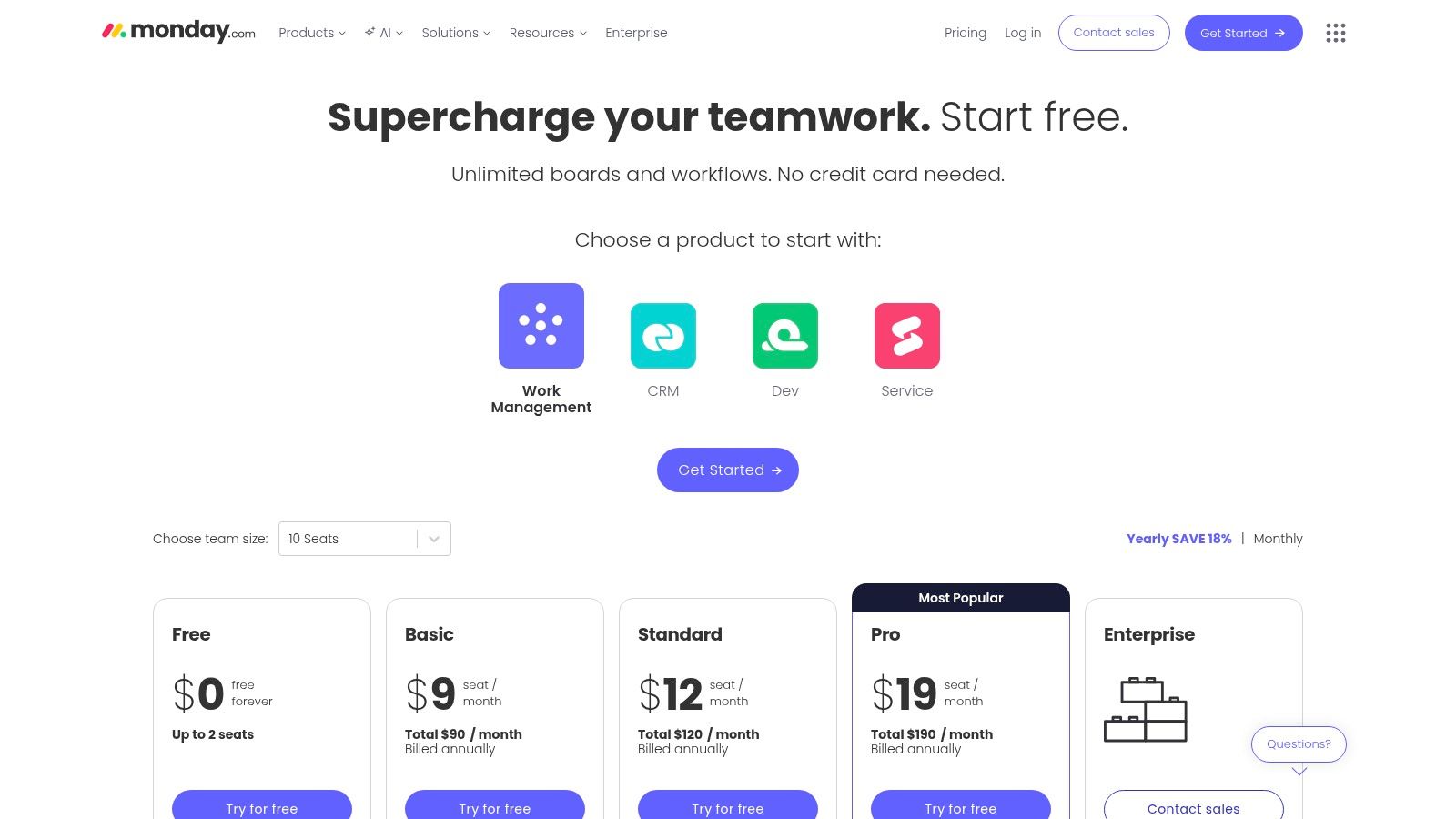
- Free Tier Limitations: The "Free Forever" plan is strictly limited to 2 users (seats), 3 boards total, and 1,000 items. It also has basic features, omitting key views like Timeline and Gantt charts, as well as time tracking and automations, which are central to the monday.com experience.
The biggest drawback is how quickly you can hit the free plan's limits, especially the 3-board cap. This pushes teams to upgrade to access the platform's full potential, where per-seat pricing and usage caps on automations can become costly.
Website: https://monday.com/pricing
10. MeisterTask
MeisterTask is a highly intuitive, Kanban-style project management tool that prioritises visual clarity and ease of use. It strips away unnecessary complexity, presenting tasks and workflows on clean, customisable boards. This makes it an excellent choice for individuals and teams who find more feature-dense free organisation apps overwhelming but still require powerful project tracking.
The platform is designed to facilitate a smooth flow of work from conception to completion. Its user-friendly interface allows for quick setup, and features like task relationships and multiple checklists per task help keep projects organised. For teams concerned with data privacy, MeisterTask is fully GDPR and CCPA compliant, with EU-based hosting options providing an extra layer of security and trust.
Key Features & Limitations
- Best For: Individuals and small teams looking for a straightforward, visually appealing Kanban board to manage projects without a steep learning curve.
- Standout Feature: A clean, intuitive interface combined with powerful automations (even on the free plan) to handle recurring tasks and workflow triggers, saving significant manual effort.
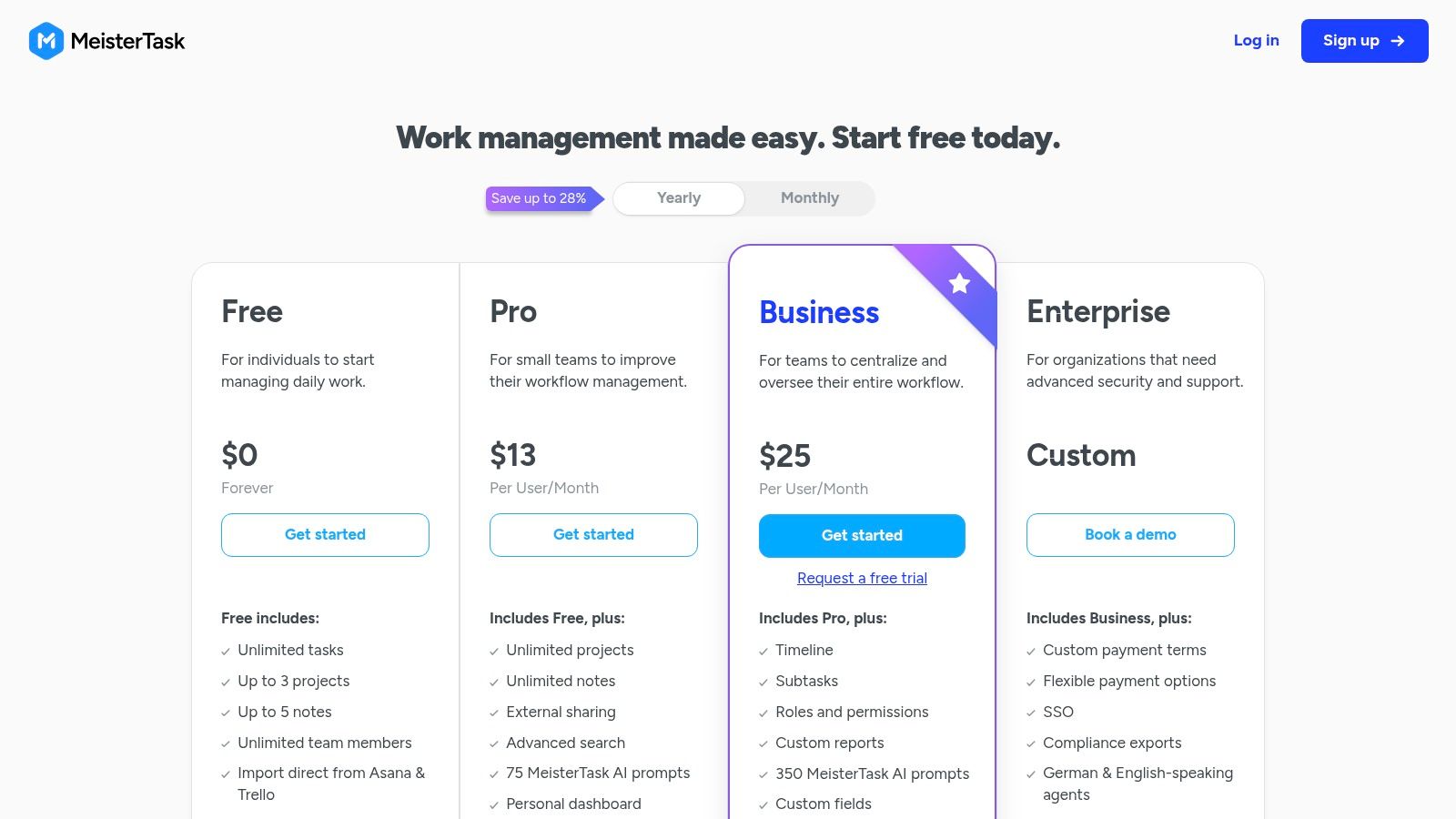
- Free Tier Limitations: The free "Basic" plan is generous but limits you to three projects, has no recurring tasks, and restricts file attachments to 20MB per file. Key features like timeline view and detailed reporting are reserved for paid tiers.
While the free plan's project limit can be restrictive for managing multiple clients or complex personal goals, MeisterTask’s simplicity is its greatest strength. It allows users to get started and see progress immediately, making it a solid entry point into structured project management.
Website: https://www.meistertask.com/pricing
11. Zoho Projects
Zoho Projects positions itself as a comprehensive project management tool that offers robust features even on its free tier, making it a powerful contender among free organisation apps. Unlike simpler task managers, it provides a structured environment for handling complex projects with tools like Gantt charts, task dependencies, and issue tracking. It is part of the extensive Zoho ecosystem, offering seamless integration potential with other Zoho business applications.
This platform excels at providing a formal project management framework, complete with milestones, task lists, and time tracking. The inclusion of "Blueprints" even on paid tiers allows teams to automate routine workflows, ensuring process compliance and saving significant time. While the user interface can feel more utilitarian than some modern competitors, its functionality-first approach is perfect for teams that need powerful features without the high cost.
Key Features & Limitations
- Best For: Small teams and freelancers who need a traditional, full-featured project management tool with time tracking and Gantt chart capabilities.
- Standout Feature: The combination of task management with built-in time tracking and basic issue tracking, providing a unified project overview.
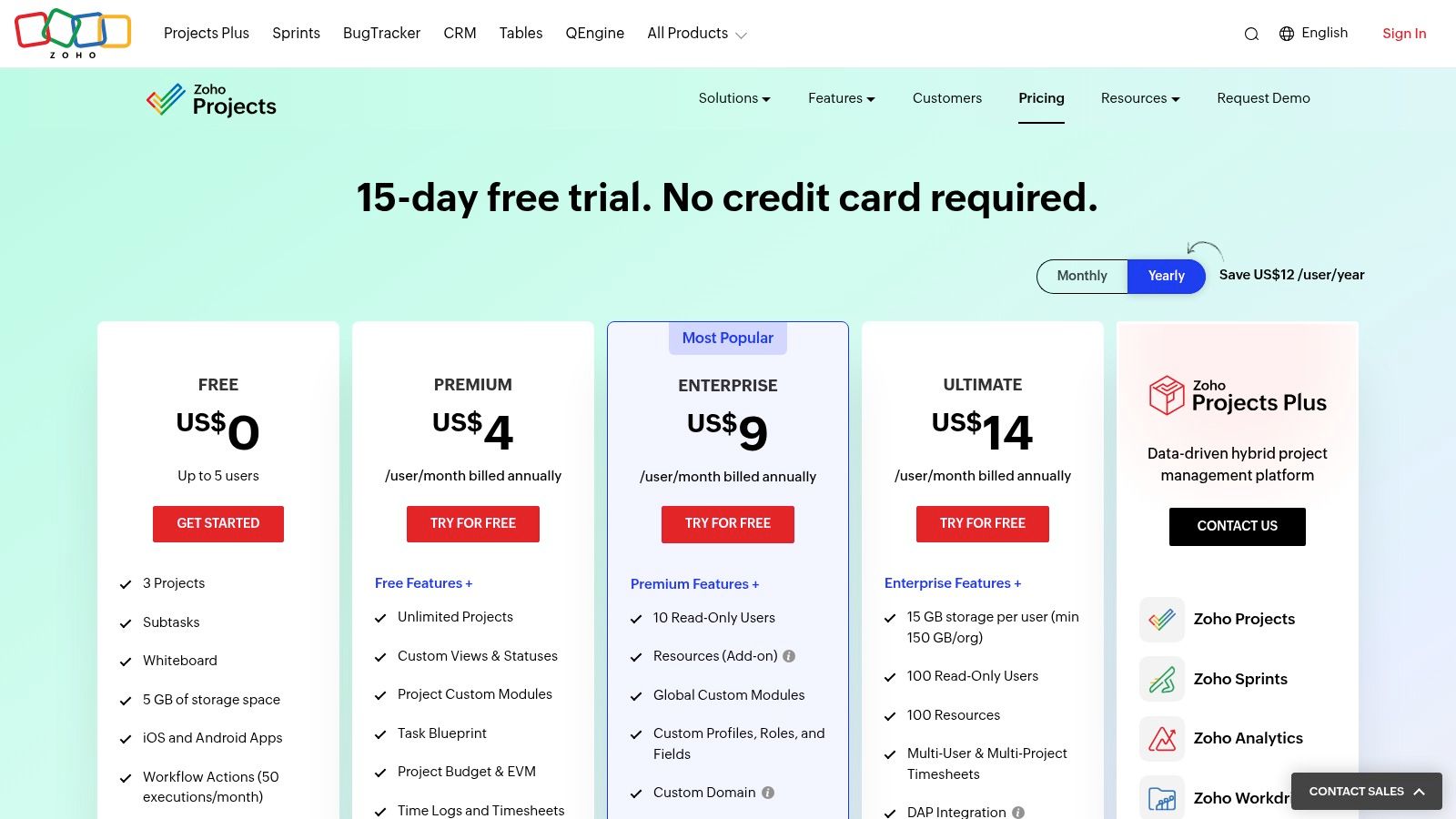
- Free Tier Limitations: The free plan is quite generous, supporting up to 3 projects and 10 users. However, it lacks key features like time tracking, project templates, and advanced reporting, which are reserved for the paid plans. File storage is also limited to 10MB.
For those managing client work or detailed internal projects, Zoho Projects offers a structured and scalable solution. Its strength lies in providing core project management functionalities for free, which many other platforms charge for.
Website: https://www.zoho.com/projects/zohoprojects-pricing.html
12. Obsidian
Obsidian positions itself as a private, local-first "second brain" rather than just a note-taking app. Unlike cloud-based services, your data resides on your device in plain text Markdown files, giving you full ownership and offline access. This makes it one of the best free organisation apps for building a secure and future-proof personal knowledge base. It excels at creating a web of interconnected thoughts through bidirectional linking and a powerful graph view that visually maps the relationships between your notes.
The platform's true power is unlocked through its extensive plugin ecosystem. You can add community-built plugins to introduce features like Kanban boards, calendars, and advanced task management, tailoring the app to your specific organizational needs. This modularity allows Obsidian to evolve from a simple note-taker into a complex project management system, all while remaining fundamentally private and user-controlled.
Key Features & Limitations
- Best For: Academics, researchers, writers, and anyone prioritizing data privacy and building a long-term, interconnected knowledge base.
- Standout Feature: The graph view and bidirectional linking, which allow you to visually explore and organically discover connections between your ideas.
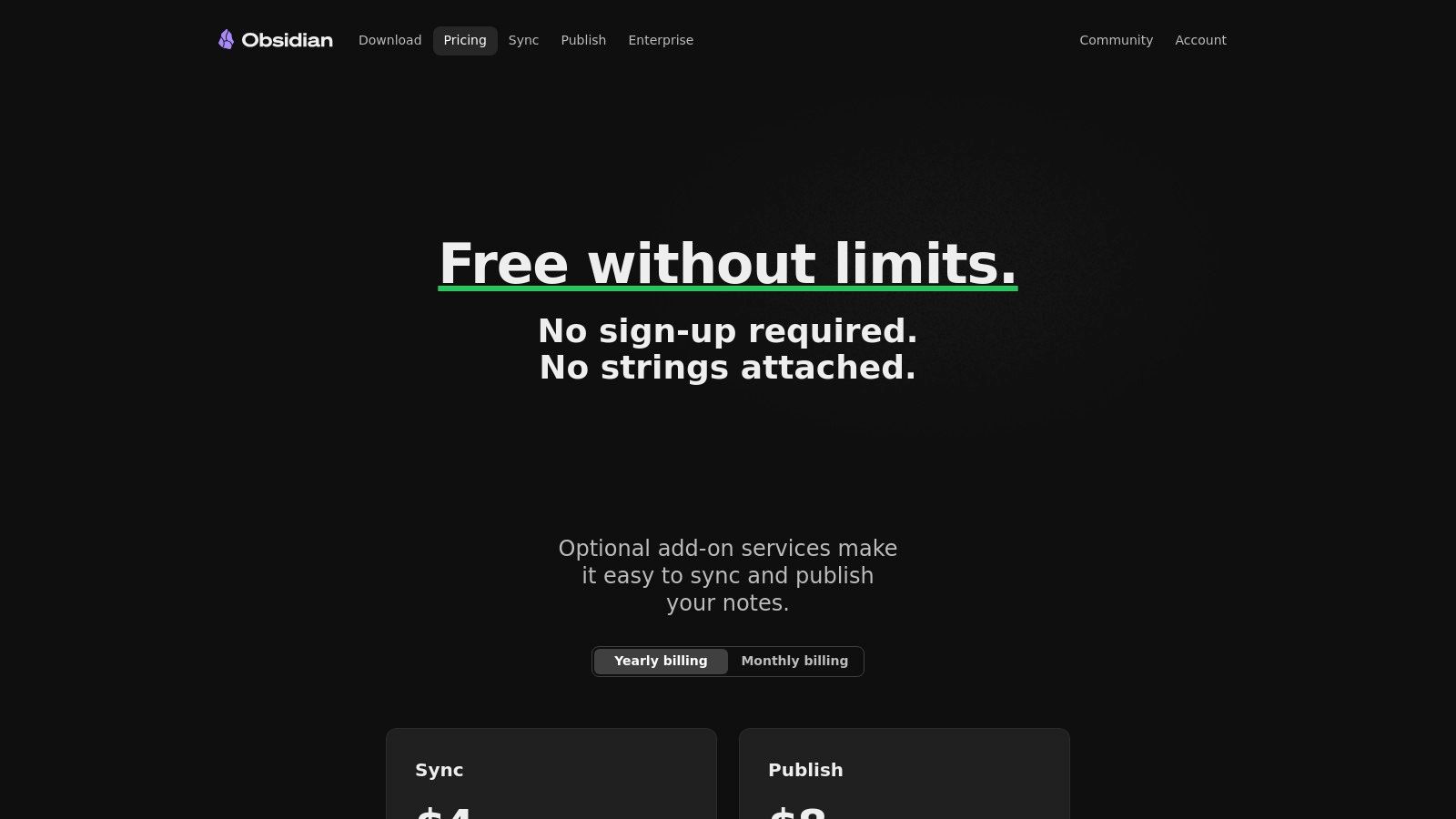
- Free Tier Limitations: The core app is completely free for personal use with no feature restrictions. Paid add-ons are entirely optional for services like cross-device syncing (Obsidian Sync) or publishing notes to the web (Obsidian Publish). Collaboration requires manual workarounds like Git or a paid service.
While incredibly powerful for knowledge management, Obsidian requires more hands-on setup to function as a collaborative project manager. Its local-first nature can be a hurdle for teams that need seamless, real-time access across multiple users without a dedicated sync solution.
Website: https://obsidian.md/pricing
Top 12 Free Organization Apps — Feature Comparison
| App | Core features | NotionSender fit & Email integration | ★ UX/Quality | 💰 Price / Value | 👥 Target & ✨ USP |
|---|---|---|---|---|---|
| Notion | Databases, pages/blocks, relations, templates | Native host for NotionSender — best place to store & automate emails per DB | ★★★★★ | 💰 Free → Business (scales well) | 👥 Teams & knowledge workers · ✨ Highly flexible, central workspace · 🏆 Integrates deeply with NotionSender |
| Trello | Kanban boards, cards, checklists, Butler automation | Good for lightweight workflows; email-to-board via NotionSender for simple ticketing | ★★★★ | 💰 Generous free tier; paid for advanced views | 👥 Small teams & freelancers · ✨ Fast onboarding, visual kanban |
| Asana | Tasks/projects, timeline/Gantt, reporting, forms | Fit for structured projects — email capture into project DBs via NotionSender | ★★★★ | 💰 Free basic → Paid for advanced reporting | 👥 Growing teams · ✨ Strong reporting & automation |
| ClickUp | Tasks, docs, dashboards, time tracking, automations | Great for all-in-one setups; NotionSender can feed tasks/emails into ClickUp-backed Notion flows | ★★★★ | 💰 Very generous free → Competitive per-seat | 👥 Teams wanting many built-ins · ✨ Feature-rich (can be overwhelming) |
| Todoist | Tasks, labels, priorities, recurring rules, filters | Good for personal email capture; use NotionSender to sync important emails to Todoist/Notion | ★★★★ | 💰 Free → Premium with power features | 👥 Individuals & power users · ✨ Fast capture & reliable cross-platform |
| Microsoft To Do | Lists, reminders, Outlook sync, recurring tasks | Best when in Microsoft ecosystem; NotionSender useful to mirror Outlook emails into Notion | ★★★ | 💰 Free with Microsoft account | 👥 Microsoft users & personal productivity · ✨ Seamless Outlook integration |
| Google Keep | Notes, checklists, labels, reminders | Lightweight capture; NotionSender can archive important notes/emails into Notion databases | ★★★ | 💰 Free (Workspace users) | 👥 Casual note-takers · ✨ Fast, simple capture across devices |
| Airtable | Bases, rich fields, multiple views, automations, API | Strong for structured email-data extraction — NotionSender can populate bases or Notion DBs | ★★★★☆ | 💰 Free limited → Higher-cost for scale | 👥 Ops, content & CRM teams · ✨ Database power with flexible views · 🏆 Excellent for structured data |
| monday.com | Boards, automations, dashboards, templates | Suitable for cross-team workflows; NotionSender can route emails into monday boards or Notion mirrors | ★★★★ | 💰 Free limited → Per-seat pricing can add up | 👥 Teams & departments · ✨ Polished UI & dashboards |
| MeisterTask | Kanban tasks, automations, timeline, GDPR-compliant | Simple PM with good privacy options; NotionSender adds email-to-task capture into Notion workflow | ★★★★ | 💰 Free → Pro/Business for advanced features | 👥 Small teams/Europe-focused · ✨ Clean UI & compliance |
| Zoho Projects | Tasks, Gantt, time tracking, blueprints | Strong PM features with value pricing; NotionSender can archive invoices/requests into Notion from Zoho emails | ★★★★ | 💰 Very competitive (free for small teams) | 👥 Budget-conscious PM teams · ✨ Good value for PM features |
| Obsidian | Local Markdown notes, backlinks, graph view, plugins | Great for private PKM — NotionSender can export important emails into Obsidian via file sync | ★★★★ | 💰 Core app free; paid sync/publish add-ons | 👥 Privacy-focused knowledge workers · ✨ Local-first, highly extensible · 🏆 Excellent for private-linked notes |
From Chaos to Clarity: Building Your Personalised Productivity Stack
Navigating the landscape of free organisation apps can feel overwhelming. We've explored a dozen powerful contenders, from the visual simplicity of Trello's Kanban boards to the database-driven complexity of Airtable, and the hyper-flexible "second brain" potential of Obsidian. The journey from digital chaos to structured clarity isn't about finding a single, mythical "perfect app" that solves every problem. Instead, the real breakthrough comes from understanding your unique workflow and building a personalised, interconnected system, or a 'productivity stack'.
The most crucial takeaway is that the best tool is the one that aligns with how you think and work. A freelancer juggling multiple clients might find Asana's free tier perfect for separating projects, while a student or writer might gravitate towards Obsidian for its non-linear, knowledge-linking capabilities. The key is to start with a clear diagnosis of your primary organizational pain point.
Your Action Plan: How to Choose and Implement Your Stack
Before you download a dozen new applications, take a moment to reflect. What is the biggest source of friction in your day?
- Identify Your Core Need: Are you drowning in daily to-dos? Start with a dedicated task manager like Todoist or Microsoft To Do. Do you need to visualise project stages? Trello or MeisterTask are excellent starting points. Is your problem a lack of a central hub for all your information? Notion is the undeniable champion here.
- Select Your "Anchor" App: Every good system needs a home base. For many, Notion serves as the ultimate command centre, a place for long-term planning, documentation, and project dashboards. For others, a robust project management tool like ClickUp or monday.com might be the central hub from which all work radiates. Choose one primary tool to be the foundation of your system.
- Add "Satellite" Tools for Specific Functions: This is where you build your stack. Don't force your anchor app to do things it isn't designed for. Use specialised tools for their strengths.
- For quick capture: Use Google Keep on your phone or a tool like NotionSender to send ideas directly to your system without friction. The goal is to capture thoughts the moment they occur.
- For project execution: Link your central Notion hub to a dedicated project tool like Asana or Zoho Projects. This keeps your high-level planning separate from the granular, day-to-day execution.
- For focused task management: Integrate a simple, fast app like Todoist for your personal "get it done" list, keeping it separate from larger team projects.
The Power of Integration and a Single Source of Truth
The magic of a well-built stack lies in its connections. The aim is to create a seamless flow of information, minimising the manual effort of moving data between platforms. This is where the concept of an "inbox" becomes critical. Your digital inbox isn't just your email; it's any channel where information arrives. By using tools that integrate, you can process items from your email, your notes app, and your browser directly into the correct place within your productivity system.
This approach transforms your collection of free organisation apps from a disjointed list of tools into a cohesive ecosystem. Your anchor app, likely Notion or a similar robust platform, becomes your "single source of truth." It's the place you trust to hold the most up-to-date plans, goals, and knowledge, while your satellite apps handle the fast-moving, tactical work. This hybrid model gives you both structure and agility, allowing you to focus your mental energy not on managing your tools, but on using them to achieve your goals.
Ultimately, the path to sustained organization is one of iteration. Start small. Pick one app from this list to solve one problem. Once it becomes a habit, identify the next bottleneck and find a tool to address it. By thoughtfully combining the strengths of these powerful and free resources, you can build a system that is perfectly tailored to your needs, turning overwhelming chaos into focused, actionable clarity.
Ready to bridge the gap between your inbox and your central command centre in Notion? NotionSender allows you to forward emails directly to any Notion database, turning actionable messages into organised tasks or resources with a single click. Start building a truly seamless productivity stack by visiting NotionSender and streamline how you capture information today.

