
The Top 12 Freelance Contract Template Free Resources for 2026
Every successful freelance project is built on a foundation of clear communication and mutual understanding. A well-crafted contract isn't just a legal formality; it's a project roadmap that protects both you and your client by defining scope, deliverables, payment terms, and ownership. However, drafting one from scratch can be a daunting, time-consuming, and expensive process, pulling you away from the work that actually generates revenue.
That's where a high-quality, free freelance contract template becomes an indispensable tool. It provides a professional, legally-vetted starting point that you can quickly customize for your specific project needs. To ensure your chosen template forms a legally sound agreement, understanding the fundamental elements of a contract is essential. This crucial step confirms that your document covers all necessary legal bases, from offer and acceptance to consideration and the intention to create legal relations.
This guide eliminates the guesswork by presenting a curated list of the 12 best resources for a freelance contract template free of charge. We've gone beyond a simple list, providing a detailed breakdown for each option, including:
- Ideal Use-Cases: Discover which template is perfect for your specific industry or project type.
- Key Clauses to Check: Learn what to look for to ensure your interests are fully protected.
- Customization Tips: Get actionable advice for tailoring each document.
- Direct Links and Screenshots: See exactly what you're getting and access it instantly.
We'll explore everything from simple Word and Google Docs templates to more advanced platforms offering e-signature capabilities. We even cover how to integrate and manage your contracts within Notion for ultimate workflow efficiency. Let’s find the perfect template to secure your next project.
1. PandaDoc
PandaDoc offers a powerful, browser-based solution for freelancers needing more than just a static document. Its primary strength lies in integrating a freelance contract template free of charge with a robust e-signature and document management workflow. This makes it an all-in-one platform for creating, sending, signing, and tracking your agreements.
The user experience is clean and intuitive. You can select their core freelance template or browse others tailored for specific roles like writers, designers, or consultants. The real power comes from the built-in editor, which allows you to customize clauses, add your branding, and save reusable content blocks for future use.
Unlike a simple Word or Google Doc file, PandaDoc provides real-time notifications when a client views, comments on, or signs your contract. This visibility into the client's engagement is a significant advantage for managing your pipeline.
After customizing your template, you can send it directly to your client for a legally binding e-signature. This entire process, from creation to finalization, happens within the PandaDoc ecosystem. Once the contract is sent, you must ensure your communication is clear; discovering how to send the perfect email can dramatically improve client response times.
| Feature Analysis | Details |
|---|---|
| Ideal Use-Case | Freelancers who want a professional, all-in-one system for contract creation, e-signature, and basic analytics without juggling multiple tools. |
| Key Clauses to Check | The default template is comprehensive, but always double-check the "Confidentiality" and "Termination" clauses to ensure they align with your business practices. |
| License & Terms | The template is free to use, but you must create a PandaDoc account to edit, send, and collect signatures. Advanced features are part of their paid plans. |
| Customization Tips | Use the "Content Library" feature to save your customized "Scope of Work" or "Payment Terms" clauses so you can quickly insert them into future contracts. |
Link: PandaDoc Freelance Contract Template
2. Freelancers Union
Freelancers Union provides a unique, step-by-step contract creator specifically designed for independent workers. Rather than offering a static file, this free tool guides you through building a contract clause by clause, explaining each section in plain English. This approach is perfect for newcomers who need a freelance contract template free of legal jargon and complexity.
The platform’s major advantage is its focus on freelancer protections. It allows you to incorporate location-specific clauses, such as those related to New York City's "Freelance Isn't Free Act," ensuring your agreement has legal teeth where it matters most. Once you've filled out the scope, payment terms, and optional clauses like late fees or a kill fee, you can export the final document as a DOCX or PDF file.
Unlike all-in-one platforms, the Freelancers Union tool does not have a built-in e-signature workflow. You will need to download the generated contract and use a separate service to get it signed, adding an extra step to your process.
This tool is an educational resource as much as a contract generator. The guided wizard empowers you to understand what you're asking your client to sign, which is crucial for building confident client relationships. You can upload a logo and a pre-signed signature image, but remember that a separate e-signature is still best practice.
| Feature Analysis | Details |
|---|---|
| Ideal Use-Case | New freelancers or those in jurisdictions with specific freelancer protection laws who want a guided, educational experience to build a solid contract from scratch. |
| Key Clauses to Check | Pay special attention to the location-specific clauses, as these are a unique and powerful feature. Also, review the "Payment Schedule" to ensure it accurately reflects your milestone or retainer-based model. |
| License & Terms | The tool is completely free to use and does not require an account. The generated contract is yours to download and use as you see fit. |
| Customization Tips | Generate a comprehensive base contract using the tool, then download the DOCX version. From there, you can further tailor it in Microsoft Word or Google Docs for each client's specific needs. |
Link: Freelancers Union Independent Contract Creator
3. Rocket Lawyer
Rocket Lawyer stands out by offering an attorney-reviewed freelance contract template free through a guided, step-by-step document builder. Instead of presenting a static template, the platform asks you a series of questions about your project, client, and terms, then assembles a customized agreement based on your answers. This approach is ideal for freelancers who want extra legal assurance without hiring a lawyer upfront.
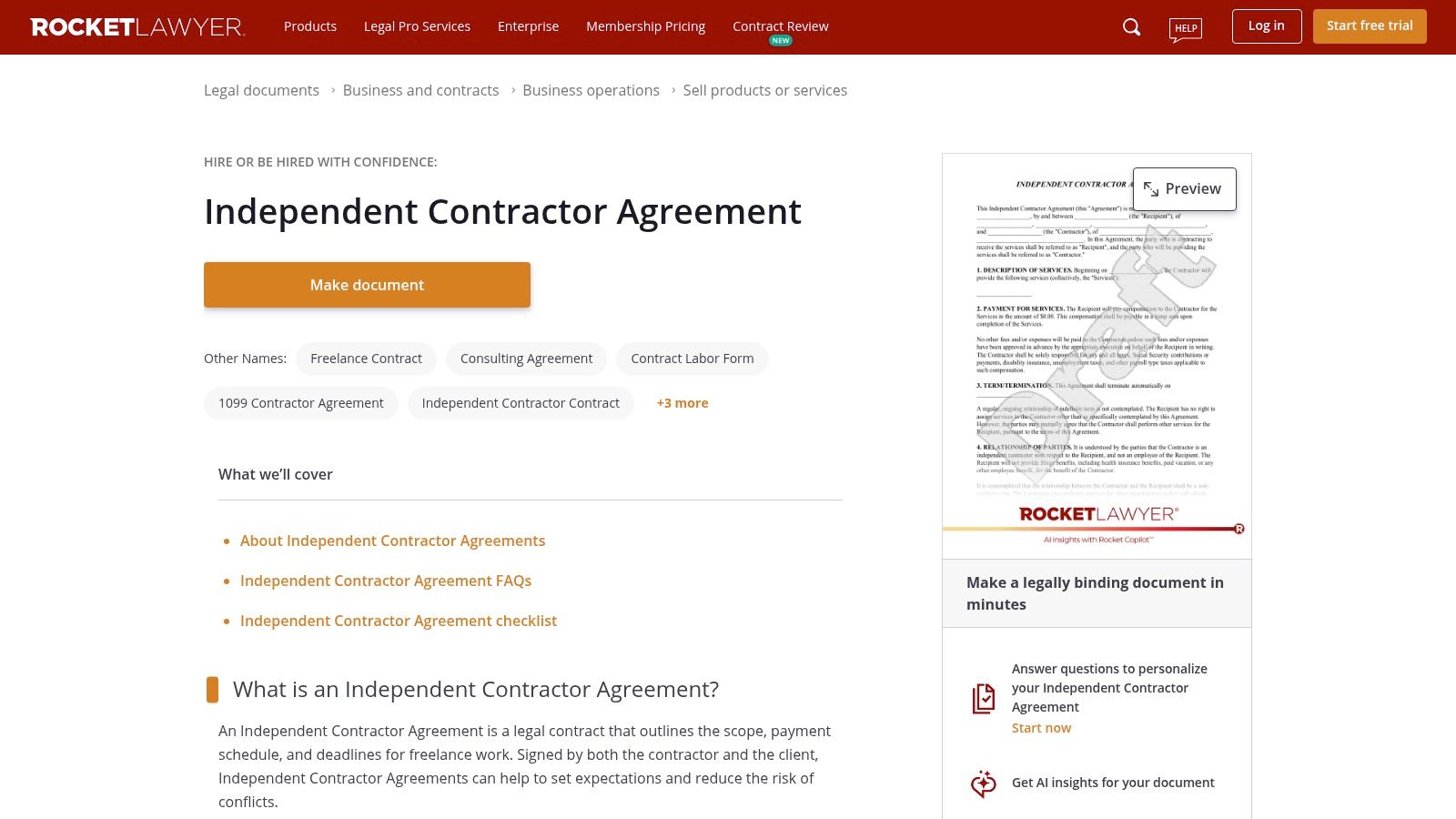
The platform integrates its e-signature service, RocketSign, allowing you to finalize the agreement online. The questionnaire format helps ensure you don't miss crucial legal clauses, providing helpful context and insights as you build the document. It effectively bridges the gap between a simple template and custom legal advice.
The key benefit of Rocket Lawyer is its guided process. It forces you to consider aspects of the freelance relationship you might otherwise overlook, such as intellectual property rights, insurance requirements, and state-specific legal nuances.
Once your contract is ready, you can send it out for signature. After sending, solid communication is key; implementing some simple email management tips can help you secure a faster response and keep the project kickoff on schedule. Keep in mind that while you can create the document for free, ongoing access and advanced features often require a paid membership after the initial trial period.
| Feature Analysis | Details |
|---|---|
| Ideal Use-Case | Freelancers who prioritize legal robustness and prefer a guided questionnaire to build a contract tailored to their specific state and project details. |
| Key Clauses to Check | Pay close attention to the "Indemnification" and "Dispute Resolution" sections, as the guided builder offers multiple options that have significant legal implications. |
| License & Terms | The document builder is accessible via a free trial. Full access to download, print, sign, and store documents typically requires a monthly subscription. |
| Customization Tips | Be thorough when answering the initial questionnaire. The more specific your answers, the more tailored and protective your final contract will be. |
Link: Rocket Lawyer Independent Contractor Agreement
4. LawDepot
LawDepot provides an interactive, question-driven approach to generating a freelance contract template free of charge. Instead of presenting a static document, the platform guides you through a wizard, asking specific questions about your service, payment terms, and location to build a customized independent contractor agreement. This method is excellent for freelancers who are unsure which clauses to include and want a legally-informed starting point.
The process feels less like editing a template and more like a consultation. It asks for details such as the type of service, payment structure (hourly, fixed fee, etc.), and intellectual property rights, then assembles the document for you. The output is a clean, professional contract that can be downloaded in multiple formats, including PDF and Word.
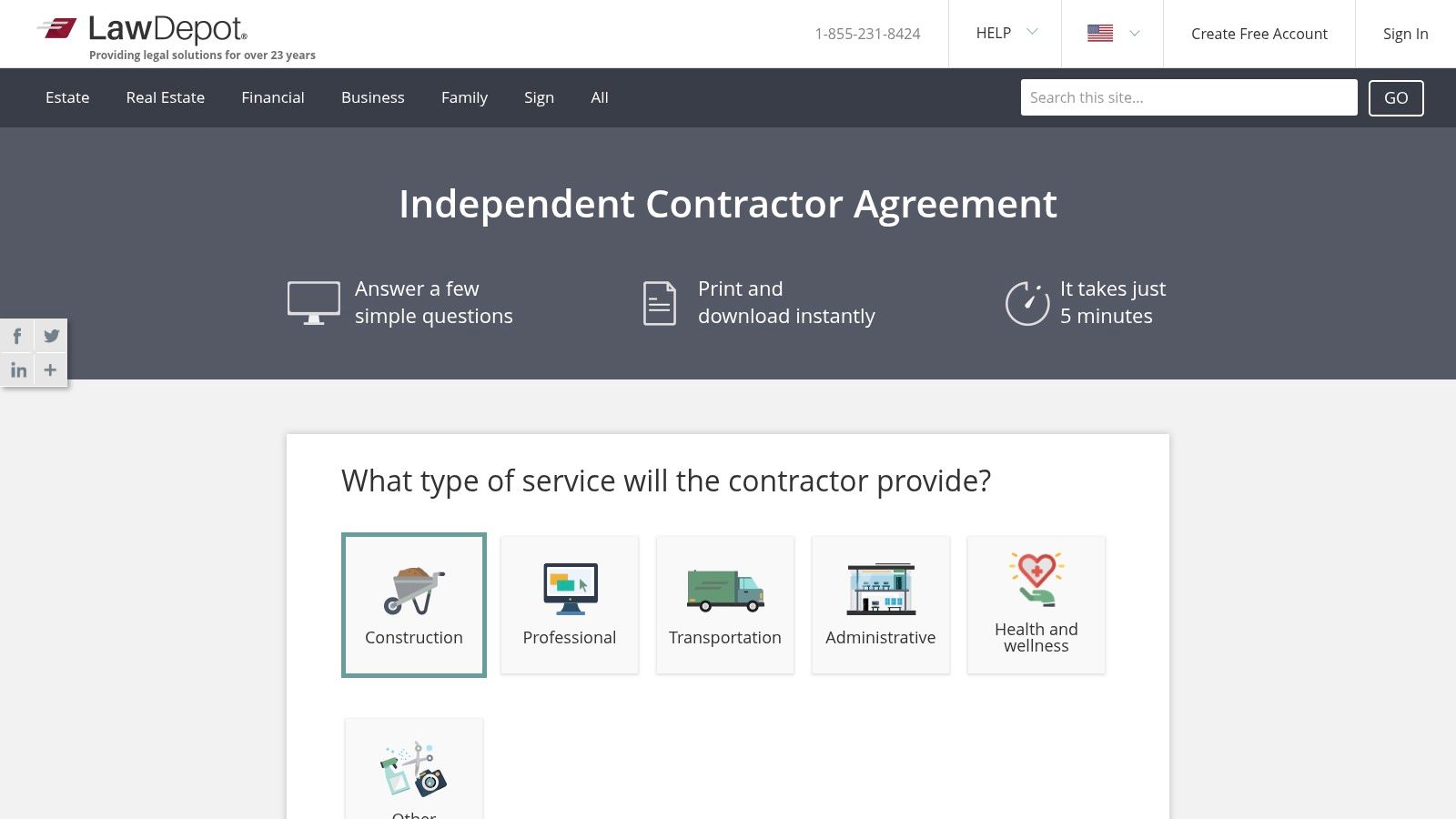
The guided questionnaire is LawDepot's standout feature. By asking pointed questions, it helps ensure you haven't overlooked critical details like expense reimbursement or the handling of confidential information, making it a safer option than a generic blank template.
While the generation process is swift and intuitive, accessing the final document often requires creating an account and may prompt you to start a free trial. This is a crucial step to be aware of before investing time in filling out the questionnaire.
| Feature Analysis | Details |
|---|---|
| Ideal Use-Case | Freelancers new to contracts who need a guided process to ensure all essential legal clauses are covered without needing to write them from scratch. |
| Key Clauses to Check | Pay close attention to the "Intellectual Property" clause generated by the wizard. Ensure it accurately reflects whether you or the client will own the final work product. |
| License & Terms | You can create the document for free, but downloading, printing, or saving the final version typically requires signing up for a free trial, which may convert to a paid subscription. |
| Customization Tips | After generating the contract, download it as a Word document. This allows you to make further edits and add your own branding, like a logo or custom header, outside of the platform. |
Link: LawDepot Independent Contractor Agreement
5. Jotform Sign
Jotform Sign offers a flexible, form-driven approach to creating a freelance contract template free of charge. It excels at integrating contract generation with data collection, making it ideal for freelancers who initiate projects through an intake form. You can build a contract that automatically populates with client information submitted through an embeddable form on your website.
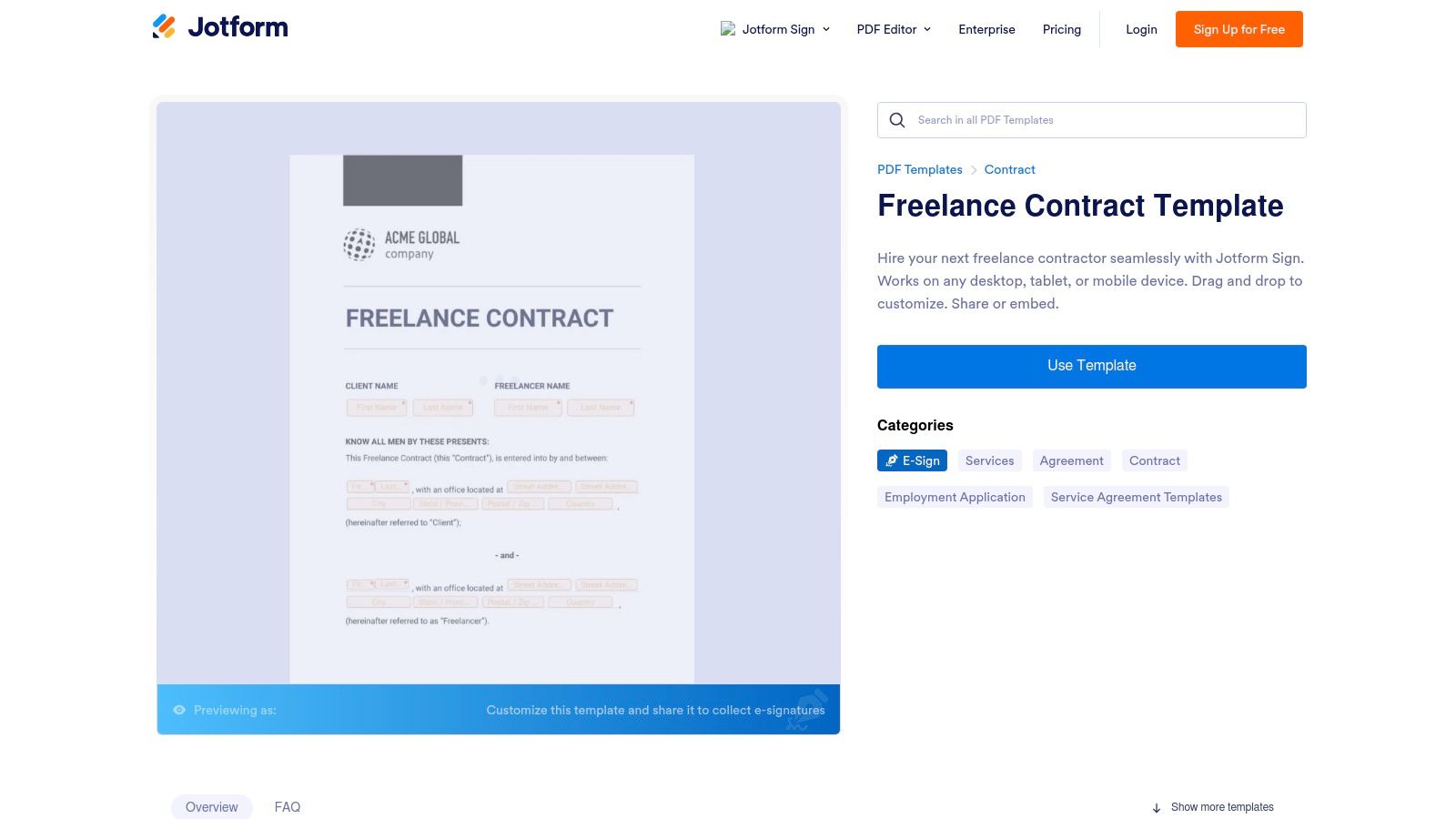
The platform features a drag-and-drop editor that simplifies customization, allowing you to add your branding and adjust clauses without needing deep legal or technical knowledge. Jotform Sign provides several contract variants, including concise one-page agreements, giving you flexibility based on project complexity. The automated signing order and audit trail features add a layer of professionalism and security to the process.
The standout feature is its ability to turn a contract into an interactive, shareable form. A client can fill out their details and sign the agreement in a single, streamlined workflow, which significantly reduces friction and administrative back-and-forth.
Once a contract is signed, Jotform automates the delivery of the finalized PDF to all parties, completing the loop efficiently. The system is designed for high-volume, repeatable agreements where standardization is key.
| Feature Analysis | Details |
|---|---|
| Ideal Use-Case | Freelancers who want to automate contract creation from a website inquiry form or need to embed a contract directly on a landing page. |
| Key Clauses to Check | Jotform provides templates as a starting point. Pay close attention to the "Independent Contractor Status" and "Governing Law" clauses to ensure they are suitable for your specific location and services. |
| License & Terms | The free plan is generous, allowing for a limited number of signed documents per month. Users must accept that templates are not legal advice and should be reviewed. |
| Customization Tips | Use conditional logic in your connected form. For example, you can show or hide specific clauses in the contract based on the service package a client selects in the form. |
Link: Jotform Sign Freelance Contract Template
6. Hello Bonsai
Hello Bonsai positions its freelance contract template free of charge within a larger, integrated suite of tools designed for the modern freelancer. More than just a document generator, Bonsai offers a complete client lifecycle management system where contracts are seamlessly connected to proposals, invoices, and time tracking. The platform's lawyer-vetted templates are a strong starting point for any creative or professional service.
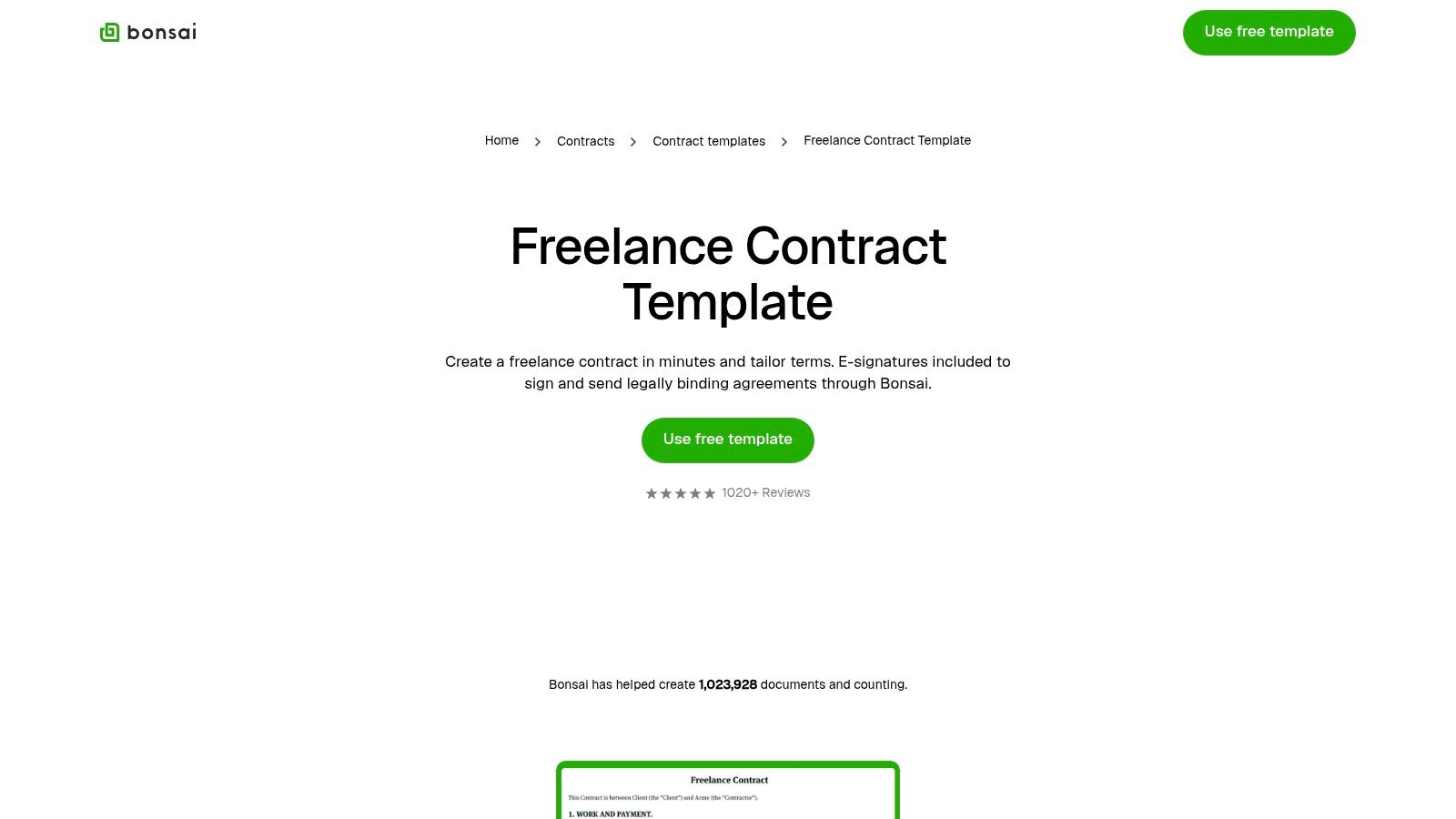
The user experience is highly polished, guiding you through the creation process with clear steps and automation. You can generate a contract, have the client's information auto-populate from a previous proposal, and send it for e-signature all within the same ecosystem. This reduces administrative overhead and presents a professional, unified front to your clients.
The key differentiator for Bonsai is its interconnected workflow. A signed contract can automatically trigger the creation of a project and the first invoice, streamlining your entire administrative process from start to finish.
While the templates are robust, the real power is unlocked when used with the entire Bonsai suite. For freelancers looking to level up their operations, exploring how to get the most out of Notion and similar tools can reveal powerful automation strategies. Bonsai embodies this by integrating contracts into a larger productivity framework.
| Feature Analysis | Details |
|---|---|
| Ideal Use-Case | Freelancers seeking a premium, all-in-one platform to manage the entire client relationship, from proposals and contracts to invoicing and tax preparation. |
| Key Clauses to Check | Bonsai’s templates are solid, but pay close attention to the "Intellectual Property" and "Payment" clauses to ensure they match your specific service delivery model. |
| License & Terms | Templates are free to generate, but sending, signing, and using the full workflow requires a Bonsai account. Full features are available with a paid subscription after the trial period. |
| Customization Tips | Create a "Master Template" with your standard terms. When you start a new project, you can reuse this template and Bonsai will automatically fill in client-specific details. |
Link: Hello Bonsai Freelance Contract Template
7. LegalZoom
LegalZoom offers a robust independent contractor agreement template that stands out due to its foundation in U.S. law. While not a completely freelance contract template free of charge, it provides access to attorney-drafted documents, making it a trusted choice for freelancers prioritizing legal soundness and compliance, particularly with U.S. and state-specific labor classifications.
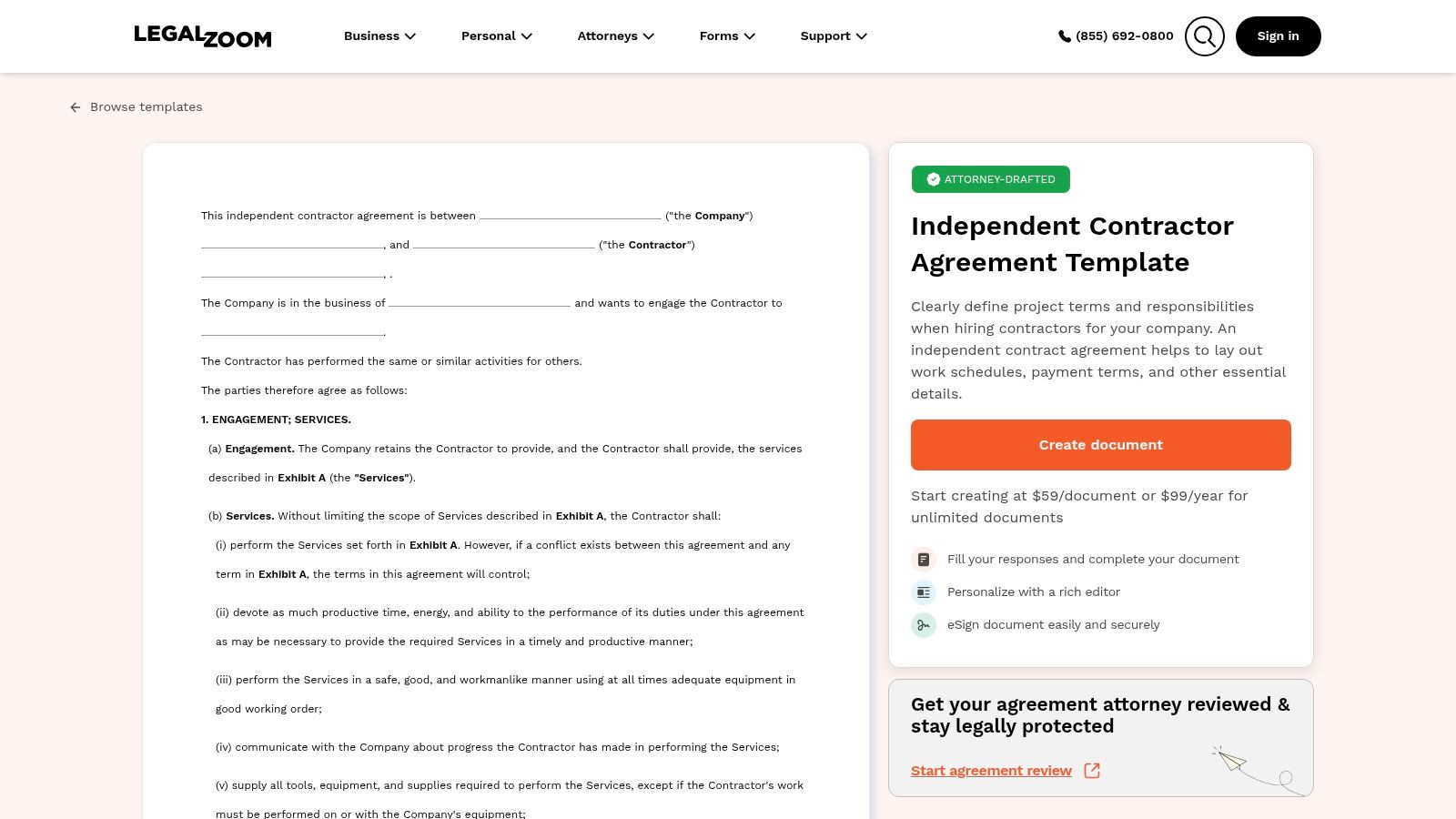
The platform guides you through a questionnaire to generate a customized agreement, explaining the legal importance of each clause. This educational approach is highly beneficial for freelancers new to legal jargon. After generation, you can edit the document further and send it for e-signature, all within the LegalZoom ecosystem. The main drawback is the cost, as access requires a per-document fee or a subscription.
LegalZoom's primary advantage is the peace of mind that comes from using a template drafted by legal professionals from a well-known brand. The extensive guidance on worker classification is particularly valuable for U.S.-based freelancers navigating complex IRS and state rules.
The service is best for those who see legal document creation as an investment rather than an administrative task. Its clear explanations and structured process help ensure you’re not just filling in blanks but understanding the agreement you’re creating. This is a premium option for those willing to pay for legal rigor.
| Feature Analysis | Details |
|---|---|
| Ideal Use-Case | U.S.-based freelancers who prioritize legal compliance and are willing to pay for an attorney-drafted template from a reputable source. |
| Key Clauses to Check | Pay close attention to the "Independent Contractor Status" and "Indemnification" clauses to ensure they accurately reflect your business relationship and protect you from liability. |
| License & Terms | This is a paid service. You can purchase the document individually or get access through one of their legal plan subscriptions. Upsells for attorney review are common. |
| Customization Tips | Use the initial questionnaire to your full advantage. Provide detailed, accurate answers to generate the most relevant and protective base document before making manual edits. |
Link: LegalZoom Independent Contractor Agreement
8. eForms
eForms offers a highly practical, location-specific approach for U.S.-based freelancers seeking a freelance contract template free of legal ambiguity. Its unique strength is providing independent contractor agreements tailored to each state, with inline citations referencing specific state statutes and legal definitions. This makes it an invaluable resource for ensuring your agreement aligns with local employment laws.
The platform provides simple, direct downloads in multiple formats, including PDF, Word, and ODT. There's no complex editor or required sign-up; you just select your state and download the corresponding template. The user interface is straightforward, focusing purely on delivering the documents you need without unnecessary features or workflows.
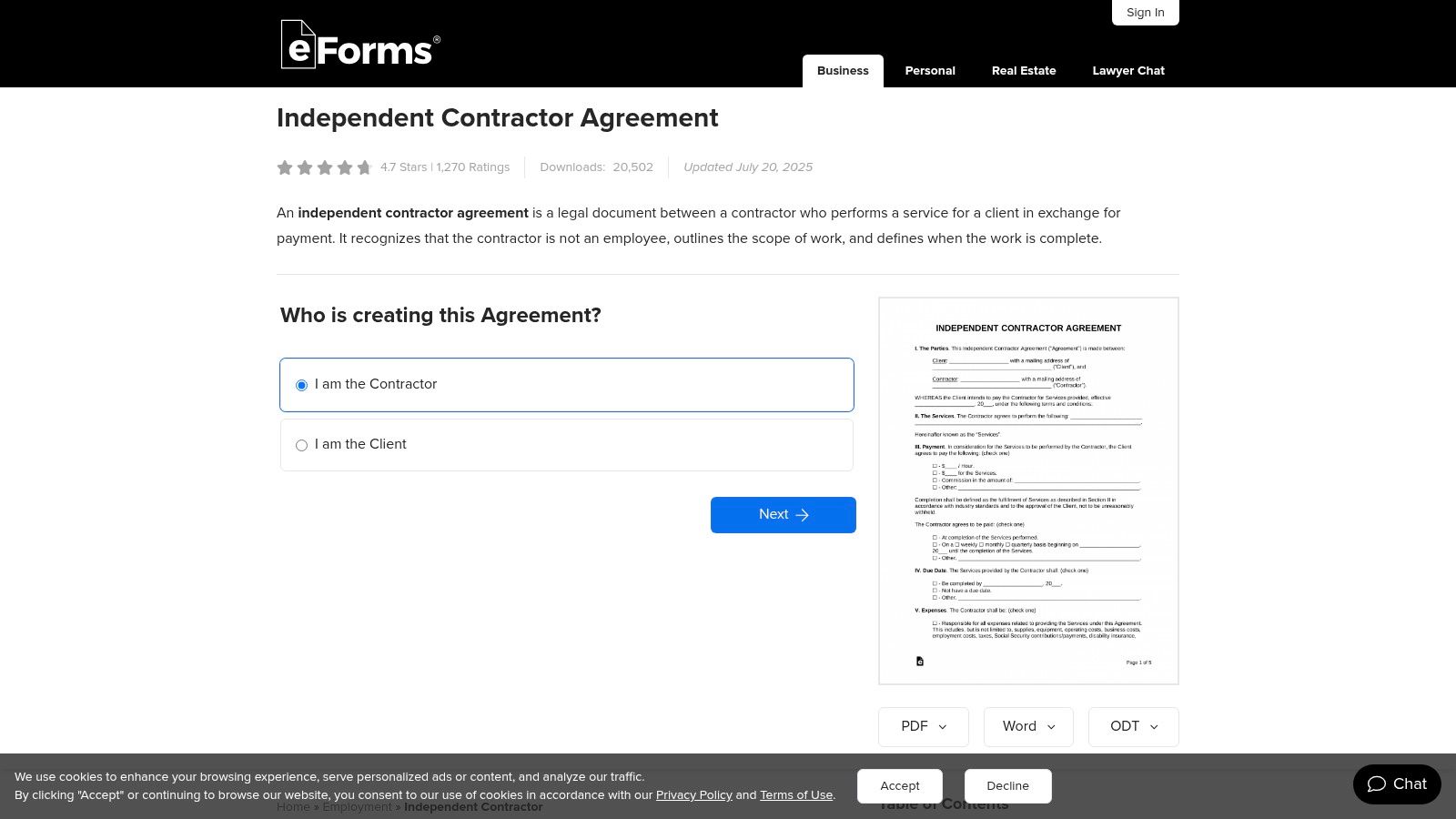
The inclusion of direct citations to state law is a standout feature. It gives you a clear reference point for why certain clauses are worded a specific way, providing a layer of transparency and legal grounding not found in most generic templates.
After downloading, you can edit the document using your preferred software like Microsoft Word or Google Docs. Because eForms doesn't include an integrated e-signature tool, you will need to use a separate service or obtain a physical signature. This makes it a great starting point, but you'll need other tools to complete the process.
| Feature Analysis | Details |
|---|---|
| Ideal Use-Case | U.S. freelancers who need a state-compliant contract foundation and are comfortable managing the signing process with separate tools. |
| Key Clauses to Check | While state-specific, pay close attention to the "Independent Contractor Status" and "Governing Law" sections to confirm they match your working relationship and location. |
| License & Terms | The templates are free to download and use without creating an account. Each document is clearly marked with its last update date. |
| Customization Tips | Use the downloaded Word document to create your own master template. Remove state-specific citations if you work with clients nationwide to create a more general version. |
Link: eForms Independent Contractor Agreement
9. Deel
Deel provides a compliance-first approach to freelance agreements, offering a free and editable independent contractor agreement designed to mitigate common legal risks. Its primary advantage is its focus on international hiring, providing a freelance contract template free of the usual fluff and full of clauses that address potential misclassification issues, a critical concern for businesses working with a global contractor workforce.
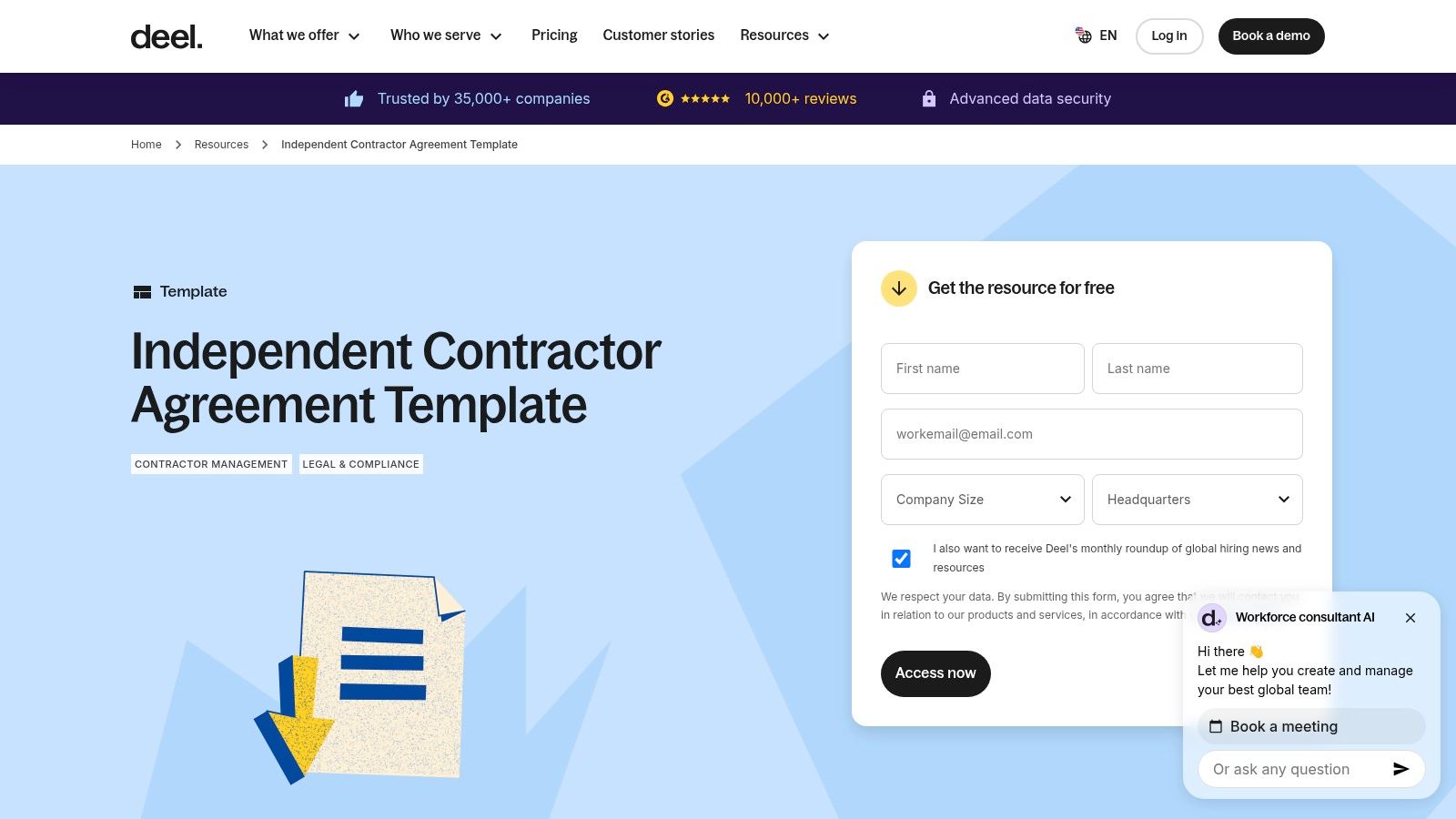
The user experience is straightforward: you can download the template directly from their resources page. Unlike integrated platforms, Deel’s offering is a downloadable document, meaning you'll need to manage the editing and e-signature process with separate tools. However, the template's quality and compliance-oriented content make it a valuable starting point, especially for those new to international contracting.
The template serves as an excellent educational tool. Its structure and clauses offer a clear primer on how to define an independent contractor relationship correctly, helping you avoid the pitfalls that can lead to misclassification penalties.
While the template is free, it's important to note that it also acts as a gateway to Deel’s broader platform for global hiring and payroll. The real value is in the carefully worded content, which provides a strong foundation for building a legally sound agreement, particularly when contractors are based in different countries with varying labor laws.
| Feature Analysis | Details |
|---|---|
| Ideal Use-Case | Teams and businesses hiring international contractors who need a strong, compliance-focused template to minimize misclassification risk. |
| Key Clauses to Check | Pay close attention to the "Independent Contractor Relationship" and "Intellectual Property" clauses, as they are specifically written to reinforce the contractor's autonomy. |
| License & Terms | The template is free to download and use. Accessing it may require providing your email, as some resources are gated for lead generation. |
| Customization Tips | Add a detailed "Equipment" clause to clarify who is responsible for providing necessary tools (e.g., software licenses, hardware), further solidifying the contractor's independent status. |
Link: Deel Independent Contractor Agreement Template
10. Sign.Plus
Sign.Plus provides a straightforward path to securing client agreements with its downloadable freelance contract template free of charge, available in both DOC and PDF formats. The platform's primary advantage is its seamless integration with its own e-signature service, designed to take freelancers from a standard template to a legally binding signed contract with minimal friction.
The template itself covers the essential components needed for an independent contractor agreement, including scope of work, payment terms, and project deadlines. It is designed for easy editing in common software like Microsoft Word or Google Docs before being uploaded for signing. This makes it an excellent choice for freelancers who prefer to work with familiar document formats.
The core value proposition of Sign.Plus is its simplicity. It bridges the gap between a static, downloadable document and a full-featured e-signature platform, offering a clear and quick workflow for getting contracts finalized without overwhelming features.
Once you have tailored the document to your specific project, you can upload it directly into the Sign.Plus environment to send to your client. While the template is free to download, using the e-signature and tracking features requires a Sign.Plus account. For a successful project, remember that clear client onboarding is just as critical as the contract itself.
| Feature Analysis | Details |
|---|---|
| Ideal Use-Case | Freelancers who need a simple, ready-to-use template in a familiar format (DOC/PDF) and want an easy path to an e-signature solution. |
| Key Clauses to Check | The "Intellectual Property Rights" and "Independent Contractor Status" clauses are crucial. Ensure they clearly define ownership and your legal relationship with the client. |
| License & Terms | The template is free to download and edit. Using the Sign.Plus e-signature platform is subject to their terms, with a free plan and advanced features in paid tiers. |
| Customization Tips | Download the DOC version for maximum flexibility. Add a detailed project addendum or "Statement of Work" as a separate page to keep the main contract clean. |
Link: Sign.Plus Independent Contractor Agreement Template
11. SignHouse
SignHouse delivers a straightforward, no-fuss freelance contract template free for freelancers who need a reliable document without the complexity of a large software suite. Its core offering is an independent contractor agreement that can be instantly downloaded as a DOCX, PDF, or copied to Google Docs, providing maximum flexibility for editing and use. This direct-access approach is ideal for users who prioritize speed and simplicity.
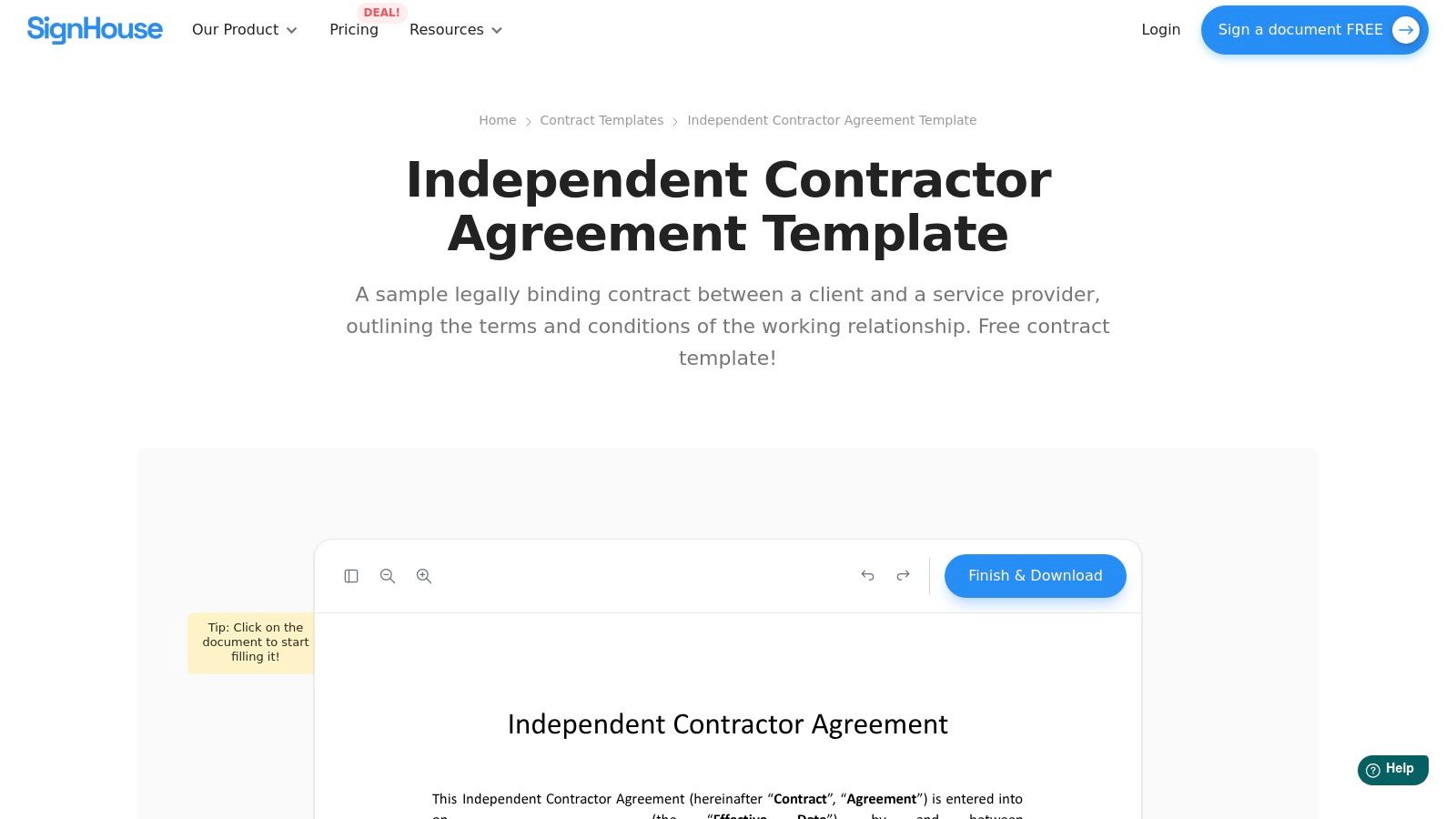
The platform also integrates basic, mobile-friendly e-signing capabilities, allowing you to manage the entire agreement process from your device. While the feature set is lighter than enterprise-level tools, it's perfectly suited for freelancers needing a quick, legally sound signature on a standard agreement without committing to a paid platform.
SignHouse stands out by offering its core templates as "free forever" without requiring extensive sign-ups or trials. This commitment to accessibility makes it a valuable resource for freelancers just starting or those who only need contracts sporadically.
After downloading your chosen format, you can customize the terms and send it to your client for a signature. The clean layout of the document makes it easy to read and modify, ensuring you can quickly adapt it to the specifics of any project.
| Feature Analysis | Details |
|---|---|
| Ideal Use-Case | Freelancers who need immediate access to an editable contract file (DOCX/Google Docs) and want a simple, free tool for basic e-signing. |
| Key Clauses to Check | Review the "Independent Contractor Status" and "Expenses" clauses to ensure they accurately reflect your working relationship and how costs will be handled. |
| License & Terms | The templates are free to download and use. Basic e-signing is included, with more advanced document management features available in paid tiers. |
| Customization Tips | Since you can download a DOCX or Google Doc, add a branded header with your logo and contact information before filling out the project-specific details. |
Link: SignHouse Independent Contractor Template
12. Bizee (formerly Incfile)
Bizee, formerly known as Incfile, targets small business owners and offers a helpful freelance contract template free of charge, which it refers to as an Independent Contractor Agreement. Its main strength is the surrounding educational content, which provides a detailed primer on the crucial distinctions between contractors, freelancers, and employees. This makes it an excellent resource for anyone new to hiring or working as a 1099 contractor.
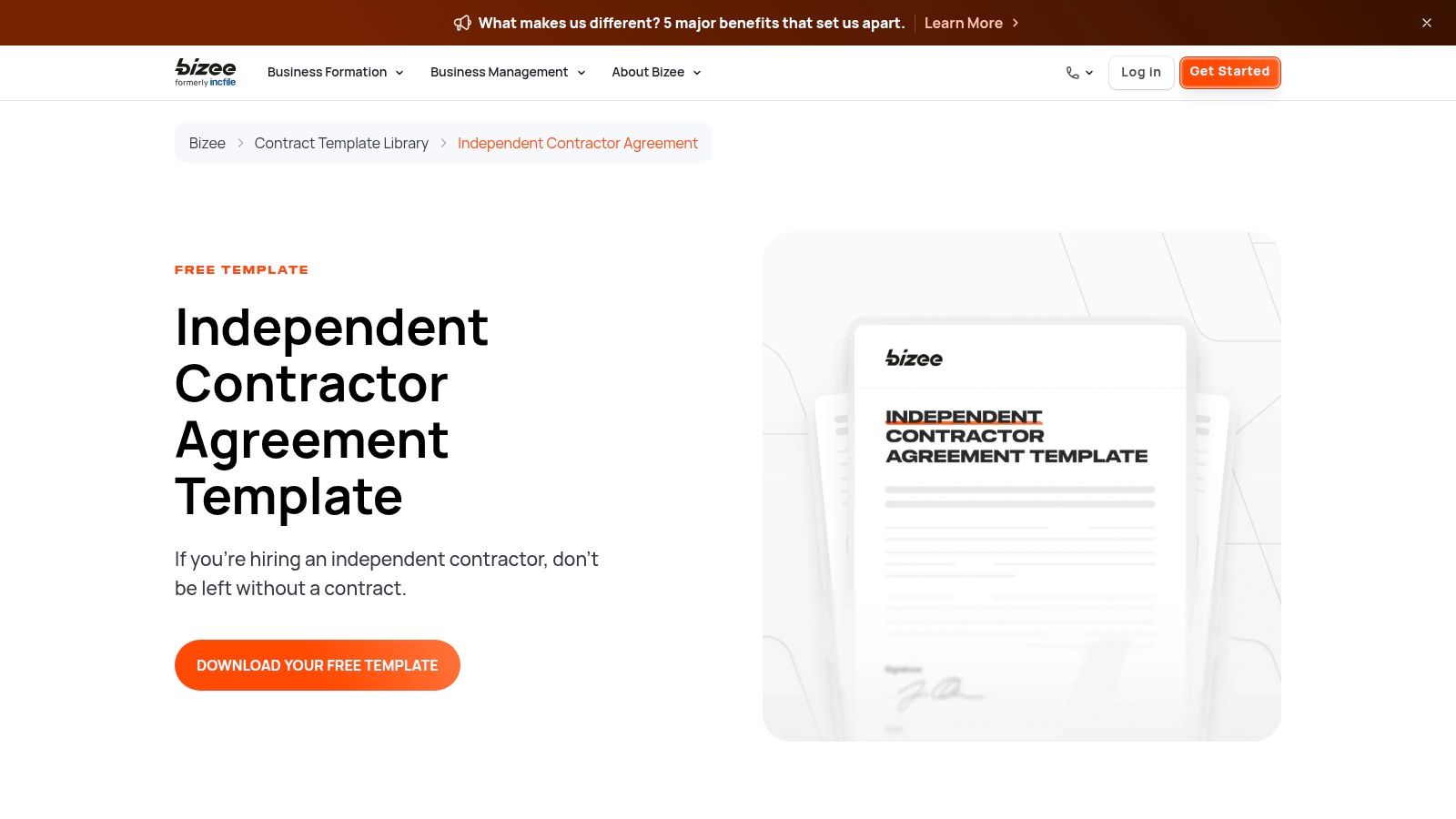
The user experience is straightforward: you can download the template directly without creating an account. The template itself is a standard Word document, making it easy to edit and adapt. While it lacks the integrated features of a platform like PandaDoc, its value lies in its clarity and the legal context provided on the download page, which helps ensure compliance.
Bizee’s unique value proposition is its focus on the hirer's legal perspective. The educational material surrounding the template is incredibly useful for small businesses wanting to correctly classify workers and avoid potential legal issues with misclassification.
The document is a basic downloadable file, so it doesn't include any e-signature functionality or workflow management. It’s a solid starting point for creating a legally sound agreement, but you will need to use a separate service for signing or find an alternative method for execution. This practical approach is ideal for those who prefer manual control over their documents.
| Feature Analysis | Details |
|---|---|
| Ideal Use-Case | Small business owners or freelancers who need a simple, U.S.-focused template and want to understand the legal distinctions between W-2 employees and 1099 contractors. |
| Key Clauses to Check | The "Independent Contractor Status" and "Indemnification" clauses are especially important. Verify they clearly establish the nature of the relationship and protect you from liability. |
| License & Terms | The template is completely free to download and use without requiring an account or email signup. Bizee offers other legal and business formation services for a fee. |
| Customization Tips | Add a detailed "Exhibit A" to outline the specific scope of services, deliverables, and project milestones. This clarifies expectations and prevents scope creep. |
Link: Bizee Independent Contractor Agreement
Free Freelance Contract Templates: 12-Provider Comparison
| Provider | Core features | UX / Quality (★) | Value / Price (💰) | Target audience (👥) | Unique selling points (✨ / 🏆) |
|---|---|---|---|---|---|
| PandaDoc | Browser editor, e-sign, clause library, analytics | ★★★★ | 💰 Freemium (free templates → paid features) | 👥 Freelancers & SMBs | ✨ Built-in e-sign + analytics, 🏆 large template library |
| Freelancers Union | Guided clause wizard, DOCX/PDF export, location clauses | ★★★ | 💰 Free | 👥 U.S. freelancers | ✨ Jurisdiction-specific clauses, plain-English guidance |
| Rocket Lawyer | Guided builder, RocketSign e-sign, attorney help | ★★★★ | 💰 Paid (trial → membership) | 👥 Users wanting legal guidance | 🏆 Attorney-reviewed templates, ✨ integrated legal help |
| LawDepot | Question-driven wizard, editable multi-format output | ★★★ | 💰 Freemium (trial/paywall) | 👥 Fast document creators | ✨ Quick flow + multiple download formats |
| Jotform Sign | Drag‑drop editor, automated signing order, embeddable forms | ★★★★ | 💰 Freemium (generous free tier) | 👥 Freelancers & teams needing automation | ✨ Embeddable forms & signing automation |
| Hello Bonsai | Templates + proposals, invoices, time tracking, e-sign | ★★★★★ | 💰 Paid (subscription) | 👥 Freelancers wanting all‑in‑one stack | 🏆 End-to-end freelancer workflow, polished UX |
| LegalZoom | Attorney‑drafted templates, guidance, e-sign options | ★★★★ | 💰 Paid (per doc / annual) | 👥 Users wanting trusted legal brand | ✨ Clear legal explanations & resources, 🏆 trusted brand |
| eForms | State-tailored templates, statutory citations, multi formats | ★★★ | 💰 Free | 👥 Users needing state‑specific language | ✨ Inline citations & jurisdiction variants |
| Deel | Editable template + compliance guidance, country notes | ★★★★ | 💰 Free / gated resources | 👥 Teams hiring cross‑border | ✨ Compliance‑focused, international guidance |
| Sign.Plus | DOC/PDF templates, Sign.Plus e-sign compatibility | ★★★ | 💰 Free → Paid (advanced) | 👥 Users needing quick sign flow | ✨ Fast download → e-sign path |
| SignHouse | DOCX/PDF/Google Docs downloads, mobile editing, e-sign | ★★★ | 💰 💰 Free forever | 👥 Users wanting instant editable files | ✨ Very fast access, mobile‑friendly editing |
| Bizee (Incfile) | Downloadable template + classification primer, SMB library | ★★★ | 💰 Free | 👥 Small‑business owners / SMBs | ✨ Clear 1099 vs W‑2 guidance for SMBs |
Beyond the Template: How to Manage and Automate Your Contracts in Notion
Navigating the world of freelance agreements can feel complex, but as we've explored, you don't have to start from scratch. From the comprehensive, legally-vetted options offered by platforms like Rocket Lawyer and LawDepot to the straightforward, community-backed resources from the Freelancers Union, a high-quality freelance contract template free of charge is well within your reach. We’ve covered a dozen powerful tools, each with unique strengths, whether you need the robust e-signature features of PandaDoc and Jotform Sign or the specialized, freelancer-centric approach of Hello Bonsai.
The key takeaway is that the "best" template is the one that aligns with your specific needs, industry standards, and risk tolerance. Your choice isn't just about downloading a document; it's about establishing a professional foundation that protects both you and your clients. Remember to always scrutinize key clauses like scope of work, payment terms, and intellectual property rights, and don’t hesitate to customize your chosen template to reflect the unique details of each project.
From Template to System: A Path to Efficiency
Selecting a template is the starting point, not the finish line. True professional growth comes from building a repeatable, organized process around your agreements. Simply saving documents in a random folder on your computer creates administrative drag and introduces the risk of human error. This is where moving from a simple document to a dynamic system becomes a game-changer for your freelance business.
To truly streamline operations once you have your templates, understanding what a contract management system is can be invaluable. You don't need expensive, enterprise-level software to achieve this. A flexible tool like Notion can be transformed into a powerful, centralized hub for all your client relationships and contractual obligations.
By creating a simple database in Notion, you can:
- Track Every Stage: Monitor contracts from "Drafting" and "Sent" to "Signed" and "Completed."
- Centralize Client Data: Keep all client contact information, project briefs, and signed agreements in one accessible location.
- Set Automated Reminders: Never miss a key deadline, renewal date, or final payment again.
Automate Your Workflow and Focus on What Matters
The final piece of the puzzle is automating the communication that surrounds your contracts. Manually drafting emails, attaching files, and sending reminders for every single project is a significant time sink. This is where integrating your Notion workspace with an email automation tool bridges the gap between organization and action.
Imagine your workflow: you update a contract's status in your Notion database, and an email is automatically sent to the client with the document attached for their review. No more switching between apps, copying and pasting text, or double-checking if you sent the right version. This level of automation not only saves you countless hours but also presents a polished, professional image to your clients, showing that you have sophisticated systems in place. By combining a solid freelance contract template free of initial cost with a smart management system, you elevate your business from a simple service provider to a well-oiled operational machine. This frees you to focus less on administrative tasks and more on delivering exceptional work.
Ready to turn your Notion contract database into an automated communication powerhouse? Stop manually sending emails and start streamlining your entire client workflow with NotionSender. Try NotionSender today and discover how easy it is to send contracts, reminders, and updates directly from your Notion workspace.

