
The 12 Best Notion To Do List Template Options for 2026
If your current to-do list is a simple, static checklist, you're missing out on a powerful productivity upgrade. While basic lists capture what needs to be done, they often fail to provide the context, flexibility, and integration necessary for managing complex projects and workflows. This is where a well-designed Notion to do list template becomes an essential tool, transforming a simple task list into a dynamic, all-in-one command center for small business owners, project managers, and freelancers.
This resource guide moves beyond generic recommendations to offer a curated collection of the best templates available. We'll explore options from official Notion sources, dedicated marketplaces like Notionery and Gumroad, and specialized creators like Thomas Frank and Gridfiti. Our goal is to help you find the perfect system to organize your tasks, track progress, and connect your to-do list with your broader goals.
Each entry provides a detailed analysis, complete with screenshots, direct links for easy duplication, and practical use-case scenarios. We evaluate the strengths and potential limitations of each template, so you can make an informed choice. You will learn how to select, install, and customize a template that not only organizes your daily tasks but also integrates seamlessly into your entire Notion workspace, solving the problem of disconnected and disorganized productivity systems.
1. Notion (Official Template Marketplace) - To‑Do List
For those new to Notion or anyone seeking a clean, reliable starting point, the official To-Do List template from Notion's own marketplace is the ideal choice. This free, native template integrates seamlessly into any workspace with a single click, providing a foundational structure that is both simple to understand and surprisingly effective. It’s the perfect, no-frills Notion to do list template for individuals or small teams just starting out.
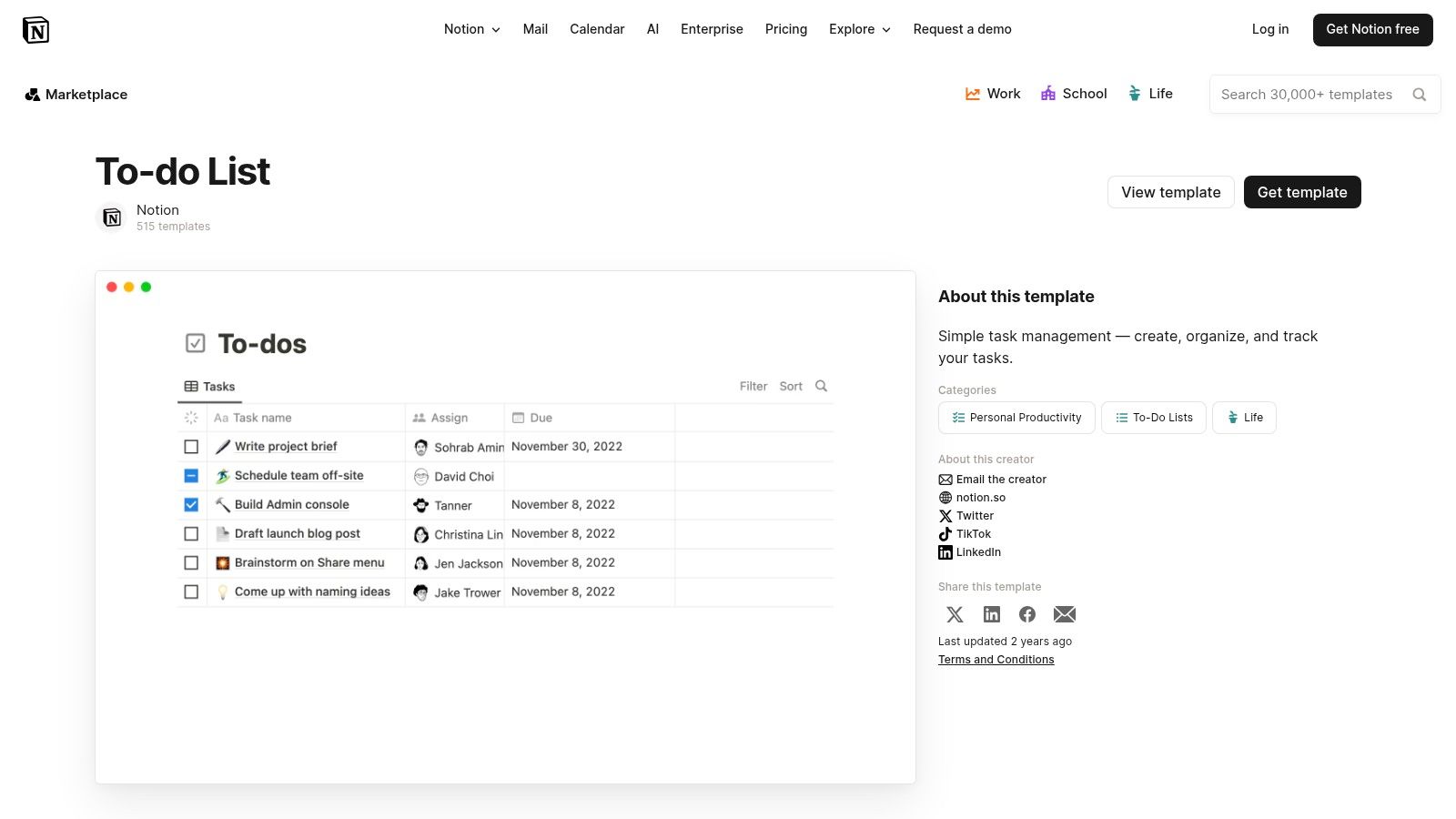
This template stands out due to its official support and simplicity. It comes pre-configured with several essential database views, allowing you to sort tasks by priority, due date, assignee, or a visual calendar. Because it's a first-party resource, you can trust it will always be compatible with Notion's latest features. To learn more about mastering these foundational elements, check out these 10 tips to get the most out of Notion.
Key Features & Assessment
| Feature | Details | Our Take |
|---|---|---|
| Price | Free | Excellent value as a starting point. |
| Views Included | Priority, Due Date, Assignee, Calendar | Covers all the essential ways to organize tasks. |
| Complexity | Low | Very user-friendly, but lacks advanced features. |
| Customization | High | Easily adaptable to more complex workflows. |
Best Use Case: Individuals, students, or small teams needing a straightforward, reliable task manager without a steep learning curve. It's a solid base that you can build upon as your needs grow more complex.
2. Notion (Official Template Marketplace) - Ultimate Tasks by Thomas Frank
For Notion users ready to graduate from a basic list to a comprehensive productivity system, the Ultimate Tasks template by Thomas Frank is a top-tier choice. Available for free on the official marketplace, this powerhouse Notion to do list template transforms your workspace into an advanced command center. It integrates projects and tasks seamlessly, offering smart, pre-configured views that automatically surface what's most important right now.
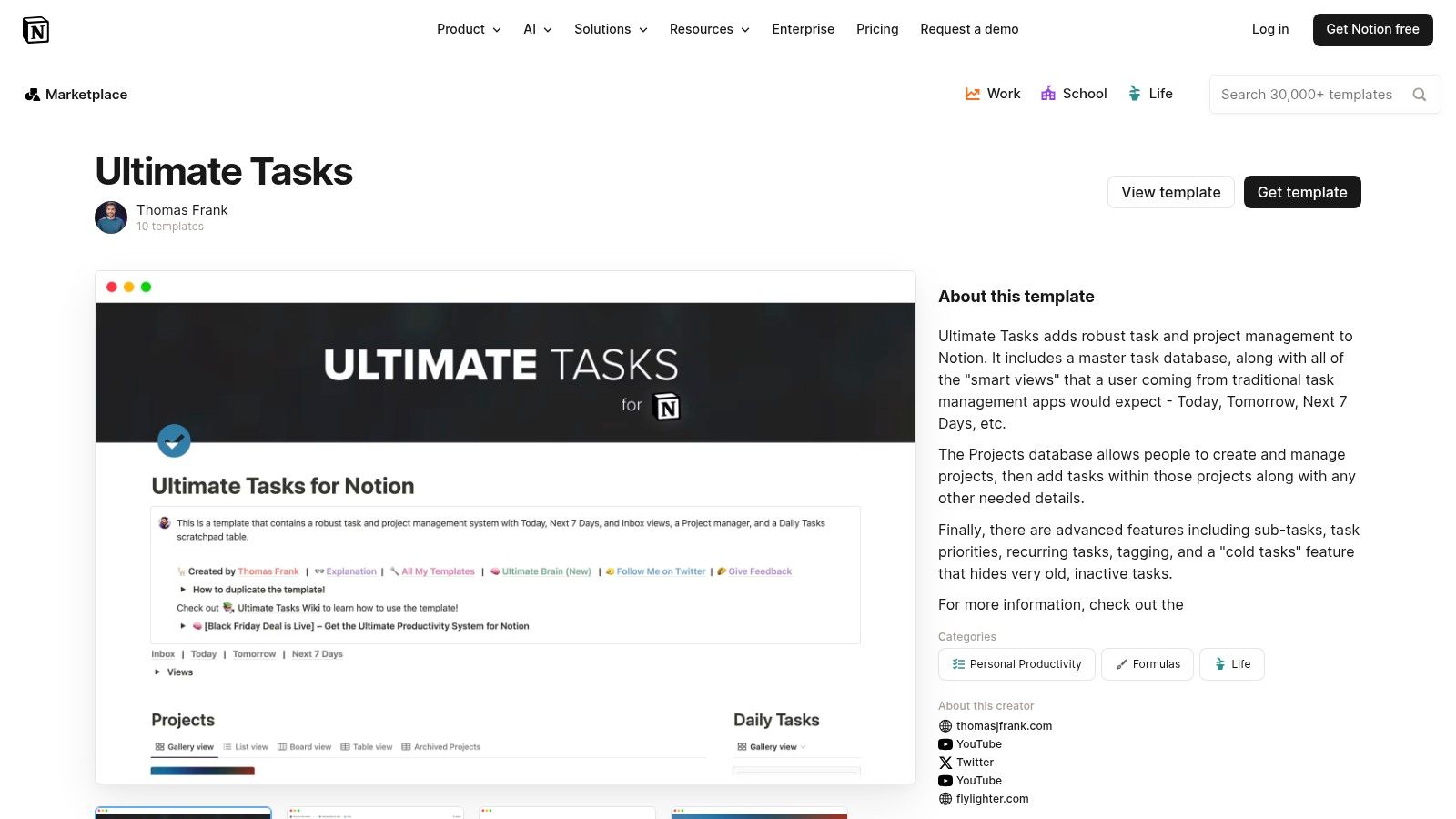
What makes this template exceptional is its depth and robust documentation. It’s designed for power users with features like recurring tasks, sub-tasks, and intelligent "Today" and "Next 7 Days" views. While its complexity requires a learning curve, the creator provides excellent tutorials to get you started. Managing this level of detail is easier with effective email management tips, helping you turn incoming requests into structured tasks within the system.
Key Features & Assessment
| Feature | Details | Our Take |
|---|---|---|
| Price | Free | Unbeatable value for such an advanced system. |
| Views Included | Today, Next 7 Days, Projects, All Tasks, Smart Views | Highly intelligent views for focused work. |
| Complexity | High | Powerful but has a steep learning curve for beginners. |
| Customization | Medium | Highly structured; major changes require understanding the system. |
Best Use Case: Power users, freelancers, and project managers who need a comprehensive, integrated system for managing both tasks and larger projects within a single, powerful dashboard.
3. Notionery
Notionery is a curated marketplace that acts as a quality filter for Notion templates. Instead of sifting through countless options, Notionery’s team hand-picks and tests templates from various creators, ensuring a higher standard of quality and functionality. This makes it an excellent resource for finding a reliable Notion to do list template without the risk of downloading something poorly constructed. It saves you time by presenting only the most effective and well-designed options available.
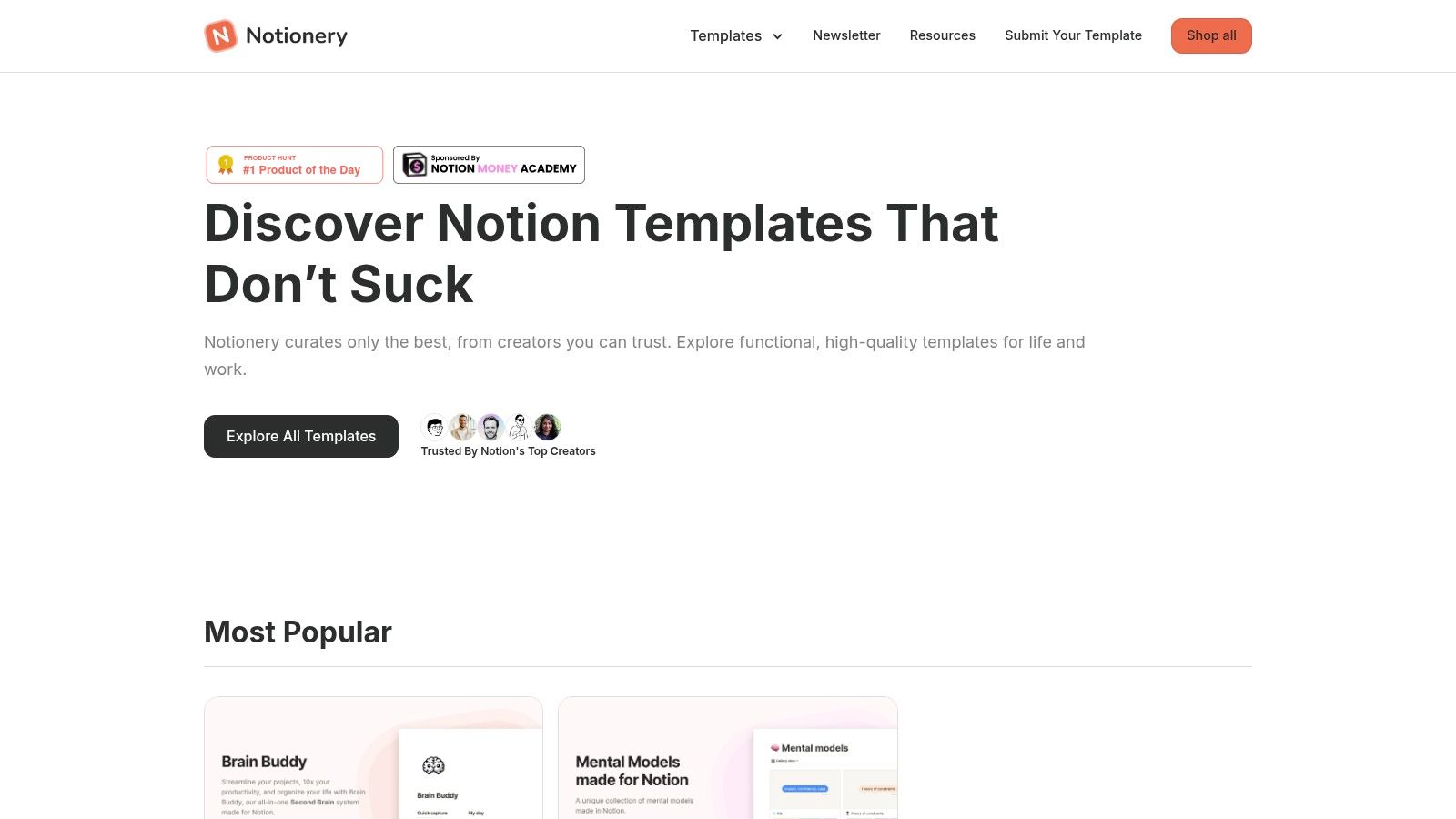
The platform’s strength lies in its curation. You can trust that the listed templates, whether free or paid, meet specific quality criteria. This approach is particularly helpful for busy professionals who need a powerful to-do system but don't have the hours to vet dozens of templates themselves. Notionery simplifies the discovery process, allowing you to quickly find and implement a template that fits your specific productivity needs.
Key Features & Assessment
| Feature | Details | Our Take |
|---|---|---|
| Price | Varies (Free & Paid) | The mix of pricing provides flexibility for different budgets. |
| Quality Control | Curated & Hand-Picked | Greatly reduces the chance of finding a buggy or low-quality template. |
| Selection | Smaller, Vetted Catalog | While not as vast as other marketplaces, the quality is more consistent. |
| User Experience | Clean & Easy Navigation | The website is straightforward, making it easy to browse categories. |
Best Use Case: Professionals, freelancers, and teams who value quality over quantity and want to quickly find a proven, high-quality to-do list template without extensive trial and error. Ideal for those willing to invest in a premium solution.
4. Etsy - Notion To‑Do List Template category
For those seeking variety and aesthetic flair, Etsy's marketplace is an unexpectedly rich source for finding a unique Notion to do list template. The platform hosts hundreds of digital templates created by independent designers, ranging from minimalist weekly planners to highly specialized and visually appealing dashboards. This variety allows you to find a template that perfectly matches your personal style or specific organizational need, often at a very low price point.
Etsy stands out by offering a vast, user-rated selection that goes beyond functional-only designs. You can filter by price, seller ratings, and special offers to find high-quality options from trusted creators. Many templates are available for instant digital download, providing immediate access after purchase. The sheer volume ensures you can find niche templates for things like wedding planning, habit tracking, or managing a creative business, which are harder to find elsewhere.
Key Features & Assessment
| Feature | Details | Our Take |
|---|---|---|
| Price | Varies (often $1-$20) | Excellent value, with many affordable and high-quality options. |
| Views Included | Varies by template | Highly diverse; check individual listings for included views like calendars, Kanban boards, or galleries. |
| Complexity | Varies (Low to High) | Wide range from simple checklists to complex, interconnected databases. Read descriptions carefully. |
| Customization | Varies by creator | Most templates are fully customizable, but some aesthetic designs may be harder to alter without breaking the layout. |
Best Use Case: Individuals, students, and creative professionals who prioritize aesthetics alongside functionality and want a unique, pre-designed template without building it from scratch. It's perfect for finding a specialized planner that fits a specific life event or hobby.
5. Gridfiti Shop - Ultimate Planner Dashboard for Notion
For users who need more than a simple checklist, Gridfiti’s Ultimate Planner Dashboard is a comprehensive life management system. This premium template transforms your workspace into a powerful productivity hub, integrating tasks with daily, weekly, and monthly dashboards. It’s far more than a basic Notion to do list template; it's a complete planning ecosystem designed for freelancers, students, or anyone seeking an all-in-one organizational tool.
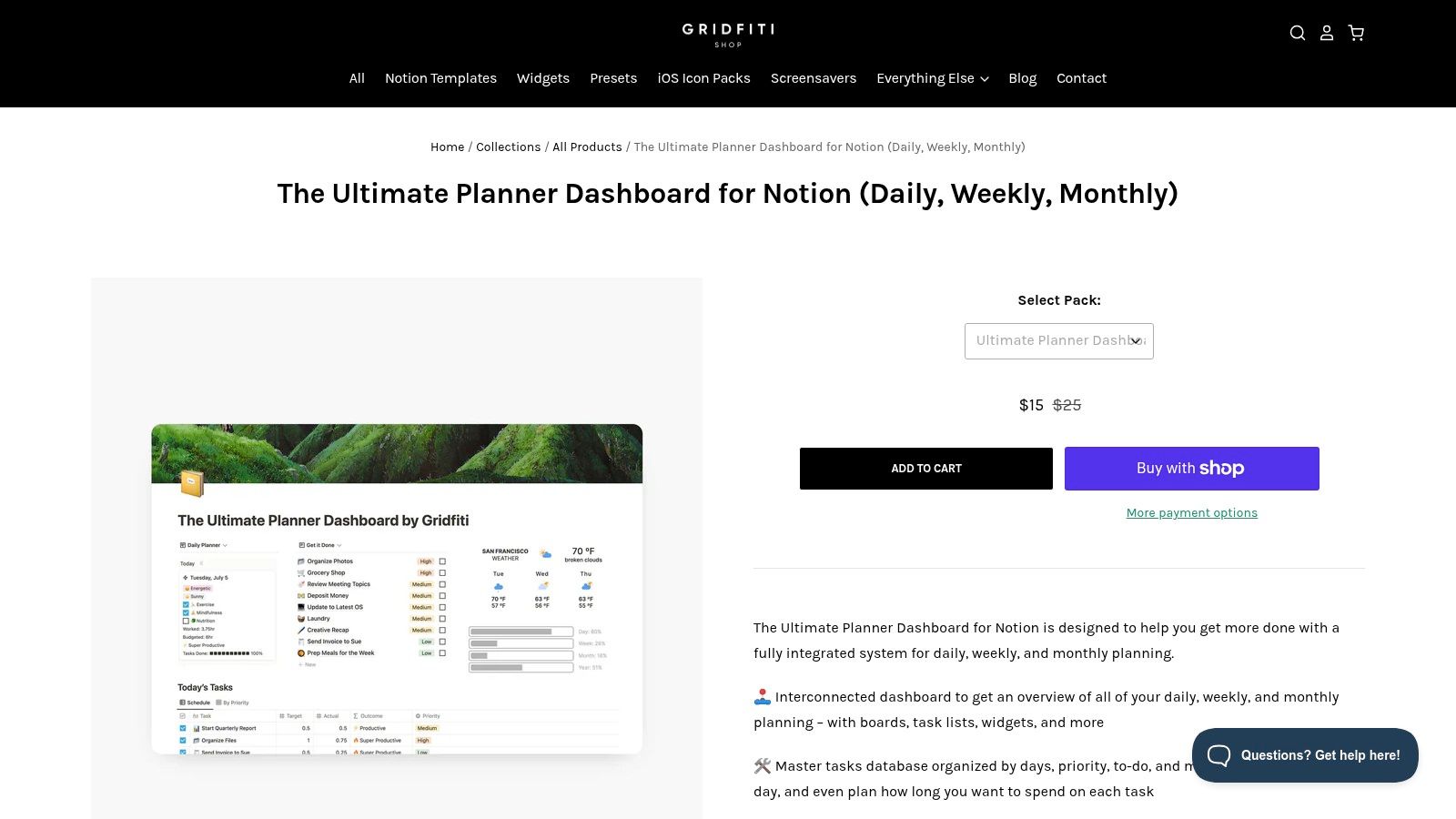
What sets this template apart is its interconnectedness. The master task database links seamlessly to habit trackers, mood logs, and progress bars, providing a holistic view of your productivity. Gridfiti provides excellent documentation and email support, ensuring a smooth setup process despite the system's depth. While it's a paid product, its professional design and extensive features offer significant value for those ready to invest in a serious organizational upgrade.
Key Features & Assessment
| Feature | Details | Our Take |
|---|---|---|
| Price | Paid (Varies) | A worthwhile investment for a complete system. |
| Views Included | Daily/Weekly/Monthly Dashboards, Task Calendar | Offers a multi-layered view of your life and goals. |
| Complexity | High | Powerful and feature-rich, but can be overkill for simple needs. |
| Customization | Medium | Highly structured, but can be modified to fit personal workflows. |
Best Use Case: Freelancers, students, and professionals who want an integrated system for managing tasks, goals, habits, and daily planning all in one place. It is ideal for users who have outgrown basic to-do lists.
6. Prototion - Master To‑Do List
For users looking to organize tasks across different life domains, the Master To-Do List from Prototion offers a simple yet effective solution. This free template is designed to segment your tasks into distinct life areas like work, personal, and health, providing clarity and focus. As a product from the Prototion marketplace, it serves as a great entry point into a wider ecosystem of related tools, making it an excellent Notion to do list template for holistic life management.
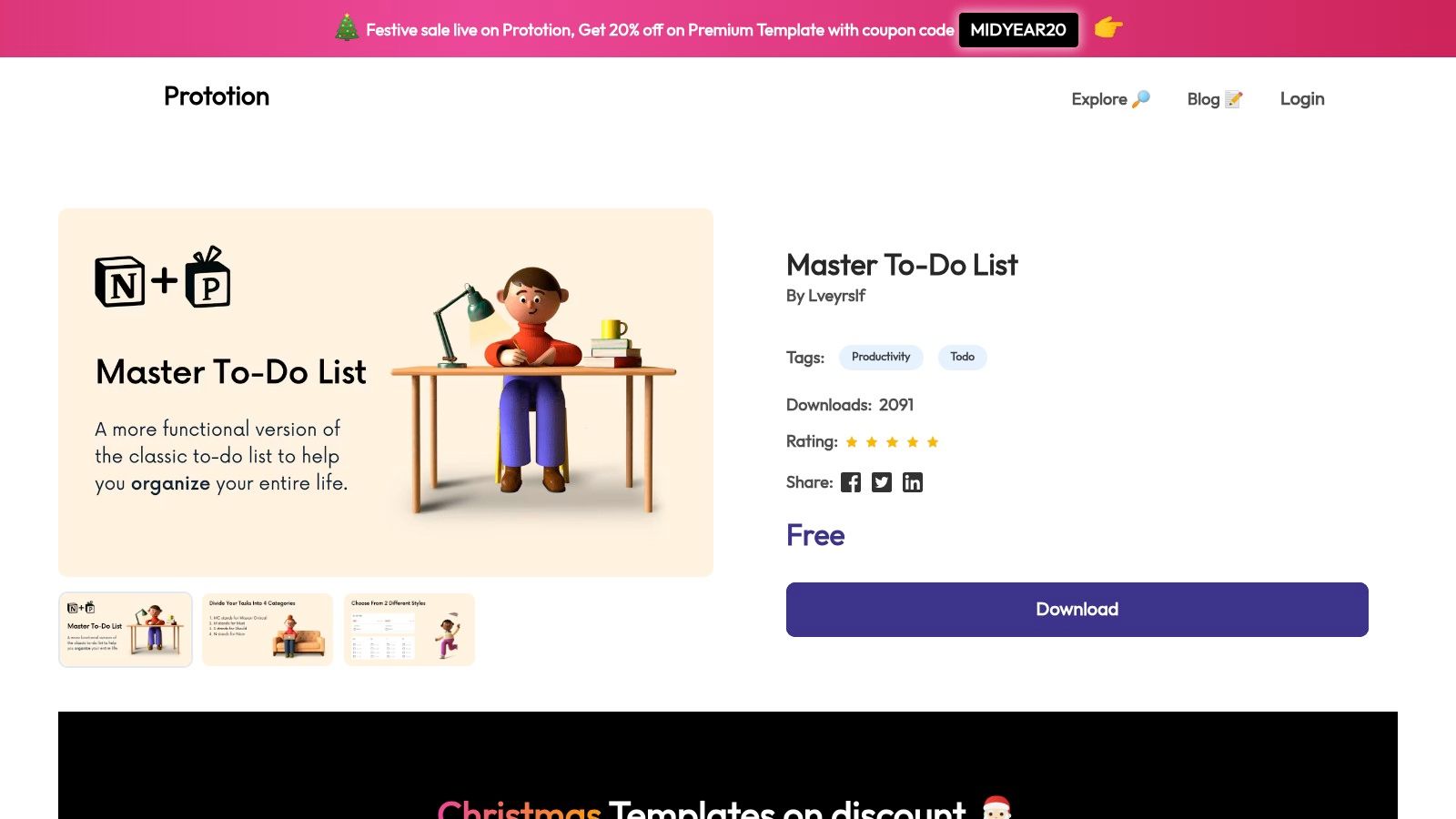
What makes this template stand out is its emphasis on life-area segmentation, which encourages a balanced approach to task management. It’s quick to duplicate and implement, allowing you to get organized without a significant time investment. While it’s a straightforward system, Prototion's marketplace structure means you can easily find and integrate other templates to expand its functionality as your organizational needs evolve. You can learn more and get the template at Prototion's website.
Key Features & Assessment
| Feature | Details | Our Take |
|---|---|---|
| Price | Free | A no-cost option that provides solid foundational features. |
| Views Included | Life Area, Priority, Status, Calendar | The life-area segmentation is a key differentiator. |
| Complexity | Low | Very easy to adopt, perfect for Notion beginners. |
| Customization | Moderate | Serves as a good base that can be built upon. |
Best Use Case: Individuals seeking to balance tasks across multiple areas of their life (e.g., work, personal, learning) with a simple, visually organized system that is free and easy to set up.
7. Easlo - Task Tracker
For users who prioritize mobile accessibility, Easlo’s Task Tracker offers a clean, streamlined experience designed for on-the-go productivity. This template focuses on simplicity and responsive design, ensuring your task list is just as easy to navigate on a phone as it is on a desktop. It's an excellent free Notion to do list template for anyone needing a lightweight system to quickly capture and organize tasks from anywhere.
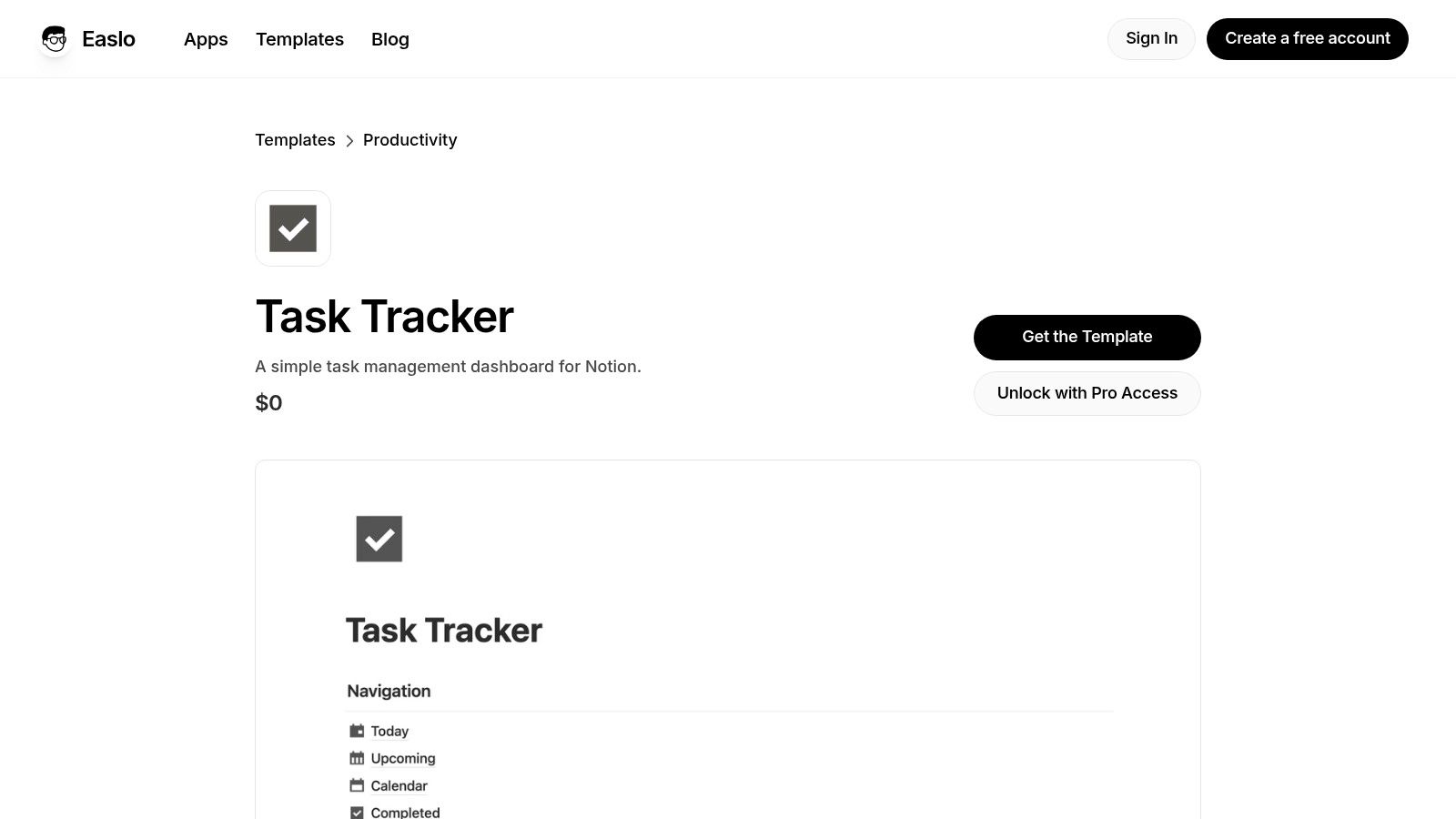
The template's strength lies in its focused, pre-built views: Today, Upcoming, and Calendar, which provide immediate clarity without overwhelming the user. While it foregoes complex, built-in automations, this minimalist approach creates a fast, uncluttered interface perfect for personal task management. Its user-friendly navigation and minimal learning curve make it a standout choice for those who value efficiency over intricate features. You can download this and other templates directly from the Easlo website.
Key Features & Assessment
| Feature | Details | Our Take |
|---|---|---|
| Price | Free | A fantastic no-cost option for a mobile-first design. |
| Views Included | Today, Upcoming, Calendar, Priority | Covers the essentials for daily and future planning. |
| Complexity | Low | Extremely easy to set up and use immediately. |
| Customization | Medium | Simple to tweak, but advanced features require manual setup. |
Best Use Case: Individuals, students, or freelancers who primarily manage their tasks on mobile devices and need a simple, fast, and easy-to-navigate system without advanced enterprise features.
8. Notion VIP - Bulletproof Task System
For Notion power users seeking a professionally designed framework, the Bulletproof Task System from Notion VIP is a masterclass in organization. This paid template implements a robust GTD and Eisenhower-inspired methodology, targeting project managers and individuals who manage complex, interdependent tasks. It’s far more than a simple checklist; it’s a comprehensive Notion to do list template that scales for serious productivity.
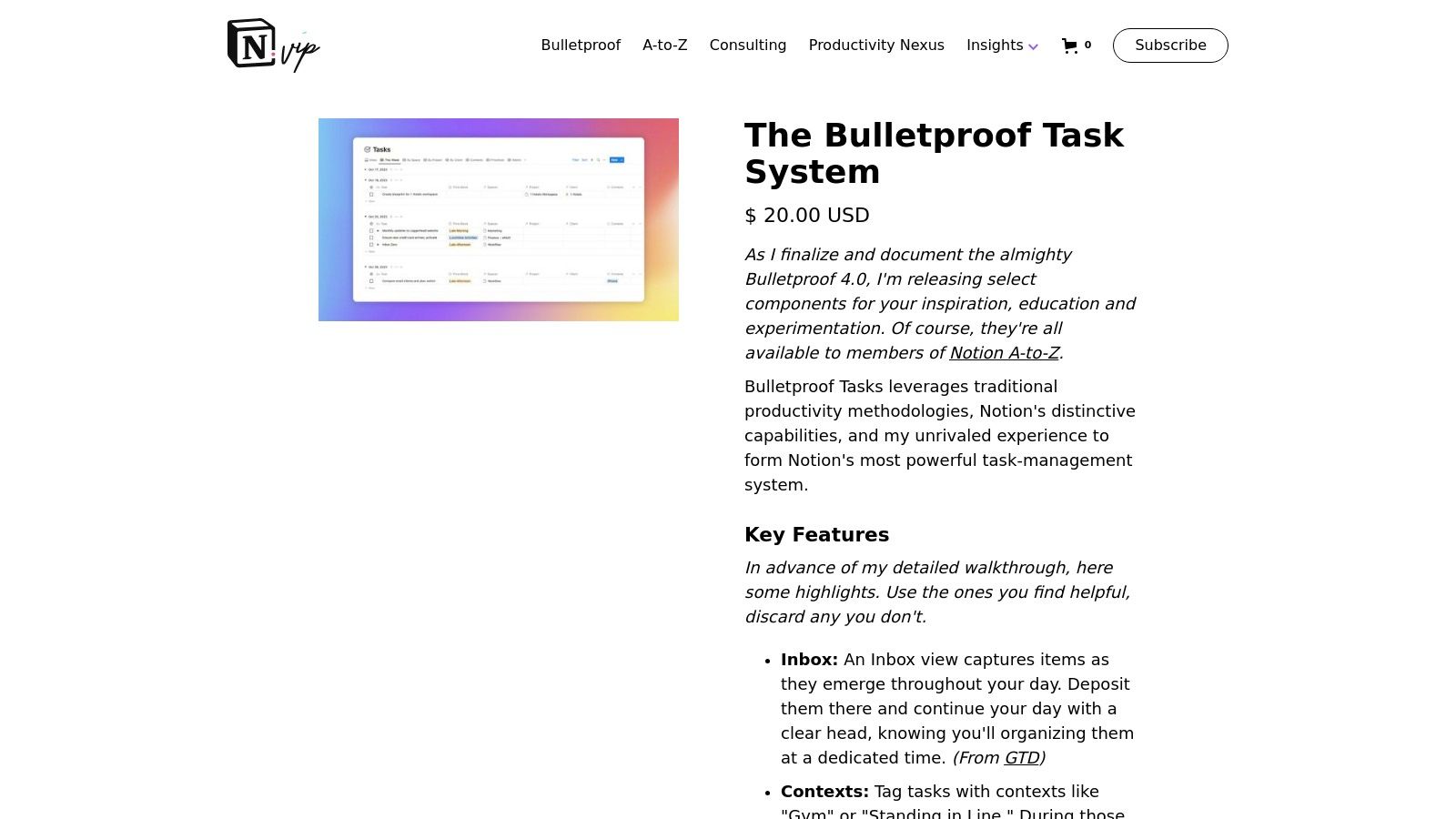
What sets this system apart is its depth and the expert guidance that comes with it. The template includes features like a dedicated inbox, context-based sorting, and recurring task handling. Its in-depth documentation helps users understand and adopt proven project management best practices directly within their Notion workspace. This system is designed to grow with your needs, from simple daily tasks to intricate multi-stage projects. Find it on the Notion VIP website.
Key Features & Assessment
| Feature | Details | Our Take |
|---|---|---|
| Price | Paid (Digital Purchase) | A worthwhile investment for professionals needing a structured system. |
| Views Included | Inbox, Contexts, Projects, Calendar | Expertly designed views based on proven productivity methods. |
| Complexity | High | The learning curve is steep, but the payoff is a highly efficient workflow. |
| Customization | Medium | Built as a complete system, so major changes require careful consideration. |
Best Use Case: Project managers, consultants, and Notion power users who need a scalable, best-practice framework for managing high volumes of complex tasks and projects. It is ideal for those committed to adopting a structured productivity methodology.
9. The Organized Notebook - Ultimate Project & Task Manager
For those who need to manage complex projects alongside daily tasks, The Organized Notebook offers a comprehensive solution. Their Ultimate Project & Task Manager template is designed for serious planners, linking projects, tasks, and optional sprints into a cohesive system. This paid template, available in Standard and Advanced tiers, provides a powerful framework that scales from individual use to small team collaboration, making it a robust Notion to do list template for goal-oriented users.
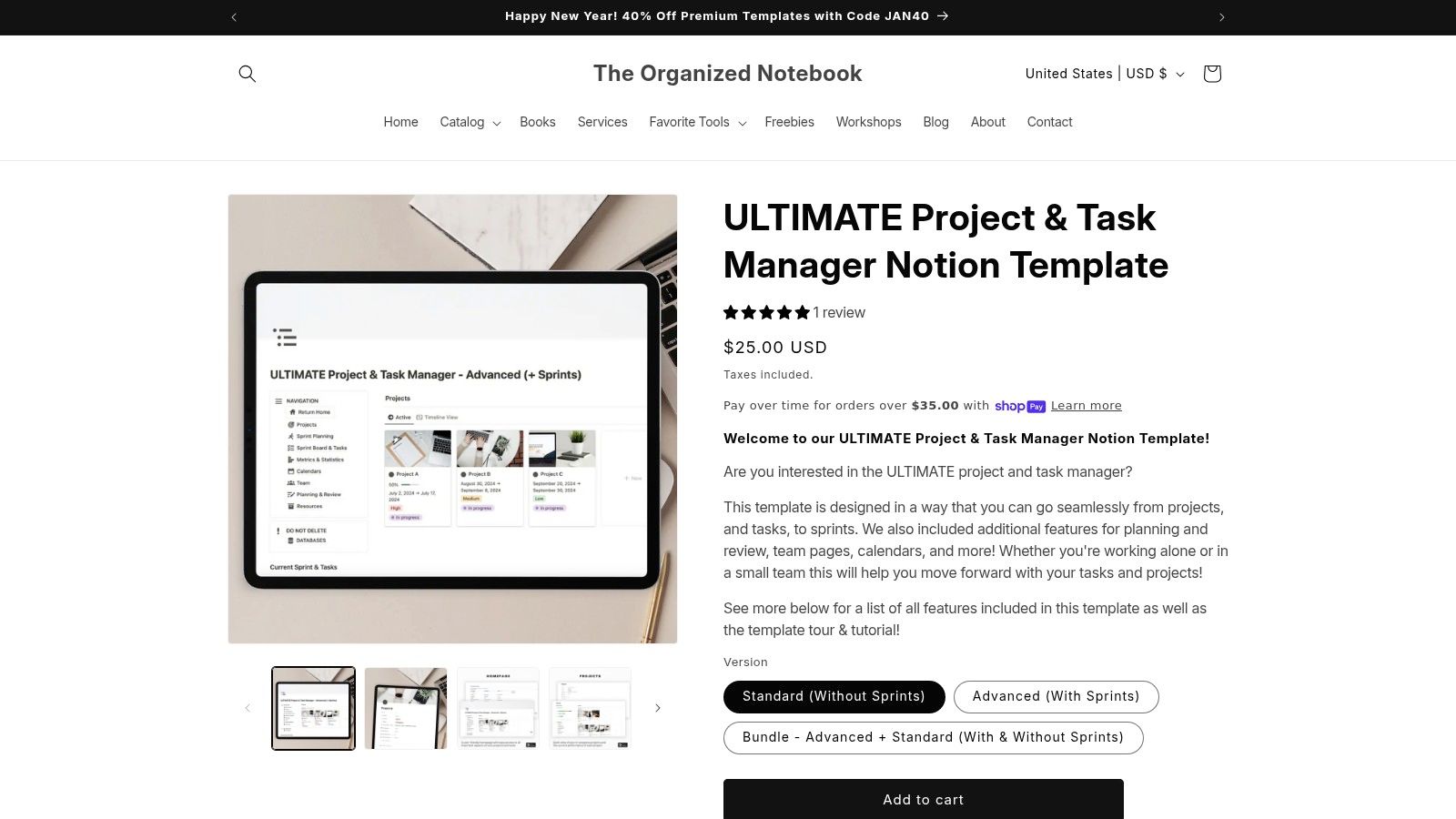
This template stands out with its clear hierarchical structure (Project → Task) and integrated calendars and review pages, promoting a holistic project management approach. It comes with detailed tutorials, ensuring users can leverage its full potential right away. The different package tiers allow you to choose the complexity you need without paying for unnecessary features. By integrating tools like NotionSender, you can further enhance this system; for example, you can use Notion to send emails related to project updates directly from your dashboard.
Key Features & Assessment
| Feature | Details | Our Take |
|---|---|---|
| Price | Paid (Around $25) | A worthwhile investment for a complete project system. |
| Views Included | Project, Task, Sprint, Calendar, Review Pages | A comprehensive set of views for detailed management. |
| Complexity | Medium | More involved than a simple to-do list, but well-documented. |
| Customization | High | Easily adapted to specific project management methodologies. |
Best Use Case: Freelancers, project managers, and small business owners who need an all-in-one system to track projects from high-level goals down to individual tasks. It's ideal for those who find basic to-do lists too limiting.
10. Notion Everything
Notion Everything serves as a curated directory and aggregator for Notion templates, making it an excellent discovery platform for anyone searching for their next task manager. Instead of hosting templates directly, it links out to creators, offering a centralized place to browse and compare a wide variety of options. It’s a great resource for finding a unique Notion to do list template that might not be on the official marketplace, giving you access to a broader community of creators.
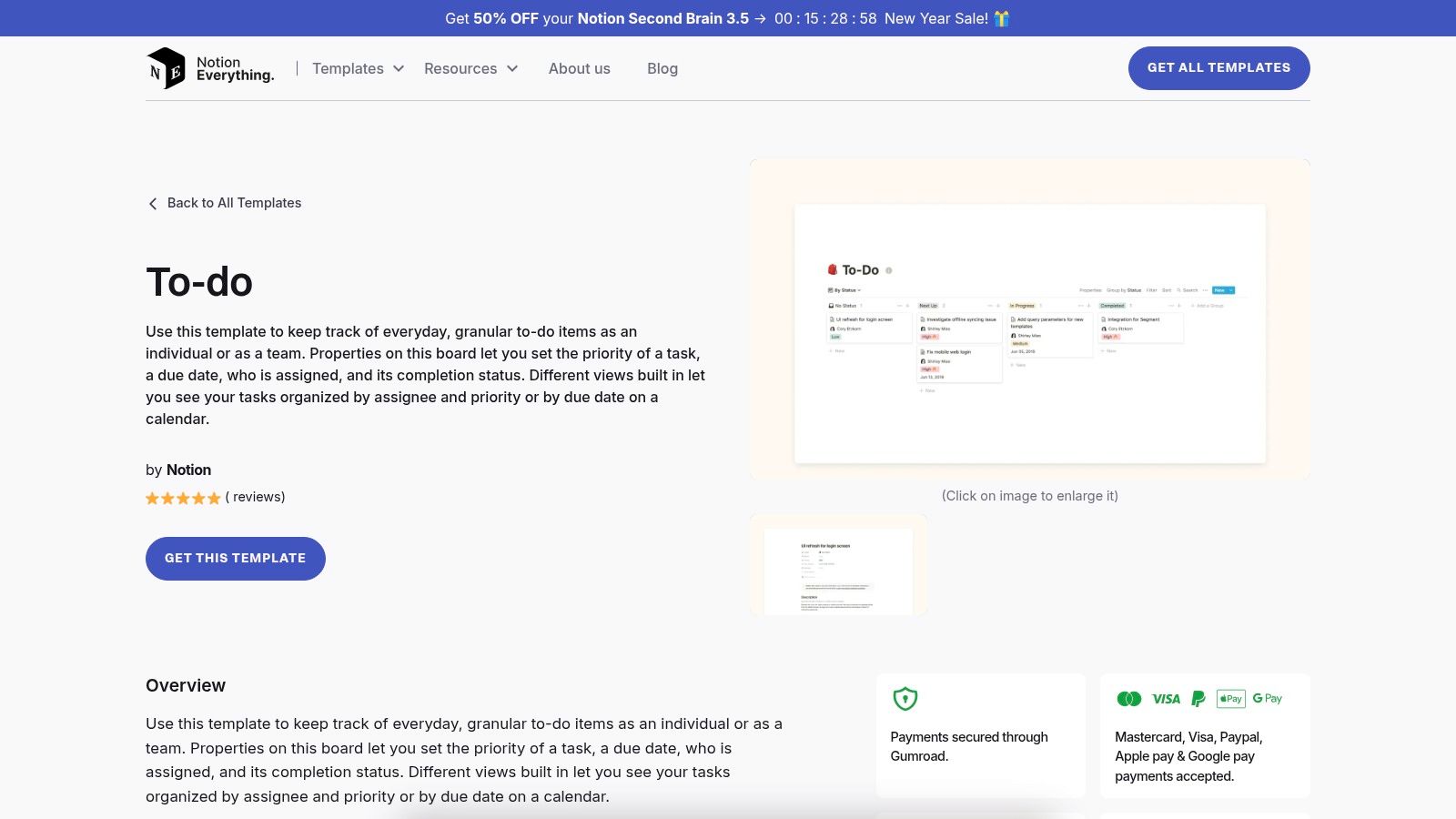
The platform's strength lies in its curation and presentation. Each listing includes clear screenshots, a description, and a direct link to get the template, simplifying the evaluation process. By vetting and organizing templates from across the web, Notion Everything saves you the time you would otherwise spend hunting for niche or specialized solutions. This makes it a valuable hub for both free and premium templates.
Key Features & Assessment
| Feature | Details | Our Take |
|---|---|---|
| Price | Varies (Free & Paid) | Offers a wide range of options for every budget. |
| Views Included | Varies by Template | The platform showcases templates with diverse features. |
| Complexity | Varies (Low to High) | Caters to both beginners and advanced Notion users. |
| Customization | Varies by Template | You can find both simple and highly complex systems. |
Best Use Case: Users looking to explore a wide variety of community-created to-do list templates beyond Notion's official offerings. It's ideal for discovering unique designs and workflows from independent creators.
11. Templateroad
For professionals and businesses seeking polished, productivity-focused systems, Templateroad offers a curated collection of premium Notion templates. This marketplace stands out with its clean, minimal aesthetic and a strong emphasis on business-oriented solutions. If you need a Notion to do list template that is meticulously designed and ready for professional use right out of the box, Templateroad provides high-quality, paid options that save you significant setup time.
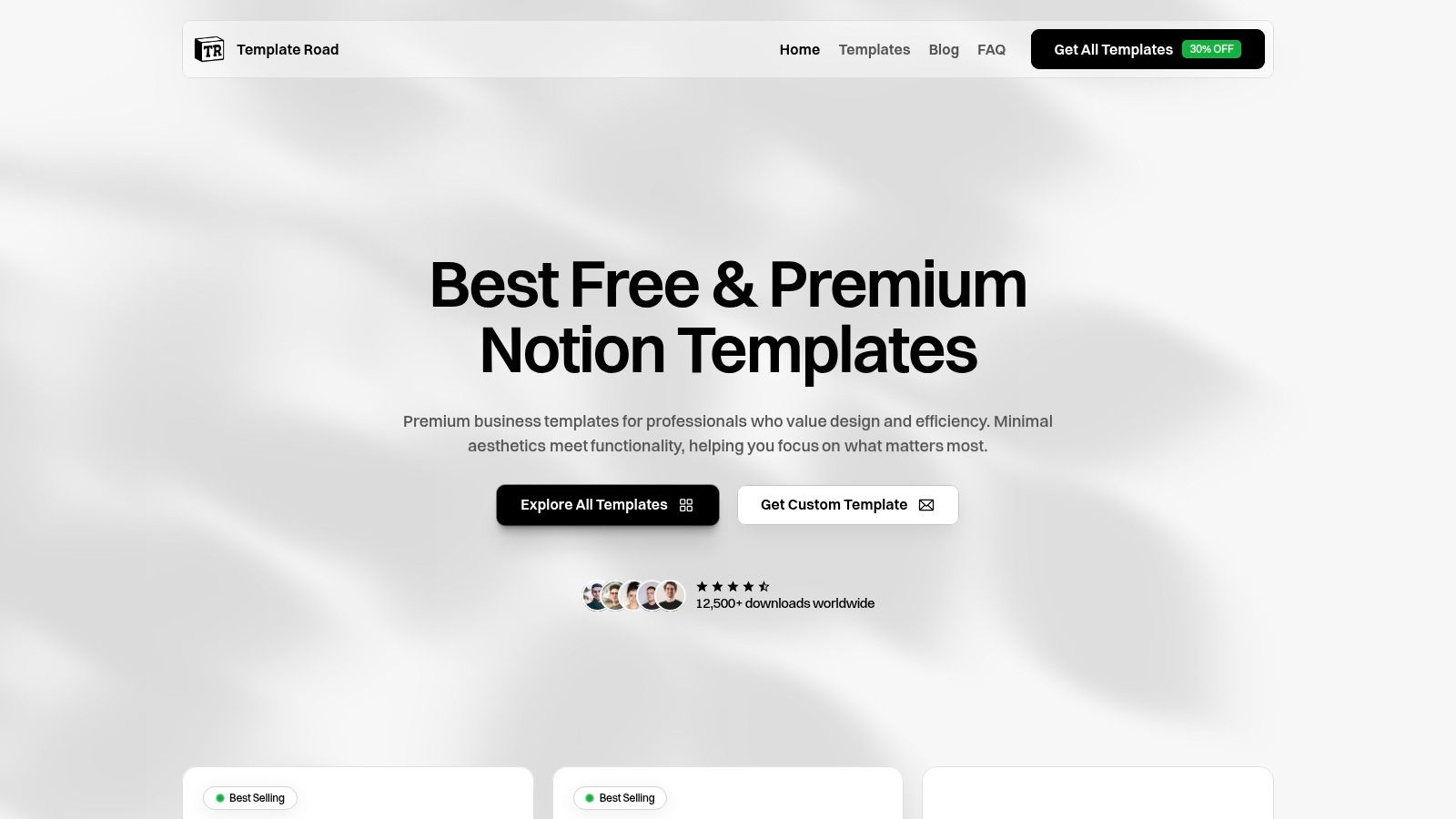
What makes Templateroad unique is its boutique approach, offering direct support and custom solutions for its templates. Unlike larger marketplaces, the focus here is on quality over quantity, with each template built to be both visually appealing and highly functional. Their bundles, like the 'Ultimate Bundle,' provide an integrated system for managing various aspects of a business, from tasks to projects and client relations.
Key Features & Assessment
| Feature | Details | Our Take |
|---|---|---|
| Price | Paid (Individual & Bundles) | A worthwhile investment for professionals needing a refined system. |
| Aesthetic | Clean, Minimal, Professional | Excellent for client-facing or team workspaces where presentation matters. |
| Support | Direct Support & Custom Solutions | A huge advantage for users who want help tailoring their setup. |
| Complexity | Medium | Templates are feature-rich but well-documented and intuitive to use. |
Best Use Case: Freelancers, agencies, and small businesses who value a professional, pre-built productivity system and are willing to invest in a premium, supported template to manage their workflows effectively.
12. Gumroad (Ahsante Bean - The Ultimate Notion To‑Do List Template)
For users seeking a comprehensive, all-in-one productivity system, creator-made templates on platforms like Gumroad offer robust solutions. Ahsante Bean’s Ultimate Notion To-Do List Template is a prime example, elevating the basic task list into a fully integrated life OS. This paid system connects projects, tasks, and habits in a centralized dashboard, providing a holistic view of your daily and long-term goals. It's an excellent Notion to do list template for those ready to invest in a pre-built, advanced setup.
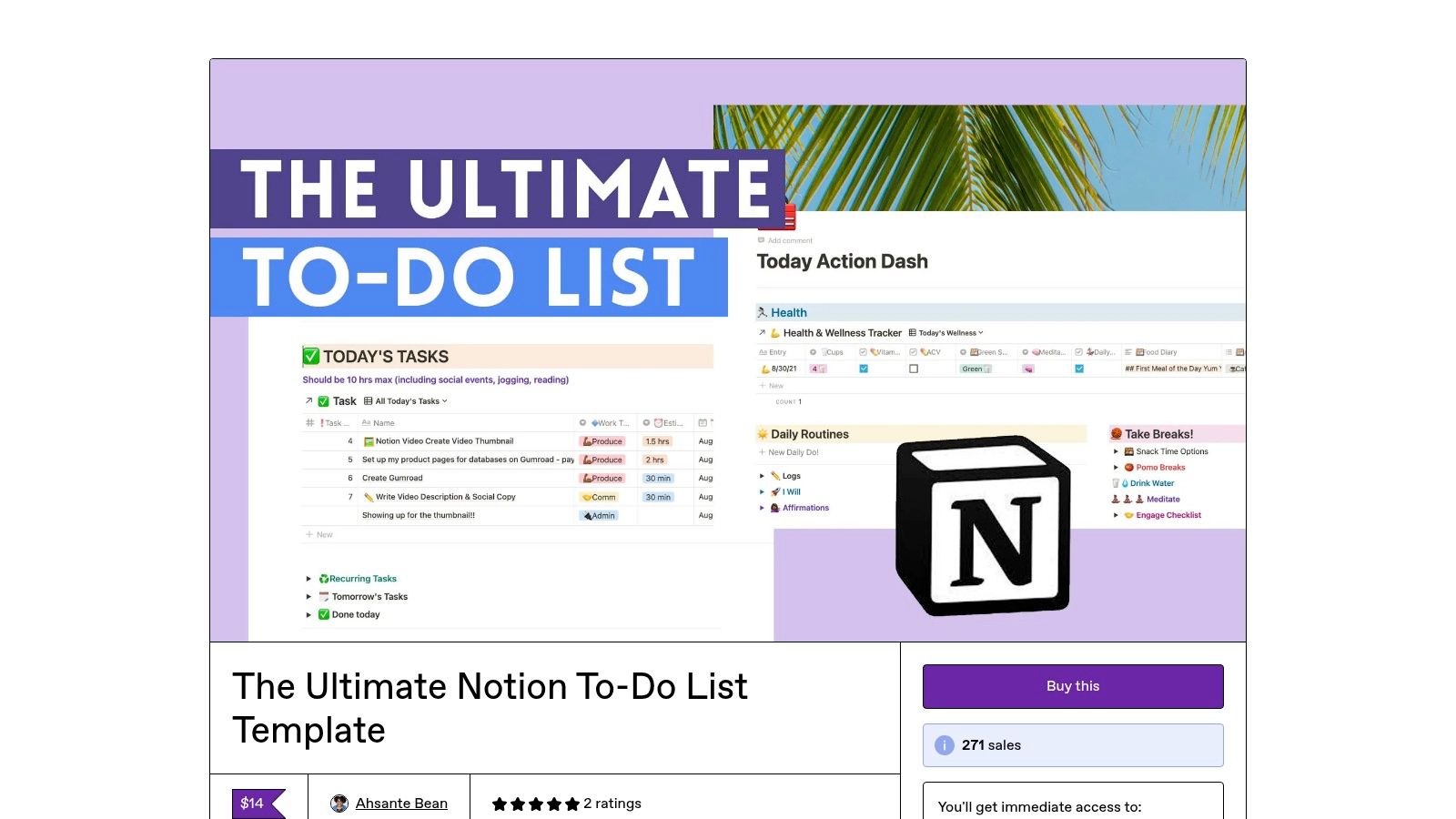
This template stands out by linking three core databases (habits, tasks, and projects), allowing for seamless navigation and progress tracking. It includes features like time estimates that automatically sum up your daily workload, helping you plan your day more effectively. Because it’s a creator product from a platform like Gumroad, it often comes with detailed walkthroughs and support, although refund policies can be limited.
Key Features & Assessment
| Feature | Details | Our Take |
|---|---|---|
| Price | Paid (Varies) | A worthwhile investment for a complete system. |
| Views Included | Dashboard, Weekly Review, Upcoming Tasks | Focused on high-level planning and daily execution. |
| Complexity | Medium | Powerful features require some time to learn. |
| Customization | Medium | Highly structured, but can be adapted to personal needs. |
Best Use Case: Individuals and freelancers who want a sophisticated, ready-to-use system that integrates task management with habit tracking and project planning without building it from scratch.
12 Notion To-Do Templates — Side-by-Side Comparison
| Item | Core Features ✨ | UX & Quality ★🏆 | Price & Value 💰 | Target Audience 👥 |
|---|---|---|---|---|
| Notion (Official) - To‑Do List | Free native template; multiple views (priority, due, calendar) | ★★★★☆ — Official, marketplace reviews | 💰 Free — great starter option | 👥 Individuals & small teams |
| Notion (Official) - Ultimate Tasks (Thomas Frank) | Advanced task/project DBs; recurring, subtasks, smart views | ★★★★★ — Power‑user favorite; docs 🏆 | 💰 Free — extremely feature‑rich | 👥 Power users & teams |
| Notionery | Curated, vetted templates; hand‑picked picks | ★★★★☆ — Quality control reduces risk | 💰 Mix free/paid — curated premium | 👥 Users who want vetted templates |
| Etsy - Notion To‑Do List category | Very large variety (800+); seller filters & instant delivery | ★★★☆☆ — Reviews vary by seller | 💰 Mostly low cost (often <$20) | 👥 Bargain hunters & variety seekers |
| Gridfiti Shop - Ultimate Planner Dashboard | Master tasks, dashboards, productivity tracking | ★★★★☆ — Professional design & support | 💰 Paid — premium planner product | 👥 Freelancers & small teams |
| Prototion - Master To‑Do List | Life‑area segmentation; multiple views; quick setup | ★★★☆☆ — Simple & fast to adopt | 💰 Free — marketplace bundles available | 👥 Casual users seeking no‑cost options |
| Easlo - Task Tracker | Today/Upcoming/Calendar views; mobile‑friendly | ★★★★☆ — Mobile‑optimized, minimal learning curve | 💰 Mostly free (some paid templates) | 👥 Mobile users & minimalists |
| Notion VIP - Bulletproof Task System | GTD/Eisenhower framework; inbox, dependencies, recurring | ★★★★★ — Expert design, deep docs 🏆 | 💰 Paid — premium for complex workflows | 👥 Project managers & power users |
| The Organized Notebook - Ultimate Project & Task Manager | Project→Task→Sprint hierarchy; calendars & reviews | ★★★★☆ — Clear packaging & tutorials | 💰 Paid (~$25) — tiered options | 👥 Solo users & small teams |
| Notion Everything | Directory aggregator with screenshots & demos | ★★★★☆ — Easy discovery & demos | 💰 Mix free/paid — links to creators | 👥 Discoverers comparing templates |
| Templateroad | Premium, minimal templates; business focus & bundles | ★★★★☆ — Polished design; direct support | 💰 Mostly paid — premium polish | 👥 Business users & buyers wanting polish |
| Gumroad (Ahsante Bean - Ultimate) | Linked DBs (habits, tasks, projects); dashboards; time estimates | ★★★★☆ — Creator support; instant access | 💰 Paid — creator pricing on purchase | 👥 Buyers of independent creator templates |
Choosing the Right System for Your Productivity Goals
We've journeyed through a diverse landscape of Notion to-do list templates, from the official, streamlined options provided by Notion itself to sophisticated, all-in-one dashboards from creators like Gridfiti and Easlo. Each template offers a unique approach to task management, underscoring the incredible flexibility of Notion as a platform for building a truly personal productivity system. The key takeaway is that there is no single "best" template; the most effective system is the one that aligns seamlessly with your individual workflow, project complexity, and personal preferences.
The power of a well-chosen notion to do list template lies not in its initial features but in its ability to adapt and grow with you. A freelancer might gravitate towards the simplicity of Notionery's focused templates, while a project manager overseeing multiple teams could find immense value in the robust relational databases of the Bulletproof Task System.
From Selection to Implementation
Choosing a template is just the first step. The true test of its effectiveness comes during implementation. Here are the crucial factors to consider as you integrate a new system into your daily routine:
- Commit to a Trial Period: Give any new template a fair shot. Spend at least one to two weeks using it consistently before deciding if it's the right fit. Initial friction is normal when adopting a new workflow.
- Prioritize Simplicity: It's tempting to choose the most feature-rich template available. However, complexity can quickly become a barrier. Start with a system that meets your core needs and only add advanced features as you identify a genuine requirement for them.
- Customize Fearlessly: The templates we've explored are starting points, not rigid structures. Don't hesitate to modify properties, change database views, or adjust layouts to better suit your brain. This customization is what makes Notion so powerful.
Finding Your Prioritization Method
A common thread among the most effective templates is a built-in method for prioritization, often using frameworks like the Eisenhower Matrix. If your chosen template lacks a strong prioritization feature, or if you want to refine your approach, it's essential to define how you'll identify what's truly important. To assist in choosing the most suitable approach, exploring various priority matrix template tools can offer valuable insights into effective task management and prioritization within any system. This will ensure you're not just tracking tasks, but actively working on the ones that deliver the most impact.
Ultimately, the goal is to build a system that reduces mental friction and empowers you to focus on meaningful work. Whether you adopt a pre-built notion to do list template or use these examples as inspiration to build your own, the perfect setup is one that feels intuitive, reliable, and uniquely yours.
Ready to supercharge your new Notion to-do list? NotionSender allows you to forward emails directly into any Notion database, instantly turning them into actionable tasks. Stop manually copying and pasting information and start building a seamless workflow by visiting NotionSender to connect your inbox to Notion today.

