
12 Best Sales Pipeline Management Tools for 2025
A well-managed sales pipeline is the engine of predictable revenue. Yet, relying on spreadsheets and scattered notes often leads to missed opportunities and inaccurate forecasts. The right sales pipeline management tools transform this chaos into clarity, providing visual dashboards, automating tedious tasks, and offering insights that help your team close deals faster and more efficiently. Without a dedicated system, valuable leads can fall through the cracks, follow-ups are forgotten, and your sales process remains a reactive, unpredictable cycle.
This guide cuts through the noise to help you find the perfect solution for your specific needs. We'll analyze a comprehensive range of platforms, from enterprise-grade CRMs like Salesforce to agile tools like Pipedrive and flexible Notion-based workflows. Whether you're a freelancer, a small business owner, or part of a growing sales team, this resource is designed to help you pinpoint the ideal tool to structure your sales process, improve visibility, and drive consistent growth.
Here, you will find a detailed breakdown of the top platforms on the market. For each tool, we provide:
- Practical use-case scenarios to see how it fits into real-world workflows.
- An honest assessment of its strengths and limitations.
- Actionable implementation guidance and integration notes.
Every entry includes screenshots for a clear visual reference and direct links to explore further. Our goal is to equip you with the information needed to select and implement one of the best sales pipeline management tools that aligns perfectly with your team’s size, process, and budget. Let's get started.
1. Salesforce Sales Cloud
Salesforce Sales Cloud stands as the enterprise-grade titan in the world of sales pipeline management tools. It's a comprehensive CRM platform designed for complex sales organizations that require deep customization, robust analytics, and scalable infrastructure. Its core strength lies in its ability to provide a 360-degree view of the customer journey, from lead generation to deal closure and beyond.
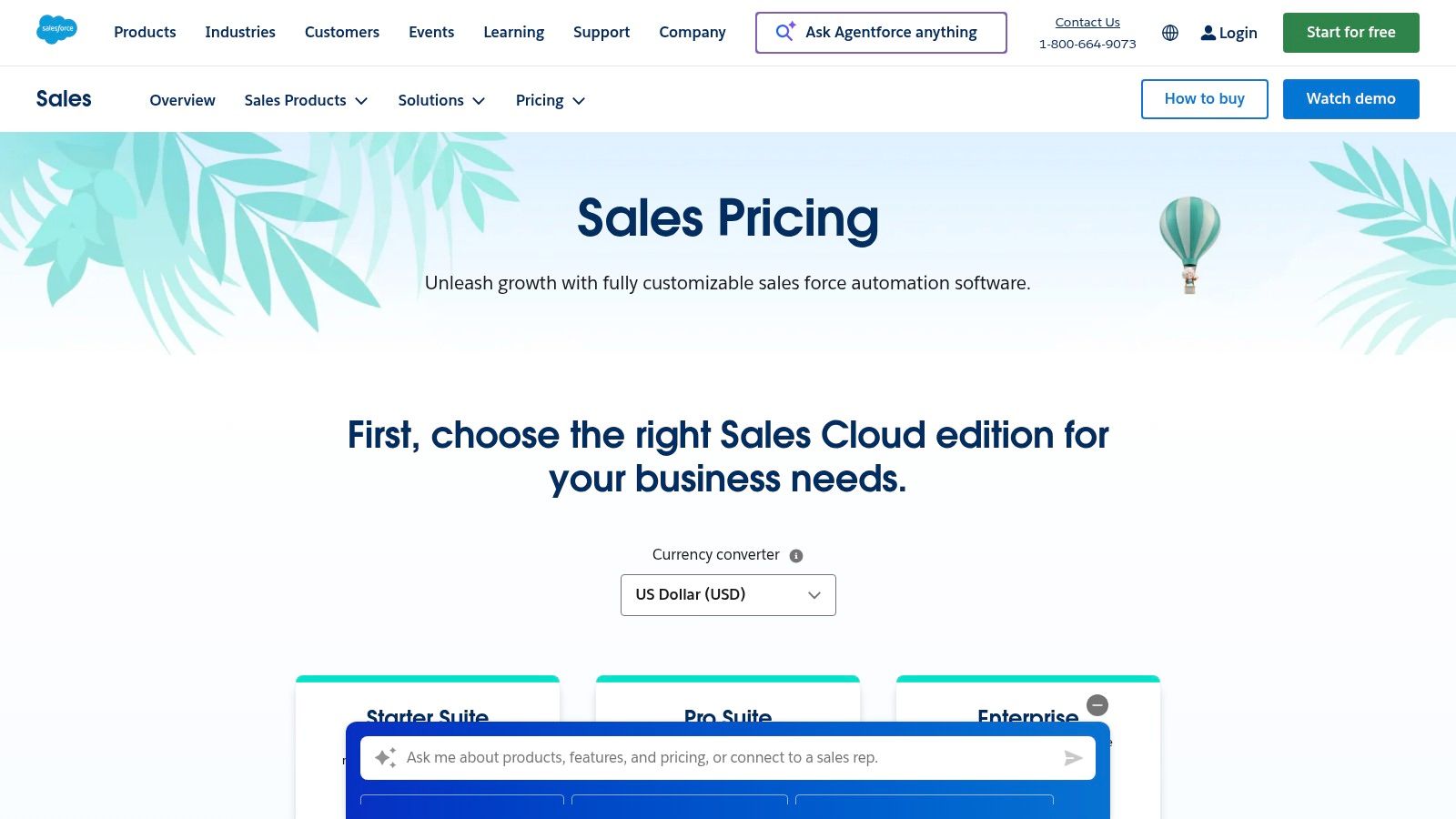
Unlike simpler tools, Salesforce allows teams to meticulously define and automate every aspect of their pipeline. The "Pipeline Inspection" feature gives sales leaders a consolidated view of pipeline health, highlighting deals that need attention with AI-powered insights and deal scoring. This granular control makes it ideal for large teams managing multifaceted sales cycles.
Key Features & Considerations
Salesforce is more than a platform; it's an ecosystem. Its AppExchange offers thousands of applications to extend its functionality, making it one of the most versatile options available.
- Best For: Enterprise-level businesses and fast-growing mid-market companies needing a highly configurable and scalable CRM.
- Pricing: Starts at $25/user/month (billed annually) for the "Starter" plan, scaling up to $500/user/month for "Unlimited+" with advanced AI features.
- Pros: Extremely customizable, vast integration capabilities via its AppExchange, and enterprise-level security.
- Cons: Can be complex to implement and manage without a dedicated administrator, leading to a higher total cost of ownership.
For those utilizing Salesforce Sales Cloud, mastering integration in Salesforce CRM is key to extending its capabilities and connecting it with other vital business applications. This strategic approach ensures data flows seamlessly across your entire tech stack, maximizing the platform's value.
Website: https://www.salesforce.com/sales/pricing/
2. HubSpot Sales Hub
HubSpot Sales Hub has cemented its position as one of the most accessible yet powerful sales pipeline management tools, particularly for small to mid-sized businesses. It excels by integrating sales activities directly into the broader HubSpot ecosystem, connecting pipelines seamlessly with marketing campaigns and customer service tickets. Its visual, drag-and-drop deal pipeline is incredibly intuitive, allowing teams to get up and running in minutes, not weeks.
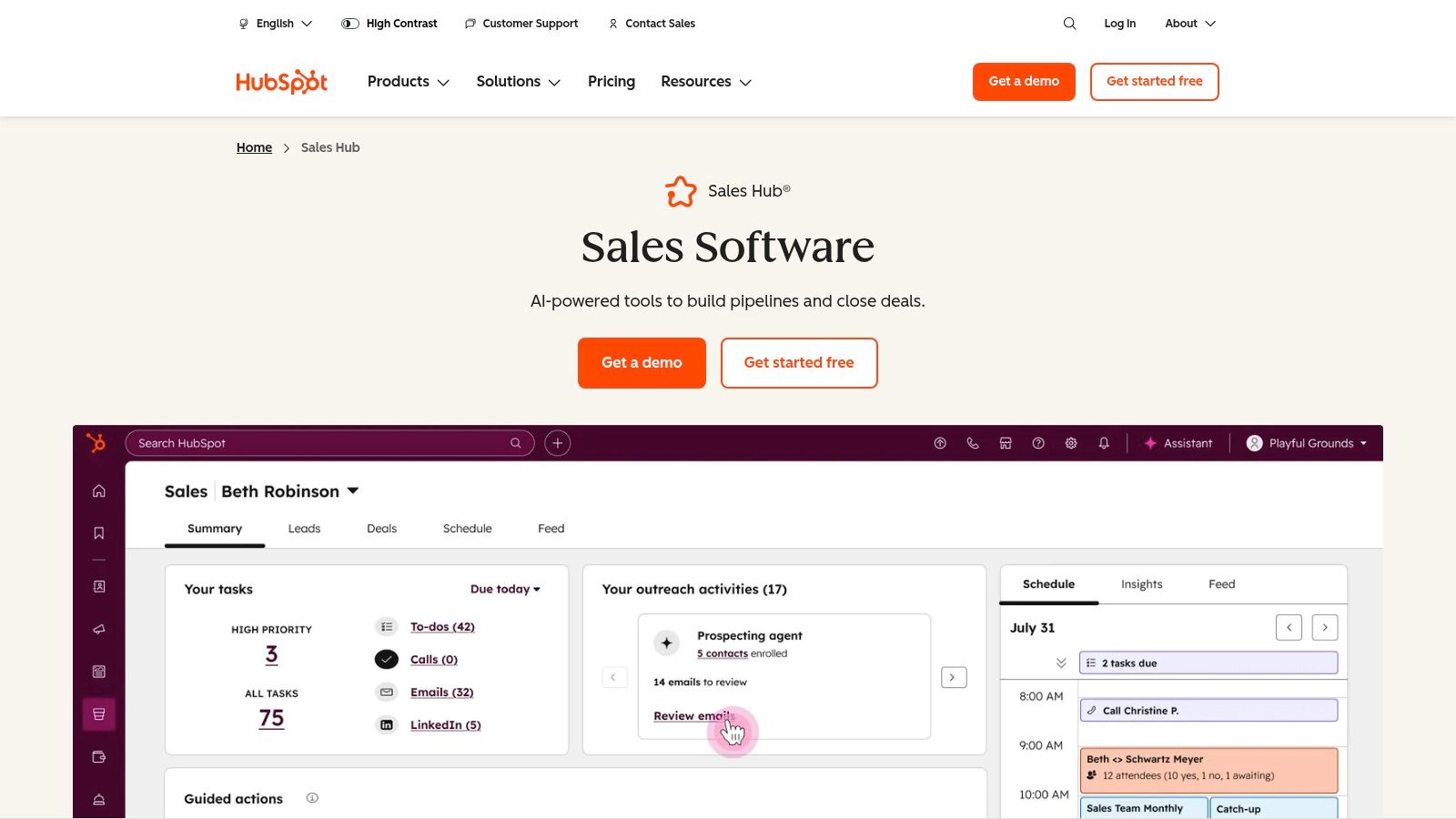
Unlike enterprise-first platforms, HubSpot's core strength is its user-friendly interface and the value provided in its free and entry-level tiers. Features like email tracking, meeting scheduling, and a basic pipeline are available at no cost, making it an ideal starting point for growing teams. The platform scales effectively, adding sophisticated sales automation, forecasting, and reporting as business needs evolve.
Key Features & Considerations
HubSpot's tight integration with its Marketing and Service Hubs provides a unified view of the customer, making it a go-to choice for businesses prioritizing alignment across departments. The platform's new seats-based model offers more flexibility for teams with varying roles.
- Best For: SMBs and mid-market companies seeking an all-in-one platform with a strong focus on ease-of-use and marketing alignment.
- Pricing: Offers a robust free plan. Paid plans start at $15/user/month (billed annually) for "Starter," scaling to $150/user/month for "Professional" with mandatory onboarding fees.
- Pros: Very fast to set up with an easy UI, excellent native alignment with marketing and service, and generous free tools for getting started.
- Cons: Advanced automation and reporting are gated to higher tiers, and onboarding fees at Professional/Enterprise tiers can be significant.
For teams looking to connect their CRM activities with other productivity tools, understanding how to create and send email from Notion can centralize communication workflows, bridging the gap between your pipeline and documentation hub.
Website: https://www.hubspot.com/products/sales
3. Pipedrive
Pipedrive is a sales-first CRM celebrated for its intuitive, activity-based selling approach. It was designed from the ground up to help teams visualize their sales process and focus on the actions that close deals. Its core strength is the Kanban-style visual pipeline, where users can drag and drop deals between custom stages, making it one of the most user-friendly sales pipeline management tools for small to midsize businesses.
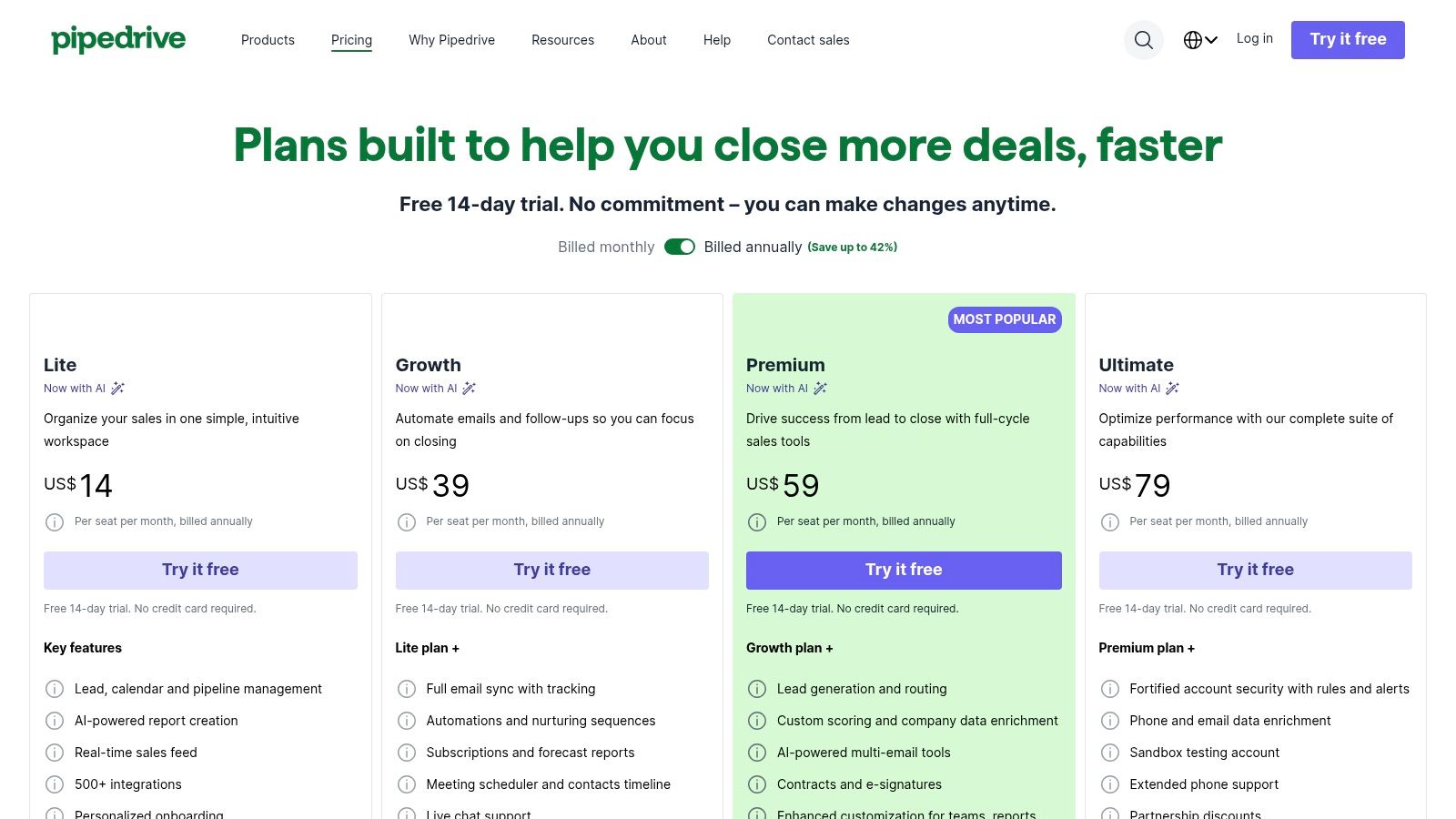
Unlike more complex, all-in-one platforms, Pipedrive prioritizes simplicity and usability, ensuring quick onboarding and a fast time-to-value. Features like deal rotting highlight neglected deals, while its workflow automation handles routine administrative tasks, freeing up reps to sell. This focused design helps teams maintain momentum and clarity without getting bogged down by a complex system.
Key Features & Considerations
Pipedrive's ecosystem is robust, offering over 500 integrations and several powerful add-ons for lead generation, document management, and project tracking. This allows teams to build a customized sales stack around a highly effective pipeline core.
- Best For: Small and midsize sales teams who need a visually intuitive, easy-to-adopt CRM focused purely on pipeline management and sales activities.
- Pricing: Begins at $14.90/user/month (billed annually) for the "Essential" plan, scaling to the "Power" plan at $59.90/user/month for more advanced features.
- Pros: Extremely intuitive drag-and-drop pipeline interface, strong mobile app parity, and affordable mid-tier plans packed with value.
- Cons: Does not offer a permanent free plan, and key functionalities like lead generation (LeadBooster) and document signing are paid add-ons.
For teams aiming for maximum efficiency, Pipedrive's visual pipeline combined with its straightforward reporting provides a clear, actionable overview of sales health and individual performance at a glance.
Website: https://www.pipedrive.com/en/pricing
4. Zoho CRM
Zoho CRM carves out a significant niche by offering a powerful, all-in-one platform that rivals enterprise-level tools but at a price point accessible to small and mid-market businesses. It provides a comprehensive suite of features for sales pipeline management, blending sales force automation, analytics, and marketing tools into a unified system. Its strength lies in its balance of robust functionality and affordability.
Unlike many competitors in its price range, Zoho offers deep customization, allowing teams to create multiple pipelines, custom deal stages, and automated scoring rules. At higher tiers, its AI assistant, Zia, provides predictive insights, anomaly detection, and suggestions for the next best action, helping teams focus on the most promising deals. This makes it an excellent choice for businesses looking for advanced sales pipeline management tools without an enterprise budget.
Key Features & Considerations
Zoho's true power is unlocked when used within its broader ecosystem of business apps, creating a seamless operational experience from sales to finance and support.
- Best For: SMBs and mid-market companies seeking a feature-rich CRM with strong automation capabilities and an affordable entry point.
- Pricing: Offers a free-forever plan for up to 3 users. Paid plans start at $14/user/month (billed annually) and scale up to $52/user/month for the "Ultimate" edition.
- Pros: Excellent value for money, extensive integration with the Zoho ecosystem, and strong mobile app functionality.
- Cons: The user interface can feel crowded, and accessing advanced AI features requires subscribing to more expensive tiers.
Website: https://www.zoho.com/crm/
5. Microsoft Dynamics 365 Sales
Microsoft Dynamics 365 Sales is an enterprise-grade solution that shines brightest within organizations already committed to the Microsoft ecosystem. It moves beyond being a standalone CRM, offering deep, native integrations with Microsoft 365, Teams, and the Power Platform. Its primary strength is its ability to centralize sales activities within familiar applications like Outlook and Teams, reducing context switching and leveraging existing infrastructure.
Unlike other CRMs, Dynamics 365 embeds Copilot AI to provide sales teams with actionable insights directly where they work. Features like AI-assisted lead scoring, pipeline health summaries, and automated task sequences help reps prioritize their efforts effectively. This tight integration makes it one of the most powerful sales pipeline management tools for businesses that want to maximize their investment in Microsoft technology.
Key Features & Considerations
Dynamics 365 Sales leverages the entire Power Platform, allowing for extensive customization and automation without requiring deep coding knowledge. This connection enables businesses to build custom apps and analytics dashboards that perfectly suit their sales processes.
- Best For: Large and mid-sized enterprises that are heavily invested in the Microsoft software stack (Microsoft 365, Azure, Power BI).
- Pricing: Begins at $65/user/month for the "Sales Professional" plan, with "Sales Enterprise" starting at $95/user/month.
- Pros: Seamless, best-in-class integration with the Microsoft stack, powerful analytics via Power BI, and robust enterprise-grade security.
- Cons: Can be complex and costly to implement, with enterprise pricing that can quickly escalate depending on the features required.
Website: https://dynamics.microsoft.com/en-us/sales/
6. Freshsales by Freshworks
Freshsales positions itself as an intuitive, all-in-one sales CRM that excels in unifying communication channels directly within the pipeline. It is designed for small to mid-sized businesses that want to eliminate tool sprawl by consolidating email, chat, and phone into a single platform. Its core strength is its user-friendly interface combined with powerful, AI-driven automation and insights.
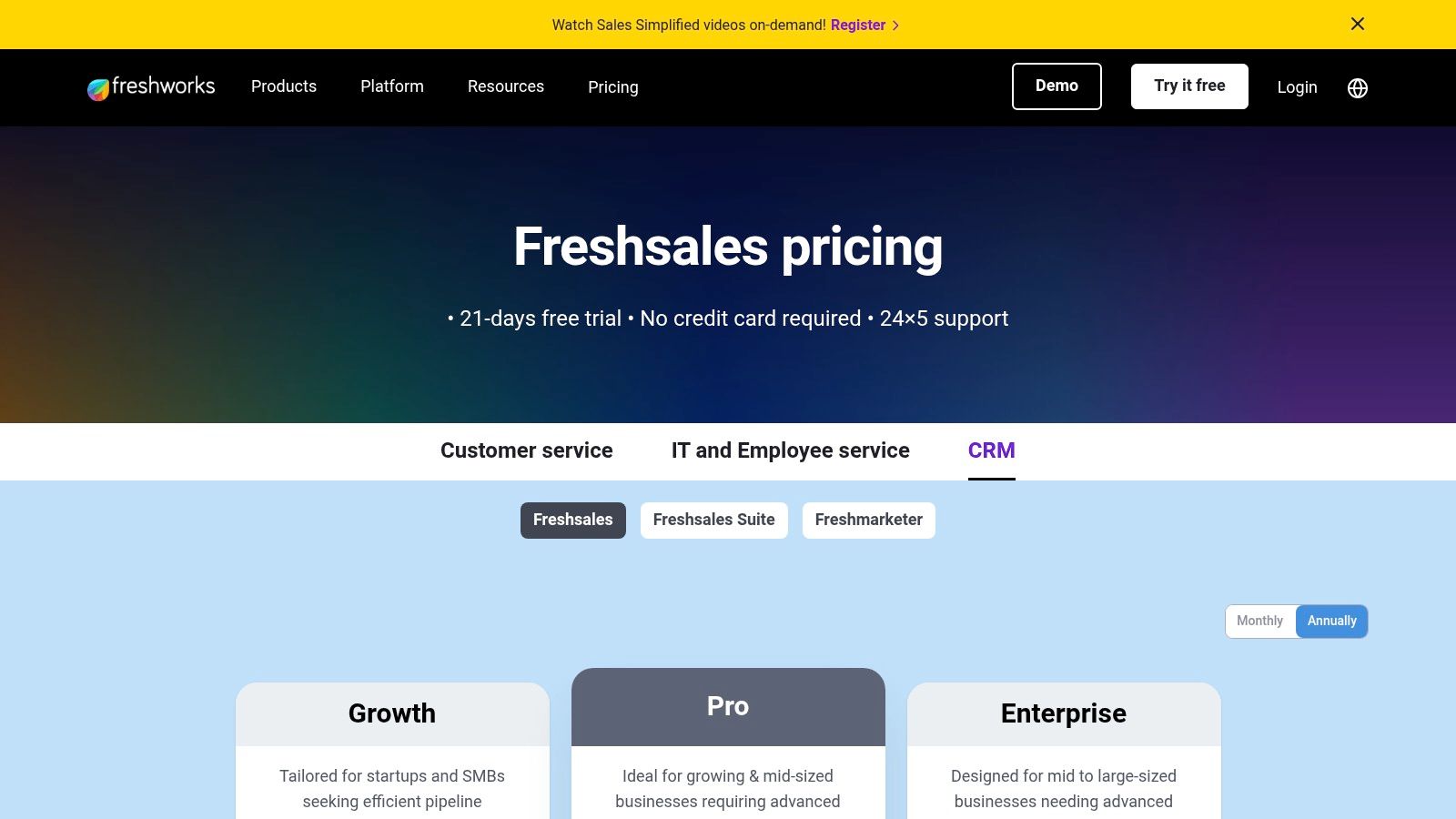
Unlike many CRMs that require third-party integrations for communications, Freshsales offers these capabilities natively. The Freddy AI assistant enhances pipeline management by providing predictive lead scoring, deal insights, and sales forecasting, helping teams prioritize their efforts effectively. Visual Kanban-style pipelines make it easy for reps to track deal progress and identify bottlenecks at a glance.
Key Features & Considerations
Freshsales strikes a balance between comprehensive features and ease of use, making it a compelling choice for teams that need robust functionality without a steep learning curve. The platform is available as a standalone sales CRM or as part of the larger Freshworks Customer Service Suite.
- Best For: Small to mid-sized businesses looking for an affordable, all-in-one CRM with built-in communication tools and AI-powered insights.
- Pricing: Offers a free-forever plan for up to 3 users. Paid plans start at $15/user/month (billed annually) for "Growth" and scale to $69/user/month for "Enterprise."
- Pros: Very competitive pricing with a generous free plan, integrated communication tools reduce complexity, and a clean, modern user interface.
- Cons: Advanced AI features are reserved for higher-tier plans, and extensive marketing automation requires upgrading to the Freshworks Suite.
Website: https://www.freshworks.com/crm/pricing/
7. monday sales CRM
monday sales CRM adapts the popular monday.com work OS into a dedicated platform for sales teams who thrive on visual workflow management. Its core strength lies in its highly customizable boards, which allow sales teams to design their ideal pipeline from scratch, complete with automated triggers and visual progress indicators. This makes it a standout choice for teams that find traditional CRMs too rigid or prescriptive.
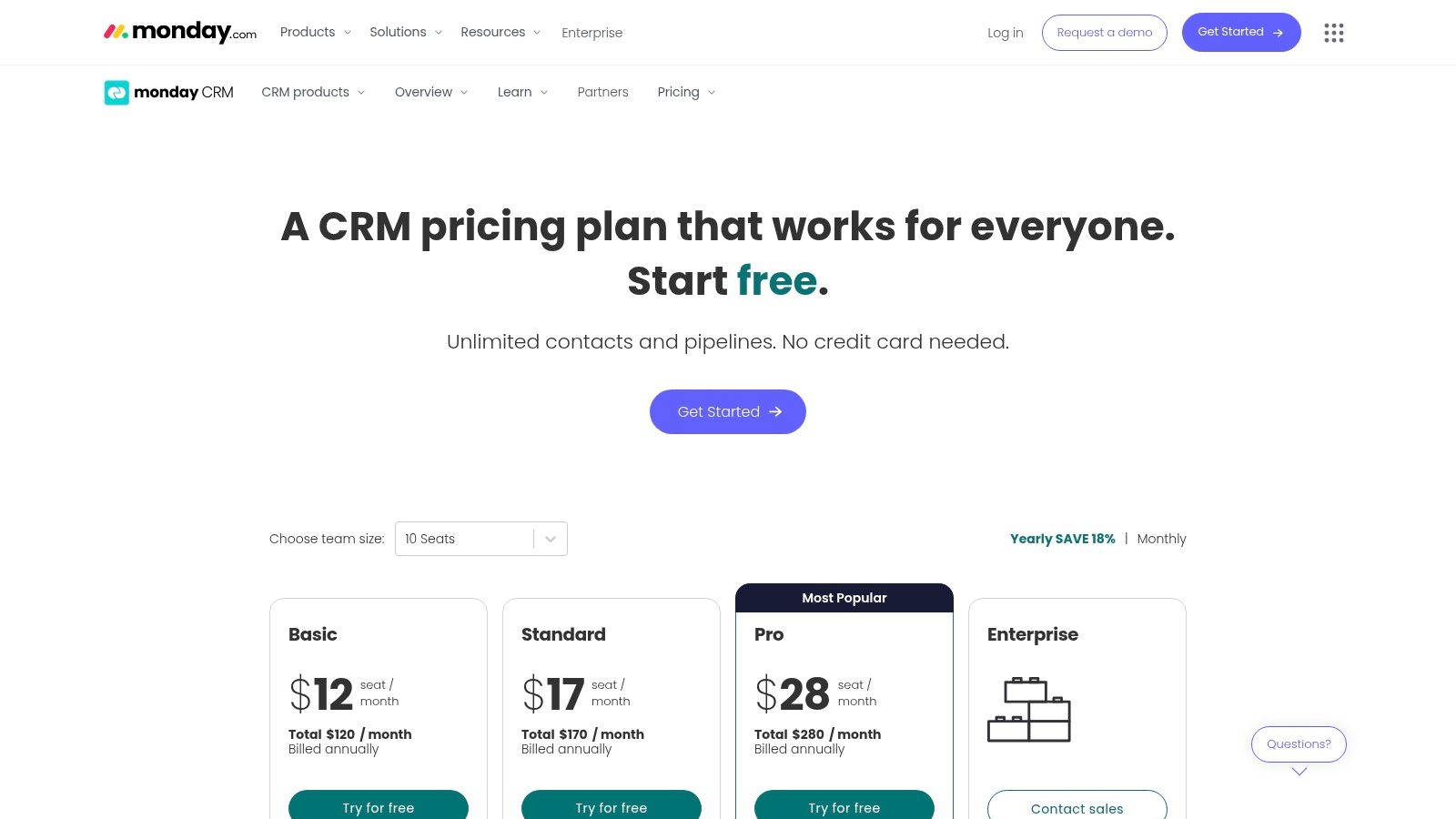
Unlike many competitors, monday's platform excels at centralizing communication and activities directly within the pipeline context. Features like two-way email sync and automated activity tracking ensure that all interactions are logged against the relevant deal, eliminating the need to switch between an inbox and a CRM. This focus on a unified, visual workspace helps teams maintain momentum and clarity across all stages of the sales cycle.
Key Features & Considerations
monday sales CRM is one of the most flexible sales pipeline management tools, allowing you to build and automate workflows that perfectly match your sales process, rather than forcing your process to fit the software.
- Best For: Small to mid-sized teams that need a highly visual, customizable, and automation-driven platform to manage their entire sales process.
- Pricing: Begins at $10/seat/month (billed annually) for the "Basic" plan, but most key features like automations and integrations require the "Standard" plan at $14/seat/month. All paid plans have a 3-seat minimum.
- Pros: Extremely flexible and visual interface, powerful automation capabilities, and unlimited free viewers for stakeholder collaboration.
- Cons: Pricing is based on seat bundles (e.g., 3, 5, 10+ seats), which can be costly for smaller teams. Initial setup can be time-consuming to perfectly model complex sales processes.
Website: https://monday.com/crm/pricing
8. Copper CRM (for Google Workspace)
Copper CRM is purpose-built for businesses that live inside Google Workspace. It stands out by deeply embedding its sales pipeline management tools directly into Gmail, Google Calendar, and Drive, eliminating the need for constant context switching. Its core value is providing a seamless, native experience for Google-centric teams, automating data entry from emails and meetings to keep the pipeline updated with minimal manual effort.
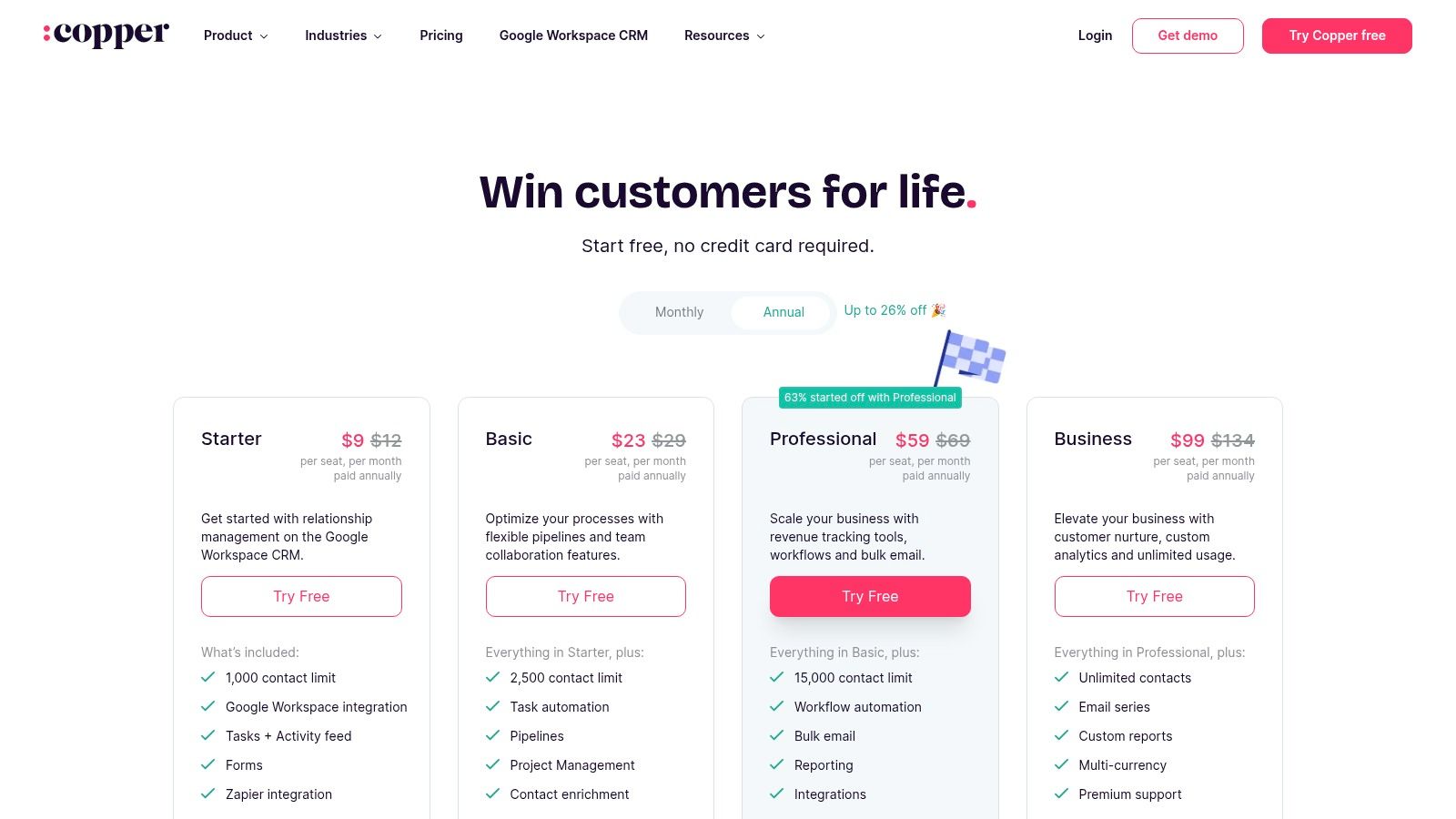
Unlike standalone platforms, Copper’s strength is its unparalleled integration with Google's ecosystem. It automatically scrapes contact information, logs email threads, and syncs meeting details to the relevant deal, making it one of the most user-friendly sales pipeline management tools for teams prioritizing simplicity and efficiency. This tight integration ensures high adoption rates within organizations already standardized on Google Workspace.
Key Features & Considerations
Copper’s focus on the Google environment makes it a powerful, low-friction choice for a specific type of user. It offers visual pipeline boards, workflow automation, and insightful reporting without the complexity of enterprise-level systems.
- Best For: Small to mid-sized businesses and agencies that operate exclusively within the Google Workspace ecosystem.
- Pricing: Starts at $23/user/month (billed annually) for the "Basic" plan, with "Professional" and "Business" tiers offering more automation and integrations.
- Pros: Exceptional native integration with Gmail and Google Workspace, very easy to adopt for Google-first teams, and automates tedious data entry tasks.
- Cons: Less suitable for companies not using Google Workspace, and lower-tier plans have contact limitations and fewer advanced features.
Website: https://www.copper.com/pricing
9. Close
Close is a high-velocity sales CRM designed specifically for inside sales teams who live on the phone and in their inbox. It merges powerful communication tools directly with a visual sales pipeline, eliminating the need for separate dialing or email sequencing software. Its core philosophy is to empower reps to communicate more effectively and spend less time on administrative tasks.
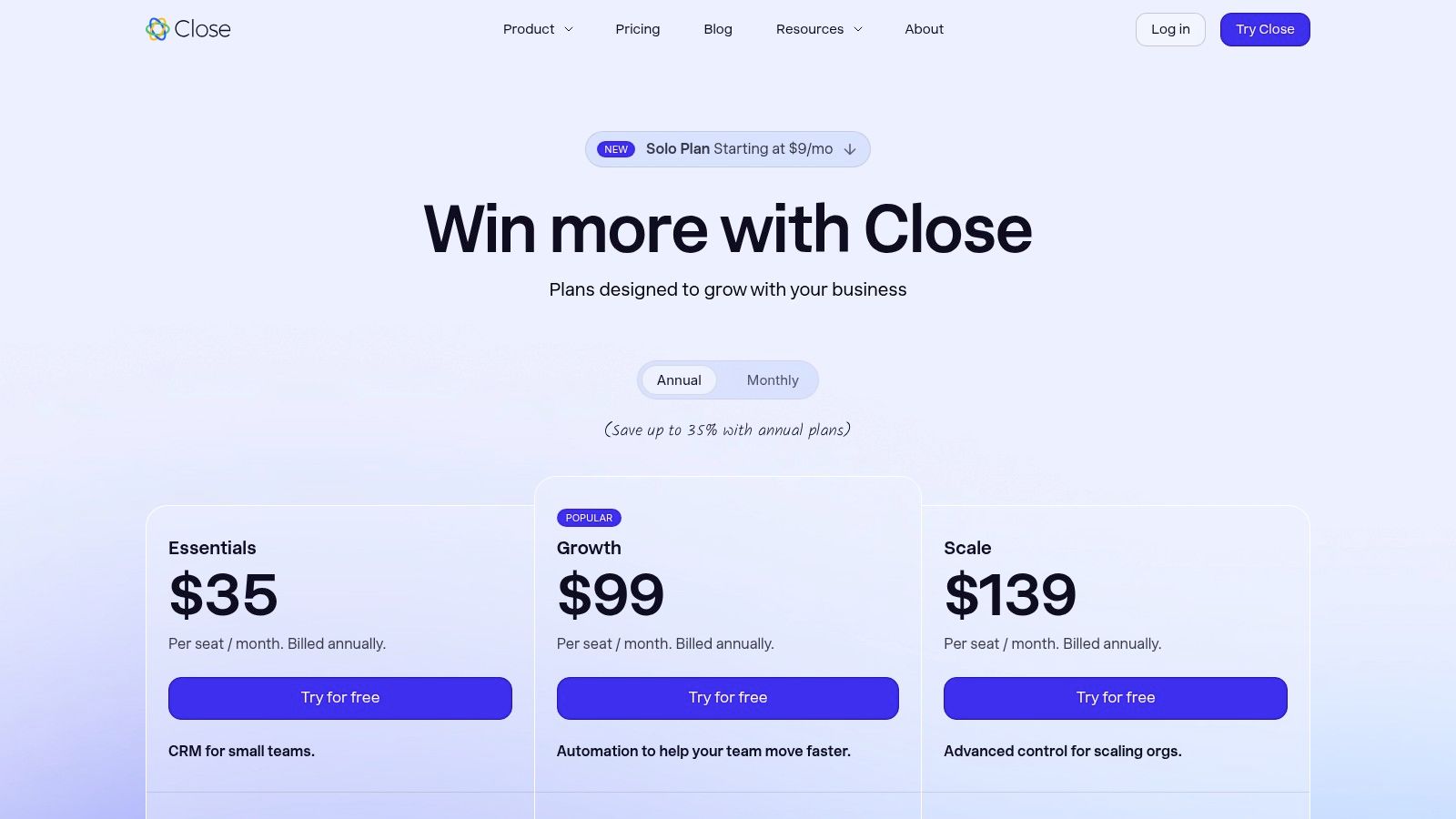
Unlike traditional CRMs where communication is an add-on, Close builds the entire workflow around outreach. Features like native calling, SMS, and powerful email automation are central to the experience. The platform's Power and Predictive Dialers are standout features, enabling teams to dramatically increase their call volume and connect with more prospects, making it one of the most efficient sales pipeline management tools for high-touch teams.
Key Features & Considerations
Close’s all-in-one approach simplifies the sales stack, making it easy for small and mid-sized teams to get up and running quickly. The focus is squarely on execution, with every feature designed to facilitate the next conversation.
- Best For: Small to midsize inside sales teams that rely heavily on calls, SMS, and email to drive their sales process.
- Pricing: Starts at $99/user/month (billed annually) for the "Professional" plan, scaling to a "Business" plan with predictive dialing and custom features.
- Pros: All-in-one outreach and CRM functionality, powerful native dialing and texting capabilities, and a user-friendly interface that is easy to implement.
- Cons: Telephony usage fees and optional AI add-ons can increase the total cost, and advanced sales operations controls are reserved for higher-tier plans.
To maximize the platform's email capabilities, it's crucial to understand how to craft compelling messages. Getting tips on how to send the perfect email can significantly boost your engagement rates within Close's native sequencer.
Website: https://www.close.com/pricing
10. Keap
Keap positions itself as an all-in-one CRM, sales, and marketing automation platform specifically designed for service-based small businesses. It goes beyond simple pipeline tracking by integrating powerful automation, invoicing, and client communication tools into a single ecosystem. This combination allows businesses to manage the entire customer lifecycle, from initial lead capture and nurturing to closing deals and processing payments.
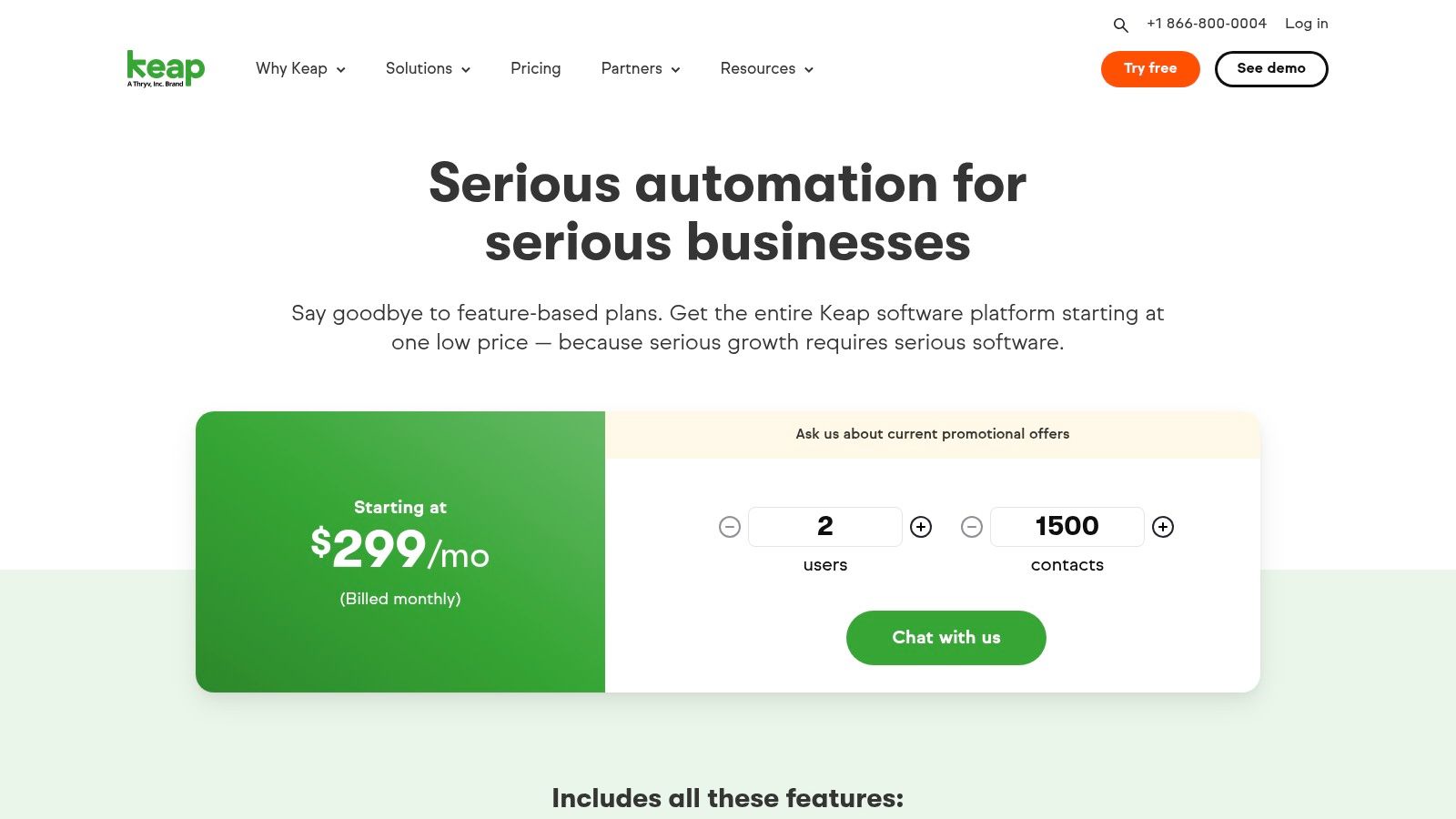
The platform’s standout feature is its visual automation builder, which empowers users to create sophisticated follow-up sequences using a drag-and-drop interface. For businesses that need robust sales pipeline management tools coupled with automated marketing, Keap offers a compelling, integrated solution. It helps streamline operations by consolidating tasks that would otherwise require multiple separate applications.
Key Features & Considerations
Keap’s strength lies in automating the repetitive tasks that bog down small business owners, allowing them to focus on growth and client relationships. Its US-based support and dedicated onboarding are significant advantages for teams needing hands-on guidance.
- Best For: Small to mid-sized service businesses in the US looking for a unified CRM with deep marketing and sales automation capabilities.
- Pricing: Plans start at $159/month (billed annually) for the "Pro" plan, with pricing increasing based on the number of contacts and users.
- Pros: Powerful and flexible automation builder, strong US-based phone support, and all-in-one CRM, marketing, and invoicing features.
- Cons: The pricing can become expensive as your contact list grows, and there is no permanent free plan available.
Website: https://keap.com/pricing
11. Salesflare
Salesflare is a sales pipeline management tool designed for small to medium-sized businesses that want to eliminate manual data entry. It intelligently automates data capture by pulling information from emails, calendars, company databases, and social media. This focus on automation keeps the pipeline up-to-date with minimal effort, allowing lean sales teams to focus on selling rather than administrative tasks.
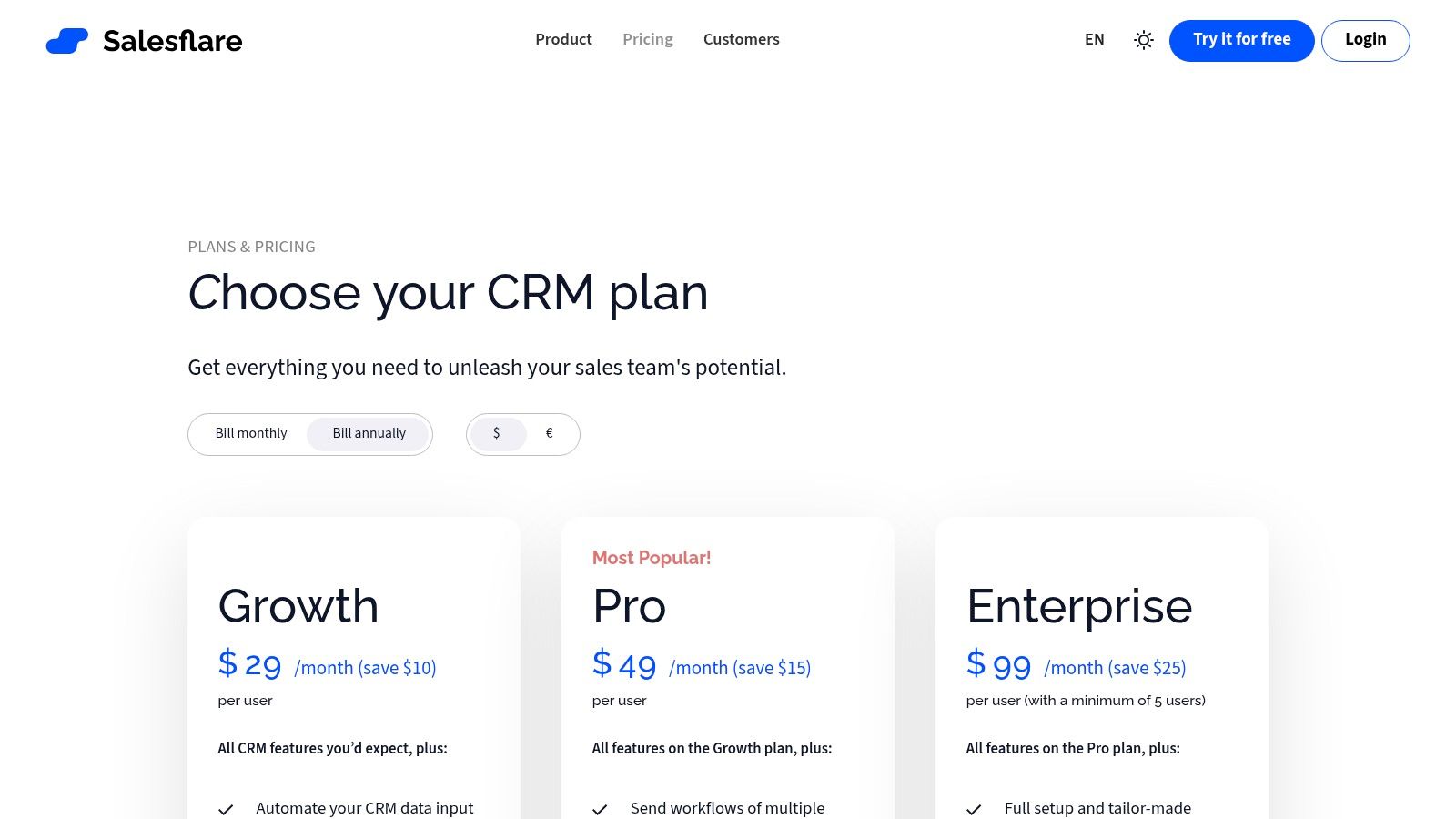
The platform presents a clean, visual pipeline that is easy to manage, complemented by powerful email integration and tracking. Sidebars for Gmail and Outlook provide CRM context directly within the inbox, streamlining workflows and ensuring all communication is logged automatically. Its strength lies in making CRM adoption seamless for teams who have previously resisted more complex systems.
Key Features & Considerations
Salesflare's automated activity and contact capture is its core differentiator, making it an excellent choice for teams prioritizing efficiency and simplicity over deep customization.
- Best For: Small and medium-sized businesses, startups, and agencies looking for a low-admin CRM with powerful automation.
- Pricing: Starts at $29/user/month (billed annually) for the "Growth" plan, up to $99/user/month for "Enterprise."
- Pros: Extremely low administrative overhead due to automation, strong email and website visit tracking, and a very user-friendly interface.
- Cons: Has a smaller integration ecosystem compared to larger platforms and the Enterprise plan has a 5-user minimum.
For those managing their pipeline in different systems, understanding how to use Notion to send emails can centralize communication workflows, similar to the integrated approach offered by tools like Salesflare. This allows teams to maintain organized outreach from their preferred workspace.
Website: https://salesflare.com/pricing
12. Capterra: Sales Pipeline Management category
Capterra's dedicated Sales Pipeline Management category isn't a single tool, but a powerful research platform for discovering and comparing them. It acts as a curated aggregator, allowing users to efficiently scan the market, filter options based on specific needs, and read verified user reviews to build a shortlist of potential solutions. Its value lies in saving countless hours of manual research by centralizing vendor information.
Instead of visiting dozens of individual websites, Capterra provides a unified interface to compare features, pricing models, and deployment options side-by-side. You can filter for specific functionalities like lead scoring or sales forecasting, making it one of the most effective starting points for finding sales pipeline management tools that match your exact requirements and budget.
Key Features & Considerations
Capterra's strength is its structured data and verified user feedback, which provides a layer of social proof that vendor websites often lack. This helps teams move from a broad search to a targeted evaluation process with greater confidence.
- Best For: Teams at the beginning of their research process who need to understand the market landscape and create a shortlist of relevant tools.
- Pricing: Free to use for research. Capterra is a software review and selection platform, not a vendor itself.
- Pros: Fast discovery of pipeline-capable tools, transparent methodology with verified user reviews, and broad coverage of available CRMs.
- Cons: Rankings can be influenced by referral partnerships (which are disclosed), and it's crucial to always verify the latest pricing and features directly on vendor sites.
Website: https://www.capterra.com/customer-relationship-management-software/features/2731-sales-pipeline-management/
Top 12 Sales Pipeline Tools Comparison
| Product | Core features ✨ | UX / Quality ★ 🏆 | Value / Price 💰 | Target 👥 |
|---|---|---|---|---|
| Salesforce Sales Cloud | ✨ Pipeline inspection, forecasting, AI, AppExchange & APIs | ★★★★, 🏆 Enterprise-grade security & scalability | 💰 Premium / high TCO | 👥 Large enterprises, complex sales orgs |
| HubSpot Sales Hub | ✨ Visual pipelines, sequences, native calling & payments | ★★★★, Fast setup & intuitive UI 🏆 | 💰 Freemium → seats-based tiers | 👥 SMBs → mid-market, marketing-aligned teams |
| Pipedrive | ✨ Drag‑drop Kanban pipeline, automation, forecasting, 500+ integrations | ★★★★, Very intuitive UX | 💰 Affordable mid-tier plans | 👥 SMBs & midsize sales teams |
| Zoho CRM | ✨ Multi-pipelines, scoring, 600+ integrations, Zia AI | ★★★★, Highly customizable (learning curve) | 💰 Competitive, small free plan | 👥 SMBs scaling to mid-market |
| Microsoft Dynamics 365 Sales | ✨ Copilot AI, deep Outlook/Teams/Power Platform integration | ★★★★, Powerful analytics & governance 🏆 | 💰 Enterprise pricing (higher TCO) | 👥 Microsoft-centric large organizations |
| Freshsales (Freshworks) | ✨ Built-in telephony/chat, Freddy AI, Kanban views | ★★★★, All-in-one communications & support | 💰 Competitive, free plan ≤3 users | 👥 SMBs wanting integrated comms |
| monday sales CRM | ✨ Custom boards, unlimited pipelines, automations, 2-way email sync | ★★★★, Highly visual & flexible | 💰 Mid-tier, seat minimums | 👥 Teams needing visual, flexible workflows |
| Copper CRM (Google Workspace) | ✨ Gmail/Calendar native sync, Drive/Sheets integrations | ★★★★, Native Google UX, easy adoption | 💰 Mid-priced, clear packaging | 👥 Google Workspace-first teams |
| Close | ✨ Native calling, SMS, sequences, predictive dialers | ★★★★, Outreach-focused, easy to implement 🏆 | 💰 Mid→high (telephony fees/add-ons) | 👥 Inside-sales / SDR teams |
| Keap | ✨ Drag‑drop automation, email/text, payments & invoicing | ★★★, Strong onboarding (US-first) | 💰 Pricing rises with contacts/users | 👥 US small businesses wanting automation+payments |
| Salesflare | ✨ Automated contact/activity capture, email tracking | ★★★★, Low admin overhead, simple UX | 💰 Clear SMB pricing, affordable | 👥 Lean SMB teams preferring automation |
| Capterra: Sales Pipeline Mgmt | ✨ Filtered listings, verified reviews, side-by-side comparisons | ★★★, Fast discovery & shortlist tool | 💰 Free directory; vendor pricing varies | 👥 Buyers researching & shortlisting CRMs |
Choosing Your Ideal Pipeline Tool and Putting It to Work
Navigating the landscape of sales pipeline management tools can feel overwhelming. We've explored everything from enterprise powerhouses like Salesforce and Microsoft Dynamics 365 to SMB-focused platforms such as Pipedrive and HubSpot Sales Hub. Each offers a distinct approach to organizing, tracking, and optimizing your sales process. The central takeaway is clear: the best tool is not the one with the most features, but the one that aligns seamlessly with your team's existing workflow and operational habits.
A heavy-duty CRM might offer unparalleled customization, but it can introduce friction and a steep learning curve for a small, agile team. Conversely, a simple tool may not provide the deep analytics or integration capabilities a rapidly scaling business requires. Your choice should be a strategic one, balancing immediate needs with future growth projections.
From Selection to Successful Implementation
Making the right choice is only the first step. Successful implementation is what truly unlocks the value of any sales pipeline management tool. To ensure a smooth transition and long-term adoption, consider the following critical factors:
- Team Buy-In and Training: Involve your sales team in the selection process. Their input is invaluable, as they are the primary users. Once a tool is chosen, invest in comprehensive training to ensure everyone understands not just how to use it, but why it benefits their workflow.
- Data Migration Strategy: Plan your data migration carefully. A clean, well-organized data import is crucial for getting started on the right foot. Decide what historical data is essential and what can be archived.
- Workflow Integration: The tool must fit into your existing processes, not the other way around. Map out your current sales stages and activities, then configure the new system to mirror and enhance that flow. For teams already using platforms like Google Workspace, tools like Copper CRM offer native integration that minimizes disruption.
A Framework for Your Decision
To distill this down to an actionable decision-making framework, ask yourself these three questions:
- What is our team's primary bottleneck? Are you struggling with lead organization, follow-up consistency, or a lack of visibility into deals? A tool like Close excels at communication, while a visual-first platform like monday sales CRM helps with visibility.
- Where does our team already work? If your team lives in Notion, forcing them into a separate, rigid CRM can kill productivity. A flexible, Notion-based pipeline supercharged with automation may be a more effective solution.
- What is our budget and scalability plan? Start with a tool that fits your current budget but offers a clear upgrade path. Tools like Zoho CRM and Freshsales provide robust free or low-cost tiers, allowing you to grow into more advanced features.
Ultimately, choosing the right sales pipeline management tool is a foundational business decision. It directly impacts your team's efficiency, your ability to forecast revenue, and your capacity to build lasting customer relationships. When it comes to selecting the perfect solution, exploring comprehensive guides on finding the best CRM software can significantly aid your decision-making process. Take the time to evaluate your unique needs, test your top contenders, and choose a partner that will empower your sales process for years to come.
Ready to build a powerful, flexible sales pipeline right where your team already works? NotionSender transforms your Notion workspace into a centralized communication hub. Send and receive emails, automate data capture from incoming messages, and manage your entire sales pipeline without ever leaving Notion. Get started with NotionSender today and streamline your workflow.

