
The 12 Best CRM for Freelancers in 2025: A Detailed Guide
Juggling leads, projects, invoices, and client communication can feel like a full-time job in itself. As a freelancer, your time is your most valuable asset, yet so much of it gets lost in administrative chaos. While spreadsheets, notebooks, and sticky notes might work initially, they don't scale and often lead to missed opportunities, disorganized follow-ups, and frustrated clients. This is where a Customer Relationship Management (CRM) system becomes essential.
A great CRM isn't just a digital address book; it's a central command center for your entire client lifecycle, from initial contact to final payment and beyond. It automates repetitive tasks, tracks every interaction, and ensures no lead falls through the cracks. Finding the best CRM for freelancers means choosing a tool that simplifies your operations, rather than adding another layer of complexity to your already packed schedule.
In this comprehensive guide, we move beyond generic feature lists to give you actionable insights into the top platforms. We'll explore tools built specifically for solo operators like HoneyBook and Dubsado, powerful sales-focused CRMs like HubSpot and Pipedrive, and even how to turn flexible workspaces like Notion into a customized powerhouse with tools like NotionSender. For freelancers exploring broader options and comprehensive comparisons, reviewing guides to the best CRM for small businesses can provide additional insights.
Each option below includes a detailed breakdown of its key features, pros, cons, pricing, and the ideal freelancer profile it suits best. With direct links and screenshots, you’ll have everything you need to find the right system to streamline your workflow and help you focus on what you do best.
1. NotionSender
NotionSender transforms a standard Notion workspace into a powerful, integrated email and client management hub, making it a uniquely versatile and strong contender for the best CRM for freelancers. Instead of treating your CRM and email as separate tools, NotionSender merges them, allowing you to send, receive, and automate email communications directly from your project databases. This approach dramatically reduces context switching and ensures all client interactions are stored alongside your active work.
Its standout feature is the ability to turn unstructured emails into structured, actionable data. By assigning a unique email address to any Notion database, incoming messages from clients, leads, or collaborators are automatically archived as new database entries. The AI-powered parser can extract key details like invoice amounts, meeting dates, or project IDs and map them directly to your Notion properties, converting a simple email into an organized task or client record.
Key Strengths and Freelancer Use Cases
For freelancers, this system creates a seamless workflow. You can manage a sales pipeline, track client support tickets, and archive project communications all within Notion. The outbound email functionality is equally robust. You can compose and send richly formatted emails directly from a Notion page, using page properties as dynamic variables (e.g., {{page.Client Name}}) for quick personalization. This is perfect for sending project updates, proposals, or invoices without ever leaving your central workspace. You can learn more about sending emails from Notion on their blog.
Core Features & Limitations
| Feature | Details | Ideal For |
|---|---|---|
| Email Integration | Send, save, and automate emails directly inside Notion databases. | Centralizing all client communication and project work. |
| AI Data Extraction | Automatically parses email content into structured Notion properties. | Turning inbound leads or invoices into actionable database items. |
| Dynamic Templates | Use Notion page properties as variables for personalized emails. | Sending templated proposals, status updates, and follow-ups. |
| Automation | Trigger email sends based on changes to Notion page status. | Automating client onboarding or project milestone notifications. |
- Pros: Unifies email and project management in Notion, powerful AI for structuring inbound data, fast no-code setup, and excellent automation potential.
- Cons: The free plan has significant limits (100 saved/50 sent emails per month), and advanced features like scheduling and custom sender addresses require a paid plan. Attachment size is currently capped at 10 MB.
Website: https://www.notionsender.com
2. HoneyBook
HoneyBook has carved out a niche as one of the best CRM for freelancers, particularly for creatives and service-based entrepreneurs in the U.S. It’s an all-in-one "clientflow" platform that consolidates proposals, contracts, invoicing, and payments into a single, cohesive system. This integrated approach significantly reduces the need to juggle multiple subscriptions, streamlining everything from initial client inquiry to final payment.
The platform's standout feature is its professional client portal, which gives clients a dedicated space to review proposals, sign contracts electronically, and make payments via credit card, Apple Pay, or bank transfer (ACH). This creates a polished, seamless experience that enhances your brand's credibility.
Key Features and Pricing
HoneyBook offers three tiers, all including unlimited clients and projects. The Starter plan ($19/month or $16/month annually) covers core needs like invoices, proposals, and contracts. For automation and scheduling, the Essentials plan ($39/month or $32/month annually) is necessary. The Premium plan ($79/month or $66/month annually) adds priority support and a dedicated account manager.
- Pros: Purpose-built for freelancers, reducing tool sprawl. Excellent for project-based work with a clear beginning and end.
- Cons: Pricing increased in 2025, and crucial automation features are locked behind higher-tier plans. Support is primarily U.S.-based.
Freelancer Tip: Use HoneyBook’s templates to create a standardized "Smart File" that combines your proposal, contract, and first invoice. This single link simplifies onboarding and gets client commitment faster.
3. Bonsai
Bonsai positions itself as a comprehensive operating system for freelancers, bundling a lightweight CRM with essential business management tools. It excels at unifying proposals, contracts, time tracking, and invoicing into a single, intuitive dashboard. This makes it one of the best CRM for freelancers who prioritize speed and efficiency, allowing them to manage their entire client lifecycle without needing multiple separate apps.
The platform's strength lies in its fast setup and professional, legally-vetted templates for contracts and proposals. This helps solo operators establish credibility and protect their business from day one. Clients get a dedicated portal to view files, make payments, and track project progress, creating a polished and organized experience that reflects well on the freelancer's brand.
Key Features and Pricing
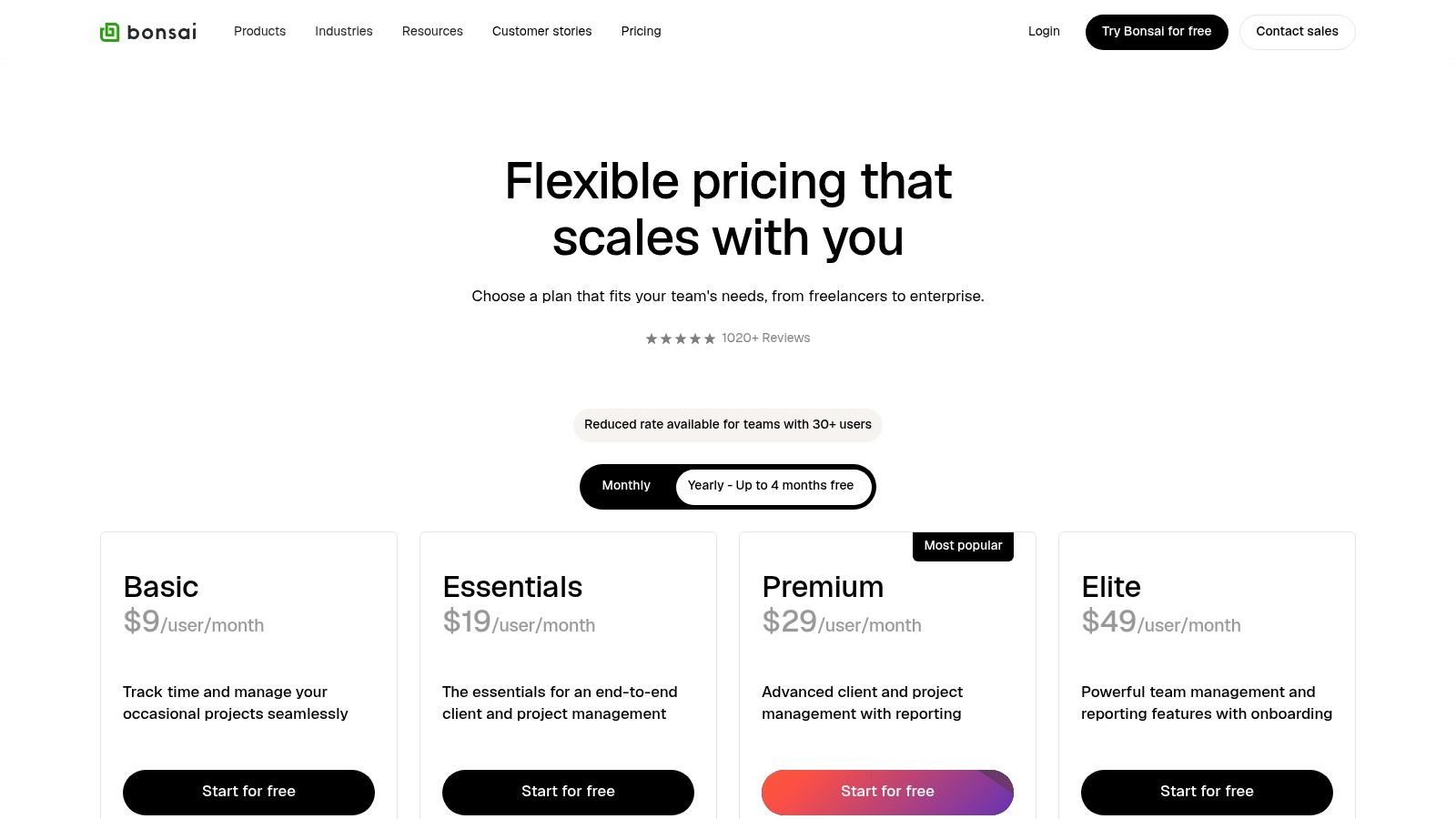
Bonsai offers three plans, all including unlimited clients and projects. The Starter plan ($24/month or $17/month annually) provides all core features like contracts, proposals, and invoicing. The Professional plan ($39/month or $32/month annually) adds custom branding, workflow automations, and client questionnaires. For accounting and tax features, the Business plan ($79/month or $52/month annually) is required.
- Pros: Very fast setup for soloists, a strong template library for proposals and contracts, and affordable entry pricing per user.
- Cons: The CRM is more basic than full sales CRMs, and some advanced automations are gated to higher-tier plans.
Freelancer Tip: Connect your bank account to Bonsai to use its expense tracking and tax estimation features. This simplifies financial management and helps you set aside the right amount for taxes throughout the year, avoiding surprises.
4. Dubsado
Dubsado positions itself as a business management solution rather than just a CRM, making it a powerful choice for freelancers who need to manage complex, service-based workflows. It excels at automating the entire client journey, from lead capture forms on your website to sending questionnaires, proposals, contracts, and invoices in a sequence you define. This level of control makes it a top contender for the best crm for freelancers who offer bespoke services.
The platform is renowned for its highly customizable forms and client portals. You can design beautiful, branded documents that reflect your unique business aesthetic, providing clients with a professional and cohesive experience from start to finish. This focus on workflow automation helps ensure no client communication or project milestone gets missed.
Key Features and Pricing
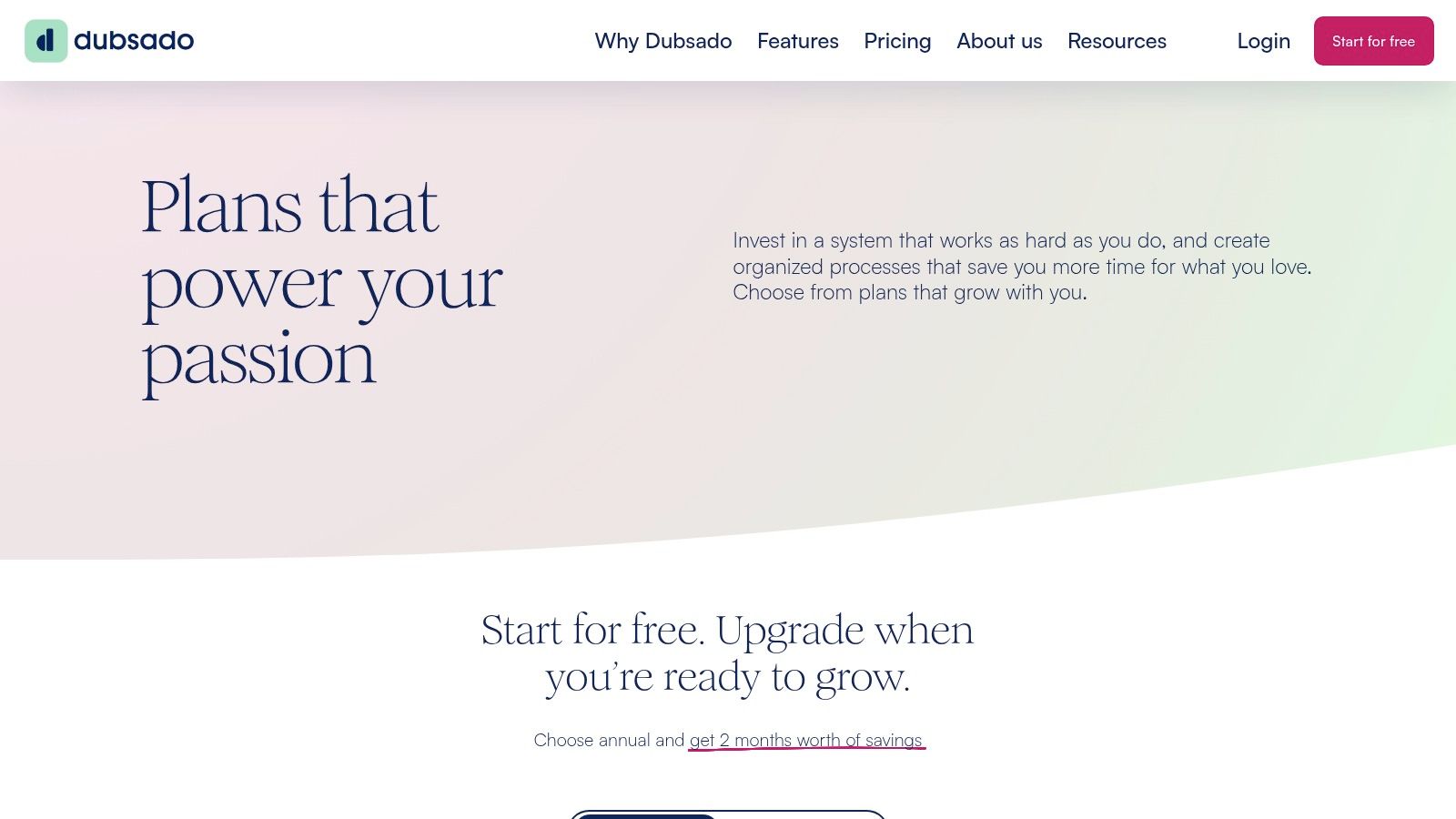
Dubsado offers two simple plans, both including unlimited projects and clients. The Starter plan ($20/month) covers basic invoicing and project management. To unlock its true potential, the Premier plan ($40/month) is essential, adding automated workflows, scheduling, and customizable forms. They also offer a generous free trial that allows you to manage up to three clients with full functionality before committing.
- Pros: Extremely powerful and customizable workflows for service businesses. Generous client/project limits on all paid plans and a full-featured free trial.
- Cons: Has a significant learning curve, especially for setting up advanced automations. The mobile app experience is more limited compared to the web version.
Freelancer Tip: Invest time in mapping out your client process before building workflows in Dubsado. Create a visual flowchart of every step, from inquiry to offboarding, to make the automation setup process smoother and more effective.
5. 17hats
17hats positions itself as a comprehensive "all-in-one" business management platform, making it a strong contender for the best CRM for freelancers who want to consolidate their entire toolkit. It's particularly popular among service-based solopreneurs like photographers, coaches, and consultants who need to manage CRM, quotes, contracts, invoicing, and scheduling from a single dashboard. This unified approach eliminates the need to patch together multiple apps, offering a cohesive system from lead capture to project completion.
The platform's main appeal is its simplicity and completeness. It bundles everything a freelancer needs into one subscription, including automated workflows that can trigger actions like sending a follow-up email after a quote is viewed or sending a questionnaire after a contract is signed. This level of automation helps streamline administrative tasks, allowing you to focus more on client work.
Key Features and Pricing
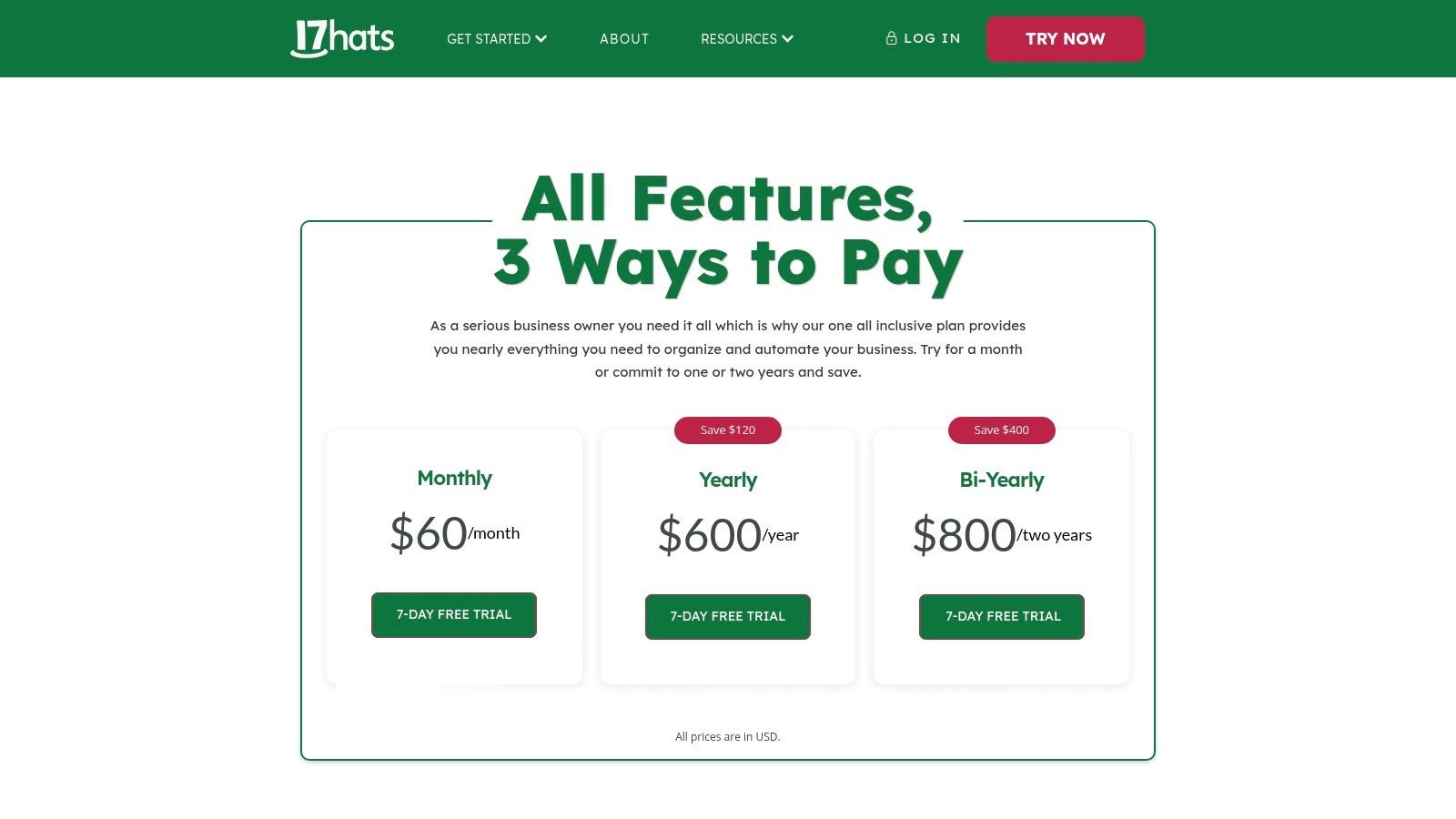
17hats simplifies its offering with three plan levels, all built on the same core feature set. The Level One plan ($15/month or $12.50/month annually) includes basics like CRM, invoicing, and projects for up to 20 clients. For unlimited clients and advanced features like workflows and a client portal, the Level Two plan ($30/month or $25/month annually) is required. The Level Three plan ($60/month or $50/month annually) adds bookkeeping and tax reporting integrations.
- Pros: One single plan includes all core features, simplifying the decision-making process. Concierge onboarding helps non-technical freelancers get set up quickly, and seasonal discounts are often available.
- Cons: The all-or-nothing bundle means you might pay for features you don't use. Its monthly price is higher than some more lightweight, modular CRMs.
Freelancer Tip: Take full advantage of the complimentary 1:1 onboarding session. The 17hats team can help you build your first workflow, which is key to automating repetitive client communication and administrative tasks from day one.
6. HubSpot CRM (Sales Hub)
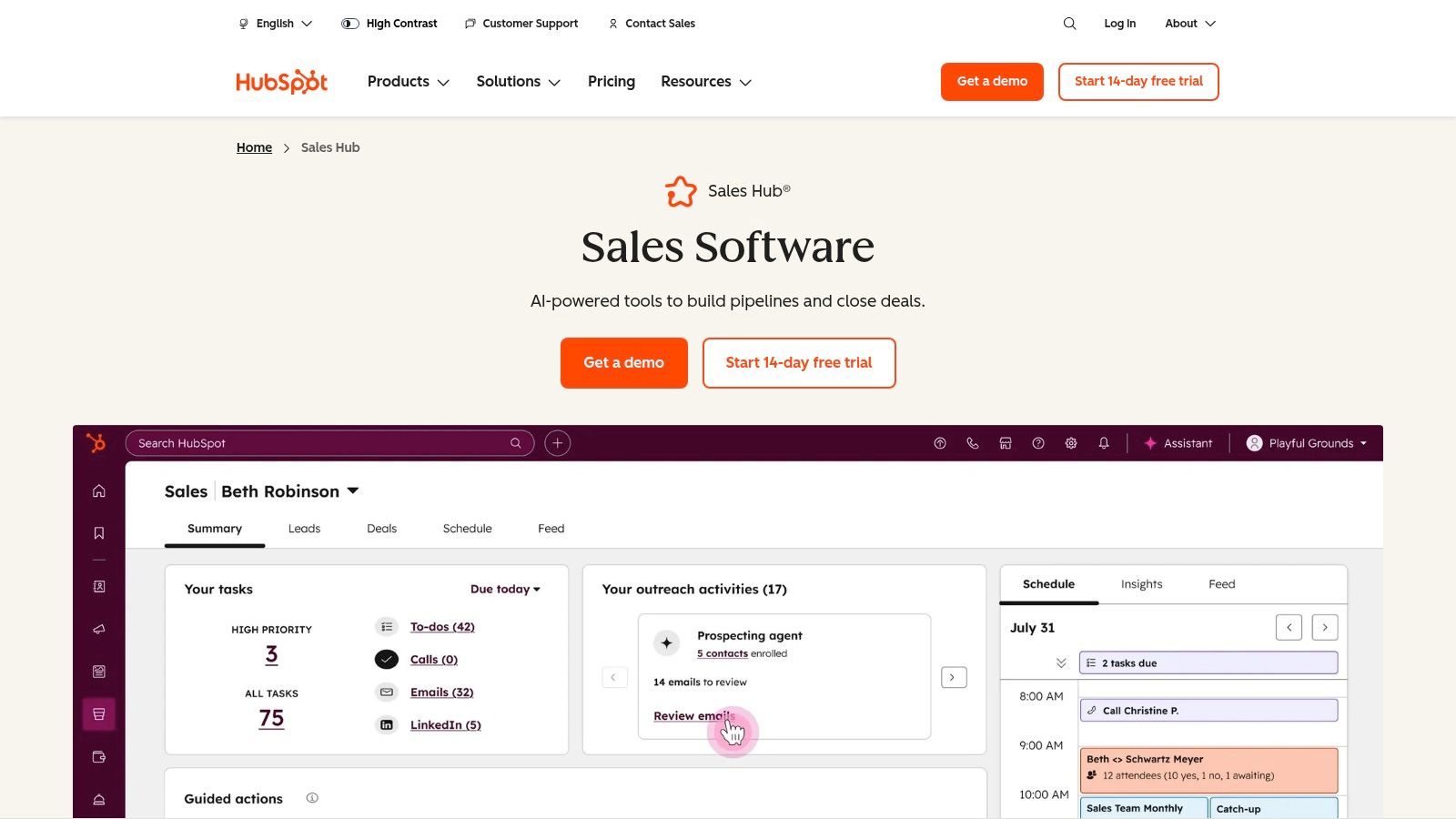
HubSpot is a powerhouse in the CRM world, and its free-forever tier makes it one of the best CRM for freelancers looking to start without an upfront investment. It provides a robust foundation for managing contacts, tracking deals through a visual pipeline, and integrating with your inbox (Gmail/Outlook) for email tracking. This makes it an ideal entry point for freelancers who anticipate scaling their business and may need more advanced marketing or sales tools later.
The platform is renowned for its polished user experience and the extensive free training resources available through HubSpot Academy. Unlike CRMs built solely for freelancers, HubSpot is designed for growth. You can start with the core free tools and later add paid features from the Sales Hub, such as automation, sequences for email follow-ups, and in-depth reporting, as your client base and revenue grow.
Key Features and Pricing
The Free CRM includes contacts, deals, tasks, email tracking, and live chat. Paid plans unlock more powerful features. The Starter plan ($45/month or $540/year) removes HubSpot branding and adds simple automation and reporting. The Professional plan ($450/month or $5,400/year) introduces advanced sales automation, forecasting, and custom reporting, but its cost is geared toward teams.
- Pros: Excellent free-forever tier to get started. Polished UX and extensive onboarding resources. Scales into advanced sales and marketing tools as your business grows.
- Cons: Costs can escalate quickly once you move to paid plans. Some advanced functions are gated behind higher-tier plans that may be overkill for solo freelancers.
Freelancer Tip: Use the free meeting scheduler to create a booking link for your website or email signature. It syncs with your Google or Office 365 calendar and automatically creates a contact record for anyone who books a call, streamlining your lead capture process.
7. Zoho CRM
Zoho CRM is a powerhouse solution that scales from solo freelancers to small agencies, making it one of the best CRM for freelancers who anticipate future growth. Its strength lies in its deep feature set and its seamless integration with the broader Zoho ecosystem, including Zoho Books (accounting), Zoho Projects, and Zoho Mail. This allows freelancers to build a highly customized, all-in-one business management system without being locked into a single, rigid platform.
The platform offers robust lead and deal management, allowing you to track potential clients from initial contact through to a closed project. While more complex than some purpose-built freelance tools, its flexibility is a significant advantage for those who need to manage a more sophisticated sales pipeline or diverse client types.
Key Features and Pricing
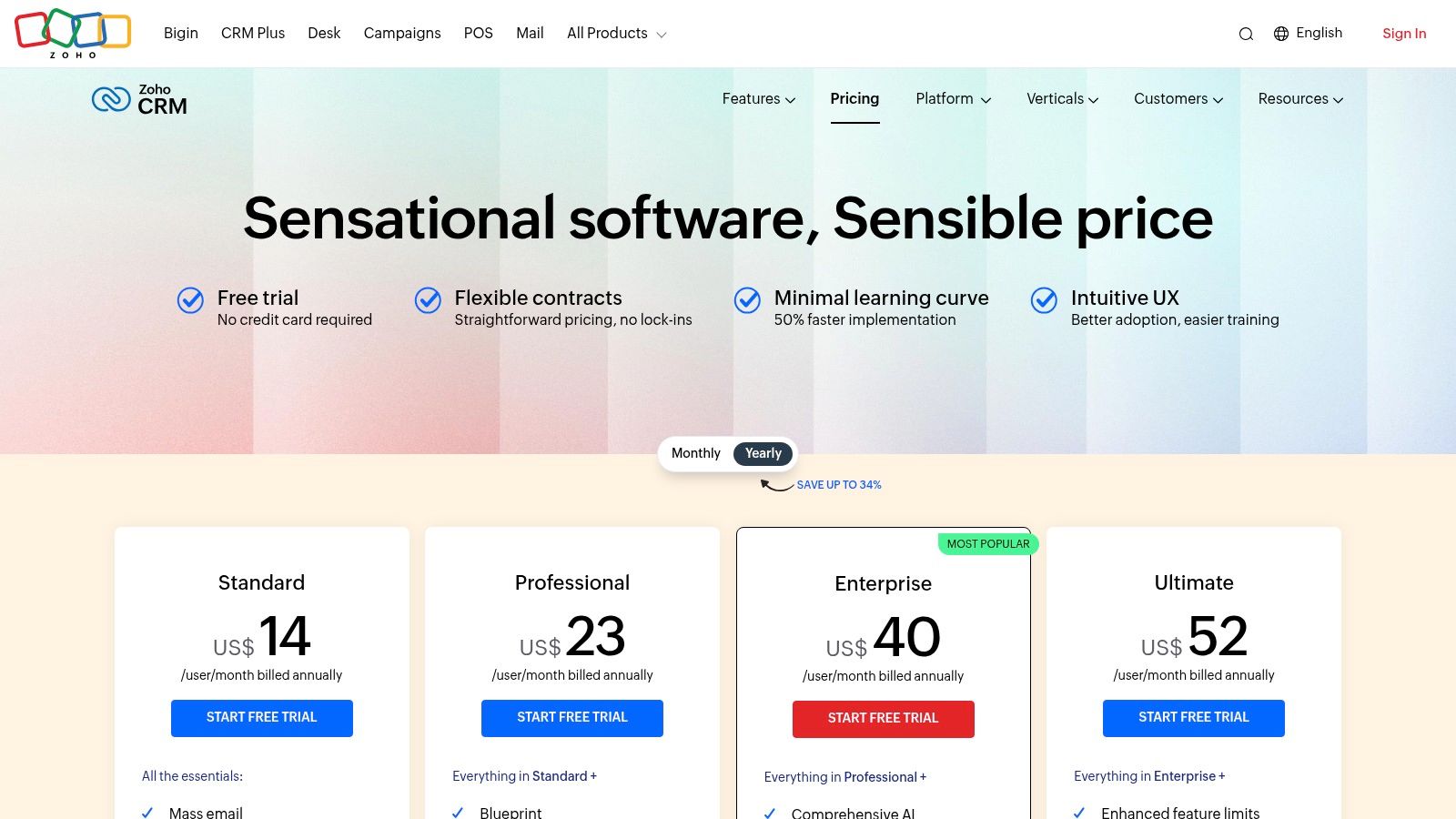
Zoho CRM is known for its competitive pricing, including a generous free-forever plan for up to three users. The paid plans start with Standard ($20/user/month or $14/user/month annually) which adds scoring rules and workflows. The Professional plan ($35/user/month or $23/user/month annually) is a popular choice, unlocking sales signals and inventory management. Higher tiers add AI capabilities and advanced analytics.
- Pros: Extremely cost-effective with a robust free tier. Part of a massive ecosystem of business apps. Highly customizable to fit specific workflows.
- Cons: Can have a steeper learning curve compared to simpler tools. The sheer number of features can feel overwhelming for basic needs.
Freelancer Tip: Start with the free Zoho CRM plan and integrate it with Zoho Invoice or Zoho Books (both have free tiers) for a powerful, no-cost system to manage leads and bill clients from day one.
8. Pipedrive
Pipedrive is a sales-first CRM that excels in managing a clear, stage-based lead process, making it one of the best CRM for freelancers focused on high-volume outreach or complex sales cycles. Its core strength lies in its highly visual, Kanban-style pipeline interface, which allows you to drag and drop deals from one stage to the next. This intuitive design makes it incredibly easy to see where every potential client stands at a glance, from initial contact to a signed agreement.
The platform is built for action, emphasizing activities like calls, emails, and meetings to keep deals moving forward. Its powerful email sync and tracking features provide crucial insights into client engagement without ever leaving the CRM, helping you prioritize your follow-ups effectively. For freelancers who want to master their sales process, this focus is a significant advantage.
Key Features and Pricing
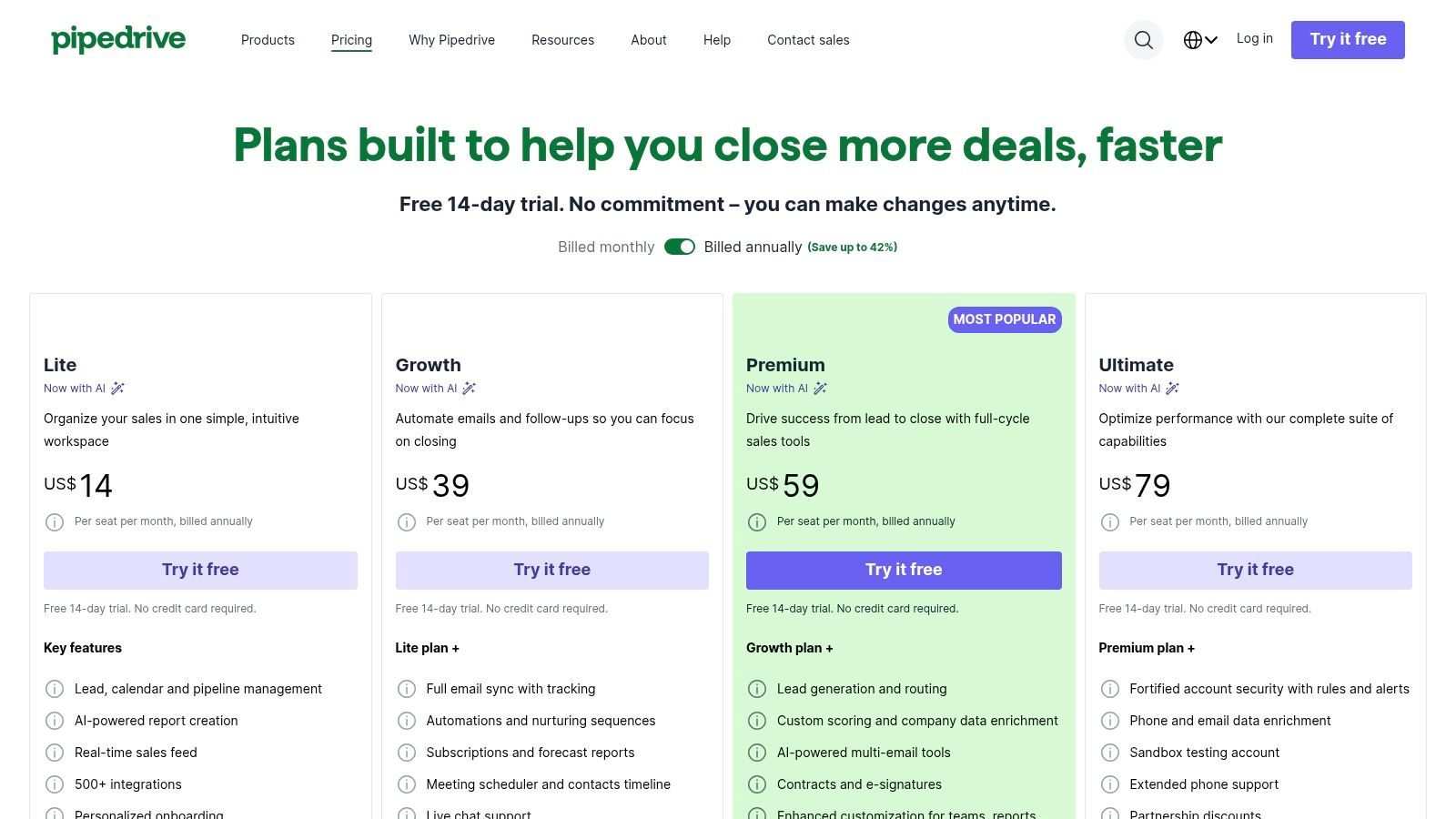
Pipedrive offers five main plans, with the Essential plan starting at $21.90/month ($14.90/month annually) for core deal and pipeline management. The Advanced plan ($37.90/month or $27.90/month annually) adds crucial email sync and automation features. Higher tiers like Professional and Power add more robust reporting, calling, and project management tools, often through add-ons.
- Pros: Very intuitive UI for solo sellers and quick deployment. Its flexible plan ladder and extensive add-on marketplace allow it to scale with your business.
- Cons: Per-seat pricing can become costly compared to all-in-one freelancer suites. Key reporting and marketing tools often require higher plans or paid add-ons.
Freelancer Tip: Use Pipedrive’s automation to create follow-up tasks automatically whenever a deal moves to a new stage. For example, when you move a client to "Proposal Sent," set an automation to schedule a check-in task for three days later. If Pipedrive sounds like a good fit for your freelance business, you can also learn how to boost your sales force by using Pipedrive to get the most out of its features.
9. Freshsales by Freshworks
For freelancers scaling their outreach and needing a more sales-oriented tool, Freshsales by Freshworks is a powerful contender. It moves beyond simple project management into a full-featured sales CRM, offering built-in calling, email integration, and live chat. This makes it one of the best CRM for freelancers focused on lead generation and proactive communication, as it consolidates multiple communication channels into one platform.
The platform's standout advantage is its generous free plan and affordable entry-level tiers, which provide robust communication tools without a significant investment. Its AI-powered assistant, Freddy, helps score leads and provides insights, allowing you to prioritize high-value prospects efficiently. This sales-centric approach helps freelancers build a predictable client pipeline.
Key Features and Pricing
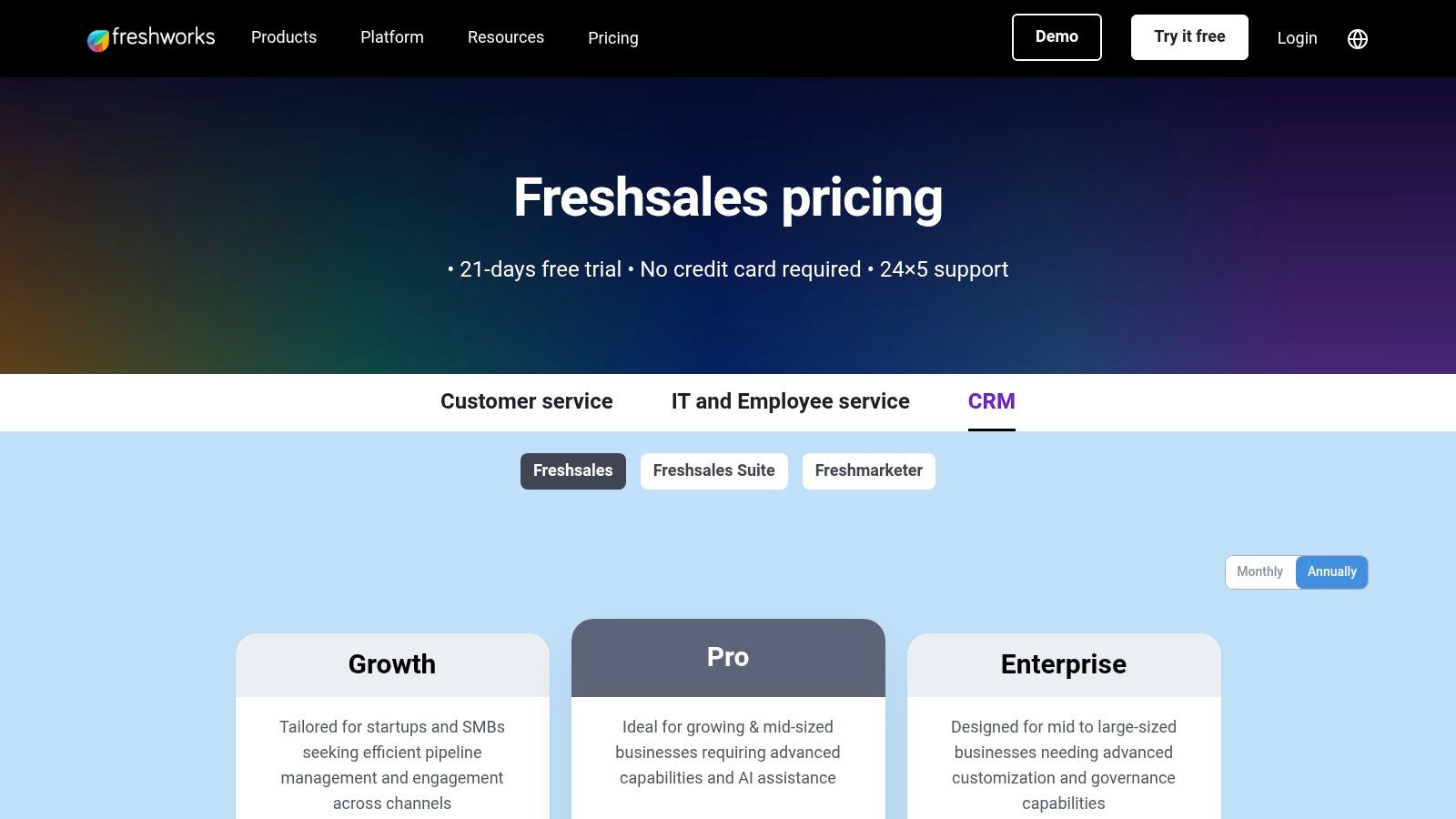
Freshsales offers a free-forever Free plan for up to 3 users, which includes contact management, live chat, and a built-in phone. The Growth plan ($18/user/month or $15/user/month annually) adds a visual sales pipeline and basic email sequences. For more advanced automation and AI-powered scoring, the Pro plan ($47/user/month or $39/user/month annually) is required.
- Pros: Usable free plan and low entry price. Excellent native communication tools reduce the need for third-party subscriptions. Balances feature depth with ease of use.
- Cons: Advanced AI and customization are locked behind more expensive tiers. Can be overly complex for freelancers who only need basic project tracking.
Freelancer Tip: Use the visual sales pipeline on the Growth plan to track leads from initial contact to a signed contract. Create different stages like "Initial Inquiry," "Proposal Sent," and "Negotiation" to get a clear, at-a-glance view of your sales funnel.
10. Capsule CRM
Capsule CRM offers a refreshingly simple and effective solution for freelancers who need a straightforward contact management and sales pipeline system without overwhelming complexity. It focuses on doing the core CRM tasks exceptionally well: tracking contacts, managing opportunities, and logging communication history. For a solo operator who finds comprehensive suites like HubSpot or Salesforce too cumbersome, Capsule is a clean, lightweight alternative that prioritizes clarity and speed.
Its design philosophy is centered around ease of use, making it one of the best CRM for freelancers who want to get set up and running in minutes, not days. The platform provides a clear, visual sales pipeline where you can drag and drop deals through stages, and its email add-ins for Gmail and Outlook allow you to save conversations and create tasks directly from your inbox.
Key Features and Pricing
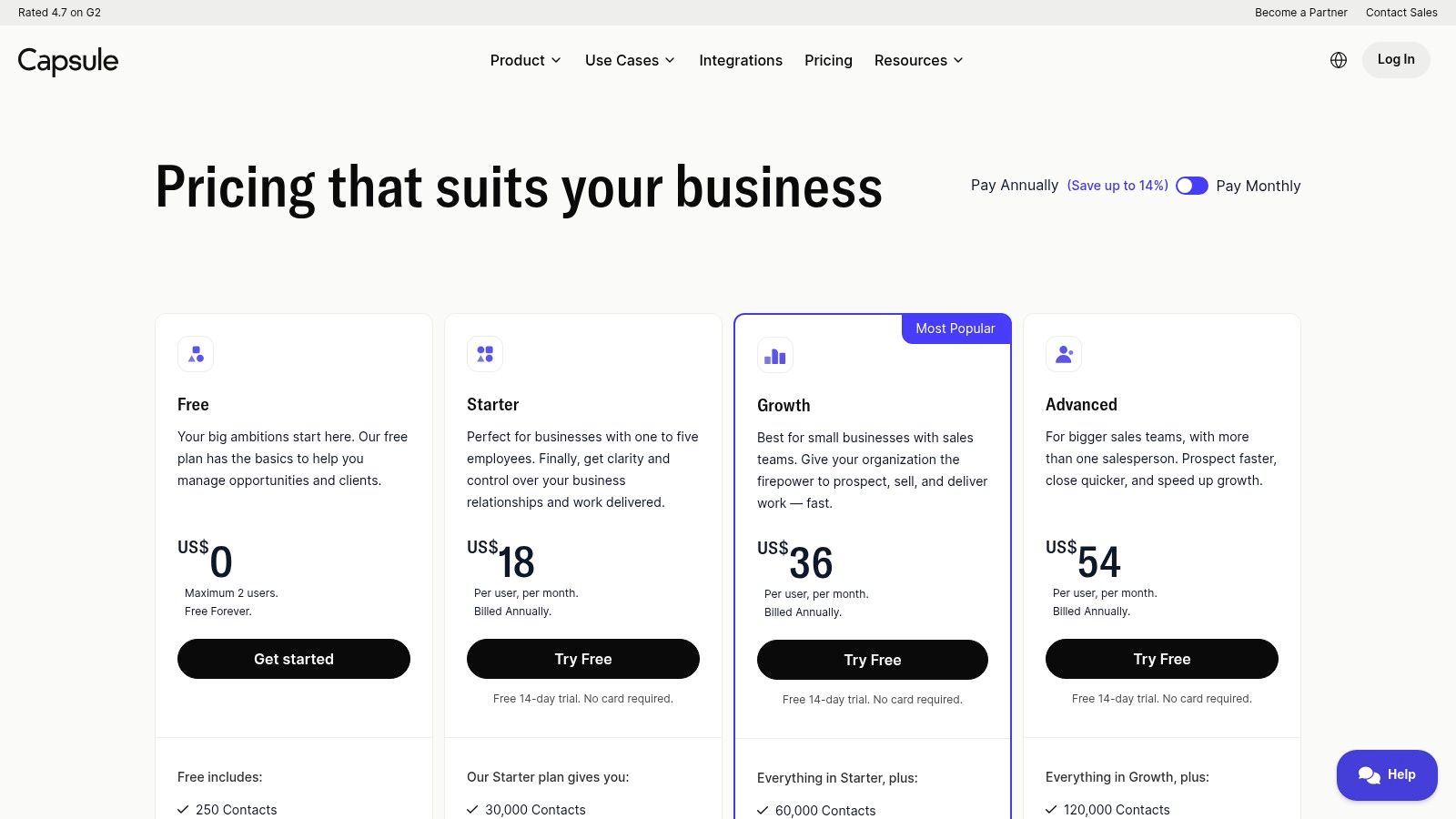
Capsule’s standout offering is its generous Free plan, which supports up to 2 users and 250 contacts, making it perfect for those just starting out. For more functionality, the paid plans are very competitive. The Professional tier ($18 per user/month) adds more contacts, sales pipelines, and premium integrations. The Teams plan ($36 per user/month) introduces advanced sales reporting and user roles.
- Pros: Very minimal learning curve and quick adoption. Excellent core CRM functionality at a low cost, including a robust free forever plan.
- Cons: Lacks the built-in marketing automation and project management tools found in all-in-one platforms. Support is primarily email-based.
Freelancer Tip: Use Capsule's "Tracks" feature on the Professional plan to create standardized checklists for client onboarding or project milestones. This ensures you never miss a step and maintain consistent service quality for every client.
11. Salesflare
Salesflare is an automation-heavy CRM designed for freelancers and small businesses who want to spend less time on manual data entry. Its core strength lies in its ability to automatically pull in contact and company data from your email inbox, calendar, and social media profiles. This makes it one of the best CRM for freelancers who prioritize efficiency and want to minimize administrative tasks, letting them focus on client work instead.
The platform excels at creating a living database of your contacts, automatically logging meetings, calls, and email exchanges. It also provides powerful tracking features, notifying you when clients open emails or click on links, giving you timely insights to follow up effectively. The sidebar integration for Gmail and LinkedIn is particularly useful for managing relationships without leaving your primary workspace.
Key Features and Pricing
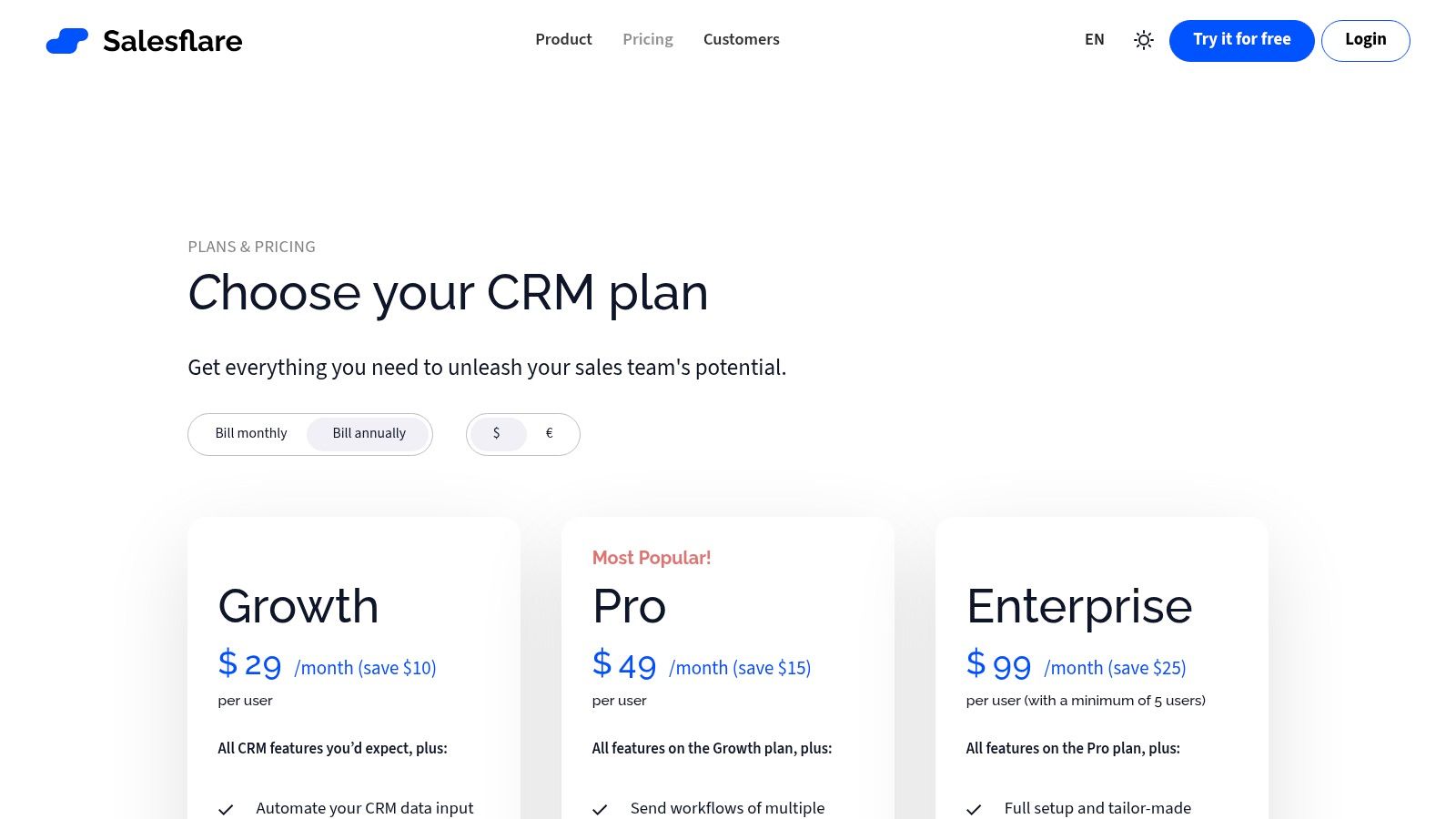
Salesflare offers transparent, per-user pricing with month-to-month flexibility. The Growth plan ($35/month or $29/month annually) includes core CRM features, email tracking, and the email sidebar. For email sequences and advanced workflows, you'll need the Pro plan ($55/month or $49/month annually). The Enterprise plan ($99/month or $99/month annually) adds advanced permissions but requires a five-user minimum, making it less suitable for solo freelancers.
- Pros: Excellent automation drastically reduces admin workload. Strong usability for single users and micro-teams. Transparent, flexible pricing.
- Cons: Smaller integration ecosystem compared to larger CRM vendors. The five-user minimum for the Enterprise plan limits scalability for freelancers.
Freelancer Tip: Connect Salesflare to your professional email account and LinkedIn profile immediately upon setup. This allows the tool to retroactively build contact profiles and populate your pipeline, giving you a comprehensive overview of your network from day one.
12. ClientJoy (now part of Synup OS)
ClientJoy, which has recently merged into the Synup OS, offers a comprehensive "prospect-to-payment" platform designed for both freelancers and small agencies. It bundles a sales CRM with proposals, contracts, e-signing, and invoicing into one system, making it a strong contender for those who want an all-in-one sales and client management toolkit. Its focus is on streamlining the entire client lifecycle from lead capture to final payment.
The platform's unique selling point for growing freelancers is its white-labeling capability. You can customize the client portal and other assets with your own branding, presenting a highly professional and cohesive image to your clients. This makes ClientJoy one of the best CRM for freelancers looking to scale into a more established agency model.
Key Features and Pricing
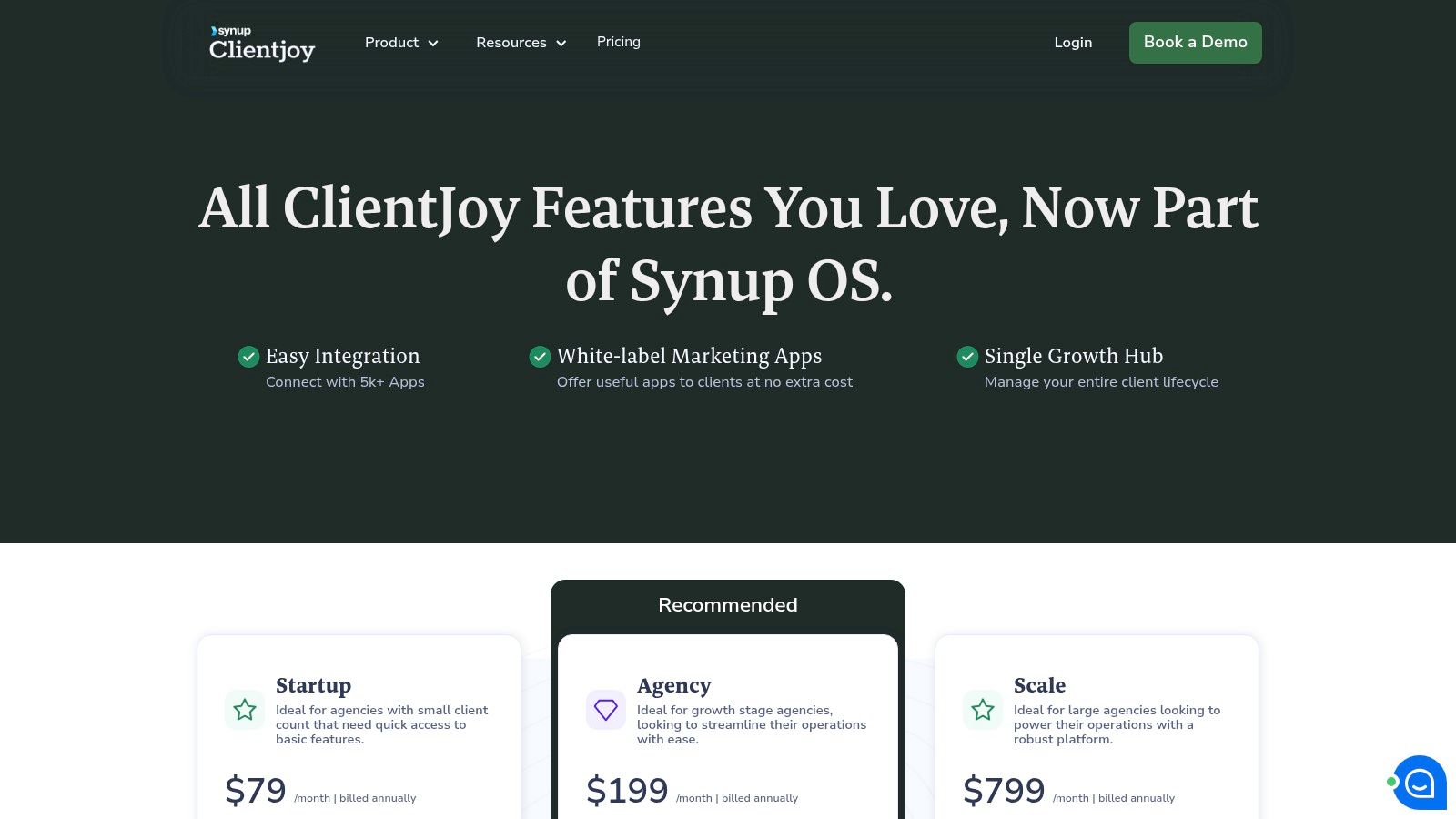
ClientJoy’s pricing structure provides significant value through bundled features. The Starter plan ($19/user/month) includes the CRM, proposals, and invoicing for up to 50 clients. The Growth plan ($39/user/month) adds email sequences, a scheduler, and white-labeling. For advanced needs like SSO and custom domains, the Pro plan ($79/user/month) is available.
- Pros: Strong value proposition bundling CRM, proposals, and billing. White-label options are excellent for branding.
- Cons: The platform is transitioning into Synup OS, so features and plans may evolve. It can feel more agency-oriented than platforms built exclusively for solo freelancers.
Freelancer Tip: Leverage the lead forms to capture inquiries directly into your sales pipeline. You can then use the built-in proposal and contract features to quickly convert those leads without switching to another tool, dramatically speeding up your sales cycle.
Top 12 CRMs for Freelancers — Comparison
| Product | Core features ✨ | Unique selling points ✨ / 🏆 | UX & quality ★ | Price / Value 💰 | Target audience 👥 |
|---|---|---|---|---|---|
| NotionSender 🏆 | Send/receive in Notion; unique email per DB; templated sends; parsers | ✨ Native Notion email hub; AI property extraction; no-code setup | ★★★★★ | 💰 Free (limited) → Premium for higher send/save limits & custom sender | 👥 Small businesses, PMs, freelancers, marketing teams |
| HoneyBook | Proposals, contracts, invoices, client portal, scheduler | ✨ All-in-one freelancer clientflow; strong templates | ★★★★☆ | 💰 Paid plans (prices ↑ 2025); 60‑day guarantee | 👥 US freelancers & creatives |
| Bonsai | CRM-lite, proposals/contracts, time & expense, mobile apps | ✨ Fast setup; strong template library | ★★★★☆ | 💰 Affordable entry pricing per user | 👥 Solo operators & small teams |
| Dubsado | Workflows, forms, client portals, invoicing | ✨ Highly customizable workflows & automations | ★★★★☆ | 💰 Paid tiers; 21‑day trial | 👥 Creative freelancers & agencies |
| 17hats | CRM, workflows, scheduling, invoicing, onboarding | ✨ One-plan simplicity; concierge onboarding | ★★★★ | 💰 Single all-inclusive plan (higher monthly) | 👥 Photographers, coaches, creatives |
| HubSpot CRM (Sales Hub) | Contacts, deals, email tracking, automation | ✨ Robust free tier; scales to enterprise features | ★★★★★ | 💰 Free core → can get expensive as you scale | 👥 Freelancers scaling into sales/marketing |
| Zoho CRM | Lead/deal management, automation, integrations | ✨ Broad Zoho ecosystem; competitive pricing | ★★★★☆ | 💰 Very competitive; free up to 3 users | 👥 Solo & small teams needing integrations |
| Pipedrive | Kanban pipelines, email sync, automations | ✨ Pipeline-first UI; quick deployment | ★★★★☆ | 💰 Per-seat pricing; flexible add-ons | 👥 Solo sellers & pipeline-driven teams |
| Freshsales (Freshworks) | Multichannel comms, pipelines, AI scoring | ✨ Built-in calling/email/chat; Freddy AI | ★★★★ | 💰 Free plan (up to 3 users); low entry price | 👥 Small teams wanting native comms |
| Capsule CRM | Contact/opportunity tracking, email add-ins | ✨ Lightweight, minimal setup | ★★★★ | 💰 Free forever (2 users); low-cost tiers | 👥 Freelancers wanting simple CRM |
| Salesflare | Auto-capture from email/calendar, enrichment | ✨ Automation-heavy; minimal data entry | ★★★★☆ | 💰 Transparent month-to-month pricing | 👥 Single users & micro-teams |
| ClientJoy (Synup OS) | CRM, proposals, e-sign, invoicing, client portal | ✨ White-label & bundled sales→billing tools | ★★★★ | 💰 Paid (transitioning plans/features) | 👥 Freelancers/agencies needing white-label |
Your Next Step: From Overwhelmed to Organized
Navigating the landscape of client relationship management can feel like a daunting task, especially when you're juggling projects, prospecting, and the actual creative work that pays the bills. Throughout this guide, we've explored a diverse range of powerful tools, from all-in-one freelance business suites like HoneyBook and Bonsai to robust, sales-focused platforms like HubSpot and Pipedrive. We've also delved into the incredible flexibility of building a custom system with Notion and NotionSender. The core takeaway is clear: the best CRM for freelancers isn't a one-size-fits-all solution; it's the one that aligns with your specific workflow, business stage, and growth ambitions.
The goal is not to find a "perfect" system on day one. The true objective is to move from reactive chaos to proactive control. It’s about creating a single source of truth for your client data, preventing valuable leads from getting lost in your inbox, and automating the administrative tasks that drain your creative energy. Choosing a CRM is a foundational investment in the scalability and professionalism of your freelance business.
How to Choose Your Ideal Freelance CRM
Feeling stuck? Let’s distill the decision-making process into a few actionable steps. Your choice should be guided by a clear understanding of your primary business challenge right now.
-
If your main pain point is client onboarding and project management: Look towards all-in-one platforms. Solutions like HoneyBook, Dubsado, or Bonsai excel here. They combine proposals, contracts, invoicing, and client portals into a seamless experience, which is ideal for service-based freelancers like designers, writers, and consultants.
-
If your primary focus is on building a robust sales pipeline: Your needs are more aligned with traditional sales CRMs. HubSpot's free tier is an unbeatable starting point for tracking deals and managing a larger volume of leads. As you grow, platforms like Pipedrive or Freshsales offer more advanced, visually-driven pipeline management to ensure no opportunity is missed.
-
If you crave ultimate customization and already live in Notion: The answer is straightforward. Building your CRM directly in Notion gives you unparalleled control. By integrating a tool like NotionSender, you bridge the critical gap between your database and your email inbox, creating a powerful, bespoke system without the high cost or rigidity of other platforms.
Making Your CRM Work for You
Once you've made a selection, the real work begins. Implementation is what separates a useful tool from expensive shelfware. Don't try to master every feature at once. Start small and build momentum.
- Commit to a 30-Day Trial: Use the trial period vigorously. Import a handful of your real clients and leads, don't just use dummy data.
- Define a Simple Workflow: Map out your most basic process, from "New Lead" to "Project Completed." Build this first before adding complexity.
- Integrate Your Email: This is non-negotiable. Connecting your inbox is the single most important step to centralizing communication and automating data entry.
- Schedule a Weekly Review: Block 30 minutes on your calendar each week to review your pipeline, update contact records, and ensure your system is clean.
The right CRM will feel less like another piece of software to manage and more like a trusted business partner. It's the silent assistant that remembers follow-ups, organizes your contacts, and gives you the data-driven insights needed to grow your income and impact. You've done the research and have a clear map of the options available. Now is the time to take that crucial first step towards building a more organized, profitable, and sustainable freelance career.
Ready to build a completely custom CRM that lives where you already work? Supercharge your Notion setup with NotionSender. It’s the missing link that lets you send and track personalized emails directly from your Notion databases, turning your favorite productivity app into a powerful client management machine. Start your free trial of NotionSender today and see how seamless your freelance workflow can be.

