
Finding the Best Email Tracking Software for Your Business

So, you're on the hunt for the best email tracking software? I get it. For a quick and easy solution inside Gmail, something like Mailtrack often does the trick. But if you’re a sales team living inside a CRM, HubSpot Sales Hub is probably more your speed. The right tool really comes down to what you need it to do, how it fits into your daily routine, and what you’re trying to achieve.
Why Email Tracking Is Essential for Modern Business Growth
Let’s be honest: sending a proposal or a critical follow-up and having no idea if it was even opened is frustrating. It feels like shouting into the void. This is exactly where email tracking stops being a "nice-to-have" and becomes a core part of your strategy. It effectively turns your outbox from a simple messaging tool into a source of powerful business intelligence.

When you know who opens your emails, when they open them, and what links they click—all in real-time—you gain a serious advantage. That information is gold for refining how you communicate and making sure your effort isn't wasted.
Unlocking Actionable Insights
Good email tracking gives you a direct line of sight into how people are engaging with your messages, which is crucial to understand and improve your Click Through Open Rate (CTOR). This isn't just about satisfying curiosity; it’s about making smarter moves across the board.
For a sales team, this means instantly spotting the warmest leads. If you see a prospect has opened your proposal three times in the last hour, that’s your cue to pick up the phone. The odds of closing that deal just shot way up.
It's the same for marketing teams trying to fine-tune their campaigns. If open rates are dipping, maybe the subject lines aren't landing. You can dive deeper into that by learning how to increase your open rates with these 10 email marketing tricks.
"Knowing that someone opened your email and clicked a link is just the beginning; the real challenge is advancing that lead. Without knowing which link they clicked... the data lacks context and remains just numbers."
This really gets to the heart of it. The goal is to turn raw data into a clear signal for what to do next.
Streamlining Workflows and Building Relationships
This isn't just a tool for sales and marketing, either. It cleans up workflows for all kinds of roles. A freelancer can confirm a client has seen an invoice without sending those awkward "just checking in" emails. A project manager can verify that the team has reviewed a critical update, keeping everyone aligned.
At the end of the day, the best email tracking software gives you the context to build smarter, more responsive relationships. It helps you:
- Prioritize follow-ups with people who are actually interested.
- Tweak your messaging based on what clicks (literally).
- Save a ton of time by focusing your energy where it counts.
By taking the guesswork out of your outreach, you can communicate with more confidence, precision, and a genuine understanding of how your audience is responding. That’s what really drives growth.
Key Criteria for Choosing Your Email Tracking Software
Picking the right email tracking software isn't about grabbing the one with the longest feature list. It's about finding the tool that clicks perfectly into your workflow. Before we jump into side-by-side comparisons, we need to lay down a solid framework for what "best" actually means for you.
The right tool should feel like a natural extension of how you already work, not another clunky platform you have to wrestle with every day. By zeroing in on a few core criteria, you can cut through the marketing noise and find a solution that delivers real value from day one.
Tracking Accuracy and Reliability
Let's be blunt: at its core, an email tracker has to be dependable. If you can't trust the data on opens, clicks, and replies, the whole thing is pointless.
Inaccurate tracking leads to awkward, poorly timed follow-ups and throws your entire strategy off course. You need software known for its consistency, especially when dealing with tricky email clients and those pesky image-blocking settings that can throw off lesser tools. A reliable system gives you real-time notifications you can count on, letting you act on engagement signals the moment they happen.
Key Features and Workflow Integration
Once you’ve established a baseline of reliability, it’s time to look beyond simple open tracking. What features will actually make your life easier? Think about things like attachment tracking—so you know if a prospect actually viewed your proposal—or the ability to save and reuse email templates to speed up your outreach.
The most powerful features are the ones that eliminate friction. Take a hard look at your current process. Where are the bottlenecks? If you’re constantly jumping between your inbox, your CRM, and your project management tool, then a deeply integrated solution isn't just a nice-to-have; it's non-negotiable.
There’s a reason the global email tracking software market has exploded to USD 10,584.2 million. It’s because these tools solve real workflow problems. The massive adoption, especially in North America which accounts for over 40% of the market, is driven by the demand for tight integrations with CRM systems that centralize sales and project data. You can dig deeper into the email tracking software market trends and growth to see just how critical this has become.
User Experience and Ease of Use
An intuitive interface is everything. The software should blend right into your existing email client, whether that's Gmail or Outlook, without cluttering up your screen or slowing you down. A complicated setup process or a confusing dashboard just creates more work, which is the exact opposite of what you want.
The whole point is to gain insights without a lot of effort. If a tool requires a week of training or constant troubleshooting, it's already failed. The best email tracking software is the one you barely notice is there—until it hands you the exact insight you need at the perfect moment.
Analytics and Actionable Reporting
Data is useless if you can't do anything with it. A good tool will offer more than just a stream of raw numbers. What you really want is an analytics dashboard that helps you spot trends.
For instance, which of your subject lines consistently get the best open rates? Which email templates are driving the most clicks? This is the kind of reporting that turns simple tracking into a powerful optimization engine. It allows you to fine-tune your communication strategy based on what you know actually works. And for developers looking to build out custom reports, it's always worth checking if the software provides a well-documented API. The NotionSender API documentation is a great example of what to look for.
Comparing the Top Email Tracking Tools
Alright, now that we know what to look for, let's put the big players to the test. Finding the "best" email tracking software isn't about crowning a single winner. It's about finding the one that actually fits your world. A freelancer's dream tool is often a large sales team's nightmare, and vice versa.
This isn't just a feature checklist. We're going to dig into how tools like Mailtrack, Mixmax, HubSpot Sales Hub, and NotionSender actually perform in the wild, measuring them against the criteria we've established to give you some real, practical guidance.
This image sums up the three core pillars you should lean on when you're making your decision.
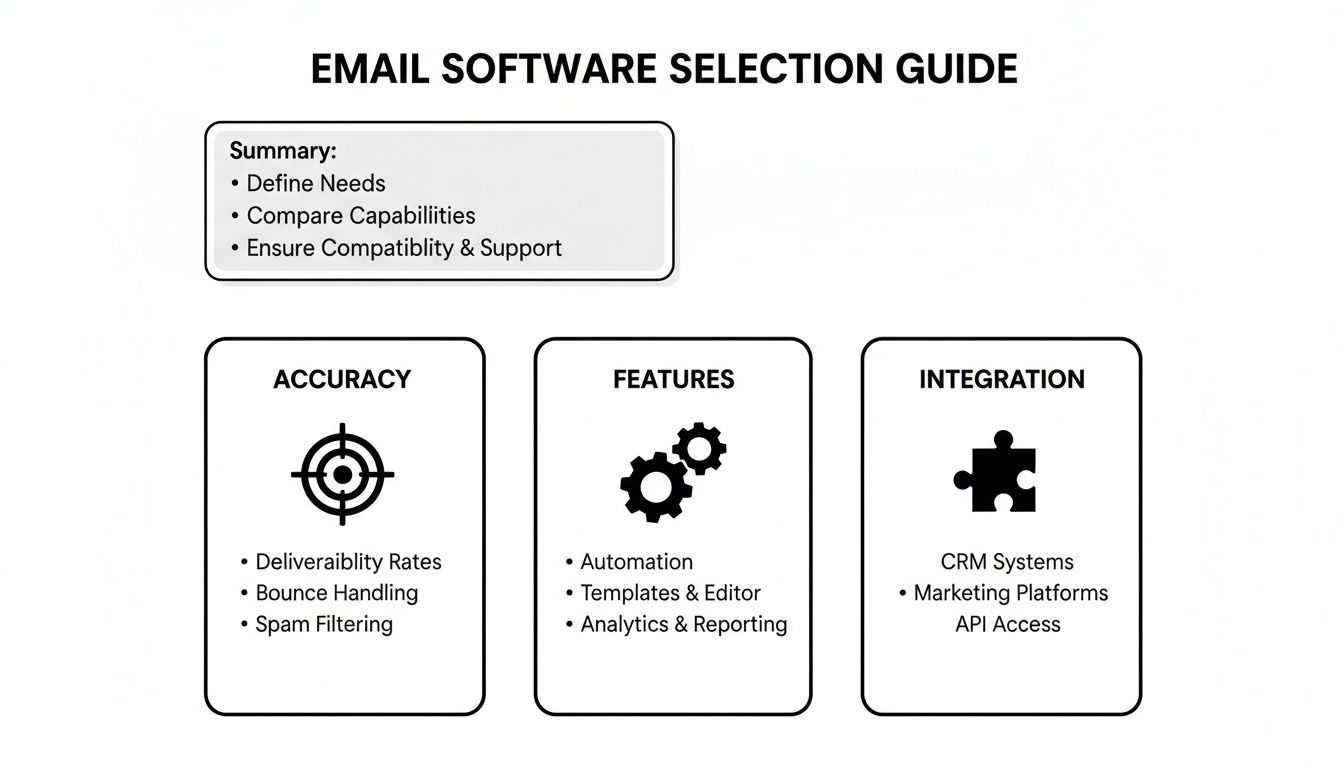
As it shows, the sweet spot is always a balance between dead-on tracking accuracy, a feature set that solves your specific problems, and integrations that plug right into the tools you already use every day.
Mailtrack: Simple and Focused for Gmail Users
Mailtrack built its name by doing one thing and doing it incredibly well: simple, reliable open tracking right inside Gmail. Its famous double-check mark system is so intuitive you'll get it in seconds, showing you at a glance if and when your email was opened. This minimalist approach is its biggest asset.
Think about this scenario: A freelance designer sends off a critical project proposal. They don't need a complex sales sequence or deep CRM integration. They just need to know the exact moment the client opens that proposal to time their follow-up call perfectly. Mailtrack gives them that without any fuss, living quietly in their Gmail interface.
Mailtrack’s genius is its elegant simplicity. It gives you immediate, clear open notifications without burying you in features you don’t need. It’s perfect for individuals who value clarity over complexity.
But that simplicity is also its limitation. While paid plans add basic link tracking, it doesn't have the advanced analytics, automation, or CRM sync you'll find in bigger platforms. It’s a precision tool for a specific job.
HubSpot Sales Hub: The All-in-One CRM Ecosystem
At the completely opposite end of the spectrum is HubSpot Sales Hub. Here, email tracking isn't just a feature; it's a core piece of a massive sales and marketing machine. When you track an email with HubSpot, that data—every open, every click—is automatically logged against that contact’s record in the CRM.
This creates a single, unified story of every touchpoint, from website visits to email opens and sales calls. For teams that need one source of truth for all customer communication, this is a game-changer. The market is screaming for this kind of integration—projections show the industry rocketing from USD 3.255 billion to USD 9.647 billion by 2035, and it's largely fueled by the power of CRM. In fact, over 60% of users connect their tools to a CRM to manage their pipelines. You can dive into the full research on the email tracking market growth to see these trends up close.
Here’s a real-world example: A growing sales team is juggling hundreds of leads. With HubSpot, a rep can see that a lead opened their pricing email three times, clicked a link to a case study, and then browsed the pricing page on the company website—all in one dashboard. That kind of context makes for a much warmer, smarter follow-up.
Mixmax: Supercharging Your Productivity
Mixmax finds a happy middle ground between Mailtrack's simplicity and HubSpot's all-in-one approach. It excels at turning your Gmail inbox into a productivity powerhouse, making it a favorite for professionals who need more than basic tracking but don't want to leave their inbox.
It provides solid open and click tracking, but then it layers on incredibly useful tools like one-click meeting scheduling, interactive polls, and automated email sequences. This makes it one of the best choices for people who want to kill repetitive tasks without switching apps.
The core strength of Mixmax is turning your inbox into a command center. It doesn't just track—it adds interactive elements and smart automation that cut out the friction of scheduling and following up.
Picture this: An account manager needs to schedule quarterly reviews with 50 clients. Instead of the soul-crushing email back-and-forth, they use Mixmax to embed their calendar availability right in the email. They can track who opens it and clicks the scheduling link, then trigger an automated follow-up for anyone who hasn't responded after a few days.
NotionSender: Native Tracking for Notion Workflows
NotionSender is a different beast altogether, built specifically for the growing number of teams and individuals who run their entire workflow out of Notion. It turns your Notion database into a fully-fledged email marketing and outreach tool, with tracking built in from the ground up.
Its magic is in the integration. You manage your contacts, draft your emails, and track engagement all within your familiar Notion workspace. This eliminates the awkward copy-pasting and app-switching that plagues so many other workflows.
A perfect use case: A creator manages their entire newsletter—subscribers, content, and scheduling—in a Notion database. With NotionSender, they can send a campaign to their list and see open and click data flow directly back into that same database, enriching their contact records automatically. This creates a powerful, self-contained system.
Email Tracking Software Feature Comparison
To make sense of these differences, it helps to see the core features laid out side-by-side. This table breaks down what you can expect from each tool, helping you match their strengths to your specific needs.
| Feature | Mailtrack | Mixmax | HubSpot Sales Hub | NotionSender |
|---|---|---|---|---|
| Primary Use Case | Simple open/click tracking for individuals | All-in-one inbox productivity for sales & professionals | Integrated CRM and sales platform for teams | Native email outreach and tracking for Notion users |
| Tracking Accuracy | High (Real-time notifications) | High (Detailed open, click, reply tracking) | High (Tied directly to CRM contact records) | High (Logs open/click data back into Notion) |
| Integrations | Gmail only | Gmail, Salesforce, Pipedrive | Deep integration with HubSpot CRM, Salesforce | Native integration with Notion databases |
| Automation | None | Email sequences, rules, scheduling automation | Full sales automation, workflows, lead scoring | Basic automation via Notion's "Ready to Send" status |
| Best For | Freelancers, individuals needing simple confirmations | Sales reps, account managers, productivity power-users | Sales and marketing teams needing a single source of truth | Notion-centric teams, creators, small businesses |
This comparison makes it clear: the "best" tool really is the one that disappears into your workflow. If your life is in Gmail, Mixmax or Mailtrack makes sense. If your business runs on HubSpot, their Sales Hub is a no-brainer. And if your brain is wired in Notion, NotionSender is the obvious choice.
Your decision should come down to an honest look at your day-to-day process. For no-fuss open alerts, Mailtrack is fantastic. For a scalable sales process tied to a CRM, HubSpot is the king. Mixmax is for the power user who wants to automate their inbox, while NotionSender offers an unparalleled solution for anyone building their business inside Notion.
A Spotlight on NotionSender for Integrated Workflows
While most of the big players in email tracking aim to plug into traditional CRMs or supercharge your inbox, there's another contender built specifically for the booming Notion ecosystem. NotionSender carves out a unique space for itself by embedding powerful email outreach and tracking right inside a Notion workspace. It's designed to stop the constant, inefficient shuffle between your project management hub and your email client.
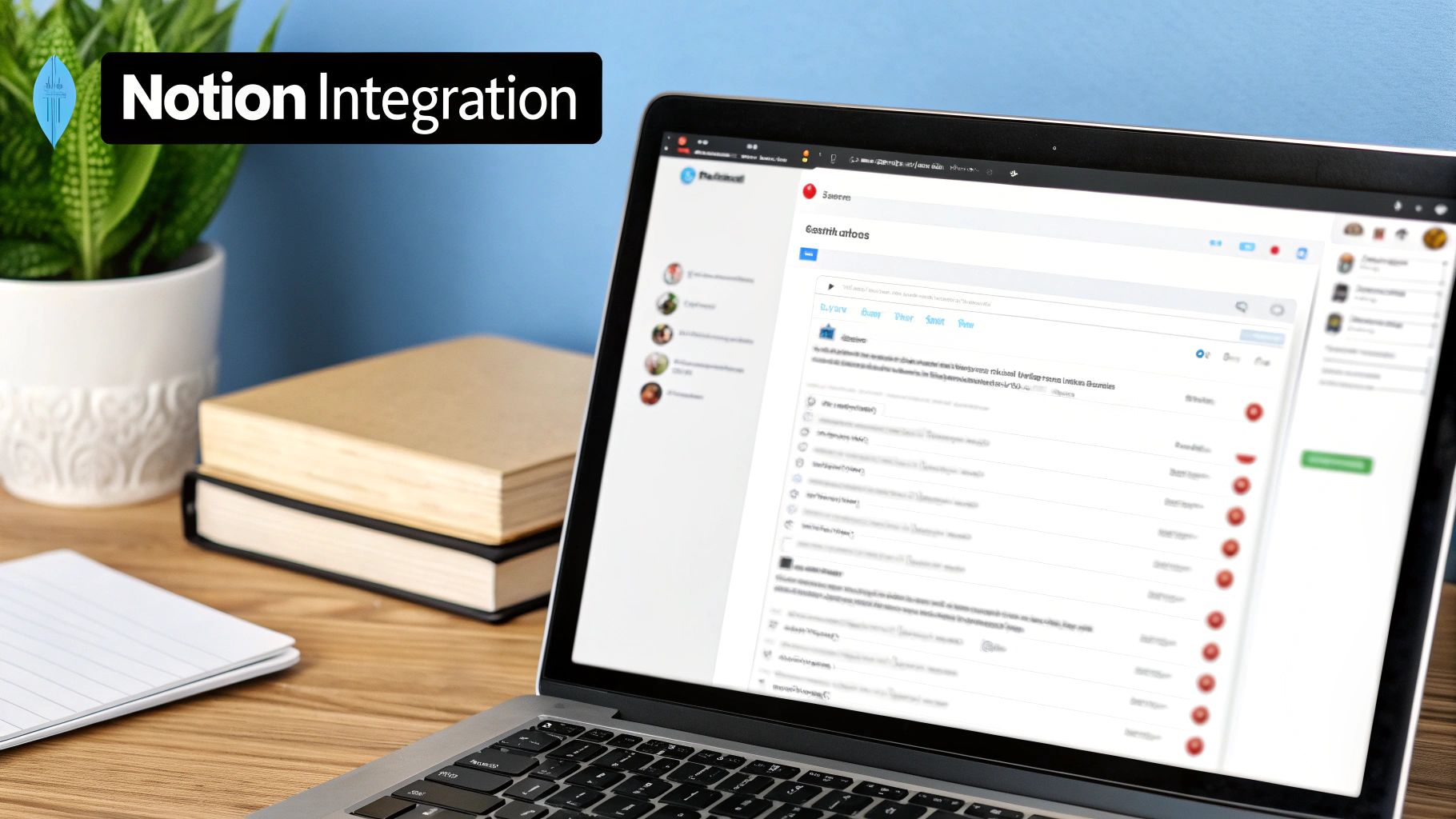
The core idea is simple but incredibly effective: turn any Notion database into a fully-fledged email campaign manager. Instead of clumsily exporting contact lists or manually logging every little interaction, NotionSender lets you send, track, and manage all your emails from the very same place you run your projects, track your clients, and plan your content.
A Unified Source of Truth
The real magic of NotionSender is how it creates a single, unified source of truth for all your project and communication data. It works by connecting directly to your Notion databases, letting you fire off trackable emails straight from a contact's record.
When someone opens your email or clicks a link, that engagement data automatically flows right back into the corresponding entry in your Notion database. This creates a neat, closed-loop system where project updates and client communication live side-by-side. You get the complete context without ever having to leave Notion.
Practical Use Cases in Action
So, how does this actually play out in the real world? Let's look at how different people might use this tool to connect their workflows.
1. The Creative Agency: Picture a creative agency managing all their client projects on a Notion board. Each client has a card with project details, deadlines, and deliverables. With NotionSender, the project manager can send a design proof for review directly from that client's card. They get a ping when the client opens the email and clicks the feedback link, and all that activity gets logged straight back to the project card. The entire team stays in the loop, effortlessly.
2. The Consultant: A consultant uses a Notion database to manage their client pipeline and send out invoices. They can send an invoice and immediately see when the client opens it. This simple confirmation eliminates those awkward "just checking in" follow-ups and gives them a clear signal on when to expect payment or if a gentle reminder is needed.
3. The Content Creator: A newsletter author manages their entire subscriber list and content calendar in Notion. They can draft an issue, select their subscriber list from a database, and send a trackable campaign. All the open rates and click-through data flow back into their subscriber database, helping them see exactly what kind of content their audience loves.
NotionSender’s real power isn’t about forcing you into a new system. It’s about enriching the Notion workflows you’ve already built. It meets you right where you work, making advanced email tracking feel like it was a native Notion feature all along.
Key Differentiators and Benefits
NotionSender isn't just another email tracker; it's a workflow automation tool built for a very specific, and very passionate, audience. Its main benefits really boil down to a few key things:
- Native Integration: It feels less like a bolted-on third-party tool and more like a natural extension of Notion itself.
- Workflow Consolidation: It drastically cuts down on the time you spend jumping between your project hub and your email client.
- Automated Data Logging: Engagement stats are synced automatically, which saves a ton of time and prevents manual data entry mistakes.
- Contextual Communication: Every email activity is tied directly to a project, client, or lead, giving you rich context for every single interaction.
By focusing exclusively on the Notion ecosystem, NotionSender offers a level of deep integration that general-purpose email trackers just can't touch. For any business, freelancer, or creator who has built their operational brain inside Notion, it's a seamless way to add professional-grade email tracking to their setup.
You can see for yourself how it transforms a Notion workspace by checking out the NotionSender platform. It’s a specialized solution that truly gets its audience, making it a seriously powerful contender for the right user.
How to Choose the Right Tool for Your Specific Needs
<iframe width="100%" style="aspect-ratio: 16 / 9;" src="https://www.youtube.com/embed/OZ5OU_QXh1k" frameborder="0" allow="autoplay; encrypted-media" allowfullscreen></iframe>
All the feature breakdowns are great, but it really boils down to one question: which of these is the best email tracking software for me? There’s no single right answer. It’s all about matching a tool’s core strengths to your daily workflow, your team, and what you’re trying to accomplish.
Let's translate all that data into practical recommendations for different kinds of users. This should help you find the right fit and get the most value from day one.
The Freelancer and Solo Entrepreneur
When you're running the show solo, efficiency is everything. You’re juggling clients, projects, and all the admin that comes with it. The last thing you need is another complex tool to learn. You need simple, immediate feedback on your most critical emails.
Your Top Priorities:
- Simplicity: Get it installed in minutes and have it feel like a natural part of your email client, like Gmail.
- Cost-Effectiveness: A robust free plan or an affordable starting price is non-negotiable.
- Critical Confirmations: You just need to know if a proposal was seen, an invoice was opened, or a pitch was read.
For this job, a tool like Mailtrack is a fantastic choice. Its famous double-check mark system gives you instant open confirmations without any extra noise. You send your email, and a simple, reliable signal tells you it's been read. It’s a focused tool that does one thing incredibly well, empowering you to time your follow-ups perfectly.
The Scaling Sales Team
As a sales team grows, so does the mess of managing leads and pipelines. Your needs evolve from simple open alerts to a system that provides deep context and plugs directly into your CRM. The goal is to build a single source of truth for every customer interaction.
Your Top Priorities:
- CRM Integration: Every open, click, and reply must automatically log to the right contact in your CRM. No manual data entry.
- Automation and Sequences: You need to build multi-step outreach campaigns to nurture leads without living in your inbox.
- Team Analytics: Managers need a clear view of what’s working—from top-performing email templates to individual rep activity.
This is exactly what HubSpot Sales Hub was built for. Its email tracking is just one piece of a massive sales ecosystem. When a rep sends a tracked email, that engagement data flows right into the contact's profile in the HubSpot CRM. This gives the whole team invaluable context for every conversation.
The real win for sales teams isn't just knowing an email was opened. It's seeing that open right next to the lead's website visits, past support tickets, and current deal stage—all in one dashboard.
The Notion-Centric Business or Creator
More and more businesses, creators, and project managers are running their entire operation out of Notion. For them, the biggest headache is constantly jumping between their all-in-one workspace and their email client. A tool that can bridge that gap isn't just a nice-to-have; it completely changes the game.
Your Top Priorities:
- Native Notion Integration: The tool needs to feel like it belongs in Notion, not like a clunky add-on.
- Workflow Consolidation: You want to send emails, track engagement, and manage your contacts without ever leaving your Notion workspace.
- Automated Data Logging: Open and click data should automatically sync back to your Notion databases, making your records smarter.
This is precisely where NotionSender shines. It was designed from the ground up to solve this exact problem, turning any Notion database into a powerful outreach machine. Imagine managing your newsletter subscribers in a database, sending a campaign, and watching the open rates populate right back into that same view. It keeps your entire workflow unified, making it the obvious choice for anyone building their business on Notion.
Your Top Email Tracking Questions, Answered
Jumping into email tracking naturally brings up a few questions. It’s smart to think about the ethics, privacy, and accuracy of it all before you commit to a tool. Getting these details straight is the key to using tracking software the right way—responsibly and effectively.
Let's clear up some of the most common concerns so you can feel confident in your choice.
Is Email Tracking Ethical and Legal?
This is the big one, and for good reason. The short answer? Yes, email tracking is legal in most regions, as long as you play by the rules set by privacy laws like GDPR in Europe. The ethical side of things really boils down to one word: transparency.
In most B2B contexts, there's a general understanding that business communications are monitored for follow-ups. Still, following best practices is non-negotiable.
- Offer a Clear Opt-Out: Every marketing or sales email needs an unsubscribe link. It’s not just polite; it's required by law.
- Update Your Privacy Policy: Be upfront. Your policy should mention that you use tracking technology to see how people engage with your emails.
- Stick to Legitimate Interest: Under GDPR, you can often justify tracking for sales follow-ups as a "legitimate interest." But—and this is a big but—you have to respect anyone’s right to object.
The whole point is to use the data to offer a better, more relevant experience, not to be creepy. When your goal is to improve things for the recipient, you’re standing on solid ethical ground.
Can People Block Email Tracking?
They sure can, and it's good to have realistic expectations about your data. Most tracking works by embedding a tiny, invisible image pixel in the email. If that pixel doesn't load, the "open" doesn't get recorded.
Here are a few ways that can happen:
- Images Disabled by Default: A lot of email clients, like Apple Mail and newer versions of Outlook, now block images automatically to protect user privacy.
- Privacy-First Email Clients: Services like Hey or ProtonMail are built from the ground up to stop trackers in their tracks.
- Browser Extensions: Plenty of add-ons exist specifically to find and neutralize email tracking pixels.
But this doesn't make tracking useless. Far from it. Link clicks, for instance, are much harder to block and are often a stronger signal of real interest anyway.
Think of tracking data as a strong directional hint, not as gospel. An email might show as unopened, but that could just be due to the recipient's privacy settings, not a lack of interest.
How Accurate Is This Stuff, Really?
Okay, so if tracking can be blocked, how accurate is it? While no system is 100% foolproof, modern email tracking software is more than reliable enough to give you the insights you need to make smarter decisions.
Accuracy can be nudged by the recipient's email client, their personal settings, or even their company's firewall. For example, some corporate security systems will "click" every link in an incoming email to scan for malware, which can give you a false positive on a click.
Even with these variables, the data is gold for spotting trends. You can still see which subject lines are winners, which templates get people clicking, and which prospects are warming up. The trick is to treat the data as a strategic guide, not a perfect, literal record of every single action. Once you understand its limits, you can use the insights to sharpen your outreach and build much stronger connections.
Ready to bring powerful, integrated email tracking directly into your Notion workspace? NotionSender turns your databases into a smart outreach tool, syncing engagement data automatically and keeping your entire workflow in one place. Start your free trial of NotionSender today and see how seamless your communication can be.

