
10 Best Practices for Email Management to Master in 2025
The average professional receives over 120 emails per day, turning a vital communication tool into a source of constant stress and distraction. A cluttered inbox is not just an organizational problem; it is a significant productivity bottleneck that drains focus, buries critical information, and disrupts workflow. Moving past generic advice, this guide delivers ten proven, best practices for email management designed to be immediately actionable. You will learn how to transform your inbox from a chaotic to-do list into a streamlined command center for your professional life.
Each strategy provides a clear path to regaining control. We will explore powerful techniques ranging from the Inbox Zero methodology and intelligent filtering to batch processing and creating reusable templates for common replies. These methods are designed to build a sustainable system, not just offer a temporary fix. Throughout this list, we'll also demonstrate how integrating tools like NotionSender can centralize your workflow, turning emails into structured, actionable data directly within your Notion workspace. By mastering these techniques, you can stop reacting to your inbox and start using it strategically. To gain further insights into optimizing your email routine, review these additional 9 Email Management Best practices for 2025 for more advanced strategies.
1. Inbox Zero Strategy
The Inbox Zero strategy, a cornerstone of effective email management, is a disciplined approach to keeping your main inbox empty. Popularized by productivity expert Merlin Mann, this method isn't about having zero emails but rather processing every message to zero out your inbox. It transforms your inbox from an overwhelming to-do list into a streamlined communication channel.
The core principle involves categorizing each incoming email into one of five actions: delete, delegate, respond, defer, or do. This ensures every message has a designated outcome, preventing important tasks from getting buried. For example, law firms often use this method to meticulously track client communications, ensuring every query is addressed promptly and filed correctly.
How to Implement Inbox Zero
To successfully adopt this strategy, start by setting specific, dedicated times for checking email, perhaps twice or three times a day. This prevents constant interruptions and allows for focused processing.
- Batch Process: Instead of handling emails as they arrive, process them in batches during your scheduled times.
- Use Keyboard Shortcuts: Learn your email client’s shortcuts for archiving, deleting, and labeling. This dramatically speeds up your workflow.
- Leverage Templates: For common responses, create templates to save time and maintain consistency.
Key Insight: The goal of Inbox Zero is not the absence of email, but the absence of unprocessed email. It's about making decisive actions to reduce cognitive load and maintain control.
2. Email Filtering and Labels/Folders System
An email filtering and labels system is a systematic approach to automatically sorting incoming emails into predefined categories. Instead of letting all messages land in one chaotic inbox, this practice uses automated rules to organize them by project, client, or priority level. This is one of the most effective best practices for email management as it immediately reduces clutter and helps you focus on what truly matters.
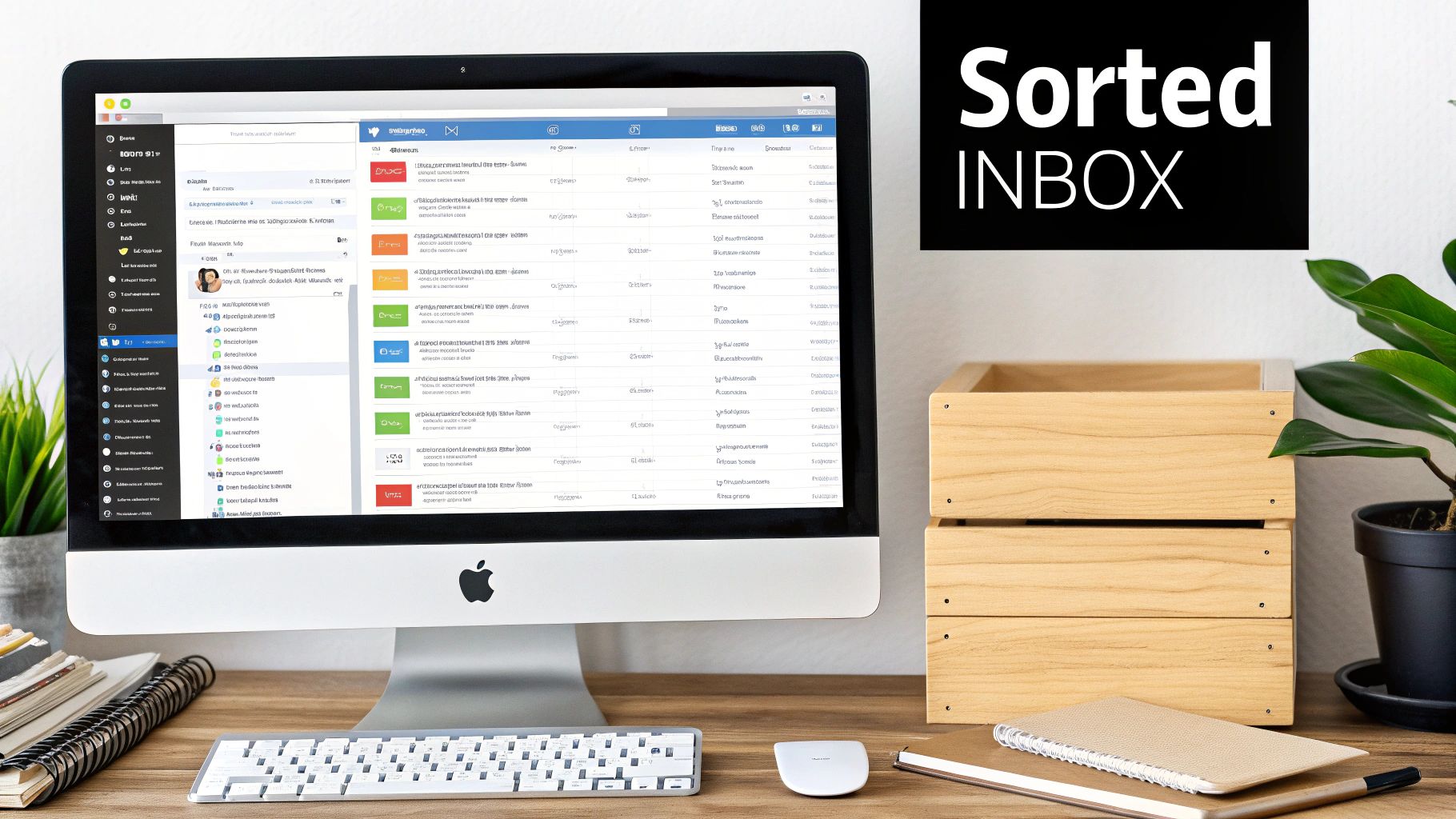
The core principle is simple: create rules that tell your email client what to do with messages that meet certain criteria, such as sender, subject line, or keywords. For example, a corporate legal department might automatically filter emails containing a specific case number into a dedicated folder, ensuring all related correspondence is organized and easily accessible. Similarly, freelancers can use this system to separate communications for each client, streamlining project management.
How to Implement Filtering and Labels
Start by identifying the main categories of emails you receive. The key is to keep the system manageable and intuitive, preventing over-complication while maximizing efficiency.
- Start with Low-Priority Mail: Create filters to automatically archive newsletters and promotional emails, moving them out of your primary inbox.
- Establish Key Categories: Set up 5-7 main folders or labels for major areas like "Clients," "Projects," "Finance," and "Internal Comms."
- Create a 'Follow-Up' Folder: Designate a specific folder or label for emails that require a response but can't be handled immediately.
- Use Cross-Categorization: Take advantage of labels (a key feature in Gmail) to apply multiple categories to a single email, such as "Client X" and "Urgent."
<iframe width="560" height="315" src="https://www.youtube.com/embed/oLdHnWLbn4A" frameborder="0" allow="accelerometer; autoplay; clipboard-write; encrypted-media; gyroscope; picture-in-picture" allowfullscreen></iframe>
Key Insight: A well-designed filtering system transforms your inbox from a reactive environment into a proactive, organized command center. It acts as a digital assistant, sorting your mail before you even see it.
3. Scheduled Send and Snooze Features
Utilizing built-in email features like scheduled send and snooze is a powerful tactic in modern email management. This approach allows you to control not just what you send, but precisely when it arrives, and to temporarily clear your inbox of emails that aren't immediately actionable. It empowers users to respect recipient time zones and maintain a focused, uncluttered workspace.
The core principle is to manage time effectively. Scheduling an email ensures it lands in a recipient's inbox during their peak working hours, increasing the likelihood of engagement. For instance, sales teams use this to time their outreach perfectly to different geographical markets. Similarly, the snooze function lets you "postpone" an email, making it disappear and then reappear at a more convenient time, turning your inbox into a prioritized task list.
How to Implement Scheduling and Snoozing
To integrate these features, think of them as tools for both external courtesy and internal organization. This helps manage expectations and keeps your primary inbox focused on urgent tasks.
- Time Your Sends: Schedule emails to be sent during the recipient's business hours, such as 10 AM on a Tuesday, to improve open rates.
- Snooze for Follow-ups: Snooze an email you've sent until a few days later, creating an automatic reminder to follow up if you haven't received a reply.
- Manage After-Hours Work: Write responses when you have time but schedule them to send the next business morning to maintain a healthy work-life boundary. For more advanced scheduling workflows, you can explore tools that integrate with your favorite apps, like those detailed in this guide on how to use Notion to schedule emails.
Key Insight: Scheduling and snoozing transform email from a reactive tool into a proactive one. You dictate the timeline, reduce mental clutter, and engage with recipients more effectively.
4. Email Unsubscribe and Newsletter Management
Email Unsubscribe and Newsletter Management is a proactive approach to reduce inbox clutter by controlling the flow of subscriptions, newsletters, and marketing communications. This practice involves regularly unsubscribing from irrelevant sources and consolidating valuable newsletters into manageable digests. It's a foundational step in email management that directly reduces daily email volume and cognitive noise.
The core principle, reinforced by regulations like the CAN-SPAM Act, is to give you control over who can send you promotional emails. Instead of letting your inbox become a dumping ground for marketing, you curate it to receive only the information you truly need. For example, LinkedIn allows users to manage newsletter subscriptions individually or opt for a weekly digest, preventing a daily flood of updates while preserving access to valuable professional insights.
How to Implement Proactive Unsubscribing
To successfully manage your subscriptions, set aside time for a regular audit. This turns a reactive, one-off task into a strategic habit for maintaining a clean inbox, a key component of the best practices for email management.
- Audit Subscriptions Quarterly: Review all automated emails and unsubscribe from anything you no longer read or find valuable.
- Use Digest Options: For lower-priority newsletters from platforms like Medium or Substack, switch from instant notifications to a daily or weekly digest.
- Create a Separate Email: Use a secondary email address for online shopping or one-time sign-ups to keep promotional content out of your primary inbox.
Key Insight: Effective newsletter management isn't about blocking all promotional content, but about consciously curating the information you allow into your digital workspace. It's an act of digital decluttering.
5. Template Creation for Common Responses
Creating pre-written email templates for frequently sent messages is a foundational best practice for email management. This approach involves developing a library of standardized responses for recurring communications, which dramatically reduces composition time and ensures a high level of professionalism. It moves you from manually typing the same information to a one-click insertion.
This method ensures consistency and completeness in every message. For example, HR departments use templates for onboarding confirmations to guarantee every new hire receives the same critical information. Similarly, customer support teams using platforms like Zendesk rely on templates to provide fast, accurate answers to common troubleshooting questions, significantly improving response speed.
How to Implement Email Templates
Integrating templates into your workflow is straightforward and yields immediate productivity gains. The key is to identify your most repetitive email tasks and build a repository of high-quality, reusable content.
- Identify Common Emails: Start by creating templates for your top 5-10 most frequent email types, such as meeting confirmations, status updates, or standard inquiries.
- Use Placeholders: Include bracketed placeholders like [Client Name] or [Project Deadline] as reminders to personalize each message before sending.
- Version for Different Audiences: Create slight variations of a core template for different recipient types, such as prospects, existing clients, or internal stakeholders.
- Regularly Review: Audit and update your templates quarterly to ensure they remain accurate, relevant, and aligned with your current communication standards.
Key Insight: Templates are not about being impersonal; they're about being efficient. They free up mental energy from repetitive tasks, allowing you to focus on the custom, high-value parts of your communication.
6. Priority Inbox and Email Triage
The Priority Inbox and Email Triage method is an intelligent approach to email management that automatically sorts incoming messages by importance. Popularized by features like Gmail’s Priority Inbox and Outlook’s Focused Inbox, this system uses algorithms and user-defined rules to separate critical communications from less urgent ones. It effectively creates a two-tiered inbox, ensuring you see what truly matters first.
The core principle is to establish a hierarchy for your messages based on sender, keywords, and your past interactions. This proactive filtering prevents high-priority emails from getting lost in a flood of newsletters and notifications. For example, a project manager can configure their inbox to automatically flag all messages from key clients or those containing words like "urgent deadline," ensuring they receive immediate attention while routine updates are set aside for later.
How to Implement Priority Inbox and Email Triage
To make this system work for you, you need to actively train your email client’s algorithm and set up your own clear rules. This turns a generic feature into a personalized productivity tool.
- Designate VIP Senders: Add crucial contacts like clients, team leads, and executives to a priority or VIP list.
- Create Keyword Rules: Set up filters that automatically mark emails containing specific project codes or urgent phrases like “action required” as important.
- Train the AI: Consistently move misclassified emails between your priority and other inboxes. This teaches the algorithm your preferences and improves its accuracy over time.
Key Insight: Effective email triage isn’t about ignoring low-priority emails; it’s about consciously deciding when to engage with them, freeing up your focus for high-impact communication.
7. Batch Processing and Time Blocking for Email
Batch processing is a productivity technique where you group similar tasks and complete them together in a dedicated time block. Applied to email, this means checking and responding to messages in scheduled intervals rather than reacting to every notification. This method, championed by authors like Cal Newport in Deep Work, prevents constant context switching and protects your deep work capacity.
This approach transforms email from a constant distraction into a structured task. Tech companies often encourage "email-free mornings" to allow developers to focus on complex coding problems without interruption. Similarly, a manufacturing team manager might designate specific windows at the start and end of a shift to handle all communications, ensuring production isn't disrupted. This is one of the most effective and simple email management tips to boost your productivity.
How to Implement Batch Processing
The key is to create firm boundaries around your email time. Start by scheduling specific, non-negotiable blocks in your calendar for handling your inbox, such as once in the morning, midday, and before you sign off.
- Turn Off Notifications: Disable all desktop and mobile email alerts outside of your scheduled blocks.
- Use an Auto-Responder: Set up an automatic reply that informs senders of your email checking schedule and manages their expectations for a response.
- Start Small: Begin with one or two dedicated "focus blocks" per day where you commit to not checking email, and gradually expand from there.
Key Insight: The power of batching lies in reclaiming control over your schedule. It shifts you from a reactive state, driven by incoming messages, to a proactive one where you dictate when email gets your attention.
8. Email Signature and Information Architecture
A professional email signature is a critical component of effective email management, serving as a digital business card that establishes credibility and provides essential information. This practice involves creating a standardized, concise, and informative block of text at the end of your emails. It ensures every communication reinforces your professional identity and offers recipients clear next steps or contact options, a key aspect of efficient information architecture.
The core principle is to provide value and clarity in a small space. For instance, financial institutions often use signatures with mandatory compliance disclaimers, while tech startups might include a link to a recent product launch. This consistency across an organization builds brand trust and ensures all communications meet professional standards, preventing confusion and streamlining follow-ups.
How to Implement a Professional Signature
A well-crafted signature is clean, mobile-friendly, and universally compatible. The goal is to convey professionalism without distracting from the email's primary message.
- Keep it Concise: Limit your signature to a maximum of 4-5 lines. Include your name, title, company, and primary contact details.
- Simple Formatting: Avoid excessive images, complex fonts, or animations that may not render correctly in all email clients.
- Provide Key Info: Include your phone number and email address. This redundancy is helpful if the email is forwarded or printed.
Key Insight: Your email signature is more than just contact information; it’s a tool for brand consistency, credibility, and providing clear, actionable information at the end of every message.
9. Read Receipts and Delivery Confirmation Management
Strategic management of read receipts and delivery confirmations is an essential best practice for email management, offering a way to verify communication without being intrusive. This approach involves using tracking features selectively to confirm that critical messages have been received and opened. It strikes a crucial balance between ensuring accountability and respecting the recipient's privacy and inbox experience.
The core principle is to reserve these tools for high-stakes communication where confirmation is non-negotiable. For instance, legal departments use delivery confirmations to track contract dispatches, while HR teams use read receipts to verify that employees have acknowledged important policy updates. This practice provides a documented trail, ensuring vital information doesn't fall through the cracks.
How to Implement Confirmation Management
To use these features effectively, integrate them into your workflow with clear guidelines, avoiding overuse which can appear distrustful.
- Use Sparingly: Reserve read receipts for truly critical communications, such as final deadline reminders or time-sensitive legal notices.
- Prioritize Delivery Confirmation: For most important emails, a delivery confirmation (which verifies it reached the server) is less intrusive than a read receipt.
- Set Clear Policies: If working in a team, establish a clear policy outlining when it is appropriate to request read receipts to maintain professionalism.
Key Insight: The goal isn't to monitor recipients, but to create a system of verification for your most crucial communications. Effective use of these tools builds accountability while maintaining professional trust.
10. Regular Email Inbox Maintenance and Archive Strategy
A systematic approach to email maintenance is one of the most vital best practices for email management, ensuring long-term inbox health and optimal system performance. This strategy involves regularly cleaning, organizing, and archiving emails to prevent inbox bloat. It's less about daily processing and more about periodic, deep-level organization to keep your digital workspace efficient.
The core principle is to treat your email system like any other critical business tool that requires routine upkeep. For instance, financial institutions must adhere to strict SEC regulations for email retention, while healthcare organizations manage HIPAA compliance, both requiring robust archiving and maintenance policies. This proactive approach prevents performance degradation and ensures important information remains accessible yet out of the way.
How to Implement Regular Maintenance
To successfully adopt this strategy, schedule recurring time on your calendar specifically for email maintenance. This transforms a daunting task into a manageable routine.
- Establish Retention Policies: Decide how long to keep emails in your active inbox. Use your email client's rules to automatically archive messages older than a set period, like 90 days.
- Schedule Clean-Up Sessions: Dedicate just 15-20 minutes each month to perform a deep clean. Use search operators to find and bulk-delete large, old, or irrelevant emails like promotional newsletters.
- Create an Archive Structure: Design a logical folder system for your archived emails. This is crucial for retrieving information later without searching through a single, massive archive folder. Saving important communications to a dedicated knowledge base can also streamline this process; you can learn how to save emails directly to Notion to build a powerful external archive.
Key Insight: Regular maintenance shifts email management from a reactive, daily struggle to a proactive, controlled process. It ensures your inbox remains a tool for current work, not a museum of past conversations.
10-Point Email Management Comparison
| Method | 🔄 Complexity | ⚡ Resources / Setup | ⭐ Expected outcomes | Ideal use cases | 📊 Key advantages / 💡 |
|---|---|---|---|---|---|
| Inbox Zero Strategy | Moderate → ongoing discipline; 2–4 weeks to adopt 🔄 | Minimal tools; recurring time investment | ⭐ High — sustained inbox control, fewer missed items | Client-facing roles, professionals needing strict inbox control | 📊 Reduces overload and improves accountability; 💡 process-based filing and templates help |
| Email Filtering & Labels/Folders System | Low–Moderate → rule setup + maintenance 🔄 | Requires filter-capable client; 1–2 weeks initial ⚡ | ⭐ High — automated sorting reduces manual work | High-volume inboxes, project/client-based workflows | 📊 Automates organization and improves retrieval; 💡 keep 5–7 main categories |
| Scheduled Send & Snooze Features | Low → immediate use; minimal learning 🔄 | Built-in platform features; no extra tools ⚡ | ⭐ Moderate — better timing, temporary decluttering | Global teams, sales/marketing, time-zone sensitive sends | 📊 Improves open rates & timing; 💡 schedule during recipient business hours |
| Email Unsubscribe & Newsletter Management | Low → periodic audits 🔄 | Minimal time; optional consolidation tools ⚡ | ⭐ High — significant volume reduction | Users flooded by promotions/newsletters | 📊 Cuts inbox noise and storage use; 💡 audit subscriptions quarterly |
| Template Creation for Common Responses | Low–Moderate → creation effort 🔄 | Time to author templates; client support for snippets ⚡ | ⭐ High — consistent messaging and faster replies (5–10 min saved/msg) | Support, sales, HR, frequent-repeat communication | 📊 Speeds responses and reduces errors; 💡 use placeholders and review quarterly |
| Priority Inbox & Email Triage | Low–Moderate → initial tuning + learning period 🔄 | AI-enabled client preferred; short optimization window ⚡ | ⭐ High — critical emails surfaced faster as ML improves | Executives, fast-response roles, high-priority communications | 📊 Ensures urgent items seen; 💡 add VIPs and correct misclassifications regularly |
| Batch Processing & Time Blocking for Email | Moderate → habit formation 1–2 weeks 🔄 | Calendar tools + discipline; block times ⚡ | ⭐ High — large gains in focused work (20–40% improvement) | Knowledge workers, deep-work schedules, teams limiting interruptions | 📊 Reduces context switching and improves quality; 💡 start with one daily block |
| Email Signature & Information Architecture | Low → quick setup (30–60 min) 🔄 | Design guidelines and organization standardization ⚡ | ⭐ Moderate — clearer contact info and brand consistency | Customer-facing teams, corporate communications | 📊 Improves professionalism and reduces follow-up requests; 💡 keep signatures concise |
| Read Receipts & Delivery Confirmation Management | Low → immediate enablement; policy needed 🔄 | Platform support and governance; minimal setup ⚡ | ⭐ Moderate — verifies delivery when needed | Legal, HR, project managers, time-sensitive confirmations | 📊 Provides proof of receipt and accountability; 💡 use sparingly and inform recipients |
| Regular Inbox Maintenance & Archive Strategy | Moderate → initial setup + ongoing sessions 🔄 | Admin tools, retention rules, backup planning; 1–2 weeks initial ⚡ | ⭐ High — improved search, performance, and compliance | Organizations with retention rules, heavy email users | 📊 Prevents bloat and supports compliance; 💡 schedule monthly maintenance and automated archives |
From Inbox Chaos to Workflow Command Center
Navigating the modern digital workspace requires more than just reacting to incoming messages; it demands a proactive, systematic approach. Throughout this guide, we've explored ten foundational best practices for email management, moving from the ambitious goal of Inbox Zero to the practical realities of daily inbox maintenance. We've seen how strategic filtering, consistent labeling, and the tactical use of templates can fundamentally shift your relationship with your inbox from one of reactive dread to proactive control.
The core takeaway is that true mastery isn't about finding a single magic bullet. It's about building a personalized system from these proven components. Combining techniques like batch processing your emails within dedicated time blocks and creating a priority triage system allows you to protect your most valuable asset: your focus. By implementing a disciplined unsubscribe strategy and a regular archiving schedule, you prevent digital clutter from accumulating, ensuring your inbox remains a tool for productivity, not a source of distraction.
Unifying Communication and Action
Ultimately, the goal is to transform your email from a simple communication channel into an integrated part of your workflow. This is where the real power lies. Instead of treating emails as isolated tasks, you can begin to see them as inputs for your larger projects, client management systems, and knowledge bases. Each practice, from crafting a clear email signature to managing read receipts, contributes to this larger objective of creating a seamless flow of information. The most effective professionals don't just manage their emails; they integrate them.
For those looking to deepen their understanding and explore further strategies, many valuable resources are available. For a comprehensive overview of email management, explore these 8 Essential Tips for Email Management to round out your knowledge.
Your Next Steps to an Organized Inbox
The journey from inbox chaos to a command center begins with a single step. Choose one or two practices from this list that resonate most with your current challenges and commit to implementing them for the next two weeks. Whether it's setting up three key filters or creating five standard response templates, small, consistent actions will build powerful new habits. By applying these best practices for email management, you are not just cleaning an inbox; you are reclaiming your time, reducing cognitive load, and building a more efficient, streamlined, and ultimately more successful operational system for your work.
Ready to bridge the gap between your inbox and your project hub? NotionSender allows you to seamlessly save, tag, and organize important emails directly into your Notion databases, turning static messages into actionable tasks. Stop manually copying information and start building a truly integrated workflow today with NotionSender.

