
12 Best Shared Inbox Software Solutions for 2025
If your team's critical communications are scattered across individual inboxes, you're not just disorganized; you're losing valuable time and letting customer requests slip through the cracks. Shared email addresses like support@, sales@, or info@ quickly become chaotic without the right system, leading to duplicate replies, missed messages, and frustrated clients. This is precisely the problem that shared inbox software is designed to solve.
These tools transform a standard group email account into a powerful, collaborative workspace. They provide a central hub where your team can assign conversations, leave internal notes, track ownership, and automate routine tasks. The goal is to bring order, accountability, and efficiency to your team's communication channels. To truly take back control and address the urgency of incoming inquiries, it's vital to understand the impact of response times. Improving this metric is a key benefit of a shared inbox, and current speed to lead statistics highlight just how critical fast replies are for customer satisfaction and sales.
This guide cuts through the noise to analyze the 12 best shared inbox software solutions available today. We'll explore everything from Gmail-native tools to comprehensive, enterprise-level platforms. For each option, you'll find a detailed breakdown of its core features, pricing, ideal use cases, and an honest assessment of its pros and cons, complete with screenshots and direct links. Our goal is to provide a clear, practical resource that helps you find the perfect fit to streamline your team's workflow and ensure no message is ever missed again.
1. Front
Front is a powerful customer operations platform that goes beyond a simple shared inbox, unifying email with other communication channels like SMS, social media, and WhatsApp. It's designed for teams that need sophisticated tools to manage high volumes of customer interactions, making it an excellent choice for support, operations, and success teams aiming to scale their efforts. The platform excels at creating a single source of truth for all customer conversations, which is crucial for delivering a cohesive experience.
What sets Front apart is its mature feature set focused on deep collaboration and automation. It allows teams to assign conversations, comment internally right on an email thread, and use shared drafts to collaborate on responses. This functionality turns a simple inbox into a dynamic workspace. Its robust automation engine can triage messages, apply tags, and assign owners based on custom rules, significantly reducing manual work. This is a key reason it’s considered one of the best shared inbox software options for growing businesses.
Key Features and Considerations
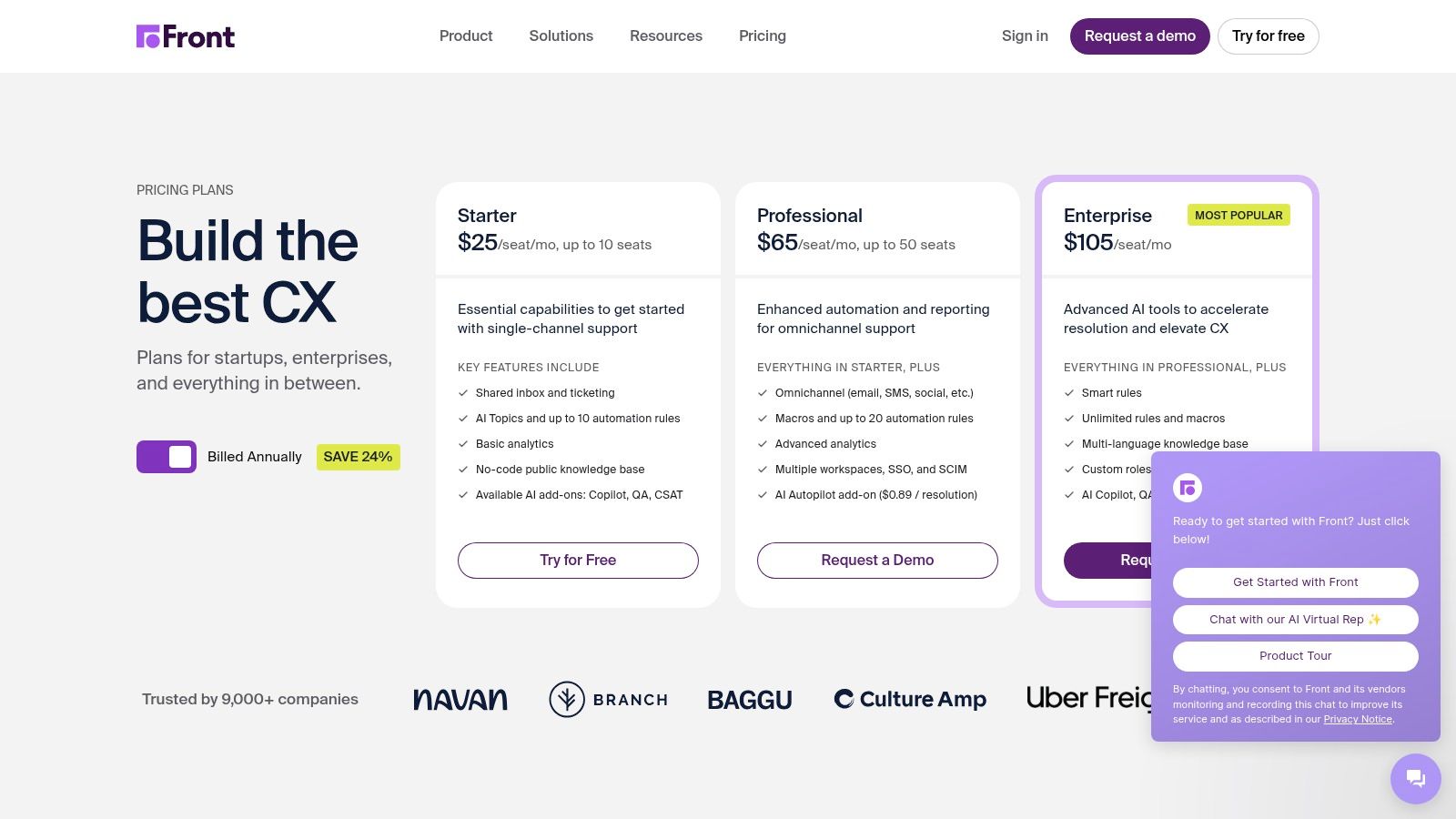
Front’s tiered pricing structure is designed to support companies from startup to enterprise, though some key features are gated at higher levels.
- Pricing: The Starter plan begins at $19 per user/month (billed annually) with a 2-seat minimum. The Growth plan, at $59 per user/month, adds more integrations and automation. The Scale plan, starting at $99 per user/month, introduces advanced analytics and security features.
- Best For: Teams that manage customer communications across multiple channels and require advanced workflow automation and analytics to maintain efficiency.
- Pros: Deep collaboration tools, extensive automation capabilities, and the ability to scale with your business from a small team to a large enterprise.
- Cons: The cost can become significant as you scale, with seat minimums and add-ons for features like AI increasing the total investment.
For teams looking to optimize their inbox management within platforms like Front, exploring effective strategies can be a game-changer. For additional insights, check out these simple email management tips to boost your productivity.
2. Help Scout
Help Scout is a customer support platform designed with a human touch, centering its functionality on a clean, email-like shared inbox. It combines this core feature with a knowledge base (Docs) and live chat to create a comprehensive support suite. The platform is built to feel familiar and intuitive for agents, removing the complexity often found in ticketing systems and allowing teams to focus on delivering high-quality, personal customer service.
What makes Help Scout a strong contender is its emphasis on simplicity and a user-friendly agent experience. It provides powerful features like automation, saved replies, and internal notes without a steep learning curve. The platform is particularly well-regarded for its straightforward reporting and seamless integrations with tools like Salesforce and Jira on higher plans. This balance of functionality and ease of use makes it one of the best shared inbox software solutions for teams that prioritize a direct, helpful communication style.
Key Features and Considerations
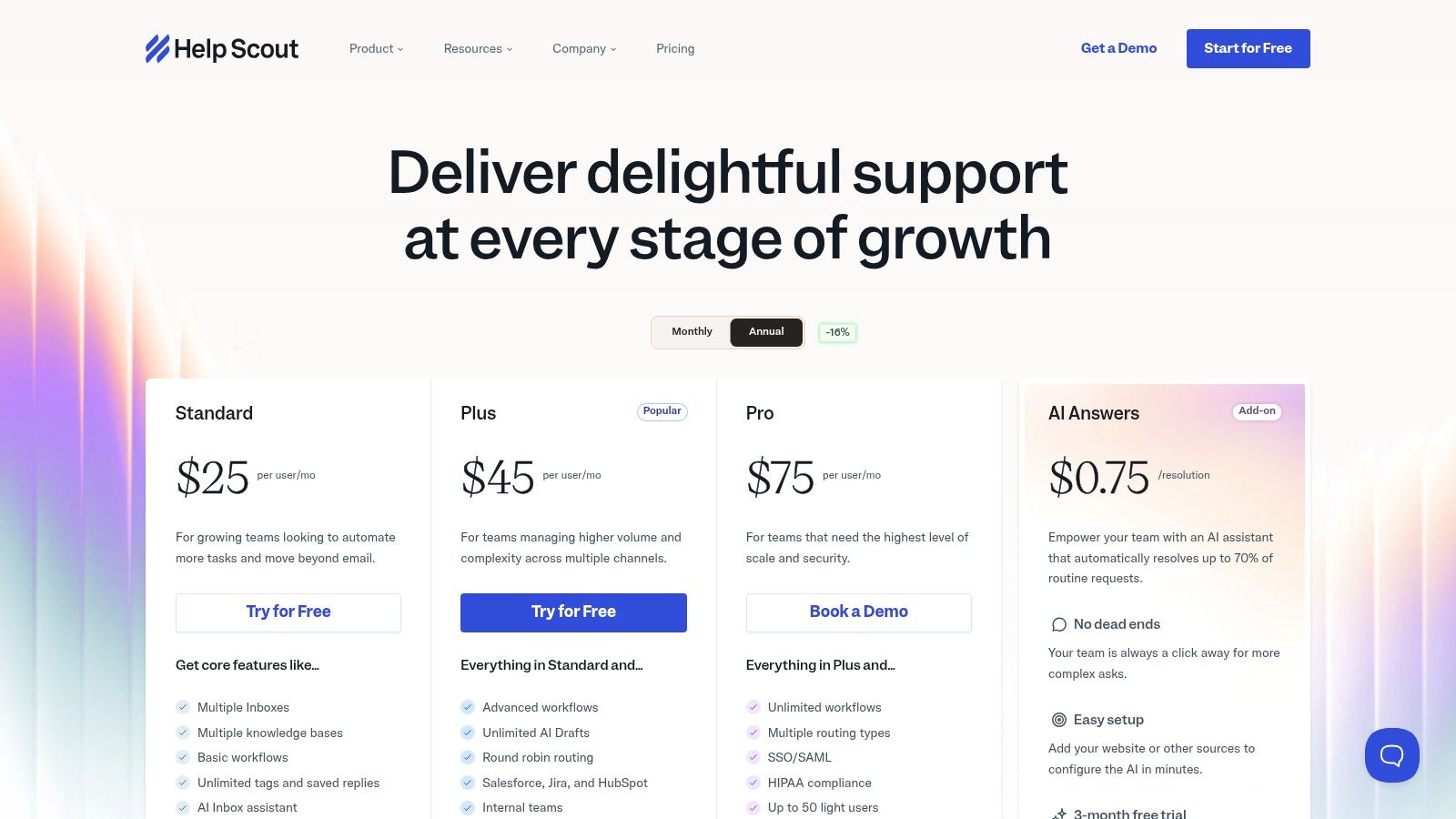
Help Scout offers a transparent pricing model that includes a free tier, making it accessible for startups and very small teams.
- Pricing: The Standard plan starts at $20 per user/month (billed annually) and includes 2 mailboxes. The Plus plan, at $40 per user/month, adds advanced integrations and custom fields. An AI-powered assistant is available on all paid plans.
- Best For: Small to medium-sized businesses and support teams who want a straightforward, email-centric shared inbox with integrated knowledge base and chat capabilities.
- Pros: The clean, familiar interface is easy for agents to adopt, and the free plan is a great starting point for small teams with one shared inbox.
- Cons: Adding extra inboxes on lower-tier plans comes at an additional cost, and accessing enterprise-grade features requires upgrading to more expensive tiers.
3. Hiver
Hiver is a customer service platform designed specifically for teams that live inside Google Workspace. Instead of forcing users to adapt to a new application, Hiver seamlessly integrates into the familiar Gmail interface, transforming it into a powerful, multi-channel hub for managing shared inboxes like support@ or sales@. This approach significantly reduces the learning curve and context switching, making it an excellent choice for teams that want to enhance collaboration without disrupting their existing workflows.
What makes Hiver a strong contender for the best shared inbox software is its native Gmail integration. It adds crucial help desk functionalities directly into your inbox, including tools for assigning emails, leaving internal notes on threads, and preventing duplicate replies with collision alerts. Teams can manage email, live chat, and WhatsApp conversations from one place, ensuring no customer query is missed. The platform's focus on a smooth user experience within a known environment is its key differentiator.
Key Features and Considerations
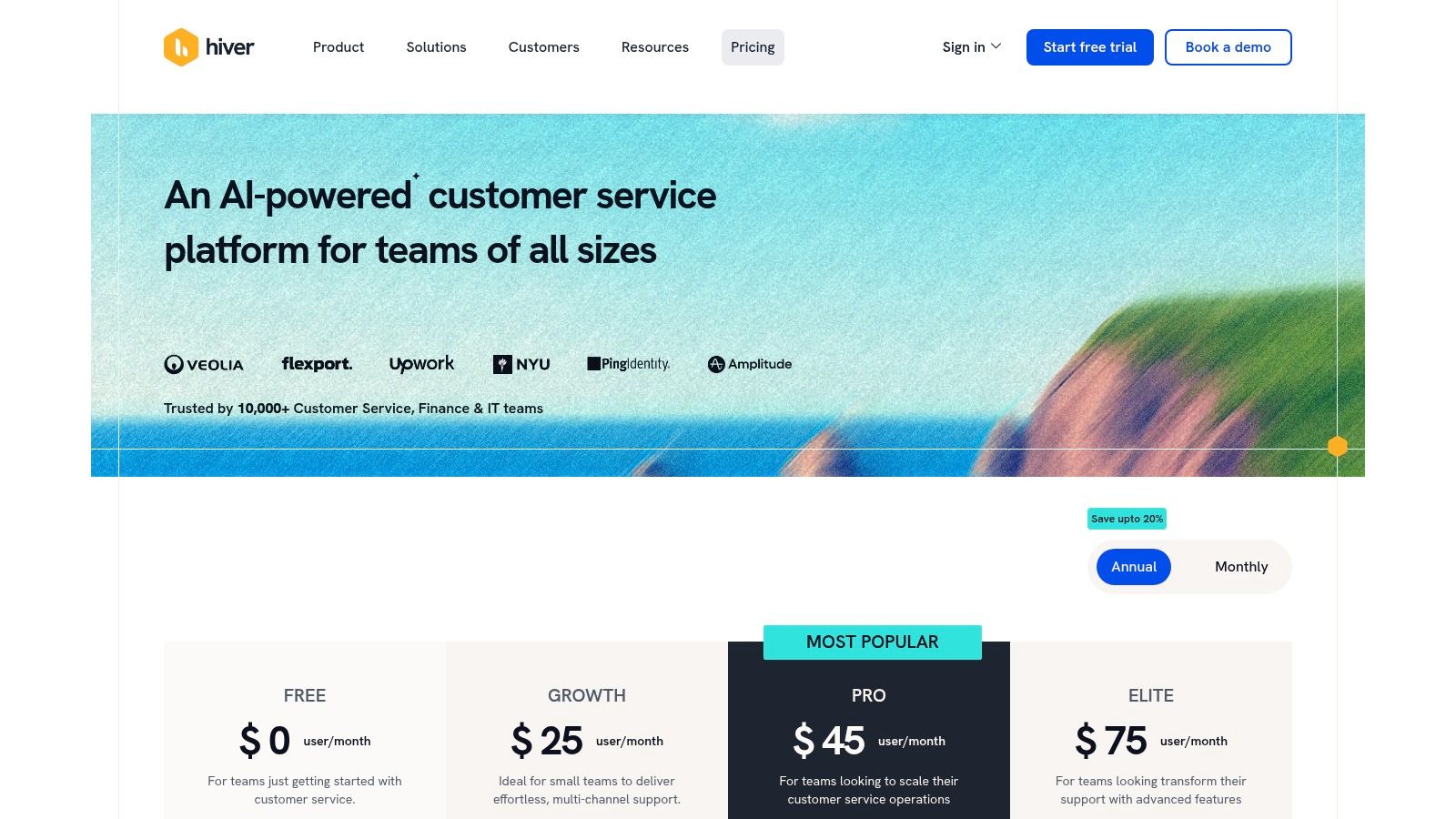
Hiver offers several plans, with more advanced features like automation and analytics reserved for higher-priced tiers.
- Pricing: The Lite plan starts at $15 per user/month (billed annually) for basic shared inbox management. The Pro plan, at $49 per user/month, adds features like live chat, WhatsApp, and advanced automations. An Elite plan is available at $69 per user/month for voice channel integration and custom reporting.
- Best For: Google Workspace-centric teams that need a user-friendly help desk and shared inbox solution with minimal onboarding and training.
- Pros: Extremely fast to set up and learn for existing Gmail users, robust collaboration features built into a familiar interface, and a smooth multi-channel experience.
- Cons: It's exclusively for Google Workspace, making it unsuitable for teams using other email providers. More powerful analytics and automation are gated behind the more expensive plans.
4. Missive
Missive is a highly collaborative platform that elegantly combines email, team chat, SMS, and task management into a unified inbox. It is designed for teams that prioritize fluid, internal communication alongside external messaging, allowing users to chat about emails and tasks directly within the conversation thread. This approach eliminates the need to switch between different applications for internal discussion and external communication, streamlining workflows significantly for small to mid-sized businesses.
What makes Missive a standout option is its intuitive blend of communication and action. Teams can not only share inboxes but also assign tasks, create shared drafts, and build powerful automations with a user-friendly rule engine. This turns a standard inbox into a central hub for getting work done. Its focus on a seamless user experience makes it one of the best shared inbox software choices for teams looking to improve both their internal collaboration and external response times without a steep learning curve.
Key Features and Considerations
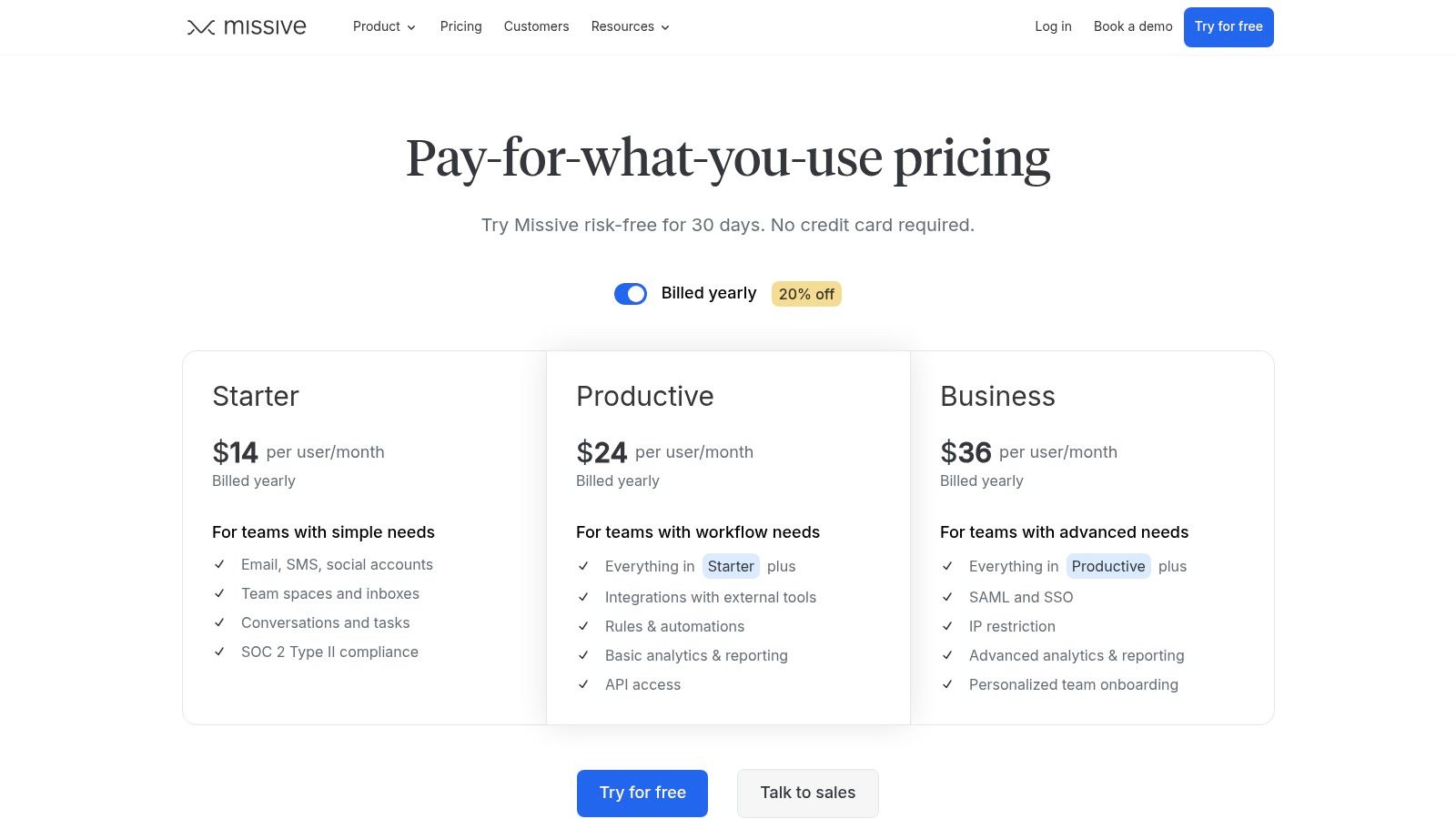
Missive offers competitive pricing tiers that make its powerful collaborative features accessible to businesses of all sizes, including a generous free plan.
- Pricing: The Free plan supports up to 3 users with limited history. The Starter plan is $14 per user/month, adding more integrations. The Productive plan at $18 per user/month unlocks key features like advanced rules and workflow automations, while the Business plan at $26 per user/month provides analytics and enhanced security like SOC 2 Type II compliance.
- Best For: Small to mid-sized teams that need a cost-effective solution for combining email, chat, and task management in one intuitive workspace.
- Pros: An excellent balance of features and affordability, with an intuitive model that combines chat, email, and tasks seamlessly.
- Cons: The omnichannel capabilities are not as extensive as enterprise-level suites, and critical reporting and security features are reserved for the highest-tier plan.
5. Gmelius
Gmelius transforms Gmail into a collaborative workspace, embedding shared inbox and project management tools directly into the user's existing interface. It’s designed for teams deeply integrated with Google Workspace, offering features like shared inboxes, shared labels, and Kanban boards without needing to leave Gmail. This native integration provides a seamless experience, reducing the learning curve and context-switching for teams already familiar with Google’s ecosystem.
What makes Gmelius a compelling choice is its blend of email management with visual project tracking. Teams can turn emails into actionable tasks on a Kanban board, add notes, and assign owners directly from a conversation. This unique approach helps organizations manage workflows like sales pipelines, support tickets, or hiring processes within their inbox. This deep integration and project management capability make it a strong contender for the best shared inbox software for Google-centric businesses.
Key Features and Considerations
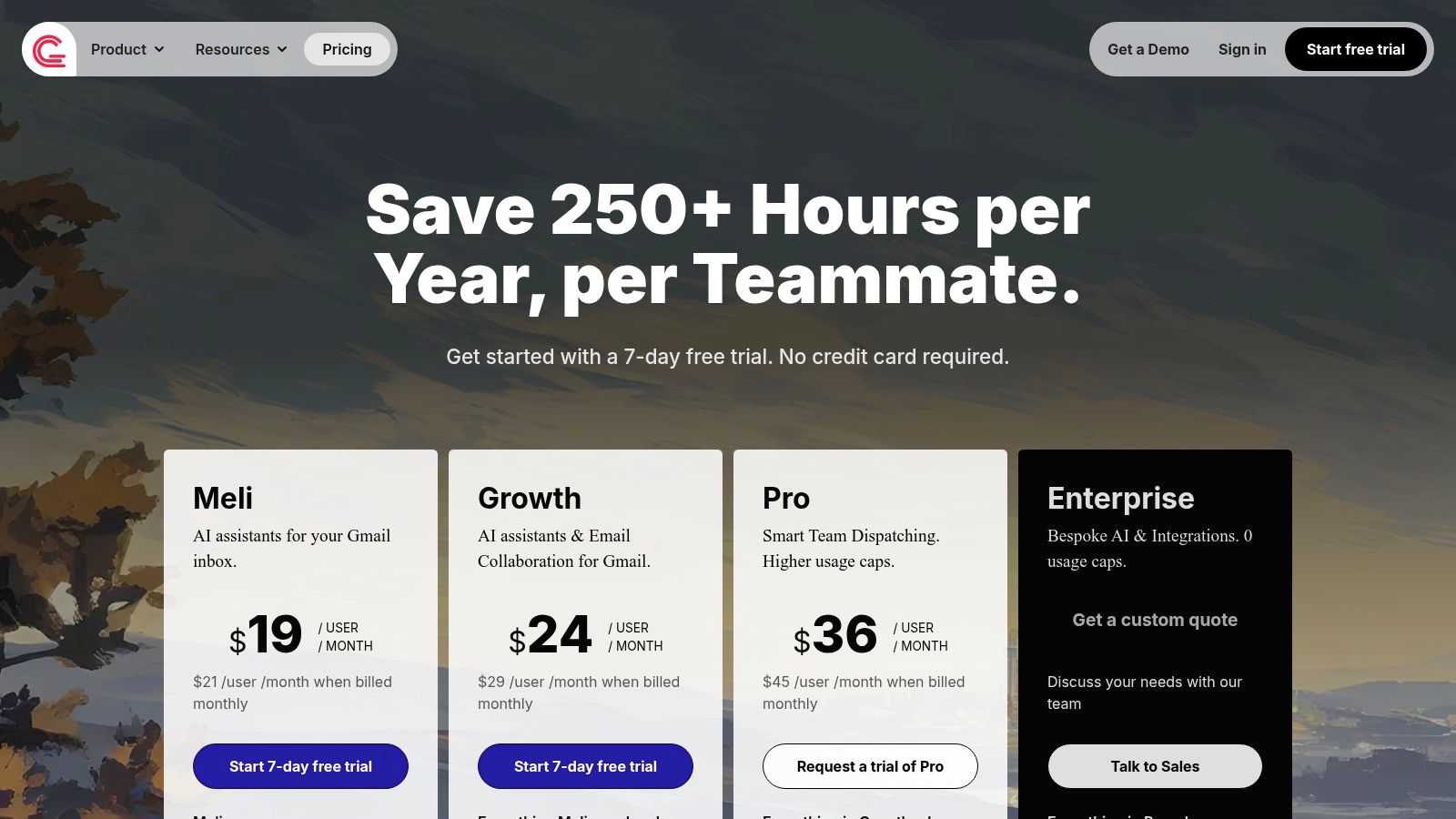
Gmelius offers transparent pricing with features designed to enhance team productivity directly within the Gmail environment.
- Pricing: The Flex plan is $15 per user/month, offering core shared inbox features. The Growth plan at $29 per user/month adds automation and reporting. The Pro plan, at $39 per user/month, unlocks advanced features like smart sequences and custom reports.
- Best For: Teams and organizations that operate primarily within Google Workspace and want to add collaboration and project management capabilities directly into Gmail.
- Pros: Exceptional native integration with Gmail, unique Kanban-style workflow views for visual project management, and unlimited shared inboxes across all plans.
- Cons: Its greatest strength is also a limitation; it provides the most value when an entire organization uses Google accounts, and all users must be on the same plan tier.
6. Drag (for Gmail)
Drag transforms the familiar Gmail interface into a collaborative workspace, acting as a native shared inbox and task management tool. It's designed for teams that live inside Gmail and want to avoid switching between different applications. By converting emails into visual cards on a Kanban board, Drag allows users to manage workflows for support, sales, or operations directly from their inbox. It also integrates with Google Groups to create shared boards, making it a seamless extension of the Google ecosystem.
What makes Drag a unique contender for the best shared inbox software is its deep integration with Gmail. Instead of a separate platform, it operates as a Chrome extension that enhances the existing inbox with features like assignments, internal notes, and @mentions. This approach minimizes the learning curve and keeps teams in an environment they already know. Automation rules can handle repetitive tasks like assigning emails or applying tags, while higher-tier plans add SLA controls and AI assistants to further boost productivity.
Key Features and Considerations
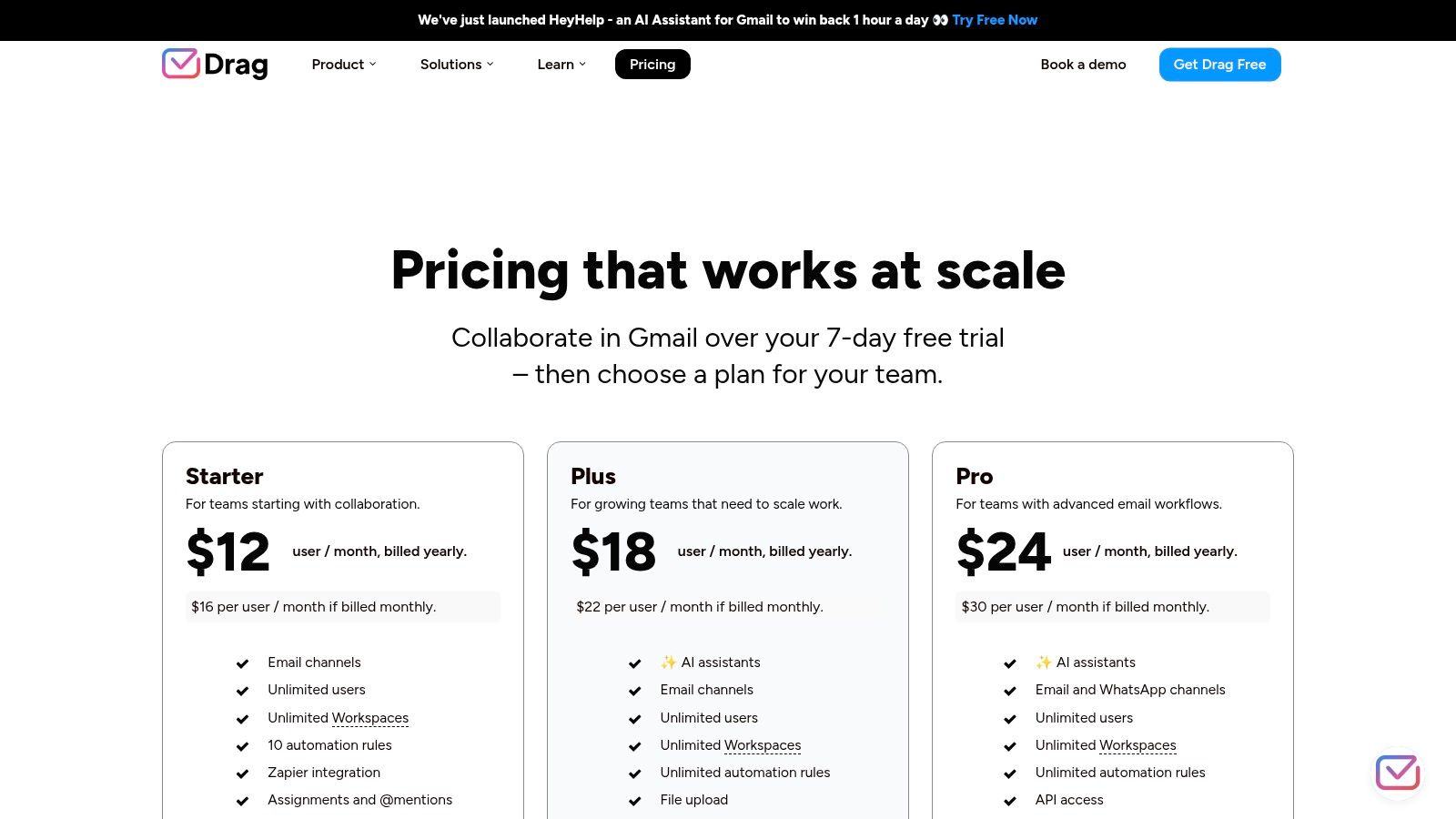
Drag offers several plans that cater to different team sizes and needs, with its core value being the visual workflow management within Gmail.
- Pricing: The Starter plan is $8 per user/month, offering basic shared inboxes and Kanban boards. The Plus plan at $12 per user/month adds automation and shared drafts. The Pro plan, at $18 per user/month, includes advanced features like SLAs, business hours, and reporting.
- Best For: Teams heavily reliant on the Google Workspace ecosystem who prefer a visual, Kanban-style approach to managing shared inboxes like support@ or sales@.
- Pros: Operates entirely within Gmail, eliminating context switching. The visual board layout is intuitive for managing workflows and tracking email progress.
- Cons: It is a Gmail-only solution and not suitable for companies using Microsoft 365. Reporting capabilities on lower-tier plans are limited.
For those who want to integrate their email workflows even more deeply into their primary productivity tools, you can learn how to create and send email directly from Notion.
7. Zoho TeamInbox
Zoho TeamInbox is a dedicated shared inbox solution that forms a key part of the extensive Zoho business suite. It’s designed to streamline team collaboration by organizing emails and other messaging channels into clear, manageable inboxes accessible to multiple users. The platform focuses on eliminating the confusion of CCs and forwards, creating a central hub where teams can assign, discuss, and resolve conversations efficiently. It’s an excellent fit for businesses already invested in the Zoho ecosystem but also stands strong as a standalone tool.
What makes Zoho TeamInbox a compelling choice is its balance of affordability and functionality, especially for those leveraging other Zoho products. It supports standard shared inbox features like assignments, internal discussion threads, and response templates, which are crucial for maintaining consistent and timely communication. By offering a structured approach to managing group emails like support@ or sales@, it solidifies its position as one of the best shared inbox software options for teams seeking an integrated and budget-friendly solution.
Key Features and Considerations
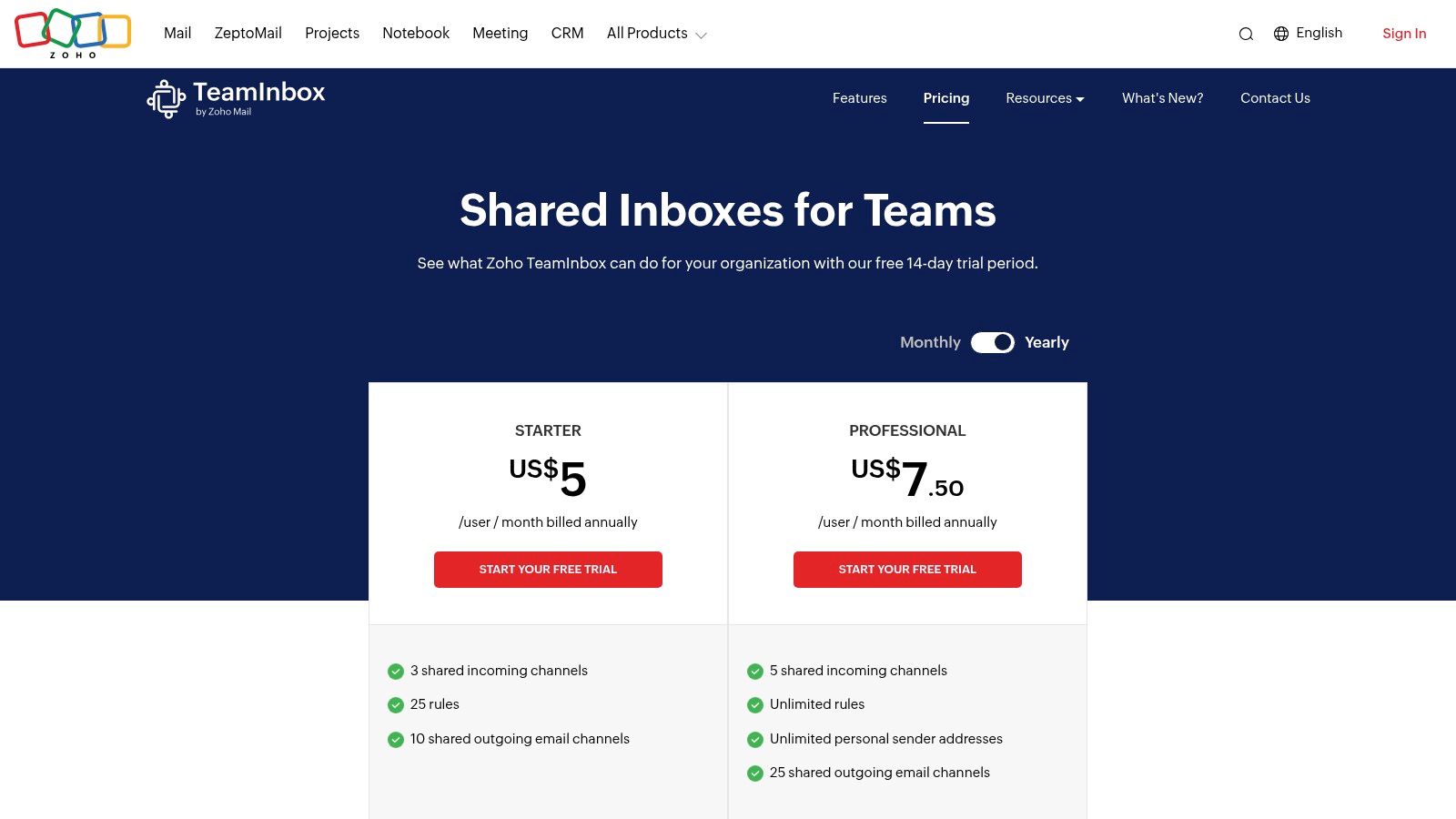
Zoho TeamInbox offers a very accessible entry point with a free tier and competitively priced paid plans, making it attractive for small to mid-sized teams.
- Pricing: A Free plan is available for up to 3 users and 3 inboxes. The Standard plan is $8 per user/month (billed annually), and the Professional plan is $12 per user/month, adding analytics and more automations.
- Best For: Small to medium-sized businesses, particularly those already using the Zoho One suite, who need a straightforward and cost-effective shared inbox.
- Pros: Highly competitive pricing and exceptional value when bundled with Zoho One. Its per-channel model with flexible add-ons allows for scalable customization.
- Cons: The user interface may feel less intuitive for those accustomed to traditional email clients like Gmail or Outlook. Channel limits are enforced by tier, and WhatsApp usage is metered per conversation, which could add to costs.
8. Freshdesk (Freshworks)
Freshdesk is a comprehensive customer support platform from Freshworks that offers a powerful ticketing system built around a shared inbox. It is designed to help teams of all sizes, from small businesses to large enterprises, manage customer conversations efficiently. The platform consolidates inquiries from email, social media, chat, and phone into a single, unified view, allowing agents to track, manage, and resolve issues without losing context.
What makes Freshdesk a standout choice is its balance of robust features and accessibility, including a free tier for small teams. It goes beyond basic email sharing by incorporating help desk essentials like collision detection to prevent duplicate agent replies, Service Level Agreement (SLA) management, and a built-in knowledge base. This combination of tools makes it one of the best shared inbox software solutions for teams looking to formalize their customer support processes and improve response times.
Key Features and Considerations
Freshdesk’s plans scale from a free, basic help desk to an enterprise-grade omnichannel solution, with AI features available as add-ons.
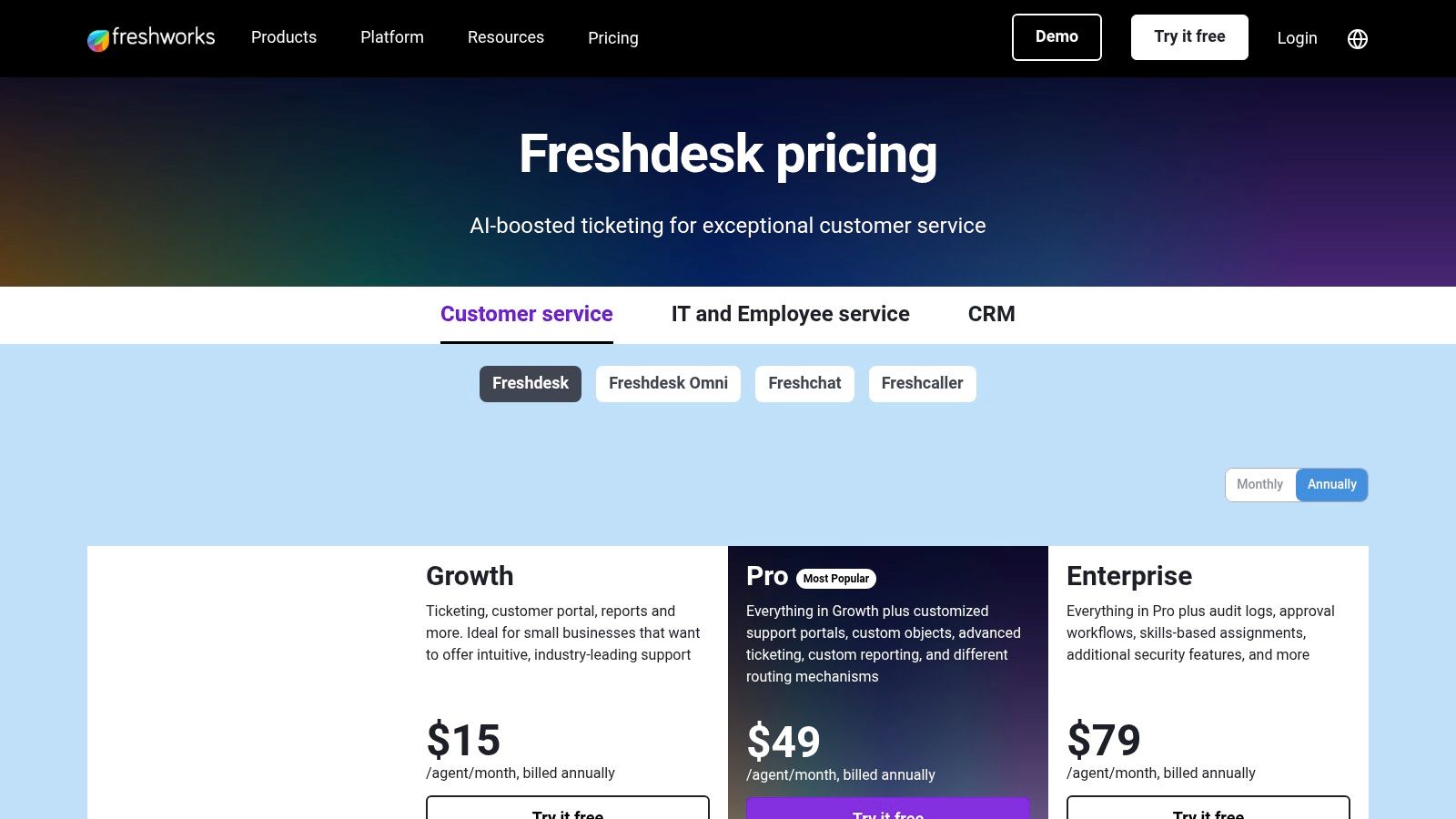
- Pricing: The Free plan supports up to 10 agents with basic ticketing. The Growth plan starts at $15 per user/month (billed annually) and adds automation and collision detection. The Pro plan at $49 per user/month introduces custom reporting and SLA management.
- Best For: Customer support teams that need a structured ticketing system with help desk features like SLAs, a knowledge base, and robust reporting.
- Pros: Generous free plan for up to 10 agents, strong ticketing and automation capabilities, and the ability to scale into a full omnichannel support solution.
- Cons: The user interface can feel complex for new users, and advanced features or AI capabilities often require higher-tier plans or paid add-ons.
9. Zendesk
Zendesk is a comprehensive, enterprise-grade customer service suite that offers a sophisticated shared inbox system at its core. It transforms incoming emails and messages into manageable tickets within a unified agent workspace, supporting omnichannel communication from email, chat, social media, and voice. Designed for large-scale operations, Zendesk provides the structure and tools necessary for support teams to handle high volumes of inquiries with precision and accountability. Its strength lies in creating a centralized hub for all customer interactions, ensuring no request gets lost.
What distinguishes Zendesk is its immense scalability and the depth of its ecosystem. The platform moves beyond basic inbox management with powerful automation, service level agreement (SLA) tracking, and advanced analytics through its Explore feature. This allows managers to monitor team performance and optimize workflows effectively. The ability to add AI tools for agent assistance and a vast marketplace of integrations makes it a highly customizable solution, solidifying its place as one of the best shared inbox software options for established businesses needing a robust ticketing system.
Key Features and Considerations
Zendesk's pricing reflects its enterprise focus, with different tiers unlocking progressively advanced features like analytics, security, and AI capabilities.
- Pricing: The Support Team plan starts at $25 per agent/month (billed annually). The Support Professional plan is $59 per agent/month, adding SLAs and reporting. The Support Enterprise plan, at $125 per agent/month, includes custom roles and advanced analytics.
- Best For: Mature companies and large support teams that require a powerful, scalable ticketing system with advanced analytics and enterprise-grade security.
- Pros: Deep ecosystem with extensive integrations, robust analytics for performance tracking, and high scalability for complex, growing organizations.
- Cons: The platform can be overkill and costly for small teams or simple use cases, with many key capabilities requiring expensive add-ons or higher-tier plans.
For organizations leveraging Zendesk's powerful ticketing system, optimizing internal documentation and knowledge management is key. To learn how to enhance this, explore these Notion templates for creating a powerful internal wiki.
10. Intercom (Inbox + Help Desk)
Intercom is an AI-first customer service platform that combines a powerful shared inbox with live chat, bots, and help desk functionality. It is designed for businesses, particularly product-led companies, that want to provide proactive, in-context support through a modern messenger. The platform excels at automating conversations and seamlessly handing off complex issues from its AI bot, Fin, to human agents, creating a streamlined support experience.
What distinguishes Intercom is its deep integration of AI and automation directly into the inbox workflow. Teams can build sophisticated bot-based workflows to triage inquiries, answer common questions, and qualify leads before they ever reach an agent. This focus on bot-to-human handoffs makes it one of the best shared inbox software solutions for managing high-volume, chat-heavy support channels. The ability to manage email, chat, and help center articles from a single hub provides a comprehensive view of every customer interaction.
Key Features and Considerations
Intercom’s pricing is tiered, with separate costs for seats and AI usage, allowing for a customizable but potentially expensive setup.
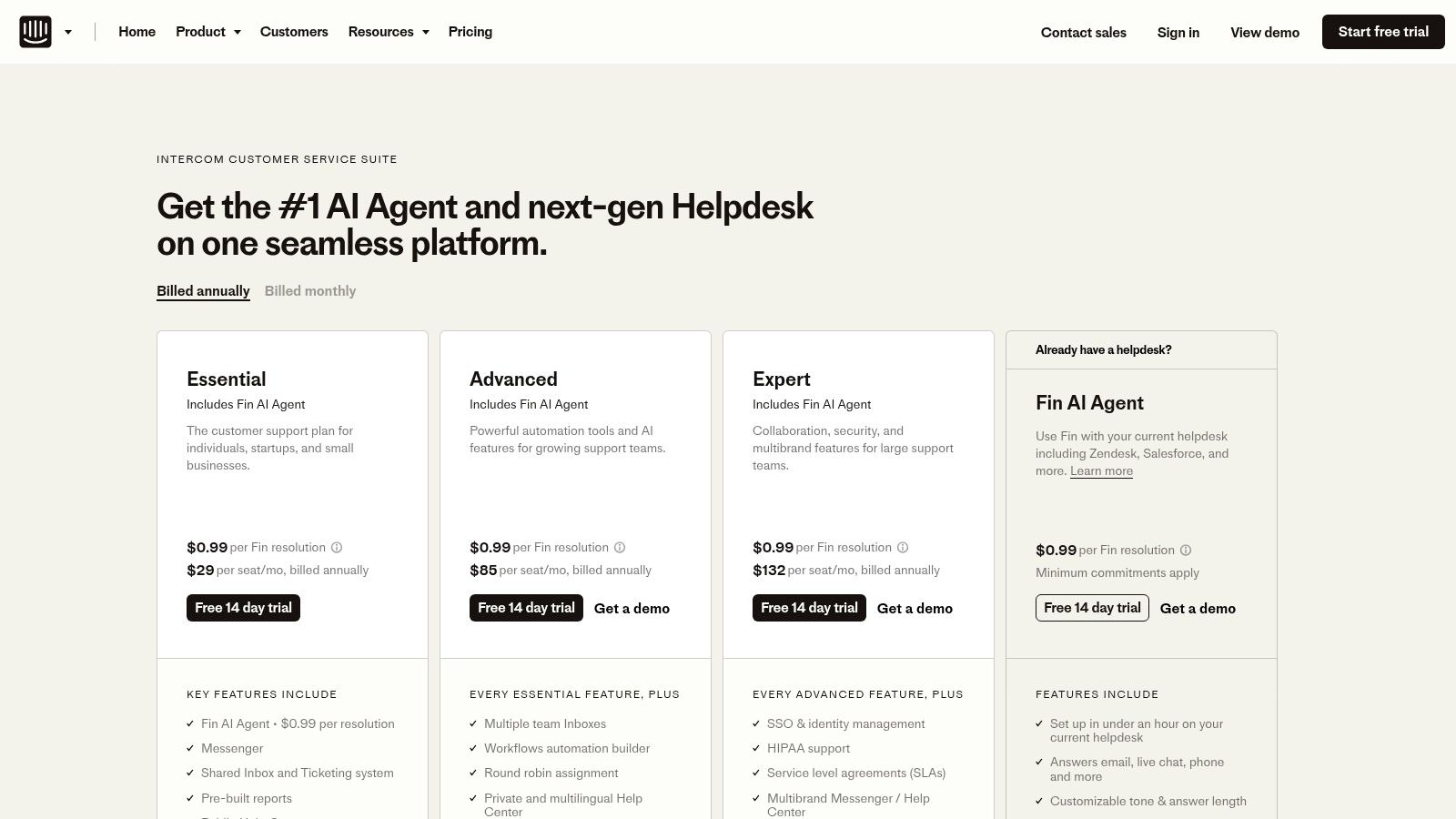
- Pricing: The Essential plan starts at $39 per user/month, offering core shared inbox and help center features. The Advanced plan at $99 per user/month adds more customization and automation. The Expert plan at $139 per user/month provides advanced reporting and security. AI features are billed separately per resolution.
- Best For: Product-led or chat-heavy support organizations that need strong automation, bot capabilities, and a modern messenger to engage with users.
- Pros: Powerful AI and bot-driven automation, a unified platform for multi-channel support, and clear pricing tiers for both seats and AI usage.
- Cons: The costs can scale quickly, especially with high seat counts and significant AI resolution usage, making it a considerable investment.
11. Google Workspace – Collaborative Inbox (Google Groups)
For teams already embedded in the Google ecosystem, the Collaborative Inbox feature within Google Groups offers a straightforward, no-additional-cost solution for managing shared email addresses. It transforms a standard group email like support@ or info@ into a functional queue where team members can assign, take, and resolve conversations. This makes it a practical entry point for small businesses or teams just starting to formalize their shared communication processes without needing a separate, dedicated application.
What makes Google's offering notable is its native integration with Google Workspace. Users can send emails using their group's identity, and conversations are tracked in a shared space accessible to all members. While it lacks the advanced automation and multi-channel capabilities of specialized platforms, its simplicity is a key advantage for lightweight workflows. It’s an accessible choice for those who need a basic but effective shared inbox, which is why it's a contender for the best shared inbox software for budget-conscious teams.
Key Features and Considerations
The Collaborative Inbox is a feature included within standard Google Workspace plans, making it highly accessible.
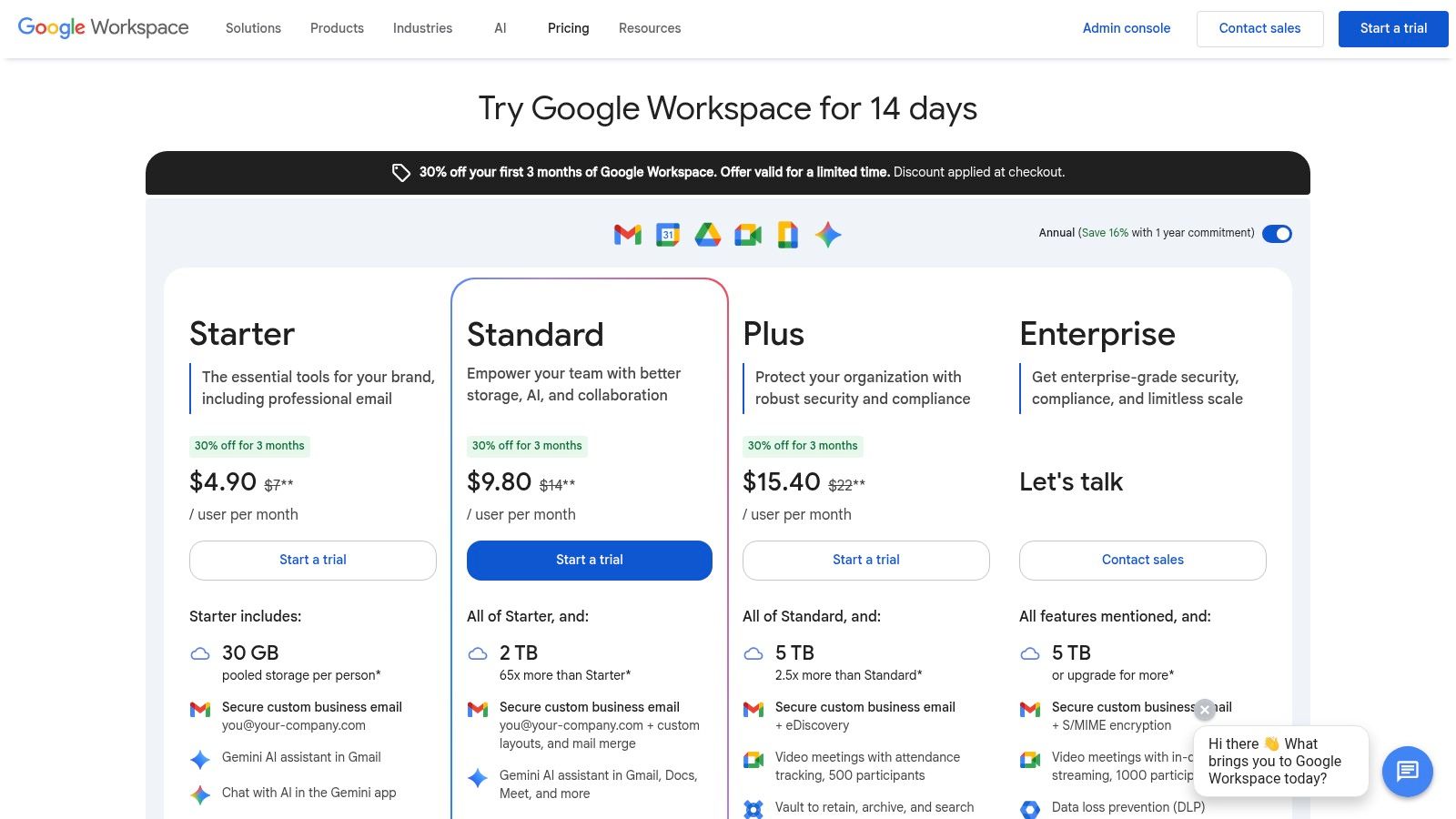
- Pricing: Included with Google Workspace plans. The Business Starter plan begins at $6 per user/month, with higher tiers offering more storage and features. The Collaborative Inbox functionality itself does not add extra per-seat costs.
- Best For: Small teams and businesses already using Google Workspace that need a simple, free way to manage group emails like info@ or contact@ without investing in a dedicated tool.
- Pros: No extra cost for Google Workspace users, very simple to set up, and integrates seamlessly with existing Gmail and Google identities for a familiar user experience.
- Cons: The mobile experience is limited, and it lacks advanced help desk features like analytics, collision detection, or complex automation. Heavier workflows will likely outgrow its capabilities.
To enhance its utility, you can connect your Google Workspace communications to other tools. Discover ways to integrate your inbox by saving important emails to Notion.
12. Microsoft 365 – Shared Mailboxes (Exchange Online)
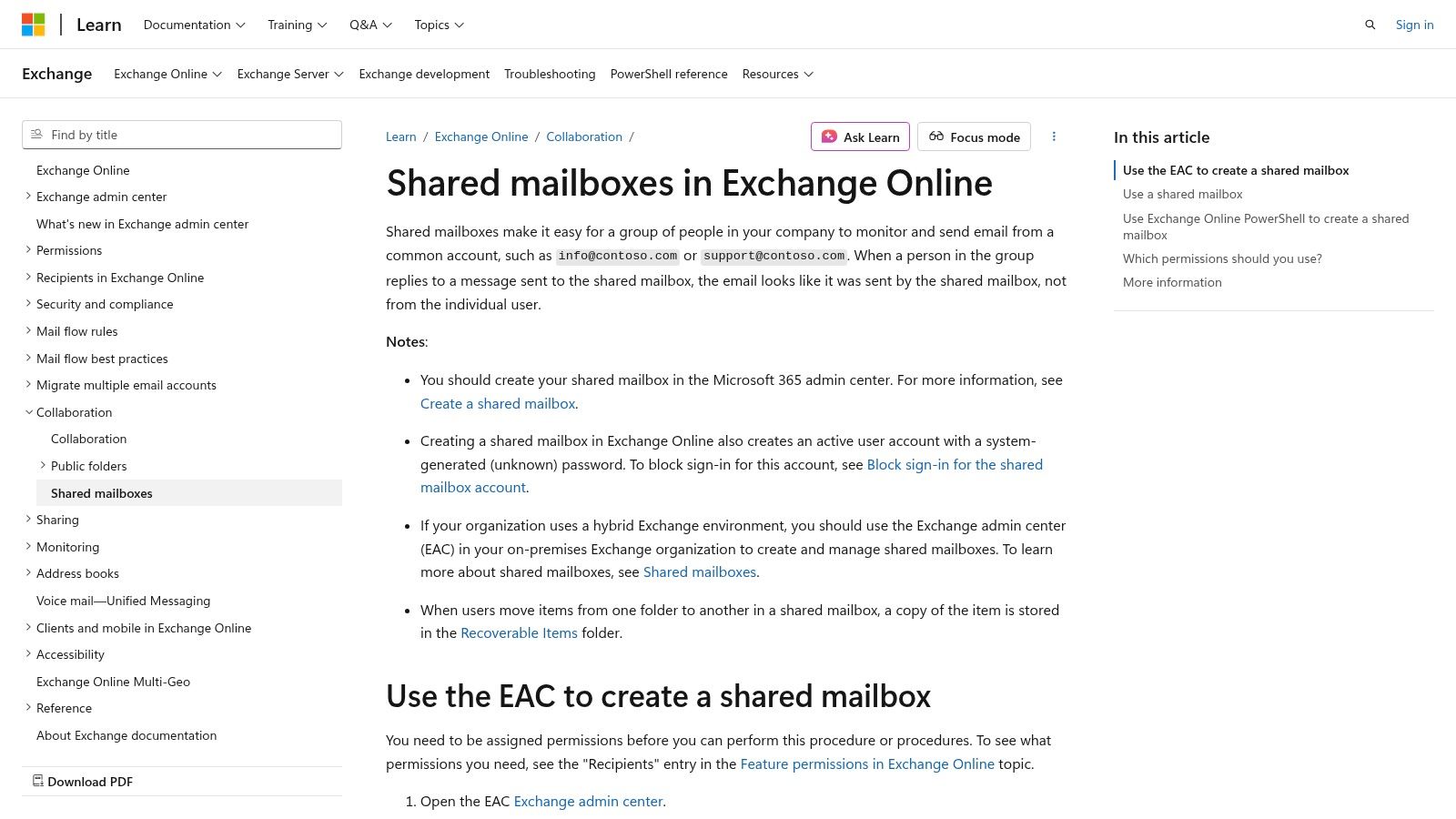
For teams already embedded in the Microsoft ecosystem, the built-in Shared Mailboxes feature in Exchange Online is a practical starting point. It allows multiple users to read and send emails from a common address, like support@ or info@, directly within their familiar Outlook interface. This solution is designed for straightforward, email-only team collaboration without the need for an additional third-party application, providing a seamless and cost-effective option for basic shared inbox needs.
What makes this a contender for the best shared inbox software for Microsoft-centric businesses is its native integration and simplicity. It avoids the learning curve of a new platform by leveraging existing Outlook workflows. Users can be granted "Send As" or "Send on Behalf" permissions, offering flexibility in how they represent the team. For those utilizing Microsoft 365 Shared Mailboxes, an often-overlooked but crucial aspect of data management is understanding how to ensure proper backing up your Office 365 data.
Key Features and Considerations
While accessible, Microsoft's offering is a basic shared mailbox, not a comprehensive help desk solution.
- Pricing: Included at no additional cost for Microsoft 365 business subscribers, with a 50 GB mailbox limit. This limit can be increased by assigning an Exchange Online Plan 2 license.
- Best For: Small to medium-sized businesses deeply integrated with Microsoft 365 that require a simple, no-frills shared email solution without advanced automation or multi-channel support.
- Pros: Completely free for existing Microsoft 365 customers, integrates seamlessly with Outlook, and is managed through familiar enterprise admin controls.
- Cons: The feature set is limited to email only and lacks advanced help-desk functions like collision detection, internal comments, or rule-based automation. The 50 GB storage cap may require paid upgrades for high-volume mailboxes.
Top 12 Shared Inbox Tools — Feature Comparison
| Product | Core features | UX / Quality | Value & Pricing | Target audience | Unique selling points |
|---|---|---|---|---|---|
| Front | Shared inbox, omnichannel, automation, analytics | ★★★★☆ — mature collaboration | 💰 Mid–High (tiers & add‑ons) | 👥 Ops/support teams, enterprises | ✨ Robust workflows & AI add‑ons, 🏆 scales large |
| Help Scout | Shared inbox, Docs KB, chat, automations | ★★★★☆ — clean, email‑centric | 💰 Free starter; per‑seat plans | 👥 Small–mid support teams | ✨ Simple agent UX, 🏆 free entry plan |
| Hiver | Gmail‑native shared inbox, notes, views | ★★★★☆ — familiar Gmail UX | 💰 Moderate — best for Workspace users | 👥 Google Workspace teams | ✨ Minimal switching cost, fast onboarding |
| Missive | Shared inbox + chat, tasks, automations | ★★★★☆ — collaborative, task‑focused | 💰 Competitive per‑seat for SMBs | 👥 SMBs needing chat+email workflows | ✨ Chat + tasks inside email, good SMB pricing |
| Gmelius | Shared labels, Kanban, automations, AI | ★★★★☆ — deep Gmail integration | 💰 Per‑seat; uniform plan requirement | 👥 Google‑standardized orgs | ✨ Kanban in Gmail, active AI roadmap |
| Drag (for Gmail) | Boards in Gmail, assignments, SLAs | ★★★☆☆ — simple Gmail‑native UI | 💰 Affordable; Gmail‑only plans | 👥 Teams using Gmail only | ✨ Kanban inside Gmail, no context switch |
| Zoho TeamInbox | Channels, rules, templates, analytics | ★★★★☆ — functional within Zoho suite | 💰 Low–Moderate; great with Zoho One | 👥 Zoho customers & cost‑sensitive teams | ✨ Per‑channel add‑ons, 💰 strong value |
| Freshdesk (Freshworks) | Ticketing, omnichannel, KB, automations | ★★★★☆ — robust & approachable | 💰 Free tier; scalable pricing | 👥 Small to mid support teams | ✨ Freddy AI options, 🏆 broad feature set |
| Zendesk | Omnichannel agent workspace, analytics, WFM | ★★★★★ — enterprise grade | 💰 High; add‑ons common | 👥 Large/complex support orgs | ✨ Large ecosystem, 🏆 mature analytics & security |
| Intercom (Inbox + Help Desk) | Inbox + messenger, bots, automation | ★★★★☆ — modern, chat‑first | 💰 Per‑seat + per‑resolution AI (can scale) | 👥 Product‑led & chat‑heavy teams | ✨ Bot→human handoffs, strong automation |
| Google Workspace – Collaborative Inbox | Assign/take/resolve, Groups roles | ★★★☆☆ — basic, lightweight | 💰 Included with Workspace (no extra) | 👥 Workspace users needing simple shared inbox | ✨ No extra cost, simple setup |
| Microsoft 365 – Shared Mailboxes | Central mailbox, send‑as, 50 GB cap | ★★★☆☆ — Outlook‑native, basic | 💰 Included with M365; extra for archives | 👥 Microsoft 365 tenants | ✨ Built‑in admin controls, no extra app |
Choosing Your Hub: How to Select the Right Shared Inbox
Navigating the landscape of the best shared inbox software can feel overwhelming, but the journey to finding the perfect fit begins with a clear understanding of your team's core needs. We've explored a dozen powerful solutions, from the enterprise-grade helpdesks of Zendesk and Intercom to the Gmail-native powerhouses like Hiver and Drag. Each tool offers a unique approach to taming the chaos of shared email accounts like support@ or info@.
The central theme is clear: moving beyond the limitations of simply forwarding emails or sharing passwords is no longer a luxury, it's a necessity for efficient, scalable team collaboration. The right software transforms a chaotic inbox into a centralized, transparent, and accountable command center.
Key Takeaways: From Standalone Tools to Integrated Workflows
Reflecting on the options presented, several key patterns emerge. Your ideal solution heavily depends on where your team currently spends most of its time and what its primary function is.
- For Gmail-Centric Teams: If your entire workflow revolves around Google Workspace, solutions like Hiver, Gmelius, and Drag offer the lowest friction. They enhance the familiar Gmail interface rather than forcing your team to learn an entirely new platform, which can significantly speed up adoption.
- For Dedicated Support Teams: For teams whose primary function is customer support, a dedicated helpdesk with robust shared inbox capabilities is often the best investment. Front, Help Scout, and Freshdesk excel here, providing advanced features like SLA management, detailed reporting, and omnichannel support that goes beyond just email.
- For Cross-Functional Collaboration: If your goal is broader team collaboration that includes but is not limited to customer support, Missive stands out. Its blend of email, chat, and task management makes it a powerful hub for internal and external communication.
- For Budget-Conscious Starters: The native solutions within Google Workspace (Collaborative Inbox) and Microsoft 365 (Shared Mailboxes) provide a zero-cost entry point. While they lack the advanced features of paid tools, they are excellent for establishing basic processes before committing to a more sophisticated platform.
A Framework for Making Your Decision
Before you pull the trigger on a subscription, walk your team through a structured evaluation process. Rushing this step can lead to choosing a tool that creates more friction than it resolves.
1. Map Your Current Communication Flow: Get granular. How does an email travel from a customer to resolution? Who needs to see it? Where are the bottlenecks? Visually mapping this process will immediately highlight the features you absolutely need, such as internal comments, assignment rules, or specific integrations.
2. Define Your "Single Source of Truth": Is your goal simply to manage email more effectively, or is it to connect communication directly to your work? This is a critical distinction. A team that manages projects in a separate tool might find themselves constantly copying and pasting information between their project management app and their new shared inbox, defeating the purpose of centralization.
3. Prioritize Your Feature Wishlist: Create a list of "must-have" versus "nice-to-have" features.
- Must-Haves: Could include things like collision detection, automated assignment rules, or a specific CRM integration.
- Nice-to-Haves: Might be features like live chat, internal chat, or advanced analytics. This helps you avoid being swayed by flashy features you'll never actually use.
4. Run a Pilot Program: Never roll out a new tool to your entire company at once. Select a small, representative group of 3-5 team members to test your top two choices for a week. Gather their honest feedback on usability, efficiency gains, and any frustrations they encountered. This real-world testing is invaluable and far more insightful than any marketing demo.
Ultimately, the goal is to find a system that not only organizes your emails but also aligns with your team's natural way of working. The best shared inbox software is the one that becomes an invisible, indispensable part of your daily operations, freeing up your team to focus on what truly matters: delivering exceptional work and supporting your customers.
If your team's single source of truth is Notion, you don't need a separate tool to manage your shared inbox. NotionSender transforms your existing Notion workspace into a powerful communication hub, allowing you to send and receive emails directly from your projects, tasks, or CRM. Ditch the context-switching and bring your conversations where your work happens by trying NotionSender today.

