
The Ultimate 2025 Design Briefs Template List: 12 Picks for Every Team
A great design brief is the cornerstone of any successful creative project. It serves as the single source of truth, aligning stakeholders and clarifying objectives before the first draft is even started. Yet, many teams still grapple with outdated, text-heavy documents that cause more confusion than clarity. The result is predictable: misaligned expectations, endless revision cycles, and projects that miss the mark. A well-structured design briefs template solves this fundamental problem by providing a consistent, comprehensive framework for capturing project goals, audience insights, key deliverables, and critical constraints from the outset.
This structured approach ensures everyone, from marketing managers and freelance designers to clients and project managers, is perfectly aligned from day one. It transforms the brief from a simple to-do list into a strategic document that guides decision-making throughout the project lifecycle. However, the sheer volume of available templates can be overwhelming. A simple document might work for a small internal project, but a complex client-facing initiative may demand a more robust, collaborative solution. For a highly specific solution that addresses common brief failings, you might even explore a dedicated design project brief form template to streamline information gathering.
In this comprehensive guide, we've curated the top sources for finding the perfect design brief template for your specific needs. We’ll explore a range of options, from collaborative whiteboards in Miro and FigJam to structured documents in Canva and ClickUp. For each platform, we'll provide direct links and screenshots, analyze ideal use cases, and discuss potential limitations. Our goal is to help you find the right tool to kick off your next project with the clarity and confidence required for success.
1. Milanote
Milanote positions itself as a visual workspace for creative projects, making its approach to the design brief template inherently visual and collaborative. Instead of a static document, Milanote offers a dynamic, drag-and-drop board. This format is perfect for teams who think visually and need to aggregate diverse assets like images, videos, color palettes, and text notes in one central, shareable location. The platform’s strength lies in its ability to transform the briefing process from a text-based task into a creative, moodboard-style exercise.
The user experience is highly intuitive, requiring almost no learning curve, which makes it an excellent choice for client collaboration. Stakeholders can easily add comments and references directly onto the board, streamlining feedback and ensuring everyone is aligned visually from the start.
Key Features and Use Case
Milanote’s free template gallery is extensive and specialized, offering dedicated boards for everything from a logo design brief to more complex UI/UX or brand strategy projects. This makes it a one-stop-shop for various creative needs.
- Best Use Case: Ideal for projects where visual context is paramount, like branding, website redesigns, or illustration work. It functions as a living document that evolves with the project.
- Collaboration: Share a read-only link with clients for easy viewing or invite team members to collaborate in real-time.
- Export Options: Boards can be exported to PDF for formal sign-offs or offline archiving.
Our Takeaway: For creative teams that find traditional text documents restrictive, Milanote provides a flexible and engaging alternative that keeps visual inspiration and project requirements side-by-side.
Limitations: The free-form nature can be a drawback for projects that demand a highly structured, data-heavy brief. Additionally, its offline capabilities are limited, requiring a stable internet connection for full functionality.
Access the templates at Milanote.
2. Canva (Docs + Templates)
Canva has evolved beyond a simple graphics tool, now offering a powerful document editor, Canva Docs, which is an excellent platform for creating dynamic design briefs. It merges the accessibility of a traditional document with Canva's vast library of design assets. This makes it ideal for teams who already operate within the Canva ecosystem, allowing them to produce visually rich, on-brand briefs quickly and collaboratively. The platform excels at creating briefs that are as much about presentation as they are about information.
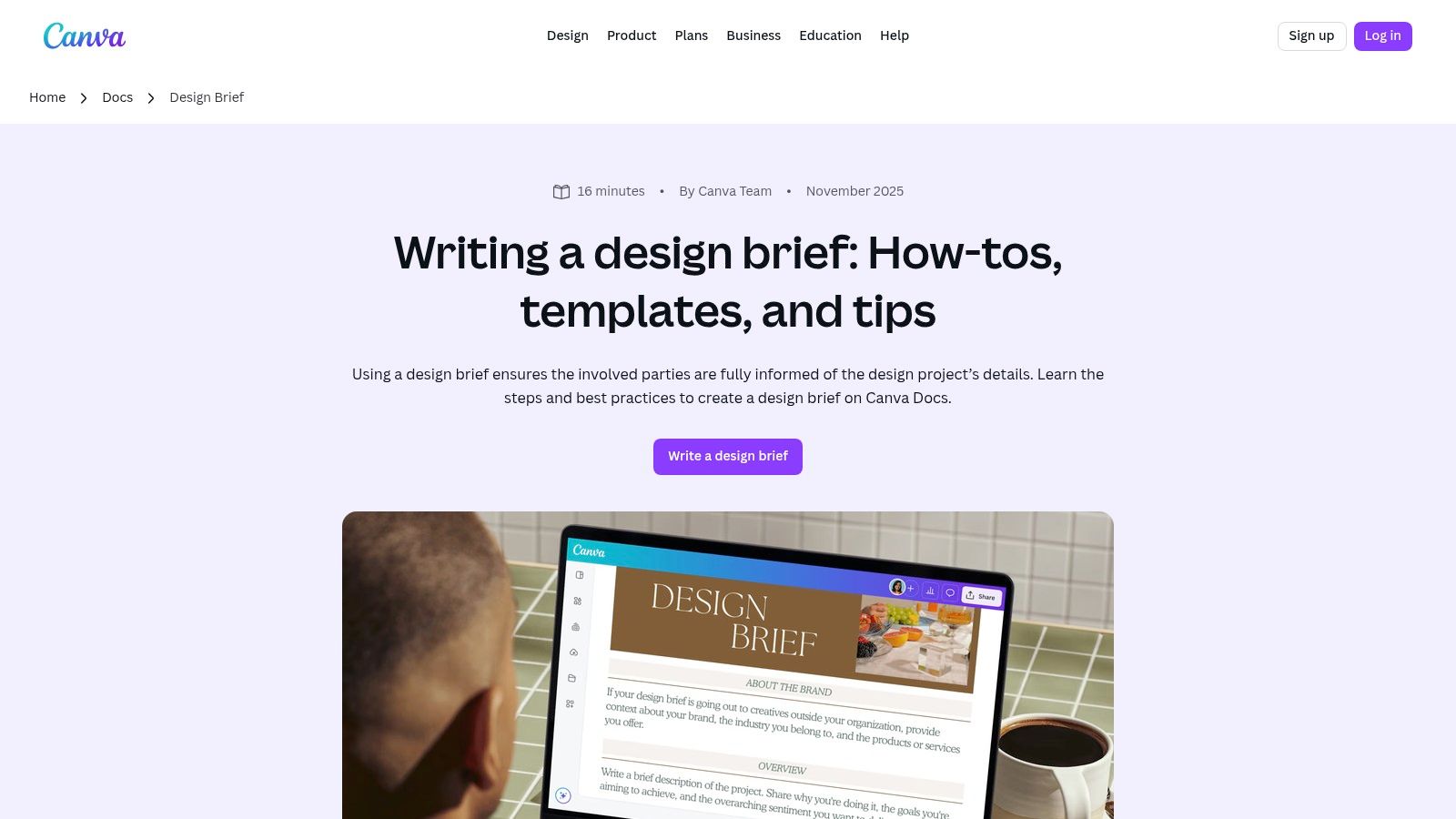
The user experience is incredibly intuitive, making it easy for non-designers and clients to contribute. Features like real-time co-editing, comments, and AI-powered "Magic Write" accelerate the content creation process. This integration transforms a standard design briefs template from a simple text file into an engaging, interactive document.
Key Features and Use Case
Canva’s template library provides a solid starting point for various creative projects, which can be customized with brand kits to ensure consistency. The ability to embed graphics, tables, and even presentations directly into the document makes briefs more scannable and comprehensive.
- Best Use Case: Perfect for marketing teams and agencies that need to create and share visually appealing, branded briefs without leaving their primary design tool.
- Collaboration: Invite team members and clients to edit or comment directly within the document, leveraging shared brand asset libraries for consistency.
- Export Options: Briefs can be shared via a link, downloaded as a PDF, or even converted into a presentation with a single click.
Our Takeaway: Canva is the go-to for teams that value speed, brand consistency, and visual appeal in their briefing process. It lowers the barrier to entry for creating professional-looking documents.
Limitations: While powerful, some advanced features like Brand Kits and premium assets are locked behind a Canva Pro subscription. The pricing and feature access for teams can change, so it's wise to confirm the current plans meet your needs.
Access the templates at Canva.
3. Miro
Miro transforms the design brief into an interactive, collaborative whiteboard experience, positioning it as a central hub for brainstorming and project kickoffs. Rather than a static document, Miro offers a dynamic canvas where teams can simultaneously contribute ideas, map out user flows, and build a brief in real-time. This approach is excellent for workshops and initial discovery phases where visual thinking and group participation are essential. Its strength is in merging the formal requirements of a brief with the free-form creativity of a brainstorming session.
The platform's interface is built for live co-editing, with features like timers, voting tools, and integrated video chat to facilitate structured sessions. This makes it an invaluable tool for engaging clients and remote teams directly in the briefing process, ensuring alignment from the very beginning.
Key Features and Use Case
Miro’s template library includes specific Creative Brief and Design Brief templates that serve as a structured starting point on its infinite canvas. These templates guide users through essential sections while leaving room for visual exploration and attaching related research or inspiration.
- Best Use Case: Perfect for facilitating kickoff workshops and brainstorming sessions with multiple stakeholders. It scales easily from a simple one-page design briefs template to a complex project space linking to research, personas, and journey maps.
- Collaboration: Real-time co-editing, commenting, and robust guest access options (features vary by plan) allow for seamless teamwork with both internal and external partners.
- Export Options: Boards can be exported as high-resolution images or PDFs to capture a snapshot for formal documentation or offline sharing.
Our Takeaway: Miro excels at making the briefing process a live, participatory event. It's the ideal solution for teams that want their brief to be a living document that captures the energy and ideas of a collaborative workshop.
Limitations: The open-ended whiteboard format can become disorganized without a strong facilitator, potentially feeling less structured than a traditional document. Access to private boards and advanced features like AI aids requires a paid subscription.
Access the templates at Miro.
4. Figma FigJam
For teams already embedded in the Figma ecosystem, FigJam offers an unmatched level of integration for the briefing process. Instead of a separate document, the design brief becomes a collaborative whiteboard living right next to the design files. This approach streamlines the workflow from initial concept to developer handoff, keeping all project context, goals, and constraints within a single, unified platform. FigJam’s strength is turning the brief into an interactive, living part of the design and prototyping journey.
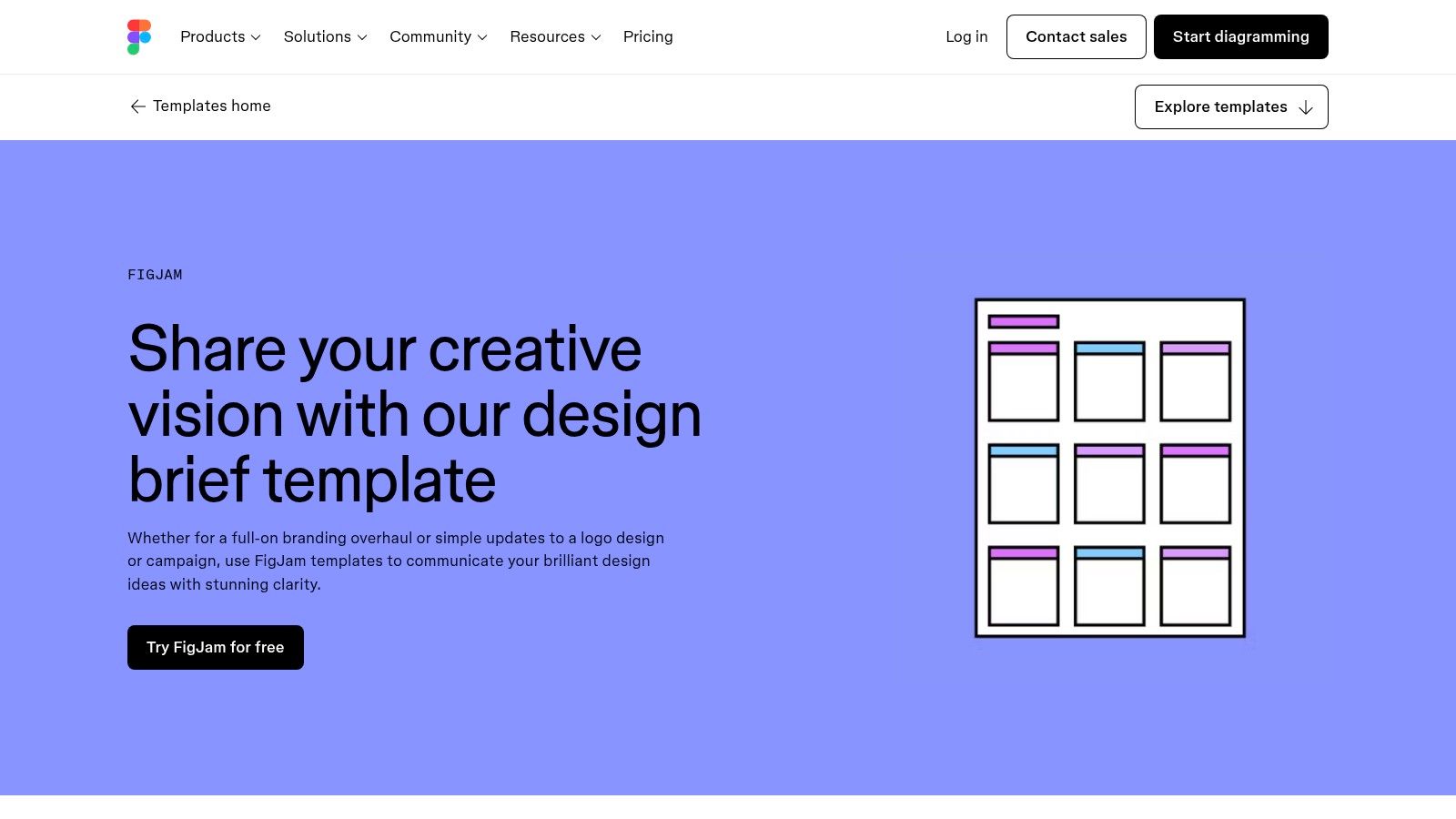
The user experience is fluid and familiar for anyone who has used Figma, leveraging interactive elements like sticky notes, diagrams, and comments. This makes it simple to enrich a standard text-based brief with user flows, wireframe sketches, and real-time feedback, ensuring the design briefs template is directly connected to the actual design work.
Key Features and Use Case
FigJam’s community templates provide structured yet flexible layouts for creative or design briefs, with predefined sections for objectives, target audience, deliverables, and timelines. This integration prevents the common disconnect between the brief and the execution.
- Best Use Case: Perfect for product design, UI/UX, and web design teams who use Figma for their core design and prototyping work. It keeps the brief, design files, and developer handoff seamlessly connected.
- Collaboration: The collaborative canvas allows stakeholders, designers, and developers to contribute, comment, and align in real-time, directly within the design environment.
- Export Options: Boards can be exported as images (PNG, JPG) or PDFs for documentation, though its primary value lies in being a live, in-app resource.
Our Takeaway: FigJam is the ultimate solution for integrating the design brief directly into the design workflow, eliminating tool-switching and ensuring the brief remains a central, evolving reference point for the entire team.
Limitations: Its biggest advantage is also its main limitation; its value is maximized when a team is already committed to the Figma ecosystem. The updated pricing model and seat-type structure (as of 2025) can make access and specific feature availability confusing for some teams, potentially requiring paid seats for full functionality.
Access the templates at Figma FigJam.
5. ClickUp
ClickUp transforms the design brief from a static planning document into a dynamic, actionable workflow. Its strength lies in integrating the briefing process directly into a powerful project management ecosystem. Instead of a standalone file, ClickUp offers both Doc and Whiteboard templates that can be immediately connected to tasks, timelines, and automated processes. This approach is perfect for teams that need the brief to be the starting point for tangible project execution, not just a reference document.
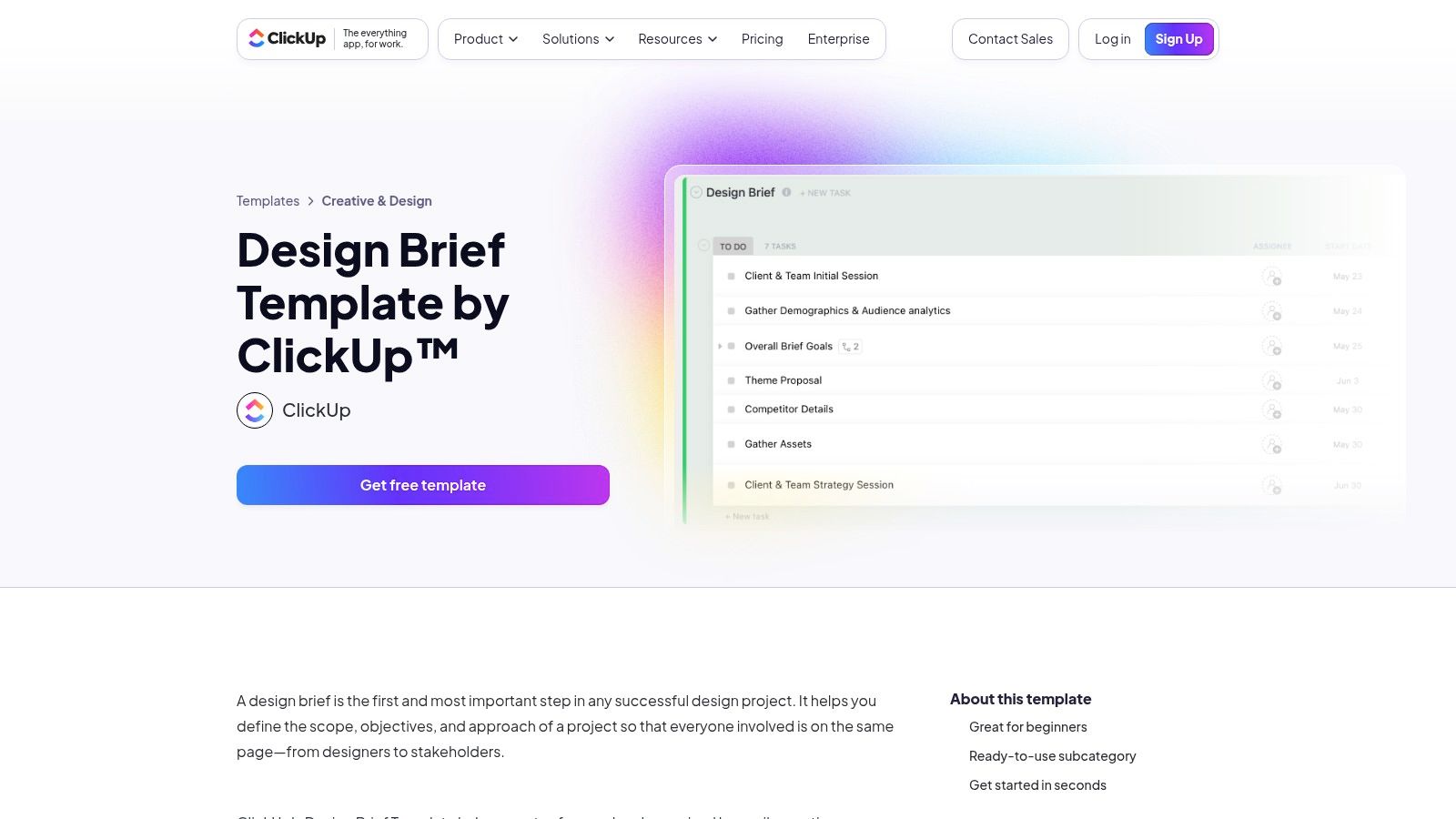
The platform is designed for cross-functional collaboration, allowing marketing, design, and client teams to work within the same space. You can use automations to trigger tasks when a brief is approved or use its email-in feature to gather feedback, centralizing all communication and eliminating the need to jump between different tools. This makes it a highly efficient choice for structured creative operations.
Key Features and Use Case
ClickUp's templates for a design briefs template are built to launch projects, not just define them. Custom fields, statuses, and dependencies ensure every part of the brief is accounted for in the project plan.
- Best Use Case: Ideal for in-house creative teams and agencies managing multiple projects where the brief must directly trigger production tasks, approvals, and resource allocation.
- Collaboration: Multiple teams can collaborate on the brief and the subsequent project board, ensuring seamless handover from planning to execution.
- Export Options: Docs can be exported as PDFs, HTML, or Markdown for sharing outside the platform.
Our Takeaway: For teams that want to bridge the gap between briefing and doing, ClickUp provides an unmatched, integrated solution that turns creative requirements into a fully tracked project plan.
Limitations: The extensive project management feature set can feel overwhelming for simple, one-off design briefs or small freelance projects. To unlock its most powerful automation and workflow features, a paid plan is necessary.
Access the templates at ClickUp.
6. Smartsheet
Smartsheet takes a structured, project-management-oriented approach to the design brief, offering templates that excel in clarity and accountability. Instead of a free-form canvas, Smartsheet provides spreadsheet-style documents that are familiar to corporate stakeholders and project managers. This format is ideal for teams that need to integrate their creative briefs directly into larger project workflows, with clear sections for budget tracking, approval chains, and specific deliverables.

The platform offers free downloadable templates in universally accessible formats like Word, Google Docs, and PDF. This makes it easy to share briefs with clients or team members who aren't on the Smartsheet platform, ensuring the briefing process remains straightforward and doesn't require new software adoption for external partners.
Key Features and Use Case
Smartsheet’s strength is its collection of purpose-built templates, including a graphic design creative brief, a simple client brief, and a comprehensive project brief pack. These templates are designed to capture all the critical project data needed for seamless execution and reporting.
- Best Use Case: Perfect for in-house marketing teams or agencies that manage complex projects with multiple stakeholders and need to tie creative work directly to business objectives and budgets.
- Collaboration: While downloadable templates are for offline use, integrating them into the Smartsheet app unlocks powerful collaboration, automation, and dashboard reporting features.
- Export Options: The readily available Word, Google Docs, and PDF formats make archiving and formal sign-offs exceptionally simple.
Our Takeaway: Smartsheet is the go-to for teams that prioritize structure, data, and integration with project management tools. It transforms the design brief template into a functional part of a larger, accountable workflow.
Limitations: The downloadable templates are static documents and lack the dynamic, collaborative features of cloud-based platforms unless used within a paid Smartsheet subscription. The format may feel too rigid for highly conceptual or visually-driven creative projects.
Access the templates at Smartsheet.
7. HubSpot
HubSpot offers a free resource pack of creative brief templates tailored for marketing and agency workflows. Instead of a single, generic document, users get a downloadable bundle containing templates for marketing campaigns, video projects, and client work. This approach is highly practical for businesses that need a standardized process for recurring marketing initiatives. The templates are structured and professional, focusing heavily on core marketing concepts like target audience, key messaging, competitive landscape, and performance indicators (KPIs).
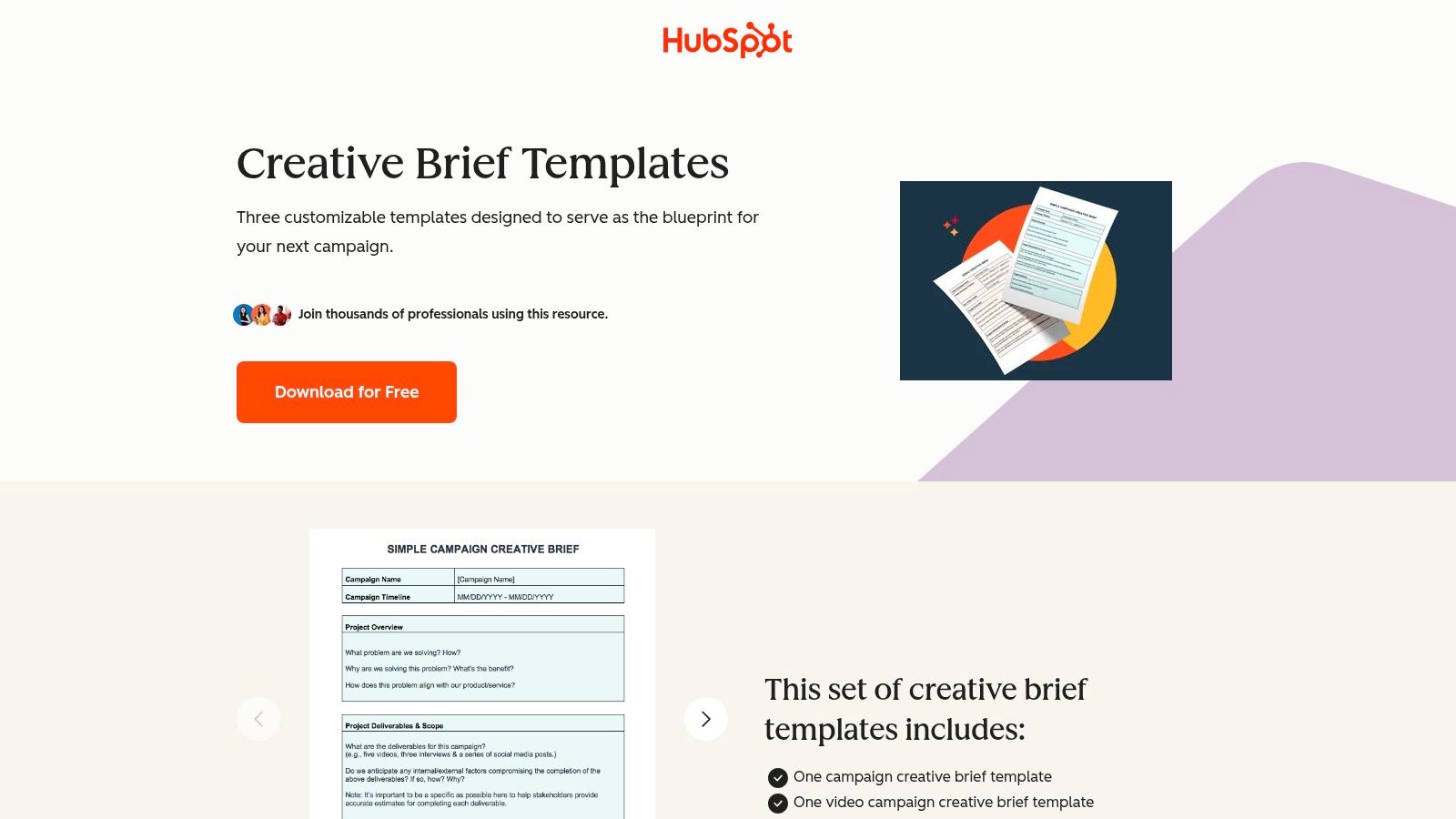
The user experience is straightforward: you provide your contact information via a short form to gain access. A key differentiator is that HubSpot complements its templates with companion articles that explain how to effectively fill out each section, adding an educational layer that is invaluable for teams new to the formal briefing process.
Key Features and Use Case
HubSpot's templates are designed to align creative output with measurable business goals, making them an excellent tool for marketing departments. The prompts guide users to think strategically about how a design project will support a broader campaign. This is particularly useful when you need to send briefs via email, as a well-structured document ensures all critical information is conveyed clearly.
- Best Use Case: Perfect for marketing managers, small agencies, and in-house teams who need a repeatable, structured format for campaign-driven design projects.
- Educational Support: The included guidance and best-practice notes help teams build stronger, more effective briefs over time.
- File Format: The templates are provided in a familiar document format, making them easy to edit and share without requiring specialized software.
Our Takeaway: HubSpot provides a solid, no-cost starting point for anyone looking to formalize their marketing creative briefing process with professionally structured documents that prioritize strategic alignment.
Limitations: Access is gated behind a contact form, which may be a hurdle for some users. The templates are heavily skewed toward marketing campaigns and may lack the specific, granular detail required for purely product-focused UI/UX or industrial design projects.
Access the templates at HubSpot.
8. Asana
Asana transforms the design brief from a simple document into the starting point of a fully integrated project management workflow. Its templates, like the Creative Requests form, are designed for teams that need structure not just for intake, but for the entire project lifecycle. This approach makes the brief a central, actionable hub that connects directly to tasks, timelines, approvals, and reporting, ensuring nothing gets lost in translation from concept to delivery.
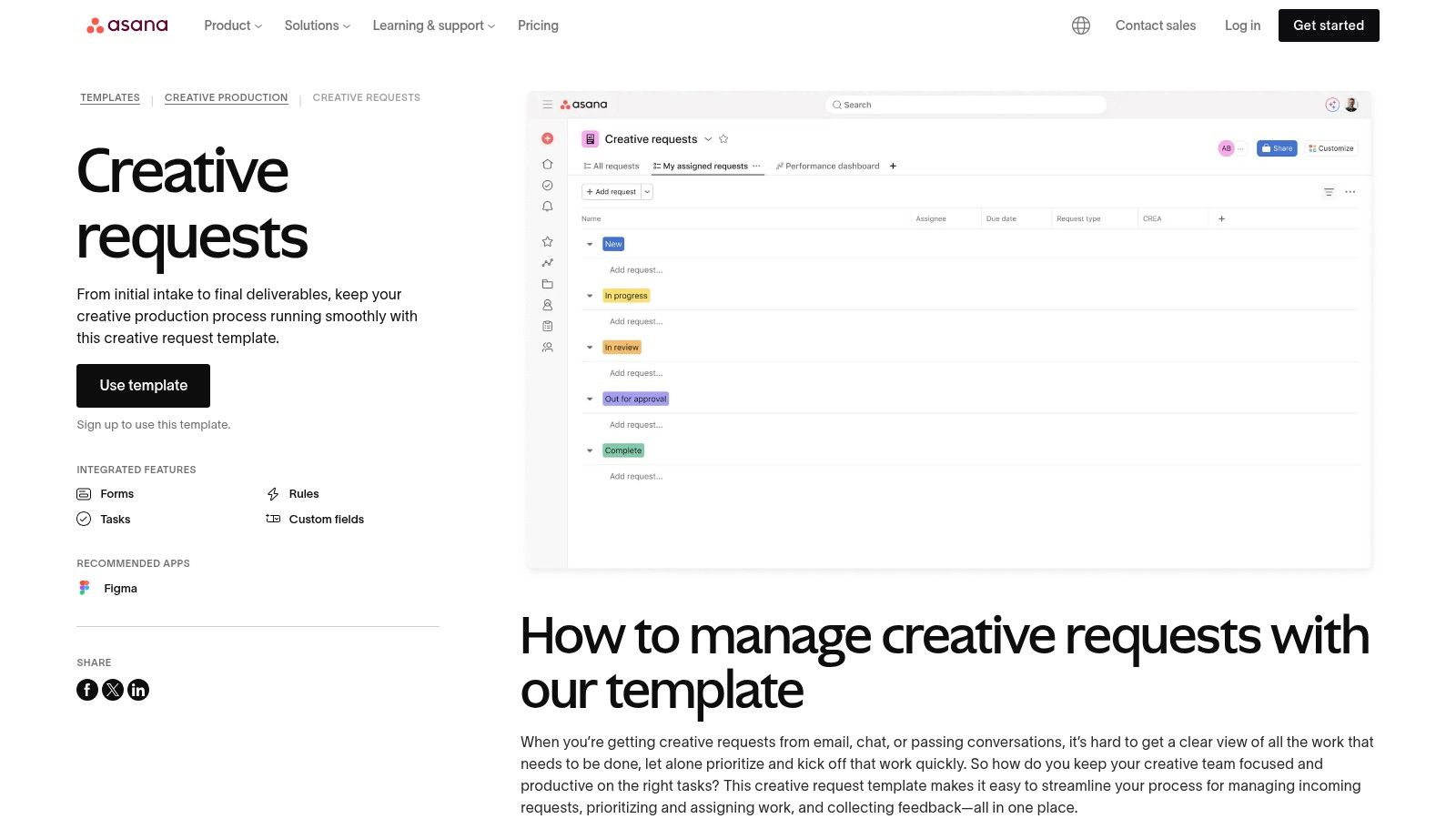
The platform excels at creating a standardized intake process. By using Asana's forms, teams can capture all necessary requirements and specifications upfront, automatically converting each submission into a trackable task within a larger project. This system is perfect for managing recurring requests and keeping stakeholders aligned from start to finish.
Key Features and Use Case
Asana's strength is its ability to operationalize the design briefs template by embedding it within a powerful project management ecosystem. Integrations with creative tools like Figma and Adobe Creative Cloud further streamline the workflow.
- Best Use Case: Ideal for in-house creative teams or agencies managing a high volume of requests, where briefs need to flow directly into task assignments, resource planning, and progress tracking.
- Collaboration: Centralized forms and task comments keep all communication and feedback tied directly to the project, preventing siloed conversations.
- Export Options: While native export is focused on project data (CSV), the brief itself lives within the task, viewable by all project members.
Our Takeaway: For teams that need a design brief to be more than just a document, Asana offers a robust solution that connects creative intake directly to project execution and reporting.
Limitations: Using the templates requires an Asana account, which may be a barrier for external clients. The platform's extensive features can also present a steeper learning curve compared to simpler, document-based solutions.
Access the templates at Asana.
9. Template.net
Template.net serves as a massive repository for downloadable documents, making it a go-to for anyone needing a conventional design brief template in a familiar format like Word or Google Docs. Instead of offering a unique software experience, its strength lies in sheer volume and variety. The platform provides a straightforward solution for grabbing a pre-formatted brief for almost any niche, from web design to simple graphic projects, and getting started immediately.
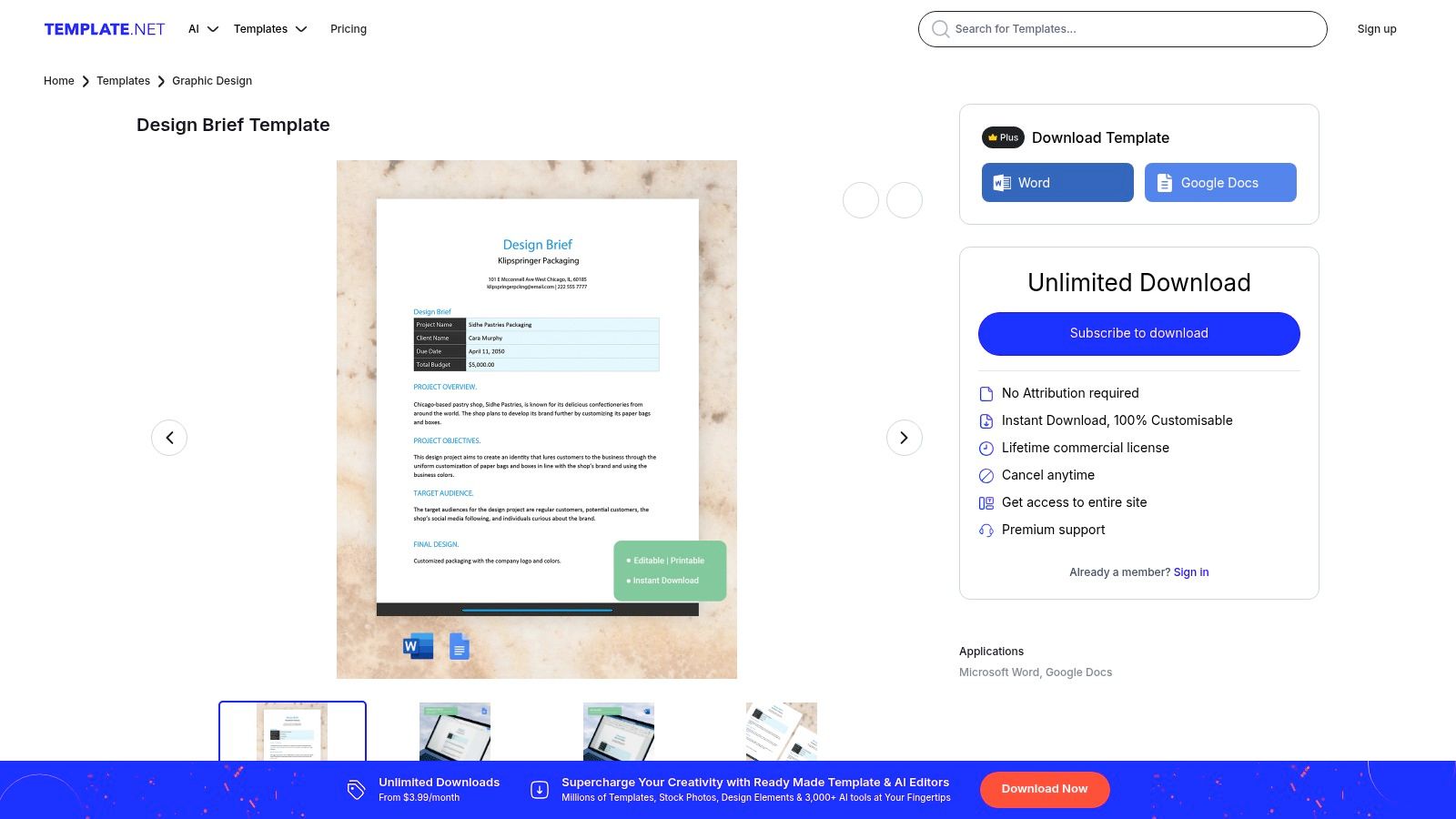
The user experience is centered on search and download, though it also includes an online editor and AI-assisted text helpers for quick customizations. This makes it ideal for users who prioritize speed and prefer working within traditional office software rather than learning a new platform. The mix of free and premium templates means you need to pay attention, but the accessibility of standard formats is a huge plus.
Key Features and Use Case
Template.net is less about innovation and more about providing a practical, no-fuss resource. The templates are designed to be filled out and shared with clients or team members who may not be comfortable with more modern, collaborative tools.
- Best Use Case: Perfect for freelancers or agencies needing a standard design brief template for client intake that can be quickly downloaded, customized, and emailed as a Word or PDF attachment.
- Variety: Offers a wide selection of briefs, including specific ones for web design, branding, and general creative projects.
- Formats: Templates are available in Word, Google Docs, and PDF, ensuring maximum compatibility and ease of use for clients.
Our Takeaway: For those who just need a solid, traditional brief without the bells and whistles of a collaborative platform, Template.net delivers a fast and effective solution that works in universally accepted formats.
Limitations: The visual design and structural quality can be inconsistent across different templates, often requiring manual reformatting. The site heavily promotes its premium plans, and distinguishing free from paid options can sometimes be confusing.
Access the templates at Template.net.
10. Visme
Visme offers a library of visually polished creative and design brief templates that are edited online, making it ideal for teams that need presentation-quality documents. Instead of a simple text file, Visme provides a drag-and-drop editor that balances professional structure with visual appeal. This approach is perfect for creating client-facing briefs that are both informative and aesthetically pleasing, reinforcing a sense of professionalism from the very start of a project.
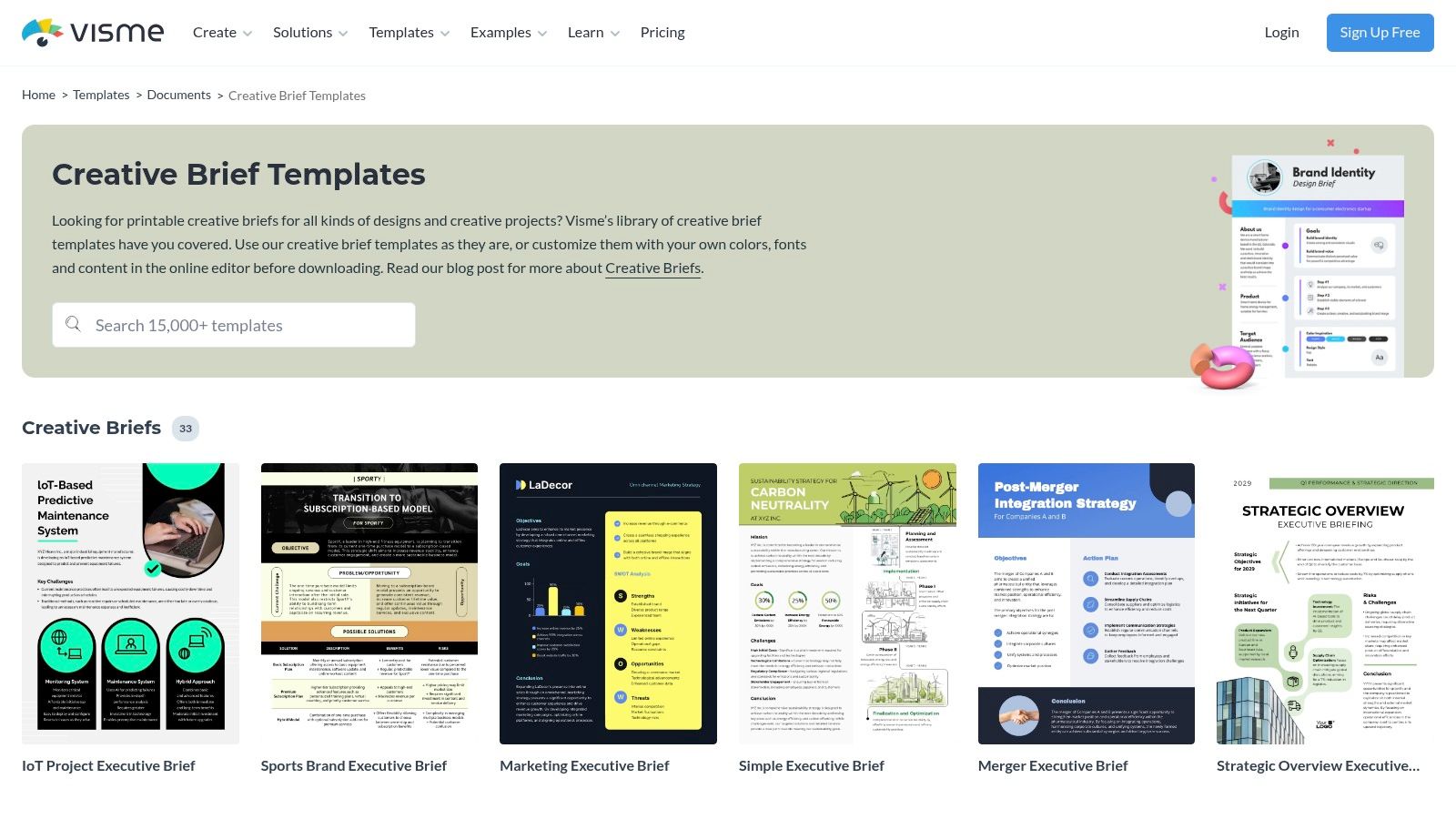
The platform’s editor is intuitive, allowing users to easily add charts, tables, and brand assets to any design briefs template. This is particularly useful for presenting data-driven project goals alongside visual mood boards. For comprehensive templates that guide the initial stages of product development, exploring various design thinking workshop template resources can provide structured approaches to defining design briefs.
Key Features and Use Case
Visme’s templates cover a wide range of needs, from specific brand identity and website design briefs to broader marketing and packaging projects. The platform’s strength is its ability to create polished one-pagers that look like they were made by a professional designer.
- Best Use Case: Excellent for agencies or freelancers who need to present a highly professional and visually structured brief to clients for formal presentations and sign-offs.
- Collaboration: Share an interactive link with stakeholders, allowing them to view the brief with embedded links and media directly in their browser.
- Export Options: Briefs can be downloaded as high-quality PDF, PNG, or JPG files for easy distribution and archiving.
Our Takeaway: Visme is the go-to choice for creating impressive, presentation-ready design briefs that combine the clarity of a document with the visual impact of a slide deck.
Limitations: The most valuable features, such as advanced exporting options and brand kit integration, are locked behind paid plans. For teams already proficient with tools like Canva or Figma, Visme's functionality might feel redundant.
Access the templates at Visme.
11. Creative Market
Creative Market serves as a digital marketplace where designers can purchase premium, professionally crafted creative brief templates. Rather than offering a SaaS tool, its value lies in providing polished, presentation-ready documents in formats like Google Slides, Keynote, InDesign, and Figma. This approach is perfect for agencies or freelancers who need a high-end, visually impressive brief for client pitches or formal project kickoffs without designing it from scratch.
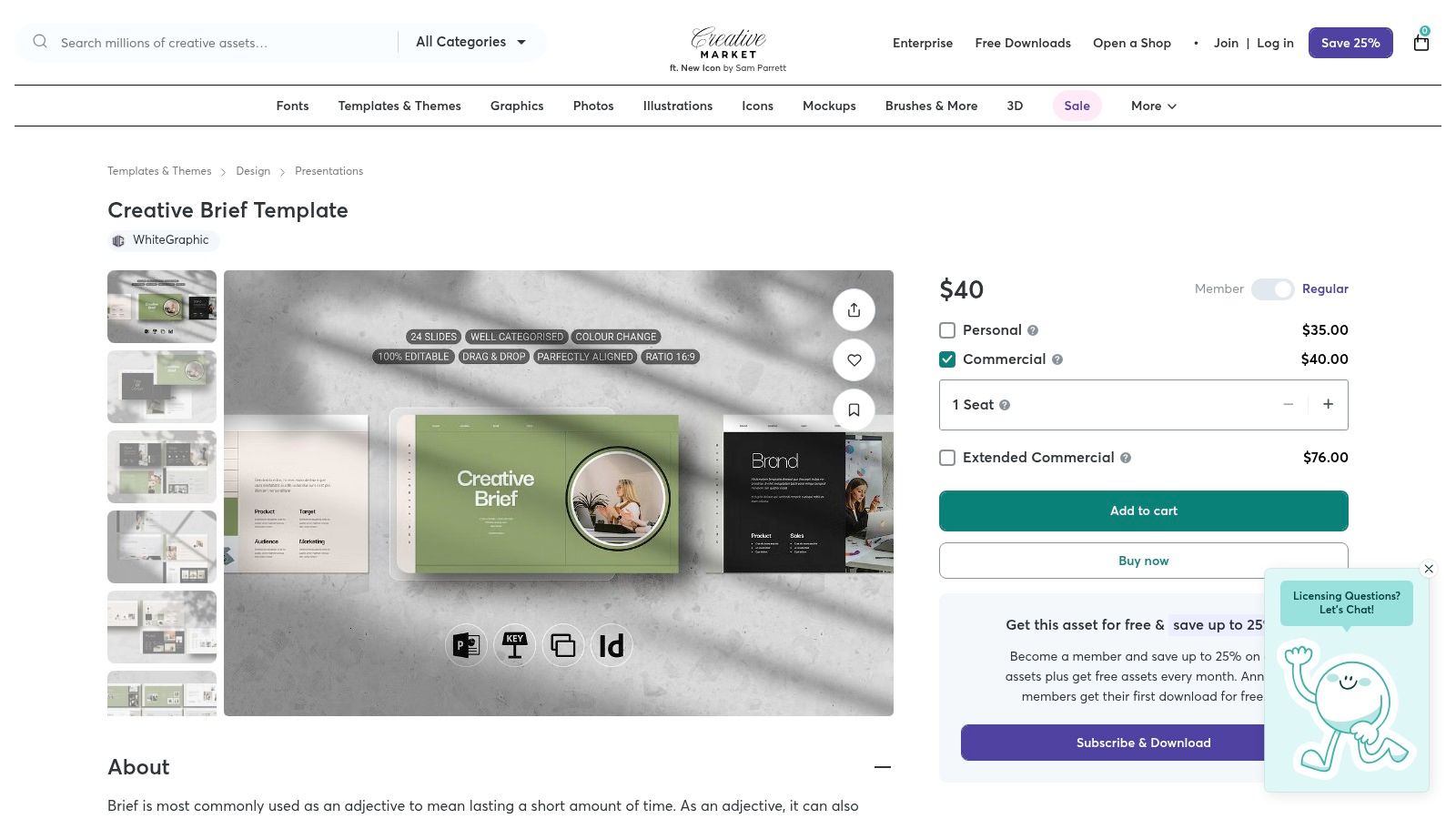
The platform operates on a one-time purchase model, allowing you to buy a template and use it indefinitely. The user experience involves browsing various creator-uploaded assets, checking previews and supported file types, and then downloading the files to edit in your preferred software.
Key Features and Use Case
The main draw is the aesthetic quality and variety of the templates, which often come bundled as comprehensive presentation decks or even complete Figma kits. This makes it a great source for finding a specific design briefs template that aligns with your brand's look and feel.
- Best Use Case: Ideal for creating a highly polished, client-facing presentation brief for major projects where first impressions are critical.
- Format Variety: Supports multiple formats (PPTX, Keynote, Google Slides, InDesign, Figma), so you can work in the environment you're most comfortable with.
- Licensing: One-time purchases typically include commercial license options, giving you clear usage rights for client work.
Our Takeaway: For those who prioritize aesthetics and want a plug-and-play solution, Creative Market offers beautifully designed templates that elevate the briefing document into a professional presentation.
Limitations: Quality and structure can vary significantly between sellers, so it's essential to carefully review previews and descriptions. There are no built-in collaboration features; all editing and sharing depend on the capabilities of the software you use to open the template (e.g., Figma, Google Slides).
Access the templates at Creative Market.
12. Etsy
Etsy provides a vast marketplace for creative and design brief templates created by independent sellers, offering a unique, budget-friendly alternative to traditional SaaS platforms. Instead of a single standardized format, you’ll find hundreds of niche templates available for instant download, often designed for popular tools like Canva, Google Docs, and Notion. This approach is perfect for freelancers or small businesses looking for a specific, pre-formatted document without a recurring subscription.
The platform’s strength lies in its variety and affordability. Because you're buying from individual creators, many templates are aesthetically polished and tailored to specific industries, like interior design, social media marketing, or wedding photography. Seller ratings and customer reviews provide a crucial layer of quality control, helping you vet templates before purchasing.
Key Features and Use Case
Etsy's marketplace model means you can find a design briefs template for almost any conceivable project, often with a more creative or visually appealing layout than standard corporate templates. The one-time purchase model makes it highly accessible.
- Best Use Case: Excellent for freelancers, solopreneurs, or small agencies needing an affordable, well-designed, fill-in-the-blank template for a specific project type, such as a branding brief for a small client.
- Variety: Find templates formatted for Canva for easy visual editing, Google Docs for simple collaboration, or Notion for integrated project management.
- Instant Access: Digital files are delivered immediately after purchase, allowing you to get started right away.
Our Takeaway: Etsy is the go-to source for affordable, niche, and often beautifully designed templates when you need a specific solution quickly and don't want to commit to a platform subscription.
Limitations: Quality and comprehensiveness can vary significantly between sellers, so it's essential to read reviews and check item descriptions carefully. Post-purchase support is also dependent on the individual seller, not a centralized support team.
Access the templates at Etsy.
Design Brief Templates: Top 12 Tools Comparison
| Tool | Core features & USP ✨ | UX / Quality ★ / 🏆 | Value & Pricing 💰 | Target audience 👥 |
|---|---|---|---|---|
| Milanote | Visual drag‑drop boards, niche brief templates, comment feedback | ★★★★☆ — strong visual briefs 🏆 | Free tier; paid for teams | Visual thinkers & client‑facing teams |
| Canva (Docs + Templates) | Editable brief docs, brand controls, AI helpers | ★★★★☆ — branded, easy to use 🏆 | Free + Pro features behind paywall | Non‑technical teams & marketers |
| Miro | Collaborative whiteboard briefs, real‑time co‑editing, workshop tools | ★★★★☆ — great for live sessions | Free; paid for private/advanced features | Workshop facilitators & cross‑functional teams |
| Figma FigJam | Structured brief layouts + Figma handoff integration | ★★★★☆ — seamless design→dev flow | Free tier; seat/pricing changes (paid seats) | Figma‑centric product/design teams |
| ClickUp | Briefs → tasks/automations, custom fields, email integration | ★★★★☆ — turns briefs into workflows 🏆 | Featureful paid tiers for best value | PMs and teams needing brief→delivery |
| Smartsheet | Spreadsheet‑style briefs, downloadable docs, reporting-ready | ★★★☆☆ — structured & reporting focused | Free templates; subscription for automation | Data/reporting teams & operations |
| HubSpot | Marketing‑centric brief pack + guidance articles | ★★★★☆ — marketing best practices | Free gated download (form required) | Marketers & agencies building repeatable briefs |
| Asana | Intake forms tied to tasks, timelines, approvals | ★★★★☆ — centralized intake → delivery | Account required; paid for advanced features | Teams needing standardized intake & tracking |
| Template.net | Large library + online editor and AI text helpers | ★★★☆☆ — fast, variable polish | Mix of free & premium templates | Quick document handoffs; freelancers |
| Visme | Visually polished templates; charts, embeds, export options | ★★★★☆ — presentation‑quality briefs | Free basic; paid for exports/branding | Client‑facing teams wanting high visual polish |
| Creative Market | Designer‑made brief decks/kits, one‑time purchase licenses | ★★★★☆ — premium aesthetic choices | One‑time purchase per asset 💰 | Designers wanting premium, buy‑once templates |
| Etsy | Instant‑download niche templates (Notion/Canva/Docs) | ★★★☆☆ — quality varies by seller | Low‑cost one‑time purchases 💰 | Budget shoppers seeking niche templates |
Supercharge Your Briefing Workflow with Notion and Automation
Navigating the landscape of design brief templates can feel overwhelming, but as we've explored, the right template is the bedrock of any successful creative project. From the visual-first approach of Milanote and Miro to the project management powerhouses like Asana and ClickUp, each tool offers a unique framework to capture project goals, define scope, and align stakeholders. The key isn't finding a single "perfect" template; it's about selecting a foundation that fits your team's unique communication style and project complexity.
Whether you need a simple, print-ready document from Template.net or a dynamic, collaborative board in Figma's FigJam, the ultimate goal is clarity. A well-structured design brief template eliminates ambiguity, reduces revision cycles, and empowers your creative team to deliver their best work. Remember, the templates provided in this guide are not rigid rules but starting points. The most effective briefs are living documents, adapted and refined to meet the specific demands of each project.
From Template to System: Making Your Choice Actionable
Choosing your preferred design briefs template is the first critical step. The next, more impactful step is integrating it into a cohesive, centralized workflow. This is where the true efficiency gains are realized. A downloaded Word document is useful, but a brief that lives inside a system connected to tasks, timelines, and communications is a strategic asset.
Consider these factors when implementing your chosen template:
- Accessibility: Can everyone who needs the brief easily access and understand it? Tools like Google Docs and Notion excel here, offering universal access without requiring specialized software.
- Integration: How well does the template connect with your existing project management tools? If your team lives in Asana, using an Asana-native template will always be more efficient than a separate document.
- Scalability: Will this process work as your team grows or your projects become more complex? A system built in a flexible platform like Notion can easily scale, allowing you to add new properties, create advanced database views, and link briefs to other knowledge bases.
- Version Control: How do you handle updates and feedback? A scattered approach with multiple file versions is a recipe for confusion. Centralized platforms ensure everyone is working from the latest information.
The Power of a Centralized Hub in Notion
While many tools offer great starting points, Notion provides unparalleled flexibility to build a truly customized project command center. You can take the core elements from any Google Doc, Word, or Canva template and build them into a powerful Notion database. This transforms your collection of static documents into a dynamic system.
Imagine a single dashboard where you can see every design brief, its current status (e.g., "Awaiting Approval," "In Progress," "Completed"), the assigned designer, the client, and the due date. Each brief can be linked directly to its corresponding project tasks, meeting notes, and a gallery of final deliverables. This creates a single source of truth that eliminates guesswork and keeps every stakeholder perfectly aligned.
The real game-changer, however, is automating the input process. Project communications, especially initial requests and feedback, often arrive via email. Manually copying this information into your system is tedious and prone to error. This is where you can bridge the gap between your inbox and your project hub. By using a tool like NotionSender, you can forward an email containing a client's request or feedback directly to your Notion database. It intelligently captures the details, attachments, and sender information, creating a new, perfectly formatted entry in your design brief system. This small step saves significant administrative time, ensures no critical information is lost, and builds a complete, time-stamped record of project communication right where you need it most.
By combining a thoughtfully chosen design briefs template with the organizational power of Notion and the efficiency of automation, you can elevate your creative workflow from a series of disconnected tasks to a streamlined, reliable, and scalable system.
Ready to eliminate manual data entry and connect your inbox directly to your project hub? NotionSender lets you forward emails straight into your Notion design brief database, automatically capturing key details and attachments. Start building a seamless, automated workflow today by visiting NotionSender to learn more.

