
10 Document Archiving Best Practices for 2025
In an era of explosive data growth, managing digital documents has transformed from a simple storage issue into a critical business function. Without a robust system, organizations risk crippling security breaches, costly compliance penalties, and chaotic, unproductive workflows. A disorganized archive can quickly become a liability, making it impossible to find crucial information when it's needed most. This is why establishing and following proven document archiving best practices is non-negotiable for any modern business, freelancer, or project manager.
This article moves beyond generic advice to provide a comprehensive roundup of 10 essential strategies that form the backbone of a secure, efficient, and future-proof information management plan. We will break down each practice with actionable steps, practical examples, and clear implementation details, covering everything from classification systems and retention schedules to security protocols and automation.
You will learn precisely how to organize your digital assets, ensure regulatory compliance, and protect sensitive data from unauthorized access. By implementing these strategies, you can transform your digital archives from a cluttered digital attic into a valuable, highly organized asset, ensuring your information remains accessible, compliant, and secure for years to come. Let's dive into the core practices that will redefine your approach to document management.
1. Implement a Comprehensive Classification System
Before you archive a single file, establishing a clear and logical classification system is the most critical first step. This foundational practice involves creating a structured taxonomy to organize documents based on consistent criteria. Without it, your archive becomes a digital junk drawer, making retrieval slow, inefficient, and unreliable. A well-designed system ensures every document has a designated place, transforming your archive from a chaotic repository into a strategic asset.
This approach is central to effective document archiving best practices because it provides the framework for everything that follows, from metadata application to setting retention policies and security controls.

Why It's a Foundational Practice
A robust classification system enables consistent organization across your entire company. It ensures that a contract is filed the same way in the legal department as it is in sales, preventing data silos and confusion. This consistency is vital for compliance with industry standards, such as ISO 30300 for records management or FDA 21 CFR Part 11 for life sciences, where auditable document trails are mandatory.
Actionable Implementation Tips
To build a system that works for your team, follow these steps:
- Involve Key Stakeholders: Collaborate with heads of different departments (e.g., Finance, HR, Legal) to understand their specific document types and retrieval needs.
- Start Simple, Then Expand: Begin with broad categories like
Department > Document Type > Year. You can add more specific subfolders or tags for projects or clients as the system matures. - Create a Style Guide: Document your classification rules in a central guide. Define naming conventions (e.g.,
YYYY-MM-DD_ClientName_InvoiceNumber.pdf) and folder structures to ensure everyone follows the same process. - Conduct Annual Reviews: Your business evolves, and so should your taxonomy. Schedule an annual review to update categories and remove obsolete classifications.
2. Establish Clear Retention Schedules
Once you know how to classify documents, the next step is to define how long you need to keep them. A retention schedule is a formal policy that dictates the lifecycle of a document, from creation to final disposition. This practice prevents the indefinite accumulation of files, which not only drives up storage costs but also increases legal and security risks. By setting clear timelines, you ensure compliance with legal requirements and systematically reduce digital clutter.
This systematic approach is a core component of document archiving best practices, as it provides a defensible, consistent process for managing document lifecycles and mitigating risk.
Why It's a Foundational Practice
A documented retention schedule provides the legal and operational justification for destroying or permanently archiving records. Without one, deleting old files can be seen as arbitrary or, in a worst-case scenario, an attempt to conceal information during litigation. Standards set by bodies like ARMA International and NARA guide organizations in creating these policies, which are essential for audits and regulatory compliance across industries.
Actionable Implementation Tips
To create a retention schedule that protects your organization, follow these steps:
- Consult Legal and Compliance Experts: Work with your legal team or external counsel to identify specific retention requirements for your industry, such as IRS rules for financial records (typically 7 years) or HIPAA for medical data (minimum 6 years).
- Categorize by Record Type: Assign different retention periods to different document categories. For example, employee records may need to be kept for three years after termination, while project contracts might be kept for seven years post-completion.
- Document Your Policies: Create a master document that lists all record types, their corresponding retention periods, and the legal or business reason for each. This creates an auditable trail.
- Leverage Automation: Use your document management system to automatically flag files for review or deletion once they reach their expiration date. This minimizes manual effort and ensures consistent enforcement.
3. Utilize Standardized File Formats and Naming Conventions
Choosing the right file format and applying a consistent naming convention are essential for ensuring long-term accessibility and searchability. This practice involves selecting stable, open-source formats for archival and creating a clear, universal system for naming every file. Without standards, your archive risks becoming unusable as software becomes obsolete, and locating specific documents turns into a frustrating, time-consuming task.
This methodical approach is a cornerstone of effective document archiving best practices because it safeguards your information against digital decay and makes your entire repository intuitive to navigate for both humans and automated systems.
Why It's a Foundational Practice
Standardization prevents the chaos of having multiple versions of the same document saved with different, cryptic names. A logical naming convention like ProjectName_DocumentType_Date makes a file's content immediately obvious without opening it. Similarly, using archival-grade formats like PDF/A ensures documents can be opened and viewed accurately decades from now, regardless of changes in technology. This practice is heavily endorsed by institutions like the National Archives and Records Administration (NARA) for preserving digital integrity.
Actionable Implementation Tips
To implement effective standards across your organization, follow these steps:
- Prioritize Archival-Grade Formats: Convert documents to non-proprietary formats like PDF/A for text, TIFF for high-resolution images, and XML for structured data. This minimizes dependency on specific software.
- Establish a Naming Convention Rulebook: Create and share a guide that defines your file naming structure. A common, effective format is
YYYY-MM-DD_ProjectName_DocumentType_v01.pdf. - Avoid Special Characters: In file names, avoid using spaces and special characters like
&, *, %, #, /, which can cause errors in different operating systems or cloud platforms. Use hyphens or underscores instead. - Schedule Format Migration: For legacy files in outdated formats, create a plan to migrate them to your new standard. Address the oldest and most critical documents first to prevent data loss.
4. Implement Access Controls and Security Measures
An archive without robust security is a liability waiting to happen. Implementing strict access controls and multi-layered security measures ensures that sensitive information is protected from unauthorized access, accidental deletion, or malicious attacks. This involves creating a permissions-based framework where individuals can only view or modify documents relevant to their roles, safeguarding confidentiality and integrity.
This practice is non-negotiable for any organization serious about document archiving best practices, as it directly addresses the critical need to protect data throughout its lifecycle.

Why It's a Foundational Practice
Effective security measures are essential for regulatory compliance and risk mitigation. For industries handling sensitive data, such as healthcare with HIPAA or finance with PCI DSS, failure to protect archived information can lead to severe penalties and reputational damage. By enforcing controls, you create a defensible and auditable security posture that proves due diligence in protecting confidential client, employee, and company data.
Actionable Implementation Tips
To secure your archive effectively, follow these critical steps:
- Apply the Principle of Least Privilege: Grant users the minimum level of access necessary to perform their job functions. An HR coordinator, for instance, should not have access to financial contracts.
- Enforce Strong Encryption: Use industry-standard encryption, like AES-256, for both data in transit (as it's being archived) and data at rest (while stored).
- Establish Detailed Audit Trails: Implement logging that records every action performed within the archive, including who accessed a document, when they accessed it, and what changes were made.
- Conduct Regular Security Audits: Periodically review access logs, user permissions, and security protocols to identify and address potential vulnerabilities before they can be exploited.
5. Conduct Regular Metadata Management
While a classification system provides the structure, metadata gives your archive its intelligence. Metadata, or "data about data," is the collection of descriptive tags and information attached to each document. Systematically capturing details like author, creation date, keywords, and version number transforms your archive from a static storage unit into a dynamic and searchable knowledge base.
This practice is essential to the long-term success of document archiving best practices because it provides the context needed for efficient discovery. As your archive grows, you won't remember every file name, but you will remember key details, and quality metadata makes those details searchable.
Why It's a Foundational Practice
Effective metadata management is the backbone of findability. It allows users to locate documents using various search criteria, not just a file name or folder location. This is crucial for compliance audits, legal discovery, and knowledge sharing, where retrieving all documents related to a specific project or client is a common requirement. Good metadata also supports automated workflows, such as triggering a review process when a document reaches a certain age.
Actionable Implementation Tips
To build a robust metadata strategy, follow these steps:
- Define a Metadata Schema: Before you start tagging, create a standardized schema that outlines which metadata fields are mandatory and which are optional for different document types.
- Automate Metadata Extraction: Use tools that can automatically pull metadata from documents, such as the creation date from a file's properties or the sender's details from an email. This is a core feature in systems that integrate email with knowledge bases like Notion.
- Use Controlled Vocabularies: For fields like "Department" or "Document Type," provide a predefined list of options. This prevents inconsistencies like having "HR," "Human Resources," and "People Ops" for the same category.
- Schedule Regular Audits: Periodically review your metadata for completeness and accuracy. Run reports to find documents with missing tags and task teams with updating them to maintain the archive's integrity.
6. Establish Data Backup and Disaster Recovery Protocols
Even the most organized archive is vulnerable without a plan to protect it from unforeseen events. Establishing robust data backup and disaster recovery protocols is essential to safeguard your documents against hardware failure, cyberattacks, natural disasters, or accidental deletion. This practice involves creating redundant copies of your archive and having a clear, actionable plan to restore access quickly, ensuring business continuity and preserving institutional knowledge.
This strategy is a non-negotiable component of modern document archiving best practices because it ensures the long-term resilience and integrity of your digital assets, transforming your archive into a truly permanent record.
Why It's a Foundational Practice
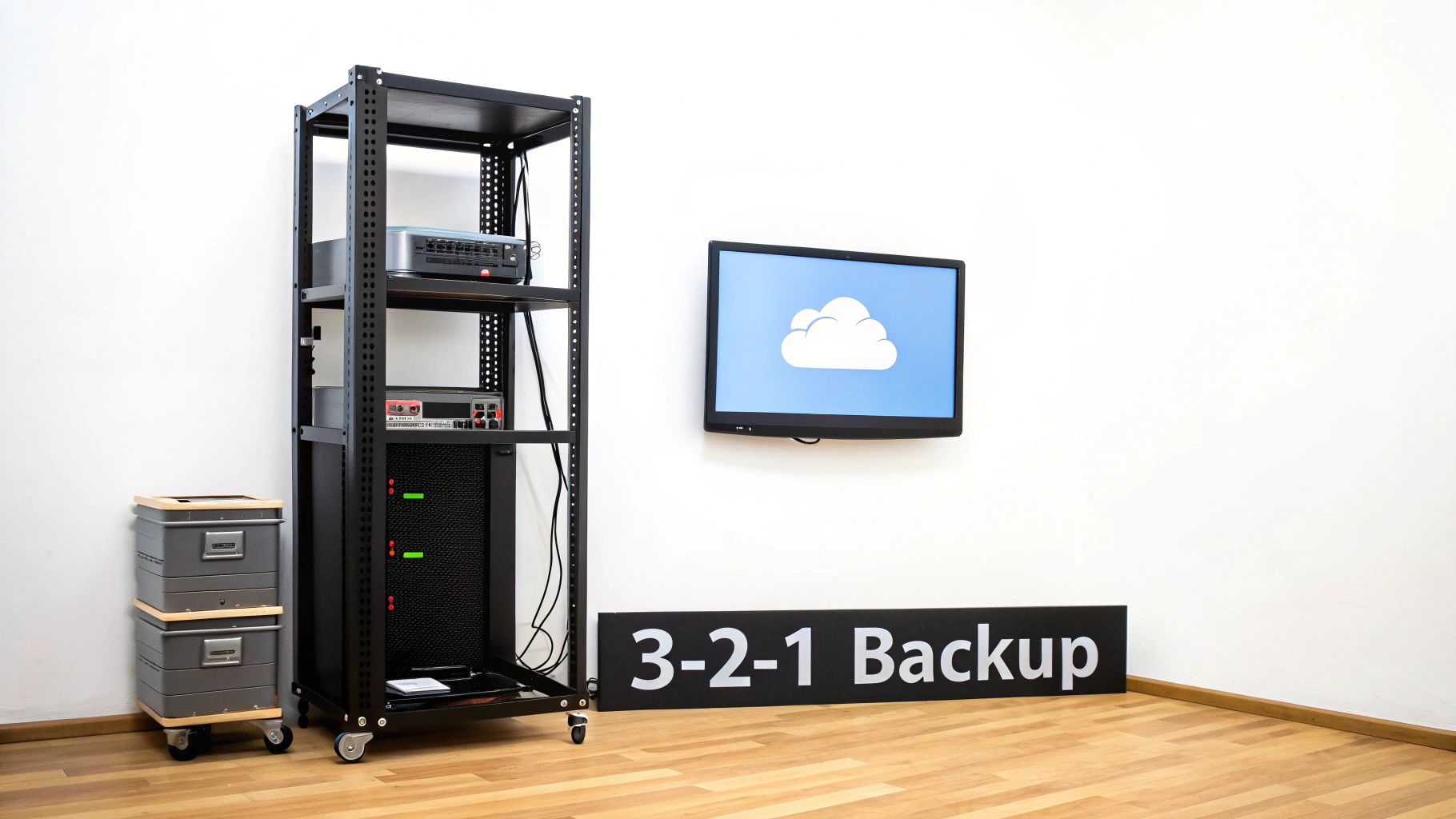
A comprehensive backup strategy, like the widely recommended 3-2-1 rule (three copies of your data on two different media types, with one copy offsite), provides layered protection. If a local server fails, you can restore from a cloud backup. If a ransomware attack encrypts your files, an immutable offsite copy remains untouched. This level of preparedness is crucial for meeting compliance mandates and maintaining operational stability in a crisis.
Actionable Implementation Tips
To build a resilient data protection plan, follow these steps:
- Automate Your Backups: Implement automated daily or real-time backups to ensure your archive is consistently protected without manual intervention.
- Test Recovery Procedures: Regularly test your ability to restore data from backups. Quarterly drills help identify weaknesses in your plan before a real disaster strikes.
- Document Key Metrics: Define and document your Recovery Time Objective (RTO) and Recovery Point Objective (RPO) to clarify how quickly services must be restored and how much data loss is acceptable.
- Create a Comprehensive Plan: A formal disaster recovery plan outlines every step, from initial response to full restoration. For a deeper dive into robust planning, consult this comprehensive Business Continuity / Disaster Recovery Plan Guide.
7. Migrate to Cloud-Based Archival Systems
Moving away from on-premise servers and physical storage to cloud-based systems is a transformative step in modernizing your archival strategy. Cloud archiving offers scalable, secure, and cost-effective storage with built-in redundancy and disaster recovery capabilities. This approach eliminates the capital expenditure on physical hardware and shifts the burden of maintenance and updates to the cloud provider, freeing up IT resources.
Adopting a cloud-first model is a core component of document archiving best practices because it provides global accessibility, advanced security features, and automated lifecycle management, ensuring your documents are protected and available when needed.
Why It's a Foundational Practice
Cloud platforms like Amazon S3 Glacier, Microsoft Azure Archive Storage, and Google Cloud Coldline are designed for long-term data retention at an extremely low cost. They provide a durable and highly available environment that physical, on-site storage struggles to match. This migration is crucial for business continuity, as it protects critical documents from localized disasters such as fires, floods, or hardware failures. For organizations handling sensitive records, exploring specialized e-vault solutions can offer an even higher degree of security and compliance within a cloud framework.
Actionable Implementation Tips
To ensure a smooth and secure migration, follow these steps:
- Verify Provider Certifications: Before committing, confirm the cloud provider complies with industry-specific regulations relevant to your business, such as HIPAA, GDPR, or FINRA.
- Encrypt Data Pre-Upload: Implement a "client-side encryption" policy where sensitive data is encrypted before it leaves your network to add an extra layer of security.
- Monitor and Manage Costs: Use the provider’s cost management tools to set budgets and alerts. Classify data to automatically move older, less-accessed files to cheaper "cold" storage tiers.
- Plan Your Exit Strategy: Ensure the provider offers clear data export and portability options so you can retrieve your data or move to another service without being locked in.
8. Implement Regular Audits and Compliance Reviews
An archive is not a "set it and forget it" system. Implementing regular audits and compliance reviews is a proactive practice that verifies your archival processes remain effective, secure, and aligned with legal obligations. These assessments systematically evaluate everything from adherence to retention schedules and security protocols to compliance with industry-specific regulations. This process ensures accountability and provides documented proof of due diligence for regulators, clients, and stakeholders.
This discipline is a cornerstone of robust document archiving best practices because it transforms your policies from theoretical rules into verified, operational realities, safeguarding your organization from costly non-compliance penalties and data breaches.
Why It's a Foundational Practice
Regular audits create a feedback loop for continuous improvement. They identify gaps in your system, such as inconsistent metadata application or unauthorized access, before they escalate into major problems. For businesses in regulated sectors, like healthcare (HIPAA) or finance (SOX), these reviews are not just best practices; they are mandatory legal requirements. Demonstrating a consistent audit trail is critical for passing external examinations and maintaining certifications like ISO 27001.
Actionable Implementation Tips
To integrate audits effectively into your archival strategy, follow these steps:
- Establish a Clear Audit Schedule: Plan for internal reviews at least annually, with more frequent checks for high-risk data. Schedule external audits based on regulatory or certification cycles.
- Use an Audit Checklist: Develop a standardized checklist covering key areas: retention policy adherence, access control logs, data disposal procedures, and metadata accuracy.
- Document All Findings and Remediation: Meticulously record any identified issues, the corrective actions taken, and who is responsible for implementation. This documentation is crucial for demonstrating compliance.
- Engage Third-Party Auditors: For unbiased validation, periodically hire external auditors. Their objective perspective can uncover blind spots that internal teams might miss.
9. Create Detailed Documentation and Policies
A robust archiving system is only effective if its rules and procedures are clearly defined and consistently followed. Creating comprehensive documentation and formal policies is the practice of codifying every aspect of your document management lifecycle. This documentation serves as a single source of truth for how documents are handled, stored, accessed, and destroyed, ensuring operational consistency and preserving institutional knowledge. Without it, procedures become tribal knowledge, lost with every staff change.
This approach is a cornerstone of advanced document archiving best practices because it transforms informal processes into a governable, auditable, and trainable framework that supports long-term compliance and efficiency.
Why It's a Foundational Practice
Detailed documentation provides the clarity needed for consistent execution, especially during audits, legal discovery, or staff transitions. When procedures are written down, there is no ambiguity about how to classify a sensitive HR document or when to dispose of a financial record. This level of detail is mandated by standards like ISO 30301 and is essential for organizations that must prove due diligence in their information governance.
Actionable Implementation Tips
To develop effective documentation and policies, follow these steps:
- Use Version Control: Implement a versioning system (e.g.,
PolicyName_v1.1_YYYY-MM-DD) for all policy documents to ensure everyone is referencing the most current version. - Establish a Review Schedule: Policies can become outdated. Schedule a mandatory annual or biennial review with key stakeholders to update procedures and align them with new regulations or business needs.
- Make Policies Accessible: Store all documentation in a centralized, easily accessible location like a company wiki or knowledge management system. Ensure staff knows where to find it.
- Include Visual Aids: For complex workflows, such as an incident response plan or a document approval process, create flowcharts and diagrams to make the information easier to understand and follow.
10. Utilize Lifecycle Management and Automated Workflows
Automating document lifecycle management is a transformative step that systematically moves files through their entire lifespan: from creation and active use to long-term retention and final disposition. This approach embeds your archiving rules directly into your operational workflows, reducing manual errors, ensuring consistent policy application, and freeing up your team for higher-value activities. Modern systems can automatically classify new documents, trigger review processes, and initiate secure disposal based on predefined rules.
This strategy is a cornerstone of modern document archiving best practices because it transitions your archive from a passive storage space into an active, intelligent system that manages itself according to your business and compliance needs.
<iframe width="560" height="315" src="https://www.youtube.com/embed/SXqWJzIsOWM" frameborder="0" allow="accelerometer; autoplay; clipboard-write; encrypted-media; gyroscope; picture-in-picture" allowfullscreen></iframe>
Why It's a Foundational Practice
Automated workflows ensure that retention policies aren't just suggestions, they are enforced actions. For example, a system can automatically flag an employee contract for review one year after their departure or archive an invoice seven years after its payment date without human intervention. This consistency is critical for meeting legal requirements like GDPR or SOX, where timely and documented data disposal is mandatory. It also minimizes risk by ensuring sensitive but obsolete data is not retained indefinitely.
Actionable Implementation Tips
To effectively integrate automation into your archiving process, follow these steps:
- Map Current Processes First: Before automating anything, thoroughly document your existing manual workflows. This helps identify bottlenecks and clarifies the logic for your automated rules.
- Start with High-Volume Documents: Begin by automating the lifecycle for high-volume, standardized document types like invoices or HR forms. These offer the quickest return on investment.
- Use Business Rules Engines: Implement systems with robust business rules engines (like those in SharePoint or Box) that allow you to define complex
if-thenscenarios for retention, archival, and disposal. - Monitor Automation Performance: Regularly review workflow logs to ensure rules are firing correctly and documents are moving through their lifecycle stages as expected. You can explore how to use Notion to send emails and manage workflows to see simple automation in action.
Document Archiving: 10 Best Practices Comparison
| Approach | 🔄 Implementation Complexity | ⚡ Resource Requirements & Cost | 📊 Expected Outcomes | 💡 Ideal Use Cases | ⭐ Key Advantages |
|---|---|---|---|---|---|
| Implement a Comprehensive Classification System | High — taxonomy design, stakeholder alignment, iterative refinement | Medium — governance time, training, classification tools | Improved retrieval, consistent organization, audit readiness | Large organizations, regulated industries, legal and R&D departments | Consistency across teams, better compliance, reduced duplication |
| Establish Clear Retention Schedules | Medium — legal mapping, policy integration | Low–Medium — legal/compliance review, retention software | Regulatory compliance, lower storage costs, clear disposition | Finance, healthcare, HR, legal, regulated operations | Reduces legal risk, controls costs, clarifies retention actions |
| Utilize Standardized File Formats & Naming Conventions | Low–Medium — conversion planning and rules enforcement | Low — conversion tools, training, occasional migration effort | Long-term accessibility, interoperability, improved search | Digitization projects, archives, cross-system sharing | Portability, reduced obsolescence, easier batch processing |
| Implement Access Controls & Security Measures | Medium–High — RBAC design, encryption, monitoring | High — security infrastructure, key management, audits | Confidentiality, integrity, regulatory compliance, accountability | Healthcare, finance, government, high-sensitivity records | Strong protection, audit trails, compliance alignment |
| Conduct Regular Metadata Management | Medium — schema design, standardization, QC | Medium — extraction/indexing tools, storage overhead | Much faster discovery, richer context, automated retrieval | Large digital collections, DAM/ECM platforms, archives | Dramatically improved search, supports analytics, compliance |
| Establish Data Backup & Disaster Recovery Protocols | Medium — DR planning, RTO/RPO definition, testing | High — redundant storage, offsite copies, regular testing | Resilience to loss, business continuity, ransomware protection | Mission-critical systems, enterprises with uptime SLAs | Ensures recoverability, protects against catastrophic loss |
| Migrate to Cloud-Based Archival Systems | Medium — migration planning, compliance and export checks | Medium — subscription costs, bandwidth, security controls | Scalable storage, built-in redundancy, lower capex | Organizations needing scale, global access, managed services | Scalability, managed DR, reduced on-prem maintenance |
| Implement Regular Audits & Compliance Reviews | Medium — audit scheduling, evidence collection | Medium — internal/external auditors, remediation resources | Identifies gaps, verifies compliance, drives remediation | Regulated companies, certification readiness, public firms | Independent validation, risk detection, improved controls |
| Create Detailed Documentation & Policies | Low–Medium — writing, review cycles, versioning | Low — authoring time, storage/version control | Consistency, faster onboarding, audit evidence | Any org building governance, undergoing audits, scaling teams | Preserves institutional knowledge, standardizes procedures |
| Utilize Lifecycle Management & Automated Workflows | High — process mapping, rule-engine and integration work | Medium–High — workflow platforms, integrations, monitoring | Reduced manual errors, consistent dispositions, efficiency gains | High-volume document environments, ECM, cloud platforms | Automation of policies, operational efficiency, timely disposal |
Bringing It All Together: Your Path to Archival Excellence
Navigating the landscape of digital information requires more than just storage; it demands a strategic, structured approach. The journey from digital clutter to a streamlined, secure archive is built on the consistent application of document archiving best practices. By moving beyond haphazardly saving files, you transform your information into a powerful, accessible asset that supports compliance, enhances operational efficiency, and protects your business from risk.
The principles we've explored serve as a comprehensive blueprint. From establishing a robust classification system and clear retention schedules to enforcing standardized naming conventions and rigorous security controls, each practice is a critical building block. These foundational elements ensure that every document has a designated place, a defined lifecycle, and appropriate safeguards throughout its existence.
From Theory to Action: Key Takeaways
Implementing these practices is not an overnight fix but a commitment to ongoing information governance. The most significant gains come from integrating these concepts into your daily operations.
- Consistency is Crucial: A well-defined policy is only effective if it's consistently followed. Standardized file formats, naming conventions, and metadata management are the cornerstones of a searchable and reliable archive.
- Automation as an Ally: Manual archiving is prone to error and inefficiency. Leveraging lifecycle management and automated workflows, especially for routine tasks like email capture, minimizes human oversight and ensures policies are applied uniformly.
- Security is Non-Negotiable: In an era of constant cyber threats, implementing access controls, establishing data backup protocols, and conducting regular audits are essential for protecting sensitive information and ensuring business continuity.
Your Next Steps Toward Archival Mastery
The path to archival excellence begins with a single, strategic step. Don't feel overwhelmed by the need to implement everything at once. Instead, start by assessing your current processes against the best practices outlined in this article. Identify the one or two areas that present the biggest challenges or offer the greatest potential for improvement.
Perhaps your team struggles most with capturing and organizing crucial email communications. This common pain point is a perfect place to start. By centralizing this flow of information, you create a dynamic, searchable knowledge base. This is where modern tools become indispensable, bridging the gap between communication and documentation. A strategic, incremental approach will not only yield immediate benefits but also pave the way to a more secure, compliant, and profoundly organized digital future for your organization. Mastering these document archiving best practices is an investment that pays lasting dividends in time, security, and peace of mind.
Ready to automate one of the most critical parts of your document archiving strategy? NotionSender seamlessly connects your inbox to your Notion workspace, automatically saving important emails and attachments as structured, searchable database items. Stop letting crucial information get lost in your inbox and start building a powerful, centralized archive today. Check out NotionSender to see how it works.

