
A Guide to lead management software for small business: Boost Conversions Today
So, what exactly is lead management software for small business? Think of it as a dedicated, automated concierge for your sales process. It’s a tool specifically built to capture, organize, track, and nurture potential customers (or leads) in a way that’s clear and systematic, making sure no opportunity slips through the cracks while you're busy running your business.
What Is Lead Management and Why It Matters for Your Business

Are you staring at a chaotic spreadsheet of potential customers? Maybe you're juggling Post-it notes and a hopelessly cluttered inbox? If that sounds painfully familiar, you're not alone. Most small businesses start out tracking leads manually. It’s a system that works just fine—until, all of a sudden, it doesn't.
The real challenge hits when your business starts to grow. The inquiries from your website, social media, and referrals begin to pile up. Leads get missed. Follow-ups are completely forgotten. Before you know it, valuable opportunities are lost to competitors who were simply faster and more organized.
This is exactly the kind of chaos that lead management software for small business is designed to fix.
Manual Lead Tracking vs Automated Lead Management
Moving from spreadsheets and sticky notes to a dedicated system feels like a huge leap, but the difference is night and day. Let's break down what that transition actually looks like in practice.
| Aspect | Manual Tracking (Spreadsheets & Email) | Automated Software |
|---|---|---|
| Speed & Capture | Slow, manual data entry. High risk of missing leads from different channels. | Instant and automatic capture from web forms, ads, and emails into one place. |
| Organization | Prone to errors, duplicates, and outdated information. Hard to see the full picture. | Clean, centralized database. Leads are automatically segmented and prioritized. |
| Follow-Up | Relies on memory or manual calendar reminders. Inconsistent and easy to forget. | Automated reminders and email sequences ensure timely and consistent follow-ups. |
| Team Collaboration | Difficult to share information. "Who called them last?" is a common question. | Everyone on the team sees the same up-to-date lead history and status. |
| Reporting & Insight | Almost impossible to get meaningful data. You're guessing what works. | Clear dashboards and reports show you exactly where your best leads come from. |
The table really says it all. While manual methods might feel free, the hidden costs in lost time and missed opportunities are enormous. An automated system brings order to the chaos and gives you a fighting chance to convert every single lead.
Moving Beyond Simple Tracking
Imagine your business having its own personal concierge. This person greets every potential customer, figures out what they need, and smoothly guides them to the right conversation at just the right moment. That’s exactly what this software does for you. It turns a static, messy list of names into a living, breathing system.
Instead of just being a digital address book, a proper lead management system helps you:
- Capture Leads Automatically: It pulls inquiries from your website forms, social media ads, and email campaigns right into a central hub. No more copy-pasting.
- Organize and Segment: It sorts leads based on their source, how interested they seem, or how they've interacted with your business.
- Track Every Interaction: Every email opened, link clicked, or phone call made is logged. You get a complete, chronological history of your relationship.
- Nurture Relationships: It can automate follow-up emails and set reminders, keeping your business top-of-mind without you having to do it all manually.
A structured lead management process isn't just about getting organized; it's a direct path to growth. By systematically guiding potential customers, businesses can shorten their sales cycles and see a real jump in conversion rates.
To really get why this matters so much, it helps to understand what lead generation is in sales. Once you've got people interested, managing them effectively is the critical next step.
The Growing Need for Automation
There's a reason these tools are becoming so popular. The global market for lead management is exploding, projected to grow from $10.12 billion in 2024 to $11.1 billion in 2025. This isn't just a trend for big corporations; it's being driven by small and medium-sized businesses hungry for tools that can boost their conversion rates by up to 20-30%.
Ultimately, good lead management isn't just about buying software. It's about building a reliable process that turns interest into revenue. It brings order to the chaos, frees up your time, and makes sure every single lead gets the attention it deserves—setting the stage for real, sustainable growth.
Essential Features Every Small Business Needs
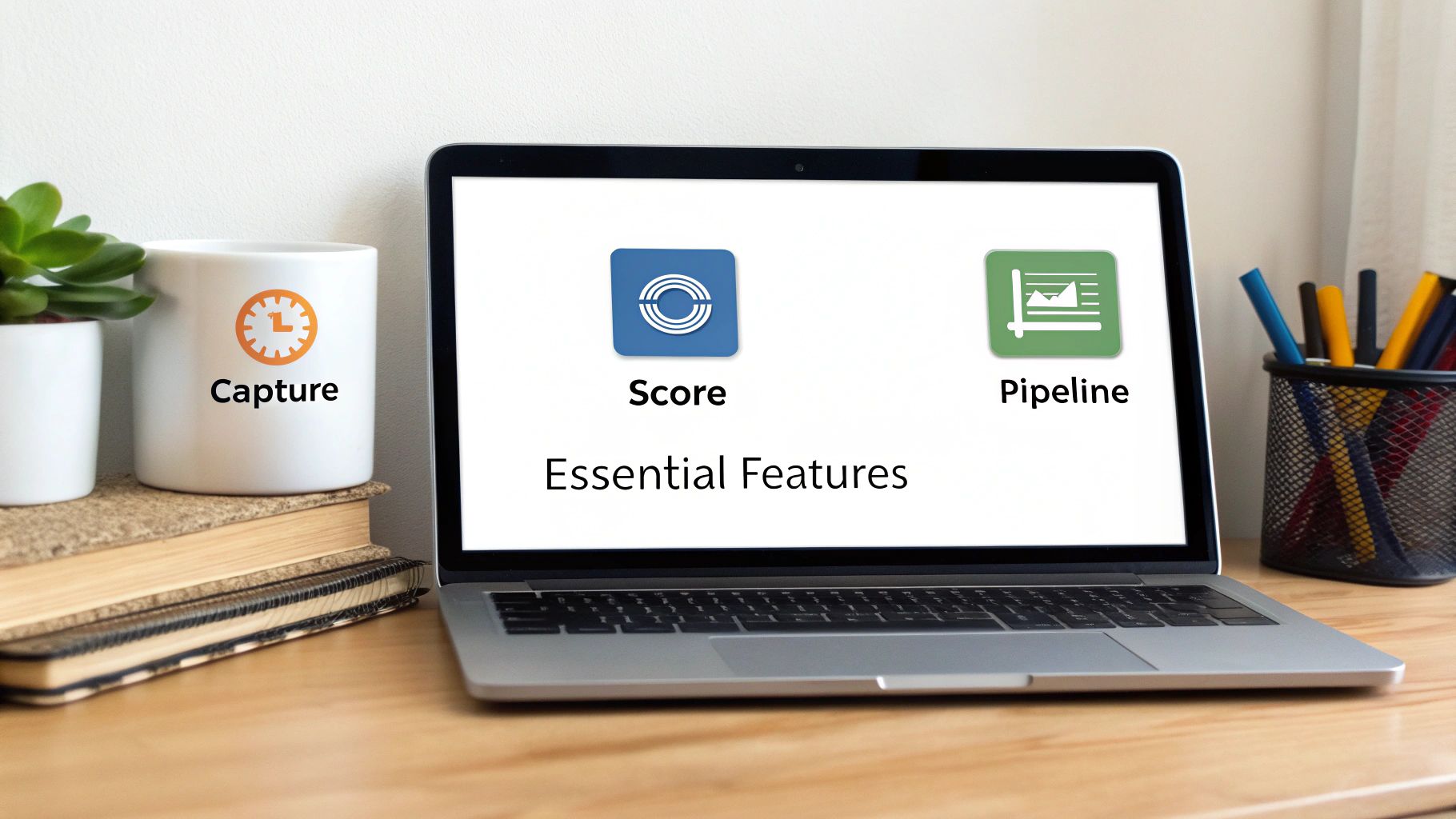
Knowing why you need a system is one thing, but figuring out what to look for is the real challenge. When you start exploring lead management software for small business, the list of features can be dizzying. The trick is to tune out the marketing noise and focus on the core tools that actually solve your problems.
Don't think of these as just technical specs; think of them as answers. A good feature should directly address questions like, "How do I stop good leads from getting lost?" or "Who on this list should I call right now?"
A great system doesn't need to do a million things. It just needs to do the essentials perfectly. Let's dig into the non-negotiables that will actually make a difference for your business.
Automated Lead Capture So You Never Miss an Opportunity
Manual data entry is where growth goes to die. Every minute you spend copy-pasting an email into a spreadsheet is a minute you could have spent talking to a real, live customer. This is where automated lead capture becomes your secret weapon.
This feature is like a digital net, pulling in inquiries from all the places your customers find you. Instead of you chasing down information, the software automatically creates a new, organized record for every single person who reaches out.
Your system absolutely must be able to pull from:
- Website Forms: Instantly grabs submissions from your "Contact Us" or quote request pages.
- Email Inboxes: Siphons inquiries sent to your general sales or info@ email addresses.
- Social Media Ads: Hooks into your Facebook or LinkedIn ad campaigns to import leads the moment they show interest.
- Chatbots: Connects with your website's live chat to save conversations and create lead profiles.
This kind of automation means no lead gets left behind in a cluttered inbox. It's your first line of defense against lost revenue.
Lead Scoring to Focus on Your Hottest Prospects
Let's be honest: not all leads are created equal. Some are ready to buy today, while others are just kicking the tires. The real challenge for a small business is figuring out where to point your limited time and energy.
Lead scoring solves this by acting as a priority filter. The software assigns points to leads based on who they are and what they do, giving you a crystal-clear, data-driven signal of who's ready to talk. For instance, someone who visits your pricing page and downloads a case study is a much "hotter" lead than someone who just signed up for a newsletter.
Lead scoring is your secret weapon for efficiency. It tells you exactly who to call right now, who to nurture with an email, and who can wait, allowing you to maximize the impact of every sales interaction.
This is a lifesaver for small teams, especially when one person is juggling both sales and marketing. It turns an overwhelming list of names into a manageable, prioritized to-do list.
A Visual Sales Pipeline for a Clear Overview
A spreadsheet can tell you who your leads are, but it can’t show you where they are in the buying process. A visual sales pipeline, often laid out as a "Kanban" board, completely changes the game by giving you a bird's-eye view of your entire sales process.
This feature sorts your leads into columns that match each stage of your sales cycle (like "New," "Contacted," "Proposal Sent," and "Closed"). You can literally drag and drop a lead from one stage to the next as the conversation moves forward. This makes it painfully obvious where deals are getting stuck or where you need to follow up. It turns the abstract idea of a "sales funnel" into a tangible, interactive tool you can work with every day.
The adoption of these tools is exploding for a reason. Small businesses are the main force here, with this software segment projected to hold a 67.3% market share in 2025. And because small teams need flexibility, cloud-based solutions are the clear favorite, making up 72.2% of all deployments. Businesses that get on board often see workflow efficiencies jump by as much as 40%, finally connecting marketing campaigns directly to sales outcomes. You can read more about these market trends to get the bigger picture.
At the end of the day, the best lead management software for small business will have these core features built in to bring order, focus, and clarity to your sales efforts.
Unlocking Real Business Growth with Lead Management
<iframe width="100%" style="aspect-ratio: 16 / 9;" src="https://www.youtube.com/embed/MZW1leiRw-c" frameborder="0" allow="autoplay; encrypted-media" allowfullscreen></iframe>
Having the right features is one thing, but the real magic of lead management software for small business is seeing the tangible results it brings to your company. It’s not just about adding another tool to your tech stack; it's about fundamentally changing how you operate, unlocking serious efficiency, and sparking actual growth.
The benefits aren't just hypotheticals on a sales page. They show up in your day-to-day schedule, the quality of your customer conversations, and, most importantly, your bottom line. Let's look past the feature list and dig into the four key outcomes you can expect when you get your lead management process dialed in.
Gaining Back Your Most Valuable Asset: Your Time
Think about a freelance graphic designer who used to burn the first two hours of every single day just sifting through website inquiries. She'd manually copy-paste details into a spreadsheet, then send out the same "Thanks for your interest!" email again and again. It was a soul-crushing routine.
Now, her software handles all of that on autopilot. New leads are captured, tagged, and instantly receive a personalized welcome email.
Those ten hours she gets back every week are no longer lost to tedious admin. She's now using that time for high-value work: hashing out client strategy, diving into creative projects, and networking to land bigger contracts. Automation isn’t about replacing the human element; it’s about freeing up humans to do the work that actually matters.
Building Stronger and More Loyal Customer Relationships
Great lead management helps you build trust from the very first hello. Take a small accounting firm that was constantly fumbling client details. Prospects would get spotty follow-ups, and key information from initial calls would get lost in the shuffle, making the firm look disorganized.
After getting a proper system in place, every single interaction—every call, email, and note—is logged in one central spot. When a potential client calls back a month later, any team member can pull up their history and pick up the conversation right where it left off, seamlessly.
Consistent, personalized communication is the bedrock of customer loyalty. When leads feel heard and remembered, you stop being just another vendor and start becoming a trusted partner.
This kind of organized approach screams professionalism and reliability. It gives potential customers the confidence they need to choose you over the competition.
Boosting Your Conversion Rates Through Nurturing
Simply being organized with your follow-up directly translates to more closed deals. Imagine a local bakery that specializes in custom wedding cakes. A lead might reach out months before their wedding, long before they're ready to sign a contract. In the past, these early birds were often forgotten.
With lead management software, the bakery now drops these leads into a long-term nurture sequence. The system automatically sends them genuinely helpful content every few weeks—tips on choosing a cake flavor, a gallery of recent designs, a friendly reminder to book a tasting. This gentle, consistent contact keeps the bakery top-of-mind without being pushy.
So when the couple is finally ready to book, who are they going to call? The bakery that’s been a helpful guide all along. That’s the power of nurturing.
Making Smarter Decisions with Clear Data
Are your marketing dollars actually working? For a lot of small businesses, it's a total crapshoot. A small e-commerce shop, for example, was pouring money into Google Ads, Facebook Ads, and influencer posts but had no real clue which channel was bringing in the best customers.
Their lead management software changed the game. The reporting dashboard made it crystal clear: while Facebook ads were bringing in a ton of leads, the leads from Google Ads were converting at a 3x higher rate.
Armed with that data, they completely reallocated their budget, doubling down on what worked and cutting what didn't. This is also where you can get really sophisticated, applying techniques from our guide on 7 strategies to send more emails, faster and better, to fine-tune your outreach. That shift from guesswork to data-driven strategy is how you build a business that lasts.
How to Choose the Right Software for Your Business
Feeling overwhelmed by the sheer number of options? You're not alone. Picking the right lead management software for small business can feel like a huge decision, but it doesn't have to be.
The trick is to cut through the noise by asking a few practical questions. Forget about flashy features for a moment and think about what your business actually needs day-to-day. A system that looks impressive on paper but is too clunky for your team is just another wasted subscription.
Let’s zero in on the three questions that will lead you to a tool that genuinely helps you grow.
Can This Software Grow with My Business?
The tool you pick today needs to work for you a year from now, and hopefully even three years from now. A common mistake small businesses make is choosing a solution that patches an immediate hole but offers no room for growth. This inevitably leads to a costly and disruptive switch down the road.
To avoid that trap, think scalability. Ask yourself:
- Does it have a flexible pricing structure? You want a plan that lets you add users or features as your team and customer base expand, without a massive price jump.
- Can it handle more complexity later? You might start with simple lead tracking, but will the software support advanced automation or reporting when you're ready for it?
- Is it part of a larger ecosystem? Tools that integrate with other products or are part of a suite give you a clear upgrade path for the future.
Thinking about your future needs now ensures your investment pays off for years to come.
Does It Connect with My Existing Tools?
Your lead management system shouldn't live on an island. It needs to play nice with the other software you rely on every day. If your team lives and breathes in a tool like Notion, a system that doesn’t integrate well is just going to create more work, not less.
The best software fits into your current workflow like a missing puzzle piece. It should enhance what you already do, not force you to start from scratch. A lack of good integrations is a major red flag.
When you’re evaluating options, make a list of your must-have integrations—your email provider, calendar, accounting software, and project management tools. A good sign of a well-built tool is robust API documentation, which opens the door for custom connections. If you're curious what that looks like, you can explore the NotionSender API documentation to see how powerful integrations are built.
Is It Simple Enough for My Team to Use Tomorrow?
The most powerful software in the world is useless if your team finds it intimidating. For small businesses, user adoption is everything. You don’t have a dedicated training department, so a clean, intuitive interface isn't a "nice-to-have"—it's a necessity.
Before you commit, ask these simple questions:
- Can a new team member figure out the basics with minimal hand-holding?
- Is the layout clean and easy to navigate?
- Does the provider offer clear help guides or video tutorials?
Always take advantage of free trials and get your team to test drive the software. If they can't get the hang of it in a day or two, it’s probably not the right fit.
Decoding Pricing Models and Hidden Costs
The global lead management market is booming, expected to climb from $19.12 billion in 2024 to $20.63 billion in 2025, largely driven by small and medium-sized businesses. This growth gives you more options, but it also means more confusing pricing. You can discover more insights about the CRM lead management market to get a better feel for the landscape.
Let's break down the common models you'll encounter:
- Per-User Pricing: You pay a monthly fee for each person on your team using the software. This is straightforward but can get expensive as you grow.
- Tiered Pricing: You get a set package of features for a flat monthly price. This is great for predictable budgeting, but double-check that the features you need aren't locked away in a pricier tier.
- Freemium Model: The company offers a free, basic version with the option to upgrade for more power. This is perfect for testing the waters, just be mindful of the limitations.
And don't forget to watch out for hidden costs. Things like mandatory onboarding fees, charges for data migration, or extra costs for priority support can sneak up on you. Always read the fine print to make sure the price you see is the price you'll actually pay.
Your Simple Lead Workflow with Notion and NotionSender
Theory is great, but let's be honest—seeing how something works in the real world is what really makes it click. You don’t need some bloated, expensive system to manage your leads like a pro. In fact, you can build a surprisingly powerful and lightweight workflow with tools you probably already use.
We’re going to walk through a real-life example using Notion, the all-in-one workspace tool, and NotionSender, which plugs email right into your Notion setup. This combo is proof that a smart process beats a high price tag every time.
Step 1: Capture Every Lead Automatically
First things first: you need to get leads into your system without lifting a finger. Picture this: a potential customer lands on your website and fills out your "Request a Quote" form. Without a system, this is where the frantic copy-pasting begins.
But with an integrated setup, it's a completely different story. The second they hit "submit," NotionSender zaps their details—name, email, company, and what they’re asking about—straight into a "Leads" database in your Notion account. No manual entry, no typos, and zero risk of that hot lead getting buried in your inbox.
Step 2: Organize and Qualify in Notion
Once the lead is in your Notion database, the real magic starts. NotionSender doesn’t just dump a wall of text; it intelligently sorts the information into the custom fields you’ve set up.
- Lead Name: John Doe
- Email: john.doe@example.com
- Inquiry Type: "Graphic Design Services" (tagged automatically)
- Status: "New Lead" (set as the default)
Suddenly, you have structured data you can actually use. You can instantly filter your database to see everyone who asked about "Graphic Design Services" or sort leads by their source to prioritize referrals. It’s a world away from a simple email.
This is all about building a system that grows with you, connects to your other tools, and is simple enough to start using right away.
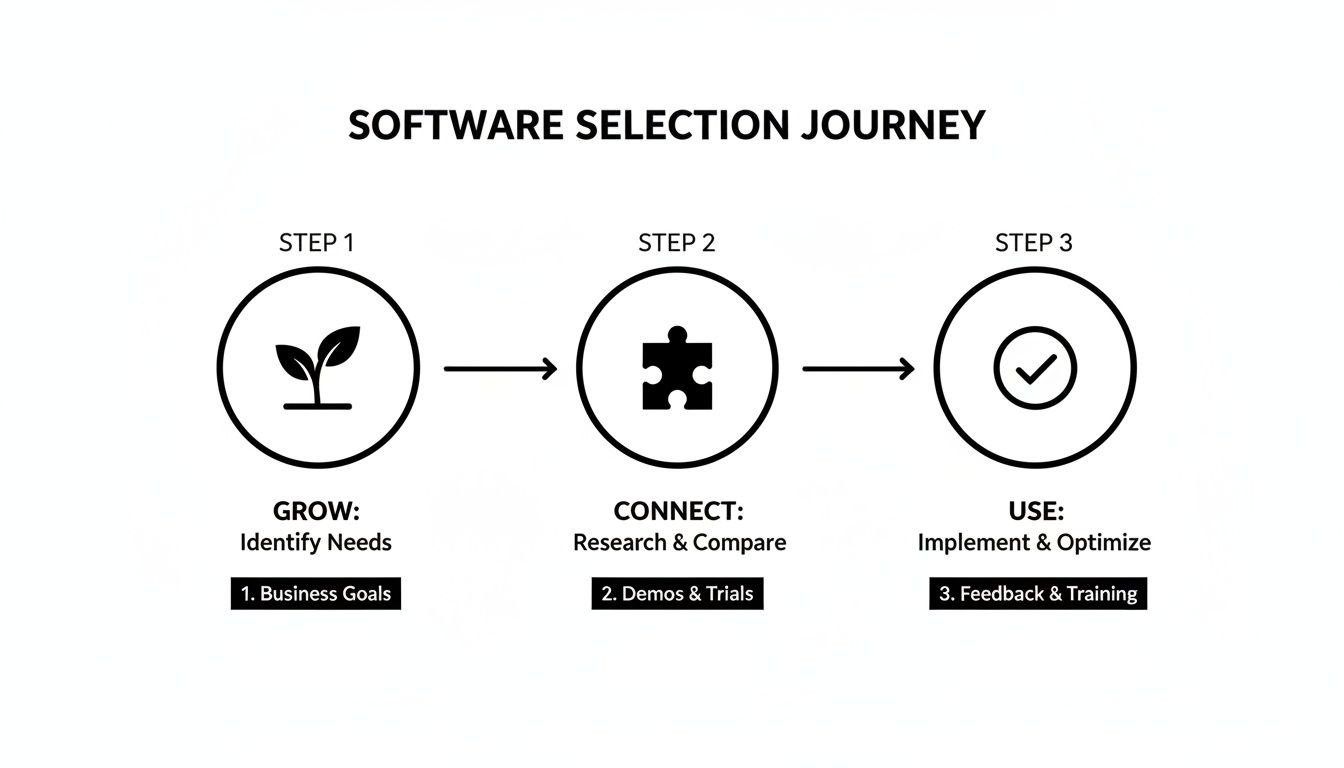
Step 3: Nurture Leads Directly from Your Workspace
Now for the most important part: the follow-up. Instead of jumping over to your email client, you can handle the entire conversation without ever leaving Notion. Pull up a pre-made template and fire off a personalized response in seconds.
Speed is your secret weapon. Responding to a lead within the first five minutes can skyrocket your conversion rates. Automation is what makes that kind of speed possible without chaining yourself to your desk.
With NotionSender, you send the email right from the lead's page in your database. The best part? The whole conversation is automatically logged right there, creating a perfect timeline of every single touchpoint. This is a game-changer for staying organized and giving every lead a top-notch experience. For a full walkthrough, check out our guide on how to create and send email from Notion.
Step 4: Track Progress with a Visual Pipeline
As you talk with more leads, you need a bird's-eye view of where everyone is in the process. This is where Notion’s board view is brilliant. You can set up a simple Kanban board with a few key stages:
- New Lead
- Contacted
- Meeting Scheduled
- Proposal Sent
- Won / Lost
The moment you email John Doe, you just drag his card from "New Lead" over to "Contacted." This visual pipeline gives you an instant snapshot of your entire sales funnel. You can spot bottlenecks, see what’s ready to close, and know exactly what your next move should be for every single prospect. Just like that, your workspace has become a true lead management software for small business.
Common Mistakes to Avoid When Getting Started
Jumping into a new tool is always exciting. But let's be honest, that excitement can quickly turn to frustration if things don't click right away. A great piece of software is only as good as its setup.
Think of this as your guide to dodging those early-stage headaches. By sidestepping these common pitfalls, your new lead management software for small business will start feeling like an asset from day one, not just another task on your to-do list.
Skipping Team Onboarding and Training
This is probably the biggest mistake I see. You invest in a powerful tool, get it set up, and then just assume your team will "figure it out." In reality, they'll probably poke around for a day before defaulting right back to their old spreadsheet habits.
A powerful tool is completely useless if your team doesn't understand how to use it—or even worse, why they should.
Make the training a real priority. Don't just show them where to click. Explain how this new system solves their biggest headaches, like eliminating tedious data entry or helping them keep track of conversations so they can close more deals. Frame it as a way to make their jobs easier, and you'll get buy-in.
A tool is only as good as the team using it. Dedicating even a few hours to hands-on training can be the difference between enthusiastic adoption and a failed investment.
Overcomplicating Your Initial Setup
When you first log in, it’s tempting to turn on every single bell and whistle. You might find yourself trying to build out complex lead scoring rules and multi-step automation sequences before you've even imported your first contact. This almost always ends in a system that’s too confusing and clunky to actually use.
The key is to start simple. Seriously. Nail the fundamentals first.
- Capture: Make sure all your leads—from website forms, emails, wherever—are flowing into the system correctly. This is your foundation.
- Organize: Build out a super basic sales pipeline. Just a few essential stages will do, like "New," "Contacted," and "Won." You can add more later.
- Track: Get your team in the habit of logging every single call and email. Consistency is everything here.
Once these core habits are solid, you can start layering in the more advanced features. Add complexity when you have a real problem that needs solving, not just because the feature is there.
Ignoring Your Existing Sales Process
Finally, don't forget that software is there to support your process, not create one from scratch. A surprisingly common mistake is plugging in a new system without first mapping out how your team actually sells. It's like buying a high-end oven without knowing what you want to cook.
Before you customize a single field, grab a whiteboard and sketch out your current sales journey. How does a lead get from "just browsing" to a closed deal in your business?
Identify those key stages and what needs to happen at each one. This map becomes the blueprint for your software setup, ensuring the tool actually fits the way you work.
Frequently Asked Questions
Even with the best plan in hand, a few questions always seem to pop up when you're about to pull the trigger on new software. Let's tackle some of the most common ones small business owners have about getting a lead management system up and running.
What Is the Main Difference Between a CRM and Lead Management Software?
Think of it this way: lead management software for small business is laser-focused on the very beginning of the customer journey. It's all about capturing, qualifying, and nurturing prospects before they're ready to buy. A Customer Relationship Management (CRM) system, on the other hand, is the whole shebang—it manages the entire relationship, from that first flicker of interest all the way to a loyal, repeat customer.
While most big CRMs have lead management features baked in, a dedicated tool is often way simpler and more direct for teams who just need to nail their initial sales process without a lot of extra complexity.
How Much Should a Small Business Budget for This Software?
The pricing is all over the map, but you definitely don't need to break the bank. A ton of great tools offer "freemium" plans that are more than enough to get you started. Once you need to upgrade, paid plans typically start in the neighborhood of $15-$50 per user per month.
Here's the thing: it's not about the price tag, it's about the value. A tool that costs you $30 a month but helps you land just one extra deal has already paid for itself many times over. Focus on the return you're getting, not just the upfront cost.
Can I Really Set This Up Myself?
Absolutely. Modern lead management tools are built for the rest of us, not just for tech wizards. Most of them have super intuitive drag-and-drop interfaces, easy-to-follow setup guides, and quick video tutorials. You can usually get your website forms and email hooked up in less than an hour, no code required.
When Is the Right Time to Invest?
The perfect time to jump in is the moment your manual system starts to feel like a house of cards. Are you forgetting to follow up? Losing track of where people came from? Have zero clue which of your marketing efforts are actually bringing in good leads? That's your sign. Don't wait until you're completely swamped—getting ahead of it ensures you don't miss out on great opportunities right when you start growing.
Ready to turn your Notion workspace into a powerful, organized lead management hub? NotionSender makes it simple to capture, nurture, and track every lead without leaving your favorite tool. Start your free trial today and see the difference in minutes.

