Your Guide to a High-Converting Lead Nurturing Email Sequence
A lead nurturing email sequence is your secret weapon for turning lukewarm prospects into loyal customers. It’s a series of automated, pre-written emails that you send out over time. The goal? To build a solid relationship and gently guide leads toward making a purchase.
Think of it as the difference between a one-time shout and a meaningful conversation. It’s all about delivering the right message at the right time to build trust and, ultimately, drive conversions.
Why Nurture Sequences Outperform Single Email Blasts
Let's be real—blasting your entire email list with the same generic promotion is the marketing equivalent of yelling into a crowded room. You just hope the right person hears you. It’s loud, impersonal, and almost never works.
A well-crafted lead nurturing sequence, on the other hand, is a strategic dialogue. It’s designed to build trust and keep your brand front and center in your prospect's mind. The psychology is simple: most people aren't ready to buy the second they find you. A nurture sequence meets them right where they are, offering genuine value and addressing their pain points long before you ever ask for the sale.
The Power of a Strategic Conversation
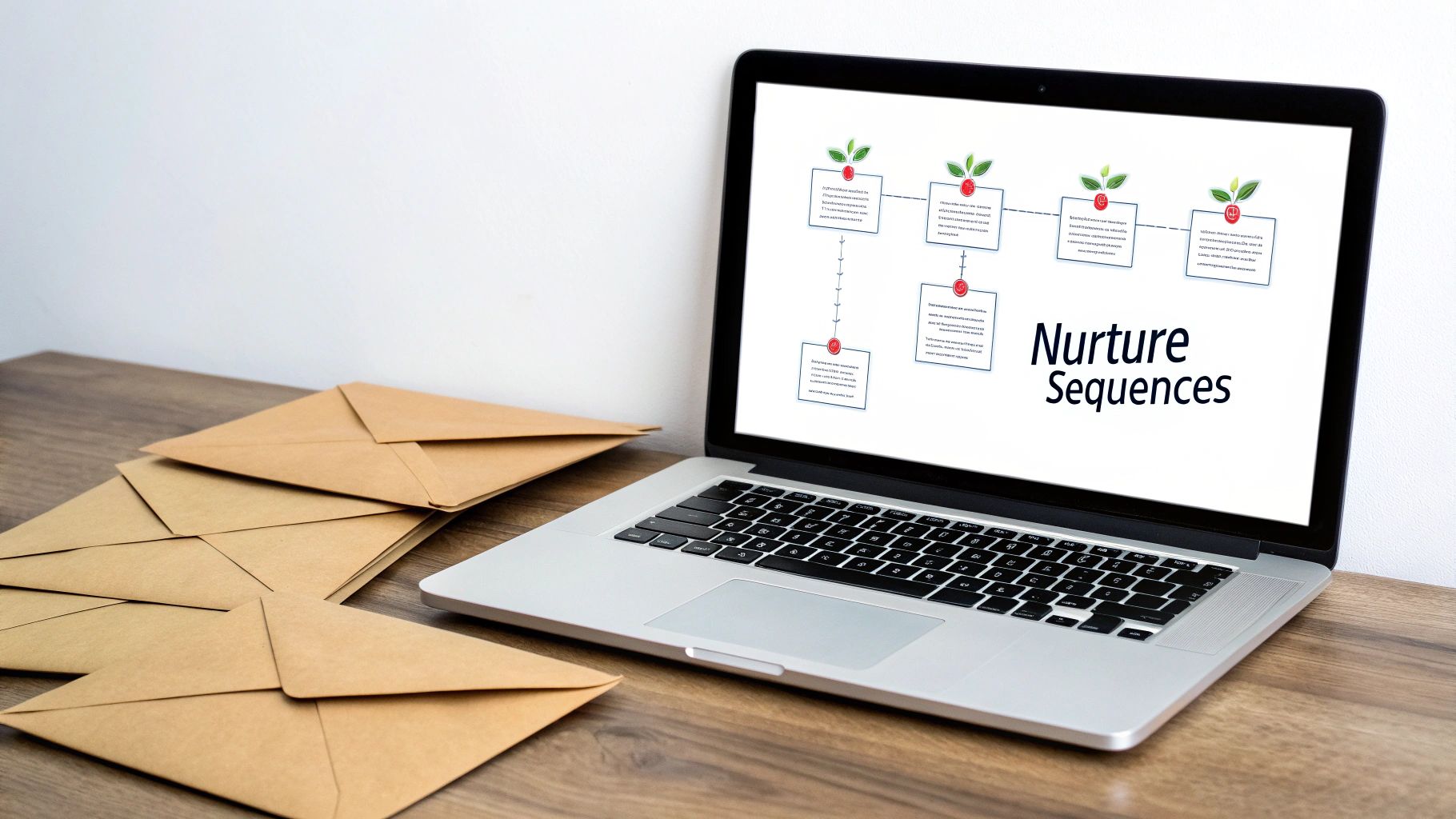
Instead of a single, all-or-nothing email, a sequence tells a story. Imagine a SaaS company offering a free trial. A one-off email on the last day just creates pressure. A nurture sequence, however, could look something like this:
- Day 1: A warm welcome email with a quick-start guide.
- Day 3: A message highlighting a specific feature that solves a common user problem.
- Day 7: A case study showing how another customer found success.
- Day 12: A friendly offer to extend the trial or book a personalized demo.
See the difference? This approach turns the interaction from a sales pitch into a guided tour. The final call-to-action feels like the natural next step. You're earning the sale, not just demanding it.
The data backs this up in a big way. Nurture emails generate 4 to 10 times higher response rates compared to standalone email blasts. And it's not a fluke; 42% of marketing professionals report a 20% performance lift from their nurturing campaigns. If you're curious, you can dive into more lead nurturing performance statistics to see the full picture.
To make it even clearer, let's break down the core differences.
Email Blast vs. Nurture Sequence At a Glance
| Metric | Standalone Email Blast | Lead Nurturing Sequence |
|---|---|---|
| Objective | Immediate action (e.g., buy now) | Build relationship, educate, guide |
| Timing | Single, untargeted send | Series of timed, triggered emails |
| Personalization | Low (often generic) | High (based on user behavior/data) |
| Engagement | Typically low, high unsubscribe rate | High engagement, builds trust |
| Conversion Rate | Low | Significantly higher over time |
| Focus | Short-term sale | Long-term customer value |
The table says it all. While a blast might give you a quick, tiny spike, a sequence builds a foundation for sustained growth and loyal customers.
The core principle here is reciprocity. When you consistently provide value—whether it's an insightful article, a helpful template, or a customer success story—you build a relationship where the prospect feels understood and supported.
Building Trust Over Time
Trust is the bedrock of any business relationship, and you can't build it in a single interaction. A lead nurturing sequence gives you the runway to demonstrate your expertise and reliability over days or even weeks.
For a consultant, this might mean sending a series of emails that break down a complex industry problem, offering actionable solutions at each step. By the time the final email proposes a consultation, the lead already sees them as a credible authority.
This is where modern tools are a game-changer. Platforms like NotionSender let you build, manage, and automate these sequences right from your Notion workspace. This keeps your entire lead management process—from initial contact to final conversion—in one organized, efficient place. By automating the follow-up, you make sure no lead ever falls through the cracks while you stay focused on creating killer content.
Building Your Nurture Strategy and Segmentation
Before you even think about writing a single subject line, you need a solid foundation for your lead nurturing sequence. Without a clear strategy, you're just sending emails into the void, hoping something sticks.
So, where do you start? Every sequence you build needs one single, measurable goal.
Are you trying to guide new trial users to their "aha!" moment? Or maybe your goal is to breathe life back into a list of leads that went cold six months ago? Each of these objectives demands a totally different approach, a unique tone, and a specific call-to-action.
A sequence without a specific goal is like a road trip without a destination. You'll burn a lot of fuel and end up somewhere you didn't intend. Define your destination first, whether it's booking a demo, driving a first purchase, or educating a prospect on a new feature.
This kind of clarity stops you from mixing your messages. A sequence built to educate someone who just downloaded an ebook shouldn't suddenly pivot to a hard sales pitch. Its real job is to build authority and trust, setting the stage for a sales-focused conversation later on.
Moving Beyond Basic Demographics
Once you’ve nailed down your goal, the next piece of the puzzle is segmentation. This is where the magic happens. It’s all about dividing your leads into smaller, more relevant groups so you can speak directly to what they care about. Let's face it: generic emails get generic results.
A lot of marketers stop at basic demographics like job title or company size. While that’s a decent starting point, the real power comes from behavioral segmentation. You need to group your leads based on the actions they take—or don't take.
Here are a few ways I like to think about it:
- Content-Based Segments: Group people by the specific content they downloaded. Someone who grabbed an "Advanced SEO Checklist" has a different set of problems than someone who downloaded a "Beginner's Guide to Social Media." Talk to them accordingly.
- High-Intent Segments: These are your hot prospects. Create a special segment for anyone who visited your pricing page or requested a demo. They’re much closer to making a decision and need a more direct, benefit-driven sequence.
- Engagement-Based Segments: You wouldn't talk to your best friend the same way you'd talk to a stranger, right? Separate your super-engaged subscribers (the ones who open and click everything) from those who haven't opened an email in 90 days. That second group needs a re-engagement campaign, not your standard newsletter.
To get really sophisticated with this, understanding models like RFM customer segmentation can be a game-changer. It helps you identify your best customers based on their buying habits. The effort you put into smart segmentation always pays off.
Using the Lead Temperature Model
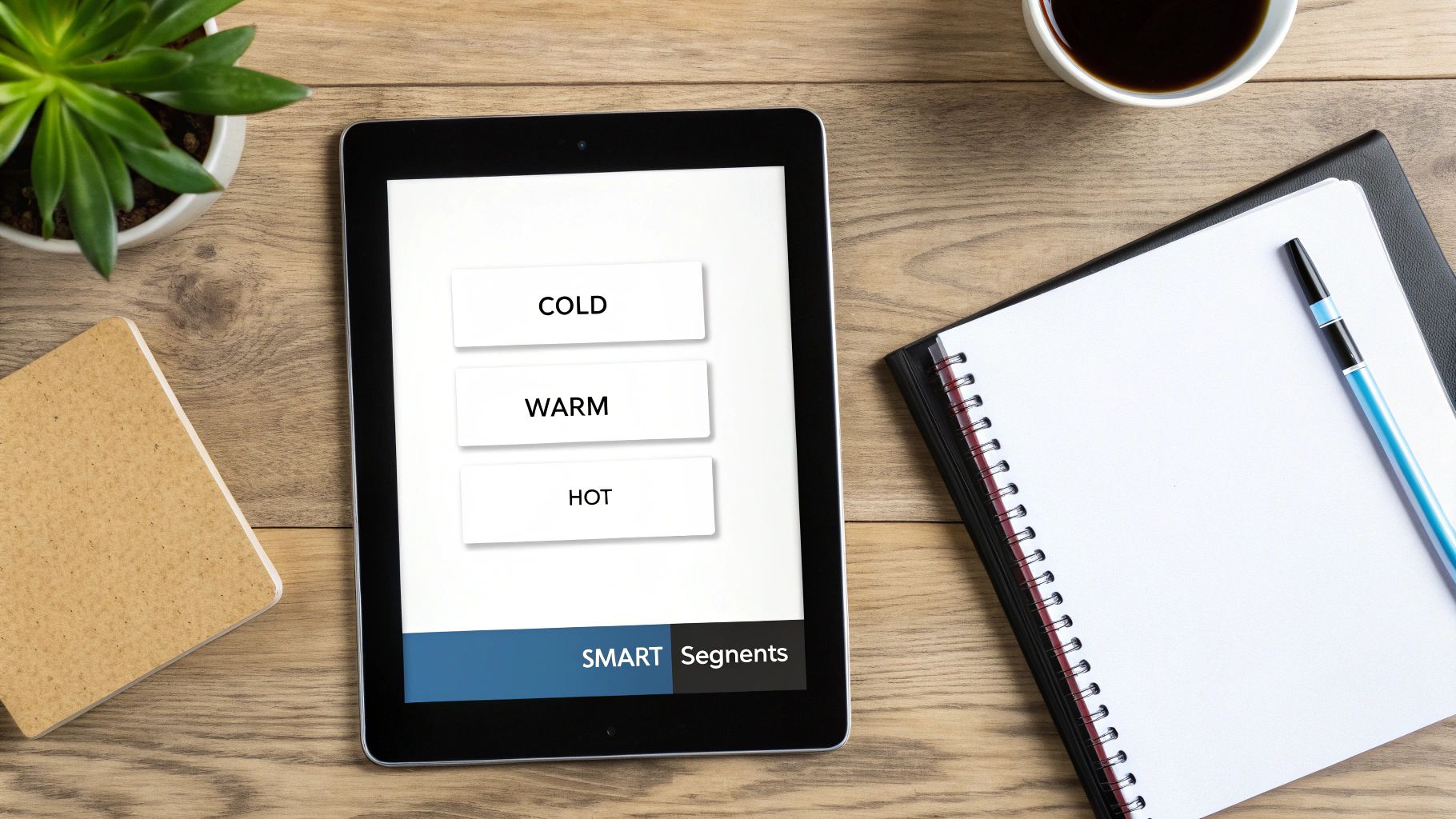
A super simple but effective way to visualize your segments is the "lead temperature" model. This framework helps you dial in your messaging and content based on how familiar someone is with your brand.
Cold Leads
These are the folks at the very top of your funnel. They might have subscribed to your blog or grabbed a general-interest download. They barely know you.
- Your Goal: Educate and build trust. Don't sell.
- Your Content: Think informative blog posts, industry reports, and introductory webinars. Sales pitches are off-limits here.
Warm Leads
These leads have shown a bit more interest. Maybe they attended a webinar, downloaded a detailed case study, or browsed a few specific product pages. They see a problem, and they're starting to think you might have the solution.
- Your Goal: Connect their problem directly to your solution.
- Your Content: This is the perfect time for customer testimonials, detailed feature guides, and comparison sheets.
Hot Leads
These are your sales-ready leads, plain and simple. They've requested a demo, kicked off a free trial, or visited your pricing page more than once. They're giving you strong buying signals.
- Your Goal: Convert them into a paying customer.
- Your Content: Time for direct calls-to-action, personalized offers, and a clear path to getting on a sales call.
How to Implement This in Notion
If you’re using Notion to manage your contacts, this is all surprisingly easy to set up, especially with a tool like NotionSender. You can use simple database properties to create dynamic segments that run on autopilot.
For instance, you could create a "Select" property called Lead Status with options for Cold, Warm, and Hot. Then, create another property for Lead Source with tags like Ebook Download, Demo Request, or Webinar Attendee.
As new leads come in, you just tag them. When you build your lead nurturing email sequence in NotionSender, you can tell it to automatically enroll leads into the right sequence based on those tags. A new Demo Request lead instantly gets dropped into your "Hot Lead" sequence. No manual work, just timely and relevant follow-up.
Crafting Content That Connects and Converts
This is where the rubber meets the road—turning your strategy into an actual conversation. The words you use in your lead nurturing sequence are what will build the relationship and, ultimately, convince a prospect to take the next step. It's not just what you say, but how and when you say it.
Let's be honest: a generic, robotic email gets deleted in seconds. You need to write with a genuine, conversational voice. My golden rule is to picture one person and write directly to them. Using "you" and "I" makes the entire exchange feel more direct and personal, like you're actually trying to help, not just sell.
I've found the most effective sequences follow a simple narrative arc. This gives each email a clear purpose and walks the reader from one point to the next without feeling disjointed. A proven framework I’ve used countless times is a four-part story that delivers value, highlights a need, and then perfectly positions your solution.
First Impressions: The Welcome and Immediate Value Email
Your first email is your digital handshake. It absolutely must deliver on the promise that got the person to sign up, whether it was a guide, a checklist, or access to a webinar. Make sure this email hits their inbox immediately after they subscribe—nothing kills excitement faster than waiting.
The goal here is simple: be helpful, not salesy. You want to reinforce that they made a good choice by giving them exactly what they asked for, and maybe a little extra.
- Content Idea: "Here is the [Resource Name] you requested. While I have you, I thought you might find this related article on [Topic] useful."
- Tone: Welcoming and generous.
- CTA: Keep it soft. Maybe invite them to read a blog post or follow you on social media.
Up Next: Stirring the Pot by Agitating the Problem
Now that you've delivered value and earned a tiny bit of trust, it's time to gently agitate the problem your lead is facing. Your second email should really zero in on their challenges and show that you understand their world.
This isn't about scare tactics. It's about articulating their pain points better than they can themselves. When a lead reads your email and thinks, "Wow, they really get me," you’ve created a powerful connection.
People don’t buy products; they buy better versions of themselves. This email helps them see the gap between where they are and where they want to be, which sets the stage for you to swoop in with the solution.
- Content Idea: Share a relatable story or a shocking statistic about a common industry challenge. "Are you wrestling with X? You're not alone. Most businesses we talk to find that..."
- Tone: Empathetic and insightful.
- CTA: Aim for engagement. Ask a question they can reply to or link to a case study that digs deeper into the problem.
The Big Reveal: Introducing the Solution with Social Proof
With the problem front and center, your third email introduces your product or service as the hero of the story. This is where you connect the dots, showing exactly how what you offer solves the pain points you just discussed.
But just listing features is a recipe for boredom. You need to frame your solution through the lens of social proof. Let your happy customers do the talking for you.
- Customer Testimonials: Short, punchy quotes that highlight specific results.
- Case Study Snippets: Briefly explain how a similar company crushed their challenge using your solution.
- Hard Data: "Our customers see an average of 30% increase in efficiency."
This shifts the focus from what you claim to what others have actually achieved, making everything you say far more believable. For more tips on writing emails that get results, check out our guide on how to send the perfect email to get the response you want.
Closing the Loop: The Clear Call to Action
The final email in this core sequence is all about action. You’ve welcomed them, empathized with their struggle, and presented the solution. Now it's time to make a clear, compelling ask.
Don't be shy here. Whether you want them to book a demo, start a trial, or buy something, the call-to-action needs to be singular and obvious. You can sprinkle in a little urgency or a special offer, but clarity is king.
- Content Idea: "Ready to see how [Your Product] can help you achieve [Specific Result]? Let's schedule a quick 15-minute chat."
- Tone: Confident, direct, and helpful.
- CTA: This is your primary conversion goal. Use a big, bold button with action-oriented text like "Book My Demo" or "Start My Free Trial."
Timing is Everything: Getting Your Cadence Right
The rhythm of your lead nurturing email sequence is just as important as the content. Bombard them with emails, and you're spam. Wait too long between messages, and they'll forget who you are. The sweet spot keeps you top-of-mind without becoming annoying.
For most of my nurture sequences, a gap of 2-3 days between emails hits the mark. This gives the lead enough time to digest the last email without the conversation going cold. B2B research backs this up, showing that following up within 3 days can boost replies by 31%. Interestingly, the same data reveals that a short-and-sweet 2-email sequence can pull in the highest response rate at 6.9%, proving that a focused, well-timed approach often wins.
Bringing Your Email Sequence to Life with NotionSender
Once you've mapped out a solid strategy and written some killer content, it's time to put your lead nurturing sequence on autopilot. Let's be real: manually tracking who to email and when is a recipe for disaster. It’s inefficient, and you're almost guaranteed to let good leads fall through the cracks. Automation is the engine that makes your strategy work, and running it from inside Notion keeps your whole operation in one tidy, organized place.
This is where a tool like NotionSender completely changes the game. It connects your email directly to your Notion databases, essentially turning your favorite project management tool into a powerful marketing machine. You can manage leads, build out your templates, and trigger entire sequences without ever leaving the workspace you already use to run your business.
First, Set Up Your Lead Management Database in Notion
Before you can automate anything, you need a home for your leads. This is as simple as creating a new database in Notion. Think of it as your command center for every single prospect. A clean, well-organized database is the bedrock of a successful automated sequence.
Here are the essential properties I recommend including:
- Name: The lead's full name, of course.
- Email: This is the critical one for NotionSender to work its magic.
- Lead Status (Select Property): This is your trigger. Use simple tags like
New Lead,Nurturing,Qualified, andConverted. - Last Contacted (Date Property): A simple way to track your last touchpoint.
- Lead Source (Select Property): Where did they come from? Think
Ebook Download,Demo Request,Webinar. This is gold for segmentation later.
With this structure, you get a clear, visual pipeline of where every lead is at any given moment. It’s your entire nurturing process, visible at a glance.
Next, Create Your Personalized Email Templates Inside Notion
The real beauty of managing your sequence in Notion is that your templates can live right next to your leads. Just create a new Notion page for each email in your sequence and write the content directly. This keeps your messaging consistent and ridiculously easy to update.
Personalization is what makes automated emails feel human. NotionSender lets you use variables that pull information straight from your lead database. For example, typing {{First Name}} into your email template will automatically drop the lead’s first name into the sent email.
It sounds simple, but using a person's name makes a world of difference. It’s a small signal that you see them as an individual, not just another entry in a spreadsheet. That’s a tiny but powerful step in building a real connection.
You can take this even further by creating different templates for different segments. You might have a "Welcome Sequence - Ebook" and a "Welcome Sequence - Demo Request," each with messaging tailored to what brought them to you in the first place.
Here’s a peek at what the NotionSender integration looks like inside your workspace.
You can see how your database properties map directly to the email, making the whole process intuitive and centralized. No more bouncing between apps.
Finally, Trigger Your Automation for Hands-Free Nurturing
Now for the magic—making it all run by itself. The goal is to create a system where one specific action kicks off your entire nurturing sequence without you having to lift a finger. With NotionSender, that trigger is usually just a change to a database property.
Here's a classic scenario:
- The Trigger: A new person signs up. You add them to your database and set their
Lead StatustoNew Lead. - The Action: Boom. NotionSender automatically sends them your first welcome email.
- The Follow-Up: After a delay you set (say, 2 days), the system sends the second email in your sequence.
- The Outcome: This continues until the sequence ends. Or, maybe the lead takes a different action, like booking a call. That could change their status to
Qualified, pulling them out of this sequence and maybe into a new one.
This setup ensures that every single lead gets the right message at the right time, every time. You can learn more about the nuts and bolts of how to create and send email from Notion to get the full technical picture. By building this automation, you’re not just saving a ton of time; you're creating a consistent, professional experience for every prospect. That frees you up to focus on closing deals instead of just managing an inbox.
How to Measure and Optimize Your Campaigns
<iframe width="100%" style="aspect-ratio: 16 / 9;" src="https://www.youtube.com/embed/xb3AISI0t3Q" frameborder="0" allow="autoplay; encrypted-media" allowfullscreen></iframe>
Launching your lead nurturing sequence is a huge step, but it’s definitely not the finish line. The real magic happens when you start paying attention to what your audience does next and use that data to make smart adjustments. If you're not measuring, you're just guessing.
Think of your sequence as a living, breathing system. Your job is to monitor its health and constantly tune it for better performance. This continuous feedback loop is what separates a decent campaign from a truly great one.
The Core Metrics That Actually Matter
It’s easy to get lost in a sea of data. That’s why you need to zero in on the numbers that tell the most important parts of the story. While your analytics dashboard might throw dozens of metrics at you, you can get a surprisingly clear picture by focusing on just three.
These are the key performance indicators (KPIs) I always track for any lead nurturing email sequence:
- Open Rate: This is your first hurdle. It tells you flat out if your subject lines are grabbing attention in a crowded inbox. If your open rate is low, it means your first impression isn't landing.
- Click-Through Rate (CTR): This one measures how many people who opened your email actually clicked a link. Your CTR is a direct signal of how engaging and relevant your content is. It's where interest turns into action.
- Conversion Rate: This is the big one—your ultimate success metric. It tracks how many people completed the goal of your sequence, whether that was booking a demo, buying a product, or starting a trial.
Don't just chase high open rates. A fantastic 25% open rate means absolutely nothing if your CTR is less than 1%. The goal isn't just getting an open; it's inspiring someone to take the next step.
So, how do you improve these numbers? You experiment. This is where A/B testing becomes your best friend.
A Simple Framework for A/B Testing
A/B testing, also called split testing, is just sending two slightly different versions of an email to see which one performs better. It’s a powerful way to let your audience tell you what they actually prefer. The golden rule here is to only test one variable at a time.
I always recommend starting with your subject lines. Write two different versions—maybe one is direct and benefit-driven, while the other sparks some curiosity. Send each version to a small, equal slice of your list and see which gets more opens. The winner becomes your new baseline.
Once you’ve got your open rates dialed in, you can move on to testing your call-to-action (CTA) button text, the main offer, or even the email layout. For more ideas, our guide on how to increase your email open rates with these 10 marketing tricks is a great place to find inspiration.
Creating a Feedback Loop in Notion
If you’re using NotionSender, this entire optimization process can live right inside your workspace. It's as simple as adding a few properties to your lead database to track key metrics like Last Opened, Last Clicked, and Converted. Just like that, your Notion database becomes a dynamic analytics hub.
This setup helps visualize how NotionSender automates the entire flow, from your database entry to the final email trigger.
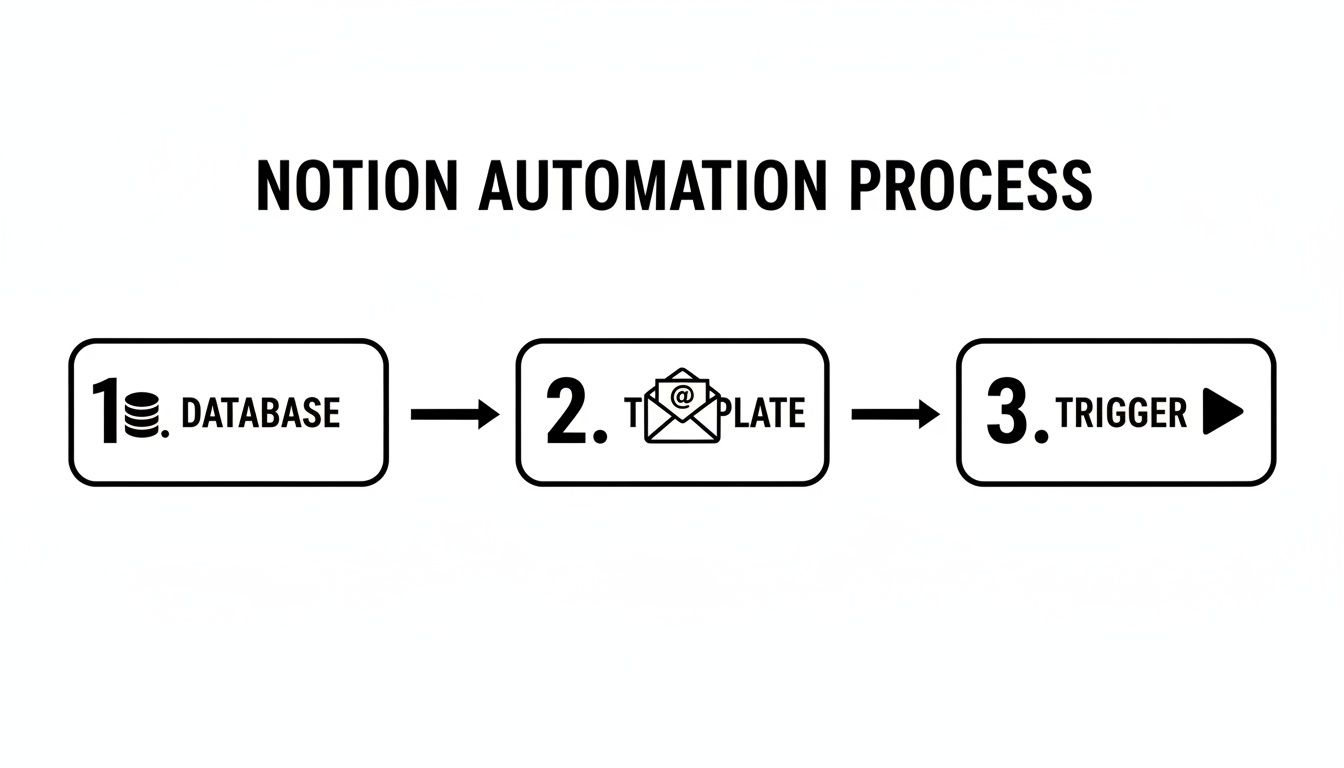
By tracking engagement directly where you manage your leads, you can see at a glance who’s engaged and which sequences are actually driving results. This lets you fine-tune your campaigns with a level of precision that used to require a whole separate suite of tools.
Common Questions About Lead Nurturing Emails
Even with a solid strategy mapped out, building your first lead nurturing sequence can feel a little daunting. A few common questions always seem to pop up. Let's walk through them so you can keep moving forward with confidence.
How Many Emails Should I Send in a Nurture Sequence?
This is the big one, isn't it? While there’s no single magic number, a sequence of 4-5 emails is a fantastic starting point for most situations. It gives you enough time to build some real trust and deliver value without completely flooding someone's inbox.
Of course, the context of the lead matters a great deal.
For someone with high intent, like a person who just requested a demo, you can probably get away with a shorter, more direct sequence of 2-3 emails. They’re already interested; you just need to guide them over the finish line.
But for colder, top-of-funnel leads—say, someone who downloaded a general e-book—you might want to extend the sequence a bit longer to keep the conversation going.
The real goal isn't to hit an arbitrary number of emails. It's to tell a complete, compelling story that guides the lead from their initial interest to a clear next step. If your story is told in three emails, stop there.
What’s the Difference Between a Nurture Sequence and a Drip Campaign?
You’ll often hear these terms used interchangeably, but there's a crucial difference that comes down to one thing: intelligence.
A traditional drip campaign is pretty rigid. It's a fixed series of emails sent on a predetermined schedule to everyone who signs up. Think of it as a one-way broadcast—it's linear, and it doesn't change.
A true lead nurturing sequence, on the other hand, is dynamic. It's built to react to what your leads actually do. It uses segmentation and behavior triggers to send the right message at the right time. For example, if a lead clicks a link about a specific feature in one of your emails, a smart nurture sequence could automatically send them a follow-up focused entirely on that topic.
- Drip Campaigns: Follow a static, pre-set timeline. Everyone gets the same message.
- Nurture Sequences: Adapt based on user behavior and engagement. The path can change for each lead.
Ultimately, drip campaigns are a monologue. Nurture sequences are the start of a genuine dialogue.
How Do I Know if My Lead Nurturing Is Actually Working?
To figure out if your efforts are paying off, you have to look beyond simple open rates. Sure, opens can tell you if your subject lines are catchy, but they don't tell you if your message is actually hitting home.
The two metrics that really matter for your lead nurturing are your Click-Through Rate (CTR) and your Conversion Rate.
Your CTR shows you that your content is interesting enough to make someone take action. But the conversion rate? That's your ultimate measure of success.
First, you need to define what a 'conversion' even means for that specific sequence. Is it booking a call? Signing up for a free trial? Making a purchase? Once you know your goal, you can track how many people complete that action and calculate your sequence's real impact on the business.
It’s also smart to keep an eye on your Reply Rate to see if you’re sparking personal conversations, and your Unsubscribe Rate to make sure your content is still valuable to your audience.
Ready to build, send, and track your sequences all inside your favorite workspace? NotionSender turns your Notion database into a powerful, automated email marketing machine. Start your free trial and automate your first lead nurturing sequence today.