
The 12 Best Notion Calendar Templates to Organize Your Life in 2026
Managing schedules, content pipelines, and project timelines can quickly become a chaotic juggling act. While Notion offers unparalleled flexibility to build custom systems, its true power as a central command center is unlocked through its calendar function. The right Notion calendar templates can transform a blank page into a dynamic, automated engine for productivity, saving you countless hours of complex setup and configuration.
This guide moves beyond generic lists. We have curated and analyzed the best templates for specific, high-value use cases, including content creation, social media management, project timelines, client bookings, and team scheduling. By leveraging a great Notion calendar, you're essentially utilizing a powerful productivity planner designed to optimize your daily schedule and long-term goals. For each template featured, we provide a detailed breakdown covering:
- Real-world use cases: See exactly how freelancers, marketers, and project managers are using them.
- Key features and limitations: An honest assessment of what works well and what might not fit your needs.
- Setup and customization steps: Practical guidance to get you up and running quickly.
- Direct import links and screenshots: Visualize the template and access it with a single click.
Furthermore, we'll explore how to supercharge these calendars by integrating them with tools like NotionSender. This connection allows you to automate entries directly from your email, turning your inbox into an intelligent scheduling assistant. This comprehensive resource is designed to help you find the perfect template and build a truly efficient, interconnected planning system that works for you, not against you. Let's dive in and find the right fit for your workflow.
1. Notion Template Marketplace
The best place to begin your search for Notion calendar templates is Notion’s own official marketplace. This platform is a massive, centralized hub hosting thousands of community-built templates, ensuring a high level of compatibility and direct integration. It serves as a trustworthy first stop, offering everything from simple personal schedulers to complex editorial and content calendars designed by vetted creators.
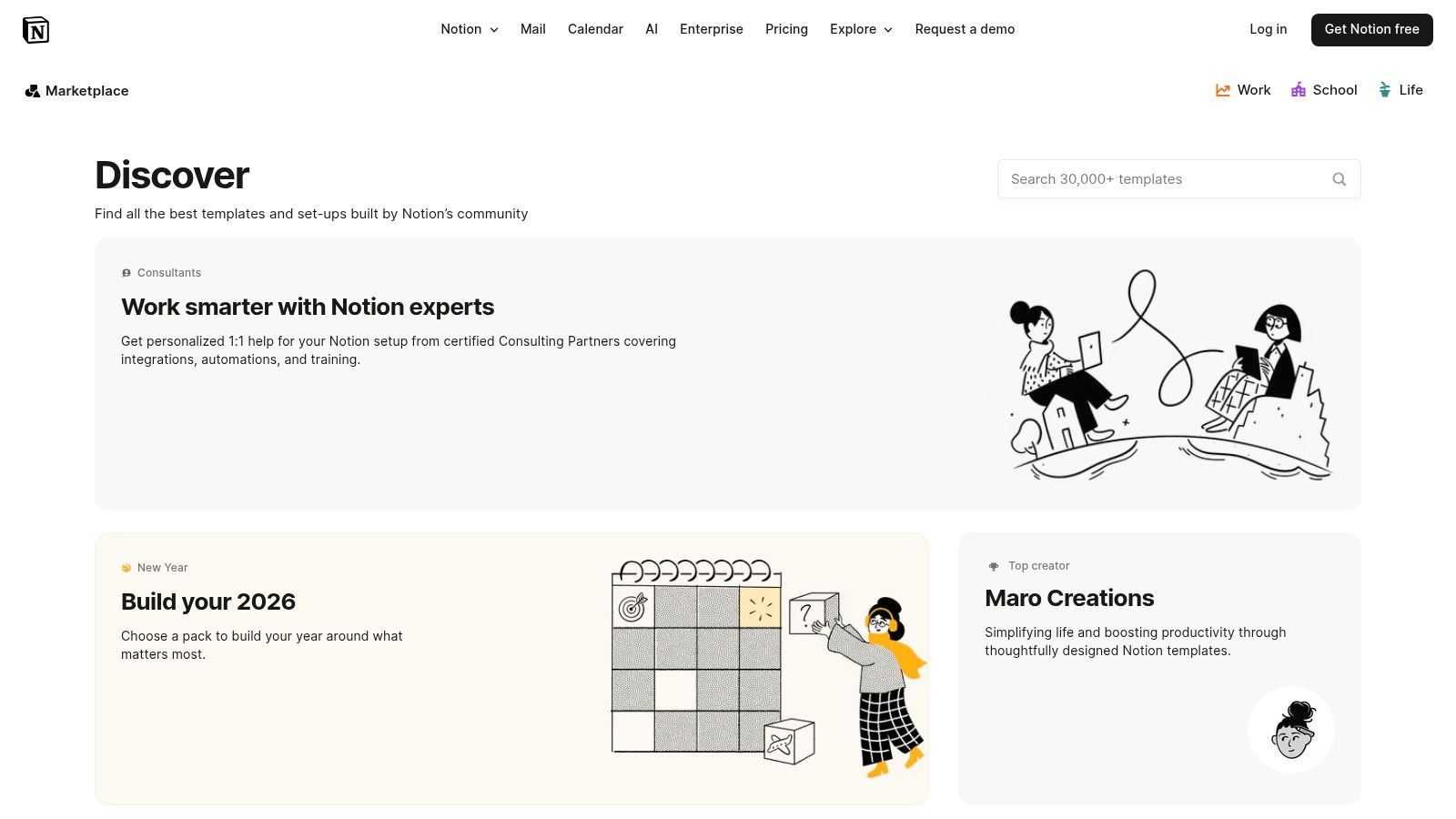
The primary advantage is the seamless user experience; you can duplicate any free template directly into your workspace with a single click. The sheer volume of options, however, can be overwhelming. To navigate it effectively, use the filters for categories like "Marketing" or "Project management" and sort by "Featured" or "Popular" to surface the highest-quality options first. The built-in rating and review system provides crucial social proof, helping you quickly identify which templates are genuinely useful and well-constructed. For an in-depth guide on enhancing your workspace, you can explore some great tips for getting the most out of Notion.so.
Key Features & Assessment
- Selection: The catalog is extensive, with a strong mix of both free and paid templates. You can find specialized calendars for content creation, team availability, project timelines, and event planning.
- Pricing: A significant portion of the templates are completely free. Paid templates are managed by individual creators, so the checkout process may redirect you to an external site like Gumroad or Etsy.
- User Experience: Duplicating a template is incredibly simple. The marketplace's interface is clean and easy to navigate, with powerful search and filtering capabilities to narrow down your choices.
| Pros | Cons |
|---|---|
| Centralized, official source from Notion | The huge volume of choices can be difficult to sift through |
| Large selection of high-quality free options | Premium templates require external checkout steps |
| Direct "Duplicate" feature for one-click installation | Quality can vary, so checking reviews is essential |
| Built-in community ratings and reviews for vetting |
Website: notion.so/templates
2. Notion Everything
Notion Everything is a long-standing and highly regarded directory specializing in templates for marketers, freelancers, and content-focused teams. It stands out for its curated selection of calendar systems designed specifically for complex content workflows. Rather than offering a bit of everything, it hones in on providing robust solutions like its flagship Content Planner & Calendar, making it an excellent resource for professionals seeking a dedicated system.
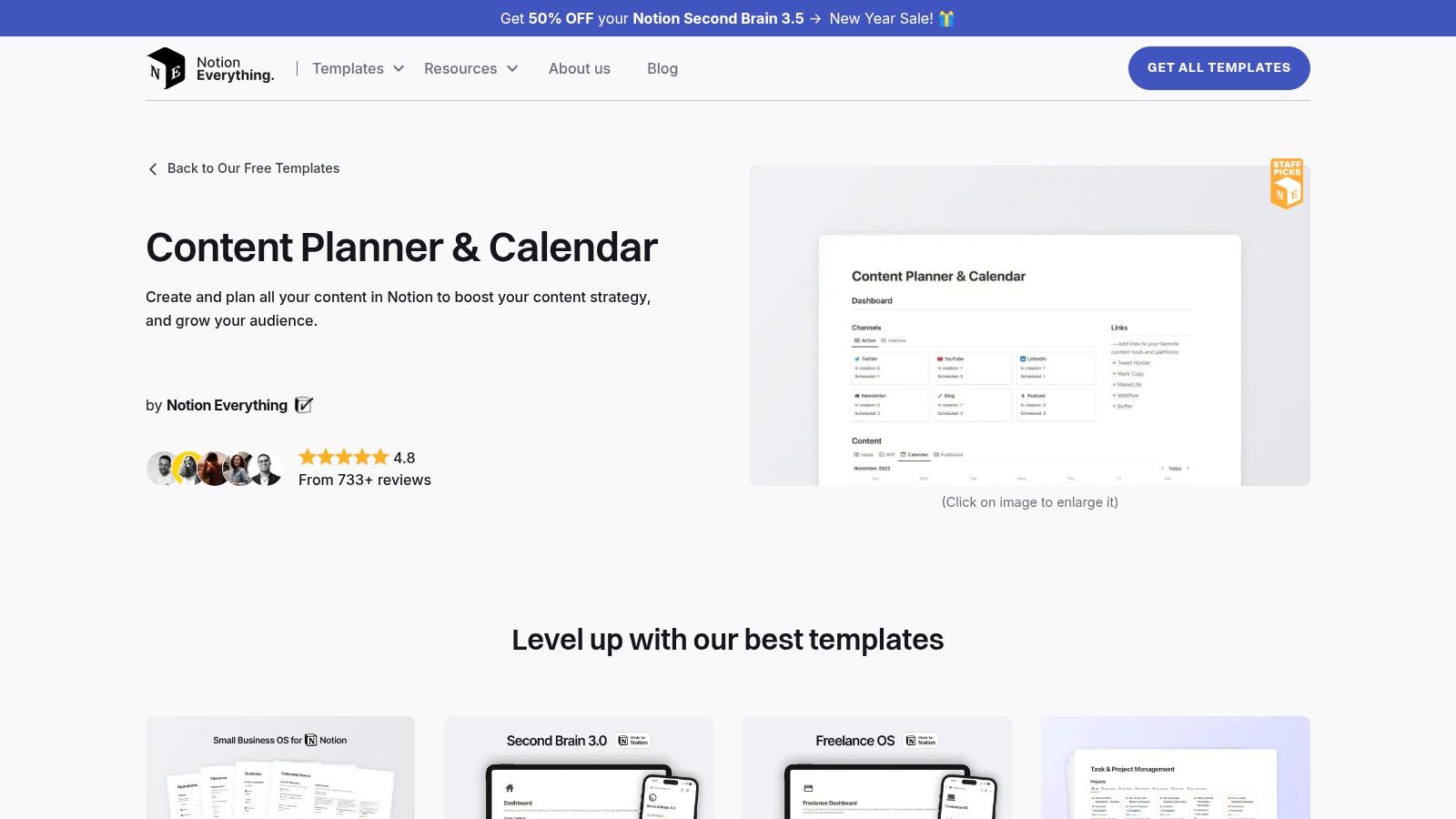
The platform offers a mix of free and premium templates, with a user-friendly approach that includes clear screenshots and demo links to preview functionality before committing. A key benefit is the "pay-what-you-want" model on some popular templates, which lowers the barrier for users to try them out. This is particularly useful for those who need to manage incoming content ideas from their email; you can learn more about an efficient workflow for saving emails to Notion. While the checkout process sometimes redirects to Gumroad, the overall experience is smooth, delivering high-quality, practical notion calendar templates tailored for content production.
Key Features & Assessment
- Selection: The catalog is heavily focused on marketing and content creation. You'll find specialized calendars for editorial planning, social media scheduling, and campaign management.
- Pricing: Offers a mix of free, paid, and "pay-what-you-want" templates. Premium templates are reasonably priced and handled through Gumroad, a trusted third-party platform.
- User Experience: The website is easy to navigate, with dedicated category pages that make finding specific content planners simple. The inclusion of demo links is a significant plus for evaluating templates.
| Pros | Cons |
|---|---|
| Strong focus on marketing and content creator use cases | Occasional redirects to Gumroad for checkout may feel disjointed |
| High-quality templates with strong community reviews | Seasonal promotions can sometimes clutter the browsing experience |
| Pay-what-you-want option on some templates | Smaller overall selection compared to massive marketplaces |
| Clear demos and previews for easy evaluation |
Website: notioneverything.com/free-notion-templates/content-planner-calendar
3. Easlo
For those who appreciate minimalist design and streamlined functionality, Easlo is a go-to creator site offering a curated collection of Notion templates. It stands out for its clean, lightweight systems that are incredibly easy to adopt and customize, making it perfect for individual creators, freelancers, and small teams. The site is well-known for its free Content Calendar template, which provides a simple yet effective workflow for managing content from the initial idea to the final publication.
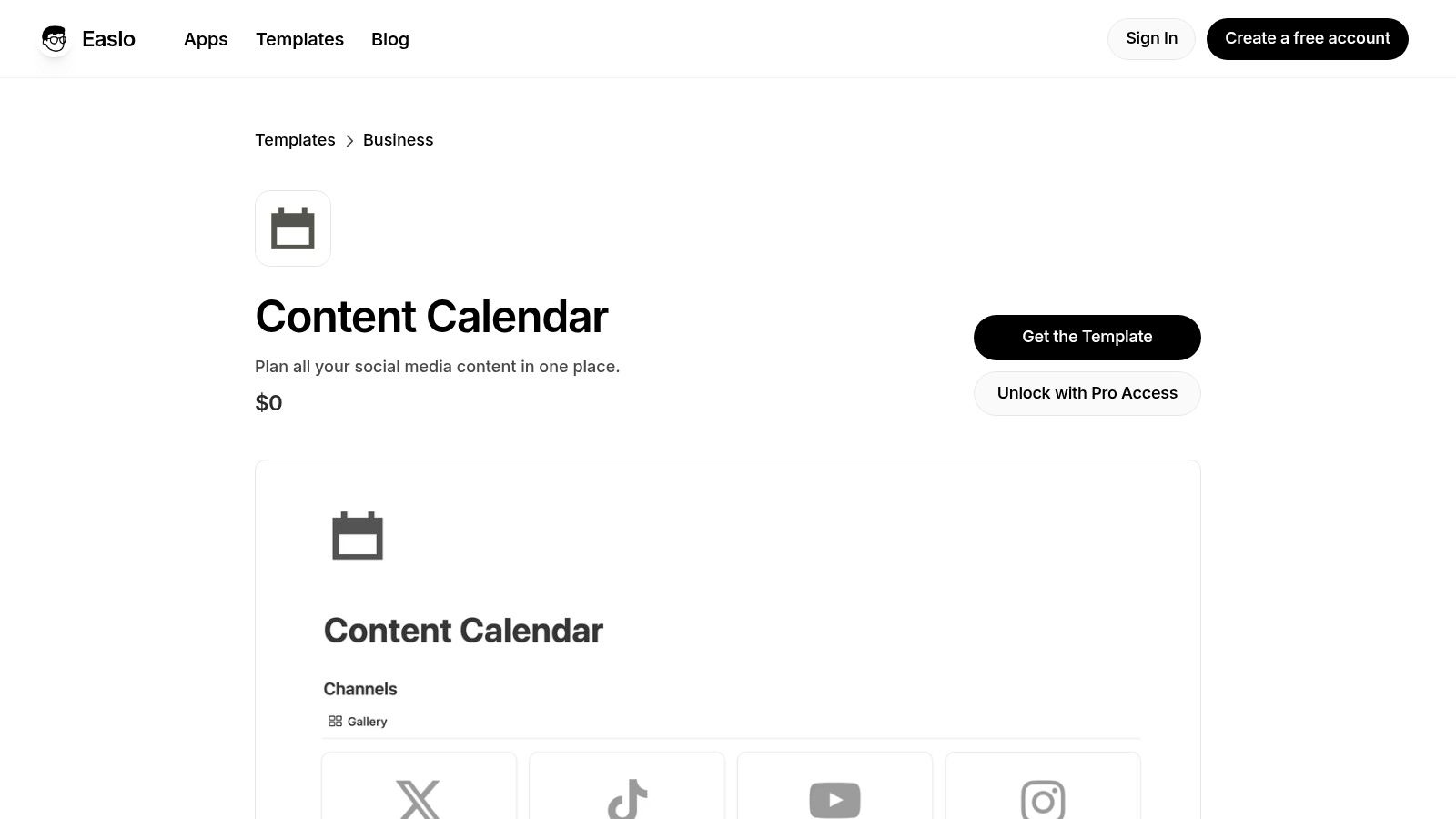
The primary appeal of Easlo's offerings is their simplicity. Unlike overly complex systems, these templates provide just the essential features needed to get organized, avoiding overwhelming users with unnecessary components. This focus on core functionality means you can integrate a calendar into your workspace quickly without a steep learning curve. Many of the starter templates, including several with robust calendar views, are available for free, with more advanced features and comprehensive systems offered in paid "Pro" versions. This makes it an excellent starting point for anyone looking for high-quality, free notion calendar templates.
Key Features & Assessment
- Selection: The catalog includes several highly popular templates with calendar views, such as the Content Calendar and various personal planners. The designs are consistently minimalist and user-friendly.
- Pricing: Easlo provides a strong selection of free starter templates that are genuinely useful. Advanced functionality and more comprehensive systems are typically reserved for paid "Pro" versions.
- User Experience: Templates from Easlo are known for being lightweight and intuitive. Duplication is straightforward, and the clean design ensures they integrate seamlessly into any existing Notion setup without clutter.
| Pros | Cons |
|---|---|
| Simple, lightweight systems are easy to customize | Advanced features are often gated behind Pro access |
| Many high-quality free starter templates available | Documentation and onboarding support can vary by template |
| Well-suited for individual creators and small teams | Smaller selection compared to massive marketplaces |
| Clean, minimalist designs enhance usability |
Website: easlo.co/templates/content-calendar
4. Gridfiti Shop
Gridfiti Shop is a dedicated storefront for premium, aesthetically-driven Notion systems. It moves beyond simple templates, offering polished, interconnected dashboards that function like complete productivity applications. Their offerings, such as the Ultimate Planner Dashboard, are production-ready systems that integrate comprehensive calendar views with task management and goal tracking, making them ideal for users seeking an all-in-one solution without extensive setup.
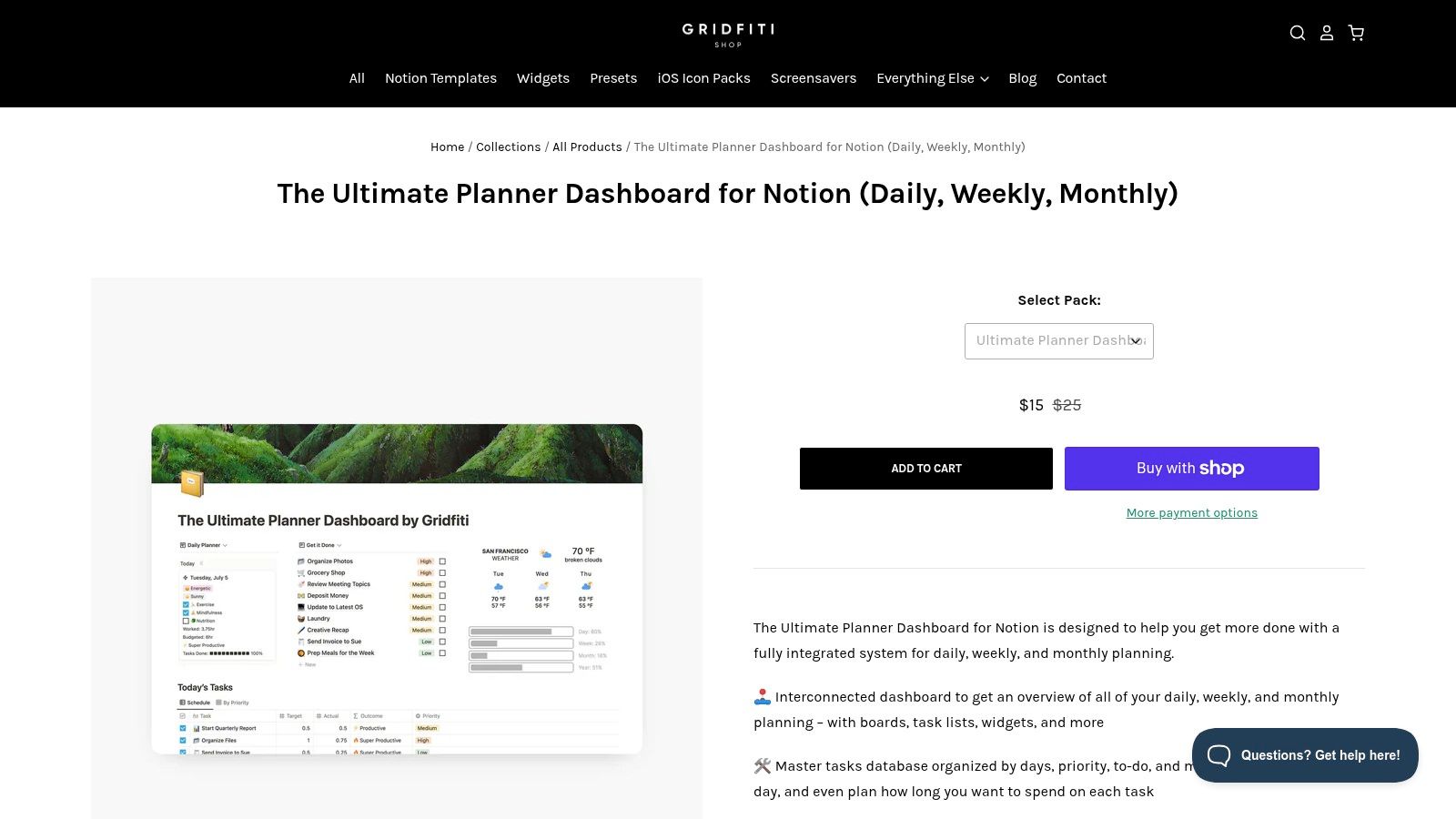
The primary appeal of Gridfiti is its focus on a refined user experience and visual cohesion. Templates often feature daily, weekly, and monthly calendar views that are deeply linked to other databases. This interconnectedness allows you to see tasks and projects in a calendar format while also tracking progress in a separate dashboard. Their products come with clear onboarding materials and email support, which is a significant advantage for those new to complex Notion setups or for teams needing a standardized system.
Key Features & Assessment
- Selection: Offers a curated selection of comprehensive, all-in-one planner systems and aesthetic bundles rather than single-purpose notion calendar templates. These are designed for holistic life and project management.
- Pricing: These are premium, paid products. Prices are higher than individual templates found elsewhere, reflecting their complexity and the included support and detailed documentation.
- User Experience: The templates are polished and user-friendly, with intuitive layouts and helpful tooltips. The purchase and duplication process is straightforward, managed directly through their professional storefront.
| Pros | Cons |
|---|---|
| Highly polished, aesthetic, and professional-grade systems | Premium pricing is higher than typical single-creator templates |
| Interconnected dashboards offer a complete solution | Bundles may include features not every user will need |
| Excellent onboarding documentation and customer support | Smaller, curated selection compared to large marketplaces |
| Multiple calendar views (daily, weekly, monthly) built-in |
Website: shop.gridfiti.com/products/notion-planner-template-dashboard
5. Notionery
Notionery operates as a boutique marketplace, prioritizing quality over quantity. Unlike massive, open platforms, it offers a tightly curated selection of handpicked and tested Notion templates from proven creators. This approach significantly reduces the risk of downloading or purchasing a poorly constructed template, making it an excellent resource for users who value reliability and sophisticated design. The platform is particularly strong for finding specialized notion calendar templates like social media planners and comprehensive content systems.
The platform’s strength lies in its curation and discovery process. Clear categories for social media, content creation, and project management make it easy to find exactly what you need without endless scrolling. Because Notionery vets its creators, you can trust that the templates are functional, well-documented, and often come with creator support. While the overall catalog is smaller and prices may trend higher, the investment often translates into a more polished and effective tool for your workspace from day one.
Key Features & Assessment
- Selection: A curated and focused collection of high-quality templates. You'll find well-designed calendars for content strategy, social media scheduling, and project timelines from established Notion experts.
- Pricing: Features a mix of both free and premium templates. The premium options are often more comprehensive systems and are priced accordingly, reflecting the higher level of quality control.
- User Experience: The website is clean, modern, and easy to browse. The curated nature simplifies the discovery process, helping you find top-tier templates quickly.
| Pros | Cons |
|---|---|
| Handpicked templates ensure high quality and reliability | Smaller catalog compared to open marketplaces |
| Excellent for discovering templates from vetted creators | Template prices can trend toward the premium end |
| Reduces time spent sifting through low-quality options | |
| Clear categories for specialized use cases |
Website: https://www.notionery.com/?utm_source=openai
6. Prototion
Prototion is a template marketplace that carves out a niche by focusing on highly accessible and budget-friendly Notion systems. It's an excellent resource for freelancers, students, and small teams who need powerful organizational tools without a significant upfront investment. The platform offers a curated selection of planners, agenda templates, and content schedulers designed to be functional and easy to implement.
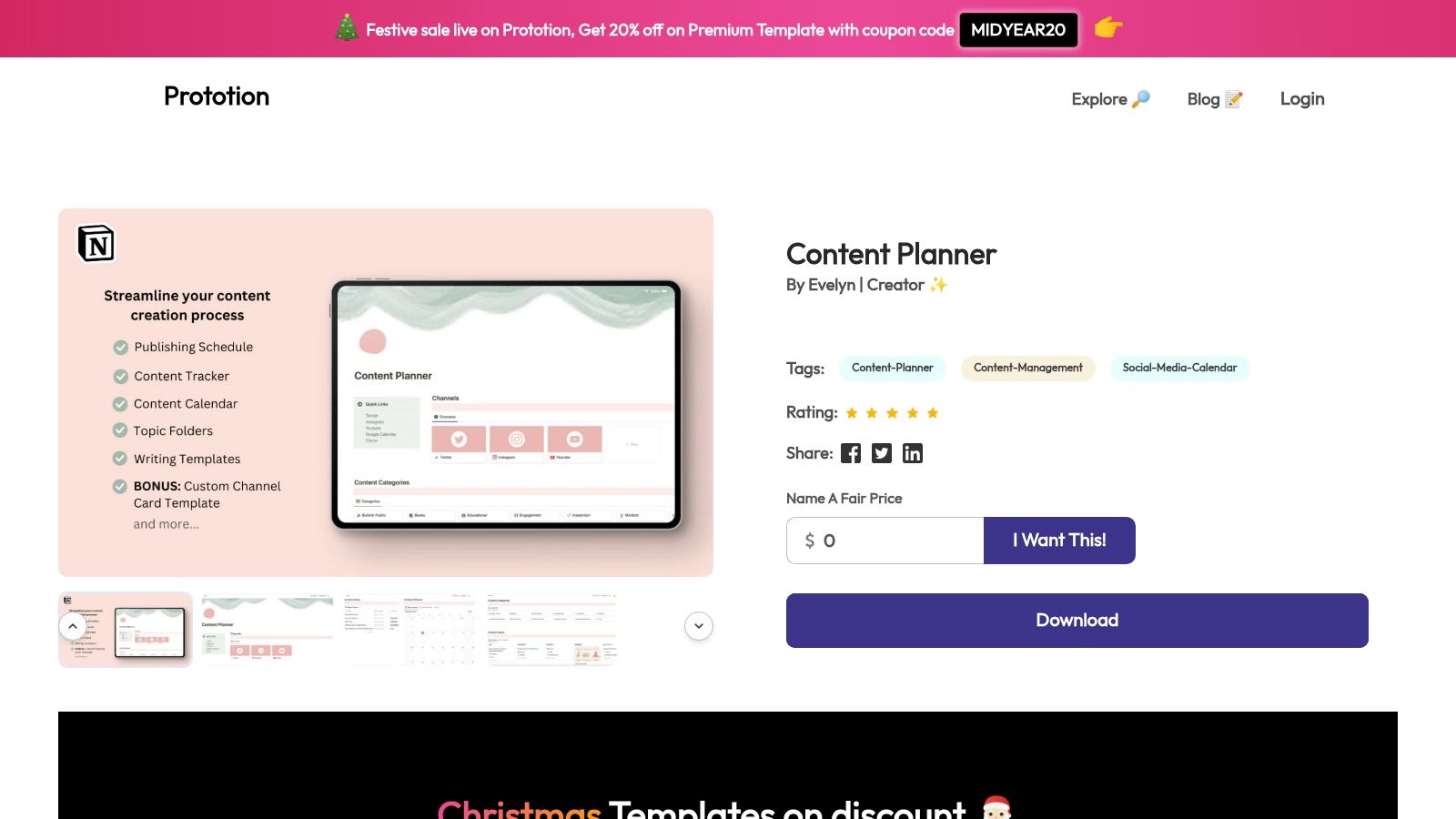
What sets Prototion apart is its commitment to affordability, with many high-value templates available for free or under $10. While browsing, you can find a variety of notion calendar templates tailored for specific needs like social media management or personal goal tracking. Many creators on the platform also include in-template guidance and video tutorials, making the setup process straightforward for users who are new to complex Notion databases and relations.
Key Features & Assessment
- Selection: The library includes a solid mix of personal and business-oriented templates. You'll find content planners, team agendas, habit trackers, and client portals, all with calendar-centric views.
- Pricing: This is Prototion's main advantage. A large number of templates are free, and premium options are very reasonably priced, often in the $0–$10 range, making it a low-risk platform to explore.
- User Experience: Finding and duplicating templates is a simple process. The site is clean, and most listings offer instant duplication links, though some may route through a platform like Gumroad for checkout.
| Pros | Cons |
|---|---|
| Accessible pricing makes it great for budget-conscious users | The visual polish and design quality can vary between creators |
| Wide variety of personal and small business templates | Some listings have sparse documentation or setup instructions |
| In-template guidance often included for easy setup | Smaller selection compared to massive marketplaces |
| Most templates offer instant duplication into Notion |
Website: www.prototion.com
7. Template Road
Template Road specializes in business-oriented Notion templates, offering a curated selection of calendar-driven planners designed for corporate workflows, content teams, and event management. This platform stands out by focusing on clean, professional designs that are built for team standardization. If you need a robust system that multiple users can adopt with minimal friction, this is a great resource.
The platform is particularly useful for businesses looking to implement a shared calendar system for projects or social media scheduling. Their templates often come as part of larger bundles, providing a complete operational dashboard rather than just a standalone calendar. Access is immediate upon purchase, with clear instructions for duplication. They also offer support and custom solutions for teams needing a more tailored setup, bridging the gap between off-the-shelf templates and bespoke Notion builds.
Key Features & Assessment
- Selection: The collection is smaller and more focused than a large marketplace, centering on corporate and team-based notion calendar templates. You'll find options for project timelines, content pipelines, and event coordination.
- Pricing: Templates are premium, with pricing that reflects their business focus. Bundles can be a significant investment but offer comprehensive, interconnected systems. Checkout is often handled through Gumroad.
- User Experience: The website is straightforward, clearly outlining the features and intended use case for each template. The duplication process is simple, and customer support is available for implementation questions.
| Pros | Cons |
|---|---|
| Clear business focus with minimal, professional designs | Pricing can be premium, especially for comprehensive bundles |
| Excellent for teams standardizing on a shared calendar system | Some product information can feel repetitive across pages |
| Offers support and optional custom solutions for teams | A smaller, niche selection compared to large marketplaces |
| Provides comprehensive, bundled workflow systems |
Website: templateroad.com
8. Gumroad (creator storefronts)
Gumroad is a massive digital marketplace where independent creators and established Notion experts sell their custom templates directly to users. It stands as a primary hub for finding innovative and niche notion calendar templates that may not be available on official platforms. From complex content creation engines to minimalist personal planners, the variety reflects the creativity of the Notion community. It’s an excellent place to discover unique systems built for specific workflows.
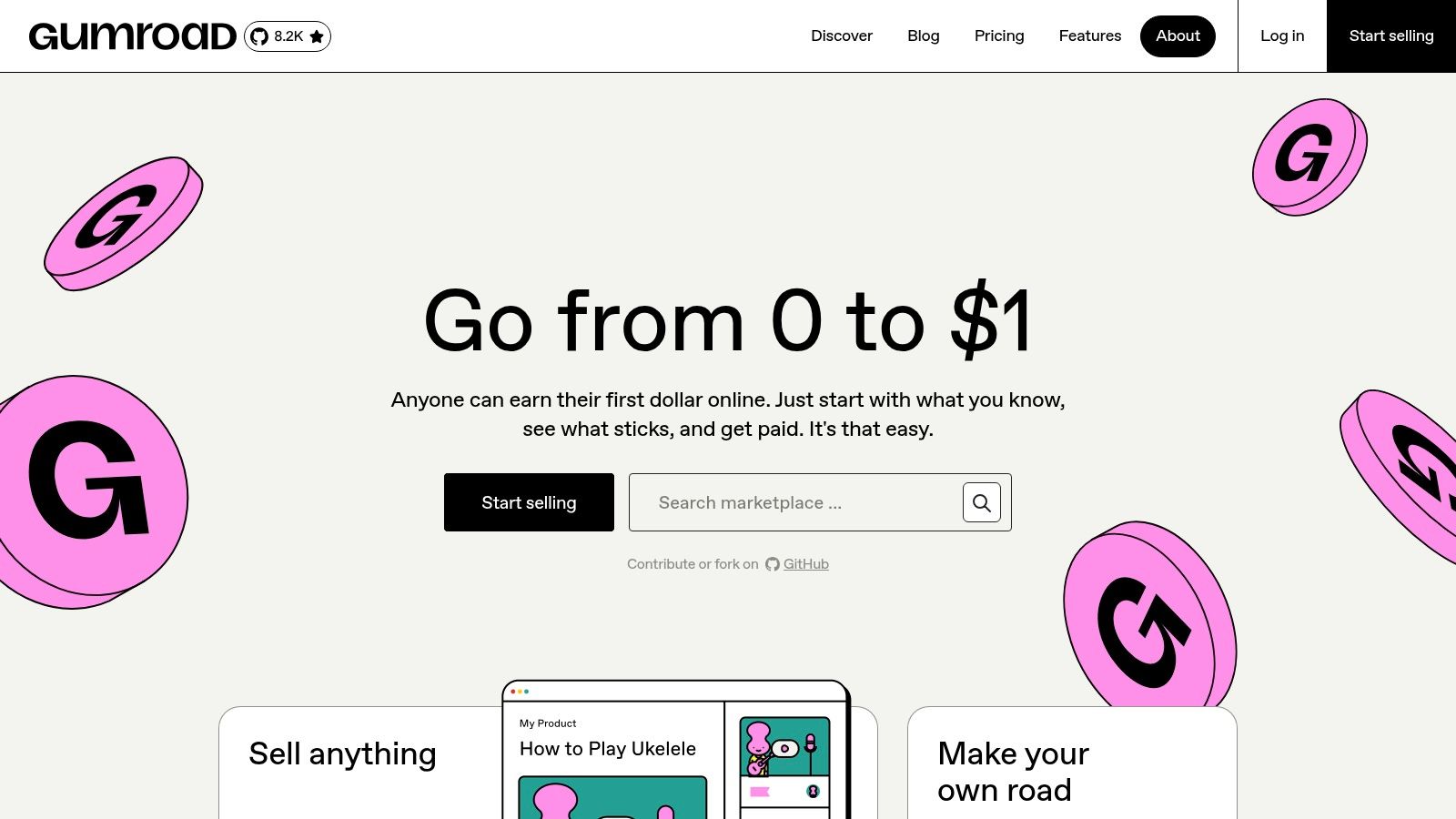
The platform's key advantage is its direct-from-creator model, often resulting in competitive pricing, "pay-what-you-want" options, and lifetime updates included with a purchase. The checkout process is streamlined, providing immediate access to a Notion duplication link. However, since it's an open marketplace, quality can vary significantly. It's crucial to read product descriptions carefully, check creator ratings, and review customer feedback before purchasing. By integrating these calendars with other tools, you can discover even more ways to use Notion for productivity.
Key Features & Assessment
- Selection: The platform hosts a vast and diverse catalog of templates from thousands of independent creators, covering everything from social media calendars to team project trackers.
- Pricing: Pricing models are flexible, with many creators offering free, "pay-what-you-want," and fixed-price templates. This competition often leads to very affordable options.
- User Experience: Gumroad offers a fast and simple checkout process. Upon purchase, you typically receive an email with a direct link to duplicate the template into your Notion workspace.
| Pros | Cons |
|---|---|
| Supports independent Notion creators directly | Quality can be inconsistent; vetting is necessary |
| Wide variety of niche and specialized calendar systems | Discoverability relies on creator-set keywords and search |
| Competitive pricing with frequent "pay-what-you-want" | No centralized review system like an official marketplace |
| Immediate digital delivery and lifetime updates are common |
Website: https://gumroad.com
9. Etsy (Notion template listings)
Etsy has emerged as a vibrant marketplace for aesthetically driven and niche Notion calendar templates created by independent designers. While not a dedicated template site, its powerful search and large community of sellers make it a fantastic resource for finding unique schedulers that go beyond pure functionality. You can discover highly stylized content calendars, personal planners with custom graphics, and industry-specific templates that you won't find on larger platforms.
The primary advantage of Etsy is the sheer variety of artistic and specialized designs. Sellers often bundle their templates with matching brand kits, icon packs, and detailed guides. To find the best options, use specific keywords like "aesthetic notion content calendar" or "minimalist project planner" in your search. Always read recent reviews and check the seller's star rating to gauge the quality and support level before purchasing. Instant digital delivery means you get access to your template link immediately after checkout.
Key Features & Assessment
- Selection: The platform offers a vast collection of unique, aesthetic, and niche templates. Many listings are tailored to specific industries like blogging, social media management, or freelance work.
- Pricing: All templates are paid, but prices are generally affordable. Sellers frequently run sales and promotions, offering good value for well-designed, comprehensive bundles.
- User Experience: Finding templates is straightforward with keyword-based search. The purchase and instant download process is seamless, though the quality of the Notion template itself can vary by seller.
| Pros | Cons |
|---|---|
| Excellent for finding aesthetic or niche calendar templates | Quality and build standards vary widely between sellers |
| Many sellers offer helpful support and frequent sales | Search results can mix non-Notion items; must check listing details |
| Instant digital delivery after purchase | Lacks a one-click "Duplicate" feature like the official marketplace |
| Seller reviews and ratings help with vetting |
Website: etsy.com/market/notion_content_calendar
10. Notionland
Notionland offers a curated collection of premium Notion templates that strike an excellent balance between sophisticated design and deep functionality. It positions itself as a boutique alternative to massive marketplaces, focusing on holistic, all-in-one systems rather than single-purpose templates. This makes it an ideal destination for creators, solopreneurs, and content teams looking for a comprehensive solution like the "Ultimate Content Planner" that integrates multiple databases into a cohesive calendar view.
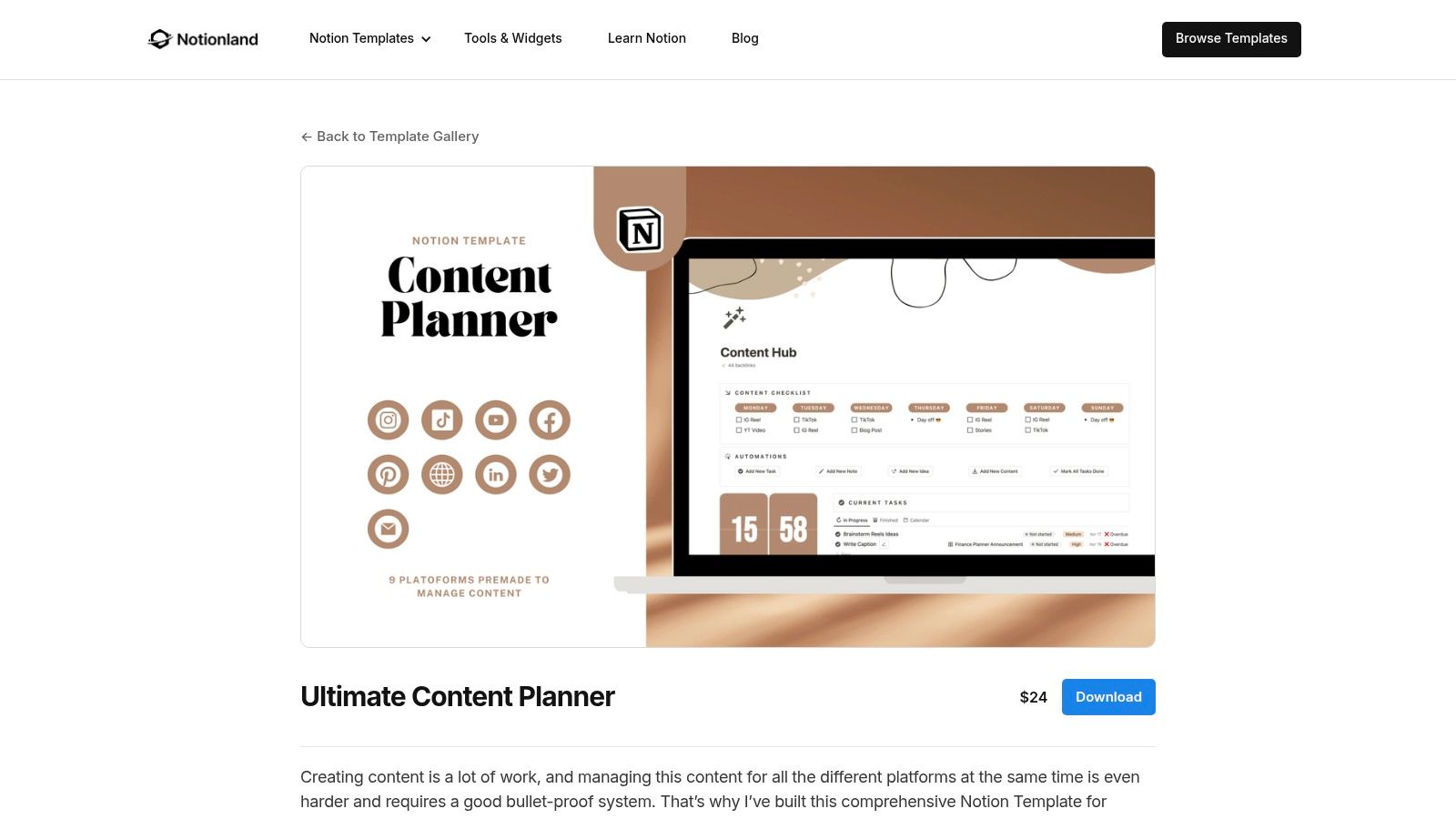
The platform stands out by providing meticulously designed systems built for practical application. Instead of just a simple calendar, templates from Notionland often include interconnected project trackers, content repositories, and goal-setting modules. The product pages are clear and detailed, outlining exactly what you get, who it’s for, and how the different components work together. This approach ensures you’re investing in a well-thought-out productivity system, not just another template.
Key Features & Assessment
- Selection: The catalog is smaller and more focused, specializing in premium, multi-faceted systems. The emphasis is on quality over quantity, with templates geared toward content creators and small businesses.
- Pricing: The offerings are primarily premium, with prices reflecting the complexity and all-in-one nature of the systems. The checkout and duplication process is straightforward and user-friendly.
- User Experience: The website provides a clean, boutique-like shopping experience. Each template has a dedicated page with comprehensive explanations and visuals, helping users make an informed purchase decision.
| Pros | Cons |
|---|---|
| Balanced focus on aesthetic design and practical function | Smaller catalog than larger marketplaces like Gumroad |
| Good middle ground between creator shops and marketplaces | Fewer free options; primarily a premium-focused platform |
| Templates are complete, interconnected systems | |
| Clear, detailed product pages and simple checkout |
Website: notionland.co/templates/ultimate-content-planner
11. Seventh House Marketing
For marketing teams and agencies juggling multiple clients, a generic calendar often falls short. Seventh House Marketing addresses this with a specialized Content Calendar Template built by industry professionals. This template is designed to manage the entire content lifecycle, from initial strategy and asset creation to scheduling and client approvals, making it an excellent tool for complex, multi-brand workflows.
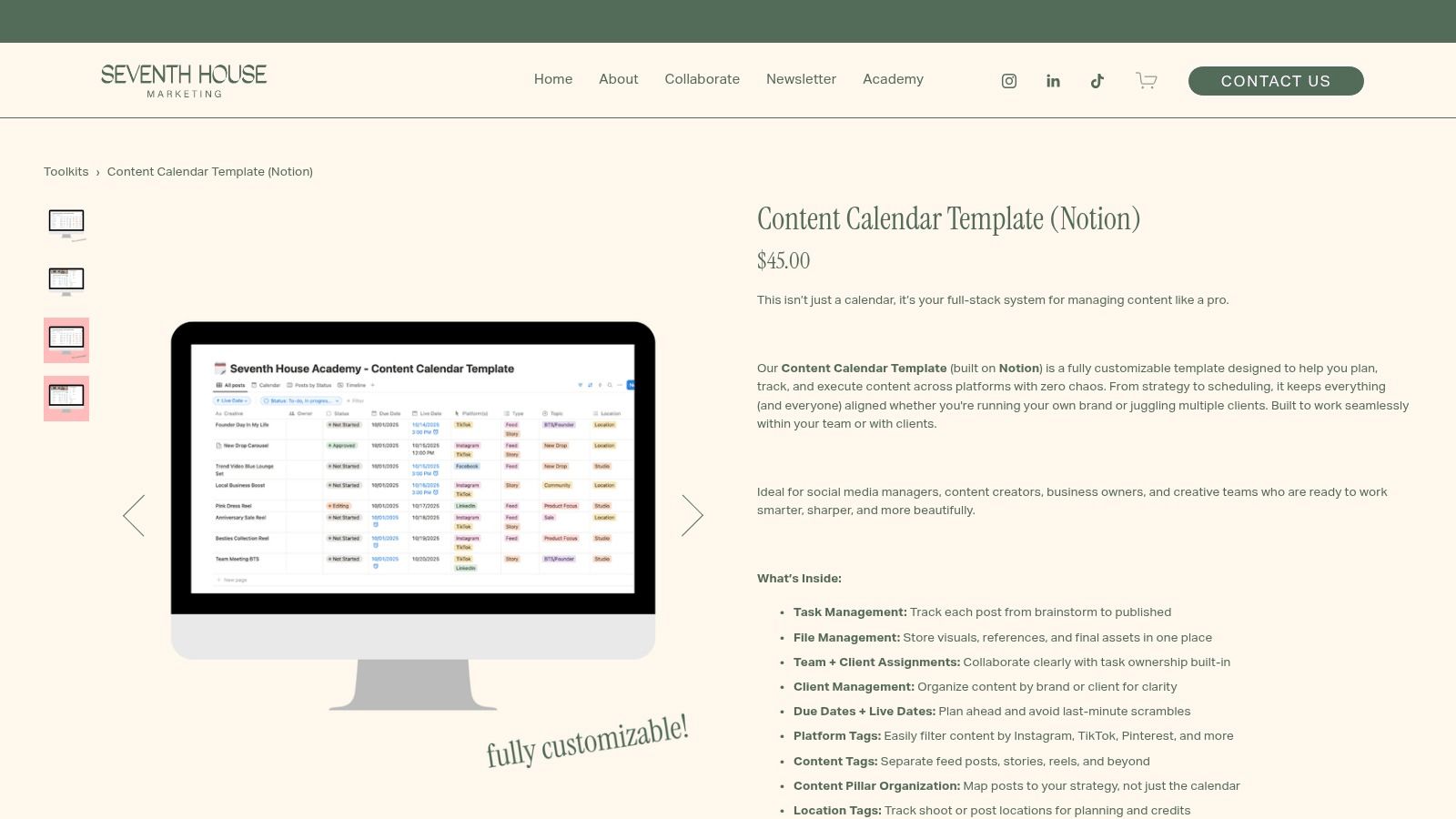
What sets this template apart is its agency-centric design. It integrates task management, client organization, and asset databases directly into the calendar view. This structure allows teams to assign tasks, track progress by brand, and maintain a clear overview of all content pipelines simultaneously. It’s one of the few Notion calendar templates specifically engineered to solve the organizational challenges faced by content marketing agencies.
Key Features & Assessment
- Selection: The platform offers a single, highly focused premium template designed for content marketing. It is not a marketplace but a specialized product.
- Pricing: This is a paid template, delivered digitally with a duplication link after purchase. The pricing reflects its specialized nature and professional target audience.
- User Experience: The purchase process is straightforward. As it's a specific product, there's no need to browse through countless options; you get a purpose-built solution designed for immediate implementation.
| Pros | Cons |
|---|---|
| Built specifically for agency and team workflows | Single premium product with no free or alternative options |
| Connects calendar to strategy and asset management | Documentation may be less extensive than larger marketplaces |
| Clear client and brand organization features | Niche focus may not suit individual or non-marketing users |
| Designed by marketing professionals for practical use |
Website: seventhhousemarketing.com/toolkits/p/contentcalendar-notion
12. Sierra Social Marketing
Sierra Social Marketing provides a highly practical and completely free Creators Content Calendar template, making it an excellent starting point for solo creators, influencers, and small marketing teams. This resource is designed for simplicity and efficiency, focusing on the core workflow of social media management. It provides a clear pipeline to move ideas from capture to publication, all within an intuitive calendar interface.
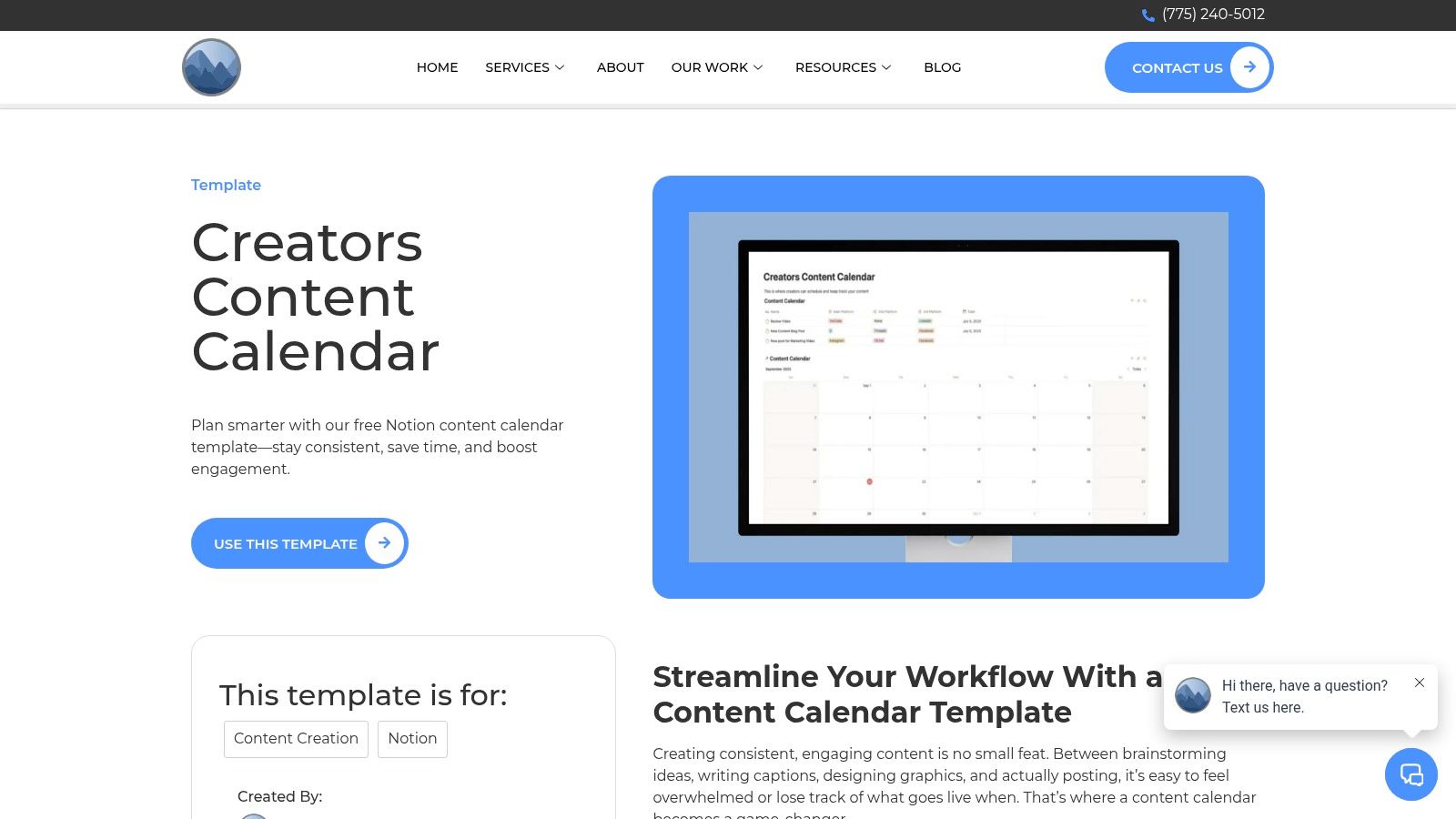
What makes this option stand out is its no-frills, functional approach. It avoids the complexity of larger, all-in-one systems, offering just the essential tools needed to plan and track content across multiple social channels. The template includes both monthly and weekly calendar views, allowing for flexible planning horizons. Duplicating it into your Notion workspace is straightforward, with clear instructions provided on the site to get you up and running in minutes.
Key Features & Assessment
- Selection: The primary offering is the free Creators Content Calendar, a specialized template focused solely on social media channel planning and content workflow.
- Pricing: This template is entirely free, requiring only an email signup to access the duplication link, making it a zero-cost solution for content planning.
- User Experience: The process is simple. You visit the site, provide your email, and receive a link to duplicate the template directly into your Notion account. The template itself is lightweight and easy to navigate.
| Pros | Cons |
|---|---|
| Completely free, perfect for those on a tight budget | Lacks advanced automations found in premium templates |
| Lightweight design is easy to understand and customize | Support is limited compared to paid products or marketplaces |
| Focused specifically on content creation workflow | Not suitable for complex, multi-team project management |
| Simple duplication process with clear instructions |
Website: sierrasocialmarketing.com/creators-content-calendar/
Top 12 Notion Calendar Template Sources
| Source | ✨ Key features | ★ Quality / UX | 💰 Price & value | 👥 Target audience | 🏆 USP |
|---|---|---|---|---|---|
| Notion Template Marketplace | Large catalog, filters, direct Duplicate | ★★★★ | 💰 Free & Paid mix | 👥 All Notion users & teams | 🏆 Official, trusted marketplace |
| Notion Everything | Content-focused categories, demos & previews | ★★★★ | 💰 Mix (some PWYW) | 👥 Marketers & freelancers | 🏆 Strong content-planning options |
| Easlo | Minimalist content calendar, frequent updates | ★★★★ | 💰 Mostly free + Pro | 👥 Creators & small teams | 🏆 Simple, easy-to-customize systems |
| Gridfiti Shop | Interconnected dashboards, onboarding support | ★★★★★ | 💰 Premium bundles | 👥 Teams & productivity pros | 🏆 Polished UX & production-ready packs |
| Notionery | Curated, QA-tested templates & community picks | ★★★★★ | 💰 Curated / premium | 👥 Power users & teams | 🏆 High-quality, low-risk buys |
| Prototion | Low-cost calendars, instant duplication | ★★★ | 💰 Budget-friendly ($0–$10) | 👥 Freelancers & budget teams | 🏆 Accessible starter templates |
| Template Road | Business-first bundles, team standardization | ★★★★ | 💰 Premium (bundles) | 👥 Businesses & teams | 🏆 Corporate-ready, team-focused designs |
| Gumroad (creator storefronts) | Huge indie selection, PWYW & instant delivery | ★★★ | 💰 Wide price range (competitive) | 👥 Buyers seeking variety/indie creators | 🏆 Creator-driven marketplace & fast checkout |
| Etsy (Notion listings) | Keyword search, seller reviews, niche aesthetics | ★★★ | 💰 Varied; frequent sales | 👥 Aesthetic/niche buyers | 🏆 Lots of niche & design-forward templates |
| Notionland | Aesthetic-first multi-database content planners | ★★★★ | 💰 Primarily premium | 👥 Content teams & creators | 🏆 Balance of design + practical function |
| Seventh House Marketing | Agency workflow + client/brand organization | ★★★★ | 💰 Premium (agency product) | 👥 Agencies & marketing teams | 🏆 Built for real agency workflows |
| Sierra Social Marketing | Free creators calendar, capture-to-publish flow | ★★★★ | 💰 Free | 👥 Solo creators & small marketing teams | 🏆 Cost-free, social-channel focused starter |
Choosing the Right Calendar to Build Your Command Center
We've journeyed through a comprehensive landscape of Notion calendar templates, from the sleek, minimalist designs on Easlo to the robust, all-in-one systems found on Gridfiti Shop and Prototion. The core takeaway is clear: a Notion calendar is far more than a static grid of dates. When chosen and implemented correctly, it transforms into a dynamic command center for your projects, content, and personal life. It's the central hub where strategy meets execution.
The sheer variety of options, from dedicated storefronts like Notionery to creator marketplaces like Gumroad and Etsy, ensures there is a perfect fit for every workflow. The key is to move beyond aesthetics and analyze the underlying structure. Does the template use relational databases effectively? Does it offer the views you need most, whether that's a Kanban board for projects or a timeline for content planning?
Finding Your Perfect Fit
Selecting the right template requires a clear understanding of your specific needs. The goal is not just to find a calendar but to solve a core operational problem.
- For solo entrepreneurs and freelancers: Simplicity and efficiency are paramount. Templates from creators like Sierra Social Marketing or the focused tools from Easlo often provide the perfect balance, helping you manage client bookings or content schedules without overwhelming you with unnecessary complexity.
- For growing teams and project managers: You need a shared source of truth. Look towards comprehensive systems from Gridfiti Shop or Template Road. These templates are built for collaboration, often including features for task delegation, progress tracking, and team-wide visibility.
- For content creators and marketers: Your world revolves around deadlines and multi-channel planning. A specialized content calendar, like those offered by Seventh House Marketing, is essential. When considering various organizational tools, it's worth noting how other industries leverage structured planning; for example, many use a powerful and efficient social media calendar template to streamline their content strategy, a principle that applies directly to Notion.
The Next Step: From Static to Automated
Choosing a template is only the first step. The true power of your new Notion calendar is unlocked when you automate the manual, repetitive tasks that consume your time. This is where you elevate your calendar from a simple planner to an intelligent assistant.
Before you even duplicate a template, ask yourself this critical question: What is my biggest scheduling bottleneck?
Is it manually adding every new client meeting from your email to your Notion bookings page? Is it forwarding social media content ideas from your inbox to your editorial calendar? Is it extracting task details from a project update email and creating new database entries?
Once you identify that bottleneck, you can select one of the Notion calendar templates from this list with a clear purpose. Your chosen template becomes the foundation, the structure that will receive and organize your automated inputs. The final, transformative step is connecting that template to a tool that bridges the gap between your inbox and your Notion workspace. This is how you build a truly seamless, efficient, and powerful command center that works for you, not the other way around. Don't just manage your time; automate it.
Ready to turn your Notion calendar into a self-updating powerhouse? Stop manually forwarding emails and start automating your workflow with NotionSender. Connect your inbox directly to any Notion template and watch as your meetings, tasks, and notes appear exactly where you need them, instantly. Try NotionSender today and reclaim your most valuable asset: your time.

