
8 project status report examples to elevate updates
Project status reports are more than just a weekly task; they're the pulse of your project, essential for aligning teams, managing stakeholder expectations, and navigating risks. A great report provides clarity, builds trust, and keeps everyone moving in the same direction. Yet, many teams struggle with creating updates that are either too dense to be useful or too vague to be meaningful. The result is often confusion, misaligned priorities, and missed deadlines. This common challenge highlights the need for a structured approach to communication.
This guide cuts through the noise. We will dissect eight distinct project status report examples, each tailored for a specific audience and purpose. You won't find generic templates here. Instead, we offer a strategic breakdown of each example, showing you why it works and how you can adapt it. From high-level executive summaries designed for quick reads to detailed agile sprint reports for development teams, you'll gain actionable insights.
Our goal is to elevate your reporting from a simple update to a powerful tool. By mastering these formats, you'll provide the clear, concise information necessary for effective data-driven decision making and transform how you communicate project progress.
1. Executive Summary Status Report Template
An Executive Summary Status Report is a high-level overview designed for senior management and key stakeholders. Its purpose is to deliver the most critical project information quickly, bypassing dense technical details in favor of strategic insights. This format prioritizes brevity and clarity, focusing on overall project health, key milestone progress, budget status, and significant risks.

This type of report is a staple in large organizations like Fortune 500 companies, which often use automated dashboards to generate these summaries. Similarly, consultancies like McKinsey & Company and standard-setting bodies like the Project Management Institute (PMI) have popularized this concise reporting style to ensure leadership stays informed without getting lost in operational specifics.
Strategic Analysis & Breakdown
The power of this template lies in its "at-a-glance" readability. It uses visual cues like RAG (Red, Amber, Green) indicators to instantly communicate the status of different project components. By condensing complex information into a single page, it respects the limited time of executives while ensuring they have the necessary data to make informed decisions.
Key Insight: This report isn't for the project team; it's for the project sponsors. Every piece of information included should answer the high-level questions: "Are we on track? Are we on budget? What major obstacles are ahead?"
Actionable Takeaways
To effectively implement an executive summary report, follow these best practices:
- Prioritize Visuals: Use charts for budget tracking and color-coded icons for status updates. The goal is immediate comprehension.
- Keep Narratives Brief: Limit descriptions for milestones, risks, and next steps to just two or three sentences each. Be direct and avoid jargon.
- Focus Forward: Always include a "Next Steps" or "Forward-Looking" section. This shows proactivity and keeps the conversation focused on future progress.
- Automate Where Possible: For teams managing project data in platforms like Notion, you can streamline communication by automating status report emails directly from your workspace, ensuring consistency and saving valuable time.
2. Detailed Weekly Status Report Template
A Detailed Weekly Status Report offers a granular, in-depth look at project activities over the past week. It’s designed for project managers and the core project team, providing a comprehensive account of tasks completed, work in progress, upcoming activities, and any immediate challenges. Unlike a high-level summary, this report is the operational pulse of the project.
This format is a cornerstone for Agile development teams that rely on weekly sprint summaries from tools like Jira. It's also prevalent in tech startups and engineering firms where tracking task-level progress is critical for coordinating complex workstreams. Atlassian and Microsoft (via Microsoft Project) have heavily influenced this detailed, task-oriented reporting style.
Strategic Analysis & Breakdown
The primary value of this report is its function as a working document. It facilitates collaboration and problem-solving within the team by clearly outlining who is doing what, what's been accomplished, and what's blocking progress. The structure is intentionally detailed, often including specific task IDs, effort estimations, and resource assignments to maintain clarity and accountability.
Key Insight: This report is for the people doing the work. It answers the questions: "What did we get done last week? What are we doing this week? And what's stopping us from moving faster?"
Actionable Takeaways
To create an effective detailed weekly report, focus on clarity and utility:
- Lead with Blockers: Place an "Issues & Blockers" section at the very top. This ensures the most critical items requiring immediate attention are seen first.
- Use Task IDs: Include specific task IDs or reference numbers from your project management tool. This allows team members to quickly locate and understand the context of each item.
- Compare Planned vs. Actual: Include columns for "Planned Hours" versus "Actual Hours" spent on tasks. This helps in identifying scope creep and improving future estimations.
- Automate Data Pulls: To keep these detailed reports from becoming a time-consuming chore, teams can set up systems to automatically export and email project updates from their central project database, ensuring timely and consistent communication.
3. Dashboard-Based Status Report Template
A Dashboard-Based Status Report is a dynamic and visual tool that uses charts, graphs, and Key Performance Indicators (KPIs) to present real-time project data. Instead of static text, this format provides an interactive overview of project health, making complex performance metrics easy to understand. It is designed for stakeholders who prefer data visualization and need access to up-to-the-minute information.
<iframe width="560" height="315" src="https of://www.youtube.com/embed/5qtSioTE2wY" frameborder="0" allow="accelerometer; autoplay; clipboard-write; encrypted-media; gyroscope; picture-in-picture" allowfullscreen></iframe>
This reporting style is heavily promoted by the business intelligence community and has become standard practice in data-driven organizations. Tools like Tableau, Microsoft Power BI, and Google Data Studio are commonly used to create sophisticated project dashboards that centralize and visualize information from multiple sources, offering a single source of truth for project performance.
Strategic Analysis & Breakdown
The primary advantage of a dashboard report is its ability to present a high volume of data in a digestible, visual format. It moves reporting from a periodic, manual task to an ongoing, automated process. This allows stakeholders to self-serve information and drill down into specific metrics, fostering transparency and empowering data-led decision-making without waiting for a formal meeting.
Key Insight: This template transforms status reporting from a historical record into a live performance monitoring tool. Its value isn't just in showing what happened, but in revealing trends and potential issues as they emerge.
Actionable Takeaways
To create an effective dashboard-based status report, consider these best practices:
- Focus on Key Metrics: Avoid overwhelming viewers with too much data. Limit your dashboard to 5-7 core KPIs that directly reflect project goals.
- Ensure Data Integrity: Implement automatic data refresh capabilities to ensure the information is always current. Include a timestamp showing the last update for clarity.
- Enable Deeper Analysis: Provide drill-down functionality. This allows users to click on a high-level metric (like overall budget) to see a detailed breakdown (like cost per task).
- Maintain Visual Consistency: Use a consistent color-coding scheme (e.g., green for on-track, red for at-risk) across all charts and graphs to make the dashboard intuitive and easy to read.
4. Milestone-Based Status Report Template
A Milestone-Based Status Report shifts the focus from weekly or monthly time periods to the completion of specific project goals. This format is organized around key deliverables and phases, making it ideal for long-term projects where progress is measured by what has been achieved rather than how much time has passed. It provides a clear, goal-oriented view of the project's journey.
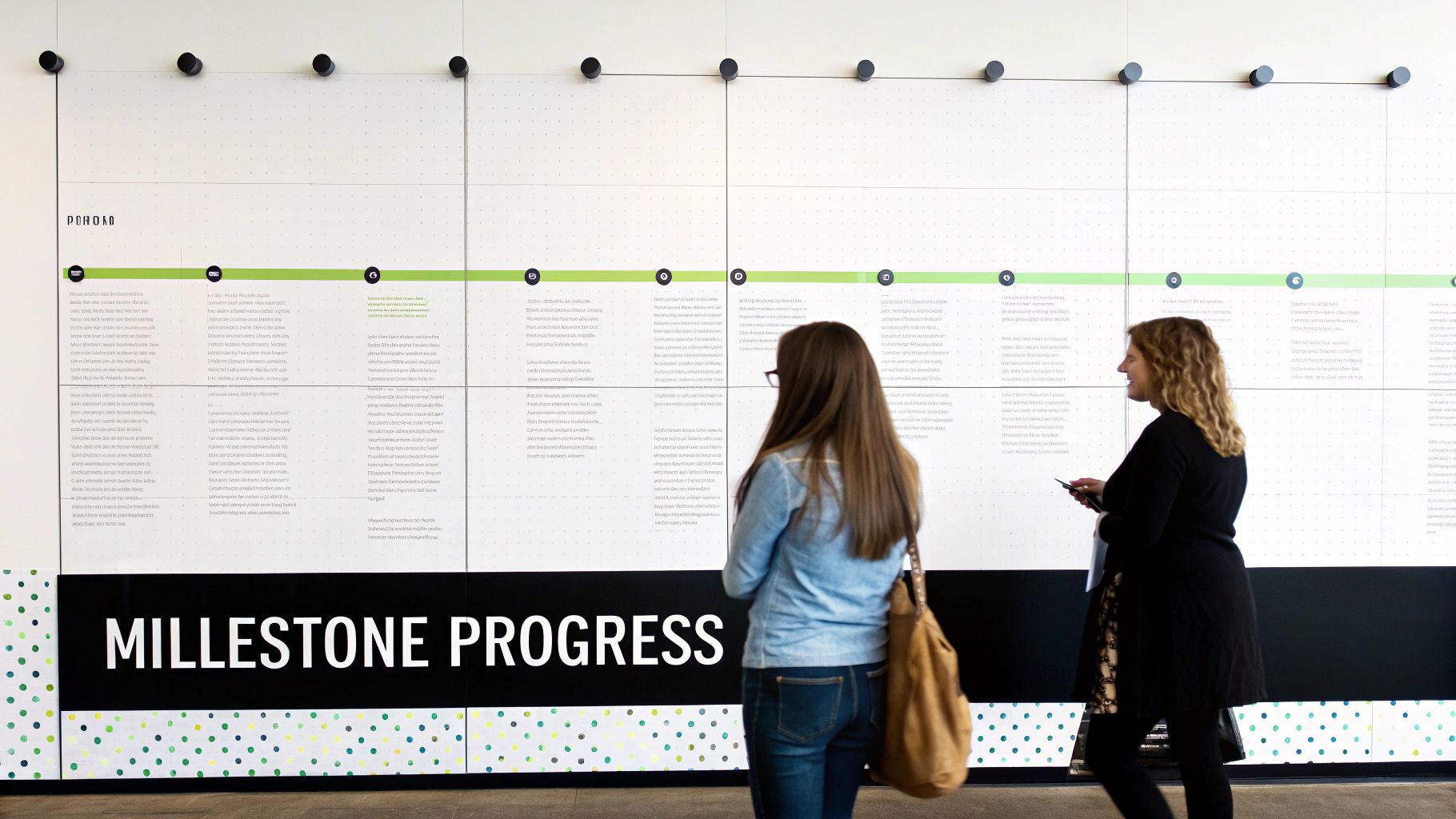
This reporting style is fundamental in industries like construction, where projects are broken into distinct phases such as foundation, framing, and finishing. It's also heavily used in software development following a waterfall methodology and for government contracts requiring Earned Value Management Systems (EVMS), which track progress against planned accomplishments.
Strategic Analysis & Breakdown
The primary advantage of this template is its outcome-driven narrative. Instead of just reporting on activities, it communicates tangible progress toward the final goal. Each milestone acts as a checkpoint, forcing the team and stakeholders to validate the work completed before moving on. This approach is excellent for managing expectations and provides a natural structure for budget allocation and quality assurance reviews.
Key Insight: This report tells a story of accomplishment. It answers, "What have we built?" not just "What have we been busy with?" It connects effort directly to results, making it one of the most powerful project status report examples for outcome-focused stakeholders.
Actionable Takeaways
To effectively create a milestone-based report, consider these best practices:
- Define Clear Milestones: Each milestone must have unambiguous, measurable completion criteria. For deeper insights into defining these crucial checkpoints, explore articles on the key milestones of a project.
- Track Schedule Variances: Always include both the planned and actual completion dates for each milestone. This immediately highlights any schedule slippage and its potential impact on subsequent phases.
- Map Dependencies: Clearly document which milestones depend on others. This helps stakeholders understand the downstream effects of a delay in one area.
- Align Budget to Milestones: Allocate and track costs per milestone. This allows for more accurate financial forecasting and helps identify which project phases are consuming more resources than planned.
5. Earned Value Management (EVM) Status Report Template
An Earned Value Management (EVM) Status Report is a highly sophisticated, data-driven template used to objectively measure project performance and progress. It integrates scope, schedule, and cost data by tracking three key metrics: Planned Value (PV), Earned Value (EV), and Actual Cost (AC). This method provides a clear, quantitative look at project health.
This rigorous reporting standard is mandatory for many U.S. government contracts, particularly within the Department of Defense (DoD) and NASA. Its adoption by the Project Management Institute (PMI) and major engineering and aerospace firms has cemented its reputation as the gold standard for managing large, complex, and high-risk initiatives where budget and schedule adherence are paramount.
Strategic Analysis & Breakdown
The core strength of an EVM report is its predictive capability. By calculating schedule variance (SV) and cost variance (CV), it moves beyond simply stating "we are behind schedule" to quantifying exactly how far behind in monetary terms. This allows project managers to forecast future performance and estimate the final project cost with much greater accuracy than traditional methods.
Key Insight: This report answers the critical questions: "Are we getting the value we planned for the money we've spent?" and "Based on current performance, where will we end up?" It transforms project tracking from a qualitative gut feeling into a quantitative science.
Actionable Takeaways
To successfully implement one of these powerful project status report examples, consider these best practices:
- Establish a Solid Baseline: The entire EVM system relies on an accurate and approved Performance Measurement Baseline (PMB). Define the scope, schedule, and budget meticulously before the project begins.
- Use Supporting Software: Manually calculating EVM metrics is cumbersome. Implement project management software with built-in EVM capabilities (like Microsoft Project or Primavera P6) to automate data collection and analysis.
- Train Your Team: Ensure all team members understand basic EVM concepts like PV, EV, and AC. This is crucial for accurate data input and for the team to understand the performance metrics being reported.
- Set Variance Thresholds: Define acceptable variance limits (e.g., +/- 10%). If the project's cost or schedule performance exceeds these thresholds, it should automatically trigger a detailed review and corrective action plan.
6. Risk-Focused Status Report Template
A Risk-Focused Status Report is a specialized document that prioritizes risk identification, analysis, and mitigation above all other project metrics. This template is designed for high-stakes projects where proactive risk management is the primary driver of success. Instead of leading with milestones or budget, it puts potential threats and their mitigation plans front and center.

This reporting style is crucial in sectors like pharmaceuticals for clinical trials, financial services during digital transformations, and for any cybersecurity-focused IT initiatives. Professionals in risk management and compliance have championed this approach to ensure that stakeholders are never blindsided by predictable issues, making it one of the most vital project status report examples for complex environments.
Strategic Analysis & Breakdown
This template's primary function is to shift the conversation from "What have we done?" to "What could go wrong and what are we doing about it?" It forces a forward-looking, defensive posture. By quantifying risks with impact and probability scores, it provides a clear, data-driven hierarchy of threats, allowing teams to allocate resources to the most significant vulnerabilities first.
Key Insight: This report frames project success not just by achieving goals, but by successfully navigating and neutralizing threats. It’s an essential tool for building stakeholder confidence in high-uncertainty projects.
Actionable Takeaways
To effectively create and use a risk-focused report, implement these best practices:
- Standardize Risk Scoring: Use a consistent methodology (e.g., a 1-5 scale for impact and probability) to evaluate all risks. This allows for objective prioritization.
- Assign Clear Ownership: Every identified risk must have a designated "Risk Owner" who is responsible for monitoring the threat and executing the mitigation plan.
- Define Escalation Triggers: Clearly outline the conditions under which a risk needs to be escalated to senior management. This prevents delays in critical decision-making.
- Link Risks to Actions: Ensure every significant risk is directly tied to a specific mitigation activity with a clear owner and a deadline. This transforms the report from a list of problems into a plan of action.
7. Agile/Scrum Sprint Status Report Template
An Agile/Scrum Sprint Status Report is a lightweight, iterative document designed for fast-paced development environments. Its purpose is to communicate progress within a specific sprint, focusing on sprint goals, user story completion, velocity, and any roadblocks. Unlike traditional reports, this format is less about a comprehensive project overview and more about the health and momentum of the current development cycle.
This reporting style is fundamental to how modern software teams operate. Companies like Atlassian (with Jira) and Microsoft (with Azure DevOps) have built entire platforms around this iterative progress tracking. It is also a core component of frameworks like the Scaled Agile Framework (SAFe) and is widely adopted by tech startups and digital agencies that prioritize speed and adaptability.
Strategic Analysis & Breakdown
The effectiveness of this report comes from its focus on the sprint, which is a short, time-boxed period. Instead of broad project milestones, it tracks granular progress on user stories and tasks. Visual tools like burndown and burnup charts are central to this template, providing an immediate and clear picture of work completed versus work remaining. This makes it one of the most transparent project status report examples for development teams.
Key Insight: This report is a communication tool for the product owner, scrum master, and the development team. It answers the questions: "Did we meet our sprint goal? What did we learn? What is blocking our progress?"
Actionable Takeaways
To effectively implement an Agile/Scram sprint report, follow these best practices:
- Focus on Sprint Goals: Always start the report by restating the sprint goals. All progress metrics should be framed in the context of achieving these specific objectives.
- Visualize Progress: A sprint burndown or burnup chart is non-negotiable. It instantly shows if the team is on track to complete the planned work within the sprint timeline.
- Highlight Impediments: Create a dedicated section for "Impediments" or "Blockers." This ensures that obstacles are visible, and responsibility for resolving them can be assigned quickly.
- Include Retrospective Learnings: Briefly summarize key takeaways from the sprint retrospective. This demonstrates a commitment to continuous improvement and shows stakeholders that the team is learning from each cycle.
8. Stakeholder Communication Status Report Template
A Stakeholder Communication Status Report is a customizable template designed to inform diverse stakeholder groups about project progress. Its core purpose is to tailor the message, format, and level of detail to match the audience's specific interests and technical knowledge, ensuring everyone from the C-suite to an adjacent department understands the project's impact on them.
This adaptable reporting style is crucial in large-scale initiatives like enterprise digital transformations or organizational restructuring projects. Change management frameworks, such as Prosci, and internal communications teams champion this approach to maintain alignment, manage expectations, and mitigate resistance by speaking each stakeholder group's language.
Strategic Analysis & Breakdown
The strength of this template is its flexibility and focus on audience segmentation. Instead of a one-size-fits-all document, it forces the project manager to consider what each group cares about. The finance department gets detailed budget variance analysis, while the marketing team receives updates on customer-facing launch dates. This targeted communication prevents information overload and increases engagement.
Key Insight: This report acknowledges that not all information is relevant to everyone. Its primary goal is to answer each stakeholder group's unique question: "How does this project affect me and my team's objectives?"
Actionable Takeaways
To effectively use a stakeholder communication report, apply these best practices:
- Segment Your Audience: Group stakeholders by their influence, interest, and communication needs. Create a simplified report version for low-context groups and a detailed one for high-involvement teams.
- Use Plain Language: Avoid technical jargon and acronyms, especially for non-technical audiences. The goal is clarity, not demonstrating technical expertise.
- Vary Your Format: Offer information in multiple formats. A PDF summary might work for leadership, while an email update is better for the broader organization.
- Automate Tailored Messaging: For teams managing complex stakeholder lists in a central database, it's possible to create and send customized email reports from Notion, ensuring each segment receives the right information efficiently.
Comparison: 8 Project Status Report Templates
| Template | 🔄 Implementation Complexity | ⚡ Resource Requirements | 📊 Expected Outcomes | 💡 Ideal Use Cases | ⭐ Key Advantages |
|---|---|---|---|---|---|
| Executive Summary Status Report Template | 🔄 Low — simple one-page synthesis | ⚡ Low — minimal data, design polish | 📊 Quick executive visibility; high-level health snapshot | Senior management updates; board meetings; portfolio summaries | ⭐ Concise decision-ready insights; professional presentation |
| Detailed Weekly Status Report Template | 🔄 Medium — detailed tracking & discipline | ⚡ Medium — time from team, time-tracking tools | 📊 Granular progress visibility; faster issue identification | Team coordination; sprint retrospectives; operational tracking | ⭐ Accountability and traceability at task level |
| Dashboard-Based Status Report Template | 🔄 High — data integration & visualization build | ⚡ High initially; lower ongoing with automation | 📊 Real-time KPIs; trend analysis and pattern recognition | Data-driven stakeholders; portfolio monitoring; BI reporting | ⭐ Clear visual insights; supports drill-down analysis |
| Milestone-Based Status Report Template | 🔄 Medium — requires clear milestone definition | ⚡ Medium — planning, sign-offs, milestone tracking | 📊 Progress vs objectives; gate-readiness visibility | Phase-based projects: construction, releases, transformations | ⭐ Focus on major achievements; aligns to project goals |
| Earned Value Management (EVM) Status Report Template | 🔄 Very High — complex calculations & methodology | ⚡ Very High — detailed baselines, cost data, trained staff | 📊 Objective cost/schedule metrics; accurate forecasting | Large gov't/enterprise contracts; aerospace; infrastructure | ⭐ Quantitative control and early variance detection |
| Risk-Focused Status Report Template | 🔄 Medium — needs consistent risk assessment process | ⚡ Medium — risk owners, scoring and monitoring effort | 📊 Elevated risk visibility; mitigation tracking and escalation | High-risk initiatives: pharma, cybersecurity, finance | ⭐ Proactive risk management; improves governance |
| Agile/Scrum Sprint Status Report Template | 🔄 Low — lightweight, iteration-focused | ⚡ Low — brief team inputs each sprint | 📊 Sprint goal clarity; velocity and impediment visibility | Agile teams; short-iteration software development | ⭐ Fast feedback loops; supports continuous improvement |
| Stakeholder Communication Status Report Template | 🔄 Medium — customized messaging per audience | ⚡ Medium–High — tailoring, format variations, comms skill | 📊 Improved stakeholder engagement; aligned expectations | Organizational change, M&A, executive/stakeholder comms | ⭐ Targeted messaging; increases buy-in and clarity |
Choosing and Automating Your Ideal Status Report
Throughout this guide, we have explored a diverse collection of project status report examples, each designed to serve a unique purpose and audience. From the high-level executive summary that offers a 30,000-foot view to the granular detail of an Agile sprint report, the key takeaway is clear: there is no one-size-fits-all solution for project communication. The most effective project managers are those who master the art of situational reporting.
The true power of these templates lies not in copying them verbatim, but in understanding the strategic thinking behind their structure. Your goal should be to select and adapt the format that best aligns with your project's specific needs, stakeholder expectations, and overall complexity. By doing so, you transform reporting from a routine chore into a powerful strategic asset that drives alignment, builds confidence, and preemptively addresses potential issues.
From Examples to Action: Your Next Steps
The journey from understanding these examples to implementing them requires a clear plan. The most impactful reports are those tailored to the specific context of your project and audience.
Here are your actionable next steps:
- Identify Your Primary Audience: Who is the main recipient of this report? An executive needs a concise summary (like the Executive Summary Template), while your project team requires the operational detail found in a Weekly or Agile Sprint Report.
- Define Your Core Objective: What do you need this report to do? Is it to secure more resources, manage stakeholder expectations, or simply keep the team aligned? A Risk-Focused Report is perfect for high-stakes projects, while a Milestone-Based Report is ideal for showcasing long-term progress.
- Select a Foundational Template: Based on your audience and objective, choose one of the project status report examples from this article as your starting point. Use its structure as a guide, not a rigid set of rules.
- Automate for Consistency: The biggest challenge in reporting is consistency. Manual report creation is time-consuming and prone to error. Look for opportunities to automate the process by integrating your reporting directly into your project management workspace.
The Strategic Value of Automated Reporting
Mastering the skill of effective project reporting elevates your role from a simple task manager to a strategic communicator. When stakeholders receive clear, consistent, and relevant information, they feel more confident in your leadership and the project's direction. This builds trust, which is invaluable when you inevitably need to navigate challenges or request additional support.
Automating this process is the final piece of the puzzle. By removing the manual effort associated with compiling and distributing reports, you free up valuable time and mental energy. This allows you to focus on what truly matters: proactive problem-solving, strategic planning, and leading your team to a successful outcome. Your reporting becomes a seamless, professional, and highly efficient function of your project management system, ensuring that the right information always reaches the right people at the right time.
Ready to stop manually creating and emailing your project updates? NotionSender allows you to build and automate your status reports directly from your Notion workspace. Connect your project database and schedule tailored email updates for any stakeholder group, ensuring your reporting is as efficient as it is effective. Learn more and start automating today at NotionSender.

