
12 Best Services Similar to Mailchimp for 2026

Mailchimp has long been a go-to platform for email marketing, known for its user-friendly interface and strong brand recognition. However, as business needs evolve, many find themselves searching for services similar to Mailchimp that offer a different set of features, a more scalable pricing model, or superior automation capabilities. Your business might be hitting the limits of its current plan, requiring a platform with an integrated CRM, more sophisticated segmentation, or the ability to manage SMS and push notifications alongside email.
This guide is designed to cut through the noise. We have meticulously evaluated 12 of the best Mailchimp alternatives, providing a comprehensive resource for small business owners, marketers, and project managers. We move beyond generic feature lists to give you practical insights into what makes each platform unique. To truly understand why businesses transition from Mailchimp, exploring comprehensive marketing automation workflow examples showcases the advanced capabilities these alternative platforms offer. The right tool can transform a simple email blast into a complex, personalized customer journey.
Inside this resource, you will find a detailed breakdown of each alternative, including:
- Key Features & Use Cases: Discover what each platform does best and who it's built for.
- Pricing Analysis: A clear look at the costs involved at different scales.
- Pros & Cons: An honest assessment of strengths and limitations based on real-world use.
- Integration & Migration: Practical notes on connecting with other tools, including Notion, and tips for a smooth transition.
Each entry includes screenshots and direct links, helping you compare your options efficiently. Our goal is to equip you with the information needed to select a platform that not only meets your current needs but also supports your growth for 2026 and beyond.
1. HubSpot Marketing Hub: The All-in-One CRM and Marketing Powerhouse
HubSpot stands out from other services similar to Mailchimp by being a complete customer relationship management (CRM) platform first and an email tool second. This fundamental difference makes it ideal for businesses aiming to align their marketing, sales, and service efforts around a single source of customer data. Instead of just sending emails, you can build sophisticated, multi-channel campaigns based on a contact's entire lifecycle, from their first website visit to their latest support ticket.
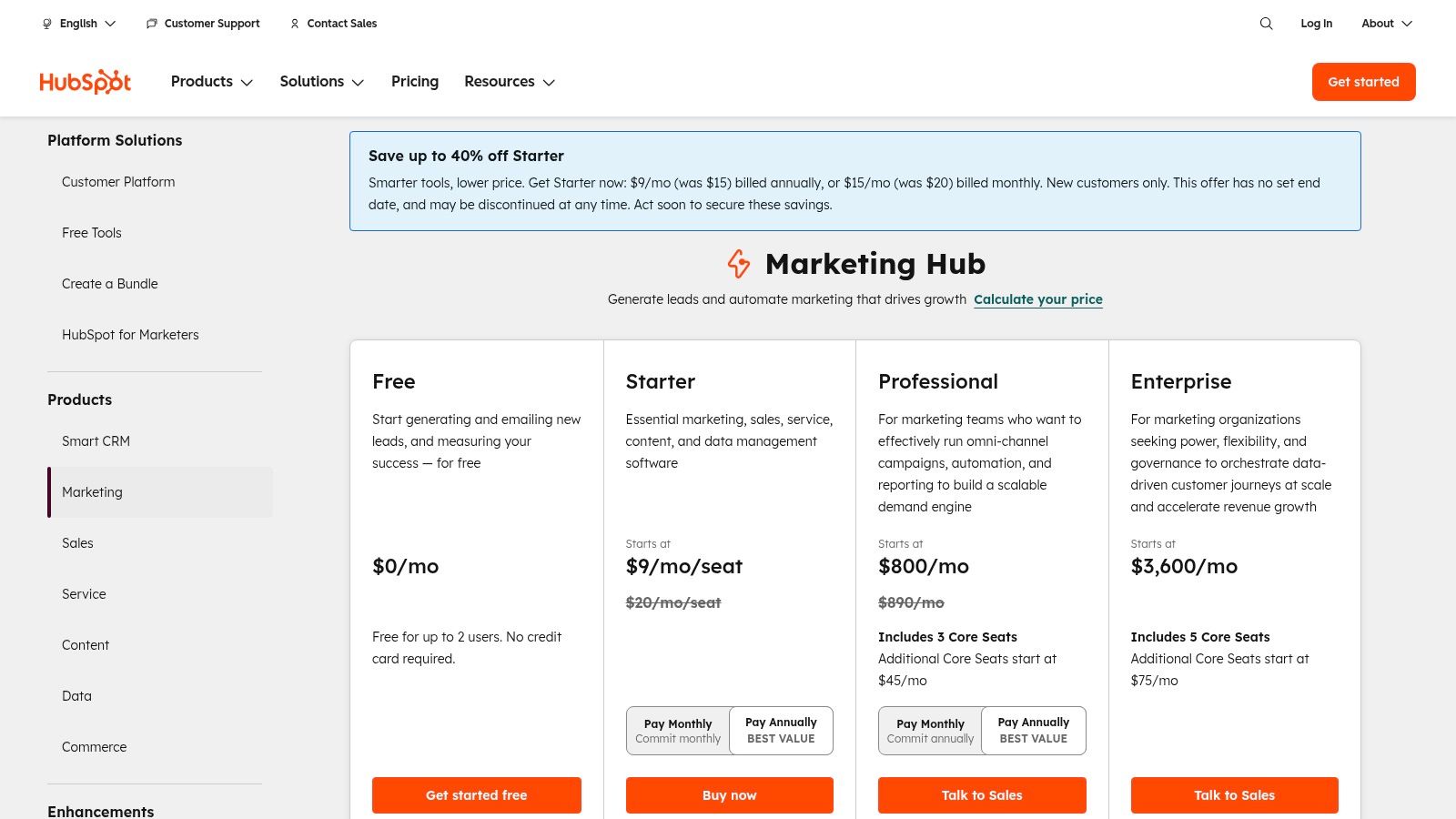
The platform’s strength is its native integration. You can create visual automation workflows that trigger emails based on deal stages, lead scores, or form submissions on a HubSpot-built landing page. This unified approach eliminates the need for complex, and often brittle, third-party integrations between separate tools.
Key Features and Use Case
- Native CRM: Every contact action is logged, providing deep insights for personalization.
- Omnichannel Automation: Build workflows that include email, SMS, and internal team notifications.
- Built-in Tools: Create landing pages, forms, and chatbots without leaving the platform.
- Robust Reporting: Attribute revenue directly to marketing campaigns.
Best for: Businesses that have outgrown simple email campaigns and need a scalable, all-in-one platform to manage the entire customer journey.
While HubSpot doesn't offer a direct, native integration with Notion, you can connect them using automation tools like Zapier or Make. These workarounds allow you to sync contacts or trigger actions, making it possible to manage marketing data within your Notion workspace. For a more direct approach, you can explore specialized tools designed for this purpose; many users find success when learning about the best ways for sending emails from Notion.
| Pros | Cons |
|---|---|
| Excellent scalability from free to enterprise tiers | Costs can rise quickly with contact counts and seats |
| Deep integrations reduce tech-stack complexity | Advanced capabilities are often locked to higher-priced tiers |
| Powerful, free CRM provides value immediately | Can feel overwhelming for users who only need basic email |
Website: https://www.hubspot.com/pricing/marketing
2. Brevo (formerly Sendinblue): The Multichannel Marketing Toolkit
Brevo distinguishes itself from other services similar to Mailchimp with its focus on multichannel communication and a flexible, volume-based pricing model. While many platforms price primarily on contact list size, Brevo's plans are structured around the number of emails you send, making it an economical choice for businesses with large but less frequently contacted audiences. This approach allows users to access a suite of tools including SMS, WhatsApp campaigns, and push notifications, all from a single dashboard.
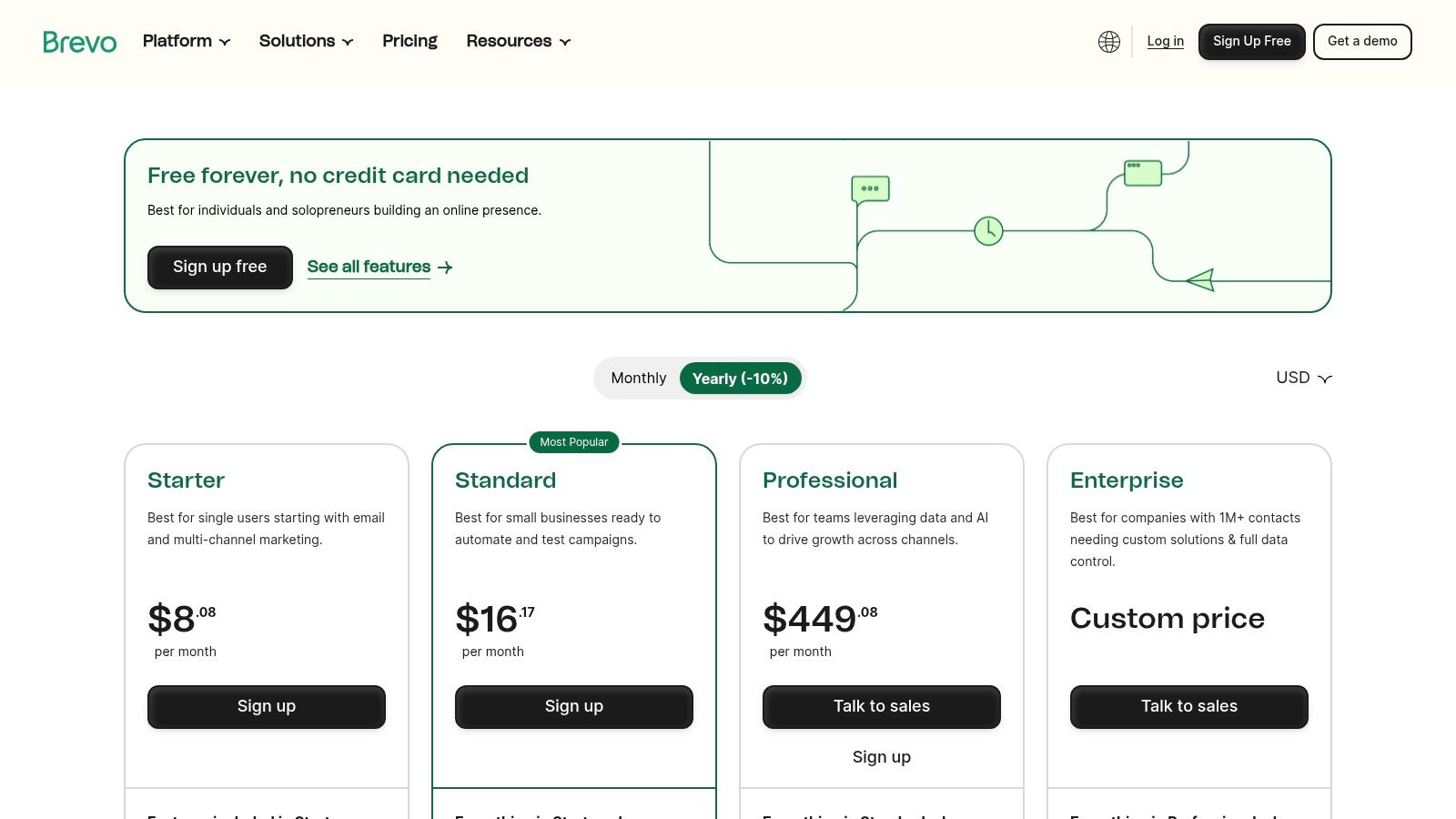
The platform is designed as an all-in-one marketing and sales solution. Users can leverage its automation features to build sophisticated workflows that trigger different message types based on user behavior. Its inclusion of a sales platform, live chat, and landing page builder makes it a strong contender for small to mid-sized businesses looking to consolidate their marketing stack without a hefty price tag.
Key Features and Use Case
- Multichannel Messaging: Engage contacts via email, SMS, WhatsApp, and push notifications.
- Generous Free Plan: Start with up to 300 emails per day and unlimited contacts.
- Marketing Automation: Create automated workflows to nurture leads and engage customers.
- Transactional Emails: Robust API and SMTP relay for sending order confirmations and alerts.
Best for: Small and medium-sized businesses that need a cost-effective, all-in-one platform for multichannel marketing and have a large contact list they don't email daily.
While there isn't an official Brevo integration for Notion, you can connect the two using tools like Zapier or Make. This allows you to automatically add new contacts from Notion databases to your Brevo lists or log campaign results, streamlining data management between your marketing platform and your central workspace.
| Pros | Cons |
|---|---|
| Volume-based pricing is cost-effective for large lists | Advanced features and higher send limits can get expensive |
| All-in-one platform includes email, SMS, chat, and more | User interface can feel less intuitive than some competitors |
| Offers a comprehensive free tier with unlimited contacts | Dedicated IP addresses and advanced support are often paid add-ons |
Website: https://www.brevo.com/pricing
3. MailerLite: The User-Friendly and Affordable All-Rounder
MailerLite positions itself as one of the most intuitive and cost-effective services similar to Mailchimp, making it a favorite among freelancers, creators, and small businesses. Its core strength is its simplicity and clean interface, which doesn't sacrifice powerful features. Beyond just email campaigns, MailerLite provides an integrated toolkit for building a complete online presence, including a website builder, landing pages, and pop-up forms, all managed from a single dashboard.
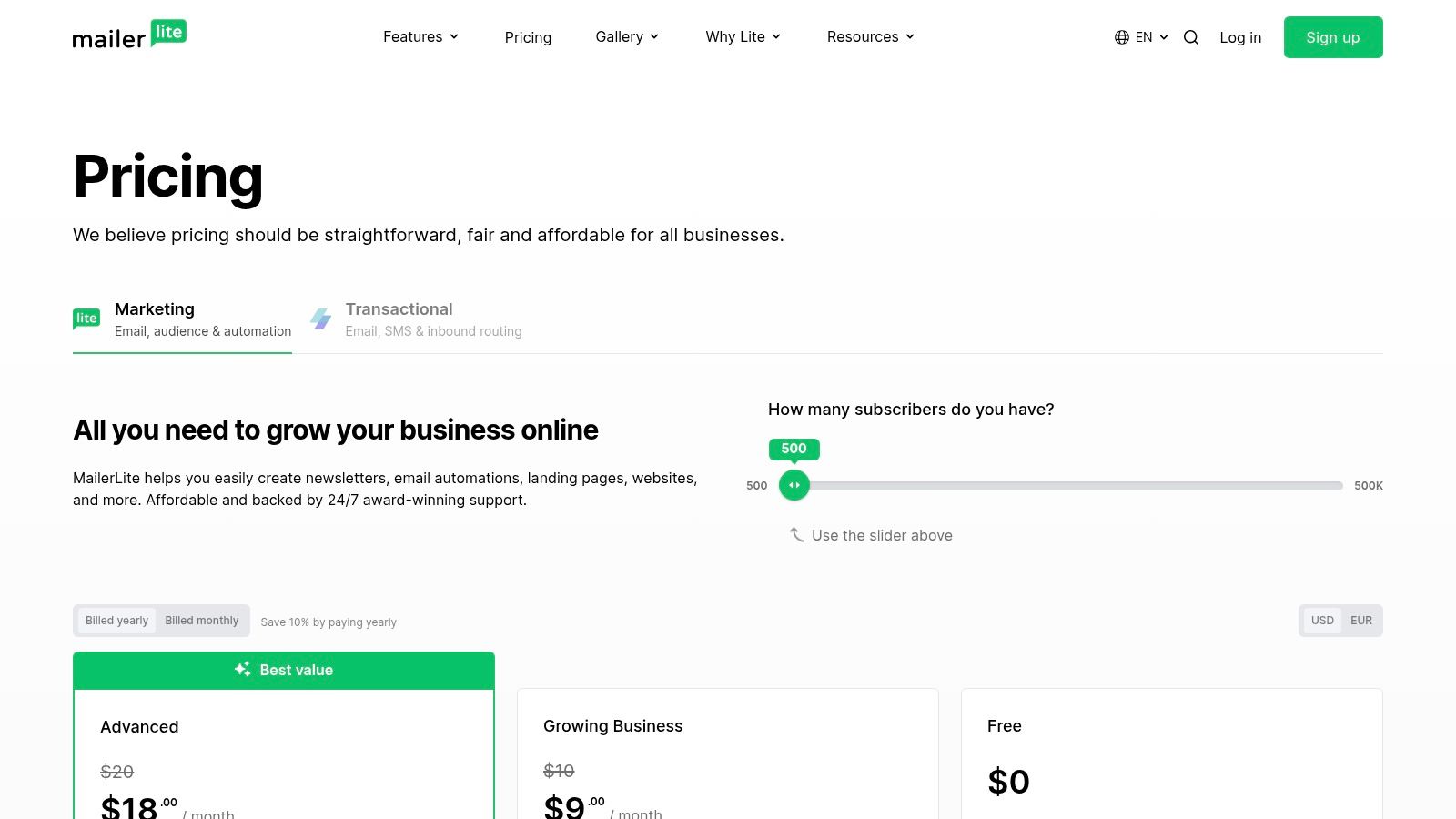
The platform focuses on making advanced marketing accessible. Its visual automation builder allows users to create sophisticated, multi-step email sequences triggered by subscriber actions without needing any technical expertise. This streamlined approach allows small teams to execute professional marketing strategies efficiently.
Key Features and Use Case
- Drag-and-Drop Editor: A clean and easy-to-use editor with a rich template library.
- Website and Landing Page Builder: Create a full website, blog, or standalone landing pages.
- Visual Automation Workflows: Build subscriber journeys based on triggers and behavior.
- Built-in AI Writing Assistant: Generate subject lines and email copy directly within the editor.
Best for: Solo operators, creators, and small businesses seeking an affordable, all-in-one marketing platform that is exceptionally easy to use.
While MailerLite lacks a direct Notion integration, it connects seamlessly with automation platforms like Zapier and Make. This allows you to create workflows such as adding new MailerLite subscribers to a Notion database or triggering an email campaign when a database item is updated.
| Pros | Cons |
|---|---|
| Clear, affordable pricing and a generous free tier | Fewer native e-commerce/SMS features than some competitors |
| Very easy to use for solo operators and small teams | Advanced reporting and features require paid tiers |
| All-in-one tools include websites and landing pages | The approval process for new accounts can sometimes be slow |
Website: https://www.mailerlite.com/pricing
4. Constant Contact: The User-Friendly Toolkit for Small Businesses
Constant Contact has long been a go-to platform for small businesses and non-profits, making it one of the most established services similar to Mailchimp. Its core strength lies in its simplicity and focus on providing an all-in-one marketing toolkit that extends beyond just email. The platform is designed to be approachable for beginners, offering features like a BrandKit that automatically pulls colors and logos from your website to create on-brand templates effortlessly.
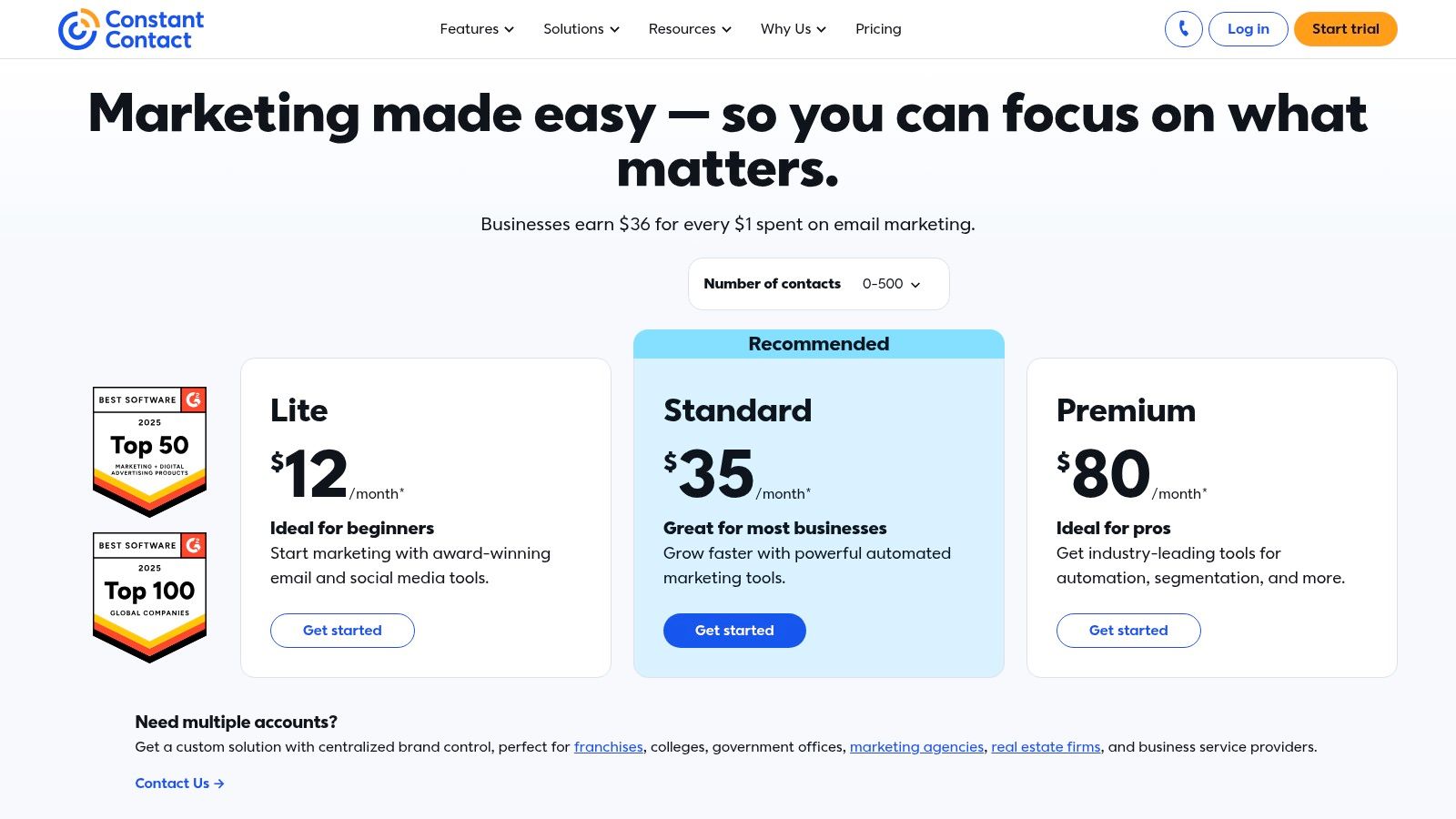
Beyond its drag-and-drop editor, Constant Contact integrates event management, social media posting, and even SMS marketing tools (for US-based customers) into one dashboard. This allows a small business owner to manage multiple marketing channels without needing to learn several complex platforms, making it a practical and efficient choice for those with limited time and resources.
Key Features and Use Case
- Beginner-Friendly Editor: A simple drag-and-drop interface and a BrandKit for quick, consistent template creation.
- Integrated Marketing Tools: Includes social media scheduling, event management, and survey tools.
- Simple Automation: Easily set up welcome series or automatically resend emails to non-openers.
- Extensive Integrations: Connects with over 300 apps, including e-commerce platforms like Shopify.
Best for: Small businesses, non-profits, and beginners who need a straightforward, all-in-one platform with excellent customer support to manage email, social media, and events.
While there isn't a direct Notion integration, you can use Zapier or Make to connect Constant Contact to your workspace. This setup can add new subscribers from a Notion database or log campaign results. To maximize engagement from these efforts, it's wise to learn more about how to increase your open rates with proven email marketing tricks.
| Pros | Cons |
|---|---|
| Very approachable for beginners with strong support options | No permanent free plan is offered, only a limited-time trial |
| Broad SMB toolkit that goes beyond just email marketing | Advanced automation and features are tied to more expensive plans |
| High email deliverability rates | The user interface can feel somewhat dated compared to newer tools |
Website: https://www.constantcontact.com/pricing
5. Klaviyo: The Ecommerce Revenue Engine
Klaviyo distinguishes itself from other services similar to Mailchimp by being purpose-built for ecommerce. While other platforms are generalists, Klaviyo’s entire data model, feature set, and integration library is optimized to help online stores drive revenue and increase customer lifetime value. It connects deeply with platforms like Shopify and BigCommerce, pulling in rich customer data like purchase history, browsing behavior, and cart contents to fuel hyper-targeted campaigns.
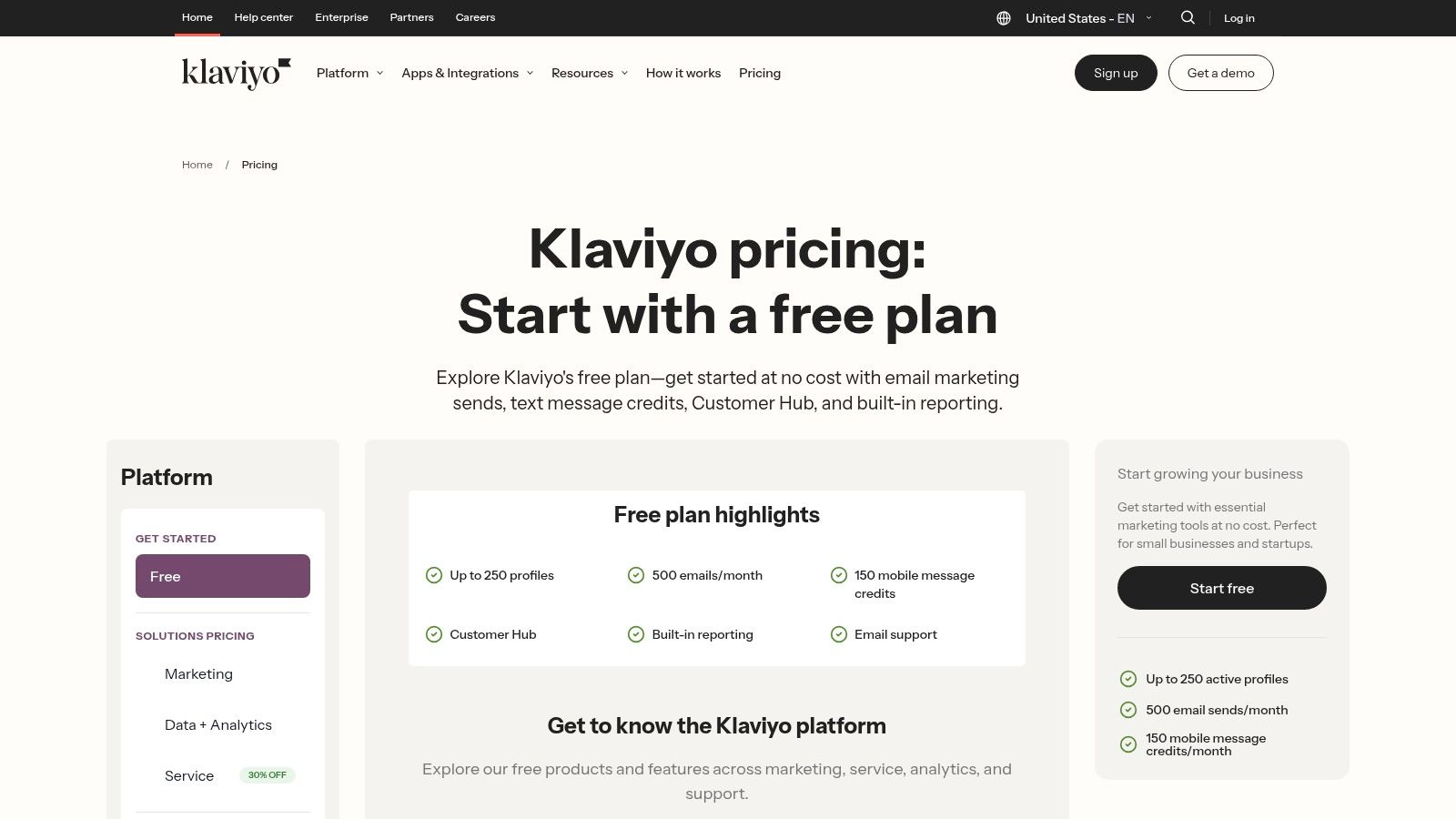
The platform’s core strength is its powerful automation and segmentation based on real-time customer actions. You can easily build sophisticated, event-driven flows for abandoned carts, browse abandonment, and post-purchase follow-ups that feel personal and timely. This focus on revenue attribution allows businesses to see a direct line between their marketing efforts and sales.
Key Features and Use Case
- Powerful segmentation and event-driven flows: Trigger campaigns based on specific customer actions, like viewing a product or making a purchase.
- Native SMS and email with revenue analytics: Manage both channels from one dashboard and track the exact revenue generated by each message.
- AI subject line and campaign assistant: Leverage artificial intelligence to optimize campaign copy and predict performance.
- Large ecommerce integration ecosystem: Seamlessly connect with Shopify, WooCommerce, Magento, and other leading platforms.
Best for: Ecommerce businesses of any size that prioritize data-driven marketing, customer retention, and maximizing revenue through email and SMS automation.
While Klaviyo does not have a native Notion integration, you can connect the two platforms using an automation tool like Zapier or Make. This allows you to sync new customer profiles from Klaviyo to a Notion database or trigger Klaviyo campaigns based on updates in Notion, offering a way to bridge your marketing and project management workflows.
| Pros | Cons |
|---|---|
| Exceptional ecommerce data model and revenue attribution | Pricing climbs with profile counts; SMS credits billed separately |
| Advanced flows that drive repeat purchases | May be overkill for non-ecommerce businesses |
| Deep, native integrations with major ecommerce platforms | The interface can be complex for beginners new to segmentation |
Website: https://www.klaviyo.com/pricing
6. Kit (formerly ConvertKit): The Creator's Monetization Platform
Kit (formerly ConvertKit) positions itself as a marketing hub built specifically for online creators like bloggers, artists, and coaches. Unlike general-purpose services similar to Mailchimp, Kit’s feature set is laser-focused on helping creators grow their audience and sell digital products directly. Its core philosophy revolves around a subscriber-centric model, where you manage one list of contacts with tags and segments rather than juggling multiple siloed lists.
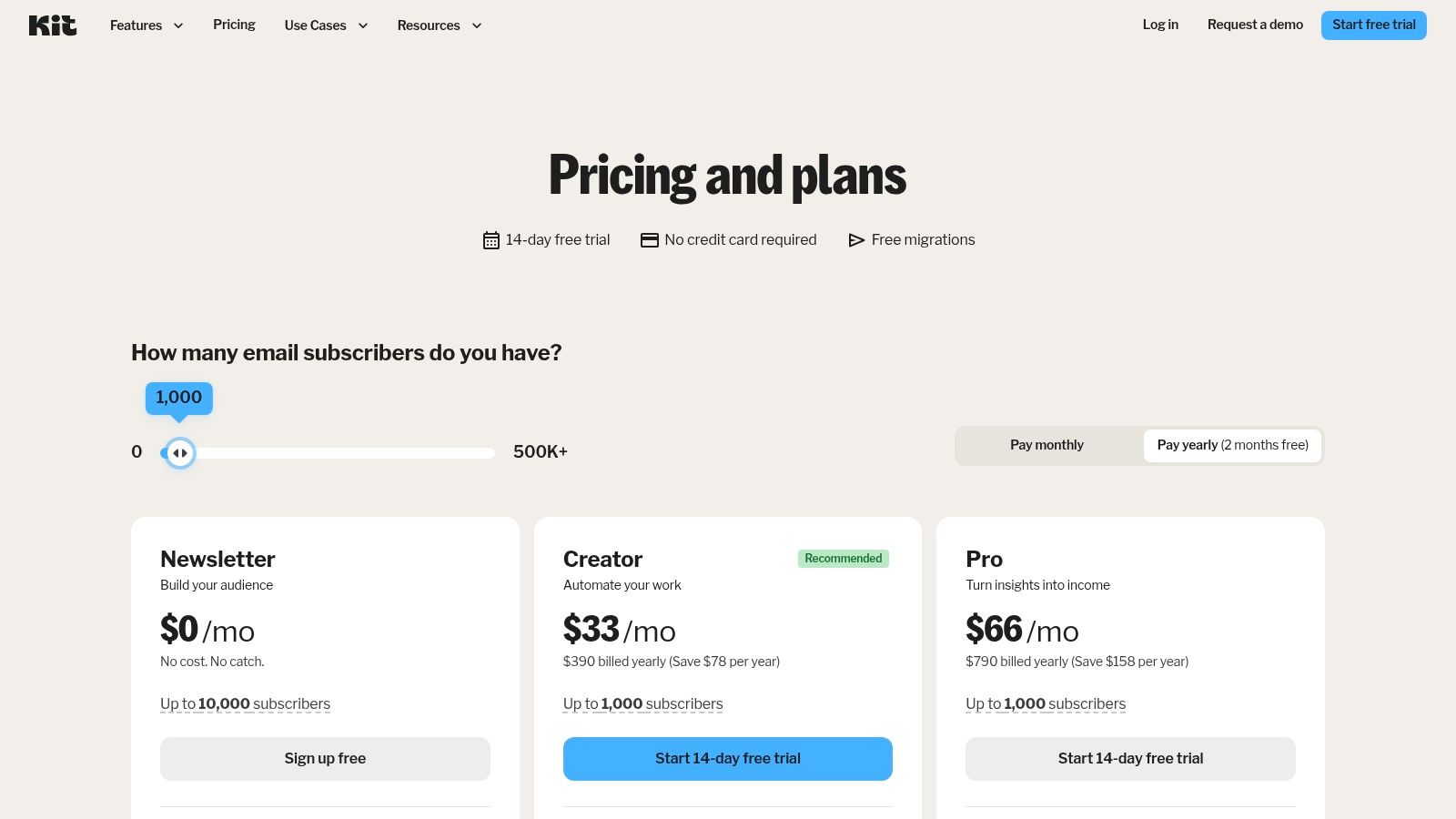
The platform excels at integrating audience building with monetization. You can create landing pages, run paid newsletters, and sell digital products or services without needing a separate e-commerce tool. This streamlined approach allows creators to build powerful, automated funnels that nurture subscribers and convert them into customers, all from a single dashboard.
Key Features and Use Case
- Creator-Centric Tools: Built-in features for selling digital products and paid newsletters.
- Visual Automations: Create powerful, easy-to-understand subscriber journeys.
- Tag-Based System: Flexible audience segmentation for highly targeted messaging.
- Free Migrations: On paid plans, the Kit team will handle the migration process for you.
Best for: Creators, coaches, and publishers who want a simple yet powerful platform to build an audience and generate revenue through digital offerings.
While Kit and Notion don’t have a native connection, you can use automation tools like Make or Zapier to link them. This allows you to automatically add new email subscribers from a Notion database or log form submissions. To understand its strengths relative to a market leader, you can explore a detailed feature comparison of Mailchimp vs. ConvertKit.
| Pros | Cons |
|---|---|
| Designed specifically for creator monetization flows | Recent price increases have made it more expensive |
| Clean, user-friendly editor and interface | Advanced analytics are locked behind the higher-priced Pro tier |
| Powerful tagging and segmentation capabilities | Less suitable for traditional B2B or complex e-commerce needs |
Website: https://kit.com/pricing
7. ActiveCampaign: Automation and CRM for Growing Businesses
ActiveCampaign positions itself as a customer experience automation platform, making it one of the most powerful services similar to Mailchimp for businesses focused on sophisticated, personalized communication. It excels by combining advanced email marketing with a built-in CRM and a highly flexible visual automation builder. This allows users to create deeply segmented campaigns based on contact behavior, engagement, lead scores, and e-commerce data.
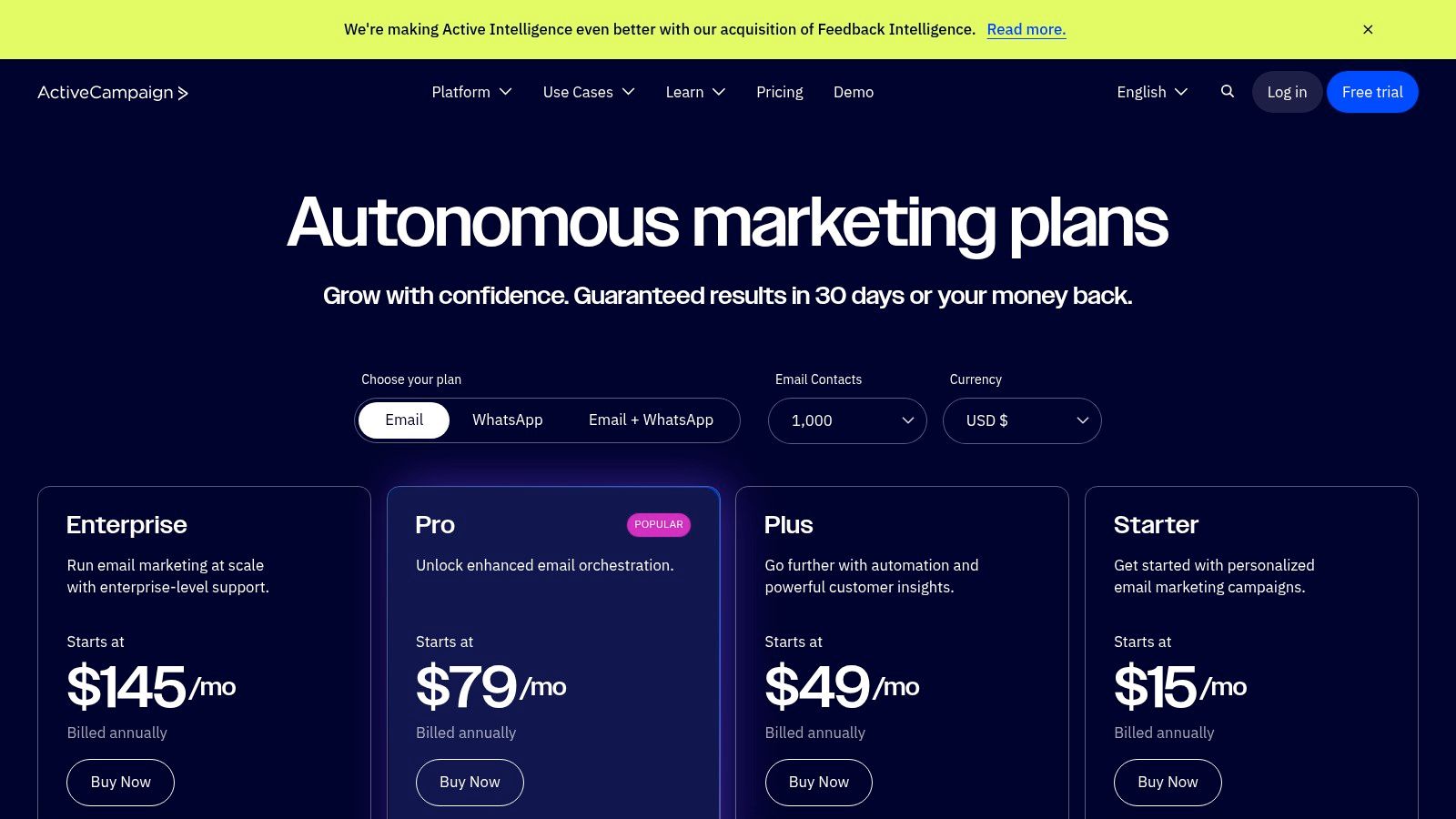
The platform’s core strength lies in its "if this, then that" automation logic, which can manage everything from welcome series to complex lead nurturing funnels. With site tracking, event tracking, and over 1,000 integrations, you can trigger actions from almost any customer touchpoint, creating a truly responsive marketing system that adapts to individual user journeys.
Key Features and Use Case
- Visual Automation Builder: Design complex workflows with branching logic and multiple conditions.
- Lead & Contact Scoring: Automatically qualify leads based on their actions and engagement levels.
- Site and Event Tracking: Trigger automations based on website visits, link clicks, or custom events.
- Built-in Sales CRM: Manage deals and sales pipelines directly within the platform.
Best for: SMBs and marketing professionals who need powerful, flexible automation and segmentation without the complexity of an enterprise-level, all-in-one suite.
While ActiveCampaign does not offer a direct Notion connection, you can link the two platforms using tools like Zapier or Make. This enables you to add new contacts from Notion databases to ActiveCampaign lists or update records automatically. Crafting the right message is key, and many find success when they discover how to send the perfect email to get the response you want.
| Pros | Cons |
|---|---|
| Very flexible automations and deep segmentation | Pricing scales with contacts and has seen recent increases |
| Broad integration coverage and migration support | Feature complexity can produce a significant learning curve |
| Combines marketing, sales, and service tools | Interface can feel less intuitive than simpler platforms |
Website: https://www.activecampaign.com/pricing
8. GetResponse: The Integrated Webinar and Funnel Platform
GetResponse positions itself as more than just an email service, making it a compelling choice among services similar to Mailchimp for businesses heavily invested in lead generation through webinars and conversion funnels. Its core uniqueness lies in bundling these advanced features natively, which often require expensive third-party tools when using other platforms. This integrated approach allows users to build a complete customer journey, from a signup form or popup, through a landing page, into a webinar, and finally through an automated email sequence.
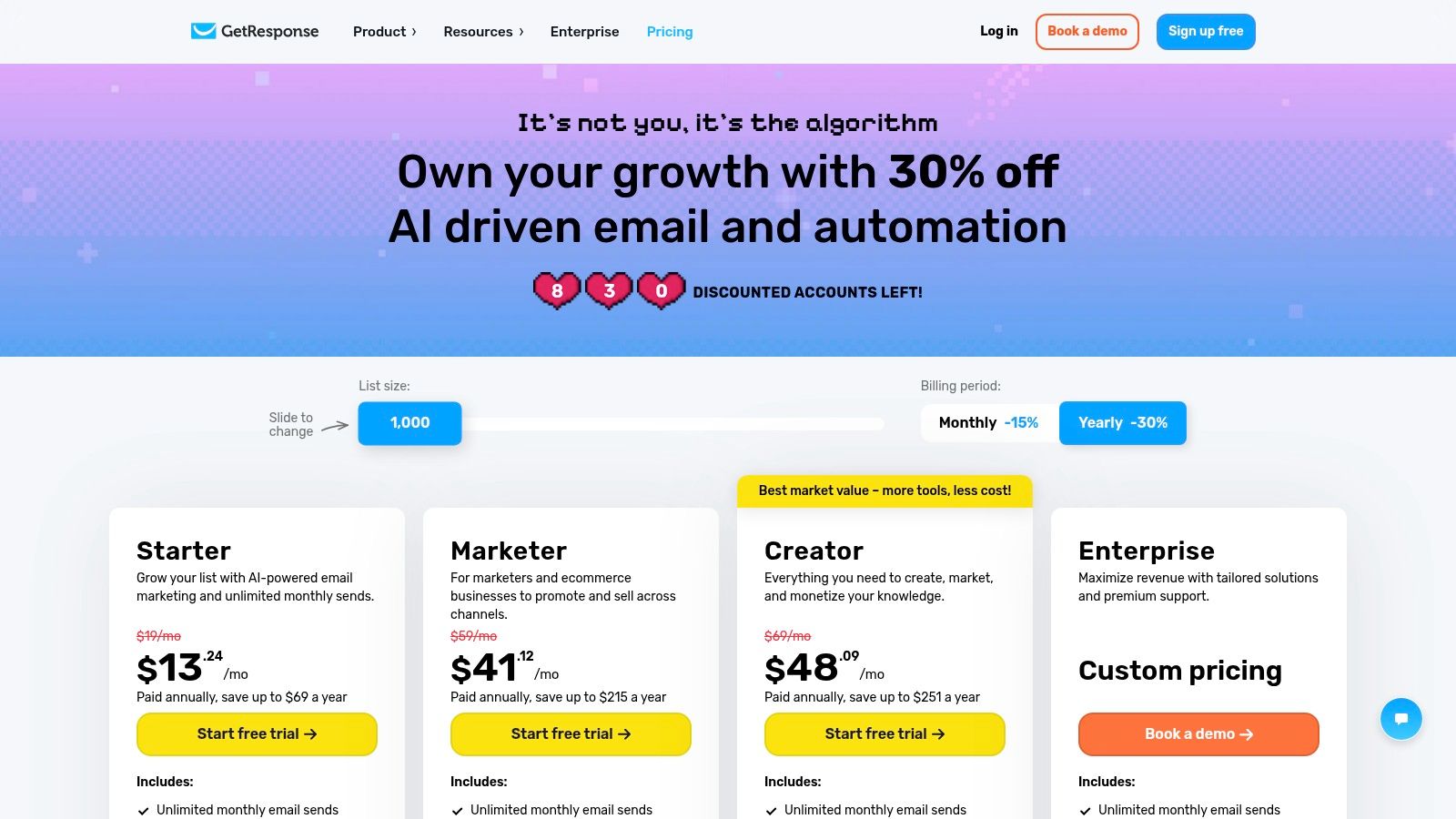
The platform’s “Conversion Funnel” feature is a standout, providing pre-built, scenario-based templates that guide you through setting up lead magnets, sales pages, and payment processing. This makes it particularly accessible for marketers who want to implement sophisticated funnel strategies without the steep learning curve or technical overhead.
Key Features and Use Case
- Visual Automation Workflows: Create drag-and-drop automations based on user behavior and triggers.
- Landing Pages and Website Builder: Develop complete funnels and simple websites within the same ecosystem.
- Integrated Webinars and Live Chat: Host live events and engage with website visitors directly to drive conversions.
- Ecommerce Tools: Includes product recommendations and abandoned cart emails on higher-tier plans.
Best for: Entrepreneurs, coaches, and marketers who use webinars and sales funnels as their primary growth engine and want an all-in-one tool.
While GetResponse does not have a native Notion integration, you can connect the two using middleware platforms like Zapier or Make. This allows you to automatically add new GetResponse subscribers to a Notion database or trigger email campaigns when an item is updated in Notion, helping to bridge your marketing and project management workflows.
| Pros | Cons |
|---|---|
| Strong value by combining email, funnels, and webinars | Broad feature set can feel complex for beginners |
| Mature automation and landing page tools are reliable | Pricing and plan names can change; requires verification |
| All-in-one approach simplifies the marketing tech stack | The user interface may feel less modern than some rivals |
Website: https://www.getresponse.com/pricing
9. Campaign Monitor: The Designer's Choice for Email Marketing
Campaign Monitor positions itself as a premium, design-focused service similar to Mailchimp, prioritizing visual appeal and brand consistency. It is built for teams that want their emails to look pixel-perfect across every device, offering a powerful drag-and-drop editor and a library of professionally designed, mobile-responsive templates. This emphasis on high-quality design makes it a favorite among agencies and brand-conscious businesses.
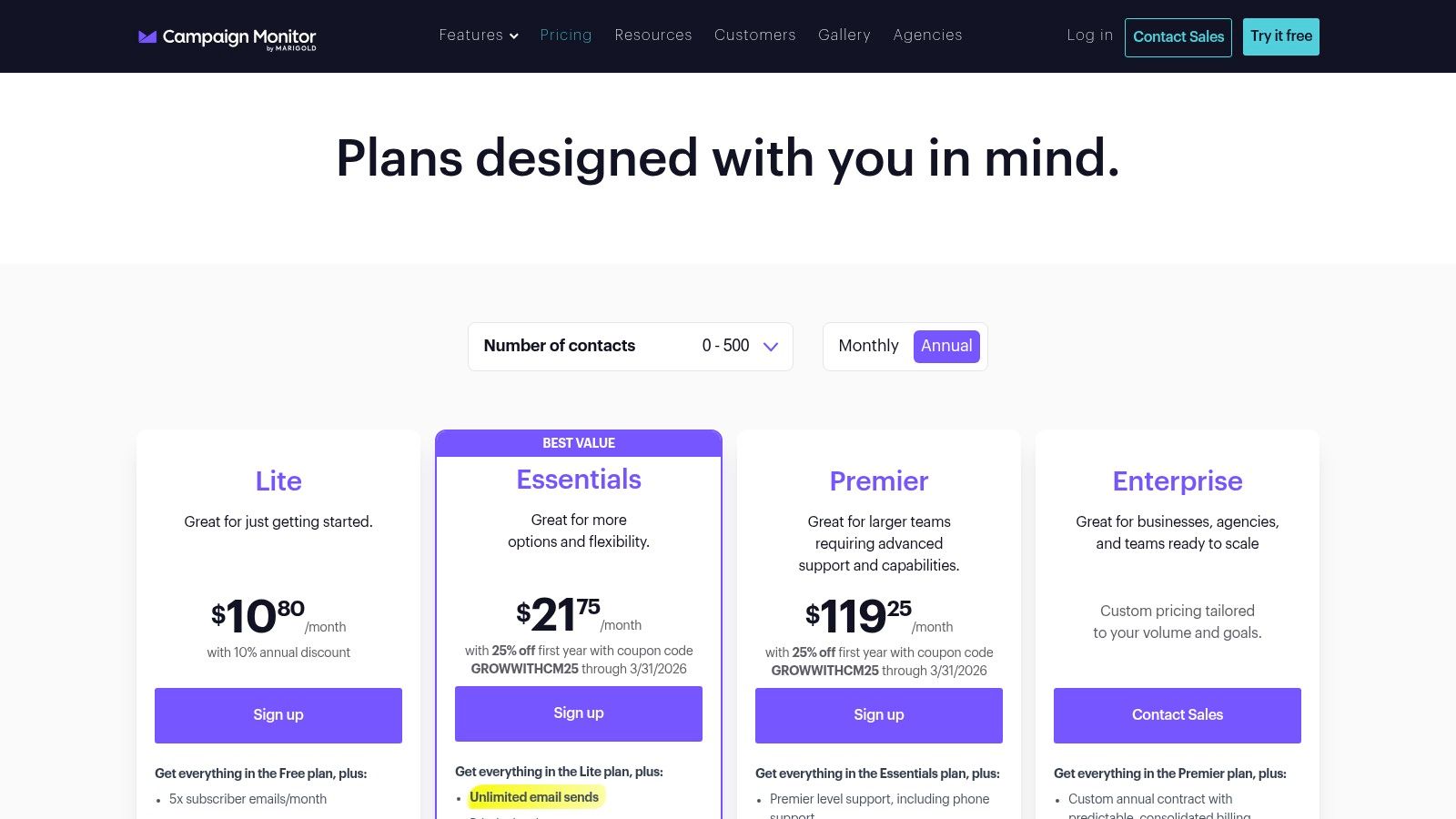
The platform extends beyond aesthetics with robust automation and segmentation tools. Users can create visual customer journeys to send personalized, timely messages based on user behavior. It also provides tools for brand management, allowing teams to lock specific sections of an email template to ensure brand guidelines are always met, which is a key differentiator for organizations managing multiple brands or clients.
Key Features and Use Case
- Premium Template Library: Access a vast collection of professionally designed and fully customizable email templates.
- Visual Journey Designer: Build sophisticated automation workflows with an intuitive drag-and-drop interface.
- Brand Controls: Lock template sections to maintain brand consistency across all campaigns and user accounts.
- Advanced Segmentation: Target subscribers with precision based on their demographics, engagement, and purchase history.
Best for: Agencies, designers, and brand-focused businesses that require exceptional email design, brand governance, and straightforward automation tools.
While Campaign Monitor does not have a native Notion integration, you can connect the two platforms using Zapier or Make. This allows you to automatically add new contacts from a Notion database to a Campaign Monitor list or log campaign results back into Notion, creating a streamlined workflow between your project management and email marketing tools.
| Pros | Cons |
|---|---|
| Excellent design tools and brand governance features | Can become expensive as your subscriber list grows |
| Straightforward and intuitive interface for marketers | Fewer native non-email channels compared to all-in-one suites |
| Strong automation and personalization capabilities | Advanced features are restricted to higher-priced plans |
Website: https://www.campaignmonitor.com/pricing
10. AWeber: The Reliable Veteran for Small Business Email Marketing
As one of the original players in email marketing, AWeber positions itself as a dependable and straightforward choice among services similar to Mailchimp. It focuses on core email functionality and excellent customer support, making it a great fit for small businesses, creators, and entrepreneurs who prioritize reliability over cutting-edge features. The platform is built to help users grow their lists and automate communication without a steep learning curve.
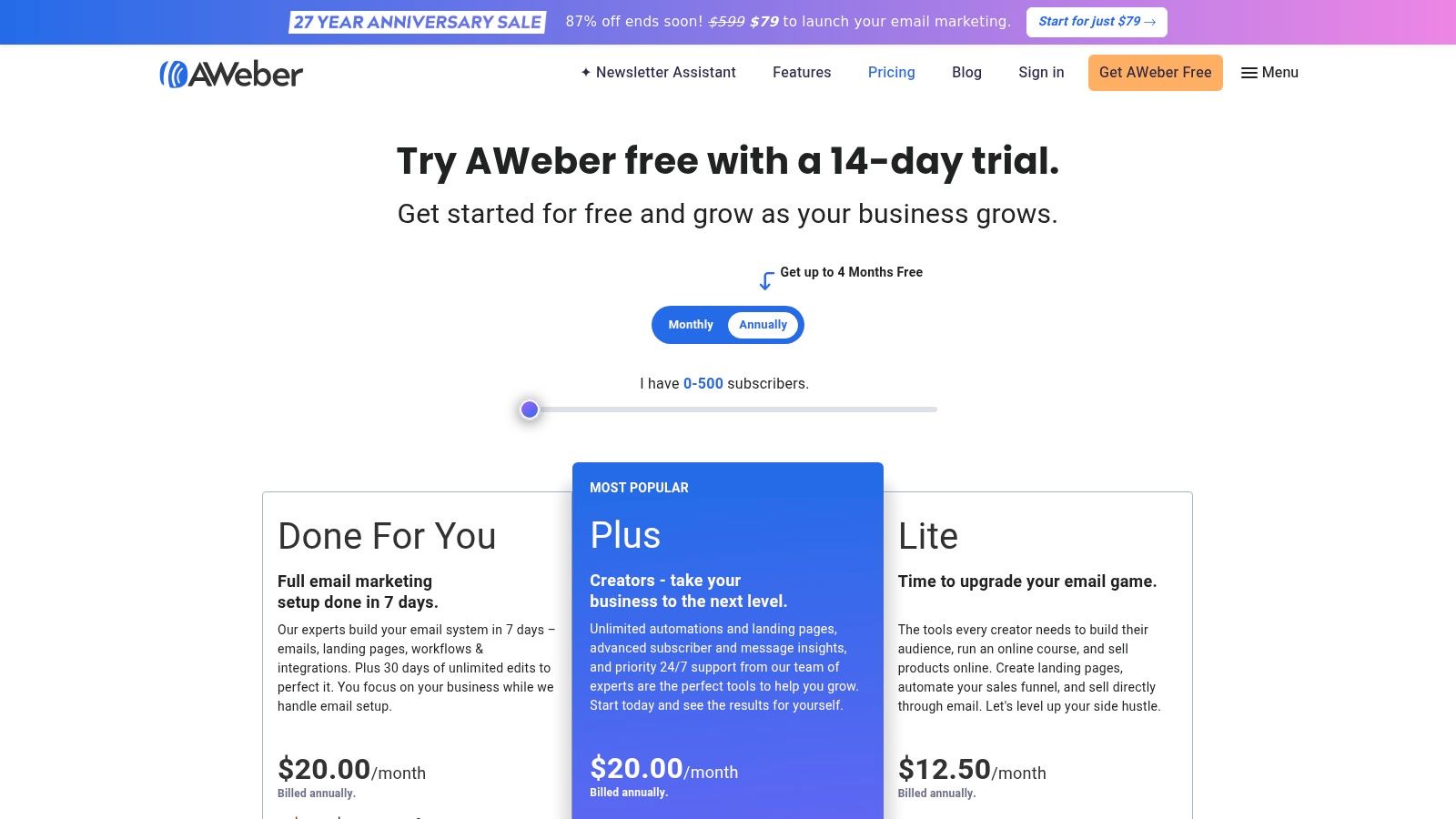
Unlike more complex platforms, AWeber emphasizes ease of use and accessibility. Its drag-and-drop editor, pre-built template library, and AI writing assistant help users create professional campaigns quickly. This focus on core needs, combined with award-winning 24/7 support, provides a safety net for those who are less tech-savvy or just starting with email marketing.
Key Features and Use Case
- Email Automation: Create simple yet effective autoresponder sequences for welcome series or drip campaigns.
- Landing Pages and Forms: Build simple, clean landing pages and sign-up forms to capture new leads.
- Ecommerce and Sales Tracking: Basic integrations allow you to tag subscribers based on purchases and track sales.
- 24/7 Support: Access to live chat, email, and phone support is a major differentiator, especially on lower-tier plans.
Best for: Small businesses, bloggers, and creators who need a reliable, easy-to-use email platform with outstanding customer support.
While AWeber does not offer a native Notion integration, you can connect the two using an automation tool like Zapier or Make. This allows you to automatically add new AWeber subscribers from a Notion database or log campaign details, bridging the gap between your marketing efforts and project management.
| Pros | Cons |
|---|---|
| Industry-leading 24/7 customer support via chat, email, and phone | The user interface can feel dated compared to modern rivals |
| Straightforward pricing based on subscriber count | Automation capabilities are less advanced than competitors |
| Strong email deliverability rates | Lacks some of the all-in-one features of a full marketing hub |
Website: https://www.aweber.com/pricing.htm
11. Twilio SendGrid Marketing Campaigns: The Deliverability-First Platform
Twilio SendGrid approaches email marketing from a developer-first, infrastructure-focused perspective. While Mailchimp is a marketing tool that sends email, SendGrid is a powerful email delivery engine that also offers a marketing campaign interface. This distinction makes it a strong contender for businesses where email deliverability is non-negotiable and where marketing campaigns need to coexist with transactional emails sent via API, like password resets or shipping notifications.
This platform shines for teams that need both a robust API for their developers and a user-friendly campaign builder for their marketers. Instead of managing two separate services, you can consolidate all email activities under one roof, gaining unified insights into deliverability, engagement, and reputation across both marketing and transactional sends. This unified infrastructure is a key reason many technical teams choose it over other services similar to Mailchimp.
Key Features and Use Case
- World-Class Deliverability: Leverages Twilio's proven infrastructure for high inbox placement rates.
- Dual Functionality: Manage both marketer-led campaigns and developer-driven API sends.
- Flexible Editors: Offers drag-and-drop, HTML, and code-based email creation.
- Advanced Analytics: Provides detailed insights into bounce rates, spam reports, and engagement.
- Dedicated IP Options: Higher-tier plans offer dedicated IP addresses for full control over sender reputation.
Best for: Tech-savvy businesses and developers who need best-in-class email deliverability for both marketing campaigns and transactional API-sent emails.
While SendGrid lacks a direct Notion integration, its powerful API makes it highly connectable through middleware. Using tools like Zapier or Make, you can easily create workflows that add new contacts from a Notion database to a SendGrid marketing list or log campaign results back into a Notion table. This allows for seamless data flow between your project management hub and your email infrastructure.
| Pros | Cons |
|---|---|
| Backed by a large, reliable email delivery network | Marketing Campaigns and Email API are billed separately |
| Useful if you also need a developer-friendly Email API in the same ecosystem | Add-ons like dedicated IPs can increase the total cost |
| Strong focus on technical performance and deliverability | The interface can feel less intuitive for non-technical marketers |
Website: https://www.twilio.com/pricing/marketing-campaigns
12. Moosend: The Budget-Friendly Automation Specialist
Moosend positions itself as one of the most cost-effective services similar to Mailchimp, offering a robust feature set at a highly competitive price point. Its core strength lies in providing sophisticated automation and personalization tools without the steep costs often associated with them. This makes it an excellent choice for small businesses, startups, and marketers who need powerful features like a visual workflow builder and e-commerce integrations but are operating on a tighter budget.
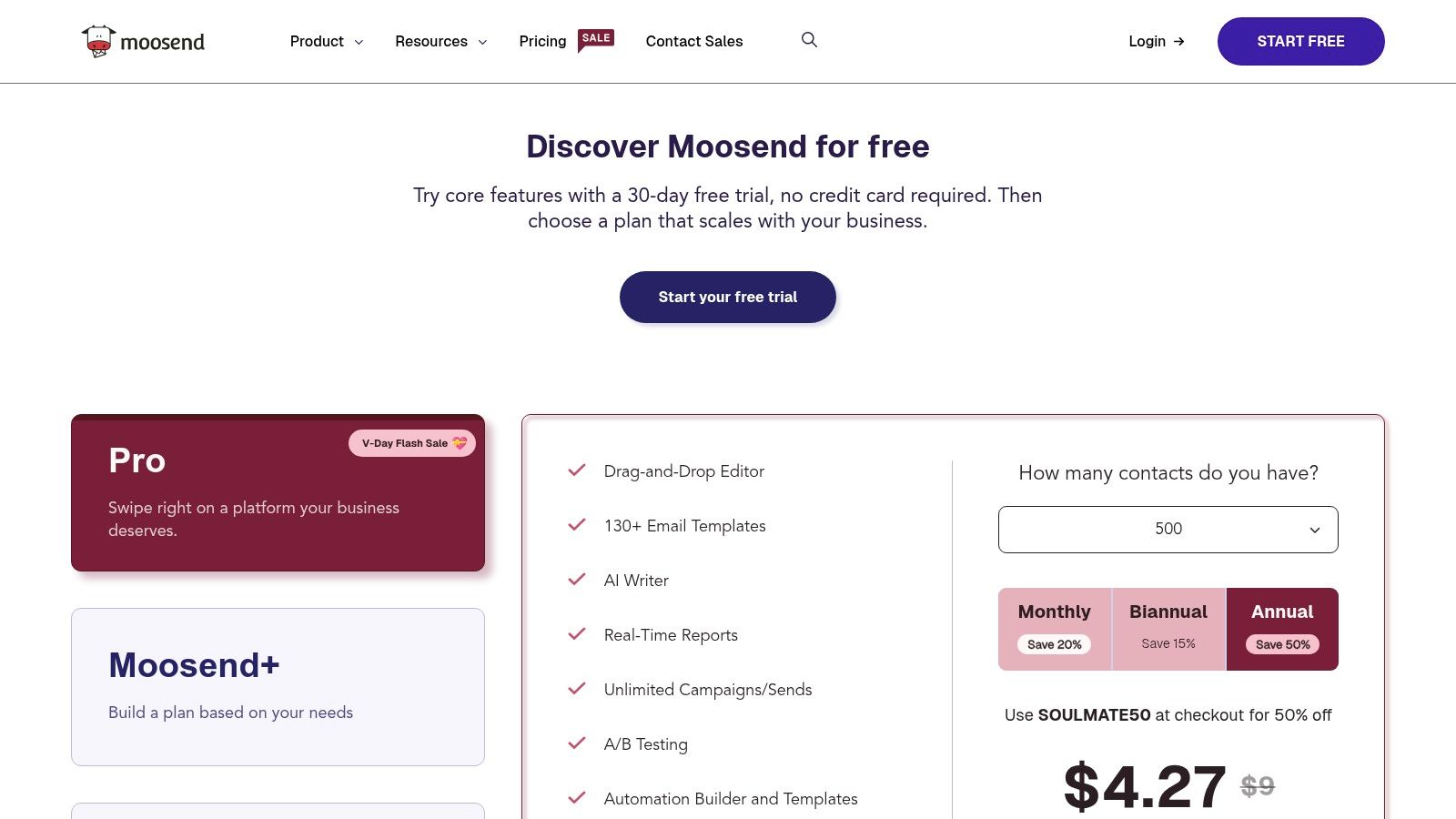
The platform stands out by offering unlimited emails on its paid plans and a unique pay-as-you-go credit system. This flexibility is ideal for seasonal businesses or infrequent senders who don't want to commit to a monthly subscription. Users can simply purchase email credits that never expire, providing a low-commitment entry into professional email marketing.
Key Features and Use Case
- Visual Automation Builder: Create and manage complex email sequences with pre-built templates and an easy-to-use drag-and-drop interface.
- Landing Pages and Forms: Design custom landing pages and subscription forms to capture leads directly within the platform.
- Pay-as-you-go Credits: Flexible pricing model for users with inconsistent sending schedules.
- Real-time Reporting: Track opens, clicks, bounces, and other key metrics to measure campaign effectiveness.
Best for: Budget-conscious small to medium-sized businesses and e-commerce stores that need powerful automation features without a high monthly cost.
To connect Moosend with Notion, you'll need to use an intermediary automation tool like Zapier or Make. These platforms allow you to create triggers, such as adding a new Moosend subscriber as a new row in a Notion database. This workaround enables a basic sync between your marketing activities and your Notion project management hub.
| Pros | Cons |
|---|---|
| Very competitive pricing with a generous 30-day free trial | Smaller integration ecosystem than top-tier competitors |
| Pay-as-you-go credits are great for occasional campaigns | Advanced enterprise features are reserved for custom Moosend+ plans |
| Unlimited emails on all paid plans | The brand has a smaller footprint and community than Mailchimp |
Website: https://moosend.com/pricing
12 Mailchimp Alternatives: Feature Comparison
| Product | ✨ Key features | ★ UX / Quality | 💰 Pricing & value | 👥 Target audience | 🏆 Standout |
|---|---|---|---|---|---|
| HubSpot Marketing Hub | Visual workflows, native CRM, landing pages | ★★★★☆ — polished, enterprise-ready | 💰 Free→Enterprise; costs grow with contacts/seats | 👥 Mid→Enterprise marketing teams | 🏆 CRM-integrated automation |
| Brevo (Sendinblue) | Email, SMS, WhatsApp, automation, volume-based sending | ★★★☆☆ — solid multi-channel dashboard | 💰 Economical for high-volume monthly sends | 👥 SMBs needing multi-channel outreach | 🏆 Value for volume-based senders |
| MailerLite | Drag‑and‑drop editor, automations, AI writer | ★★★★☆ — simple & intuitive | 💰 Affordable + generous free tier | 👥 Solo creators & small teams | 🏆 Ease of use & price/value |
| Constant Contact | Templates, SMS (US), event tools, integrations | ★★★☆☆ — beginner-friendly onboarding | 💰 No permanent free plan; predictable tiers | 👥 Small businesses & beginners | 🏆 Strong onboarding & SMB toolkit |
| Klaviyo | Ecommerce segmentation, revenue analytics, SMS | ★★★★☆ — data-rich for stores | 💰 Pricier as profiles scale; SMS billed extra | 👥 Ecommerce merchants (Shopify/BigCommerce) | 🏆 Ecommerce attribution & flows |
| Kit (ConvertKit) | Visual automations, paid newsletters, tagging | ★★★★☆ — creator-focused UX | 💰 Creator tiers; noted price increases | 👥 Creators, coaches, publishers | 🏆 Monetization & audience management |
| ActiveCampaign | Advanced automations, CRM, lead scoring | ★★★★☆ — very powerful; learning curve | 💰 Scales with contacts; moderate→high | 👥 SMBs needing flexible workflows | 🏆 Automation flexibility & integrations |
| GetResponse | Funnels, webinars, automation, landing pages | ★★★☆☆ — feature-rich, somewhat complex | 💰 Strong value if combining webinars + email | 👥 Businesses using webinars & sales funnels | 🏆 All-in-one webinars + marketing funnel |
| Campaign Monitor | High-quality templates, brand controls, segmentation | ★★★★☆ — designer-friendly | 💰 Can be expensive at larger list sizes | 👥 Agencies & brand-conscious teams | 🏆 Design quality & brand governance |
| AWeber | Automation, landing pages, ecommerce basics | ★★★☆☆ — reliable, traditional UI | 💰 Clear send allowances; good support value | 👥 Small businesses & creators | 🏆 Deliverability & responsive support |
| Twilio SendGrid Marketing Campaigns | Drag/code editors, strong deliverability, dedicated IPs | ★★★☆☆ — developer + marketer mix | 💰 Campaigns + API billed separately; add-ons | 👥 Dev teams & ops-heavy senders | 🏆 Deliverability & developer tooling |
| Moosend | Visual automations, landing pages, pay-as-you-go credits | ★★★☆☆ — budget-focused UX | 💰 Very competitive; pay-as-you-go option | 👥 Price-sensitive or seasonal senders | 🏆 Affordability & flexible credit model |
Making the Right Choice for Your Business
Navigating the crowded market of email marketing platforms can feel overwhelming, but the journey from exploring services similar to Mailchimp to finding your perfect fit is a strategic process. As we've detailed, the "best" platform isn't a one-size-fits-all solution; it's the tool that aligns precisely with your business goals, technical stack, and growth trajectory. The expansive list of alternatives, from HubSpot to Moosend, demonstrates that the industry has evolved far beyond simple newsletters. Today, these platforms are powerful engines for automation, customer relationship management, and multi-channel marketing.
Your decision should be a direct reflection of your core business needs. A growing ecommerce brand will find Klaviyo’s deep data integrations and revenue-focused analytics invaluable, while a content creator or influencer will gravitate towards Kit's (formerly ConvertKit) audience-centric features and straightforward automations. If your priority is finding an all-in-one solution that scales from marketing to sales and service, HubSpot Marketing Hub remains an undisputed leader, albeit at a higher price point.
Key Factors to Guide Your Selection
Before committing to a new platform, it's crucial to move beyond feature lists and assess how a tool will integrate into your daily operations. Your final choice hinges on a few critical questions:
- Primary Use Case: Are you focused on lead nurturing through complex automation (ActiveCampaign), running integrated marketing campaigns with landing pages and webinars (GetResponse), or do you need a simple, budget-friendly tool for beautiful newsletters (MailerLite)? Define your number one priority.
- Scalability and Budget: Your needs today might be different a year from now. Consider the pricing tiers and feature gates. Platforms like Brevo and MailerLite offer generous free plans that are perfect for starting out, but ensure their paid tiers have the advanced capabilities you'll eventually require.
- Technical Integration: How well does the platform play with your existing tools? A seamless workflow is non-negotiable. This is particularly important for teams that rely on centralized knowledge bases and project management systems like Notion. While many of the discussed services offer integrations via third-party tools like Zapier, the lack of a direct, native connection can create friction and data silos.
Final Thoughts on Implementation
Once you’ve shortlisted a few candidates, take full advantage of their free trials or demo periods. This is your opportunity to test the user interface, build a sample automation, and import a small segment of your contact list to see the process firsthand. Pay close attention to the support resources available. A platform with responsive customer service and a comprehensive knowledge base, like Constant Contact or AWeber, can be a lifesaver during the migration process.
Ultimately, choosing from the many excellent services similar to Mailchimp is an investment in your business's future. By carefully evaluating your unique requirements against the strengths of each platform, you can select a partner that not only meets your current needs but also empowers you to build stronger customer relationships and achieve your long-term growth objectives. The right tool will feel less like software and more like an extension of your team.
Ready to streamline your workflow and send email campaigns without ever leaving your favorite productivity tool? If your team runs on Notion, bridge the gap between your workspace and your audience with NotionSender. It allows you to manage contacts and send emails directly from Notion, creating a truly unified and efficient system. Explore how you can centralize your marketing efforts at NotionSender.

