
Web site project plan: A Practical Guide to Timely Website Launch
A web site project plan is your single source of truth. It's the document that takes a brilliant idea and turns it into a functional, goal-driven website—all while staying on time and on budget.
Think of it as the strategic roadmap for your entire project. It outlines everything from the initial objectives and scope to launch timelines and post-launch maintenance. This ensures every stakeholder is aligned, and every single task is accounted for. Ultimately, a good plan is what prevents scope creep, clarifies who's responsible for what, and turns a massive, complex process into a series of manageable steps.
Why a Project Plan Is Non-Negotiable for Success
Jumping into a website build without a plan is like trying to navigate a new city without a map. Sure, you might get there eventually, but you’ll probably waste a ton of time, money, and energy in the process. A well-structured web site project plan is the foundation that helps you sidestep common pitfalls like blown deadlines, budget overruns, and a final product that just doesn't hit the mark.
It forces you to have those critical, sometimes tough, conversations right at the beginning. This way, everyone from the marketing team to the developers is on the same page about the project's purpose and direction from day one. This isn't just about making a fancy to-do list; it's about building a strategic framework that keeps everyone accountable and the project moving forward.

The True Cost of Skipping the Planning Phase
I've seen it happen countless times: a team dives straight into design and development just to feel like they're making progress. But this "move fast" approach almost always leads to expensive, time-consuming revisions down the road.
Without a clear plan, misunderstandings are inevitable. For instance, the marketing team might be operating under the assumption that an integrated blog is part of the launch. Meanwhile, the dev team has only scoped out the core service pages. When this disconnect comes to light halfway through the build, it can completely derail the timeline and budget.
A project plan isn't bureaucratic overhead; it's an insurance policy against chaos. It aligns expectations and provides a clear framework for making decisions, ensuring the final website is a strategic asset, not just a collection of pages.
Key Benefits of a Detailed Website Plan
Putting in the time to create a detailed project plan upfront pays huge dividends throughout the website's entire lifecycle. It becomes the central communication hub, cutting down on the endless "just checking in" meetings and emails.
Tools like Notion are fantastic for keeping all this information in one place. You can even send project updates directly from your Notion workspace to keep stakeholders in the loop without breaking your workflow. You can learn more about how to manage project emails with NotionSender at https://www.notionsender.com/.
Here are the tangible advantages a good plan delivers:
- Prevents Scope Creep: By clearly defining what’s in—and just as importantly, what’s out—of the project, you have a firm baseline to measure all new feature requests against.
- Improves Resource Allocation: It gives you a much clearer picture of the time and people needed for each phase. This helps prevent team burnout and keeps you from getting hit with surprise budget requests.
- Aligns Stakeholders: A documented plan makes sure everyone, from the CEO to the content creator, is working toward the same vision and understands what success looks like.
- Establishes a Realistic Timeline: When you break a massive project into smaller, concrete tasks and milestones, you can build a timeline that's both ambitious and actually achievable.
As part of this foundational work, it's also critical to pick the right tech stack from the start. A great resource on choosing the right CMS for your small business can guide you in making a decision that will support your project's goals for years to come.
Alright, with your core objectives locked in, it's time to start translating that strategy into something a user can actually see and interact with. This is where we get into the nitty-gritty of the site’s architecture—mapping out how someone will get from point A to point B, and what they’ll find when they get there.
Think of this step as creating the blueprint for your website. It’s what ensures the final product is intuitive and, most importantly, guides visitors naturally toward those conversion goals you just set.
Building Your Visual Sitemap
First up, the sitemap. And no, I don't mean a boring list of pages. I’m talking about a visual, hierarchical flowchart that shows the real relationships between pages. The sitemap is the skeleton of your website, and getting it right is non-negotiable.
It usually starts with the homepage at the very top, then branches out to your main navigation items like "Services," "About Us," and "Contact." From there, each of those sections breaks down even further.
For instance, your "Services" page might branch into:
- Service A: Detailing the features and benefits of your primary offering.
- Service B: Explaining a secondary or complementary service.
- Pricing: A clear breakdown of costs and packages.
This simple visual hierarchy does more than just keep things organized. It forces you to spot potential dead ends or confusing user journeys way before they become a real problem. It’s the first real step toward making sure your site feels logical and is genuinely easy to use.
A well-structured sitemap is the difference between a website that feels like a guided tour and one that feels like a maze. It’s where your business goals meet the user's need for clarity.
Once everyone’s happy with the sitemap, we move on to low-fidelity wireframes. These are basically just simple, blocky layouts. We're not worried about colors or fonts yet—this is all about structure and function. A homepage wireframe might have boxes for the hero image, the main headline, a call-to-action button, and key service sections. The goal here is to get agreement on where things go before a single pixel is designed. Trust me, this saves an incredible amount of time on revisions down the line.
Developing A Proactive Content Strategy
If there’s one thing that consistently derails a website project, it’s treating content as an afterthought. A website is just an empty shell without its words, images, and videos. Your project plan has to tackle content creation with the same seriousness as design and development.
Your sitemap is the perfect launchpad for this. Pull up a simple spreadsheet or, even better, a Notion database and list out every single page from your sitemap. Then, for each page, add a few key columns:
| Page Name | Content Owner | First Draft Due | Final Approval Due | Status |
|---|---|---|---|---|
| Homepage | Sarah (Marketing) | March 15 | March 22 | In Progress |
| About Us | David (CEO) | March 18 | March 25 | Not Started |
| Service A | Sarah (Marketing) | March 20 | March 27 | Draft Complete |
Suddenly, "getting the content" is no longer some vague, abstract task. It’s a series of accountable, deadline-driven assignments. Everyone knows who’s responsible for what and when it needs to be done to keep the whole project on track.
By mapping out the user experience and content flow early on, you’re building a rock-solid foundation for your website. This is the stage that ensures the design and development phases are guided by a clear, strategic vision. It’s the absolute best way to avoid that last-minute, panicked scramble for content that plagues so many projects.
Building Your Project Timeline And Team Roster
Alright, you've got your site architecture and content flow mapped out. Now it's time to get real and turn that blueprint into a practical, time-bound schedule. An idea without a timeline is just a dream, and this is where your web site project plan starts to grow teeth. We're talking about orchestrating every moving part—from assigning developers to budgeting for stock photos—to keep things on track and everyone in the loop.
First things first: deconstruct the entire project into small, manageable tasks. A giant to-do item like "Build Homepage" is basically useless. It’s too vague. Instead, you need to break it down into its core components:
- Design homepage mockup
- Develop the header component
- Write the hero section copy
- Optimize the hero image for web
This level of detail makes progress feel tangible and helps you spot potential bottlenecks before they completely derail your schedule.
Crafting A Realistic Project Timeline
Once you have that granular task list, you can build a visual timeline. For a lot of folks, a Gantt chart is the go-to tool here, and for good reason. It doesn't just show tasks and deadlines; it visualizes the dependencies between them. For instance, the "Develop header component" task can't even begin until the "Design homepage mockup" is approved. Seeing those connections laid out is crucial for building a schedule that actually works.
And please, don't just guess at how long things will take. One of the classic mistakes is planning a website without a realistic grasp on timelines. Some research shows that 80.7% of web designers take a full month for a typical project, with others needing up to two months. Why? They run into common pitfalls like overly crowded layouts or forgetting to add calls-to-action. You can dig into more of these web design statistics at Hostinger.com. The big takeaway here is to build a buffer into your timeline for those inevitable revisions and curveballs.
Here’s a simplified look at how key UX milestones naturally flow from one to the next, which is the kind of thinking you need to build an accurate timeline.
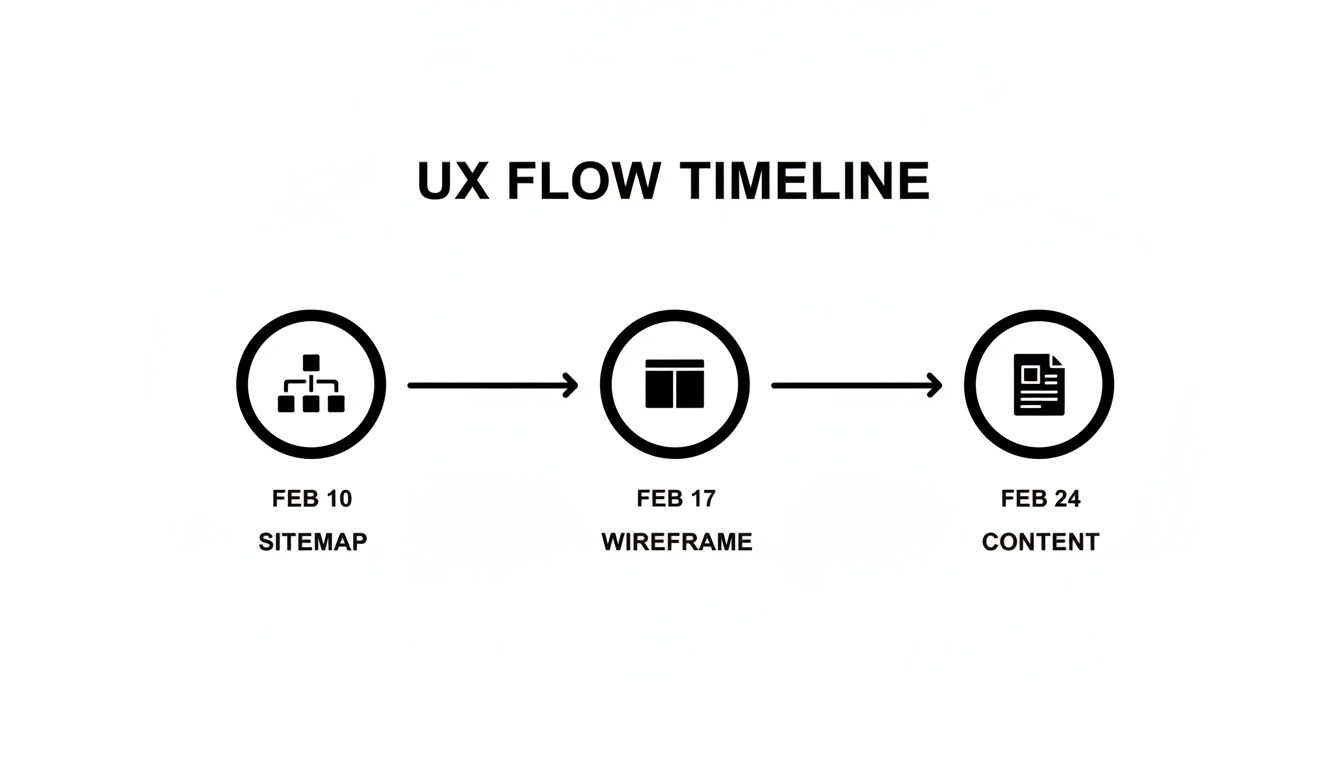
This flow just makes sense: the sitemap has to be locked in before wireframing can start, and the wireframes inform what content needs to be created.
Assembling Your Project Team Roster
A timeline is pretty useless without the right people to execute the tasks. So now, you'll map out your team roster, clearly defining roles and assigning ownership for every single item on that task list. This isn't just about listing names; it's about making responsibilities crystal clear to eliminate confusion and make sure everyone is accountable.
Your roster needs to clearly state who the DRI (Directly Responsible Individual) is for each task. It might look something like this:
- Design Homepage Mockup: DRI - Jane (UX/UI Designer)
- Write Homepage Copy: DRI - Mark (Content Strategist)
- Develop Homepage: DRI - Alex (Lead Developer)
Don't forget to account for other resources beyond your core team. This is where you budget for things like premium plugins, stock photography licenses, or even hiring a freelance SEO consultant for a quick audit. Every resource, whether it’s a person or a purchase, needs a line item in your plan.
Your project roster is more than a list of names; it's a commitment to clarity. When everyone knows exactly what they're responsible for, the entire project moves forward with way more efficiency and a lot less friction.
By meticulously breaking down the work, building a realistic visual timeline, and assigning clear ownership, you turn your website concept into an actionable plan. This is the operational heart of your web site project plan, the part that ensures every effort is coordinated and every milestone is hit on the way to a successful launch.
Managing Your Entire Project Plan Inside Notion
Let's be honest: spreadsheets, scattered docs, and a dozen different task managers are a recipe for chaos. Modern web projects move too fast for that. They thrive when everything—and everyone—is in one central hub. This is where Notion stops being just a cool note-taking app and becomes the command center for your entire web site project plan.
Instead of your team hunting for information across different platforms, you can build a single, interconnected dashboard. It becomes the one source of truth where developers, designers, and stakeholders can see real-time progress, grab key documents, and know exactly what they’re responsible for. You’re not just making a static plan; you’re building a living, breathing workspace.
Building Your Project Command Center
The heart of any good Notion setup is the project dashboard. This isn’t just a glorified to-do list. It’s a curated, at-a-glance view of the project's most critical vitals. The goal is simple: anyone who lands on this page should immediately understand the project's health and what’s happening right now.
I usually start by creating a main page for the project. From there, I embed different "views" of my core databases. For example, one section might show all tasks currently tagged "In Progress." Another could be a filtered view of the master timeline, showing only deadlines coming up in the next two weeks. I'll also add a quick-access area for essential docs like the scope statement or the stakeholder contact list.
Here’s a glimpse of how a clean, functional project dashboard in Notion can pull everything together.
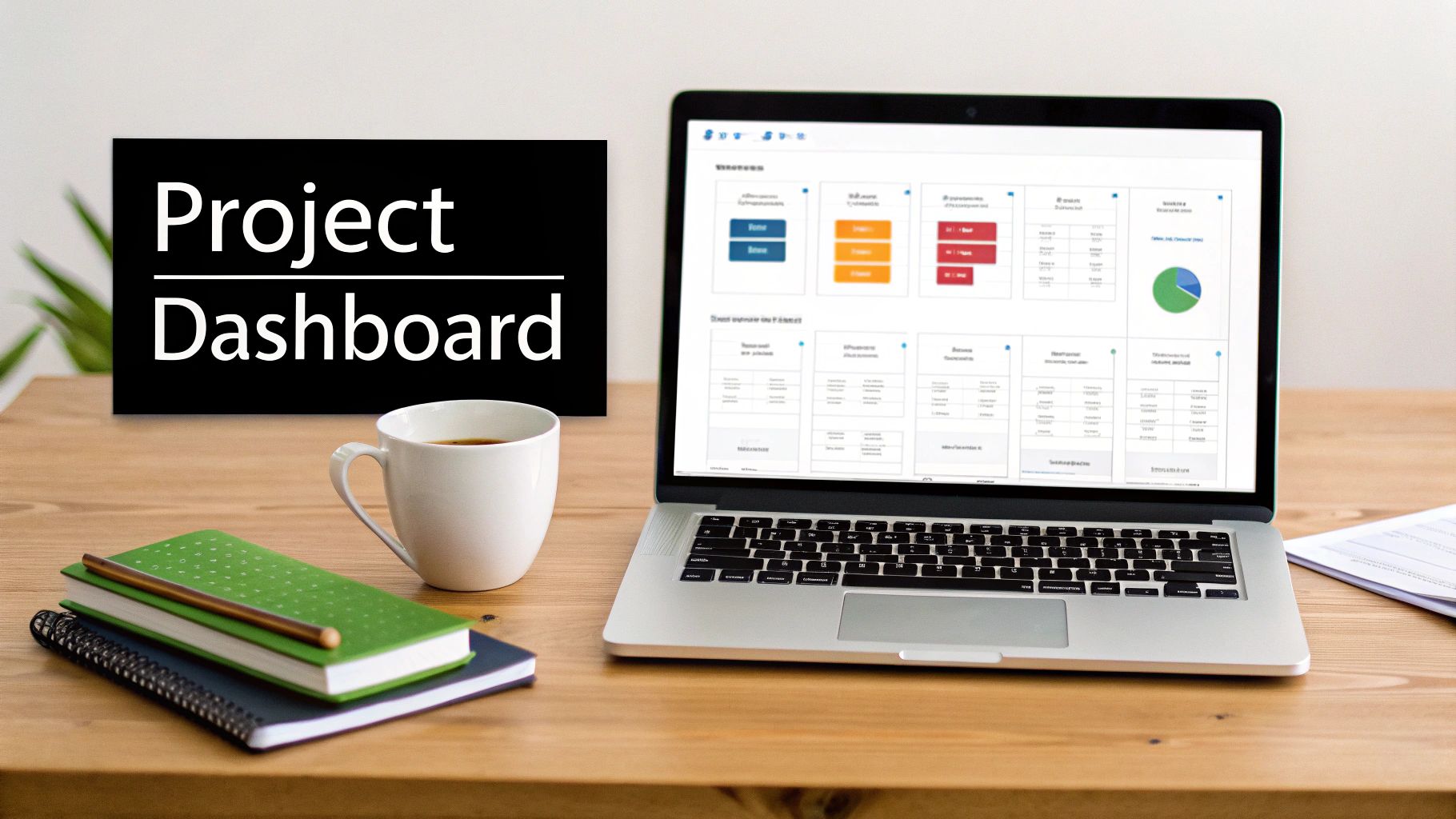
This kind of central view makes priorities crystal clear and pretty much eliminates the need for those endless "just checking in" status meetings.
The real magic, though, is in Notion’s linked databases. You're not just making separate lists; you're weaving a relational web of information. This is what truly elevates a Notion-based plan above a simple spreadsheet.
Think of it like this:
- A Master Tasks Database: This is the engine room. Every single task, from "Wireframe homepage" to "QA test the contact form," gets an entry here.
- A Content Calendar Database: Each piece of content—a blog post, a landing page—gets its own entry, which you can then link directly back to the relevant tasks in your master list.
- A Meeting Notes Database: Every meeting gets its own page. Any action items or decisions made can be linked to the specific tasks or project milestones they affect.
This web of connections means that when you're looking at the "Homepage Copy" task, you can click right over to the meeting notes where the content strategy was hammered out. It gives you the kind of context that gets lost when your work is siloed across different apps. If you want to dive deeper, we've got some great 10 tips to help you get the most out of Notion that can take your setup to the next level.
Key Project Management Components In Notion
To really get your project command center humming, you'll want to build a few core databases. This table breaks down the essentials that I've found to be the foundation of any solid website project plan in Notion.
| Notion Database | Purpose | Essential Properties To Track |
|---|---|---|
| Tasks & Milestones | The master list of all work to be done. | Status (To Do, In Progress, Done), Assignee, Due Date, Priority (High, Med, Low), Sprint |
| Content Calendar | Tracks every piece of content from draft to publication. | Page Name, Content Owner, Draft Due, Final Approval, Status |
| Stakeholders | A directory of everyone involved in the project. | Name, Role, Team/Department, Email, Communication Frequency |
| Meeting Notes | A log of all project-related meetings and decisions. | Meeting Date, Attendees, Action Items (linked to Tasks), Decisions Made |
By taking the time to build these structured databases and—most importantly—link them together, your web site project plan becomes more than just a document. It transforms into an interactive, intelligent workspace that helps you tame complexity and keep everyone on the same page from kickoff to launch.
Streamlining Stakeholder Communication With NotionSender
Let’s face it, keeping stakeholders in the loop can be a huge time-sink. Crafting status update emails constantly pulls you out of deep work. This is where a tool like NotionSender becomes an absolute game-changer, plugging directly into your workspace.
With NotionSender, you can write and send professional email updates without ever leaving your project dashboard. Think about it: your weekly progress report is just a template you've already built inside Notion. You can use database properties as variables to automatically pull in the latest info, like the number of tasks completed this week or any approaching milestones.
Instead of manually copying and pasting updates into an email client, you stay within your command center. This not only saves significant time but also reduces the risk of human error in your reporting.
A great way to manage this is to create a "Stakeholder Comms" database. Each entry is a specific email update. You draft the content on the Notion page, use NotionSender to fire it off to your stakeholder list, and the tool can even log the send date for you. Suddenly, you have a clean, searchable archive of every project communication, living right alongside the project plan itself.
Executing The Launch And Post-Launch Strategy
<iframe width="100%" style="aspect-ratio: 16 / 9;" src="https://www.youtube.com/embed/ZC37jl0lRF8" frameborder="0" allow="autoplay; encrypted-media" allowfullscreen></iframe>
Crossing the finish line is a huge milestone, but the work doesn't just stop once the site goes live. A good project becomes a great one during the launch and post-launch phases of your web site project plan, which is where you ensure it delivers real, lasting value. This is that final, crucial transition from a project to a living, breathing business asset.
Before you even think about flipping the switch, a meticulous quality assurance (QA) process is completely non-negotiable. This isn't just a quick click-through; it's a systematic deep dive to hunt down and squash any bugs, broken links, or visual quirks before a real visitor ever sees them.
Think of this final check as your last line of defense against a poor first impression.
The Pre-Launch Quality Assurance Checklist
Your pre-launch QA should be just as detailed as any other part of your plan. The whole point is to simulate the user experience across as many scenarios as possible to guarantee a smooth, professional launch day.
Your checklist really needs to cover a few key areas:
- Cross-Browser and Device Testing: You have to verify that your site looks and functions correctly on all the major browsers—Chrome, Firefox, Safari, and Edge—and across different devices, from desktops and tablets to various smartphone sizes.
- Functionality Checks: Test every single interactive element. I mean everything. Submit every form, click every button, and test any special features like search bars or calculators to make sure they work exactly as intended.
- Content and Link Verification: Give all the final copy one last proofread for typos and grammatical errors. It's also smart to use a tool to crawl the site and flag any broken internal or external links that could frustrate users.
- Performance and Speed Test: Run the site through performance analysis tools to check its loading speed. Slow pages are a massive conversion killer, so now is the time to optimize images and scripts.
Think of the pre-launch phase as a dress rehearsal. You wouldn't put on a major stage production without one, and your website launch deserves the same level of care. Catching a mistake now saves you from a public-facing error later.
Once the site passes this tough inspection and gets the final thumbs-up from stakeholders, you're ready for launch. But the moment it goes live, your plan has to immediately shift from building to maintaining and optimizing.
Shifting to Post-Launch Maintenance and Growth
Your website is now out in the wild, competing for attention. With 252,000 new websites popping up every week and only 15% remaining truly active, a proactive post-launch plan is what separates the survivors from the forgotten. Today’s users have sky-high expectations—a staggering 88.5% of them will bail on a slow-loading page, especially since mobile now drives 61.19% of all traffic. You can dig into more of these critical website statistics at Emailvendorselection.com.
This data isn't just interesting; it's a clear signal that you need a continuous improvement strategy.
Your post-launch plan should be built on four solid pillars:
- Performance Monitoring: Get your analytics tools set up right away to start tracking your key performance indicators (KPIs). Keep a close eye on traffic, bounce rates, conversion goals, and user behavior to see how the site is actually performing against the objectives you set way back at the beginning.
- Security and Backups: Establish a routine for regular site backups to protect against data loss. Implement security protocols, like malware scanning and software updates, to keep the site safe from threats.
- Content and SEO: Create a content update schedule to keep the site fresh and relevant for both users and search engines. You'll want to continue monitoring your keyword rankings and looking for new SEO opportunities. If your site has a blog, for instance, a strong content pipeline will be essential for attracting organic traffic. Part of this strategy might involve email marketing to promote new posts; we've got some great tips in our guide on how to increase your open rates with these 10 email marketing tricks.
- User Feedback: Make it easy for users to report issues or give you their thoughts. This direct input is gold for identifying pain points and areas for improvement you might have otherwise missed.
A well-documented post-launch strategy within your web site project plan is what ensures your new digital presence stays secure, functional, and continues to evolve right alongside your business.
Common Questions About Website Project Plans
Even with a rock-solid plan in hand, you’re bound to have some questions. That’s just the nature of web projects—each one throws its own unique curveballs. But after years in the trenches, I’ve found that many of the hurdles that feel unique are actually pretty common.
Let's walk through some of the most frequent questions that come up during planning and execution. Getting these sorted out now will help you dodge a few bullets later and steer your project with a lot more confidence.
What Is The Most Common Reason A Web Site Project Plan Fails?
Hands down, the number one killer is scope creep.
It's that slow, insidious process where project requirements just keep growing without anyone adjusting the timeline or budget to match. It never starts with a huge request. It’s always a series of small, "can you just..." additions from stakeholders that, one by one, pile up and completely derail your schedule.
Your best defense is an ironclad scope document, signed off by all key players before a single line of code is written. This document needs to be crystal clear about what’s included in the project and, just as importantly, what isn't. You also need a formal change-request process. Any new idea has to be put through the wringer and evaluated for its real impact on time and cost before it gets a green light.
A project plan isn’t just a guide; it’s a contract. Treating it as such gives you the leverage to protect your timeline and budget from the slow, steady pressure of scope creep.
Having this framework isn't about saying "no." It's about turning a subjective "Can we do this?" into an objective conversation: "Okay, how will this new feature affect our agreed-upon launch date and budget?"
How Detailed Should The Task Breakdown Be?
Think small. Really small. The goal is to get granular enough that each task is a clear, actionable item one person can knock out in a few hours to a few days max. A vague task like "Build Homepage" is a recipe for confusion and delays.
Instead, break it down into its smallest possible components. For example, "Build Homepage" should really look something like this:
- Wireframe homepage layout
- Design homepage mockup in Figma
- Get stakeholder sign-off on mockup
- Develop responsive header component
- Write and approve hero section copy
- Code the main services section
This level of detail makes it ridiculously easy to see where you really are in the project and spot bottlenecks before they become full-blown crises. If the "Design homepage mockup" task is three days late, you know instantly that every single task after it is now at risk. That clarity lets you be proactive instead of constantly putting out fires.
How Should I Handle Unexpected Project Delays?
First things first: accept that delays will happen. They are an inevitable part of any complex project, which is why you should always build a time buffer into your initial plan.
When a delay does occur, your first move is to figure out the root cause. Is it a gnarly technical problem? A key stakeholder taking forever to give feedback? An internal resource getting pulled onto something else?
Once you know the why, you need to assess the damage. Specifically, you need to see how it affects the project's critical path—that's the chain of tasks that directly determines your final delivery date. A delay on a minor, non-critical task might not matter much, but a delay on a critical one will push everything back.
Then, you communicate. Be transparent with your team and stakeholders immediately. Don't hide it. Present a clear, revised plan that shows the delay, its impact, and what you’re going to do to get things back on track. Proactive communication builds trust and helps everyone manage their expectations. If you're looking for more strategies, checking out an essential website project plan can offer some great additional insights.
Keeping all your stakeholders in the loop with updates doesn't have to be a manual, time-sucking chore. NotionSender plugs right into your Notion workspace, letting you send out polished, professional emails straight from your project dashboard. Keep everyone informed without breaking your workflow by visiting https://www.notionsender.com.

