What Is Notion Used For? Practical Uses for Teams and Freelancers

So, what exactly is Notion? At its heart, Notion is a single, unified workspace designed to replace the hodgepodge of apps you’re probably juggling right now. It brings your notes, tasks, project plans, and internal wikis together under one roof. Think of it as the central command center for organizing information, running projects, and keeping your team on the same page.
Your Digital Headquarters
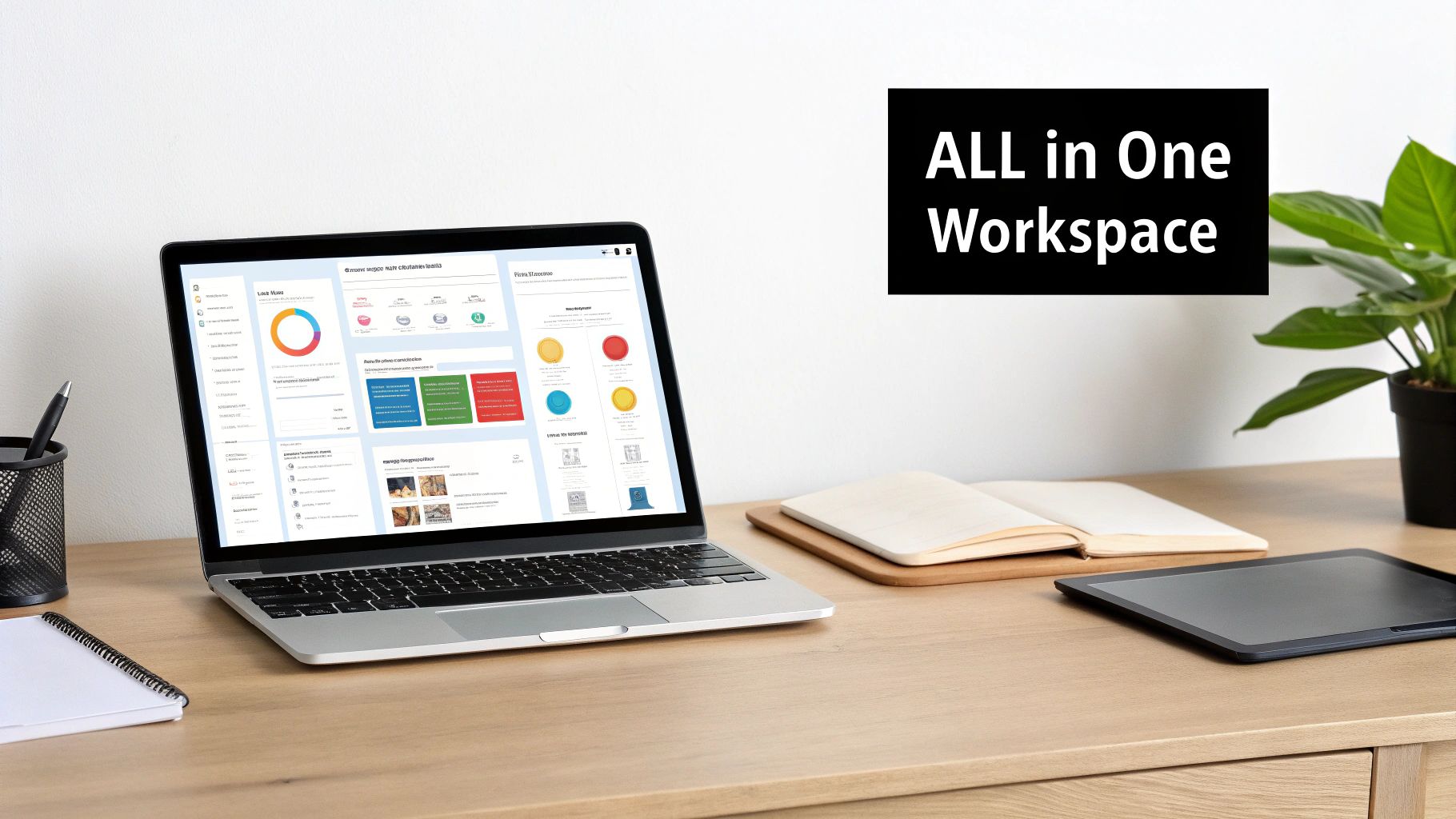
The best way to think about Notion is like a set of digital LEGO bricks. Most apps give you a pre-built car or house—they're rigid and do one thing well. Notion, on the other hand, gives you all the individual blocks, letting you build the exact system you and your team actually need. That flexibility is its secret sauce.
Instead of being stuck with someone else's idea of a workflow, you get to design your own. It's more than just a slick note-taking app or another project board; it’s basically an operating system for your work, giving you the power to build your own tools from the ground up.
What Can You Build with Notion?
The possibilities are pretty much endless, but most people's creations fall into a few core buckets. Getting a handle on these functions will make it crystal clear what you can accomplish.
- Note-Taking and Documentation: This goes way beyond plain text. You can create dynamic documents with checklists, embed videos, and drop in images, making them perfect for anything from meeting minutes to a personal journal.
- Knowledge Management: Build a central "second brain" for yourself or a complete company wiki for your team. This is where you store everything from brand guidelines to HR policies so everyone can find what they need, when they need it. No more shoulder-tapping.
- Project and Task Tracking: Forget dedicated project management software. You can spin up Kanban boards, calendars, and timelines to manage entire projects, from initial kickoff to final delivery.
- Database Creation: This is where Notion truly flexes its muscles. You can create powerful, interconnected databases for just about anything you can imagine: a client CRM, a content calendar, an employee directory, an inventory tracker—you name it.
The real magic, though, isn't in these individual features. It’s how they all talk to each other. A task on a project board can link directly to the detailed notes from the meeting where it was assigned, which in turn might reference the client’s profile in your CRM database.
To help you visualize this, here’s a quick breakdown of how these functions come together to create real business value.
Notion's Core Functions at a Glance
| Core Function | Primary Use Case | Benefit for Your Business |
|---|---|---|
| Notes & Docs | Creating dynamic documents, meeting minutes, and personal journals. | Keeps all related information in one easily accessible and context-rich place. |
| Knowledge Base | Building a centralized company wiki or "second brain." | Reduces redundant questions and empowers teams with instant access to information. |
| Tasks & Projects | Managing workflows with Kanban boards, calendars, and timelines. | Provides a clear, real-time view of project progress without app-switching. |
| Databases | Creating custom CRMs, content calendars, and directories. | Organizes complex information into a structured, relational, and easily sortable format. |
This interconnected system creates a single source of truth, ending the frustrating hunt for scattered information across a dozen different apps.
Notion acts as a central hub, or 'digital headquarters,' empowering individuals and teams to design custom systems that fit their exact needs without being confined by rigid software.
Everything you need lives in one place, giving you the full context for whatever you're working on. To really start unlocking this potential, check out these 10 tips to help you get the most out of Notion.so. It’s the perfect primer for the powerful, real-world examples we’re about to dive into.
Why Notion Is Your All-in-One Workspace
<iframe width="100%" style="aspect-ratio: 16 / 9;" src="https://www.youtube.com/embed/GImxy01wW0o" frameborder="0" allow="autoplay; encrypted-media" allowfullscreen></iframe>
We've all been there, drowning in "tool sprawl." You know the feeling—jumping between one app for notes, another for tasks, a third for documents, and a fourth for spreadsheets. It's a daily digital shuffle that scatters information, breaks your focus, and makes it impossible to see the big picture.
This is exactly the headache Notion was designed to cure. Think of it as a consolidator, a central hub that pulls all those scattered functions into one interconnected workspace. Instead of having your project plan in Asana and your meeting notes in Evernote, everything lives together, side-by-side.
The Power of a Single Source of Truth
By bringing everything under one roof, Notion creates a single source of truth. This isn’t just some empty buzzword; it’s a practical fix for the information silos that plague most teams. When everyone knows exactly where to find the latest version of a document or a project update, confusion simply melts away.
Let’s make this real. Imagine a project manager assigns a task on a Kanban board. In a typical setup, that task might vaguely reference a document buried somewhere in Google Drive and meeting notes that are who-knows-where.
Now, picture it in Notion. That same task card on the board can directly link to the full meeting notes page. That page, in turn, can contain the client brief, design mockups, and even an embedded spreadsheet with budget details. Everything is connected. You get the full context without ever having to switch tabs.
Eliminating Digital Friction for Teams
This kind of consolidation has a massive impact on how teams work together. When information flows freely between different parts of a project, you get rid of the friction that slows things down. No more "Where's the latest brief?" or "Can someone send me the notes from last week's call?"
This smooth, integrated workflow is a huge reason for the platform's explosive growth. Starting with just 1 million users back in 2019, Notion is on track to hit an estimated 100 million by 2026. What’s wild is that most of this growth came from simple word-of-mouth, as teams discovered a fundamentally better way to get things done.
By bringing tasks, notes, and data into one cohesive system, Notion doesn't just organize your work—it changes how you interact with it. Context is always at your fingertips, making decision-making faster and collaboration more effective.
The real magic happens when you start building custom workflows that fit your team's exact needs. You can even connect other tools to make Notion a true command center. For instance, our guide on the 7 ways to use Notion to send emails and more shows how you can manage your entire email workflow without ever leaving your project hub. This ability to build a bespoke, all-in-one system is why so many people are turning to Notion to finally solve their productivity puzzles.
Notion for Small Business Owners and Freelancers

If you're a small business owner or freelancer, you know the grind. You're the CEO, the project manager, the accountant, and the marketing department all rolled into one. This constant hat-switching can leave your information scattered and your operations feeling chaotic. This is exactly where Notion steps in, turning from a cool app into a legitimate business operating system.
Instead of paying for separate CRM software, a project management tool, and a note-taking app, you can build them all inside Notion. It's not just about cutting down on subscription costs; it's about creating one central place where every piece of your business puzzle actually fits together.
Building Your Own Client CRM
One of the best things you can do for a service-based business is build a custom Client Relationship Management (CRM) system. Forget those rigid, off-the-shelf tools. With Notion, you build a CRM that actually mirrors your sales and client management process.
It all starts with a simple database. Each entry is a client or a potential lead. From there, you add properties to track what really matters.
- Status: Use tags like "Lead," "Proposal Sent," "Active Project," or "Completed" to get a bird's-eye view of your pipeline.
- Contact Information: Keep fields for email, phone, and website right where you need them. No more hunting through old emails.
- Next Action: Add a text field or date to note the next follow-up step. This is how you stop leads from falling through the cracks.
- Related Projects: Link each client directly to their project pages, tying all communications and deliverables together.
This simple setup gives you a clear, visual map of your client relationships. You can even switch up the views—maybe a gallery view with client logos or a Kanban board organized by status—to manage your work in a way that just clicks for you.
Creating a Central Project Hub
Juggling multiple projects for different clients is the classic freelance headache. A project hub in Notion puts every deliverable, deadline, and piece of client feedback in one spot. Say goodbye to tasks getting lost in email threads or forgotten on sticky notes.
Create a master "Projects" database where each entry is a project. Inside each project page, you can nest all the related info, creating a self-contained little workspace for that client's job.
By linking your client CRM directly to your project hub, you create a powerful relational system. When you open a client's profile, you can instantly see every project you've ever worked on for them, along with all associated notes and tasks.
This hub becomes your command center. You can build a master calendar that pulls deadlines from all your different project databases, giving you a complete overview of your workload for the week or month. It’s this kind of organization that helps you deliver on time, every time.
For those of you using Notion to manage marketing, it's also worth exploring how to improve social media interactions. For example, optimizing Instagram engagement with comment automation can be a huge time-saver.
Tracking Finances with a Simple Dashboard
Knowing your numbers is non-negotiable for a healthy business. You can use Notion to whip up a straightforward financial dashboard to track invoices, monitor expenses, and keep an eye on your cash flow.
Just create another database, this time for invoices. Add properties to track the vitals:
- Invoice Number: A unique ID for each one.
- Client: A relation property that links straight back to your CRM.
- Amount: The total value of the invoice.
- Status: Simple tags like "Draft," "Sent," "Paid," or "Overdue."
- Due Date: A date property so you know when to follow up.
Using Notion's database formulas, you can make it calculate key metrics automatically. For instance, you could create a view that only shows "Overdue" invoices or a summary at the top of your dashboard that shows total income for the quarter. Suddenly, a simple table becomes an active financial tool, giving you immediate insight without needing clunky accounting software.
Streamlining Workflows for Project Managers

If you're a project manager or part of a marketing team, you know the daily grind. It's a constant juggling act, hopping between different platforms to keep all the moving parts in sync. Many traditional project management tools feel clunky and rigid, forcing you into workflows that just don't feel right.
Notion throws that old model out the window. It gives you a flexible canvas where you can build the exact project command center your team has always needed. Instead of a one-size-fits-all box, you get a set of powerful building blocks to design systems that perfectly map to how your team actually works, from the first brainstorm to the final report.
Designing Dynamic Project Roadmaps
Let's be honest, static roadmaps buried in spreadsheets or slide decks are obsolete the moment you create them. With Notion, you can build a dynamic project roadmap that acts as a single, living source of truth. It gives everyone a high-level overview that’s always up-to-date.
Most teams do this with a timeline view connected to a master tasks database. Each bar on the timeline represents a major project phase or milestone. Because it’s directly linked to your team’s day-to-day tasks, the roadmap updates in real-time as work gets done. Stakeholders get an accurate, at-a-glance view of the project's health without having to ask.
Agile Task Tracking with Kanban Boards
The Kanban method is a cornerstone for agile teams, and Notion’s implementation is fantastic. You can quickly set up a board where each card is a task and columns represent your workflow stages—think "To Do," "In Progress," "In Review," and "Done."
But here’s where it gets really good: each card is an entire Notion page. A single task card can hold everything you need:
- Sub-tasks with their own owners and due dates.
- Embedded documents like creative briefs or technical specs.
- Comments and discussion threads to keep every conversation right where it belongs.
This transforms a simple task board into a rich, collaborative hub. All the context is just a click away, finally putting an end to digging through old emails or chat logs to find what you need.
Notion's versatility has expanded dramatically, serving as a complete solution for documentation, project planning, and team collaboration. For small business owners and freelancers, it consolidates what previously required three to four separate tools into one integrated workspace.
This is what makes Notion so powerful for managing projects. It pulls everything—from the big-picture strategy down to the tiniest task—into one interconnected system.
Creating a Powerful Marketing Hub
Marketing teams are famous for juggling a dizzying number of activities, from content creation and social media to campaign analysis. Notion is the perfect tool for building a central hub to organize it all.
Imagine one workspace that houses your entire marketing operation. This central dashboard can link out to several key databases, creating a single source of truth that keeps the whole team aligned.
A great marketing hub in Notion might include:
- A Content Calendar: A database in a calendar view for planning blog posts, videos, and social updates. Each entry can track the status, author, publish date, and even performance metrics.
- Campaign Tracker: A Kanban board to manage multi-channel marketing campaigns from idea to launch and post-mortem.
- Brand Asset Library: A gallery view database to store logos, style guides, and approved imagery, making sure everyone stays on-brand.
- Performance Dashboard: A clean page with linked databases or embedded charts to track KPIs and report on campaign success without the manual number-crunching.
By creating these custom, interconnected systems, marketing teams and project managers can finally break free from the limits of rigid software. You can improve your processes even further by focusing on building an efficient content creation workflow within your new hub. It’s all about building workflows that truly support your goals, not the other way around.
Connecting Notion With Your Email Workflow
For all its strengths in wrangling projects and information, Notion has always had one big blind spot: a total disconnect from your email inbox. This gap forces a constant, frustrating shuffle between your central workspace and your communication hub. Every time you have to jump over to your inbox to find a client's message or copy-paste feedback, you lose a little bit of focus and momentum.
This isn't just a minor annoyance; it's a real productivity killer. Picture a freelance designer getting crucial project feedback over email. They have to stop what they're doing, open their inbox, hunt for the right message, copy the key points, switch back to Notion, find the right project and task, and then paste the info. That clunky process creates friction and makes it way too easy for important details to get lost along the way.
Turning Notion into a True Command Center
What if you could just get rid of that friction? When you integrate your email directly into your Notion workspace, it stops being just a great organizational tool and becomes a genuine command center for your operations. Instead of Notion being where you plan the work and email being where you discuss it, everything happens in one place.
This is exactly where tools like NotionSender come into the picture, building a solid bridge between your inbox and your databases. The idea is simple but incredibly powerful: instead of you manually moving information around, emails can be sent directly to a specific Notion database, automatically creating new entries with all the right details.
By connecting these two essential business tools, you create a seamless flow of information. Client communications, support tickets, and sales inquiries can land exactly where they need to be, attached to the right project or task from the moment they arrive.
This kind of integration is a total game-changer for anyone who lives in their inbox. The efficiency gains are immediate because you spend less time on tedious admin work and more time on the tasks that actually move the needle.
A Practical Example: Email Automation in Action
Let's make this real. Imagine a small marketing agency that uses Notion to manage all its client campaigns. Here’s a step-by-step look at how they could automate their email workflow:
- Create a Dedicated Database: First, they set up a "Client Communications" database in Notion. Each new entry will track an email conversation.
- Assign a Unique Email Address: Using an integration, they give this database its own unique email address (something like
client-comms@yourdatabase.notionsender.com). - Receive Emails Automatically: Now, when a client emails that address, a new item pops up in the Notion database instantly. The subject line becomes the page title, the email body fills the page content, and any attachments are included.
- Send Replies from Notion: The project manager can then open that new item, type a reply right on the Notion page, and send it back to the client—all without ever having to open Gmail or Outlook.
This smooth process ensures every piece of communication is logged and linked to the right client or project. If you want to see the full setup, our detailed guide breaks down exactly how to create and send email from Notion.
This deeper level of integration is a huge reason why Notion's popularity has skyrocketed among professional teams. The platform's recent growth, doubling to $500 million in annual revenue, has been fueled by features that support this kind of collaborative, "multiplayer" work. As more businesses make Notion their central hub, the ability to connect it with other essential tools like email isn't just a nice-to-have; it's critical. This shift proves that what teams really need is not just another app, but a connected ecosystem where their tools work together.
Common Questions About Using Notion
Even with all the buzz, jumping into a new tool like Notion can feel a bit daunting. You've probably got a system that mostly works, so it's fair to wonder if making a switch is worth it. Let's walk through some of the questions I hear all the time to help you figure out if Notion is the right move for you.
Is Notion Better Than Tools Like Trello or Asana?
This is probably the most common question, but it’s a bit like asking if a toolbox is better than a hammer. Tools like Trello and Asana are fantastic at one specific thing: structured project management. They give you a ready-to-go system for moving tasks across a finish line. Notion is a different beast entirely.
Sure, you can build a Kanban board in Notion that looks and feels just like the one you use in Trello. But that's just one small piece of the puzzle. The real magic happens when you connect that board to everything else. Imagine embedding your project board directly inside a project brief, linking a task to your detailed meeting notes, and then connecting that whole project to a client’s profile in your CRM—all without leaving Notion.
The Takeaway: If you just need a straightforward, dedicated project management tool, Asana or Trello are solid choices. But if you want to build a truly interconnected system where your projects, documents, knowledge base, and client info all live and "talk" to each other, Notion is in a league of its own.
Can Notion Really Replace Google Docs and Airtable?
For most small businesses, freelancers, and marketing teams, the answer is a resounding yes. Notion's block-based editor lets you craft rich documents that easily rival Google Docs. At the same time, you can build powerful databases that do much of what you'd use Airtable for.
But the key isn't just that Notion can replace them; it's that it brings their functions together. A task on your project board isn't just a card—it's a full page where you can drop notes, images, and files. That task can also pull data from a master database, keeping everything in sync. While power users with super complex spreadsheets might still need a dedicated tool, Notion has more than enough muscle to consolidate the core work you do in those other apps. This means fewer subscriptions and a lot less bouncing between browser tabs.
This flow of information is what makes it so powerful. You can create a workflow that pulls everything into one central hub.
For instance, you can funnel all your important email communication directly into Notion, turning messages into organized tasks or project notes you can act on immediately.
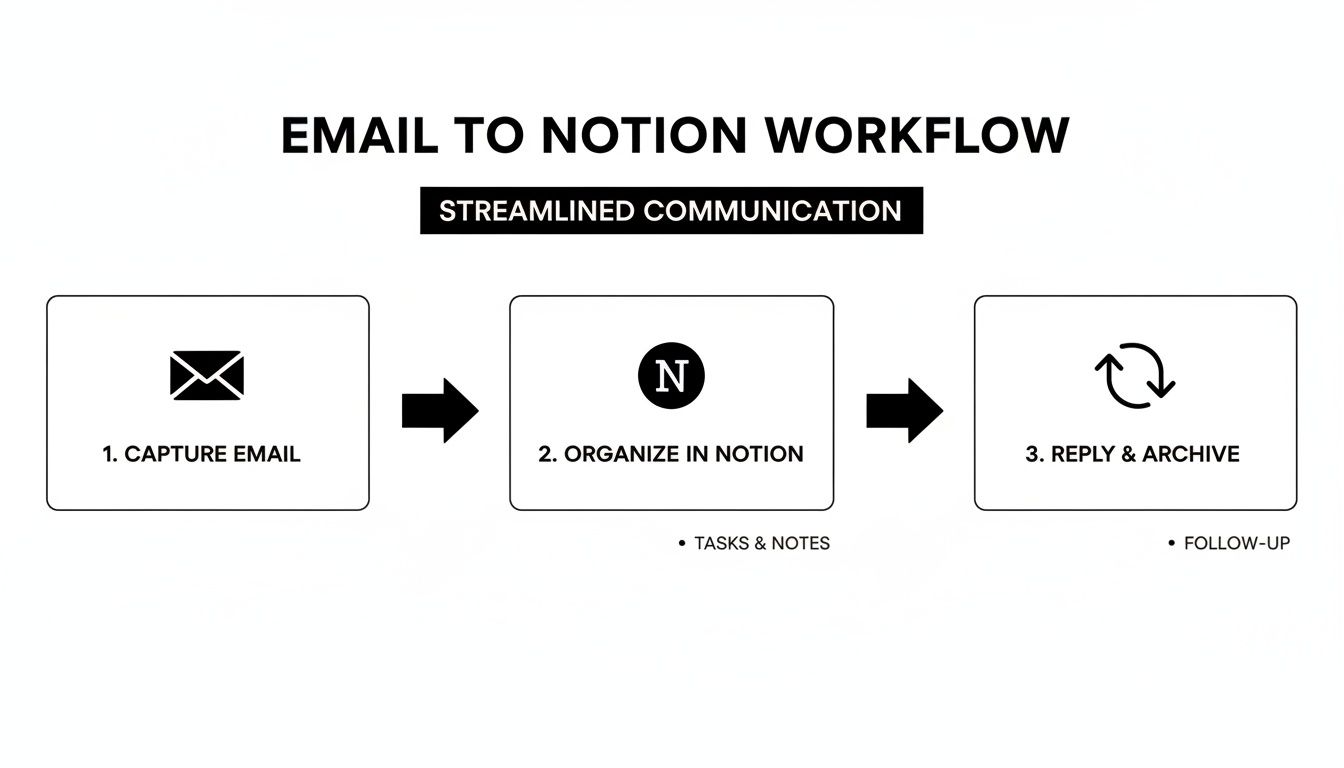
This kind of setup stops the constant app-switching that kills productivity and keeps all your project-related communication right where it belongs.
Is There a Steep Learning Curve?
I'll be honest, when you first open Notion, that blank page can look a little intimidating. But the learning curve is much gentler than it seems. You can pick up the basics—like making pages, adding text, and creating checklists—in just a few minutes.
The secret is to start small. Please, don't try to build your company's entire operating system on day one.
Pick one simple thing to track, like your personal to-do list or notes from a weekly meeting. From there, you can explore the massive library of free templates created by the Notion community. Starting with a pre-built system lets you see what’s possible and customize it as you go, which completely flattens that learning curve and helps you get the hang of things without feeling overwhelmed.
Ready to turn your Notion workspace into a real command center? With NotionSender, you can connect your email directly to your projects, automate your outreach, and finally stop the tab-switching madness. Manage everything from one place. Get started with NotionSender today and build a workflow that just works.