Content management workflow: Streamline Your Content Production Today

A content management workflow is the system your team follows to get content from a simple idea to a published, analyzed piece. Think of it as your content's assembly line—a repeatable process that defines every step, assigns every task, and clarifies who's responsible for what.
It’s the secret to turning creative chaos into a predictable, efficient machine that consistently churns out high-quality content, right on schedule.
Why Your Content Process Feels Like Chaos
Staring at a mountain of missed deadlines, scattered files, and endless email chains? You're not alone. This is the painful reality of trying to create content without a real system in place.
Ideas get lost in Slack DMs, critical feedback is buried in forgotten email threads, and nobody is ever quite sure which version of a document is the actual final one. It feels less like a professional operation and more like a chaotic home kitchen during a holiday dinner—everyone's busy, but nothing is getting done efficiently.
This friction isn't just frustrating; it's a huge bottleneck for your business. The pressure on content teams right now is intense. Recent data shows that only 32% of organizations can push content updates across multiple channels on the same day. That leaves a staggering 57% of teams stuck with manual handoffs and patchwork systems that kill productivity. Dig into the details by checking out the latest report on digital content trends.
Not sure if this is your team? Here’s a quick way to diagnose the problem.
Signs Your Content Workflow Needs an Overhaul
If you're nodding along to any of the symptoms below, it's a clear signal that your current process (or lack thereof) is holding you back. This table breaks down common pain points and how a structured workflow can solve them.
| Symptom | Impact on Your Business | How a Workflow Helps |
|---|---|---|
| Missed deadlines are the norm. | Inconsistent publishing schedule, missed market opportunities, and a stressed-out team. | Sets clear timelines, automates reminders, and makes bottlenecks obvious. |
| Feedback is scattered everywhere. | Conflicting edits, wasted time hunting for comments, and lower-quality final content. | Centralizes all feedback in one place, creating a single source of truth. |
| No one knows who does what. | Duplicate work, tasks falling through the cracks, and endless "who's on this?" emails. | Defines clear roles and responsibilities for every stage of the process. |
| Files are a mess (v1, v2, FINAL). | Time wasted searching for the right version and the risk of publishing outdated info. | Creates a structured system for asset management and version control. |
| Content quality is inconsistent. | A weakened brand voice and a confusing experience for your audience. | Enforces brand guidelines, style guides, and quality checks at specific stages. |
| The process feels stressful. | Team burnout, low morale, and high turnover. | Reduces uncertainty and frustration, giving your team a clear path to follow. |
If these issues hit a little too close to home, don't worry. A solid workflow is the solution you’ve been looking for.
From Friction to Flow
A content management workflow is the antidote to this chaos. It’s not about imposing rigid, bureaucratic rules. It's about creating a smart framework that guides your team from that first brilliant idea to a polished, high-impact final product.
Think of it like a professional chef’s mise en place—every ingredient (task) is prepped and in its place, every station (stage) is organized, and the entire kitchen staff knows the recipe (process) by heart.
A well-designed workflow transforms content creation from an unpredictable art into a reliable science. It provides the structure needed for creativity to flourish without being stifled by administrative confusion.
The goal is to build a clear, actionable path from operational friction to seamless execution. This system ensures every blog post, video, or email moves smoothly through core stages like ideation, creation, review, and distribution.
If your process feels more like a frantic scramble than a smooth operation, it's time to learn how to master your content creation workflow. By establishing a clear process, you can finally stop fighting fires and start focusing on what truly matters: creating amazing content that connects with your audience and drives real results.
The Five Core Stages of Every Great Workflow
A solid content management workflow isn't a single event—it's a complete lifecycle. It’s what shepherds a piece of content from a rough idea all the way to a finished asset that pulls its weight and delivers real results. When you break this cycle down into clear stages, the whole process feels less like magic and more like a repeatable, scalable system.
This image really captures the transformation. On one side, you have chaos. On the other, results. What connects them? The workflow.
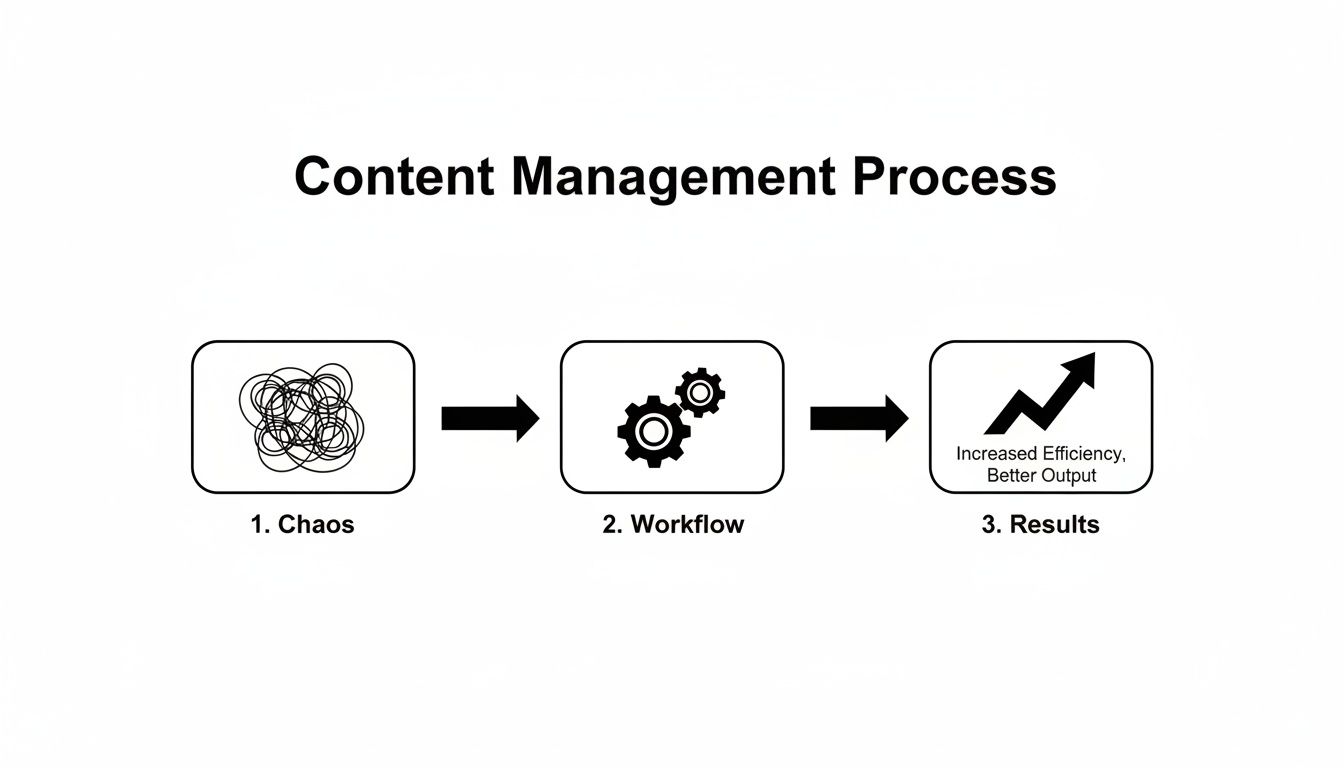
That journey from "Chaos" to "Results" isn't an accident. It’s powered by a process—an engine you can build for your own team by implementing these five core stages.
Stage 1: Ideation and Planning
Every piece of content starts as an idea, but a workflow makes sure it’s a strategic idea right from the get-go. This is where you brainstorm, kick the tires on a few concepts, and build a solid foundation before anyone writes a single word.
This isn't just about asking, "What should we write about?" It’s about digging deeper. Who are we talking to? What problem of theirs are we solving? And how does this help our business? Good planning here saves you from pouring hours into content that ultimately falls flat.
A proper planning stage usually involves:
- Audience Research: Getting into the heads of your customers to understand their needs, questions, and pain points.
- Keyword Analysis: Finding the search terms real people are using to discover content just like yours.
- Topic Validation: Making sure your ideas are relevant, timely, and bring a fresh angle to the conversation.
- Goal Setting: Deciding what "success" looks like. Is it leads? Traffic? Becoming the go-to expert in your niche?
Stage 2: Creation and Collaboration
Once the plan is locked in, it’s time to actually make the thing. This is where writers write, designers design, and producers hit record. But in a healthy workflow, this is never a solo mission. It's a team effort, guided by crystal-clear instructions.
The MVP of this stage is the content brief. Think of it as the blueprint. It holds all the key info from the planning phase—the target audience, keywords, main points, and what you want the reader to do next.
A good brief cuts down on the endless back-and-forth and gets everyone on the same page from the start. It's wild, but a huge amount of wasted time in content production—as much as 70%—comes from fuzzy instructions and scattered communication right here in the creation phase.
Stage 3: Review and Approval
With a draft in hand, it’s time for quality control. The review and approval stage is your chance to catch typos, sharpen the message, and make sure the final piece aligns with your brand and strategy.
Without a set process, this is where things can grind to a halt. Feedback flies in from every direction—email threads, Slack DMs, comments in a Google Doc—and suddenly you’re drowning in conflicting advice. It's a classic bottleneck.
A structured review process isn't about red tape; it's about clarity. It defines who reviews what, in what order, and by when. It turns a potential free-for-all into an efficient, predictable step.
For example, your workflow might have the editor check for grammar first, then a subject matter expert for factual accuracy, and finally, a marketing manager for brand voice. Simple, clean, and effective.
Stage 4: Distribution and Promotion
Making great content is only half the job. The other half is getting it in front of the right people. Distribution is about publishing the content on your main channel (like the company blog) and then pushing it out across other platforms where your audience hangs out.
So many teams drop the ball here. They hit "publish" and move on. But a smart workflow includes a post-publication checklist to squeeze every last drop of value out of your hard work.
That checklist might look something like this:
- Publishing to the website's CMS.
- Email Marketing to share the new piece with your subscribers.
- Social Media Promotion with custom posts for LinkedIn, Twitter, etc.
- Internal Communication to let the sales and support teams know they have a new resource to share.
Stage 5: Analysis and Optimization
The final stage brings everything full circle. This is where you measure how your content performed and figure out how to do even better next time. It’s what turns your content engine from a guessing game into a data-driven strategy.
Here, you'll look at the key performance indicators (KPIs) you set back in the planning stage. Did you get the traffic you wanted? The leads? The engagement? The data tells a story about what’s working and what isn’t. You might find that a small tweak to your content brief or promoting on a different channel makes a massive difference.
For instance, you might learn your audience loves listicles or that content shared in an email converts way better. Those insights are gold. They feed right back into the ideation stage, creating a powerful loop of continuous improvement. By using this framework, you can turn your email-driven feedback into structured data, and you can even learn how to send and schedule emails from Notion to make your process even smoother.
How to Design Your Workflow Blueprint
Moving from a chaotic process to a structured one isn’t about grabbing a generic template off the internet. It’s about building a custom system that fits your team, your goals, and your unique challenges like a glove.
Think of it like drafting the blueprints for a house. You wouldn’t just start laying bricks without a detailed plan for every room, connection, and material. The same logic applies here. A little bit of thoughtful design upfront prevents a lot of painful rework later and makes sure the final result is actually useful.

This planning phase is more critical than ever. We're living in an age of exploding content demand—enterprise content volume is projected to rocket to 155 exabytes by 2026, up from just 47 exabytes in 2021. It’s no wonder 88% of marketers say their content needs have doubled, while 85% feel immense pressure to ship it all faster.
For smaller businesses, this often means that non-essential tasks like chasing manual approvals end up eating as much as 70% of their time, bringing progress to a screeching halt. A solid workflow isn't just a nice-to-have; it's a necessity.
Audit Your Current Process
Before you can build something better, you have to get brutally honest about what’s broken right now. Kick things off with an audit of your existing methods, no matter how messy or disorganized they feel. The goal is to map out how content actually gets created today, not how you wish it did.
Get your team in a room (or on a call) and ask some direct questions:
- Where do our best content ideas really come from?
- What's the very first thing that happens after an idea gets a thumbs-up?
- How do we collect feedback, and who has the final say?
- Where are finished assets stored, and how do they actually get published?
This simple exercise will shine a bright light on your biggest bottlenecks and points of friction. You might find out that your review stage is a black hole where drafts go to die, or that your file storage is basically a digital junk drawer. These pain points are exactly where you need to start.
Define Roles and Responsibilities
One of the biggest culprits behind workflow chaos is ambiguity. When nobody is quite sure who owns a task, it either gets forgotten or, worse, done twice. Your blueprint has to clearly define who is responsible for what at every single step.
Your workflow isn't just a series of tasks; it's a social contract for your team. Clearly defining roles ensures everyone knows their part, which fosters accountability and eliminates confusion.
Assign a clear owner for each key action in the content lifecycle. This doesn’t mean one person has to do everything. It just clarifies who the ultimate decision-maker is for that step, ensuring a smooth handoff to the next person in line.
Choose Your Tools Wisely
Once your process is mapped and roles are defined, then you can pick the tech to support it. A huge mistake teams make is choosing a cool new tool and then twisting their process into knots to fit its features. Don’t do that. Let your workflow dictate your tools, not the other way around.
A great starting point is to learn how to create an editorial calendar. This one simple tool can become the central nervous system for your entire operation.
Your ideal toolkit will likely include a mix of the following:
- A Project Management Hub: A single source of truth like Notion, Trello, or Asana to track content from idea to publication.
- A Collaboration Space: A real-time document editor like Google Docs where writers and editors can work together without stepping on each other's toes.
- A Communication Integrator: A tool like NotionSender that connects your project hub to your email inbox, bringing all that scattered feedback and approval chatter into one place. We've got a whole guide on 7 ways to use Notion to send emails and more.
- A Digital Asset Manager (DAM): A clean, organized system for storing and finding your final images, videos, and other media.
Document Everything Simply
Finally, write it all down. This doesn't need to be a 50-page manifesto that gathers digital dust. Create a simple, visual, and easy-to-find guide that people will actually use. A flowchart, a checklist in your project management tool, or a quick page in your company wiki is perfect.
The real test is this: could a new hire understand the basics of your workflow in under 15 minutes? If so, you’ve nailed it. This living document becomes your team’s playbook, making it easy to stay consistent, onboard new people, and tweak the process as you grow.
Unify Your Workflow with Centralized Communication
Even the most buttoned-up workflow can fall apart when communication is a mess. We’ve all been there: scattered feedback in Slack, a critical approval buried 50 emails deep, and a total nightmare trying to figure out which version of a file in a shared drive is the actual final one. These are the cracks where productivity goes to die.
When your workflow is fragmented, especially when it's drowning in emails, you create constant bottlenecks. Your team is forced into a painful cycle of context switching, jumping from app to app just to piece together the full story of a single task. The real cost isn't just the wasted time; it's the loss of momentum.
When your project hub and your inbox are living in different universes, you never have a single source of truth. It turns your team members into digital detectives, hunting down clues from multiple sources just to figure out what to do next. This is where building a bridge between where you manage work and where you have conversations becomes a total game-changer.

Bridging the Gap Between Your Inbox and Your Workflow
The solution is surprisingly simple: find tools that pull your scattered communications directly into your main workflow. Imagine turning every email—client feedback, a stakeholder’s sign-off, a random content idea—into an actionable item on your project board without ever having to manually copy and paste a thing.
This is exactly what tools like NotionSender are built for. They connect your email directly to a Notion database, creating a powerful, automated link. Instead of treating your inbox as a separate, chaotic mess, you can turn it into a structured input for your entire content process.
This simple connection creates a seamless flow of information. It gets rid of all that manual labor—forwarding emails, summarizing feedback, and updating task cards. Suddenly, communication is no longer a distraction from the work; it becomes an integral, automated part of it.
Practical Use Cases for Centralized Communication
This isn't just some high-level theory; it has real, tangible applications that solve everyday frustrations for content teams, freelancers, and project managers.
Let’s look at a few common scenarios:
- For the Freelance Writer: You just got an email from a client with detailed feedback on a draft. Instead of juggling that email and your Notion to-do list, you just forward the email to a unique address. NotionSender automatically creates a new item in your "Revisions" board, extracts the client's name, and attaches the full email right there. Done.
- For the Project Manager: Your team is waiting on an approval from a senior stakeholder who only communicates via email. When their approval finally lands in your inbox, it's automatically saved to the relevant project task in Notion. You can even set it up to automatically change the task status to "Approved," which then notifies the next person in line.
- For the Marketing Team: Your team collects user-generated content submissions through a web form, and they all arrive as emails. Each one is automatically funneled into a "Content Ideas" database in Notion, with the sender's details and the message neatly parsed into the right database properties.
In every case, a manual, error-prone chore gets replaced by a smooth, automated action.
By integrating email into your project hub, you stop managing conversations and start managing progress. The focus shifts from administrative upkeep to creative execution, which is where real value is created.
This simple integration turns your inbox into a direct pipeline for your project management system. The key is creating unique email addresses for specific Notion databases, which lets you route different kinds of communication exactly where they need to go, automatically.
The Benefits of a Single Source of Truth
When you unify your communication inside your content workflow, the benefits ripple across your entire process. The biggest win is creating a single source of truth.
When all communication tied to a project lives with the project itself, everyone has the full context. No more "Did Sarah approve this?" or "Where's the final feedback from the client?" It’s all right there, attached to the relevant task.
This centralization leads to some pretty powerful outcomes:
- Reduced Context Switching: Your team stays focused. They aren't bouncing between ten different tabs trying to find one piece of information. That mental clarity translates directly into higher-quality work and faster turnaround times.
- Enhanced Accountability: With a clear, time-stamped record of every conversation, there’s no room for confusion about who said what or when a decision was made. This clarity reinforces ownership and responsibility.
- Improved Collaboration: When everyone is working from the exact same playbook, you eliminate misunderstandings and the kind of friction that can easily derail creative projects.
Ultimately, a centralized communication strategy transforms your content workflow from a static checklist into a living, breathing system. It helps your process adapt to the messy reality of communication without sacrificing the structure you need to produce great work, every single time.
Measuring Your Workflow Performance
<iframe width="100%" style="aspect-ratio: 16 / 9;" src="https://www.youtube.com/embed/-ee7XvblHuw" frameborder="0" allow="autoplay; encrypted-media" allowfullscreen></iframe>
A perfectly designed content management workflow is just a plan until you can prove it works. To do that, you have to shift your focus from simply doing the work to measuring it. A great workflow isn't just about feeling more organized; it's about delivering real, tangible results.
Think of it like the dashboard of your car. You have gauges for speed, fuel, and engine temperature—each one giving you a critical piece of data. Without those metrics, you're just guessing how well things are running. The same is true for your content engine.
Identifying Your Key Performance Indicators
To know if you’re winning, you first have to define what winning looks like. That’s where Key Performance Indicators (KPIs) come in. These are the specific, quantifiable metrics that tell you if your workflow is healthy and efficient. Instead of relying on vague feelings, KPIs give you hard numbers to track over time.
For a content workflow, these metrics usually fall into two buckets: operational efficiency (how well the machine is running) and content effectiveness (the quality of what the machine produces). A truly great workflow improves both.
You can start by tracking a few core operational metrics to see almost immediate results:
- Content Velocity: How long does it take for a content idea to go from a brainstorm to a published piece? A high velocity means your process is humming along with few bottlenecks.
- Revision Rounds: How many times does a piece of content get sent back for edits? A low number suggests your content briefs are crystal clear and your team is aligned from the start.
- On-Time Delivery Rate: What percentage of your content is finished and published by its original deadline? A high rate shows your workflow has predictable, reliable timelines.
Connecting Workflow Metrics to Business Goals
Tracking operational data is a great start, but the real power comes when you connect these numbers to your bigger business objectives. The goal isn't just to be faster; it's to be faster at creating content that actually works.
For example, a low "On-Time Delivery Rate" doesn't just mean your team is stressed. It could mean a product launch is delayed, a marketing campaign underperforms, or your sales team doesn't have the assets they need to close deals.
A truly effective workflow doesn't just streamline tasks—it directly fuels business growth. By linking operational improvements to outcomes like lead generation and engagement, you prove the undeniable ROI of an organized system.
This connection is crucial for getting buy-in and showing value. The journey toward operational maturity is the key to ROI, with 76% of enterprise marketers reporting improved efficiency after refining their workflows. The catch? Only 38% see better content performance, which tells us that fragmented systems can still hold back results. You can dig deeper into these enterprise content marketing research findings to see how strategy and tech drive success.
To help you get started, here are some of the most important metrics you can track.
Key Metrics for Workflow Performance
| Metric | What It Measures | Why It Matters |
|---|---|---|
| Content Velocity | Time from idea to publication. | Reveals bottlenecks and process inefficiencies. A faster velocity means more content output without sacrificing quality. |
| Revision Rounds | Number of edit cycles per content piece. | Indicates clarity of briefs and alignment. Fewer rounds save time and reduce team friction. |
| On-Time Delivery Rate | Percentage of content published by the deadline. | Shows the predictability and reliability of your entire content pipeline. |
| Content Production Cost | Total cost (time, tools, freelancers) per piece. | Helps you understand your ROI and allocate your budget more effectively. |
| Asset Reuse Rate | How often existing content (images, text) is repurposed. | Measures efficiency. High reuse saves significant time and resources. |
| Content Performance | Engagement, conversions, or leads generated. | Connects your workflow directly to business goals, proving its impact on the bottom line. |
By keeping an eye on these numbers, you move from guesswork to data-driven decisions, making it clear where your workflow is excelling and where it needs a tune-up.
Creating a Culture of Continuous Improvement
Your workflow shouldn't be a static document you create once and then forget about. It should be a living system that you constantly refine based on the data you're collecting.
Set a regular schedule—maybe quarterly—to review your KPIs with the whole team.
During these reviews, ask the tough questions:
- Where are our biggest bottlenecks?
- Why are certain content types taking way longer than others?
- What's one small change we could make next month to cut down on revision rounds?
This process turns measurement into a tool for getting better every single day. By fostering a culture where data informs decisions, you empower your team to not just follow the workflow, but to actively own it and improve it. Over time, this iterative approach ensures your content engine not only runs smoothly but also adapts and evolves right alongside your business.
Common Workflow Questions Answered
Even with the best blueprint, rolling out a new content management workflow is going to kick up some questions. It’s totally normal to wonder about the nitty-gritty details and where things might get hung up. We’ll tackle the most common concerns head-on, giving you clear, practical advice to build a system that actually sticks.
Think of this as the final walkthrough before you pour the concrete. Getting these points sorted out now means your workflow will be built on solid ground, ready to support your content goals without cracking under pressure.
How Complex Should My First Workflow Be?
Honestly? As simple as you can possibly make it. Your first workflow should be a laser-focused solution to your single biggest headache, not a grand plan to solve every problem at once. Trying to build a massive, all-encompassing system from day one is just asking for everyone to get overwhelmed and give up.
Instead, just pick one thing you do all the time—like writing a blog post—and map out only the most critical steps. Who writes it? Who reviews it? Who pushes the publish button? A simple checklist in your project management tool is usually more than enough to get things moving.
A simple workflow that your team actually uses every day is infinitely more valuable than a complex, "perfect" system that everyone ignores.
You can always add more complexity later. The goal right now is to build a habit and prove that the system works. Once your team sees the value and gets comfortable with the basics, they’ll be much more open to adding more steps or automation down the road.
What Are the Most Common Mistakes to Avoid?
It’s a frustrating truth: many well-intentioned workflows fall apart. It's usually not because the idea was bad, but because of a few common (and totally avoidable) mistakes during setup. Just knowing what these traps are is half the battle.
The single biggest mistake is designing the workflow in a silo without asking your team for input. If the people who have to live in this process every day don't get a say in how it's built, they're not going to be thrilled about using it. Collaboration isn't optional here.
Another classic error is picking the tools before you’ve defined the process. It's easy to get excited about shiny new software, but you should always let your workflow tell you what tools you need, not the other way around. Let your real needs guide your tech choices.
Finally, resist the urge to make your workflow too rigid. A good system needs structure, of course, but it also needs a little wiggle room for creative detours, last-minute opportunities, or urgent fixes. And whatever you decide, make sure it's documented clearly where everyone can find it. You can explore different content strategies on the NotionSender blog to find an approach that fits your team.
How Can I Get My Team to Adopt the New Workflow?
Getting people on board isn't about top-down mandates; it's about showing them a better way and making it easy. Your team needs to see the new workflow not as more admin busywork, but as the simplest, most logical path to getting their job done well.
Start by clearly explaining the "why" behind it all. Show them exactly how this new process will cut down on their frustration, eliminate those annoying bottlenecks, and help them produce better work with less stress. A quick training session and easy-to-find documentation are must-haves.
Most importantly, you have to lead by example. If you use the workflow for every single task, consistently and without exception, others will follow suit. When the official process becomes the path of least resistance, adoption happens naturally.
This is where integrating your tools becomes a game-changer. When your email inbox feeds directly into your project management system, following the workflow isn’t an extra step—it's just how the work gets done.
Ready to eliminate the friction between your inbox and your project hub? NotionSender centralizes your email communication directly within your Notion workspace, turning scattered feedback into structured, actionable tasks automatically. Start building a truly unified workflow by visiting https://www.notionsender.com today.